
 Lifetime VPS Europe
 Lifetime VPS Asia
 Lifetime WooCommerce Hosting
 Lifetime Hosting
 Lifetime Game Dedicated Servers
 Chicago, US
 Tokyo, Japan
 Singapore
 Hong Kong
 Seoul, South Korea
 Amsterdem, Netherlands
 London, UK
 Stockholm, Sweden
 Oslo, Norway
 Vienna, Austria
 Zurich, Switzerland
 Sydney, Australia
 Wordpress Hosting
 VPS Hosting
 DDOS Protection
 Submit Ticket
 Full Management
 Guides
 Videos and Podcasts
 Discover Creative Ideas
 Voxfor Autonomous AI Workers
 Voxfor Mega Menu
 Voxfor Advanced Price Management For WooCommerce
 Voxfor Secure Live Chat and AI Support
 Voxfor Multilanguage
 Voxfor AI Content Summary
 Voxfor Autopilot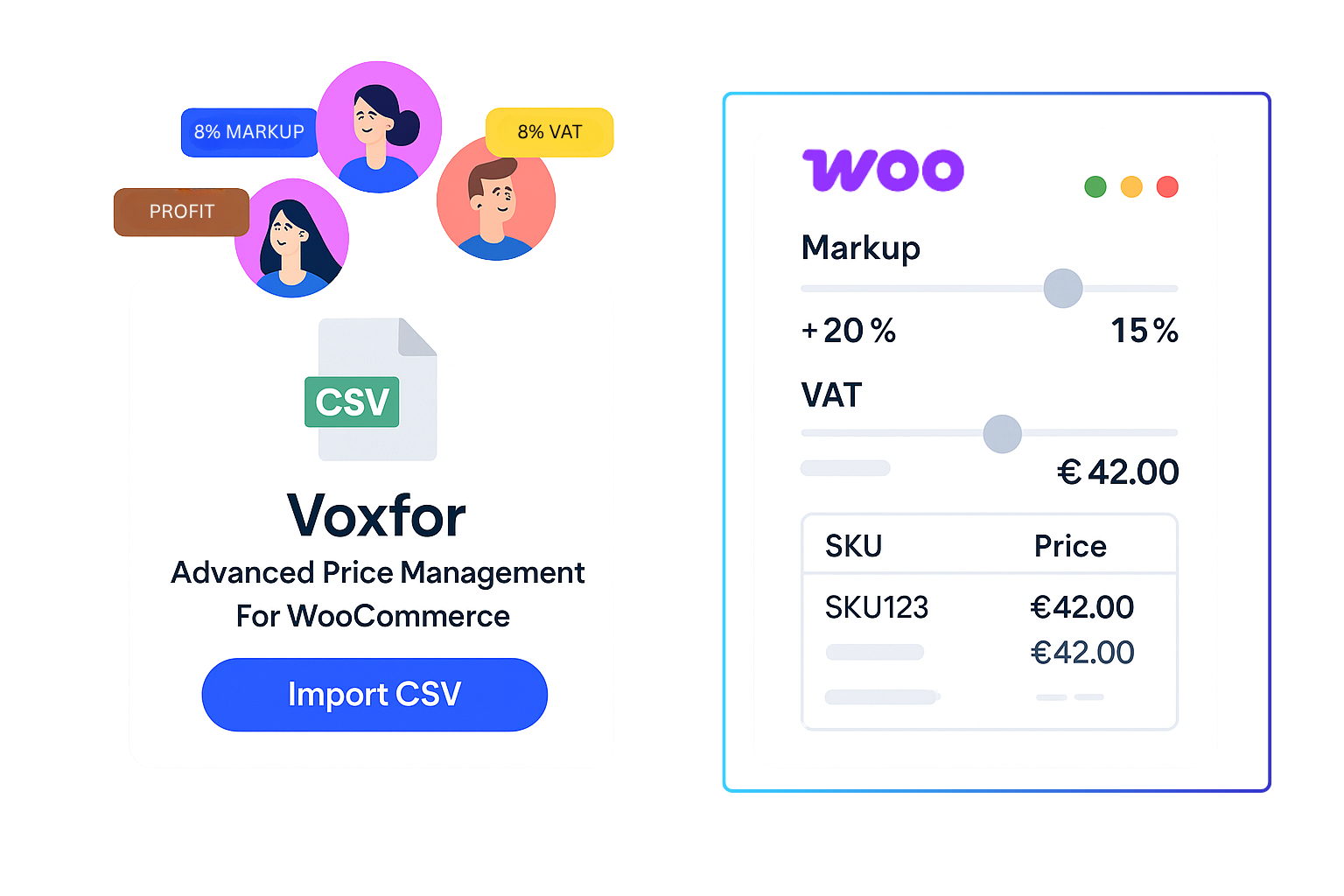





Plugin Overview
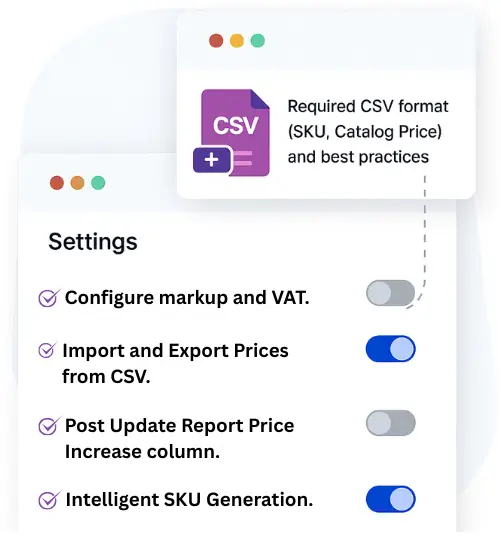
Voxfor Advanced Price Management For WooCommerce provides comprehensive price management tools for WooCommerce stores. Import/export products via CSV, manage prices with bulk updates, and configure custom markup/VAT calculations with ease.
🚀 Why Choose Voxfor Advanced Price Management?
This plugin is ideal for store owners, wholesalers, and retailers who need powerful, flexible, and fast pricing workflows. Supports both simple products and variations with intelligent SKU generation and session tracking.
Key Features
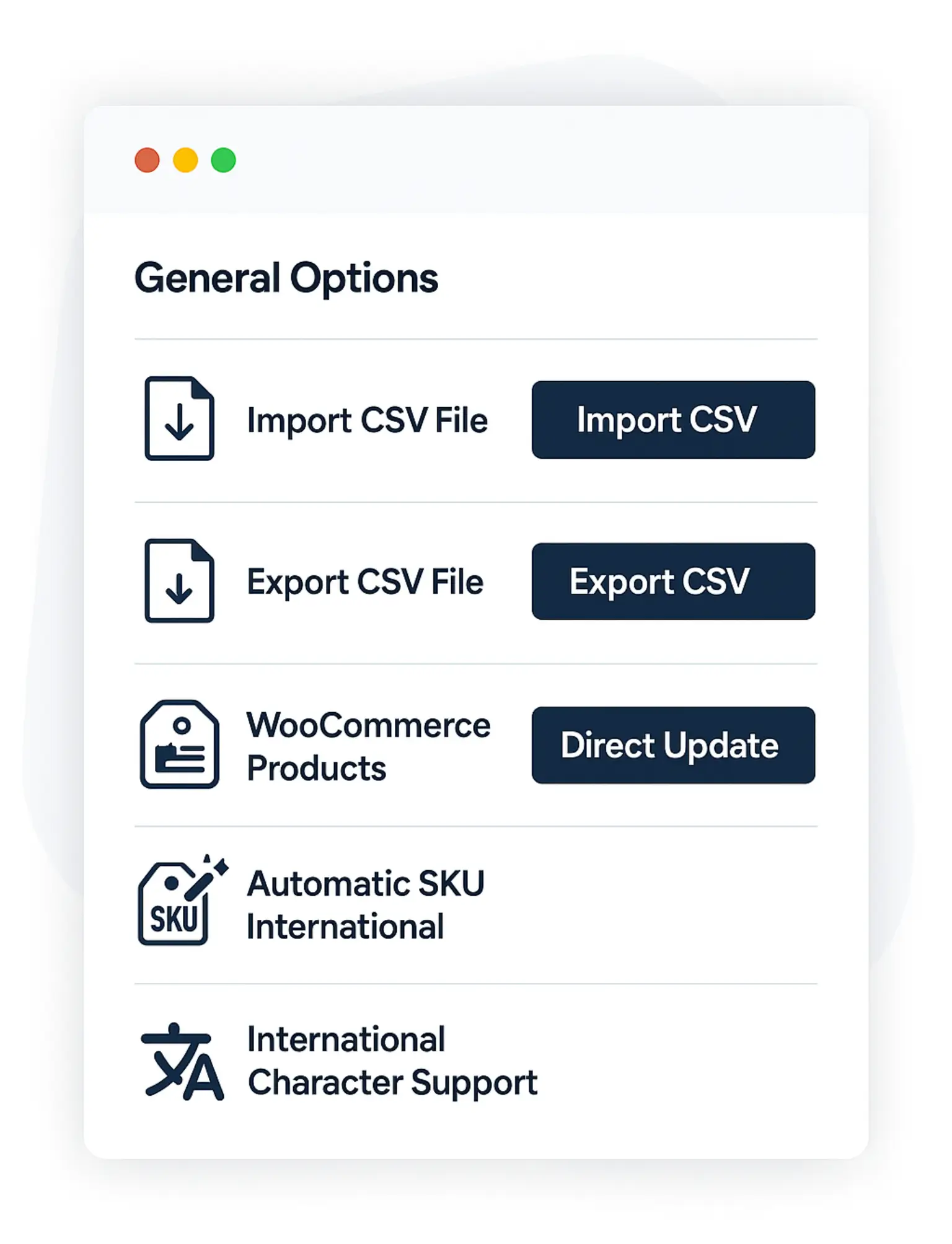
CSV Import & Export
Drag & drop CSV interface for bulk price updates. Export existing product data for external analysis and re-import.
Direct Update Interface
Bulk selection interface with real-time price calculations. Update hundreds of products with just a few clicks.
Configurable Pricing
Set custom markup and VAT percentages with live preview. Flexible pricing rules for different business models.
Smart SKU Generation
Intelligent SKU creation with international character support. Auto-generate unique SKUs for products without them.
Session Tracking
Prevent duplicate updates with visual indicators. Track which products were updated in the current session.
WooCommerce HPOS
Full compatibility with WooCommerce High-Performance Order Storage for optimal performance.
Installation Guide
System Requirements
| Component | Minimum | Recommended |
|---|---|---|
| WordPress | 7.0+ | 6.8+ |
| WooCommerce | 8.0+ | Latest |
| PHP | 7.4+ | 8.0+ |
| Memory | 128MB | 256MB+ |
Installation Steps
- Download: Get the plugin zip file from your purchase location
- Upload: Go to WordPress Admin → Plugins → Add New → Upload Plugin
- Install: Select the zip file and click "Install Now"
- Activate: Click "Activate Plugin" after installation
- Setup: Navigate to "WooCommerce → Price Management" in your admin sidebar
✅ Success!
After activation, you'll see "Price Management" under WooCommerce in your admin sidebar. The plugin requires WooCommerce to be active to function properly.
Quick Start Guide
Update Prices in 5 Minutes
-
Access Price Management:
Go to
WooCommerce → Price Managementin your WordPress admin -
Configure Settings:
Set your markup and VAT percentages in the Settings tab
-
Choose Update Method:
- CSV Import: For bulk updates from spreadsheet
- Direct Update: For selecting individual products
-
Review and Apply:
Preview calculations before applying changes
-
Check Results:
Review the detailed report of updated and skipped products
💡 Pro Tip
Always backup your database before performing bulk price updates. Start with a small test batch to verify your settings are correct!
Settings Tab: Price Calculation
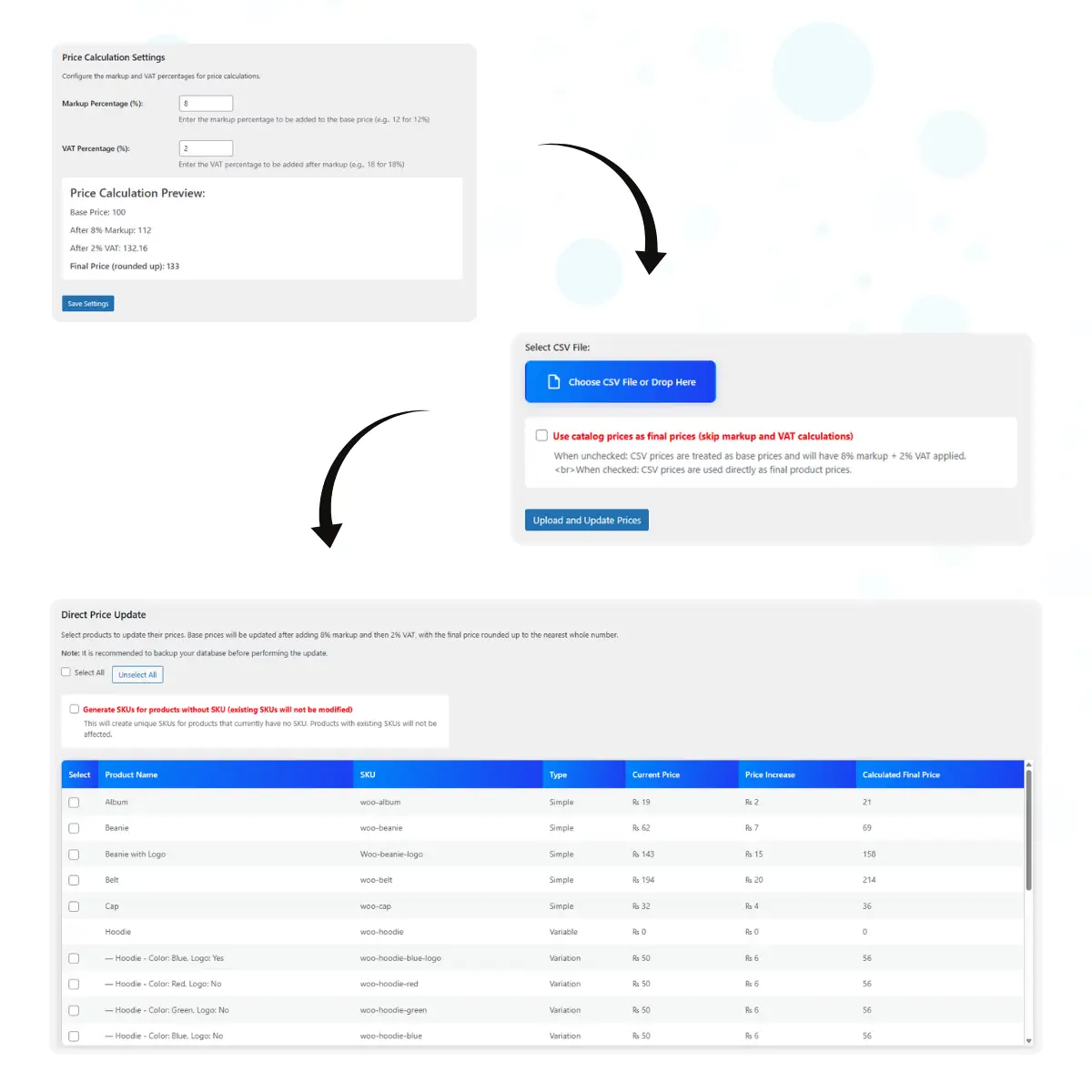
The Settings tab allows you to configure the default markup and VAT percentages used throughout the plugin.
Configuration Options
| Setting | Description | Default | Range |
|---|---|---|---|
| Markup Percentage | Added to base price before VAT | 12% | 0-100% |
| VAT Percentage | Added after markup calculation | 18% | 0-100% |
Price Calculation Formula
The plugin uses this formula to calculate final prices:
Step 1: Base Price × (1 + Markup %) = Price After Markup
Step 2: Price After Markup × (1 + VAT %) = Price After VAT
Step 3: CEILING(Price After VAT) = Final Price
Live Preview Example
📊 Base Price: 100
With 12% markup + 18% VAT:
- After 12% Markup: 112.00
- After 18% VAT: 132.16
- Final Price (rounded up): 133
CSV Import: Bulk Price Updates
The CSV Import tab allows you to update thousands of product prices by uploading a single CSV file with drag & drop interface.
CSV File Format
Your CSV file must contain these exact column headers:
| Column Header | Description | Required |
|---|---|---|
SKU |
Product or variation SKU | Yes |
Catalog Price |
Base price (numeric only) | Yes |
Example CSV Content
SKU,Catalog Price
woo-hoodie-blue,50
woo-hoodie-with-logo,45
woo-tshirt-variation-1,25.50
product-sku-123,75
Import Modes
🧮 Calculation Mode (Default)
CSV prices are treated as base prices. The plugin applies your configured markup and VAT percentages to calculate the final price.
💰 Direct Price Mode
CSV prices are used directly as final product prices, skipping all calculations. Enable with the checkbox option.
Processing Results
After import, you'll see detailed reports:
- Updated Products: Successfully processed items with old vs new prices
- Skipped Products: Items not updated with specific reasons (SKU not found, invalid price, etc.)
⚠️ Important Notes
- Backup your database before large imports
- Duplicate SKUs in the same file will be processed only once
- Only simple products and variations are supported
- Prices must be numeric values without currency symbols
CSV Export: Get Product Data
Export your existing product data to CSV format for external analysis or to create import templates.
Export Options
📋 Export All Products
Creates a CSV with all published products and variations that have SKUs. Quick and comprehensive export option.
🎯 Select Specific Products
Choose exactly which products and variations to include. Perfect for targeted updates or analysis.
Export File Format
The exported CSV contains the same format as import files:
SKUcolumn with product/variation SKUsCatalog Pricecolumn with current regular prices- Ready for re-import after modifications
Exported File Example
SKU,Catalog Price
woo-hoodie-blue,45
woo-tshirt-red-large,25
custom-product-001,120
Direct Update: Manual Price Management
Update prices for selected products without needing a CSV file. Perfect for smaller, targeted price adjustments.
Interface Features
📋 Product List
View all simple products and variations with current prices and calculated final prices based on your settings.
☑️ Bulk Selection
Use checkboxes to select multiple products. "Select All" and "Unselect All" buttons for convenience.
💹 Price Preview
See the exact price increase and calculated final price for each product before applying changes.
🔄 Session Tracking
Visual indicators show which products were updated in the current session, preventing duplicate updates.
SKU Generation
The Direct Update interface includes an option to automatically generate SKUs for products that don't have them:
SKU Generation Features
- International Support: Handles Hebrew, Arabic, and other international characters
- Transliteration: Converts non-ASCII characters to closest ASCII equivalents
- Unique IDs: Includes product ID to ensure uniqueness
- Safe Generation: Existing SKUs are never modified
SKU Format Examples
// Product name: "Blue Hoodie" → SKU: "bluehoo-123"
// Product name: "חולצה כחולה" → SKU: "chlhkch-456"
// Product name: "قميص أزرق" → SKU: "qmysazr-789"
✅ Session Management
Updated products are highlighted in green and cannot be selected again until you clear the session. This prevents accidental duplicate price updates.
Troubleshooting
Common Issues & Solutions
❌ CSV Import Fails
Symptoms: File uploads but no products are updated
Solutions:
- Verify CSV has "SKU" and "Catalog Price" columns exactly
- Check SKUs match existing products in your store
- Ensure prices are numeric (no currency symbols)
- Save CSV as UTF-8 encoded
⚠️ Price Calculations Wrong
Symptoms: Final prices don't match expectations
Solutions:
- Check markup and VAT percentages in Settings tab
- Remember: markup is applied first, then VAT
- Final price is always rounded UP to nearest whole number
- Use the live preview in Settings to verify calculations
⚠️ Some Products Skipped
Symptoms: Products appear in "Skipped" report
Solutions:
- Check exact SKU spelling (case-sensitive)
- Verify products are published and not draft/private
- Only simple products and variations are supported
- Grouped and external products are not supported
❌ Plugin Not Accessible
Symptoms: Can't find Price Management menu
Solutions:
- Ensure WooCommerce plugin is installed and activated
- Check user permissions (need "manage_woocommerce" capability)
- Look under WooCommerce menu, not main admin menu
- Try deactivating and reactivating the plugin
Performance Tips
- Process large CSV files in smaller batches (500-1000 products)
- Clear any caching plugins after price updates
- Increase PHP memory limit for very large imports
- Use Direct Update for small adjustments (under 100 products)
Frequently Asked Questions
Q: Can I undo a bulk price update?
A: The plugin doesn't have a built-in undo feature. Always backup your database before large updates. You can export current prices before updating to create a restore file.
Q: Does it work with product variations?
A: Yes! The plugin fully supports WooCommerce product variations. Use the variation's specific SKU in your CSV file or select variations in the Direct Update interface.
Q: What happens to sale prices?
A: The plugin only updates regular prices. Sale prices remain unchanged unless you manually adjust them after the price update.
Q: Can I use different markup/VAT for different products?
A: Currently, the plugin uses global markup and VAT settings for all products. Use the "Direct Price Mode" in CSV import to apply custom final prices per product.
Q: Is there a limit on CSV file size?
A: The limit depends on your server's upload limits and PHP memory. For large files (10,000+ products), consider splitting into smaller batches.
Q: Does it work with other currencies?
A: Yes, the plugin works with any currency configured in WooCommerce. Prices in CSV should be numeric values without currency symbols.
Q: Can I schedule automatic price updates?
A: The current version requires manual updates. Scheduled updates may be added in future versions based on user feedback.
Q: What about inventory/stock levels?
A: The plugin only manages pricing. Inventory and stock levels remain unchanged during price updates.
Technical Requirements
🖥️ Server Requirements
- WordPress 7.0+
- WooCommerce 8.0+ (Latest recommended)
- PHP 7.4+ (8.0+ recommended)
- MySQL 5.6+ (8.0+ recommended)
- 128MB+ memory (256MB+ for large imports)
🌐 Browser Support
- Chrome 70+ (Desktop/Mobile)
- Firefox 65+ (Desktop/Mobile)
- Safari 12+ (Desktop/Mobile)
- Edge 79+ (Desktop/Mobile)
- Opera (Latest)
🔧 Technical Features
- WooCommerce HPOS Compatible
- Full Internationalization Support
- Compatible with Popular Themes
- Caching Plugin Friendly
- Performance Optimized



