Lifetime VPS Europe
 Lifetime VPS Asia
 Lifetime WooCommerce Hosting
 Lifetime Hosting
 Lifetime Game Dedicated Servers
 Chicago, US
 Tokyo, Japan
 Singapore
 Hong Kong
 Seoul, South Korea
 Amsterdem, Netherlands
 London, UK
 Stockholm, Sweden
 Oslo, Norway
 Vienna, Austria
 Zurich, Switzerland
 Sydney, Australia
 Wordpress Hosting
 VPS Hosting
 DDOS Protection
 Submit Ticket
 Full Management
 Guides
 Videos and Podcasts
 Discover Creative Ideas
 Voxfor Autonomous AI Workers
 Voxfor Mega Menu
 Voxfor Advanced Price Management For WooCommerce
 Voxfor Secure Live Chat and AI Support
 Voxfor Multilanguage
 Voxfor AI Content Summary
 Voxfor Autopilot
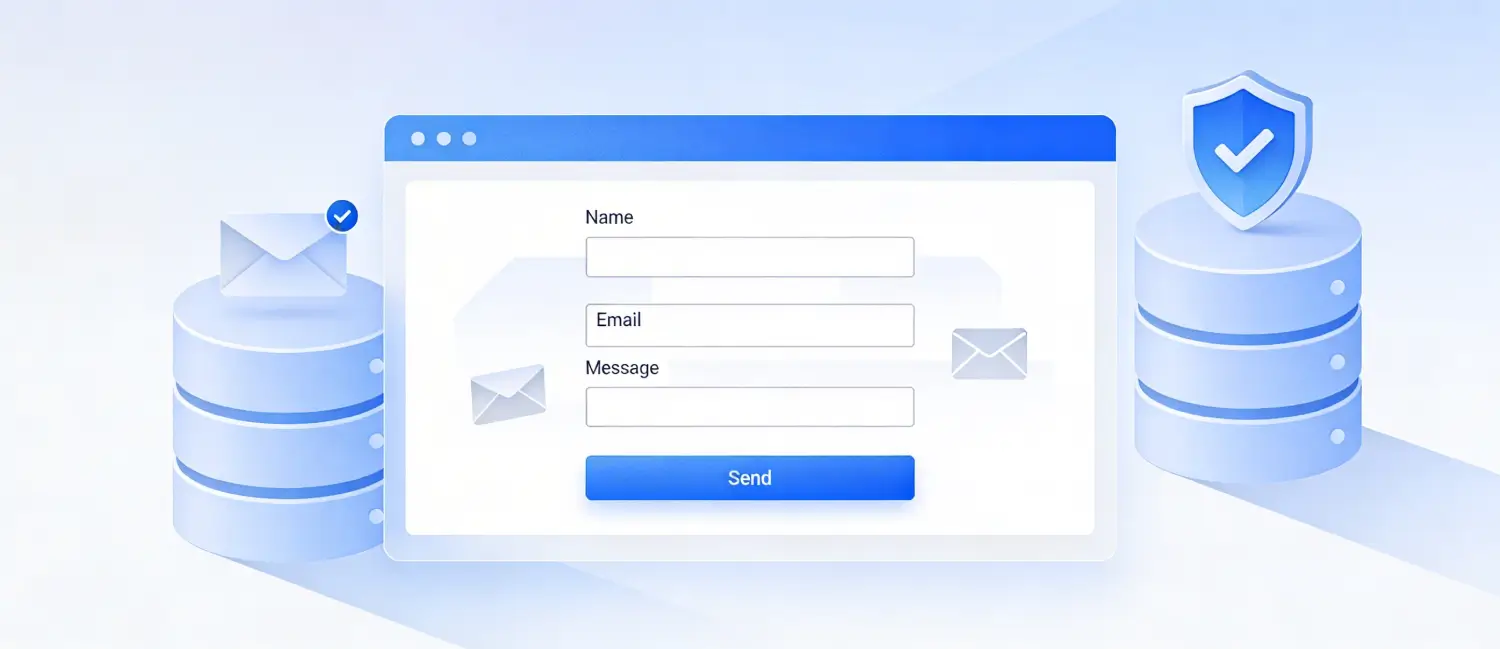
A PHP contact form allows users to communicate with website administrators by sending queries, messages, and inquiries directly from a webpage. When integrated with a MySQL database, every submission is stored securely, giving you a full record of all incoming messages. This guide walks through building a complete, secure, and modern contact form using PHP 8.x, MySQL, Bootstrap 5, PDO with prepared statements, PHPMailer, and Google reCAPTCHA v3, the best-practice stack as of 2026.
Inbound Marketing Strategy
Turn technical readers into inbound marketing growth
Helpful tutorials attract qualified visitors, but reliable hosting keeps those readers engaged. Voxfor VPS gives growing websites the speed, uptime, and control needed to support stronger inbound marketing campaigns.
What You Will Build
- A responsive HTML5 contact form (Bootstrap 5)
- Server-side validation and input sanitization
- Secure MySQL storage using PDO + prepared statements
- Email notification via PHPMailer (SMTP)
- Google reCAPTCHA v3 spam protection
- AJAX-based submission for a smooth user experience
Requirements:
Before you start, ensure you have:
- PHP 8.2 or 8.3 installed on your server (PHP 8.3 offers typed class constants, improved JSON validation, and performance boosts)
- MySQL (or MariaDB) database
- Composer (for installing PHPMailer)
- A web server (Apache or Nginx) or a managed PHP hosting platform
- Basic knowledge of PHP and HTML
Hosting Tip: Managed PHP hosting platforms remove the burden of server configuration, letting you focus purely on your application code.
Step 1: Set Up the MySQL Database
First, create the database and the table that will store all form submissions. Log in to your MySQL client and run the following SQL:
CREATE DATABASE contact_db;
USE contact_db;

CREATE TABLE contact_submissions (
    id         INT AUTO_INCREMENT PRIMARY KEY,
    name       VARCHAR(100)  NOT NULL,
    email      VARCHAR(150)  NOT NULL,
    phone      VARCHAR(20)   DEFAULT NULL,
    message    TEXT          NOT NULL,
    ip_address VARCHAR(45)   DEFAULT NULL,
    submitted_at TIMESTAMP   DEFAULT CURRENT_TIMESTAMP
);
The submitted_at column automatically timestamps each entry, and ip_address is included for spam tracking. This schema is a modern improvement over minimal setups that omit timestamps and IP logging entirely.
Step 2: Create the Database Configuration File
Create a file named config.php. Using PDO (PHP Data Objects) instead of mysqli is the current best practice because PDO supports multiple database drivers and natively enforces the use of prepared statements.
<?php
// config.php

define('DB_HOST', 'localhost');
define('DB_NAME', 'contact_db');
define('DB_USER', 'your_db_username');
define('DB_PASS', 'your_db_password');
define('DB_CHARSET', 'utf8mb4');

function getDBConnection(): PDO {
    $dsn = "mysql:host=" . DB_HOST . ";dbname=" . DB_NAME . ";charset=" . DB_CHARSET;
    $options = [
        PDO::ATTR_ERRMODE            => PDO::ERRMODE_EXCEPTION,
        PDO::ATTR_DEFAULT_FETCH_MODE => PDO::FETCH_ASSOC,
        PDO::ATTR_EMULATE_PREPARES   => false, // Use real prepared statements
    ];
    try {
        return new PDO($dsn, DB_USER, DB_PASS, $options);
    } catch (PDOException $e) {
        // In production, log the error — never expose it to the user
        error_log($e->getMessage());
        http_response_code(500);
        exit('Database connection failed. Please try again later.');
    }
}
Setting PDO::ATTR_EMULATE_PREPARES to false forces the database engine to use real prepared statements, meaning user input is always treated as data, never as executable SQL code.
Step 3: Build the HTML Contact Form
Create index.php with a Bootstrap 5 responsive form. Bootstrap 5 is the current stable release and no longer requires jQuery.
<!DOCTYPE html>
<html lang="en">
<head>
    <meta charset="UTF-8">
    <meta name="viewport" content="width=device-width, initial-scale=1.0">
    <title>Contact Us</title>
    <!-- Bootstrap 5 CSS -->
    //cdn.jsdelivr.net/npm/[email protected]/dist/css/bootstrap.min.css" rel="stylesheet">
    <!-- Google reCAPTCHA v3 -->
    <script src="https://www.google.com/recaptcha/api.js?render=YOUR_SITE_KEY"></script>
    <style>
        body { background-color: #f8f9fa; }
        .contact-card { max-width: 620px; margin: 60px auto; border-radius: 12px; }
        .form-control:focus { border-color: #0d6efd; box-shadow: 0 0 0 0.2rem rgba(13,110,253,.25); }
        #response-msg { display: none; margin-top: 14px; border-radius: 6px; padding: 10px 16px; }
    </style>
</head>
<body>
<div class="container">
    <div class="card shadow contact-card">
        <div class="card-body p-4">
            <h2 class="card-title mb-1">Contact Us</h2>
            <p class="text-muted mb-4">Fill out the form below and we'll get back to you shortly.</p>

            <form id="contactForm" novalidate>
                <!-- Hidden reCAPTCHA token field -->
                <input type="hidden" name="recaptcha_token" id="recaptcha_token">

                <div class="mb-3">
                    abel for="name" class="form-label">Full Name <span class="text-danger">*</span></label>
                    <input type="text" class="form-control" id="name" name="name"
                          placeholder="John Doe" required minlength="2" maxlength="100">
                    <div class="invalid-feedback">Please enter your name (min. 2 characters).</div>
                </div>

                <div class="mb-3">
                    abel for="email" class="form-label">Email Address <span class="text-danger">*</span></label>
                    <input type="email" class="form-control" id="email" name="email"
                          placeholder="[email protected]" required>
                    <div class="invalid-feedback">Please enter a valid email address.</div>
                </div>

                <div class="mb-3">
                    abel for="phone" class="form-label">Phone Number <span class="text-muted">(Optional)</span></label>
                    <input type="tel" class="form-control" id="phone" name="phone"
                          placeholder="+92 300 0000000" maxlength="20">
                </div>

                <div class="mb-3">
                    abel for="message" class="form-label">Message <span class="text-danger">*</span></label>
                    <textarea class="form-control" id="message" name="message"
                              rows="5" placeholder="Write your message here..." required minlength="10" maxlength="3000"></textarea>
                    <div class="invalid-feedback">Please enter a message (min. 10 characters).</div>
                </div>

                <button type="submit" class="btn btn-primary w-100" id="submitBtn">
                    <span class="spinner-border spinner-border-sm me-2 d-none" id="loadingSpinner" role="status"></span>
                    Send Message
                </button>

                <div id="response-msg" class="alert mt-3" role="alert"></div>
            </form>
        </div>
    </div>
</div>

<!-- Bootstrap 5 JS Bundle -->
<script src="https://cdn.jsdelivr.net/npm/[email protected]/dist/js/bootstrap.bundle.min.js"></script>
<script>
// Step 1: On page load, fetch reCAPTCHA v3 token
grecaptcha.ready(function () {
    grecaptcha.execute('YOUR_SITE_KEY', { action: 'contact_form' }).then(function (token) {
        document.getElementById('recaptcha_token').value = token;
    });
});

// Step 2: Handle AJAX form submission
document.getElementById('contactForm').addEventListener('submit', function (e) {
    e.preventDefault();

    const form = this;

    // HTML5 Bootstrap validation
    if (!form.checkValidity()) {
        form.classList.add('was-validated');
        return;
    }

    const spinner   = document.getElementById('loadingSpinner');
    const btn       = document.getElementById('submitBtn');
    const responseDiv = document.getElementById('response-msg');
    const formData  = new FormData(form);

    spinner.classList.remove('d-none');
    btn.disabled = true;

    fetch('process.php', {
        method: 'POST',
        body: formData
    })
    .then(res => res.json())
    .then(data => {
        responseDiv.style.display = 'block';
        if (data.success) {
            responseDiv.className = 'alert alert-success';
            responseDiv.textContent = data.message;
            form.reset();
            form.classList.remove('was-validated');
        } else {
            responseDiv.className = 'alert alert-danger';
            responseDiv.textContent = data.message;
        }
    })
    .catch(() => {
        responseDiv.style.display = 'block';
        responseDiv.className = 'alert alert-danger';
        responseDiv.textContent = 'An unexpected error occurred. Please try again.';
    })
    .finally(() => {
        spinner.classList.add('d-none');
        btn.disabled = false;
    });
});
</script>
</body>
</html>
This form uses Bootstrap 5 native validation classes (was-validated, invalid-feedback) and vanilla JavaScript Fetch API instead of jQuery, reflecting the modern standard in 2026. The novalidate attribute on the form disables browser-native bubbles, allowing Bootstrap’s styled validation to take over.
Step 4: Install PHPMailer via Composer
PHPMailer is the industry-standard library for sending emails from PHP due to its SMTP authentication, error handling, and community support. Run the following in your project root:
composer require phpmailer/phpmailerThis creates a vendor/ directory with all dependencies and an autoload.php file.
Step 5: Create the Form Processor (process.php)
This is the heart of your contact form. It validates input, checks reCAPTCHA, saves to MySQL, and sends an email notification.
<?php
// process.php
require_once 'config.php';
require_once 'vendor/autoload.php';

use PHPMailer\PHPMailer\PHPMailer;
use PHPMailer\PHPMailer\Exception;

header('Content-Type: application/json');

// ─── 1. Only accept POST requests ──────────────────────────────────────────
if ($_SERVER['REQUEST_METHOD'] !== 'POST') {
    echo json_encode(['success' => false, 'message' => 'Invalid request method.']);
    exit;
}

// ─── 2. Sanitize & Validate Inputs ─────────────────────────────────────────
$name    = trim(filter_input(INPUT_POST, 'name',    FILTER_SANITIZE_SPECIAL_CHARS));
$email   = trim(filter_input(INPUT_POST, 'email',   FILTER_SANITIZE_EMAIL));
$phone   = trim(filter_input(INPUT_POST, 'phone',   FILTER_SANITIZE_SPECIAL_CHARS));
$message = trim(filter_input(INPUT_POST, 'message', FILTER_SANITIZE_SPECIAL_CHARS));
$recaptchaToken = $_POST['recaptcha_token'] ?? '';

// Required field checks
if (empty($name) || strlen($name) < 2) {
    echo json_encode(['success' => false, 'message' => 'Name must be at least 2 characters.']);
    exit;
}
if (!filter_var($email, FILTER_VALIDATE_EMAIL)) {
    echo json_encode(['success' => false, 'message' => 'Please provide a valid email address.']);
    exit;
}
if (empty($message) || strlen($message) < 10) {
    echo json_encode(['success' => false, 'message' => 'Message must be at least 10 characters.']);
    exit;
}

// ─── 3. Verify Google reCAPTCHA v3 ─────────────────────────────────────────
$recaptchaSecret = 'YOUR_SECRET_KEY';
$verifyURL = 'https://www.google.com/recaptcha/api/siteverify?secret='
          . $recaptchaSecret . '&response=' . urlencode($recaptchaToken);
$recaptchaResponse = json_decode(file_get_contents($verifyURL));

if (!$recaptchaResponse->success || $recaptchaResponse->score < 0.5) {
    echo json_encode(['success' => false, 'message' => 'reCAPTCHA verification failed. Possible bot detected.']);
    exit;
}

// ─── 4. Save to MySQL using PDO Prepared Statements ────────────────────────
$ipAddress = $_SERVER['REMOTE_ADDR'] ?? 'unknown';

try {
    $pdo  = getDBConnection();
    $stmt = $pdo->prepare(
        "INSERT INTO contact_submissions (name, email, phone, message, ip_address)
        VALUES (:name, :email, :phone, :message, :ip_address)"
    );
    $stmt->execute([
        ':name'       => $name,
        ':email'      => $email,
        ':phone'      => $phone ?: null,
        ':message'    => $message,
        ':ip_address' => $ipAddress,
    ]);
} catch (PDOException $e) {
    error_log('DB Insert Error: ' . $e->getMessage());
    echo json_encode(['success' => false, 'message' => 'Could not save your message. Please try again.']);
    exit;
}

// ─── 5. Send Email via PHPMailer (SMTP) ────────────────────────────────────
try {
    $mail = new PHPMailer(true);

    // SMTP Configuration
    $mail->isSMTP();
    $mail->Host       = 'smtp.yourprovider.com'; // e.g., smtp.gmail.com
    $mail->SMTPAuth   = true;
    $mail->Username   = '[email protected]';
    $mail->Password   = 'your_smtp_password';
    $mail->SMTPSecure = PHPMailer::ENCRYPTION_STARTTLS;
    $mail->Port       = 587;

    // Recipients
    $mail->setFrom('[email protected]', 'Contact Form');
    $mail->addAddress('[email protected]', 'Site Admin');
    $mail->addReplyTo($email, $name);

    // Content
    $mail->isHTML(true);
    $mail->Subject = "New Contact Form Submission from {$name}";
    $mail->Body    = "
        <h3>New Contact Form Submission</h3>
        <p><strong>Name:</strong> " . htmlspecialchars($name) . "</p>
        <p><strong>Email:</strong> " . htmlspecialchars($email) . "</p>
        <p><strong>Phone:</strong> " . htmlspecialchars($phone ?: 'Not provided') . "</p>
        <p><strong>Message:</strong><br>" . nl2br(htmlspecialchars($message)) . "</p>
        <hr>
        <small>Submitted at: " . date('Y-m-d H:i:s') . " | IP: " . htmlspecialchars($ipAddress) . "</small>
    ";
    $mail->AltBody = "Name: {$name}\nEmail: {$email}\nPhone: {$phone}\nMessage: {$message}";

    $mail->send();
} catch (Exception $e) {
    // Email failure doesn't invalidate the submission (it was already saved to DB)
    error_log('Mailer Error: ' . $mail->ErrorInfo);
}

// ─── 6. Return Success Response ────────────────────────────────────────────
echo json_encode(['success' => true, 'message' => 'Thank you! Your message has been sent. We will get back to you soon.']);
The key improvements here over older tutorials are:
- PDO with real prepared statements replaces mysqli_real_escape_string(), which is an inadequate defence against SQL injection
- PHPMailer via SMTP replaces the native PHP mail() function, which is unreliable and often blocked by hosting providers
- Google reCAPTCHA v3 with a score threshold of 0.5 replaces the manual CAPTCHA image, offering invisible spam protection
- Separation of concerns: DB errors are logged server-side, and only friendly messages are returned to the user
Step 6: Google reCAPTCHA v3 Setup
reCAPTCHA v3 works entirely in the background, no checkbox or puzzle is presented to the user, removing friction that could hurt conversion rates. It returns a score between 0 (likely bot) and 1 (likely human).
To get your API keys:
- Visit google.com/recaptcha/admin and sign in.
- Click + to register a new site.
- Select reCAPTCHA v3 as the type.
- Add your domain under “Domains.”
- Copy your Site Key (for the frontend) and Secret Key (for the backend).
Replace YOUR_SITE_KEY in index.php and YOUR_SECRET_KEY in process.php with the keys you receive.
Security Best Practices Summary
Protecting your contact form from abuse is as important as building it.
| Threat | Mitigation Used |
| SQL Injection | PDO real prepared statements with parameterized queries |
| XSS (Cross-Site Scripting) | htmlspecialchars() on all output; FILTER_SANITIZE_SPECIAL_CHARS on input |
| Spam / Bot Submissions | Google reCAPTCHA v3 score verification |
| Email Header Injection | PHPMailer sanitizes all headers automatically |
| Exposed DB Credentials | Store credentials in config.php outside the web root; use .env for production |
| Brute Force / Flooding | Implement rate limiting (e.g., 1 submission per IP per 60 seconds using sessions or Redis) |
| Verbose Error Exposure | All exceptions are logged server-side via error_log(); only generic messages shown to users |
How the Complete Flow Works
Understanding the full request lifecycle helps with debugging and future enhancements.
User fills form → Bootstrap 5 HTML5 client validation
      ↓
JS Fetch API sends FormData + reCAPTCHA token to process.php
      ↓
process.php: sanitize → validate → verify reCAPTCHA v3 score
      ↓
PDO INSERT into MySQL (contact_submissions table)
      ↓
PHPMailer sends SMTP email to admin
      ↓
JSON response returned → JS updates UI (success / error alert)
This AJAX-first approach means the page never reloads, providing a smoother user experience compared to traditional full-page form POST submissions.
Common Issues and Fixes
| Issue | Likely Cause | Solution |
| Emails land in spam | Using PHP mail() | Switch to PHPMailer with SMTP authentication |
| reCAPTCHA always fails | Wrong secret key | Double-check keys in the Google Admin console; ensure the domain is registered |
| SQLSTATE PDO error | Wrong DB credentials | Verify config.php values; check MySQL user permissions |
| Form submits, but no email | SMTP is blocked on the host | Use port 587 with STARTTLS; some hosts require port 465 with SSL |
| XSS in stored messages | No output encoding | Always wrap echo’d DB data in htmlspecialchars() |
| Empty phone stored as empty string | No null handling | Use $phone ?: null before INSERT as shown in Step 5 |
Extending the Form
Once your basic form is running, consider these enhancements:
- Admin panel: Build a simple password-protected PHP page that queries contact_submissions and displays messages in a paginated table
- Auto-reply: Use PHPMailer to send a confirmation email back to the user upon submission
- Rate limiting: Track submission counts per IP in a rate_limits table or via PHP sessions to prevent flooding
- File attachments: Add
enctype="multipart/form-data"to the form and use PHPMailer’s addAttachment() method - Framework migration: For larger projects, frameworks like Laravel (with built-in CSRF protection, validation, and Eloquent ORM) or Symfony provide even more robust form handling
Conclusion
Building a PHP contact form in 2026 means going beyond the basics. The combination of PDO prepared statements for SQL injection prevention, PHPMailer for reliable email delivery, and Google reCAPTCHA v3 for invisible spam filtering represents the current industry standard. Running on PHP 8.2 or 8.3 ensures you benefit from the latest performance improvements and security hardening compared to legacy PHP 7.x setups. Following this guide will give you a production-ready contact form that is secure, fast, and maintainable.
About the writer

Hassan Tahir wrote this article, drawing on his experience to clarify WordPress concepts and enhance developer understanding. Through his work, he aims to help both beginners and professionals refine their skills and tackle WordPress projects with greater confidence.