Lifetime VPS Europe
 Lifetime VPS Asia
 Lifetime WooCommerce Hosting
 Lifetime Hosting
 Lifetime Game Dedicated Servers
 Chicago, US
 Tokyo, Japan
 Singapore
 Hong Kong
 Seoul, South Korea
 Amsterdem, Netherlands
 London, UK
 Stockholm, Sweden
 Oslo, Norway
 Vienna, Austria
 Zurich, Switzerland
 Sydney, Australia
 Wordpress Hosting
 VPS Hosting
 DDOS Protection
 Submit Ticket
 Full Management
 Guides
 Videos and Podcasts
 Discover Creative Ideas
 Voxfor Autonomous AI Workers
 Voxfor Mega Menu
 Voxfor Advanced Price Management For WooCommerce
 Voxfor Secure Live Chat and AI Support
 Voxfor Multilanguage
 Voxfor AI Content Summary
 Voxfor Autopilot
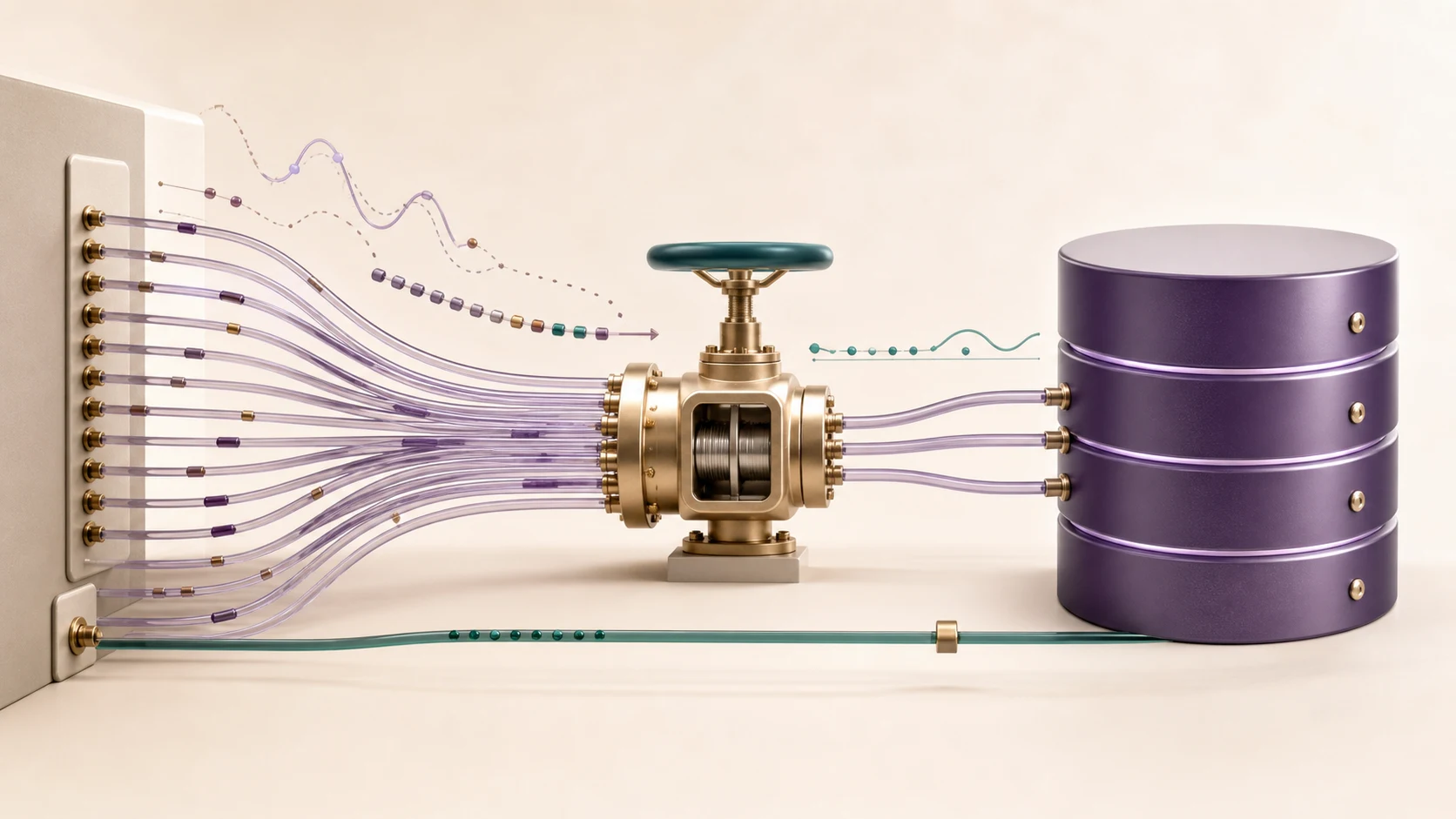
PgBouncer can protect PostgreSQL from connection bursts by accepting many application clients while keeping a smaller, controlled set of database sessions open. On a VPS, the safe pattern is to diagnose the real bottleneck, preserve PostgreSQL headroom, start with a compatible pool mode, bind PgBouncer privately and cut the application over with a tested rollback.
It is not a cure for every database slowdown. If queries are blocked, indexes are missing or the VPS is out of memory, a pooler may only turn an immediate connection error into a queue. The goal is controlled admission and connection reuse, with enough evidence to tell healthy queueing from a hidden overload.
Quick Decision
Use PgBouncer when an application creates many short-lived PostgreSQL connections, autoscaled workers arrive in bursts, or multiple services collectively approach the database connection limit. Keep direct PostgreSQL access available for a restricted administrator path while the application connects to PgBouncer.
Do not begin by raising max_connections. PostgreSQL documents it as the maximum concurrent server-connection count; a higher value changes the server’s resource budget and does not reduce connection churn. A pooler lets more clients share fewer backend sessions, but clients above the active pool can wait.
| Signal | What it suggests | First action |
|---|---|---|
too many clients already during traffic bursts |
Connection capacity is exhausted | Count connections by database, user and state |
| Many short idle sessions from web workers | Application pools are fragmented or oversized | Measure each process pool before adding another layer |
| Normal connection count but high query latency | Query, lock, I/O or CPU problem | Inspect active queries and waits; do not assume PgBouncer fixes it |
| Frequent deploy-time connection spikes | Reconnect storm | Bound startup concurrency and test a PgBouncer queue |
| Long transactions occupy every backend | Transaction design or database capacity issue | Find transaction age and lock behavior before increasing pool size |
Build a Connection Budget Before Configuration
Two limits answer different questions:
max_client_connlimits how many clients PgBouncer accepts.default_pool_sizelimits server connections per user/database pair, unless a more specific rule overrides it.
That second detail is easy to miss. A value of 20 does not necessarily mean 20 total PostgreSQL sessions when several databases or users create separate pools. PgBouncer’s official configuration reference also warns that a high client limit increases file-descriptor demand.
Start from PostgreSQL, not from a copied internet formula:
- Record
max_connectionsand the number reserved for administration and maintenance. - Count peak active and idle sessions by application user and database.
- Leave headroom for migrations, monitoring, backups and emergency access.
- Divide the remaining backend budget among actual application pools.
- Load-test the resulting queue and transaction latency before production cutover.
These read-only queries provide a baseline:
SHOW max_connections;

SELECT datname, usename, state, count(*) AS connections
FROM pg_stat_activity
GROUP BY datname, usename, state
ORDER BY connections DESC;

SELECT now() - xact_start AS transaction_age,
       pid, usename, datname, state, wait_event_type, wait_event
FROM pg_stat_activity
WHERE xact_start IS NOT NULL
ORDER BY xact_start;
Run the same snapshot during a normal period and a known peak. One quiet screenshot is not a capacity plan.
Choose Pool Mode by Application Behavior
PgBouncer offers session, transaction and statement pooling. The most efficient-looking mode is not automatically the right one.
| Pool mode | Backend released | Good starting fit | Compatibility boundary |
|---|---|---|---|
| Session | When the client disconnects | Safest initial cutover for an unknown application | Reuses connection setup but does not multiplex persistent clients aggressively |
| Transaction | At transaction end | Stateless web requests whose framework is tested with it | Session SET, LISTEN, session advisory locks and some temporary-table patterns can break |
| Statement | After each statement | Specialized autocommit workloads | Multi-statement transactions are disallowed |
The PgBouncer feature map is the source of truth for these boundaries. Begin with session when compatibility is uncertain. Move to transaction only after reviewing the framework, driver, migration tool, prepared statements and any session-scoped features under real tests.
Protocol-level prepared statements can work in current PgBouncer transaction pooling when configured, but SQL-level PREPARE behavior and schema changes still require care. A rollout should include migrations and background jobs, not only the home page.
A Private Same-Host Baseline
For an application and PostgreSQL on the same VPS, keep PgBouncer on loopback. This example is intentionally conservative and illustrative; confirm package paths and authentication behavior for the installed distribution and PgBouncer version.
[databases]
appdb = host=127.0.0.1 port=5432 dbname=appdb

[pgbouncer]
listen_addr = 127.0.0.1
listen_port = 6432
unix_socket_dir = /run/postgresql
auth_type = scram-sha-256
auth_file = /etc/pgbouncer/userlist.txt
pool_mode = session
max_client_conn = 200
default_pool_size = 15
reserve_pool_size = 3
reserve_pool_timeout = 5
max_db_connections = 20
admin_users = pgbouncer_admin
stats_users = pgbouncer_stats
The values are a starting example, not a universal recommendation. Here, max_db_connections supplies a clearer database-level ceiling, while max_client_conn allows excess clients to wait rather than opening the same number of PostgreSQL sessions. Every extra pool, user and database must still fit the full connection budget.
Protect the authentication file and configuration from other local users:
sudo chown root:postgres /etc/pgbouncer/pgbouncer.ini
sudo chmod 640 /etc/pgbouncer/pgbouncer.ini
sudo chown postgres:postgres /etc/pgbouncer/userlist.txt
sudo chmod 600 /etc/pgbouncer/userlist.txt
sudo systemctl enable --now pgbouncer
sudo systemctl status pgbouncer --no-pager
sudo ss -ltnp | grep ':6432'
The listener check should show 127.0.0.1:6432, not 0.0.0.0:6432, for this same-host design. If application and database components are on separate servers, use a private network, narrow firewall rules and TLS appropriate to that topology rather than exposing port 6432 broadly.
Authentication deserves a version-specific check. SCRAM credentials should be handled according to current PgBouncer and PostgreSQL documentation; do not paste a real database password into a world-readable file, shell history or article example.
Test Before Moving Application Traffic
First prove both paths independently. Direct PostgreSQL remains the rollback path, while the new port proves PgBouncer can authenticate and reach the target database:
psql 'host=127.0.0.1 port=5432 dbname=appdb user=app_user'
psql 'host=127.0.0.1 port=6432 dbname=appdb user=app_user'
Inside each session, confirm the intended database and account:
SELECT current_database(), current_user;Then test application behavior in staging or a controlled change window:
- point one application instance at port
6432, - exercise login, writes, background jobs and scheduled work,
- run the normal migration procedure,
- watch error rate, transaction latency and pool queueing,
- restart workers to simulate a reconnect burst,
- keep the original port and configuration ready for rollback.
Change only the database endpoint at first. Combining PgBouncer, a PostgreSQL upgrade, schema changes and application deployment makes failures much harder to isolate.
If the VPS itself still needs account, update and firewall work, complete a Linux VPS baseline before turning database tuning into the first maintenance task. The pooler should not become a public workaround for an unfinished server boundary.
Observe the Pool Instead of Guessing
PgBouncer exposes an admin console through its virtual pgbouncer database. Limit admin and stats users, keep the console private and use it to inspect the queue:
psql 'host=127.0.0.1 port=6432 dbname=pgbouncer user=pgbouncer_stats'SHOW POOLS;
SHOW STATS;
SHOW DATABASES;
SHOW CLIENTS;
SHOW SERVERS;The official usage guide explains that rising maxwait means the oldest waiting client is not being served quickly enough. That could indicate a pool that is too small, but it can also reveal an overloaded database or slow transactions. Look at PgBouncer and pg_stat_activity together.
| Observation | Likely meaning | Response |
|---|---|---|
| Clients wait briefly during a known burst, then recover | Admission control is absorbing the spike | Confirm application timeouts tolerate the wait |
maxwait keeps increasing |
Backends cannot serve demand | Inspect slow/blocked transactions before adding connections |
| PostgreSQL sessions remain near the reserved ceiling | Pool budget is too aggressive or fragmented | Reduce per-pool limits and account for every user/database pair |
| Client errors appear only in transaction mode | Session-state incompatibility | Return to session pooling and identify the feature dependency |
| File-descriptor warnings appear | Client limit exceeds service/OS capacity | Review PgBouncer limits and systemd file limits deliberately |
Monitoring should include PgBouncer availability, queue wait, client/server connection counts, PostgreSQL saturation and application database errors. A healthy service process alone does not prove a healthy pool.
Rollback, Reload and Maintenance
A rollback is simple only when it is prepared before cutover. Keep the prior application connection string or secret version, verify direct PostgreSQL still works from the application host, and document who can switch it back.
Most configuration changes can be reloaded, but a syntactically valid reload is not proof that the application remains compatible. Review service logs after every change:
sudo systemctl reload pgbouncer
sudo journalctl -u pgbouncer --since '15 minutes ago' --no-pager
sudo systemctl is-active pgbouncer
Coordinate database migrations with prepared-statement and pool behavior. If a deployment changes result types or session assumptions, follow the current PgBouncer guidance for reconnecting or restarting pools and verify application recovery. Do not improvise a production restart from a stale tutorial.
Configuration and authentication files belong in the server backup plan, but credentials require protected storage. PgBouncer contains no application data, so database backups and restore tests remain PostgreSQL responsibilities.
When PgBouncer Fits and When It Does Not
| Situation | Fit | Reason |
|---|---|---|
| Many web workers create short database sessions | Good | A smaller backend pool can reuse PostgreSQL sessions |
| Serverless or bursty clients reach one database through a private path | Good with testing | Client concurrency can queue behind bounded backends |
| Application depends heavily on session state | Conditional | Session mode may help churn; transaction mode may break behavior |
| Queries are slow because of locks, plans or storage | Poor as the primary fix | Pooling does not repair the query path |
| Need automatic PostgreSQL failover | Incomplete | PgBouncer is a pooler, not a complete HA system |
| No one owns monitoring, upgrades or incident response | Poor DIY fit | The extra layer creates another operational dependency |
For a long-lived application, database-ready VPS infrastructure can provide a controlled Linux environment for PostgreSQL and PgBouncer. Size the server for the database working set, query load, storage and backups rather than counting accepted PgBouncer clients as real compute capacity.
The honest caveat is that PgBouncer trades immediate connection creation for a queue and another service to operate. That is valuable when the queue is bounded, observable and faster than uncontrolled churn. It is harmful when it hides saturation until every client timeout expires at once. Teams without database operating coverage may need managed infrastructure help for sizing, cutover and incident response.
Recommended Next Step
Capture peak pg_stat_activity, document the application’s session features and reserve PostgreSQL administration headroom. Deploy PgBouncer on loopback in session mode, move one application instance to port 6432, and test normal traffic, migrations, worker restarts and rollback. Only then consider transaction pooling or a larger client queue.
FAQ
Does PgBouncer make PostgreSQL queries faster?
Not directly. It reduces connection setup overhead and controls backend concurrency. Slow SQL, locks, missing indexes, CPU pressure and storage latency still need their own diagnosis.
Should I use session or transaction pooling?
Start with session pooling when application behavior is uncertain. Transaction pooling can multiplex more clients, but only after testing session settings, advisory locks, listeners, temporary tables, prepared statements and migrations.
Can PgBouncer listen on a public VPS port?
It can listen on TCP, but a same-host application should normally use loopback or a Unix socket. Multi-host designs should use a private network, narrow firewall policy and appropriate TLS instead of broad public exposure.
How large should default_pool_size be?
There is no universal number. Calculate the PostgreSQL budget after reserving administration and maintenance headroom, then divide it across real database/user pools and validate queue wait under load.
Is PgBouncer a PostgreSQL high-availability solution?
No. It pools connections and can point to database hosts, but failover, replication, data durability, backups and recovery need a separate architecture and tests.