Lifetime VPS Europe
 Lifetime VPS Asia
 Lifetime WooCommerce Hosting
 Lifetime Hosting
 Lifetime Game Dedicated Servers
 Chicago, US
 Tokyo, Japan
 Singapore
 Hong Kong
 Seoul, South Korea
 Amsterdem, Netherlands
 London, UK
 Stockholm, Sweden
 Oslo, Norway
 Vienna, Austria
 Zurich, Switzerland
 Sydney, Australia
 Wordpress Hosting
 VPS Hosting
 DDOS Protection
 Submit Ticket
 Full Management
 Guides
 Videos and Podcasts
 Discover Creative Ideas
 Cybersecurity Services
 Voxfor Mega Menu
 Voxfor Advanced Price Management For WooCommerce
 Voxfor Secure Live Chat and AI Support
 Voxfor Multilanguage
 Voxfor AI Content Summary
 Voxfor Autopilot
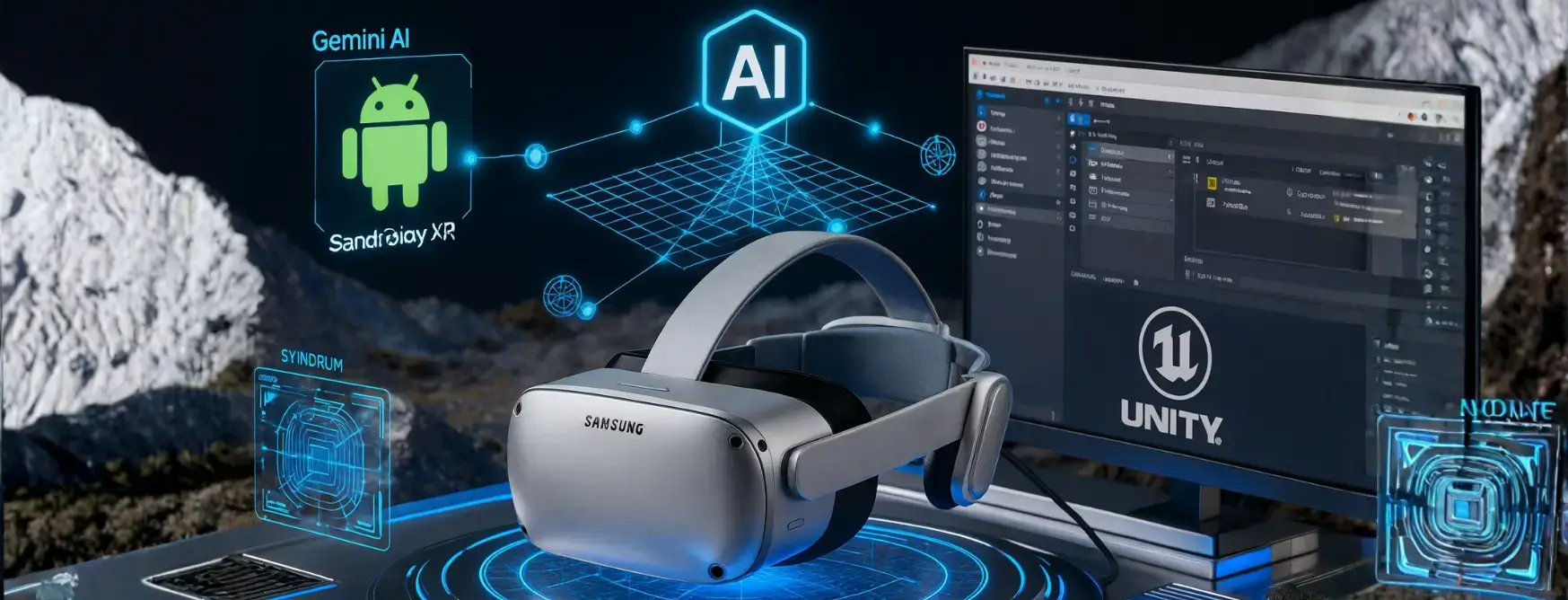
How do I actually build on this platform is the same critical question being asked by developers around the world as Samsung launches the Galaxy XR headset in collaboration with Google and Qualcomm. Suppose you’ve been following the groundbreaking collaboration between Samsung and Google that’s reshaping spatial computing. In that case, you already know the Galaxy XR represents more than just another headset, it’s the first true convergence of AI-powered spatial computing with an open development ecosystem. This comprehensive guide answers every technical question developers have about building for Android XR.
Inbound Marketing Strategy
Turn technical readers into inbound marketing growth
Helpful tutorials attract qualified visitors, but reliable hosting keeps those readers engaged. Voxfor VPS gives growing websites the speed, uptime, and control needed to support stronger inbound marketing campaigns.

Is Android XR Actually Open to Developers?
Yes, Android XR Development is fundamentally open as of October 2025, but with important nuances you need to understand. Google launched the Android XR SDK Developer Preview in December 2024. As of October 2025, with the Galaxy XR launch, the platform has reached production readiness with Developer Preview 2 released in May 2025. The platform is built on open standards, including OpenXR 1.0 and 1.1, making it accessible to developers familiar with cross-platform XR development.
Access however exists in levels. Although the main Android XR SDK and tools, and emulator are free to all developers, some of the more advanced features are reserved. In particular, the exclusive right to access Gemini Spatial AI APIs and more sophisticated functions of understanding the scene is now open only to the official partner program of Google. The publicly-available tools are all that most developers who have to create immersive experiences, games, or productivity applications need to create visually engaging Android XR apps.
The openness extends to distribution as well. Google Play is now available on XR headsets, and most existing Android apps automatically become available on Android XR without modification. This represents a massive advantage over closed ecosystems, as your existing Android codebase can often transition to XR with minimal effort.
What Exactly Is Android XR?
Android XR is the operating system created by Google that is specifically an extension of Android 14/15 with an additional layer of a spatial computing feature. You can consider it to mean Android re-formed to three-dimensional interaction instead of flat interfaces. The platform has a number of integrated elements that collaborate to facilitate XR experiences.
Android XR Runtime is the real-time engine that manages spatial display, sensor fusion, and head/hand/eye tracking and the XR interaction core model. This runtime layer is a layer that is lower than the application layer and has the tedious responsibility of transforming the real world movements into the digital communications.
XR SDK provides developers with APIs significantly richer than the previous ARCore framework, offering comprehensive access to spatial UI, 3D content integration, gesture recognition, and environment understanding. The SDK supports multiple development approaches, from native Android development to Unity and Unreal Engine workflows.
Android XR has built-in Gemini AI integration, which is not found in any prior XR platform. Gemini is more than an add-on assistant it is at the OS level and can access your spatial context, your visual field and your real time environment. This allows the contextual interactions that cannot be done on other platforms, like telling Gemini what you are looking at, or what you can see in the frame of reference.
Android XR is integrated with Google Play XR Store, which implies that Android XR utilizes the existing list of applications and introduces XR-specific distribution channels. Initial XR feature releases can be made available to developers via established Play Console processes, either via the addition of XR-capabilities to existing mobile apps or by creating focused XR releases.
The platform architecture is open standards based, not proprietary lock-in. Android XR supports OpenXR, WebXR, and existing graphics API features, such as Vulkan, and allows content and skills designed to work with it to be portable to other platforms.
Who Can Access Android XR Development Tools?
Any developer can begin building for Android XR today using publicly available tools. Access requires no special approval, partnership agreements, or device ownership. Here’s exactly what you can access right now:
Android XR SDK through Android Studio was released with Canary channel release with Jetpack XR libraries. Its SDK has Jetpack Compose in XR (declarative spatial UI), Jetpack SceneCore (3D scene graph and entity management), ARCore with Jetpack XR (plane detection, anchoring and hand tracking perception), and Material Design in XR (spatial design components).
Android XR Emulator provides a complete virtualized XR environment for testing without physical hardware. The emulator supports mouse and keyboard interaction, spatial navigation, and full debugging capabilities within Android Studio. System requirements include macOS 13.3+ with Apple Silicon (M1+) or Windows 11 with Intel 9th gen/AMD Ryzen 1000+ processors, 16GB RAM, and dedicated graphics with 8GB VRAM for Windows systems.
Unity and Unreal Engine support allow Android XR to be targeted in the developer with the same workflows by the developers of the industry-standard engines. Unity 6 is capable of producing Android XR with Unity OpenXR: Android XR package (version 0.5.0-exp.1 and later) and Android XR Extensions for Unity package (version 1.0.0+). The two packages can be accessed in the Package Manager of Unity without needing any special access privileges.
OpenXR and WebXR standards support means developers already working with these cross-platform technologies can target Android XR with minimal platform-specific adaptation. Android XR implements the OpenXR 1.1 specification with extensive vendor extensions covering hand tracking, plane tracking, face tracking, persistent anchors, scene understanding, and passthrough camera access.
There are Restricted Access Components, however, these only impact certain advanced capabilities. Gemini Spatial AI Partner Program offers superior access to multimodal AI capability including full scene context awareness. It has features such as sophisticated object recognition, spatial reasoning APIs and closer integration of AI and hardware than can be found under normal Firebase AI Logic integration. The Scene Understanding Advanced APIs provide advanced environment reconstruction and semantic labelling functions in addition to basic plane detection. These are accessible only to people joining the Google partner program, the application process and criteria are not quite public.
The publicly-available tools offer full-fledged support to the development of professional XR applications to independent developers and small studios. Other large studios such as Owlchemy Labs were able to port existing titles to Android XR in approximately a week using everyday access tools, proving that limited APIs are not needed to develop commercial-quality work.

How Do I Actually Start Developing?
Android XR has a simple set up process, starting and all you need is a simple set up, depending on your style of development. The following is the complete technical configuration of each pathway.
Native Android Development with Jetpack XR SDK
Install Android Studio Canary: Download the latest Canary build (formerly called Meerkat, currently Ladybug or newer). Standard Android Studio stable releases don’t yet include XR tools. After installation, open SDK Manager (Settings > SDK Manager) and install Android SDK Build-Tools, Android Emulator (latest version with XR support), Android SDK Platform-Tools, and Layout Inspector for API 31-36.
Install Android XR system images: Under the SDK Platforms tab, check “Show Package Details” and select either Google Play XR ARM (for macOS with Apple Silicon) or Google Play XR Intel x86_64 (for Windows). This downloads the specialized Android XR operating system image for the emulator.
Create your first XR project: On the welcome screen on Android Studio, choose New Project > XR category > Basic Headset Activity template. This creates an all-inclusive starter project with Jetpack Compose XR, SceneCore integration, and sample spatial UI elements. Gradle dependencies of androidx.xr.compose, androidx.xr.scenecore and androidx.xr.arcore libraries are added to the template. GitHub also provides examples of implementation of sample XR projects.
Configure the Android XR emulator: Open Tools > AVD Manager, create a new Android Virtual Device, select “XR” under Form Factor, choose “XR Device,” and select the most recent Android XR system image compatible with your host system. Launch the emulator and use Alt/Option + mouse controls for spatial navigation: click-drag to pan, scroll to dolly (move forward/backward), and WASD keys for movement.
Essential manifest configuration: XR-differentiated apps require specific manifest declarations. For Jetpack XR SDK apps, include <uses-feature android:name=”android.software.xr.api.spatial” android:required=”true”/> in your AndroidManifest.xml. Set minimum SDK to API level 34 (Android 14).
Unity Development for Android XR
Install Unity 6: Download Unity 6000.0.23f1 or newer (Unity 6000.1.10f1 recommended). Earlier versions lack production Android XR support. Ensure the Android Build Support module is installed during Unity Hub setup.
Add Android XR packages: Install via Package Manager using the package identifier method. For core functionality, add com.unity.xr.androidxr-openxr (Unity OpenXR: Android XR package). For extended features, including object tracking, face tracking, marker tracking, and scene meshing, add the Android XR Extensions for Unity package from tarball. Both packages integrate through Unity’s XR Plug-In Management system.
Configure project settings: Switch to Android build target, set minimum API level to 24 or higher (though Android XR devices run API 34+). Under Project Settings > XR Plug-in Management > Android tab, enable OpenXR as plug-in provider. Under XR Plug-in Management > OpenXR > Android tab, enable “Android XR” feature group or select individual features needed. Configure Graphics API to use Vulkan as primary (Android XR is Vulkan-first). Set render pipeline to Universal Render Pipeline (URP) for best performance and feature support.
Testing in Unity: Android XR Emulator can be tested using Android studio or directly deployed to the Galaxy XR hardware using USB debugging. To test Play Mode, using simulated XR input is supported by the Unity development workflow, and it then builds to Android.
OpenXR Native Development
Set up OpenXR development environment: For developers preferring direct OpenXR API access without Unity or Android frameworks, Android XR supports the OpenXR 1.1 specification with extensive vendor extensions. Access OpenXR headers from the official Khronos repository, integrating Android-specific extensions from Google’s documentation.
Required manifest configuration: OpenXR/Unity apps must include <uses-feature android:name=”android.software.xr.api.openxr” android:required=”true”/> in AndroidManifest.xml. Specify OpenXR version if requiring specific capabilities: android:version=”0x00010001″ for OpenXR 1.1.
Supported extensions: Android XR implements 40+ OpenXR extensions covering passthrough projection (XR_ANDROID_passthrough_projection_layer), persistent anchors (XR_ANDROID_persistent_anchor), hand tracking (XR_EXT_hand_tracking, XR_FB_hand_tracking_aim), facial tracking (XR_ANDROID_face_blend_shapes), scene understanding (XR_ANDROID_spatial_mesh, XR_ANDROID_trackables), and depth sensing (XR_ANDROID_depth). Each extension requiring runtime permissions is clearly documented.
WebXR Development
Browser-based XR development: Android XR supports WebXR through Chrome on Android XR, enabling web-based immersive experiences. WebXR development requires no special SDK installation, standard WebXR APIs work on Android XR devices accessing web content through Chrome.
This approach suits developers building cross-platform web experiences or wanting to prototype quickly without native development environments. WebXR apps can access hand tracking, gaze input, and spatial rendering through the standard WebXR Device API.
What Can I Actually Build Right Now?
Android XR SDK (Developer Preview 2 as of October 2025) is now in such a position that it allows full commercial-quality growth in a variety of app categories. Knowledge of certain API capabilities assists project developers in scoping realistic projects.
The most available entry point is spatial UI Applications. With Jetpack Compose to XR, developers are able to build floating panels, responsive layouts with accessible space, deep-layered spatial windows and multi-panel layouts of productivity applications. In just two weeks, the Calm meditation application group has managed to move their mobile experience to spatial UI using current Android/Compose knowledge, which shows the speed at which it can be developed.
Jetpack SceneCore is used in Immersive 3D Experiences to provide full control over the environment. It supports 3D model loading based on glTF 2.0 format with animation, spatial audio up to point sources, and ambient soundscapes, custom virtual environments based on 360deg skybox images or 3D geometry, and passthrough mode with mix reality, in which virtual objects are present with the real environment. SceneCore API offers an entity-component system architecture that is common to game developers, and includes move/resize affordance, input processing, and spatial physics components.
The communication of Hand and Gesture Interaction is based on ARCore on Jetpack XR. Developer Preview 2 introduced hand tracking and 26 posed joints to recognize gestures without the need of controllers. This is useful in indicating, catching, and pinching gestures to operate objects, hand-based interaction in the UI, and application-specific gestures.
AR/MR Experiences with Scene Understanding makes use of ARCore to operate Jetpack XR in its perception functions. It has plane detection with semantic labeling (floor, wall, ceiling, table, etc.), plane hit testing, plane depth data, and session-spanning spatial anchors, depth maps to simulate occlusions realistically, and real-time environment meshing. These capabilities allow applications that are aware of and can communicate with physical spaces, e.g. furniture arrangement, spatial games, or industrial visualization.
Video and Media Experiences received significant enhancement in Developer Preview 2 with support for 180° and 360° stereoscopic video using the MV-HEVC format. Developers can create immersive theaters, virtual travel experiences, spatial photo galleries displaying memories as 3D moments, and educational content with immersive video. StereoSurfaceEntity API enables left/right eye content routing for true stereoscopic rendering
Applications based on AI use Gemini via Firebase AI Logic client SDKs. The integration with Gemini models is publicly available to text and multimodal prompts, image generation through Imagen, and calling functions to navigate the apps with a voice, and structured output to extract data. Even though providing access to partner programs is needed to achieve full spatial scene understanding, standard integration can still offer powerful AI capabilities to generating content, natural language interface, and intelligent assistance.
Gaming and Interactive Entertainment benefits from Unity 6’s production-ready Android XR support. Launch titles like “Job Simulator” and “Inside [JOB]” from Owlchemy Labs demonstrate commercial viability. Unity’s Android XR support includes physics simulation, particle systems, advanced rendering with foveated rendering and space warp, multiplayer networking, and asset store integration.
Cross-Platform Porting has been reported to work well at the outset. Developers that already have Unity XR content can make the transition to Android XR with OpenXR compatibility and the existing Android SDK. The CEO of Owlchemy Labs said that they had brought some of their largest games to Android XR in roughly a week, implying the task to port is much easier than creating entirely new platforms.
Publishing and Distribution: How Do I Get My App to Users?
Android XR applications are distributed through Google Play using the existing Play Console infrastructure, but with XR-specific considerations for release tracks, manifests, and quality guidelines.
Two Publishing Pathways exist based on your app architecture:
Mobile track with bundled XR features suits apps maintaining core functionality across mobile and XR devices. This approach publishes a single Android App Bundle (AAB) containing both mobile and XR experiences. In your manifest, set <uses-feature android:name=”android.software.xr.api.spatial” android:required=”false”/> to indicate XR features are optional. The app appears in the Play Store for both mobile and XR devices, adapting experience based on device capabilities.
Dedicated Android XR release track serves apps built specifically for XR or where XR functionality differs substantially from mobile versions. This publishes to a separate release track visible only to Android XR devices supporting android.software.xr.api.spatial or android.software.xr.api.OpenXR features. Set manifest feature to android:required=”true” for XR-only distribution. Users on Galaxy XR and other Android XR headsets see these apps in the Play Store, while mobile users don’t.
App Quality Guidelines for Android XR establish usability and quality standards. Key requirements include proper spatial UI scaling across viewing distances, comfortable interaction distances (content positioned 1-5 meters from the user), appropriate text sizes for spatial viewing, proper passthrough integration where applicable, and performance targets (maintaining 60+ fps, proper foveated rendering implementation).
Play Asset Delivery (PAD) optimization becomes crucial for XR apps with large 3D assets. Use PAD to segment initial install size from on-demand content packs, enabling faster installation while supporting rich content libraries. XR apps can use fast-follow and on-demand delivery modes for asset management.
Play Console publishing process adheres to the normal procedure of Android app publishing. Add to an app listing with XR-oriented description and screenshots with spatial UI, upload an Android App Bundle on Play Console, fill out the content rating questionnaire, configure pricing and country of distribution, in-app purchases (where applicable) and submit to be reviewed. Review is usually published within days but first-time submissions are likely to take longer in case there are listing quality problems.
Beta Testing Programs help refine XR experiences before public launch. Play Console supports internal testing (up to 100 testers, no review), closed testing (targeted user groups, limited review), and open testing (public opt-in, standard review). For XR apps, beta testing proves especially valuable since spatial UI usability varies significantly across users with different XR experience levels.
The Samsung-Google Partnership: What It Means for Developers
The joint venture of Samsung, Google, and Qualcomm, In the establishment of Galaxy XR and Android XR is a strategic opposition to Apple Vision Pro ecosystem and has some significant developmental implications.
Pricing Strategy positions Galaxy XR at $1,800 compared to Vision Pro’s $3,500, creating a substantially larger addressable market. This aggressive pricing follows Android’s historical playbook against iPhone—winning through accessibility rather than premium positioning. For developers, a larger potential user base means better monetization prospects and justifies development investment.
Open Ecosystem Advantage contrasts sharply with Apple’s walled garden approach. Android XR’s support for OpenXR, WebXR, Unity, and Unreal Engine means content isn’t locked to a single hardware manufacturer. Apps developed for Android XR theoretically work across future Android XR devices from Samsung, potentially other manufacturers, and (with OpenXR compatibility) other platforms supporting the standard.
Qualcomm Snapdragon XR2+ Gen 2 drives Galaxy XR and it has a good track record in XR applications. This platform of reference will probably be used in numerous headsets in the future, increasing the reach of your app across devices. Android XR ecosystem Developers who are optimizing to this chipset will gain advantages.
Gemini AI Integration as Differentiator represents Android XR’s most significant technical advantage over competitors. Where Vision Pro added AI features incrementally, Android XR architect its entire platform around Gemini from inception. The ability to ask Gemini contextual questions about your visual field, receive spatial navigation guidance, or leverage AI for real-time translation within XR environments creates application possibilities unavailable elsewhere.
Google Android development ecosystem is an advantage to developer Support Infrastructure. Android XR uses existing Android Studio, Jetpack libraries, Kotlin/Java experience, and Play Console experience, unlike a platform that needs completely new skillsets. The history of in-depth documentation, sample code, and community support (via Google Developer Groups, Android Developers YouTube and documentation) offer developer infrastructure to be successful at Google.
What’s Still Missing or Limited?
Understanding Android XR’s current limitations helps developers set realistic expectations and plan roadmaps:
Partner-Gated Features restrict access to advanced Gemini spatial AI APIs, advanced scene understanding beyond basic plane detection, enhanced multimodal capabilities with full scene context, and certain enterprise-focused APIs. Although annoying, it is probable that Google restricts such capabilities to control API stability, AI inference compute costs, and partner relationships. Independent developers have to develop on publicly available AI integration via Firebase.
Other sources state that Play XR Store Limited Publishing is still in limited rollout, but the Galaxy XR release implies wider coverage. Early-stage ecosystem has fewer users in the beginning than the established mobile market, less-established-best practices of spatial UI/UI design and shifting standards of quality as Google develops what works.
Hardware Availability constraints affect development velocity. Galaxy XR launched in October 2025 with limited initial availability. Alternative Android XR hardware (XREAL Project Aura, other manufacturers) remains in development or early release. Emulator provides a functional testing environment but can’t replicate actual wearing comfort, field of view limitations, controller ergonomics (if used), or real-world passthrough quality.
Unity/Unreal Support Maturity goes on changing. Whereas Unity 6 is production-ready, certain more advanced features use beta packages or previews. Android XR documentation of Unreal Engine is thinner than that of Unity, indicating lower level of integration. Some of the Unity Asset Store extensions can need Android XR-specific modification.
Documentation Gaps exist in some advanced areas. While core Jetpack XR SDK documentation is comprehensive, examples for complex spatial UI interactions, performance optimization best practices for XR, and advanced hand tracking gesture recognition receive lighter coverage. The developer community is still small compared to the mobile Android community, limiting Stack Overflow solutions and third-party tutorials.
Missing Platform Features compared to mature XR platforms include eye tracking for interaction (hardware supports it for avatar eyes, but interaction APIs are limited), body tracking (listed as experimental), robust multiplayer/social APIs (developers must implement using standard networking), and spatial keyboard input (currently requires custom implementation).
Practical Next Steps for Developers
Based on available tools and platform maturity, here’s a prioritized development approach:
If You’re New to XR Development: Start with Jetpack Compose for XR, creating spatial UI adaptations of existing apps. This leverages Android knowledge while introducing XR concepts gradually. Complete Google’s Android XR codelabs (two-part series available) covering fundamentals. Experiment with the JetStream sample app showing XR-differentiated features in a familiar context. Build confidence with an emulator before acquiring physical hardware.
If you’re an Experienced Unity/Unreal Developer: Download unity 6 and follow the android xr unity getting started guide. Port existing VR/AR content using OpenXR compatibility for validating workflows. Test performance characteristics relative to other platforms you’ve targeted? Evaluate Android XR as a secondary development platform over Quest, Vision Pro or PCVR development. Then you have to consider the price point of Galaxy XR while analyzing market opportunity.
If You’re Building Commercial Apps: Assess whether XR truly enhances your use case versus novelty factor. Most successful XR apps solve specific problems where spatial computing provides a genuine advantage (visualization, immersive media, spatial collaboration, training simulations). Plan mobile-XR hybrid architecture using a single codebase where possible. Design for seated or stationary experiences initially (most comfortable for users). Implement adaptive UI responding to space constraints and user preferences. Budget for a beta testing program focusing on usability with real XR users.
Suppose you are investigating AI Integration. If you need to access your Gemini API normally, you can use the Firebase AI Logic integration. Multimodal prompts using text and images. Implement a voice driven navigation function applicable to XR hands-free operation. Keep an eye out on Google’s announcements for the expansion of access to spatial AI in their partner program. Build AI capabilities that are compatible with existing public API limitations, and architect for new capacities.
Join Developer Communities: Engage with the Android Developers community through Google Developer Groups, Android Developers subreddit (r/androiddev), Google’s XR developer Discord/forums, and Unity XR development communities. Early-stage platforms benefit enormously from community knowledge sharing. Your questions likely match others’ challenges, and solutions benefit the entire ecosystem.
The Bottom Line for Developers
Android XR represents the most open, accessible XR development platform available in October 2025. While Apple’s Vision Pro targets premium users and Meta’s Quest dominates consumer VR, Android XR stakes out territory as the developer-friendly, ecosystem-open alternative—exactly the position that made Android successful against iOS.
As of today, most cases can be initially constructed through free tools without any partnerships, hardware or special access. The maturity level of the SDK (Developer Preview 2 getting to Beta) shows that it is production-ready for early adopters who are ready to handle some API evolution. The Samsung-Google relationship offers ecosystem stability and market access that these independent platforms do not offer.
Realistic expectations matter. This is early days for Android XR—expect API changes, evolving best practices, and a smaller initial user base compared to mature platforms. Budget extra development time for XR-specific testing and usability refinement. Plan for the long game rather than expecting an immediate massive audience.
The opportunity window for developers exists right now. Early apps in nascent ecosystems receive outsized visibility, platform feature promotion, and competitive advantage before categories become crowded. If your use case genuinely benefits from spatial computing, Android XR offers a compelling technical foundation and market positioning.
The Samsung Galaxy XR isn’t just another headset—it’s the opening salvo in Android’s campaign to own spatial computing’s future. For developers, that means opportunity.
Ready to build? Visit developer.android.com/xr for complete documentation, download Android Studio Canary to start development, and join the conversation shaping XR’s next chapter.
About Author

Netanel Siboni is a technology leader specializing in AI, cloud, and virtualization. As the founder of Voxfor, he has guided hundreds of projects in hosting, SaaS, and e-commerce with proven results. Connect with Netanel Siboni on LinkedIn to learn more or collaborate on future projects.