WordPress powers more than 43% of all websites on the internet, and a big reason for that dominance is its vast plugin ecosystem. With over 50,000 plugins available in the official WordPress directory, choosing the right ones for your site can feel overwhelming. This guide cuts through the noise, covering the best WordPress plugins across every major category, complete with honest descriptions, key features, and detailed pros and cons for each.
A WordPress plugin is a piece of software that adds specific features or functionality to your website. They allow you to extend and customize your site without needing to write a single line of code or hire a developer. Whether you need a contact form, an SEO suite, an eCommerce store, or a security firewall, there is a plugin for it. Many are free; others offer premium upgrades for advanced features.
Best WordPress Marketing Plugins
Omnisend
Description:Omnisend is a powerful eCommerce marketing platform that integrates effortlessly with WordPress and WooCommerce. It goes beyond email alone, combining email, SMS, and web push notifications into one platform to help store owners connect with their audience across multiple channels. Its automation capabilities, including abandoned cart recovery, welcome series, and post-purchase follow-ups, make it a standout choice for growing online businesses.
All core features, including automations, segmentation, and SMS, are accessible on the free plan
Extremely easy to use; no technical expertise required
Excellent customer support with both AI and human representatives
Competitive pricing that scales well for growing stores
Strong abandoned cart and eCommerce automation out of the box
❌ Cons:
Relatively small email template library compared to Mailchimp or Klaviyo
No multivariate testing or inbox placement tools
SMS costs can escalate quickly at high volumes
Limited integrations compared to rival platforms
Less suitable for B2B or general (non-eCommerce) marketing
Social Media Share Buttons & Social Sharing Icons
Description: This plugin makes it simple to add social sharing buttons and icons for over 200 networks, including Facebook, Twitter, LinkedIn, Instagram, Pinterest, YouTube, and RSS, directly onto your WordPress posts, pages, and custom post types. It offers significant flexibility in terms of icon design, placement, and behavior.
Key Features:
16 different icon design styles
Floating/sticky icon placement options
Mouse-over and shuffle animations
GDPR-compliant social sharing
Popup prompts to encourage follows and shares
✅ Pros:
Massive library of 200+ supported social networks
Multiple icon designs for aesthetic flexibility
Fully GDPR-compliant
Easy to use for beginners, no coding required
Sticky floating icons increase share visibility
❌ Cons:
Advanced design customization is locked behind the premium version
Can add a slight page load overhead if too many icons are enabled
Some users find the settings panel cluttered
Limited analytics on share counts in the free tier
Smash Balloon
Description:Smash Balloon is a WordPress marketing plugin that seamlessly integrates social media feeds, from Facebook, Instagram, Twitter/X, and YouTube, directly into your website. With over 1 million active installations, it is widely trusted for creating beautiful, responsive social walls and individual platform feeds that update automatically.
Key Features:
Multi-platform social feed support
Social wall combining multiple platforms
Extensive layout and filter customization
Responsive design for all screen sizes
GDPR-compliant
✅ Pros:
Polished, highly customizable feed displays that match your branding
Excellent performance optimization to minimize page load impact
Supports multiple platforms in one unified social wall
Regular updates and active developer support
Responsive and mobile-friendly by default
❌ Cons:
Each social platform (Facebook, Instagram, Twitter, YouTube) requires a separate plugin/license
The All Access Bundle is expensive for small or personal websites
The free version has limited customization options
Requires API access for some social platforms, which can be tricky to configure
Best WordPress Membership Plugins
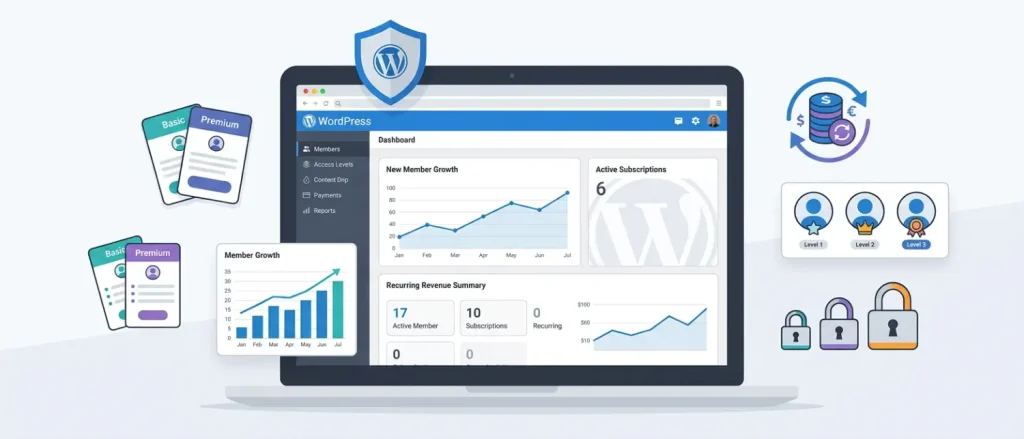
MemberMouse
Description:MemberMouse is a feature-rich membership plugin for WordPress that helps website owners manage members, subscriptions, and revenue efficiently. It includes built-in customer management tools that track lifetime value, churn rate, and retention, giving site owners actionable business intelligence. Advanced billing options like upsells, downsells, and discount logic further enhance revenue potential.
Key Features:
Customizable member dashboards
Multiple membership tiers and bundles
Advanced reporting and analytics
Integration with payment gateways and third-party services
✅ Pros:
Powerful built-in analytics track member lifetime value and churn
Supports complex billing scenarios, including upsells and discounts
Highly flexible membership tier structure
Integrates with major payment gateways and email marketing platforms
❌ Cons:
Premium plans are expensive, starting at $199.50/year
Learning curve can be steep for beginners
Some advanced features only available in higher-priced plans
Less visual polish compared to newer membership plugins
Ultimate Member
Description:Ultimate Member is a flexible, user-friendly plugin that simplifies building membership sites and online communities on WordPress. It provides drag-and-drop form builders, customizable user profiles, and content restriction tools, all without requiring any coding knowledge. Its broad integration support with WooCommerce, bbPress, and Mailchimp makes it a versatile choice for community-driven websites.
Key Features:
Drag-and-drop form builder for registration, login, and profiles
Content restriction by user role or membership level
Integration with popular payment gateways
Drip content functionality
✅ Pros:
Easy to set up, no coding required
Generous free version with solid core features
Highly customizable user profiles and registration forms
Strong community and developer ecosystem
❌ Cons:
Some essential features (like WooCommerce integration) require premium add-ons
Premium cost ($249/year) may be prohibitive for small sites
Occasional conflicts reported with certain page builder themes
Support quality varies for free users
Best WordPress SEO Plugins
Yoast SEO
Description:Yoast SEO is one of the most widely used and trusted WordPress SEO plugins, launched in 2010 and now boasting over 27,000 reviews. It provides a comprehensive suite of on-page SEO tools, including content analysis, readability scoring, XML sitemaps, meta tag management, and Schema.org structured data. Its traffic-light (red/orange/green) scoring system makes SEO actionable for users of all experience levels.
Industry-standard plugin used by millions worldwide; excellent reliability
Structured data implementation is comprehensive and proven to improve click-through rates
Beginner-friendly interface with clear visual SEO feedback
Actively updated to align with Google’s latest guidelines
GDPR-compliant, does not collect personal data
Large community for support and troubleshooting
❌ Cons:
Several advanced features (redirect manager, internal linking, AI suggestions) are locked behind the $99/year Premium tier
Can add a slight page load overhead, especially on low-resourced hosting
May overwhelm absolute beginners despite its intuitive interface
Some users develop an over-reliance on the green light, neglecting a holistic SEO strategy
Occasional conflicts reported with certain themes and plugins
SEOPress
Description:SEOPress is a comprehensive, white-label SEO plugin that rivals Yoast in features while maintaining a cleaner interface. It supports unlimited keyword optimization per post, Google Analytics and Microsoft Clarity integration, IndexNow API for fast content indexing, and detailed XML/HTML sitemap control, all at a significantly lower price than competitors. Its installation wizard makes initial configuration straightforward for beginners and professionals alike.
Key Features:
Unlimited keyword optimization per post
IndexNow API (Bing/Yandex) and Google Indexing API
Custom XML and HTML sitemaps
Social media (Open Graph & Twitter/X Cards) preview
Google Analytics and Microsoft Clarity integration
White-label option for agencies
✅ Pros:
Exceptional value, PRO plan at $49/year covers up to 5 sites
Unlimited keyword tracking per post (Yoast limits this in the free version)
White-label mode ideal for agencies managing multiple client sites
Clean, clutter-free interface
Fast indexing via Google and Bing/Yandex APIs
❌ Cons:
Smaller community and documentation base compared to Yoast
Less name recognition, which may matter for client-facing deliverables
Some advanced features require navigating more menus than Yoast
Fewer third-party integrations with page builders compared to Yoast
Best WordPress Anti-Malware & Security Plugins
All-In-One Security (AIOS)
Description:All-In-One Security (AIOS) is a comprehensive WordPress security plugin that delivers an impressive suite of protection tools in its free version, including login lockout, forced logouts, content theft protection, 6G blacklist filtering, and an IP blocking system. Upgrading to Premium adds malware scanning, uptime monitoring, and priority support.
Extremely feature-rich free version, arguably the most generous of any security plugin
Easy to configure through a visual security strength meter
File integrity monitoring alerts to unauthorized changes
Country blocking helps prevent region-specific attacks
❌ Cons:
Malware scanning is only available in the Premium version
The firewall configuration has been criticized as less effective than dedicated firewall plugins
Login protection features can sometimes trigger false positives
Interface can feel dated compared to newer security plugins
Less real-time threat intelligence than Wordfence or MalCare
MalCare
Description:MalCare is a robust cloud-based anti-malware and security plugin developed from an analysis of over 240,000 websites. Its key differentiator is that all scanning happens on MalCare own servers, not yours, meaning zero performance impact on your site during scans. It uses over 100 AI-powered signals to detect even complex, deeply hidden malware, and its one-click cleanup removes threats in under 60 seconds.
Key Features:
Off-server malware scanning (no site slowdown)
One-click malware removal
Cloud-based firewall with 24/7 protection
Vulnerability scanner for plugins, themes, and core
Bot protection with smart crawler detection
CAPTCHA-based login protection
✅ Pros:
Scans on MalCare’s servers, no CPU spikes or page slowdowns on your site
One-click malware cleanup is fast and reliable
AI-based detection catches complex malware missed by traditional scanners
Excellent real-time firewall protection
Clean, modern dashboard with centralized management
❌ Cons:
The free version has a limited scanning depth and no malware removal
The premium plan at $149/year is expensive for single-site owners
Fewer login security features compared to AIOS in the free tier
Some users report that customer support response times could be faster
Best WordPress Migration & Backup Plugins
UpdraftPlus
Description:UpdraftPlus is the most widely used backup and migration plugin for WordPress, with over 3 million active installations. It simplifies the entire backup process, from scheduling to secure cloud storage across 15+ destinations, with an intuitive one-click interface. It supports Google Drive, Dropbox, UpdraftVault, OneDrive, and more, making it the go-to choice for both beginners and advanced users.
Powerful free version with restore capability — uncommon among competitors
Flexible scheduling from every 2 hours to monthly
Impressive range of cloud storage destinations
Easy setup and user-friendly interface praised by users across G2[
Supports non-WordPress file backups
❌ Cons:
Real-time backups are not offered, which can be problematic for high-traffic eCommerce sites
Some users report issues restoring very large sites
Advanced migration features require the paid UpdraftMigrator add-on
Premium pricing adds up if multiple add-ons are needed
Migrate Guru
Description:Migrate Guru offers zero-downtime WordPress migration by processing the entire transfer through its own secure servers, not yours. It can handle websites up to 200GB in size and automatically deletes all user data immediately after the transfer completes. One-click migration and automated URL replacements make it exceptionally user-friendly.
Key Features:
Zero-downtime migration
Handles sites up to 200GB
Automated URL replacement
Real-time migration alerts
Compatible with a wide range of WordPress hosting setups
✅ Pros:
Completely free with no premium upsell for core features
Handles extremely large site migrations reliably
Zero performance impact on your live site during migration
Automated URL replacements save post-migration cleanup time
Strong 4.9-star rating reflects high user satisfaction
❌ Cons:
No dedicated dashboard, migration is managed via email and FTP/cPanel
Limited to migrations only; no backup functionality
Less suitable for complex multisite migrations
Support options are more limited than premium paid tools
Best WordPress Performance & Caching Plugins
LiteSpeed Cache
Description:LiteSpeed Cache (LSCWP) is a free, server-level caching plugin and site acceleration suite that consistently outperforms paid alternatives in benchmarks. Its key advantage is deep integration with LiteSpeed web servers, allowing cached pages to be served without PHP execution, dramatically improving response times. It also includes image optimization, CSS/JS minification, CDN integration, and database optimization.
Key Features:
Server-level page caching (LiteSpeed servers)
Image optimization and lazy loading
CSS/JS/HTML minification and combination
QUIC.cloud CDN integration
Object caching (Redis/Memcached)
Mobile-specific cache
WordPress Multisite support
✅ Pros:
Completely free with no premium tier, rare for this level of performance
Server-level caching far surpasses plugin-only caching solutions
Comprehensive features typically found only in paid plugins (e.g., WP Rocket)
Outstanding benchmark performance, frontend execution time of 0.023 seconds in testing
Active development with regular feature updates
❌ Cons:
Full benefits require LiteSpeed hosting, on Apache or Nginx; you lose server-level caching
Configuration can be overwhelming for beginners due to the sheer number of settings
QUIC.cloud CDN integration requires account registration and API key setup
Some features (e.g., mobile cache) are not optimized by default and require manual configuration
W3 Total Cache
Description:W3 Total Cache is a veteran WordPress caching plugin trusted by over 1 million users to enhance SEO, Core Web Vitals scores, and overall site performance. It supports page caching, database caching, browser caching, Gzip compression, minification, and WebP image conversion, offering granular control over virtually every aspect of performance optimization.
Key Features:
Page, database, object, and browser caching
Gzip compression and minification
WebP image conversion
REST API caching
Lazy loading for Google Maps
Render-blocking CSS elimination
✅ Pros:
One of the most configurable caching plugins available, suitable for advanced users
Works on all major hosting types without server requirements
REST API caching valuable for dynamic and headless WordPress sites
Large community with extensive documentation
❌ Cons:
Highly complex setup, not recommended for beginners without technical knowledge
Lower rating (4.4) than competitors like LiteSpeed Cache due to configuration difficulty
Premium features cost $99/year
Misconfiguration can break your site, so testing in staging is essential
Best WordPress Plugins for Photographers
Responsive Lightbox & Gallery
Description:Responsive Lightbox & Gallery is a drag-and-drop gallery plugin designed specifically for photographers and visual creatives. It allows users to create beautiful, fully responsive image galleries with lightbox functionality that looks great on all screen sizes. It supports WooCommerce product galleries, social sharing integration, and SEO-friendly output.
Key Features:
Drag-and-drop gallery builder
Responsive lightbox display
SEO-friendly gallery structure
Social sharing icons
WooCommerce gallery support
Multisite compatibility
✅ Pros:
Outstanding 4.9-star rating reflects exceptional user satisfaction
Intuitive drag-and-drop builder requires no technical skill
SEO-optimized output helps gallery pages rank in search engines
Affordable premium tiers starting at just $29
WooCommerce integration ideal for selling photography products
❌ Cons:
Some advanced display effects are only in the Premium tier
Limited built-in watermarking compared to Modula
Can conflict with certain page builders when using custom layouts
The free version has fewer style customization options
Modula Image Gallery
Description:Modula is a versatile image gallery plugin that supports masonry, custom grid, and creative layouts for showcasing photography portfolios. It stands out with built-in image watermarking to protect creative work, paginated gallery navigation, gallery sliders, and the ability to combine photos and videos in a single gallery. Resizing images is as simple as dragging the corners.
Flexible layout options (masonry, custom grids) for creative portfolio design
Intuitive corner-drag resizing for effortless gallery customization
Ability to mix photos and videos in a single gallery
Affordable per-site licensing starting at $30
❌ Cons:
The free version is limited in layout variety
Some advanced features (sliders, social proof) require a premium
Fewer reviews than competitors, meaning less community-tested reliability
EXIF data display can slow down gallery loading on large libraries
Best WordPress Development Plugins
Theme Check
Description:Theme Check is an essential tool for WordPress theme developers, allowing them to test custom themes against the latest review standards set by WordPress.org. It mirrors the automated tests used by WordPress.org for all theme submissions, making it invaluable before distributing a theme publicly or deploying a custom theme on a client site.
Automated testing identical to the WordPress.org submission process
✅ Pros:
Completely free, an essential no-cost tool for any WordPress developer
Saves time identifying theme compliance issues before going live
Uses the same tests as official WordPress.org submissions
Simple admin panel integration for a fast feedback loop
❌ Cons:
Only relevant for developers; no value for non-technical users
Does not check for security vulnerabilities, only standards compliance
Compatibility listed up to WordPress 6.4.5, verify for newer releases
Limited to theme testing; cannot check plugin compatibility
WP Crontrol
Description:WP Crontrol provides a user-friendly admin interface for managing the WordPress WP-Cron system. With over 200,000 active installations, it eliminates the need for manual cron job setup by allowing developers to view, add, edit, delete, pause, and resume all scheduled WordPress events directly from the dashboard.
Key Features:
View all cron events with details (recurrence, next run, callbacks)
Add, edit, delete, pause, and resume cron events
Debug scheduled task execution
Add custom PHP cron events
Custom cron schedules
✅ Pros:
Free tool that saves significant development time
Provides full visibility into all scheduled WordPress tasks
Allows adding custom PHP cron events without coding in functions.php
Essential for debugging sites with missed or misfiring scheduled tasks
❌ Cons:
Not suited for non-developers, misuse can disrupt critical site functions
No visual scheduler; cron management requires an understanding of time intervals
Can expose scheduled event details, which may be a minor security consideration
Does not provide direct server-level cron management
WPCodeBox
Description:WPCodeBox is an advanced WordPress code snippet management plugin designed for developers who need a clean, efficient way to manage custom PHP, JavaScript, CSS, SCSS, and HTML snippets. Its defining feature is cloud-based snippet storage, allowing the same snippet library to be shared and deployed across multiple WordPress websites. An intelligent code editor auto-suggests WordPress actions, hooks, and functions, dramatically speeding up development.
Key Features:
Cloud storage for snippets (accessible across multiple sites)
WordPress-specific code auto-complete and syntax highlighting
CSS live reload for real-time frontend preview
SCSS/LESS compiler
Snippet run/test button before deployment
Auto-disables snippets with errors to protect site stability
Built-in online snippet library
✅ Pros:
Cloud snippet storage is a genuine time-saver for multi-site developers
Auto-error detection disables broken snippets before they cause site damage
WordPress-aware code editor with hooks and function suggestions
Keeps sites lean by replacing heavy plugins with lightweight code snippets
CSS live reload speeds up front-end development significantly
❌ Cons:
Paid-only plugin, no free version available
Not listed on the WordPress.org official plugin directory
Overkill for users who only occasionally add code snippets
Higher annual cost compared to simpler snippet plugins like WPCode
Post Snippets
Description:Post Snippets allows WordPress users to create reusable blocks of text or code that can be inserted into posts and pages via the block editor or HTML editor. It is particularly useful for sites that frequently reuse elements like affiliate links, shortcodes, custom HTML sections, or contact info. Variables within snippets enable dynamic content reuse; changing the snippet in one place updates it everywhere it is used.
Key Features:
Reusable text and code snippets with variable support
Gutenberg block editor and classic editor support
Snippet duplication and cloud-saving
Rich text editor for snippet content
Quick insertion via the editor button
✅ Pros:
Significant time-saver for sites with repetitive content blocks
Variable support enables one snippet to serve many use cases
Compatible with both Gutenberg and classic editors
Cloud snippet storage for consistent use across multiple sites
❌ Cons:
Paid-only, with no free version available
Limited to text and code snippets, no PHP execution like WPCodeBox
Smaller user base and community compared to alternatives
The agency plan ($189.99/year) is expensive for independent developers
Best WordPress eCommerce Plugins
WooCommerce
Description:WooCommerce is the world’s most popular eCommerce plugin for WordPress, powering more than 5 million online stores worldwide and representing over 28% of all eCommerce sites globally. The free core plugin enables full-featured online stores supporting physical products, digital downloads, subscriptions, memberships, and affiliate items. Its modular extension architecture allows stores to start lean and scale infinitely.
Key Features:
Full product management (physical, digital, variable, affiliate)
Built-in payment gateway integrations
Tax, coupon, and discount management
WooCommerce Shipping (free label printing)
Subscriptions and memberships (via extensions)
Inventory and sales reporting
SEO-friendly product structure
Thousands of third-party extensions
✅ Pros:
Free to download, the most cost-effective eCommerce foundation available
Unmatched flexibility — thousands of extensions for any store requirement
Deep WordPress integration, including full blogging and SEO capabilities
Massive community with extensive tutorials, themes, and support
Scalable from a hobby shop to a high-volume enterprise
❌ Cons:
Setup and configuration can be confusing for complete beginners
Essential advanced features require paid extensions, which can add up quickly
Plugin and extension updates can occasionally cause compatibility issues
Requires self-hosting — you manage security, backups, and maintenance
Poorly coded third-party extensions can crash or slow down your site
Ecwid
Description:Ecwid (eCommerce Widget) is a versatile plugin that allows you to quickly set up and manage an online store on WordPress while simultaneously selling across web, mobile, and social media channels. Its automatic shipping cost calculations (integrated with FedEx and UPS) and automated tax handling for the US, Canada, and EU VAT streamline store management significantly.
Key Features:
Multi-platform selling (web, mobile, social media)
Automatic shipping cost calculations (FedEx, UPS)
Automated tax calculations for the US, Canada, and EU VAT
Mobile app for store management on the go
Easy installation and customization
✅ Pros:
Free tier provides a genuinely functional store setup
Multi-channel selling across web, mobile, and social is a standout capability
Automated tax and shipping calculations reduce manual admin work
Lightweight and easier to configure than WooCommerce for basic stores
Mobile management app provides flexibility for store owners on the move
❌ Cons:
Advanced features (Instagram selling, detailed analytics) require premium plans starting at $21/month
Less customizable than WooCommerce for complex, large-scale stores
Smaller extension/integration ecosystem than WooCommerce
The free plan has a limited product count and features
Best WordPress LMS Plugins
Tutor LMS
Description:Tutor LMS is a beginner-friendly WordPress plugin for creating and managing online learning platforms. It supports unlimited courses, lessons, and quizzes without coding, and offers both frontend and backend course builders. A 2025 update introduced a Content Bank for reusable learning materials, SCORM/H5P support, and native course subscription/membership features, making it a compelling choice for educators and training businesses.
Key Features:
Frontend and backend drag-and-drop course builder
Unlimited courses, lessons, and quizzes
Video lessons from YouTube, Vimeo, and self-hosted sources
SCORM and H5P support
Multi-instructor management
WooCommerce, Stripe, and PayPal payment integration
Content drip and access control
Detailed student progress reporting
✅ Pros:
Intuitive interface, beginners can launch a course platform without code
Free version covers all essential LMS functionality
Responsive technical support and comprehensive documentation
The 2025 Content Bank feature enables efficient multi-course content reuse
Solid performance for small-to-medium course platforms
❌ Cons:
Less flexible than LearnDash for highly custom or complex eLearning builds
Advanced automation features require additional paid extensions
Scalability limitations for very large educational institutions with thousands of concurrent users
Agency plan pricing ($799/year) is steep
Quiz customization lacks some advanced options (polls, ungraded assessments) compared to dedicated quiz tools
19. LifterLMS
Description:LifterLMS transforms any WordPress site into a fully functional Learning Management System, offering tools to create, sell, and protect online courses and training programs. It supports community and social learning features, multiple payment gateways (Stripe and PayPal), content drip scheduling, prerequisite management, and integrations with popular page builders like Elementor, Divi, and Beaver Builder.
Deep integration with popular page builders for custom course designs
Social learning features (discussion areas, multiple instructors) build course engagement
Active development with regular updates
❌ Cons:
Premium features require individual add-on purchases, which can become expensive
The bundle ($360/year) is needed for full functionality
Steeper learning curve than Tutor LMS for complete beginners
Community features are less polished than dedicated forum plugins like bbPress
Quick Plugin Comparison: At a Glance
Plugin
Category
Free Version
Starting Premium
Rating
Omnisend
Marketing
✅
$11.20/mo
4.9
Smash Balloon
Marketing
✅
$299 bundle
4.8
MemberMouse
Membership
✅
$199.50/yr
4.7
Ultimate Member
Membership
✅
$249/yr
4.3
Yoast SEO
SEO
✅
$99/yr
4.8
SEOPress
SEO
✅
$49/yr
4.8
AIOS
Security
✅
$83.30/yr
4.7
MalCare
Security
✅
$149/yr
4.2
UpdraftPlus
Backup/Migration
✅
$70/yr
4.8
Migrate Guru
Migration
✅
Free
4.9
LiteSpeed Cache
Performance
✅
Free
4.8
W3 Total Cache
Performance
✅
$99/yr
4.4
Responsive Lightbox
Photography
✅
$29
4.9
Modula Gallery
Photography
✅
$30/yr
4.7
Theme Check
Development
✅
Free
4.8
WP Crontrol
Development
✅
Free
4.5
WPCodeBox
Code Snippets
❌
$69/yr
5.0
Post Snippets
Code Snippets
❌
$29.99/yr
4.6
Tutor LMS
LMS
✅
$199/yr
4.5
LifterLMS
LMS
✅
$120/yr
4.8
WooCommerce
eCommerce
✅
Extensions vary
4.5
Ecwid
eCommerce
✅
$21/mo
4.5
How to Choose the Right WordPress Plugin
Selecting the right plugin comes down to several critical factors:
Compatibility: Verify the plugin works with your current WordPress version, theme, and other installed plugins. Check the “Tested up to” version note in the plugin directory.
Ratings and Reviews: Look for plugins with a large number of reviews and a high rating. Avoid plugins with poor reviews or infrequent updates.
Update History: Choose plugins that are updated regularly. Abandoned plugins become security risks as WordPress evolves.
Performance Impact: Test plugins on a staging environment before production deployment. Some plugins, especially poorly coded ones, can significantly slow your site.
Support Quality: Check whether the plugin offers email, live chat, or ticket-based support. Free plugins often rely solely on community forums.
Pricing Transparency: Evaluate whether the free version meets your needs or if premium features justify the cost. Watch out for plugin ecosystems where every feature requires a separate paid add-on.
The best WordPress plugin stack is always the smallest one that fully serves your site’s needs. Every additional plugin adds potential compatibility risk and performance overhead, so choose deliberately, not by default.
About the writer
Hassan Tahir wrote this article, drawing on his experience to clarify WordPress concepts and enhance developer understanding. Through his work, he aims to help both beginners and professionals refine their skills and tackle WordPress projects with greater confidence.








 Lifetime VPS Europe
 Lifetime VPS Asia
 Lifetime WooCommerce Hosting
 Lifetime Hosting
 France Lifetime Dedicated Servers
 Germany Lifetime dedicated servers
 Lifetime Game Dedicated Servers
 Chicago, US
 Tokyo, Japan
 Singapore
 Hong Kong
 Seoul, South Korea
 Amsterdem, Netherlands
 London, UK
 Stockholm, Sweden
 Oslo, Norway
 Vienna, Austria
 Zurich, Switzerland
 Sydney, Australia
 Wordpress Hosting
 VPS Hosting
 DDOS Protection
 Submit Ticket
 Full Management
 Guides
 Videos and Podcasts
 Discover Creative Ideas
 MetaAgentOS High-Ticket Support System
 Voxfor Mega Menu
 Voxfor Advanced Price Management For WooCommerce
 Voxfor Secure Live Chat and AI Support
 Voxfor Multilanguage
 Voxfor AI Content Summary


