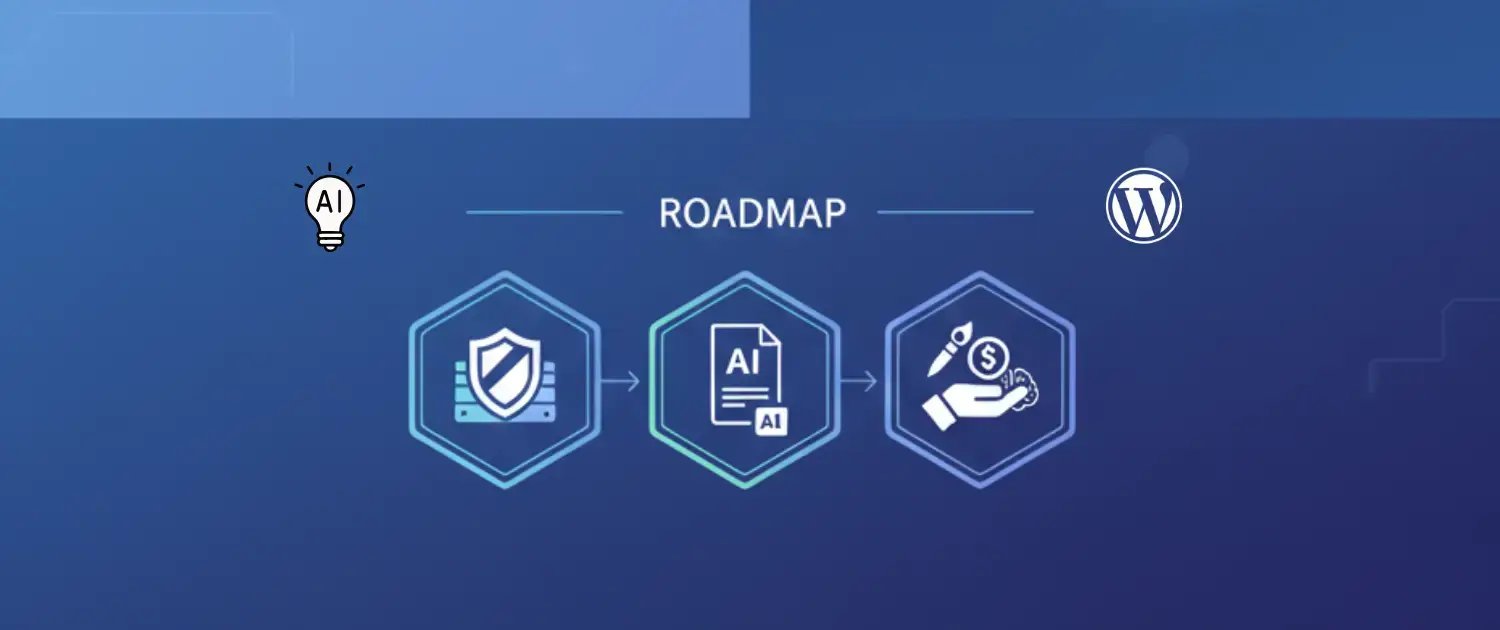
Artificial Intelligence (AI) being integrated into the WordPress Content Management System (CMS) is a fundamental re-architecture of the most popular publishing platform on the web. By 2026, the language used is no longer that of content generation but a complex, intertwined process in which Large Language Models (LLMs) act as co-pilots, debuggers, and data analysts as part of the CMS core. This report gives a comprehensive, high-level discussion on this paradigm shift. It is not only a guide to navigation, but it is also intended to be the foundational text by technical architects, content strategists and enterprise decision-makers who need to navigate the overlap of high-performance infrastructure and generative intelligence.
We are going to speak about the specifics of the implementation of such models as OpenAI GPT series and the Claude of Anthropic into WordPress, we are going to break down the needs of the infrastructure of such hosts as Voxfor, and we are going to comment on the utility of special tools, such as the Voxfor AI Content Summary plug-in. The hypothesis of this analysis is also that AI success in WordPress is not just predetermined by the quality of the development of the model, but also by the power of the hosting environment, i.e., the shift to a lifetime Virtual Private Server (VPS) that would cover the variable costs of AI utilization.
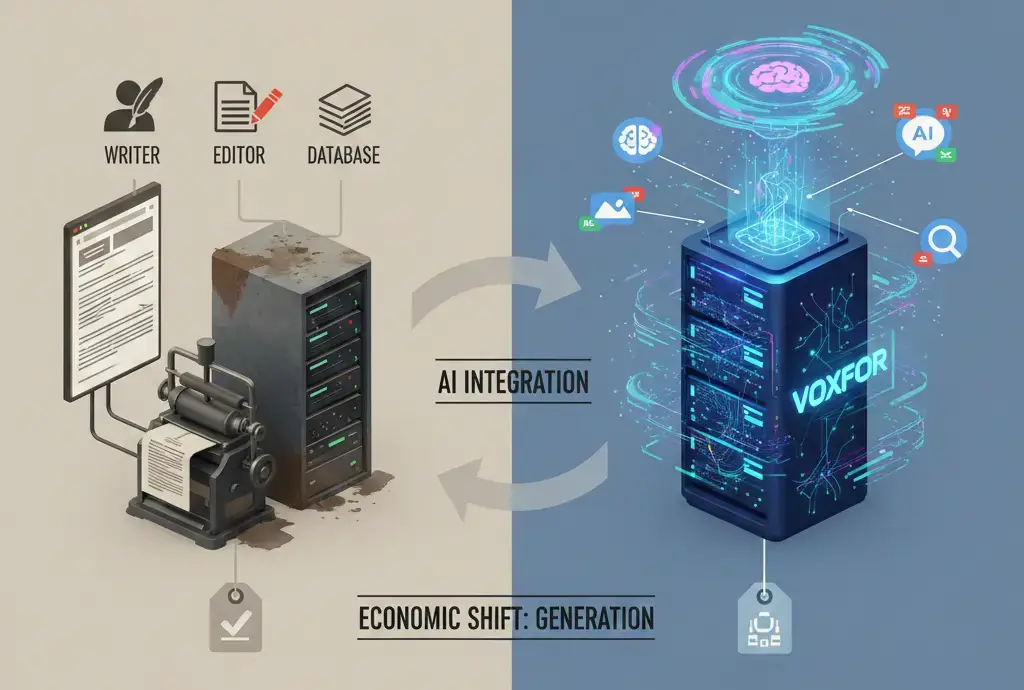
In the past, WordPress was used as a non-dynamical storage. The DB held text, and the PHP engine rendered it. The process was linear and human-based: a writer created material, an editor corrected it, and the system put it into publication. The invasion of the Generative AI breaks this linearity, and the CMS is turned into an inference engine. In this new dynamics, CMS is not only stored, but also generated, summarized, translated and optimized in real time.
This change comes with new computing requirements. A typical request on a WordPress site isone that queries the MySQL database and delivers the page. An AI-augmented request utilizes adding synchronous or asynchronous connections to external APIs (Application Programming Interfaces), latency management, JSON (JavaScript Object Notation) payloads, and the following storage of the resulting inference in the database.
This means that the meaning of the hosting layer is no longer limited to storage and bandwidth, but also to connectivity and process. Even when the AI model is of high quality, a server that cannot support llong-runningPHP processes, which are required whilst waiting for a response of GPT-5.2, will fail. This requires a shift to high-performance environments such as those provided by Voxfor, where the underlying infrastructure is optimizedforo high-concurrency API interactions.
The integration of AI introduces a new operational expense (Opex): token consumption. Every time a WordPress site generates a summary, translates a post, or creates an image, it incurs a cost from the AI provider (e.g., OpenAI or Anthropic). For high-volume publishers, these costs are variable and potentially uncapped.
To mitigate this, a sophisticated digital strategy dictates a restructuring of fixed costs. This is where the Voxfor Lifetime VPS model becomes strategically significant. By converting the recurring cost of hosting into a one-time capital expense (Capex), organizations free up monthly operational budgets. This liberated capital can then be reallocated to fund the variable costs of AI intelligence.
Consider a scenario where a standard managed WordPress host costs an organization $50 per month. Over a five-year horizon, this amounts to $3,000. In contrast, a Voxfor lifetime solution might require a single upfront payment of roughly $350 to $850, depending on the tier.3 The delta, approximately $2,150 to $2,650, is not merely “savings”; it represents a budget for approximately 30 to 50 million tokens of high-intelligence processing. Thus, the hosting choice is no longer just about server specs; it is a financial hedge that enables AI adoption.
Before a single plugin is activated, the underlying hardware must be audited. The common misconception is that because AI processing happens “in the cloud” (on OpenAI servers), the local server’s specifications are irrelevant. This is a dangerous fallacy. The local server acts as the orchestrator of these requests, and its performance directly dictates the reliability of the AI integration.
When a WordPress plugin initiates a request to generate a 2,000-word article or a complex summary, it opens a connection that must remain stable for the duration of the generation process, which can take anywhere from 10 to 60 seconds depending on the model’s load. If the hosting environment has poor uplink speeds or high latency, these connections frequently time out, resulting in “504 Gateway Time-out” errors or partial content generation.
Voxfor distinguishes itself in this domain by offering 10 Gbps uplink speeds across its VPS fleet. This massive pipe ensures that the handshake and data transfer between the WordPress site and the AI API endpoints are instantaneous. Furthermore, the use of NVMe SSDs (Non-Volatile Memory Express) ensures that once the data is received, it is written to the database with near-zero latency. In comparison to standard SATA SSD, NVMe drives offer read/write speeds that are 3-6 times faster, a critical factor when thousands of AI-generated logs and transients are being written simultaneously.
While the heavy lifting of inference happens remotely, the local server must parse the response. AI APIs typically return data in complex JSON structures. For a site generating content at scale, perhaps updating hundreds of product descriptions overnight via a cron job, the CPU load of parsing these responses, sanitizing the HTML, and updating the database records is significant.
Voxfor utilizes AMD EPYC and Intel Xeon GOLD processors, which are architected for high-performance computing. These processors excel at handling the serialized data operations common in WordPress AI plugins. On a shared hosting environment with throttled CPU cycles, a batch operation involving AI might be terminated by the host’s resource monitor. On a dedicated or high-resource VPS from Voxfor, these operations complete successfully, ensuring business continuity.
A crucial architectural component for AI-driven sites is caching. If an AI plugin generates a summary for an article, that summary should ideally be generated once and served millions of times. It is inefficient and costly to re-query the AI provider for every page view.
This requires a robust object caching layer. Redis (Remote Dictionary Server) is the industry standard for this. It stores the result of database queries, or in this case, AI generation events, in the server’s Random Access Memory (RAM). Voxfor managed WordPress hosting includes integrated support for Redis and Varnish.
When a visitor lands on a page with an AI summary:
This architecture protects the site owner from “runaway” API costs caused by traffic spikes. Without Redis, a viral post could trigger thousands of API calls if the plugin’s internal caching logic is bypassed or fails, potentially draining the OpenAI account balance in minutes.
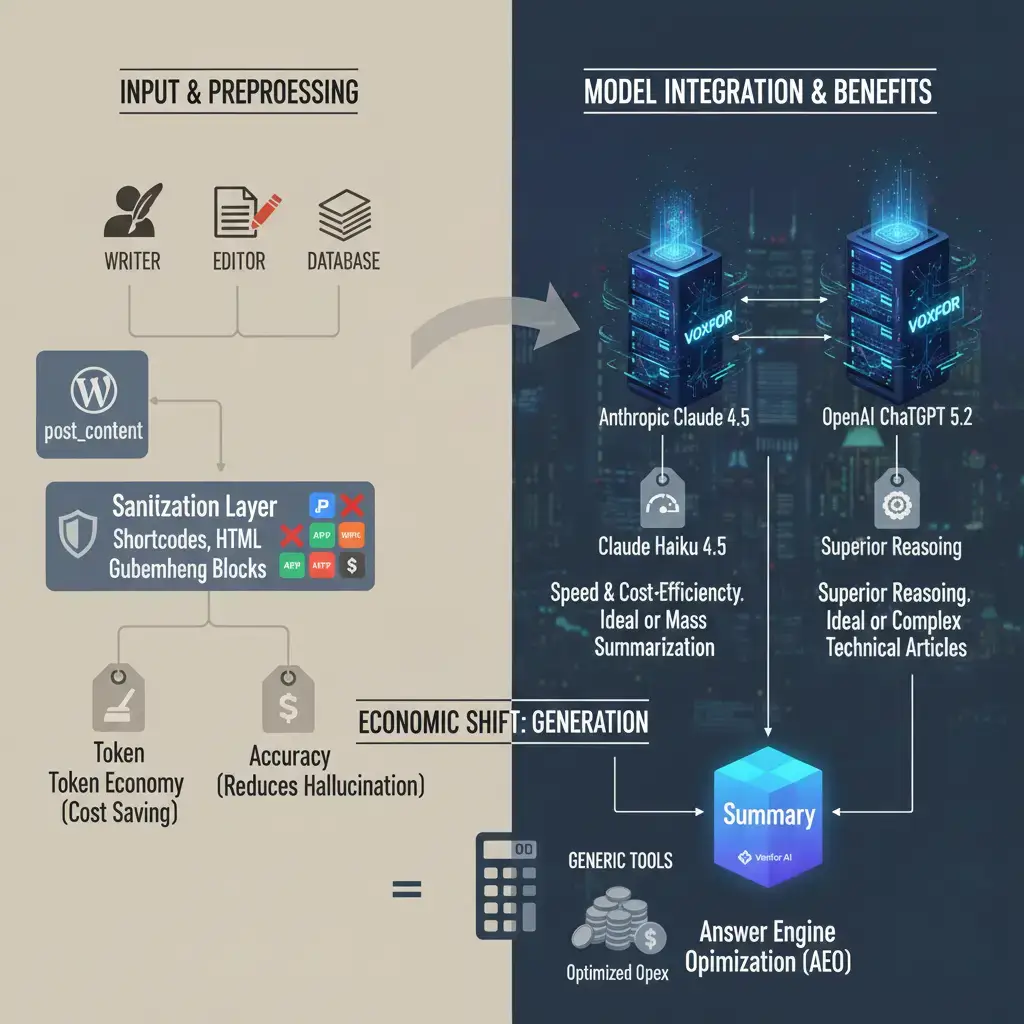
In the vast ecosystem of AI tools for WordPress, the Voxfor AI Content Summary plugin represents a refined, purpose-built instrument. While generic tools attempt to be “everything engines,” this plugin focuses on a specific, high-value problem: traceable, accurate summarization for the era of Answer Engine Optimization (AEO).
The plugin is architected to interface with two specific, high-performance models: Anthropic Claude Haiku 4.5 and OpenAI ChatGPT 5.2. This selection is non-trivial.
The plugin operates by extracting the raw text content from the WordPress post_content field. Crucially, it includes a preprocessing layer that strips shortcodes, HTML tags, and Gutenberg block markers. This “sanitization” serves two purposes:
A pervasive risk in Generative AI is “hallucination,” where the model invents facts not present in the source text. For a news publisher or a corporate blog hosted on Voxfor infrastructure, such errors are unacceptable. The Voxfor AI Content Summary plugin addresses this through strict prompt engineering.
The system uses a “grounding” technique. The prompt sent to the API explicitly constrains the model to the provided text, instructing it to generate a summary “faithful to the source content without adding external knowledge.” This creates traceable accuracy, a state where every sentence in the generated summary can be mapped back to a sentence in the original article. This feature is vital for maintaining editorial integrity and trust, distinguishing it from plugins that allow the AI to “riff” or expand creatively on the topic.
The plugin introduces a sophisticated content hash mechanism. Upon generating a summary, the plugin creates a cryptographic hash (fingerprint) of the post’s content. This hash is stored alongside the summary in the wp_postmeta table.
Whenever the post is loaded or updated, the plugin compares the current content hash with the stored hash.
This logic is essential for high-velocity sites where content is frequently tweaked. It ensures that the summary never drifts from the actual content, maintaining synchronization without manual intervention.
Global accessibility is a core tenet of the modern web. Many AI plugins fail when processing non-Latin scripts, struggling with tokenization or rendering directionality. The Voxfor plugin is explicitly optimized for RTL languages (such as Hebrew and Arabic) and includes full Unicode word counting support.
This capability is particularly relevant for Voxfor diverse user base, given its data center presence in regions like the Middle East and Asia. It ensures that a Hebrew news site running on a Voxfor VPS in Israel can leverage the same AI capabilities as an English tech blog in New York, with no degradation in layout or semantic understanding.
The integration of ChatGPT and Claude into WordPress is not merely a workflow enhancement; it is a strategic necessity for survival in the age of Answer Engines. Search engines like Google are evolving into systems that provide direct answers (AI Overviews) rather than lists of links. Optimization for this environment, AEO, requires a different approach than traditional SEO.
Google Search Generative Experience (SGE) relies on concise, factual blocks of text to construct its answers. A long, rambling blog post may be difficult for the SGE parser to extract a definitive answer from.
By using the Voxfor AI Content Summary plugin to generate a 60-90 word abstract at the top of every post, webmasters provide a pre-packaged “answer block” for the search engine. This summary, being structurally clean and factually grounded, has a higher probability of being cited as the source in an AI Overview.
Meta descriptions are often neglected, yet they are the “ad copy” of organic search. Human writers frequently struggle to write them, leading to descriptions that are too long, too short, or irrelevant.9 Statistics indicate that a well-optimized meta description can significantly improve Click-Through Rates (CTR), which is a ranking signal.
Integrating AI into this workflow allows for the mass optimization of meta tags. The Voxfor plugin (and others like Rank Math AI) can be configured to generate meta descriptions that:
For a site with thousands of archival posts, retroactively generating optimized meta descriptions using AI can lead to an immediate uplift in organic traffic, leveraging the “long tail” of search queries that might have been previously missed due to poor tagging and Long-Tail Keyword Clustering
AI excels at pattern recognition. When fed the content of a post, it can identify semantic themes that a human might miss. Advanced implementation involves asking the AI not just to summarize, but to identify “related questions” or “long-tail keyword clusters” that the content addresses.
By appending these AI-generated “FAQ” sections or “Key Takeaways” to the bottom of WordPress posts, publishers can significantly broaden the keyword footprint of their site. This technique captures the highly specific, high-intent searches, such as “Voxfor lifetime VPS vs Cloudways pricing”, that drive conversion.
Implementing AI in WordPress is as much a coding challenge as it is a content one. This section details the technical methodologies for developers and systems administrators managing these integrations on Voxfor infrastructure.
The communication between WordPress (PHP) and the AI provider (OpenAI/Anthropic) typically happens via cURL. A standard request might look like this:
$response = wp_remote_post( 'https://api.openai.com/v1/chat/completions', array(
    'timeout' => 45, // Critical setting
    'headers' => array(
        'Authorization' => 'Bearer '. $api_key,
        'Content-Type'  => 'application/json',
    ),
    'body'    => json_encode( $payload ),
) );
The ‘timeout’ parameter is critical. Standard shared hosting often caps PHP execution time at 30 seconds. If GPT-4 takes 40 seconds to generate a complex analysis, the server will terminate the process before the data is received, resulting in a cURL error 28.
Voxfor Technical Advantage: On Voxfor-managed VPS environments, administrators have full control over max_execution_time and default_socket_timeout in the php.ini file. Increasing these limits to 60 or 120 seconds is often necessary for robust AI performance. Furthermore, the high-speed 10 Gbps uplink minimizes the network latency component of this transaction, ensuring that the “wait time” is purely computational on the AI side, not network bottlenecking on the host side.
The API key is the most sensitive credential in this architecture. Compromise leads to financial theft.
AI integration generates data. Logs of prompts, completion tokens, cached summaries, and transient errors are written to the database. Over time, the wp_options table can become bloated with expired transients, and the wp_postmeta can grow to millions of rows.
Maintenance Protocol on Voxfor:
While the Voxfor AI Content Summary plugin is the recommended tool for its specific use case, a comprehensive report must contextualize it within the broader ecosystem of WordPress AI plugins.
AI Engine by Jordy Meow is widely regarded as a “Swiss Army Knife” for AI in WordPress. It offers chatbots, a playground for testing prompts, and content generation.
Rank Math is primarily an SEO plugin that has added an AI module. Its AI features focus on keyword research and content grading.
The adoption of AI in WordPress is not just a technical upgrade; it is a business transformation. We must quantify the impact of this shift.
Research indicates that professionals using generative AI save approximately 12 hours per week. In the specific context of WordPress management:
The savings in labor must be balanced against infrastructure costs.
The Voxfor Lifetime VPS model results in a 62% reduction in Total Cost of Ownership (TCO) over five years. This is a massive competitive advantage. It allows the business to scale its AI usage, perhaps increasing the API budget to $100/month to use more advanced models, while still spending less overall than in Scenario A.
AI-driven sites often experience “bursty” traffic patterns. Suppose a site uses an AI chatbot, user interaction time increases, and concurrent connections spike. Shared hosting plans often penalize this behavior or force upgrades. Voxfor VPS resources are dedicated, meaning the CPU cycles purchased are available 24/7/365 without throttling or “fair usage” limits typical of shared clouds. This predictability is essential for budgeting in an AI-heavy operational model.
As we look toward the latter half of the decade, the integration of AI and WordPress will only deepen.
The industry is moving toward “Autonomous WordPress,” where AI agents not only generate content but also manage the site. We can foresee plugins that autonomously:
Voxfor Managed Services is positioning for this future by offering a hybrid model: AI automation backed by human experts. While AI can handle the routine, the “human in the loop” provided by Voxfor support team remains essential for critical decision-making and complex architectural changes.
As the web fills with AI-generated content, “provenance” will become a ranking factor. Search engines and users will value content that can prove its human Origin or verify its facts. The Voxfor AI Content Summary plugin’s focus on “traceable accuracy” aligns with this future. Strictly grounding summaries in the source text, it provides a layer of verification that purely generative “creative” models lack.
Furthermore, data sovereignty, owning your own server and data, will become paramount. Hosting on a Voxfor VPS ensures that your data resides on infrastructure you control, rather than in a proprietary walled garden where your content might be used to train models without your consent.
The integration of Generative AI into WordPress is the defining technical challenge and opportunity of our time. It transforms the CMS from a passive tool into an active participant in the publishing process. However, this transformation requires a solid foundation.
It requires infrastructure that is robust, fast, and economically sustainable. Voxfor Lifetime VPS solutions provide this foundation, altering the economic equation of digital publishing in favor of the site owner. It requires software that is precise and reliable. The Voxfor AI Content Summary plugin exemplifies this, offering the accuracy and performance necessary for professional environments.
For the forward-thinking organization, the roadmap is clear:
By adhering to this framework, publishers can harness the full potential of this technological revolution, building WordPress sites that are not just repositories of information but engines of intelligence.

Hassan Tahir wrote this article, drawing on his experience to clarify WordPress concepts and enhance developer understanding. Through his work, he aims to help both beginners and professionals refine their skills and tackle WordPress projects with greater confidence.





 Lifetime VPS Europe
 Lifetime VPS Asia
 Lifetime WooCommerce Hosting
 Lifetime Hosting
 France Lifetime Dedicated Servers
 Germany Lifetime dedicated servers
 Lifetime Game Dedicated Servers
 Chicago, US
 Tokyo, Japan
 Singapore
 Hong Kong
 Seoul, South Korea
 Amsterdem, Netherlands
 London, UK
 Stockholm, Sweden
 Oslo, Norway
 Vienna, Austria
 Zurich, Switzerland
 Sydney, Australia
 Wordpress Hosting
 VPS Hosting
 DDOS Protection
 Submit Ticket
 Full Management
 Guides
 Videos and Podcasts
 Discover Creative Ideas
 MetaAgentOS High-Ticket Support System
 Voxfor Mega Menu
 Voxfor Advanced Price Management For WooCommerce
 Voxfor Secure Live Chat and AI Support
 Voxfor Multilanguage
 Voxfor AI Content Summary


