
Since it is important to discuss the particular WordPress page builders, novices must be familiar with the meaning of page builders and why the choice of builders is a crucial factor that influences the speed of design, the quality of the code, and the ability of the website to scale. A page builder is a broadly referred to as a visual page builder, a page designer created with WordPress that allows you to drag and drop elements onto the page rather than typing code. Imagine it as something like LEGO building. You no longer have to write the HTML/CSS code, but simply be able to click and drag visual objects (text, images, buttons, forms) onto the page and the builder generates the code automatically.
The type of page builder you use has a direct effect on various important elements: (1) design speed, how fast you can build pages, (2) code quality, how well the built code is, (3) performance, how fast pages load, (4) learning curve, how fast you can be productive, and (5) long-term scalability, whether the builder can scale with your requirements. The choice of the page builder identifies the difference between construction of an efficient professional site and the failure to construct your site due to the limited tools in your disposal.
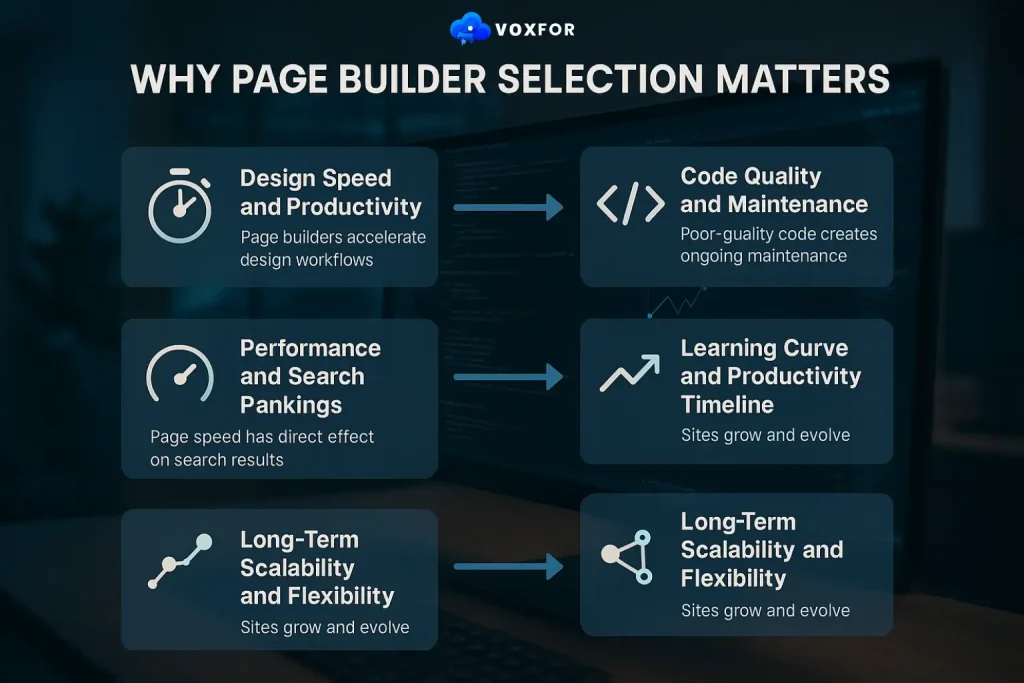
The selection of the page builder is approached by many owners of the site as one of a similar commodity because they all seem to operate in a similar manner. Nonetheless, study proves that page builder selection has a direct effect on several vital business indicators that define the success and effectiveness of the website. Awareness of these factors would change the novice outlooks of any builder works to builder choice defines productivity and outcome.
Design Speed and Productivity: Page builders accelerate design workflows dramatically. Traditional design (writing code) requires 4-8 hours per custom page. Page builder design reduces this to 30 minutes – 2 hours per page, a 75-90% time reduction. For agencies building 20+ sites monthly or entrepreneurs managing multiple pages, this productivity difference translates to thousands of hours saved annually. This time savings is directly proportional to revenue: the agencies will be able to attend to more clients using the same personnel. Building more pages does not require developers since the entrepreneurs are able to do it on their own. Solopreneurs are able to grow design without growing personnel.
Code Quality and Maintenance: Poor-quality code creates ongoing maintenance headaches. Builders vary dramatically in code quality, from clean, minimal code adding minimal bloat to bloated, inefficient code slowing sites. Elementor and GeneratePress produce among the cleanest code. Beaver Builder and Divi generate heavier code requiring more optimization. Poor code quality compounds across pages—a 30-page site with poor code becomes increasingly difficult to maintain and optimize. Quality page builder selection prevents this long-term problem.
Performance and Search Rankings: Speed of the page has direct effect on search results. The Core Web Vitals framework of Google measures user experience using such metrics as Largest Contentful Paint (LCP), First Input Delay (FID), and Cumulative Layout Shift (CLS). Fast loading and high Core Web Vital are attained with page builders having efficient code. Sites which load quickly come first, get more traffic and sell better. The fast page builder may boost the search results by 10-20 positions as compared to slow builder. This ranking disparity will translate into thousands of monthly visitors and significant revenue effect on competitive search terms.
Learning Curve and Productivity Timeline: The learning curves among different builders are very different. Elementor and Beaver Builder can be used productively in 1-2 hours. Oxygen and WP Code (advanced builders) need 1-2 weeks to learn. The learning curve has a direct influence on time-to-productivity and frustration. Novices enjoy low learning of learning curves, and hence rapid performance. Experts can tolerate higher learning curves in order to have limitless customisation.
Long-Term Scalability and Flexibility: Sites grow and evolve. The simple blog of the present day is the complicated business platform of tomorrow. The builders which facilitate this evolution (Elementor, Beaver Builder, Divi) avoid painful migrations. Scalability Builders that are not very scalable ultimately need to be rebuilt on other platforms, which is an expensive, time-intensive task. This situation is avoided by strategic builder selection.

The contextualization of the page builder market can be used to understand why the choice of the builder is important as a strategic consideration in 2026 and beyond. The market of the page builders shows an impressive growth momentum, as builders actually address the real issues, making the work of non-technical users possible to create professional websites. This web design democratization is a radical change in the development of WordPress.
Page builder market has got a variety of types of builder that are used in various purposes and skill levels. Knowledge of the main categories of builders can be used to plan the best solution that fits the targeted goals.
Visual Drag-Drop Builders (Elementor, Beaver Builder, Divi):
Visual editors and user friendly builders. Most common category. Better: novices, firms, quick design. Learning curve: 1-3 hours.
Performance: Good when optimized.
Code-Based Builders (Oxygen, WP Code, GeneratePress):
Builders requiring code knowledge. More control, steeper learning. Best for: developers, advanced users. Learning curve: 1-2 weeks. Performance: Excellent (minimal code bloat).
AI-Powered Builders (Elementor AI, Divi AI, WPBakery AI):
Builders with AI design assistance. Generate layouts from descriptions. Best for: automation focus, speed priority. Learning curve: 1-2 hours. Performance: Good.
Specialized Builders (Soliloquy for sliders, FooPlugins for image galleries):
Builders focused on specific use cases. Best for: specific needs. Learning curve: 30 minutes – 2 hours. Performance: Excellent (focused optimization).
Lightweight Builders (GeneratePress, Astra Builder):
Builders that are focused on performance rather than features. Best for: speed-focused sites. Learning curve: 1-2 hours. Performance: Excellent.

The selection of the page builders is daunting to an amateur who lacks clear guidance. This model assists in making strategic choices that are consistent with certain objectives, technical expertise, and financial limitations.
If Your Goal is Fastest Design Speed (build pages in minutes):
→ Choose: Elementor or Beaver Builder
→ Why: Most intuitive drag-drop interface
→ Learning Timeline: 1-2 hours
→ ROI: Build 3-5x more pages in the same time
If Your Goal is Best Performance (minimal code bloat, fast loading):
→ Choose: GeneratePress, Astra Builder, or Oxygen
→ Why: Lightweight codebase, minimal bloat
→ Learning Timeline: 1-3 hours (Oxygen 1-2 weeks)
→ ROI: 10-20% PageSpeed improvement
If Your Goal is Maximum Customization (unlimited design possibilities):
→ Choose: Oxygen or Beaver Builder
→ Why: Extensive customization options
→ Learning Timeline: 1-2 weeks
→ ROI: Create unique designs without developers
If Your Goal is Easiest Learning (no technical knowledge required):
→ Choose: Elementor or Divi
→ Why: Most beginner-friendly interfaces
→ Learning Timeline: 30 minutes – 2 hours
→ ROI: Productive immediately
If Your Goal is AI-assisted design (AI generates layouts):
→ Choose: Elementor AI or Divi AI
→ Why: AI creates design suggestions
→ Learning Timeline: 1-2 hours
→ ROI: 50%+ design time reduction
Beginners (no coding/design knowledge):
→ Recommended: Elementor, Divi, Beaver Builder
→ Avoid: Oxygen, WP Code (require coding)
→ Setup Time: 1-2 hours
→ Productivity: Immediate (build pages same day)
Intermediate (familiar with WordPress, some design knowledge):
→ Recommended: Beaver Builder, WPBakery, GeneratePress
→ Confidence: Can follow documentation, customize settings
→ Setup Time: 2-4 hours
→ Productivity: Within 1-2 days
Advanced (development/design experience):
→ Recommended: Oxygen, WP Code, Astra Builder (advanced)
→ Capability: Handle complex configurations, custom code integration
→ Setup Time: 4-8 hours
→ Productivity: Unlimited customization possible
Free Options ($0/year):
→ Elementor Free version
→ Divi Free version
→ GeneratePress Free
→ Astra Free builder
Budget-Friendly ($0-100/year):
→ Elementor Pro ($99/year)
→ Beaver Builder ($99/year)
→ WPBakery ($45-99/year)
Premium Options ($100-300+/year):
→ Divi ($299-599/year)
→ Oxygen ($99-199/year)
→ Soliloquy ($99-199/year)
Speed Critical (must minimize impact):
→ Best: GeneratePress, Astra Builder, Oxygen
→ PageSpeed Impact: Add 0.2-0.5 seconds
→ Core Web Vitals: Excellent
Customization Critical (design flexibility matters most):
→ Best: Beaver Builder, Oxygen, Elementor
→ PageSpeed Impact: Add 0.5-1.5 seconds (requires optimization)
→ Core Web Vitals: Good (with optimization)
Ease Critical (learning curve matters most):
→ Best: Elementor, Divi, Beaver Builder
→ PageSpeed Impact: Moderate (0.5-1 second)
→ Learning Curve: 1-2 hours
1. Elementor – The Market Leader
Overview: Most popular WordPress page builder with 8M+ active installations. Industry standard for visual page building.
Key Features:
Pricing: Free version ($0), Pro ($99/year), Business ($199/year)
Performance: PageSpeed impact +0.5-0.8 seconds (moderate)
Core Web Vitals:
Learning Curve: 1-2 hours (very beginner-friendly)
Pros:
✅ Largest community (8M+ users = most tutorials/support)
✅ Most intuitive interface (easiest learning)
✅ Extensive template library
✅ AI design assistance (Elementor AI)
✅ Free version is powerful (covers most needs)
✅ Mobile optimization is excellent
Cons:
❌ Performance is heavier than lightweight builders
❌ Free version limited (premium requires $99/year)
❌ Code bloat potential (requires optimization)
Best For: Beginners, agencies, small businesses, non-technical users
ROI Calculation: Design speed +75% = 4-5 hours saved per page = $200-250/page value
2. Beaver Builder – The Flexible Powerhouse
Overview: Easy and professional page builder as well as advanced customization. Popular with agencies.
Key Features:
Pricing: Pro ($99/year), Agency ($399/year)
Performance: PageSpeed impact +0.6-1.0 seconds (moderate-heavy)
Learning Curve: 2-3 hours
Pros:
✅ Powerful customization
✅ Professional appearance
✅ Good documentation
✅ Multisite support
✅ Affordable pro ($99/year)
Cons:
❌ Steeper learning curve than Elementor
❌ Performance is heavier than lightweight alternatives
❌ No free version (starts at Pro $99)
Best For: Agencies, developers, intermediate users, customization focus
ROI Calculation: Customization savings vs developer cost = $500-2,000/page
3. Divi – The Design-Focused Builder
Overview: Strong page builder, but based on design flexibility. Such a vast community of developers building extensions.
Key Features:
Pricing: $299/year (all features)
Performance: PageSpeed impact +0.7-1.2 seconds (heavy)
Learning Curve: 2-3 hours
Pros:
✅ Unlimited design possibilities
✅ Large extension library
✅ Professional animations
✅ Excellent tutorials
✅ All-in-one (includes theme)
Cons:
❌ Performance impact substantial (requires optimization)
❌ Premium-only ($299/year)
❌ Steeper learning curve
❌ Code bloat potential
Best For: Designers, creative sites, agencies, design priority
ROI Calculation: Design flexibility = $1,000-5,000 vs hiring a designer
4. GeneratePress – The Lightweight Champion
Overview: Lightweight page builder prioritizing performance. Code-first approach for developers.
Key Features:
Pricing: Free ($0), Premium ($99/year)
Performance: PageSpeed impact +0.2-0.3 seconds (minimal)
Core Web Vitals: Excellent
Learning Curve: 1-2 hours
Pros:
✅ Fastest WordPress builder (minimal code)
✅ Performance optimized by default
✅ Free version is strong
✅ Developer-friendly
✅ Lightweight theme
Cons:
❌ Less visual customization than Elementor
❌ Smaller community
❌ Less beginner-friendly
❌ Limited template library
Best For: Performance-focused sites, developers, speed priority
ROI Calculation: Performance improvement = +10-20% ranking boost = thousands of organic visitors
5. Astra Builder – The Versatile Alternative
Overview: Lightweight, modern page builder, high-speed performance, and decent customization ratio.
Key Features:
Pricing: Free ($0), Pro ($79/year)
Performance: PageSpeed impact +0.3-0.5 seconds (minimal-moderate)
Learning Curve: 1-2 hours
Pros:
✅ Excellent performance
✅ Good template library
✅ Affordable pro version
✅ Modern design
✅ Free version is good
Cons:
❌ Smaller community than Elementor
❌ Less customization than Beaver
❌ Less design flexibility than Divi
Best For: Small businesses, bloggers, performance balance priority
6. Oxygen – The Advanced Developer Tool
Overview: Developers Advanced page builder that places more emphasis on control and customization. Requires coding knowledge.
Key Features:
Pricing: $99-199/year
Performance: PageSpeed impact +0.2-0.4 seconds (minimal)
Learning Curve: 1-2 weeks (requires code knowledge)
Pros:
✅ Maximum customization
✅ Developer-focused
✅ Excellent performance
✅ Unlimited possibilities
Cons:
❌ Steep learning curve
❌ Requires coding knowledge
❌ Smaller community
Best For: Developers, advanced customization, unlimited flexibility
7. WPBakery – The Established Classic
Overview: Long-established page builder with a massive community. Once dominated market before Elementor rise.
Key Features:
Pricing: $45-99/year
Performance: PageSpeed impact +0.8-1.2 seconds (heavy)
Learning Curve: 2-3 hours
Pros:
✅ Established ecosystem
✅ Large community/support
✅ Affordable pricing
✅ Plugin marketplace
Cons:
❌ Performance is heavier than modern builders
❌ Less intuitive than Elementor
❌ Declining market share
Best For: Existing WPBakery users, legacy sites, budget priority
8. Brizy – The AI-Focused Builder ($0-99/year)
9. Thrive Architect – The Conversion-Focused Builder ($99-199/year)
10. WP Page Builder – The Lightweight Alternative ($0-49/year)
| Builder | Setup Time | Learning Curve | Performance | Mobile | Best For | Price |
|---|---|---|---|---|---|---|
| Elementor | 1-2 hrs | Easy | +0.5-0.8s | Excellent | Beginners | Free/$99 |
| Beaver Builder | 2-3 hrs | Medium | +0.6-1.0s | Good | Agencies | $99 |
| Divi | 2-3 hrs | Medium-Hard | +0.7-1.2s | Good | Designers | $299 |
| GeneratePress | 1-2 hrs | Medium | +0.2-0.3s | Excellent | Speed | Free/$99 |
| Astra Builder | 1-2 hrs | Easy | +0.3-0.5s | Excellent | Balanced | Free/$79 |
| Oxygen | 4-8 hrs | Hard | +0.2-0.4s | Good | Developers | $99 |
The choice of a page builder is just one half of the performance equation. Whether builders upgrade or damage page speed depends on how they are optimized properly.
Image Optimization:
Code Optimization:
Builder-Specific Optimization:
Google is over 34% AI Overviews in search results. Google provides answers generated by Artificial Intelligence when searchers enter the query word WordPress page builder or the query word best site builder. Page builders influence AI citation probability in terms of performance and information organisation.
How Page Builders Affect AI Overviews:
Best Practices for AI Visibility:
Choice of a WordPress page builder is the most important choice because it defines the effectiveness of the design, code quality and scalability. The right builder choice enables non-technical users to build professional websites efficiently. Strategic builder selection supports both visual goals and business performance objectives, speed, rankings, conversions, and team productivity.
Your page builder decision today determines your website’s design efficiency, performance, and growth potential for years ahead. Choose strategically based on your priorities, and your website success will reflect that choice.

Hassan Tahir wrote this article, drawing on his experience to clarify WordPress concepts and enhance developer understanding. Through his work, he aims to help both beginners and professionals refine their skills and tackle WordPress projects with greater confidence.





 Lifetime VPS Europe
 Lifetime VPS Asia
 Lifetime WooCommerce Hosting
 Lifetime Hosting
 France Lifetime Dedicated Servers
 Germany Lifetime dedicated servers
 Lifetime Game Dedicated Servers
 Chicago, US
 Tokyo, Japan
 Singapore
 Hong Kong
 Seoul, South Korea
 Amsterdem, Netherlands
 London, UK
 Stockholm, Sweden
 Oslo, Norway
 Vienna, Austria
 Zurich, Switzerland
 Sydney, Australia
 Wordpress Hosting
 VPS Hosting
 DDOS Protection
 Submit Ticket
 Full Management
 Guides
 Videos and Podcasts
 Discover Creative Ideas
 MetaAgentOS High-Ticket Support System
 Voxfor Mega Menu
 Voxfor Advanced Price Management For WooCommerce
 Voxfor Secure Live Chat and AI Support
 Voxfor Multilanguage
 Voxfor AI Content Summary


