Lifetime VPS Europe
 Lifetime VPS Asia
 Lifetime WooCommerce Hosting
 Lifetime Hosting
 Lifetime Game Dedicated Servers
 Chicago, US
 Tokyo, Japan
 Singapore
 Hong Kong
 Seoul, South Korea
 Amsterdem, Netherlands
 London, UK
 Stockholm, Sweden
 Oslo, Norway
 Vienna, Austria
 Zurich, Switzerland
 Sydney, Australia
 Wordpress Hosting
 VPS Hosting
 DDOS Protection
 Submit Ticket
 Full Management
 Guides
 Videos and Podcasts
 Discover Creative Ideas
 Cybersecurity Services
 Voxfor Mega Menu
 Voxfor Advanced Price Management For WooCommerce
 Voxfor Secure Live Chat and AI Support
 Voxfor Multilanguage
 Voxfor AI Content Summary
 Voxfor Autopilot

Quick Answer
Object Cache Pro helps high-traffic WordPress and WooCommerce sites reduce repeated database work by storing expensive object queries in Redis. It is most valuable for dynamic sites with logged-in users, carts, checkout, memberships, search or large admin workloads.
Treat Object Cache Pro as an advanced Redis object-cache layer, not a replacement for good hosting, database hygiene, WooCommerce HPOS, page-cache rules or slow-query debugging.
Recommended Next Steps
- Use object cache for dynamic workloads where full-page cache cannot safely cover every request.
- Monitor Redis memory, hit rate, database load and checkout behavior after enabling object cache.
- Pair Object Cache Pro with strong hosting, HPOS and correct cache exclusions for WooCommerce stores.
Decision Table: Free Redis Cache or Object Cache Pro?
| Situation | Start here | Why |
|---|---|---|
| Small blog or brochure site | Page cache plus basic Redis object cache | Object Cache Pro may add cost before the workload needs advanced diagnostics. |
| WooCommerce, memberships or logged-in dashboards | Redis object cache with careful monitoring | Dynamic requests can repeat expensive database work that page cache cannot cover. |
| High-traffic store with slow admin, checkout pressure or cache visibility gaps | Evaluate Object Cache Pro | Advanced analytics, drop-in behavior and commercial support can matter when revenue depends on dynamic flows. |
| Slow site with bad queries or weak hosting | Audit hosting, plugins and database first | Object cache cannot fix every slow query, undersized server or broken plugin pattern. |
Related Voxfor Resources
WordPress has grown from a simple blog tool into a powerful platform for big businesses. But as sites get more complex, like busy online stores or community forums, they often slow down because the database can’t keep up. While basic speed tools work for casual visitors, they don’t help with “logged-in” features like shopping carts or profiles. That’s where Object Cache Pro comes in. It’s a professional-grade tool designed to make even the most complex websites feel lightning-fast.
The Fundamentals of Dynamic Data Retrieval and the Database Bottleneck
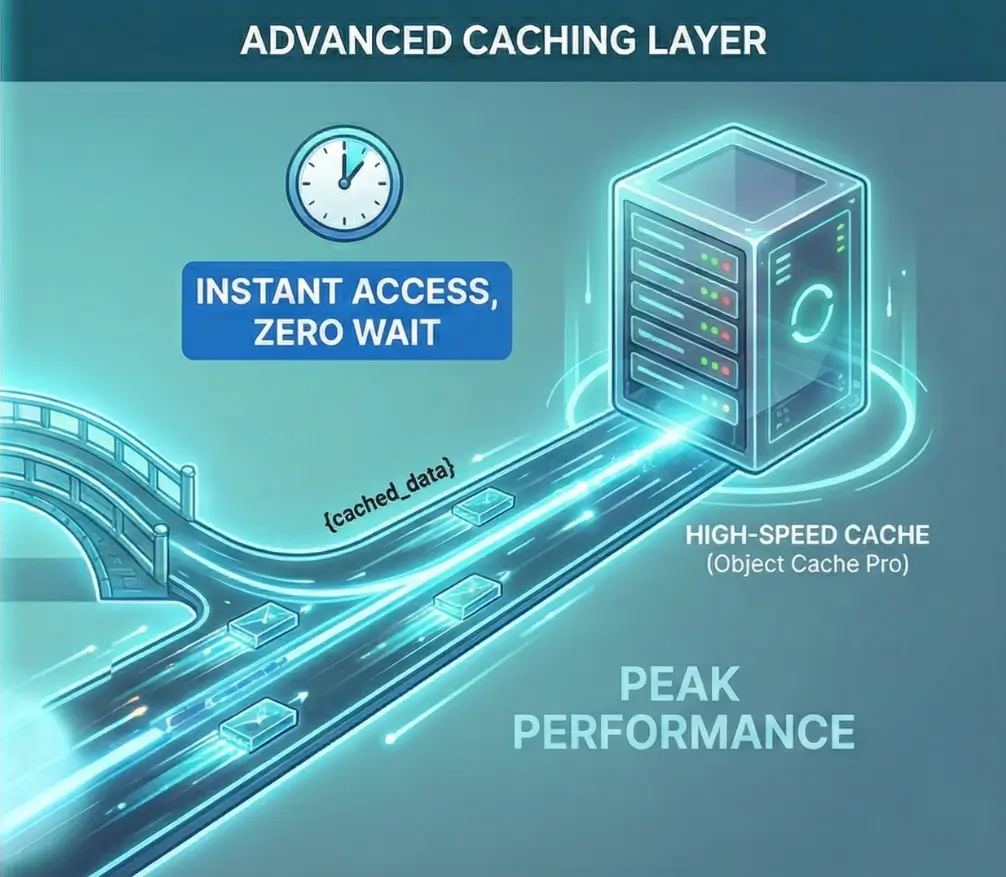
To comprehend the necessity of an advanced caching layer, one must first analyze the standard data retrieval lifecycle within a WordPress environment. WordPress is fundamentally a database-dependent application; it does not exist as a collection of ready-made files but rather as a set of instructions written in the PHP programming language. When a user requests a page, the server must consult a MySQL or MariaDB database to retrieve the site title, post content, theme settings, plugin configurations, and user permissions.
Think of this process as a “round trip.” Every time your site needs a piece of information, it’s like sending a messenger to a library to find a specific book. On a normal page, your site might send that messenger out hundreds of times just to load one screen. When lots of visitors arrive at once, the library gets crowded, the messengers have to wait in line, and your site starts to lag. If it gets too busy, the whole system can simply give up and crash.
Caching serves as a temporary, high-speed storage layer designed to minimize these expensive operations. To provide a clear overview for professional administrators, the following table delineates the various caching layers and their respective roles in the performance stack.
| Caching Layer | Storage Location | Target Data | Primary Performance Impact |
| Browser Caching | Client-side device (RAM/Disk) | Static assets (Images, CSS, JS) | Reduces repeat-visit bandwidth and latency. |
| CDN Caching | Global Edge Servers | Static assets and sometimes HTML | Reduces physical distance between the user and the data. |
| Page Caching | Server-side Disk or RAM | Fully rendered HTML pages | Bypasses PHP and Database for static content. |
| Opcode Caching | Server-side RAM | Compiled PHP bytecode | Eliminates the need to parse PHP files on every request. |
| Object Caching | Server-side RAM | Individual database query results | Speeds up PHP execution for dynamic and logged-in users. |
The critical distinction lies between page caching and object caching. While page caching saves the “final product” (the finished HTML page), object caching saves the “ingredients” (the data objects used to build the page). This makes object caching the only viable solution for dynamic areas of a site where a “one-size-fits-all” HTML page cannot be served, such as a user’s shopping cart, a personalized dashboard, or the WordPress administrative backend.
The Limitations of Native WordPress Object Caching
WordPress includes a built-in object caching mechanism, defined by the WP_Object_Cache class, which has been part of the core software since 2005. However, this native system is “non-persistent” by default. It stores data in the server’s memory only for the duration of a single page request. The moment the server finishes sending the page to the user’s browser, the memory is cleared, and all cached data is discarded.
This creates a significant inefficiency: if the same user clicks to a second page, or if a different user visits the site, the “refrigerator” is empty, and the server must return to the “Warehouse” (the database) for every single piece of data again. Persistent object caching solutions, such as those powered by Redis or Memcached, solve this by keeping the data in memory across multiple requests, sessions, and even server restarts.
The Role of Redis in Persistent Caching
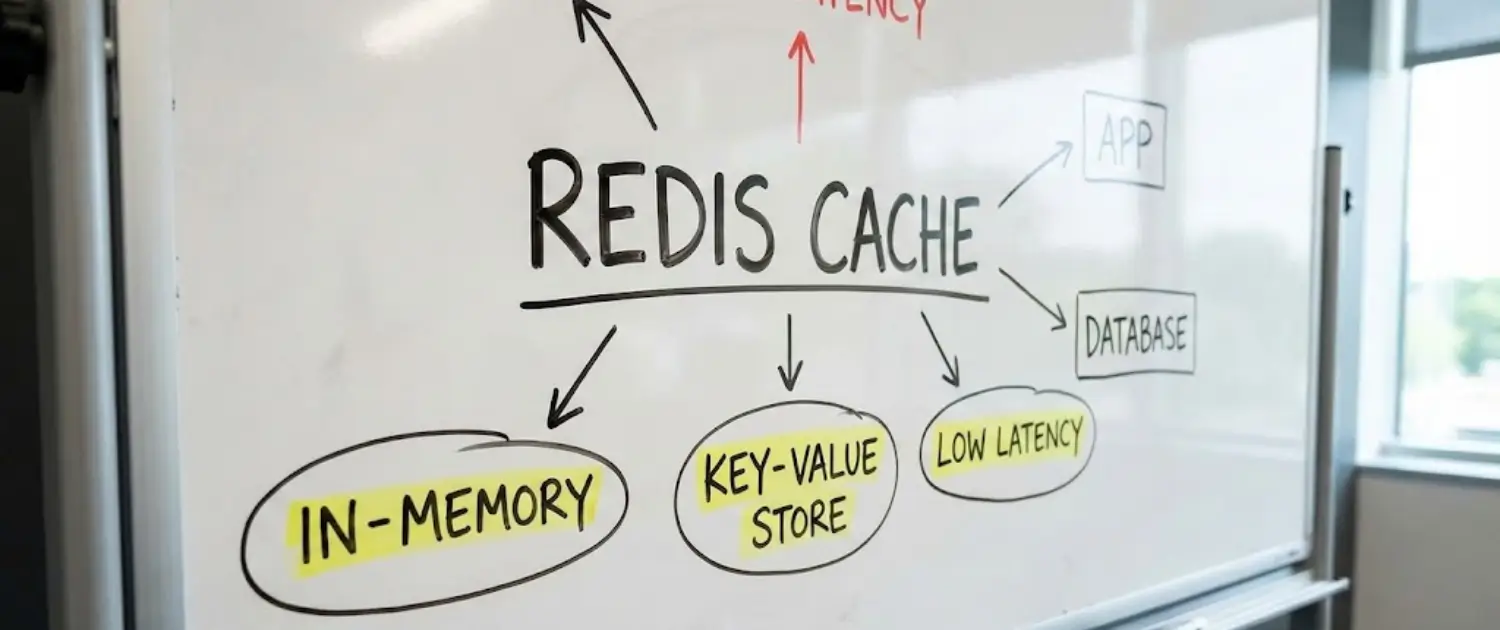
Redis (Remote Dictionary Server) is an open-source, in-memory data structure store commonly used for persistent object caching in WordPress and WooCommerce stacks. Unlike traditional databases that store data on slower physical disks (SSD or HDD), Redis keeps everything in the server’s ultra-fast Random Access Memory (RAM). This allows for data retrieval speeds measured in microseconds. Furthermore, Redis offers advanced features such as data persistence to disk (to prevent data loss during power failures) and built-in replication for high-availability environments.
Object Cache Pro: An Enterprise-Grade Optimization Layer
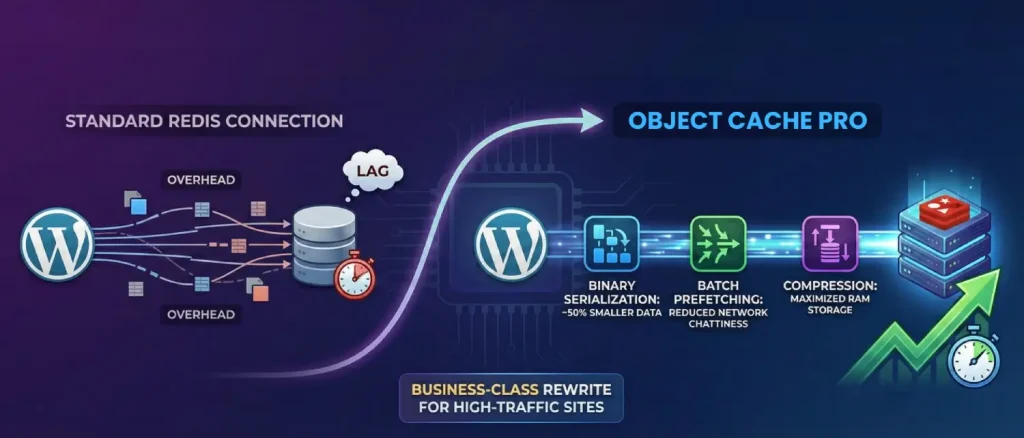
While several free plugins exist to connect WordPress to a Redis server, Object Cache Pro distinguishes itself as a “business-class” rewrite of the standard Redis integration. It was engineered from the ground up to address the specific performance bottlenecks, race conditions, and memory overhead issues that plague high-traffic WordPress sites.
Technological Innovations and Core Features
The primary value proposition of Object Cache Pro lies in its “raw performance” philosophy. Traditional Redis connectors often introduce their own overhead by making unnecessary read and write calls to the Redis server. Object Cache Pro minimizes these interactions through a series of advanced technological features.
| Feature | Technical Mechanism | Benefit to the User |
| Binary Serialization | Uses igbinary or similar high-performance serializers | Reduces data size by ~50%, speeding up transfers and saving RAM. |
| Batch Prefetching | Group multiple Redis commands into a single request | Drastically reduces network “chattiness” and improves page load speed. |
| Asynchronous Flushing | Moves cache deletion tasks to a background process | Prevents server “hiccups” or stalls during large cache clears. |
| Cache Priming/Warming | Pre-loads frequent data into memory before users arrive | Prevents database spikes during sudden traffic surges. |
| Compression | Supports LZ4, Zstandard (ZSTD), and LZF | Maximizes the amount of data stored in a limited server RAM. |
The integration of these features ensures that the caching layer remains a benefit rather than a burden. For instance, on a WooCommerce site with thousands of products, the “All Options” query, a notorious WordPress bottleneck, can be split and managed more efficiently, preventing the site from slowing down as the database grows.
The Relay Extension: Eliminating Network Latency
FFor environments where even microsecond latency is unacceptable, Object Cache Pro supports Relay, a specialized PHP extension. Traditional object caching involves a communication step between the PHP application and the Redis service, which usually lives in separate memory spaces or even different servers. Relay stores the most frequently accessed cache data directly within PHP’s shared memory.
This allows the application to retrieve data without even initiating a connection to Redis, essentially bringing the “refrigerator” into the “Chef’s pocket.” Relay also includes “adaptive caching” mechanisms, which monitor the read-write ratio of specific data keys to ensure that only the most beneficial items occupy the precious shared memory space.
Comparative Analysis of Industry Caching Solutions
The decision to implement Object Cache Pro often involves a comparison with other market-leading solutions. Each tool serves a different tier of the WordPress ecosystem, and understanding these distinctions is vital for professional site management.
Object Cache Pro vs. Redis Object Cache (Free)
The free “Redis Object Cache” plugin, developed by the same author as the Pro version, is the world’s most popular open-source connector for Redis. While it is highly reliable and “dead simple” to use, it lacks the advanced performance optimizations required for enterprise scale.
| Comparison Metric | Redis Object Cache (Free) | Object Cache Pro |
| Target Audience | Small blogs, low-traffic sites | eCommerce, Enterprise, High-Traffic. |
| Analytics | Basic response time metrics | Comprehensive dashboard with hit/miss ratios. |
| Code Architecture | Standard PHP wrapper | Highly optimized, object-oriented rewrite. |
| Customization | Minimal wp-config.php options | Hundreds of granular configuration constants. |
| Technical Support | Community forums | Dedicated engineer with 30-minute response times. |
As noted by industry experts, the free version is an excellent starting point for most users. Still, the Pro version is the necessary choice when “every millisecond counts” or when managing a horizontally scaled infrastructure where network efficiency is paramount.
Object Cache Pro vs. W3 Total Cache and LiteSpeed Cache
W3 Total Cache (W3TC) is a venerable “all-in-one” performance suite that has been a staple of the WordPress community for over a decade. While it supports Redis and Memcached, its settings panel is often described as a “minefield” for beginners, where a single misconfiguration can easily “break” the site. W3TC lacks the deep, WordPress-specific optimizations found in a dedicated object cache like Object Cache Pro.
LiteSpeed Cache (LSCache) offers incredible performance but is strictly limited to servers running the LiteSpeed web server software. For administrators on Nginx or Apache, functionality. Object Cache Pro remains server-agnostic, providing high-level performance regardless of the underlying web server architecture.
The Role of SQLite and Memcached Alternatives
In certain niche environments, other technologies like SQLite or Memcached may be considered. SQLite object caching has been benchmarked as being extremely fast for simple key-value lookups on single-server setups, sometimes exceeding Redis speed by avoiding the network stack entirely. However, SQLite lacks the scalability and advanced data structures that make Redis the preferred choice for growing businesses
Memcached is a simpler, ultra-fast memory store that is excellent for brochure sites or basic blogs. However, unlike Redis, Memcached does not offer data persistence; if the server restarts, the entire cache is lost, forcing a complete and potentially stressful rebuild from the database.
The Strategic Business Case for Premium Object Caching
The implementation of Object Cache Pro is rarely just a technical decision; it is a strategic business move aimed at improving the bottom line. Speed is directly correlated with user experience, search engine optimization (SEO), and conversion rates.
Conversion Rates and the Cost of Sluggishness
In eCommerce, every second counts, literally. A single second of lag can cause a massive drop in your sales. Real-world data shows that switching to a tool like Redis can take a site from a sluggish 4-second load time to under 1 second. For one business, this speed boost slashed cart abandonment from 32% down to 19%. By making the shopping experience smooth, you stop losing customers to frustration and start capturing revenue that was previously slipping through the cracks.
Reducing Server Overhead and Scaling Costs
As a website grows, the cost of hosting can skyrocket if the application is inefficient. By serving the vast majority of repetitive queries from memory, Object Cache Pro acts as a “shield” for the database. This reduction in CPU and database I/O load allows a site to handle significantly more traffic on the same hardware.
Professional analysis indicates that this optimization is often the difference between a site that crashes at 10 simultaneous visitors and one that remains stable with 1,000 concurrent users. For many businesses, the cost of the Object Cache Pro license is far lower than the cost of upgrading to a massive, multi-CPU server environment.
Prerequisites for a Successful Implementation
Before initiating the setup of Object Cache Pro, the hosting environment must be thoroughly audited to ensure compatibility and prevent technical conflicts.
Technical Environment Requirements
The following table summarizes the minimum and recommended technical specifications.
| Component | Minimum Requirement | Recommended Specification |
| PHP Version | 7.2 | 8.2 or 8.3 |
| PhpRedis Extension | 4.0.0 | 6.0.0+ |
| Redis Server | 4.0 | 7.2 or 7.4 |
| Relay Extension | (Optional) 0.4.0 | 0.6.0+ |
It is essential to verify that the PhpRedis extension is installed on the server, as Object Cache Pro depends on this low-level driver to communicate with Redis. Most managed WordPress hosts.
The Critical “Cleanup” Phase
A common mistake among beginners is attempting to run multiple object cache plugins simultaneously. This almost invariably leads to errors. Before installing Object Cache Pro, one must:
- Deactivate and uninstall any other Redis or Memcached plugins (e.g., “Redis Object Cache,” “WP Redis,” or “W3 Total Cache“ object cache module)..
- Manually check the /wp-content/ directory via FTP or File Manager. If a file named object-cache.php exists, it must be deleted. This file is a “drop-in” that tells WordPress which caching system to use; leaving an old one behind will prevent the new plugin from working correctly.
Step-by-Step Installation and Setup Guide
Object Cache Pro can be installed using several methods, ranging from a standard dashboard upload to advanced developer workflows using Composer.
Method 1: Manual Dashboard Installation for Smaller Teams
- Download and License: After purchasing a license, download the plugin ZIP file and copy your unique license token.
- Upload to WordPress: Navigate to Plugins > Add New > Upload Plugin in your dashboard. Select the ZIP file and click Install Now, then Activate.
- Edit wp-config.php: The plugin requires configuration at the file level to ensure it has the necessary permissions and connection details. Open your wp-config.php file and insert the following code above the line that says
/* That's all, stop editing! Happy publishing. */
define('WP_REDIS_CONFIG', [
    'host' => '127.0.0.1',
    'port' => 6379,
    'database' => 0,
    'timeout' => 1.0,
    'read_timeout' => 1.0,
]);- Enable the Drop-in:
- Return to the WordPress dashboard. You will see a new widget for Object Cache Pro. Click the Enable Object Cache button. This will automatically copy the necessary object-cache.php file into your /wp-content/ folder.
- Verify the Connection: If successful, the widget status will change to Connected in green.
Method 2: Composer Workflow for Agencies and Developers
For professional teams using version control (Git) and dependency management, Composer is the preferred installation method.
- Authenticate: Add your license token to your Composer configuration:
composer config --auth http-basic.objectcache.pro token <LICENSE-TOKEN>- Add Repository: Update your composer.json to include the Object Cache Pro repository:
JSON
"repositories": [
    { "type": "composer", "url": "https://objectcache.pro/repo/" }
]- Require Package: Run
composer require rhubarbgroup/object-cache-pro - Activate via CLI: Use WP-CLI to enable the plugin and drop-in:
wp plugin activate object-cache-pro
wp redis enable
Advanced Configuration Constants and Their Implications
Beyond basic setup, Object Cache Pro offers an extensive array of configuration options that allow for precise performance tuning.
| Constant Key | Data Type | Functional Impact |
| ‘prefix‘ | String | Ensures cache keys don’t clash on shared Redis servers. |
| ‘serializer‘ | String | Set to ‘igbinary’ for maximum speed and lowest RAM usage. |
| ‘compression‘ | String | Set to ‘zstd’ or ‘lz4’ to reduce memory footprint. |
| ‘async_flush‘ | Boolean | Enables background cache clearing (requires Redis 4.0+). |
| ‘prefetch‘ | Boolean | Enables batch key prefetching for faster page loads. |
| ‘strict‘ | Boolean | Forces the plugin to throw errors if connections fail. |
Understanding the split_alloptions Setting
One of the most useful advanced features in the Pro version is called split_alloptions. Think of your WordPress settings like a giant suitcase. Normally, every time a page loads, WordPress has to lift that entire, heavy suitcase, even if it only needs one pair of socks from inside.
As you add more plugins, that suitcase gets heavier and slower to move. This feature breaks that giant bag into small, light packages, so the server only grabs exactly what it needs for that specific page. This makes your site feel much snappier.
Monitoring Diagnostics and Site Health
Maintaining peak performance requires ongoing monitoring. Object Cache Pro provides several tools to help administrators understand how their cache is performing.
The Dashboard Widget and Hit Ratios
The main dashboard is where you’ll keep an eye on things, and the one number you really care about is the Hit Rate. Think of this as your site’s “Success Rate.” A “Hit” means your site found the data it needed in the fast cache instead of asking the database again. A “Miss” means the cache was empty, and your site had to take a slow trip back to the database. You want a score of 90% or higher. If it’s lower than that, your “storage container” might be too small, or a specific plugin might be making things difficult.
Integration with Query Monitor
For advanced debugging, Object Cache Pro integrates tightly with the free “Query Monitor” plugin. When both are active, administrators can see a detailed breakdown of every Redis command executed during a page load, including the time taken for each call and the specific plugin that triggered it. This is invaluable for identifying “chatty” plugins that may be overloading the cache with unnecessary requests.
Site Health Diagnostics
The plugin also feeds data into the WordPress Tools > Site Health interface. It will provide warnings if the Redis version is outdated, if the PhpRedis extension is missing, or if there are potential security risks, such as an unencrypted connection to a remote Redis server.
Troubleshooting Common Issues and Performance Degradation
Even the most robust systems can encounter issues. Understanding how to diagnose and resolve these problems is a core skill for any professional site administrator.
The “White Screen of Death” (WSoD)
If the Redis server crashes or if the configuration in wp-config.php is incorrect, the site may fail to load entirely. The quickest way to restore service is to “kill” the object cache. This can be done by:
- Adding
define('WP_REDIS_DISABLED', true);to the wp-config.php file. - Renaming or deleting the wp-content/object-cache.php file via FTP or File Manager. These actions force WordPress to revert to its native, non-persistent cache, allowing the site to load (albeit more slowly) while the Redis connection issue is resolved.
Dealing with Stale Data
Occasionally, a site may show “old” content even after it has been updated. This often happens if the “cache invalidation” logic fails. In such cases, a manual “Flush” is required.
Administrators can use the Flush Cache button in the dashboard widget or the WP-CLI command wp cache flush. It is important to remember that flushing the cache will cause a temporary performance drop as the server rebuilds its If a Redis server runs out of RAM, it will start deleting data to make room for new items based on its “Eviction Policy”.
For optimal WordPress performance, the Redis server should be configured with maxmemory-policy allkeys-lru (Least Recently Used) or allkeys-lfu (Least Frequently Used).
If an administrator cannot change the server settings, they can use the maxttl (Maximum Time To Live) setting in Object Cache Pro to ensure that old data expires and is removed automatically after a set period, such as 24 hours.
Operational Maintenance Notes
Object cache maintenance should be reviewed like any other production setting. Watch Redis memory, eviction behavior, stale object patterns, checkout behavior, admin screens, and database load. Automated tools can help surface issues, but cache changes still need human review because the wrong exclusion or persistence rule can affect carts, sessions, reports, or logged-in workflows.
For larger WordPress and WooCommerce stacks, pair Object Cache Pro with reliable hosting, page-cache exclusions, HPOS where appropriate, slow-query review, and a restore plan. The plugin is one layer of the performance system, not a substitute for server capacity or careful application testing.
Final Recommendations
In short, Object Cache Pro is an advanced Redis object-cache option for WordPress sites that have already outgrown basic caching. You don’t need to be an expert in the technical “under the hood” details, like compression or data syncing, to understand the benefit.
The value is simple: it can reduce repeated database work, improve dynamic-page response times and make WooCommerce or membership workflows easier to scale when the rest of the stack is configured well.
For beginners and business owners, the following strategic roadmap is recommended:
- Evaluate the Need: If you are running a WooCommerce store, a membership site, or a high-traffic blog, test whether a persistent object cache reduces database load before assuming a plugin upgrade is the answer.
- Audit for Conflicts: Ensure that all other caching plugins are removed before activation to prevent the “White Screen of Death”.
- Monitor the Hit Rate: Once active, check your dashboard widget regularly. A high hit rate is useful, but review it alongside database load, checkout behavior, PHP errors and real user experience.
- Focus on the User: Remember that speed is a means to an end. The ultimate goal of implementing Object Cache Pro is to remove the technical barriers between your content and your audience, ensuring that your site remains fast, stable, and professional at any scale.
By following these professional standards and leveraging the enterprise-grade power of Object Cache Pro, administrators can ensure their WordPress installations are prepared for the demands of the modern web and the competitive landscape of the years to come.
About the writer

Hassan Tahir prepared this guide for teams comparing Redis object cache, Object Cache Pro and hosting-level performance work for WordPress and WooCommerce scaling.
Frequently Asked Questions
Is Object Cache Pro useful for WooCommerce?
Yes, especially for dynamic stores where cart, checkout, account pages and admin orders create repeated database work.
Does object cache replace page cache?
No. Page cache and object cache solve different problems; dynamic sites often need both configured carefully.
When is Object Cache Pro worth it?
It is worth evaluating when a WooCommerce, membership or high-traffic WordPress site already uses Redis, still has dynamic performance pressure, and needs better diagnostics, support and production-grade cache behavior.
How is Object Cache Pro different from free Redis Object Cache?
The free Redis Object Cache plugin connects WordPress to Redis for persistent object caching. Object Cache Pro adds commercial support and advanced behavior aimed at complex, revenue-sensitive or high-scale WordPress environments.
What should I monitor after enabling Redis object cache?
Monitor Redis memory, hit rate, PHP errors, checkout behavior, database load and admin performance.