Lifetime VPS Europe
 Lifetime VPS Asia
 Lifetime WooCommerce Hosting
 Lifetime Hosting
 Lifetime Game Dedicated Servers
 Chicago, US
 Tokyo, Japan
 Singapore
 Hong Kong
 Seoul, South Korea
 Amsterdem, Netherlands
 London, UK
 Stockholm, Sweden
 Oslo, Norway
 Vienna, Austria
 Zurich, Switzerland
 Sydney, Australia
 Wordpress Hosting
 VPS Hosting
 DDOS Protection
 Submit Ticket
 Full Management
 Guides
 Videos and Podcasts
 Discover Creative Ideas
 Voxfor Autonomous AI Workers
 Voxfor Mega Menu
 Voxfor Advanced Price Management For WooCommerce
 Voxfor Secure Live Chat and AI Support
 Voxfor Multilanguage
 Voxfor AI Content Summary
 Voxfor Autopilot

WordPress 6.9 represents the final major release of 2025, launching on December 2, 2025, with a comprehensive focus on team collaboration, enhanced editing capabilities, developer tools, and significant performance improvements. This update transforms how content creators, designers, and developers work together while laying the groundwork for future AI integration in WordPress.
Inbound Marketing Strategy
Turn technical readers into inbound marketing growth
Helpful tutorials attract qualified visitors, but reliable hosting keeps those readers engaged. Voxfor VPS gives growing websites the speed, uptime, and control needed to support stronger inbound marketing campaigns.
Whether you’re a WordPress site owner, content manager, developer, or agency, understanding WordPress 6.9 features is essential for maximizing your platform’s potential and preparing your workflow for the next generation of WordPress capabilities.
Overview: What is WordPress 6.9?
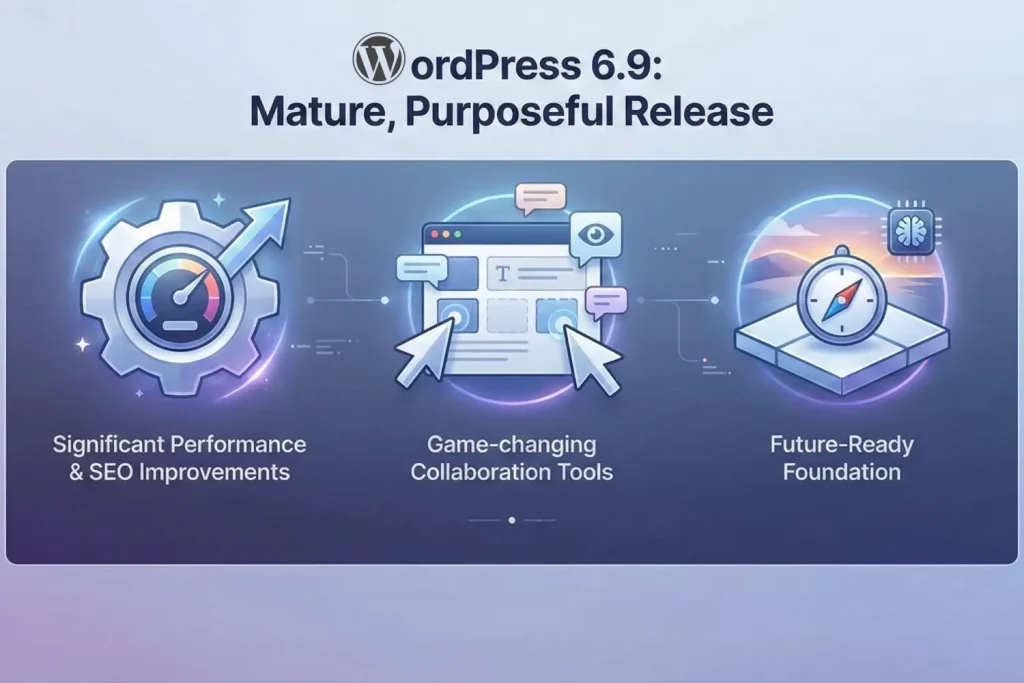
WordPress 6.9 represents the final release in the WordPress 2025 development cycle after the successful wordpress 6.8 release earlier this year. This release focuses on three main aspects, which include teamwork, refining the editors and developer functionality.
In contrast to the past releases, where the new version is only about new user-facing features, WordPress 6.9 is more refined and polished on the existing tools, but provides underlying APIs to be used in future integration. The development team focused resources on ensuring that the core editing experience was really improved instead of putting the resources on numerous initiatives.
Release Timeline and Compatibility
- Official Release Date: December 2, 2025
- PHP Compatibility: Now compatible with PHP 8.5 (latest stable version)
- Minimum Requirements: WordPress remains compatible with PHP 7.2.26 and MySQL 5.7 (though upgraded PHP versions are strongly recommended)
- Browser Support: Full modern browser support with improved legacy code removal
Major New Features in WordPress 6.9
1. Game-Changing Collaboration Features
WordPress 6.9 is a release that has introduced new robust features that enable WordPress to be a modern collaborative editing platform, which will be of great help in a team and editorial workflow.
Block-Level Notes (Comments)
One of the most significant additions in WordPress 6.9 is the ability to add block-level notes directly to content blocks within the post editor. This feature enables asynchronous collaboration between team members.
Key capabilities:
- Add contextual notes to individual blocks
- Tag team members for targeted feedback
- Track editorial comments and suggestions
- Enable non-destructive content review workflows
- Perfect for complex editorial processes and content approval cycles
How it works:
Team members with edit_posts capability can click on any block, open the block menu, and add notes that remain attached to that specific block. Other team members can view these notes, respond, and track changes without modifying the actual content.
Real-world use case: An editor can add a note to a paragraph suggesting rewording. In contrast, a designer can add notes about visual alignment, all in real-time, making remote team collaboration seamless.
Block Visibility Control
WordPress 6.9 also adds a strong block visibility API and user experience to allow the content creator to hide blocks on the front end and show them on the editor.
Why this matters:
- Create draft content without publishing to the live site
- Test new layouts without confusing visitors
- Prepare seasonal or upcoming content in advance
- Hide incomplete sections until they’re ready
- Maintain the block structure for future use without deleting
How to use it:
- Select any block in the editor
- Open the block settings dropdown menu
- Choose “Hide on Frontend” or use the List View to toggle visibility
- The block remains visible in the editor but is completely hidden from visitors
This non-destructive approach solves a major workflow problem that content teams have faced for years.
Command Palette Everywhere
Previously limited to the Site Editor, the Command Palette is now available across the entire WordPress dashboard. Access it with Ctrl + K (Windows/Linux) or Cmd + K (Mac).
What you can do:
- Quickly navigate to any admin screen
- Trigger common actions with keystrokes
- Search for posts, pages, plugins, and settings
- Access admin functions without clicking through menus
- Dramatically speed up your WordPress workflow
Productivity impact: Users report 2-3x faster navigation once they adopt the Command Palette workflow, making it one of the most requested features finally available everywhere.
2. Six Powerful New Core Blocks
WordPress 6.9 introduces six new core blocks in wordpress to overcome the need to use third-party blocks and to offer built-in solutions to the common content requirements.
Accordion Block
The Accordion Block is used to make the sections collapse and open up on clicking, ideal for putting together complex information.
Ideal for:
- FAQ sections
- Product specifications
- Step-by-step instructions
- Detailed pricing information
- Terms and conditions
- Any content that benefits from being hidden by default
Benefits:
- Keeps pages clean and organized
- Improves user experience by reducing cognitive load
- Improves scroll depth (users engage more with accordion content)
- Works seamlessly with all WordPress themes
Math Block
The Math Block allows you to display mathematical equations and formulas using standard notation.
Perfect for:
- Educational content and tutorials
- Scientific and technical blogs
- Research papers and documentation
- Finance and accounting posts
- Physics, chemistry, and engineering content
- Any site requiring mathematical expressions
Technical implementation: Uses standard mathematical notation that renders beautifully across all devices and browsers.
Term Query Block
The Term Query Block displays a list of taxonomy terms such as categories, tags, or custom taxonomies.
Use cases:
- Display all product categories
- Show all blog post tags
- List custom taxonomy terms
- Create category archives dynamically
- Build term-based filtering interfaces
Time to Read Block
The Time to Read Block automatically estimates and shows the approximate time that you should read your content.
Benefits:
- Improves user experience by setting expectations
- Increases content engagement (users see that content is achievable)
- Can improve bounce rates on longer articles
- Professional appearance similar to Medium and modern publications
Comment Count and Comment Link Blocks
Two specialized blocks for displaying comment information:
- Comment Count Block: Shows the number of comments on a post
- Comment Link Block: Creates a link directly to the comments section
Use cases:
- Display comment activity to encourage engagement
- Create custom comment call-to-actions
- Build engagement metrics displays
3. Enhanced Block Capabilities and Design Options
In addition to new blocks, WordPress 6.9 now offers new features and a choice of designs for the existing blocks.
Stretchy Heading and Paragraph Variations
New block variations of Heading and Paragraph blocks add a Stretchy or Fit Text option, which automatically changes the width of text to occupy horizontal space.
Benefits:
- Create bold, expressive hero sections
- No custom CSS required
- Responsive design automatically handled
- Perfect for landing pages and attention-grabbing layouts
- Dramatically improves visual impact
Example use case: A heading automatically scales up to fill a hero section’s width, creating the bold visual impact similar to premium design agencies’ websites.
Improved Button and Separator Block Accessibility
Two blocks receive important accessibility upgrades:
Button Block:
- Now allows selection between <a> and <button> HTML elements
- Improves semantic HTML and accessibility
- Available in Advanced block settings
Separator Block:
- Can now choose between <hr> and <div> elements
- Better semantic representation
- Enhanced accessibility compliance
Cover Block Poster Image Support
The Cover Block now supports poster images through a new poster-image component.
Advantages:
- Shows a preview image while the video loads
- Dramatically improves user experience on slow connections
- Particularly useful for large video files
- Reduces apparent page load time
- Better mobile experience
Heading Block CSS Fix
A critical CSS specificity issue with the Heading block’s background padding has been fixed using the: where() pseudo-class. This ensures background padding on heading blocks doesn’t unintentionally affect other blocks like the Accordion block.
4. Site Editor Enhancements and Design Tools
The Site Editor receives substantial refinements, making it more intuitive and powerful.
Simplified Editing Mode
The Site Editor now offers a simplified editing mode focusing purely on content changes without overwhelming design options.
Two-tier approach:
- Simple Mode: Perfect for making quick text and image updates
- Advanced Mode: Full access to design tools, styling, and customization
Content editors and designers can also use the editor, as one can toggle between modes depending on their workflow.
Multiple Templates Per Slug
A major workflow improvement allows multiple templates per URL slug (multiple template assignments to the same page/post type).
Benefits:
- Create draft templates for testing
- Maintain different template variations
- Organize template management better
- Support complex template strategies
Custom Template Preservation on Theme Switch
Historically, switching themes would delete custom templates created in the Full Site Editor, causing hours of lost work.
WordPress 6.9 fixes this by:
- Retaining all custom templates when switching themes
- Allowing templates to be activated, deactivated, or drafted
- Preserving design work across theme changes
- Providing complete template management control
This single fix eliminates one of WordPress most frustrating workflows.
Improved Drag-and-Drop
Block drag-and-drop has been refined with:
- Clearer visual cues during dragging
- Improved drop zone indicators
- Smoother repositioning experience
- Better touch experience on mobile devices
Expanded Block Transforms
Several block transforms have been expanded, giving more flexibility when switching between block types without losing content.
5. Groundbreaking Developer APIs
WordPress 6.9 introduces foundational APIs that reshape how developers extend WordPress functionality, with particular focus on AI integration.
The New Abilities API
It is a paradigm shift in the interaction between external systems and WordPress, and it is called the Abilities API.
What it does:
- Creates a registry of callable WordPress functions that AI systems and plugins can safely access
- Establishes a “shared language” between WordPress and AI systems
- Provides standardized access to WordPress capabilities
- Enables secure, verified access to core functionality
Future implications:
- AI agents can understand what a WordPress site can do
- External AI systems can perform tasks like optimizing posts, creating pages, or managing content
- Foundation for the future “AI-powered WordPress” vision
- Maintains security and control over external access
For developers: The Abilities API creates predictable, standardized methods for registering and accessing site capabilities, replacing ad-hoc integration patterns.
Enhanced Interactivity API
The Interactivity API receives several important improvements:
Script modules and stylesheets loading:
- Script modules and stylesheets now load “after” client-side navigation
- Shared stylesheets are reused across pages (reducing requests)
- New stylesheets only load when needed
- Unused stylesheets are disabled automatically
- Dramatically reduces network requests and improves perceived performance
Router regions inside interactive elements:
- Previously, router regions had to be root interactive elements
- WordPress 6.9 allows router regions inside other interactive elements
- Enables more complex, nested interactive architectures
- Provides greater flexibility for dynamic applications
New importmap definitions:
- Improved script module management
- Prefetching of scripts and stylesheets
- Comprehensive resource loading strategy
Block Bindings API Improvements
The Block Bindings API expands significantly:
New capabilities:
- Extended support to more block types
- Date block now accepts any date (not just post publication/update dates)
- Image block caption now supports pattern overrides
- Enhanced UI for switching between data sources
- Easier bind/unbind workflow
DataViews and DataForms enhancements:
- New field types: media, boolean, email, array
- New Edit controls: checkbox, toggleGroup
- New filter operators for complex queries
- Completely overhauled the validation system
- All fields now support required and element rules
- Support for custom validation functions
Performance Improvements in WordPress 6.9
WordPress 6.9 includes substantial under-the-hood optimizations directly impacting site speed and Core Web Vitals scores.
Block Style Loading Optimization
Classic Theme Block Styles (On-Demand Loading):
- CSS for unused blocks no longer loads
- Dramatically reduces stylesheet size
- Particularly beneficial for classic themes
- Direct impact on First Contentful Paint (FCP)
Twenty Theme Stylesheet Minification:
- Default WordPress themes (Twenty Twenty-Five, etc.) now ship with minified stylesheets
- Reduces CSS file size
- Speeds up rendering
Render-Blocking Optimization
Emoji Detection Script Relocation:
- Previously in the document head (render-blocking)
- Now moved to the footer
- Significantly improves page rendering speed
- Minimal functional impact since emoji detection isn’t time-critical
HTML Inlining:
- More critical CSS is now inlined directly in HTML
- Reduces render-blocking external stylesheets
- Improves Core Web Vitals scores
Server-Side Performance Improvements
Cron Jobs at Shutdown (Reduced TTFB):
- Previously: Cron jobs ran during page load (slowing TTFB)
- Now: Cron jobs run at shutdown (off the critical path)
- Direct improvement in Time to First Byte
- Better server performance under load
Output Buffering Standardization:
- Standardized output buffering for smarter caching
- More efficient HTML manipulation
- Better compatibility with CDNs and caching layers
ES Module Priority (fetchpriority support):
- ES modules now support the fetchpriority attribute
- Prioritizes critical scripts for faster execution
- Improves time to interactivity
Navigation Performance (Bfcache)
- Improved browser back/forward cache (bfcache) handling
- Instant navigation without reloading
- Zero loading time when revisiting pages
- Particularly noticeable on mobile devices
Accessibility Improvements
WordPress 6.9 continues the platform’s commitment to web accessibility:
- Button and Separator blocks can now select proper HTML elements (<button>, <a>, <hr>, <div>)
- Improved semantic HTML compliance
- Enhanced keyboard navigation throughout the editor
- Better screen reader compatibility
- Standardized Block Inspector Settings using ToolsPanel
Technical Improvements for Developers
PHP 8.5 Support
- Full compatibility with PHP 8.5 (latest stable release)
- Ensures WordPress stays current with PHP development
- Improved performance with modern PHP versions
- Future-ready codebase
HTML API Improvements
- Faster HTML processing
- Better edge case handling
- Improved templating safety
- More robust tag handling
Admin Menu Search Query Update
- Improved search functionality in the admin menu
- Better query optimization
- Faster admin navigation
New Streaming Block Parser
- More efficient block parsing
- Reduced memory usage
- Faster page editing experience
- Better handling of complex document structures
Legacy Internet Explorer Code Removal
- Cleaned up old IE compatibility code
- Reduced codebase bloat
- Slight performance improvement
- Aligns with modern browser support standards
UTF-8 Improvements
- Enhanced UTF-8 character support
- Better handling of international characters
- Improved multilingual site support
URL-Escaping Function Updates
- Enhanced security for URL handling
- Better compliance with modern security standards
- Improved XSS protection
Post Editor Full iFrame Integration
- Complete post editor iFrame integration
- Better editor isolation and stability
- Improved security
- Foundation for future editor enhancements
WordPress 6.9 for Different User Groups
For Content Creators and Editors
Key benefits:
- Block-level Notes for seamless team collaboration
- Hide blocks without deleting them for content staging
- Command Palette for faster navigation
- Better editor experience overall
- New blocks reduce reliance on plugins
For Designers and Site Builders
Key benefits:
- Stretchy text options for better typography
- Enhanced design tools in Site Editor
- Multiple templates per slug
- Custom templates are preserved on theme switch
- Better block customization options
For Site Owners and Agencies
Key benefits:
- Faster site performance (Core Web Vitals improvement)
- Better team collaboration workflows
- Reduced plugin dependencies
- Improved security with legacy code removal
- Foundation for future AI integration
For Developers
Key benefits:
- New Abilities API for AI integration
- Enhanced Interactivity API for dynamic sites
- Improved Block Bindings API
- DataViews and DataForms expansion
- Better performance optimization opportunities
- PHP 8.5 support
Performance Impact: What You Can Expect
Based on WordPress 6.9 improvements, site owners should expect:
Core Web Vitals improvements:
- LCP (Largest Contentful Paint): 5-15% improvement from reduced render-blocking
- FCP (First Contentful Paint): 3-10% improvement from CSS optimization
- TTFB (Time to First Byte): 10-20% improvement from cron job optimization
- CLS (Cumulative Layout Shift): Slight improvement from design enhancements
Actual performance gains depend on:
- Your current theme (classic vs. block theme)
- Number of blocks used on pages
- Plugin ecosystem and quality
- Hosting infrastructure
- CDN usage
- Image optimization
Optimization tip: After upgrading to WordPress 6.9, run your site through PageSpeed Insights and GTmetrix to measure actual performance changes. You should see noticeable improvements if you’re using the default WordPress themes.
WordPress 6.9 and the Future
Preparing for AI Integration
The new WordPress 6.9 API foundation, Abilities API, puts the future of WordPress AI-driven workflows in 2026 (and beyond). The development team is developing the platform carefully without imposing AI functionality on the users who do not desire it.
Upcoming AI capabilities may include:
- AI-assisted content generation
- Intelligent image optimization
- Automated SEO improvements
- Smart scheduling and publishing
- AI-powered visual design assistance
Plugin Ecosystem Evolution
With six new core blocks and enhanced API expect:
- Fewer standalone plugin releases for basic functionality
- More sophisticated plugins building on WordPress 6.9 features
- Improved plugin performance through new APIs
- Better developer tools for plugin creation
Theme Development Direction
WordPress 6.9 marks the continuing shift toward:
- Block-based theme development
- Reduced PHP templating requirements
- More design flexibility for theme developers
- Better performance from optimized CSS loading
Potential Issues and Troubleshooting
Known Considerations
Plugin compatibility: Some older plugins may not work perfectly with WordPress 6.9
- Solution: Update or replace incompatible plugins
- Check the plugin developer for compatibility updates
Theme compatibility: Older themes may have display issues
- Solution: Update to the latest theme version
- Switch to a modern WordPress theme
- Contact the theme developer for compatibility
CSS conflicts: Custom CSS may conflict with new block styles
- Solution: Test custom CSS thoroughly
- Use CSS specificity carefully
- Consider CSS organization improvements
Performance variations: Performance improvements depend on your setup
- Solution: Measure before/after with PageSpeed Insights
- Optimize images and implement caching
- Use a fast hosting provider
Conclusion:
WordPress 6.9 is a mature version that aims at helping in making actual or practical improvements, instead of the mere addition of features in any way. Even the collaborative capabilities are reason enough to upgrade in case you are operating in a team-oriented setting.
Key reasons to upgrade:
- Significant performance improvements directly benefiting Core Web Vitals and SEO
- Game-changing collaboration tools (Notes and block visibility)
- New core blocks reducing plugin dependencies
- Enhanced command palette speeding up workflows
- Foundation for future AI features, keeping your site future-ready
- Better security with legacy code removal
- Improved accessibility throughout the platform
WordPress 6.9 is a purposeful release that polishes the fundamental strengths of the platform, and anticipates future innovations, to bring an end to what was a lot of 2025. Whether it is just an independent blog or a business WordPress site, WordPress 6.9 is truly worth something with easy upgrade options and a limited number of breaking changes.
About the writer

Hassan Tahir wrote this article, drawing on his experience to clarify WordPress concepts and enhance developer understanding. Through his work, he aims to help both beginners and professionals refine their skills and tackle WordPress projects with greater confidence.