Lifetime VPS Europe
 Lifetime VPS Asia
 Lifetime WooCommerce Hosting
 Lifetime Hosting
 Lifetime Game Dedicated Servers
 Chicago, US
 Tokyo, Japan
 Singapore
 Hong Kong
 Seoul, South Korea
 Amsterdem, Netherlands
 London, UK
 Stockholm, Sweden
 Oslo, Norway
 Vienna, Austria
 Zurich, Switzerland
 Sydney, Australia
 Wordpress Hosting
 VPS Hosting
 DDOS Protection
 Submit Ticket
 Full Management
 Guides
 Videos and Podcasts
 Discover Creative Ideas
 Voxfor Autonomous AI Workers
 Voxfor Mega Menu
 Voxfor Advanced Price Management For WooCommerce
 Voxfor Secure Live Chat and AI Support
 Voxfor Multilanguage
 Voxfor AI Content Summary
 Voxfor Autopilot
Elementor 3.33 is a revolutionary development in the page-building technology, as it proposes Editor V4, which is a groundbreaking CSS-first, class-driven framework, completely changes the perspective on how designers and developers tackle web design. This overall rewrite contains strong powers, such as the Variables Manager, better Custom CSS options, increased Blend Modes, and improved template control options.
Elementor performance hosting
Design with Elementor on WordPress hosting built for control
Modern Elementor features make design easier, but page speed and stability still depend on hosting. Voxfor VPS gives WordPress builders dedicated resources for client sites, landing pages, and production projects.
Elementor 3.33 is a revolutionary development in the page-building technology, as it proposes Editor V4, which is a groundbreaking CSS-first, class-driven framework, completely changes the perspective on how designers and developers tackle web design. This overall rewrite contains strong powers, such as the Variables Manager, better Custom CSS options, increased Blend Modes, and improved template control options.
What are Elementor 3.33 and Editor V4?
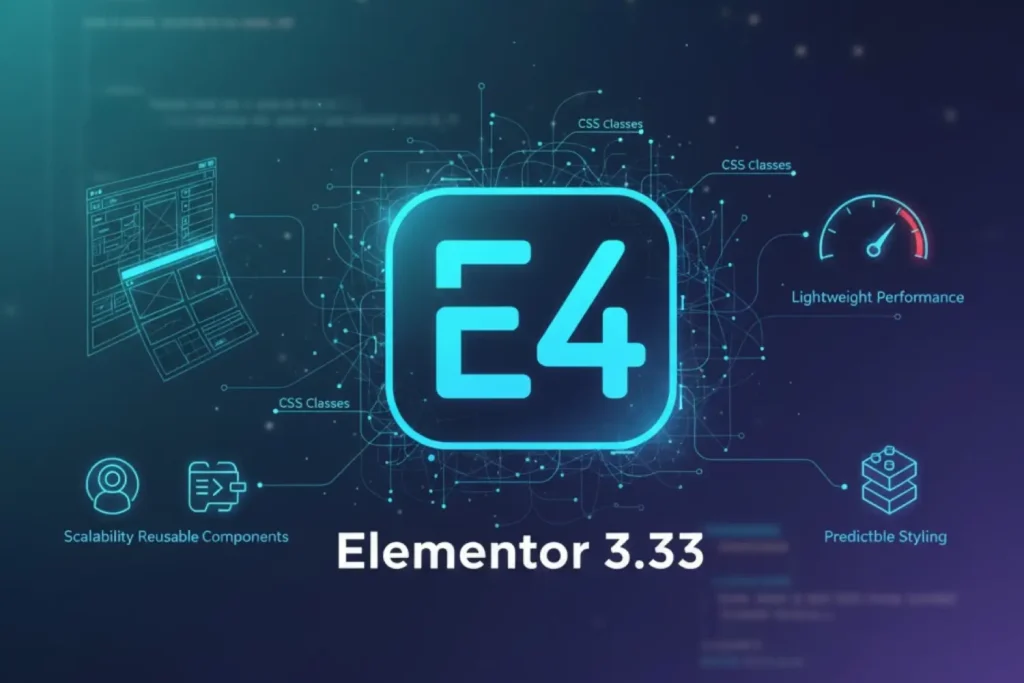
Elementor 3.33 provides Editor V4, an architectural revolution in page-building. In contrast to the older editions that were built on a more standardized approach of using traditional widgets, Editor V4 is built on a CSS-first, class-based architecture that is radically reengineering the way design systems work in Elementor.
Key architectural improvements
Editor V4 is engineered from the ground up to deliver:
- Scalability: From single website projects to enterprise-level global brand systems
- Predictable styling: Consistent design behavior across all elements and pages
- Reusable components: Token-based design systems that ensure consistency
- Lightweight performance: Optimized rendering and faster page load times
This architectural shift positions Elementor as a sophisticated design system platform rather than a simple page builder, appealing to professional designers and developers managing complex design requirements across multiple projects.
Current availability and activation
Editor V4 is currently available in Alpha stage for testing on staging environments only. This means while you can explore and test the new features, Elementor recommends using them only on development and staging sites, not production environments.
A production-ready Beta version will be released after the Alpha phase stabilizes, followed by the full public release.
To activate Editor V4 Alpha:
- Update Elementor to the latest version from your WordPress dashboard
- Navigate to Elementor → Settings → Editor V4 in your WordPress dashboard
- Click the Activate button to enable Editor V4 Alpha
Introducing the Variables Manager: Centralized Design System Control
One of the most transformative features in Editor V4 is the Variables Manager, a centralized workspace that revolutionizes how designers organize and maintain design systems within Elementor.
The problem with traditional variable management
The Elementor system is used to control design variables by going through each individual widget and controlling them individually, and spreading your design tokens out in different places. Such a decentralized strategy resulted in a number of difficulties:
- Difficulty tracking all variables across a website
- Inconsistent updates when changing design tokens
- Limited visibility into which variables are being used
- Time-consuming maintenance of design systems
- Potential for naming conflicts or duplicate variables
How the Variables Manager solves design system challenges
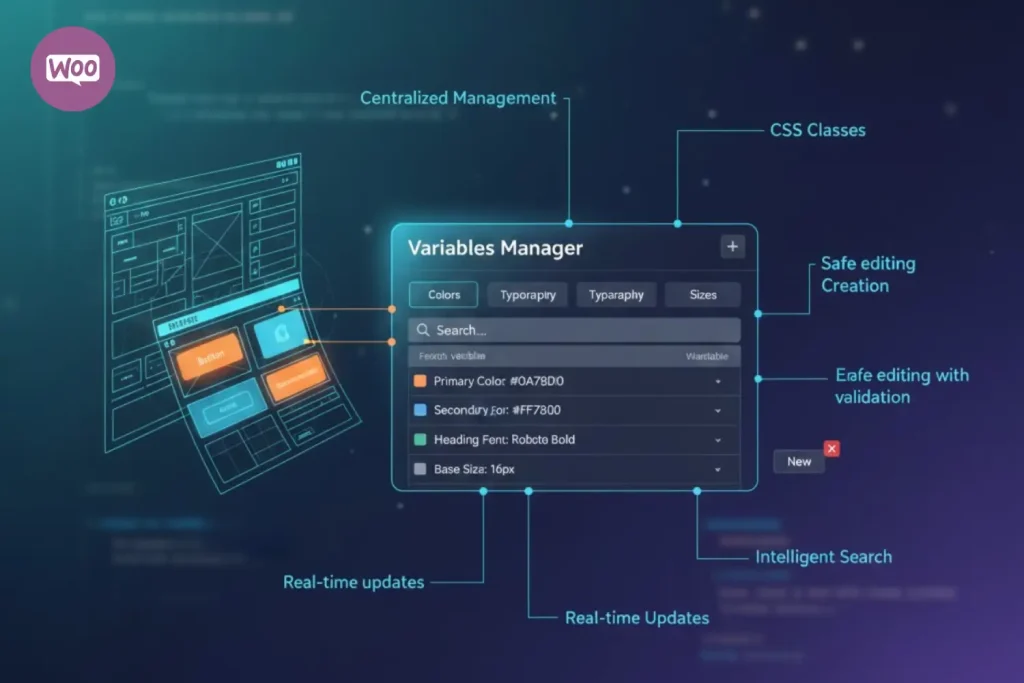
The Variables Manager introduces a unified dashboard where you can view, create, edit, search, and delete all your design variables, colors, typography, sizes, and more, from a single location.
Core capabilities of the Variables Manager:
Centralized management: View and edit all design variables (colors, typography, sizes) in one structured panel. This provides complete visibility into your design system, making it easy to understand all available design tokens at a glance.
Seamless variable creation: Add new variables directly from the Variables Manager panel without navigating through individual widgets. This streamlines the design iteration process and accelerates the speed at which you can build and refine your design system.
Real-time updates: Changes to variables are reflected immediately across your canvas. When you modify a color or typography variable, every element using that variable updates instantly, providing immediate visual feedback.
Safe editing with validation: The Variables Manager includes built-in validation that ensures variable names remain unique and correctly formatted. This prevents naming conflicts and maintains consistency across your design system.
Intelligent search functionality: Quickly locate variables by name or type using the built-in search bar. For complex design systems with dozens or hundreds of variables, this search capability dramatically improves workflow efficiency.
Benefits of system-driven design
Variables Manager: An important advance in the direction of professional, token-based design in the Editor. In case of design agencies, design systems specialists and organizations dealing with various clients, this feature allows:
- Transparent design token management
- Consistent brand implementation across projects
- Scalable design systems that grow with your organization
- Reduced design debt and maintenance overhead
- Faster onboarding for new team members
Advanced Custom CSS Control: Element-Level Isolation and State-Specific Styling
Advanced creators have always been using custom CSS as a tool that provides them with full control over the website aesthetics. Custom CSS has been fully redesigned with Elementor 3.33 and is now more powerful, safer and accessible to developers than ever.
What’s new in V4 Custom CSS
The Custom CSS control in Editor V4 has been completely reengineered and is now available directly on V4 Elements. This represents a fundamental shift from previous implementations, introducing element-level isolation, CSS you write automatically applies only to the selected element, preventing style leakage and unintended global overrides.
Major improvements in V4 Custom CSS:
Lightweight and predictable: Built into V4 Atomic Elements architecture, the new Custom CSS control enables faster rendering and superior performance compared to previous implementations.
Element-level isolation: CSS you write applies exclusively to the selected element with no global side effects. This isolation prevents common CSS problems like unintended style overrides affecting other page elements.
Global Classes support: Add Custom CSS to your Global Classes and apply those styles consistently across multiple elements or pages. Alternatively, keep your CSS local to a single element for one-off customizations.
State-specific styling: Create custom CSS rules for hover, focus, and active states directly within the Style panel. This enables sophisticated micro-interactions and responsive design behaviors without leaving the editor.
Developer-friendly editor: Features autocomplete suggestions, code commenting support, and an expandable input field accommodating extensive code blocks. The editor makes writing CSS more intuitive and efficient.
Full responsive control: Define different CSS rules for desktop, tablet, and mobile viewports. This responsive CSS capability ensures your custom styles look perfect across all device types.
Real-time preview: CSS updates reflect instantly in the canvas, allowing you to see changes as you write code. This immediate visual feedback accelerates development and reduces debugging time.
Combining Custom CSS with Background Clipping
One powerful advanced technique available in Editor V4 combines Custom CSS with the new Background Clipping feature to create sophisticated visual effects:
- Apply a large background image or gradient to a heading element
- Enable background clipping and select “clip to text.”
- Use Custom CSS keyframe animations to modify the background position
- The background shifts behind the clipped text, creating smooth, lightweight animated effects
This technique enables impressive motion and interactive design flourishes previously possible only through external tools or code editors, all now available directly within the Elementor editor.
Availability and licensing
Advanced Custom CSS features are available exclusively to Elementor Pro users with an Advanced plan or higher. This ensures advanced styling capabilities remain accessible to professionals while maintaining a clear feature differentiation between licensing tiers.
Blend Modes: Creative Visual Effects Without Code
Elementor 3.33 introduces the new Blend Mode control, which enables designers to define how elements visually interact with elements behind them using native CSS blend modes, all without writing a single line of code.
Understanding blend modes
Blend modes control how an element’s colors combine with or interact with the colors of elements beneath it in the layer stack. By applying different blend modes, you can create subtle overlays, enhance contrast, layer multiple effects, or craft striking visual designs that add visual depth and sophistication to your pages.
Available blend modes in Elementor V4
Elementor 3.33 supports all 16 standard CSS blend modes:
- Normal — Default blending with no special effects
- Multiply — Darkens the image, useful for overlay effects
- Screen — Lightens the image, creating bright overlay effects
- Overlay — Combines multiply and screen for contrast enhancement
- Darken — Keeps the darkest color value from blend layers
- Lighten — Keeps the lightest color value from blend layers
- Color Dodge — Brightens by decreasing contrast
- Color Burn — Darkens by increasing contrast
- Saturation — Adjusts color saturation without changing brightness
- Color — Applies the color while preserving luminosity
- Difference — Creates an inverted color effect
- Exclusion — Similar to difference, but with lower contrast
- Hue — Uses the hue value of the blend color
- Luminosity — Preserves color while adjusting brightness
- Soft Light — Subtle highlight and shadow effects
- Hard Light — Strong highlight and shadow effects
Practical applications for blend modes
Background image enhancement — Apply blend modes to overlays on background images to increase contrast or create unique color effects.
Text effects — Create striking text effects by blending text elements with background images or gradients.
Color palette unification — Use blend modes to ensure visual consistency across color palettes that might otherwise clash visually.
Layered design effects — Combine multiple elements with different blend modes to create complex, professional layered design effects.
Advantages over traditional approaches
Previously, creating these sophisticated visual effects required:
- Writing complex CSS code
- Using external image editors to pre-compose effects
- Combining multiple elements with precise opacity settings
- Extensive testing across browsers for compatibility
With Elementor’s Blend Mode control, designers achieve identical results through intuitive visual controls, dramatically reducing design time and enabling rapid experimentation.
Media Import/Export for Website Templates
To agencies and freelancers that are offering full-website templates, Elementor 3.33 brings advanced preferences for handling media, which makes it easier to handle images and other assets when exporting or importing templates.
Media handling options
Link to media — This alternative leaves the media URLs just in your template export, and the export size of the file is small. Linked media file, however, will only show as long as the original site is still up and running. The method is best used when it is a temporary sharing of templates or when a file is hosted in a trusted CDN.
Save media to the cloud — This plans include all your images and files right with your template and uploads them to the cloud. This is a full-scale method of making sure that your design is intact in all imports in case the original site or hosting is unavailable. As the media will be stored in your cloud account, you will have template recipients who will always access up-to-date assets.
Benefits of professional services
For agencies managing multiple client projects:
- Share complete, self-contained templates without depending on the original site availability
- Ensure client-delivered templates remain functional long-term
- Reduce support requests related to broken media links
- Maintain brand consistency through complete template packages
For freelancers building template marketplaces:
- Create templates that work reliably across different client environments
- Avoid template issues caused by external media dependencies
- Build templates once and reuse them across numerous projects
- Reduce troubleshooting time for media-related problems
Improved Navigation: Refreshed Top Bar Layout
Beyond the headline features, Elementor 3.33 refines daily workflow efficiency with an improved Top Bar layout designed for faster navigation and more intuitive access to commonly used tools.
Key layout changes
Global and site-level settings reorganization — Global and site-level settings are now grouped together as Site Settings inside the Elementor (E) menu. This logical grouping makes finding these settings faster and more intuitive.
Notes and Help Center relocation — Notes and Help Center have been moved to the Elementor menu for more consistent access.
Page Settings and History prominence — Page Settings and History controls are now surfaced directly on the left side of the Top Bar, providing faster access to these frequently-used tools.
Structure panel repositioning — The Structure panel has been moved to a more central location at the right side of the Top Bar, next to Preview, making it easier to access during design work.
Impact on daily workflows
Although each of such changes may not appear to be a big one, the combination of them is bound to boost the user experience of professionals who spend many hours in the Elementor editor on a daily basis. The restructured Top Bar minimizes the number of clicks required to activate frequent tools and settings, and helps to streamline and improve the design workflows.
Getting Started with Elementor 3.33 and Editor V4
System requirements and prerequisites
Before activating Editor V4, ensure your environment meets these requirements:
- WordPress 5.9 or higher
- Elementor version 3.33 or the latest
- PHP 7.4 or higher recommended
- A staging or development site (since V4 is Alpha)
Step-by-step activation
- Update Elementor — From your WordPress dashboard, navigate to Plugins and update Elementor to the latest version
- Access Elementor settings — Go to Elementor → Settings in your WordPress dashboard
- Find Editor V4 tab — Locate the Editor V4 tab in the settings menu
- Click Activate — Click the activate button to enable Editor V4 Alpha on your site
Best practices for experimentation
- Test on a staging environment first, never directly on production sites
- Explore one new feature at a time to thoroughly understand capabilities
- Create backup snapshots before major design changes
- Join the Elementor community to share feedback and learn from other users
Comparison: Editor V4 vs. Previous Elementor Versions
| Feature | Previous Versions | Editor V4 |
| Design variables | Widget-level management | Centralized Variables Manager |
| Variable visibility | Scattered across controls | Single unified dashboard |
| Custom CSS | Global, prone to style leakage | Element-level isolated CSS |
| Blend modes | Not available | 16 native CSS blend modes |
| CSS state styling | Limited or manual | Hover, focus, and active states in the editor |
| Template media | Limited import options | Cloud save and link options |
| Top Bar navigation | Standard layout | Optimized for faster access |
| Performance | Traditional architecture | CSS-first optimization |
Frequently Asked Questions
Conclusion
Elementor 3.33/Editor V4 is an important technological leap of a page builder. Introducing Variables Manager as a centralized control over the design system, centralized design system control, improving Custom CSS with isolation at the element level, 16 blend modes to create advanced visual effects, and management of templates through the agencies, Elementor as a comprehensive design platform positions itself as a professional one.
Begin exploring Editor V4 today on your staging environment, provide feedback to the Elementor community, and prepare your design practice for the next generation of web creation capabilities.
About the writer

Hassan Tahir wrote this article, drawing on his experience to clarify WordPress concepts and enhance developer understanding. Through his work, he aims to help both beginners and professionals refine their skills and tackle WordPress projects with greater confidence.