The year 2026 is a critical termination point of digital trade. With the world becoming digital, the entry barriers of would-be entrepreneurs have been reduced to an unprecedented degree, as the democratization of Artificial Intelligence (AI) and the simplification of technical infrastructure encouraged the world to become digital. Yet, this availability is accompanied by a paradox that, it becomes easier than ever before, it becomes more complicated to create a sustainable, profitable, and independent brand as the market becomes saturated, the data privacy policies are developed, and the customer acquisition cost is rising.
For the novice entrepreneur, regardless of age or technical background, the most consequential decision made in the lifecycle of a business is the selection of the foundational platform. This report provides an exhaustive analysis of the ecommerce landscape in 2026, arguing that the open-source ecosystem, specifically WooCommerce, offers a superior strategic advantage over proprietary Software-as-a-Service (SaaS) competitors like Shopify, Wix, and BigCommerce.
This document is a conclusive guide to high-performance hosting acquisition, the deployment of a powerful WooCommerce framework, and the usage of the new 2026 capabilities, such as High-Performance Order Storage (HPOS) and integration with generative AI, to become a sovereign digital asset. The discussion has shown that although proprietary platforms are convenient, they have a growth tax in the form of a transaction charge and inflexible architecture, which ends up rewarding success in the end. On the other hand, managed hosting and WooCommerce allow combining and lead to ownership, flexibility, and long-term economic effectiveness.
The Strategic Landscape of Ecommerce in 2026
To understand “how” to build a store, one must first understand “why” the choice of platform dictates the future of the business. The digital commerce market is effectively divided into two opposing philosophies: the “Walled Garden” (SaaS) and the “Open Field” (Open Source).
The SaaS Paradigm: Convenience at a Cost
Software-as-a-Service platforms, dominated by Shopify, Wix, and BigCommerce, operate on a rental model. The merchant pays a monthly fee for access to the software, hosting, and security. While this model reduces the initial technical burden, it introduces structural disadvantages that compound over time.
The Shopify Ecosystem: The Transaction Fee Economy
Shopify remains the market leader in SaaS ecommerce, renowned for its user-friendly interface and vast app ecosystem. However, in 2026, the cost structure of Shopify has become a primary point of friction for budget-conscious entrepreneurs. The platform enforces a business model where the merchant’s revenue is effectively taxed.
The Penalty Mechanism: Shopify incentivizes the use of its proprietary payment gateway, “Shopify Payments.” If a merchant chooses to use a third-party provider, such as their own merchant bank account, PayPal, or Stripe directly, Shopify charges an additional transaction fee. In 2026, this fee ranges from 0.5% to 2% of gross revenue, depending on the plan tier.
Economic Impact: For a startup generating $100,000 in annual sales, a 2% fee represents $2,000 in pure profit lost to the platform, over and above the standard credit card processing fees. This $2,000 is equivalent to the cost of premium, enterprise-grade hosting for several years, yet it buys nothing but the right to use a specific payment processor.
Feature Gating: Many advanced features, such as calculated carrier shipping or advanced reporting, are often locked behind higher-tier plans (starting at $79–$299/month), forcing growing businesses to upgrade prematurely.
Wix and Squarespace: The Design-First Limitations
Wix and Squarespace have aggressively targeted the ecommerce sector, marketing themselves as the simplest drag-and-drop solutions.
Architecture Limits: While excellent for simple stores, Wix operates on a closed architecture. If a business requires a custom feature, for instance, a specific integration with a local logistics provider or a complex “Build Your Own Bundle” product logic, the merchant is limited to the apps available in the Wix App Market. If an app does not exist, the feature cannot be built.
Scale Penalties: As of 2026, Wix plans for ecommerce (Business Basic/Unlimited) remain affordable initially but lack the deep database optimization required for stores with thousands of SKUs (Stock Keeping Units). Additionally, cross-border fees (often 1.5%) and currency conversion fees (1%) can erode margins for international sellers.
BigCommerce: The Revenue Ceiling
BigCommerce positions itself as the enterprise alternative to Shopify. It is notable for not charging transaction fees on third-party gateways. However, it employs a “Revenue Cap” model.
Forced Upgrades: Each BigCommerce plan has a trailing 12-month sales limit (e.g., $50,000 for the Standard plan). Once a store crosses this threshold, the merchant is automatically upgraded to the next plan tier, which can result in a sudden 200–300% increase in monthly operational costs. This punishes growth and makes financial forecasting difficult for rapidly scaling businesses.
The WooCommerce Alternative: The Sovereign Model
WooCommerce is an open-source plugin built on WordPress. It is not a service you rent; it is software you own. This distinction is fundamental.
Ownership and Data Sovereignty
In the current digital climate, data is the most valuable asset. On SaaS platforms, the vendor retains ultimate control over the data schema and the relationship. If a SaaS provider decides that a certain product category is prohibited, or if they alter their pricing structure, the merchant has little recourse. Migration away from SaaS platforms is notoriously difficult because URL structures and customer data are often proprietary. With WooCommerce, the merchant owns the database. The store resides on a server that the merchant controls. This “Data Sovereignty” is critical for compliance with strict privacy laws (like GDPR in Europe) and ensures that the business asset is portable. If a hosting provider underperforms, the merchant can migrate the entire site to a new host without changing the software or the customer experience.
The 2026 Technological Leap: Why WooCommerce is Ready for Beginners
Historically, WooCommerce was criticized for being technical and resource-heavy. In 2026, two major advancements have neutralized these criticisms:
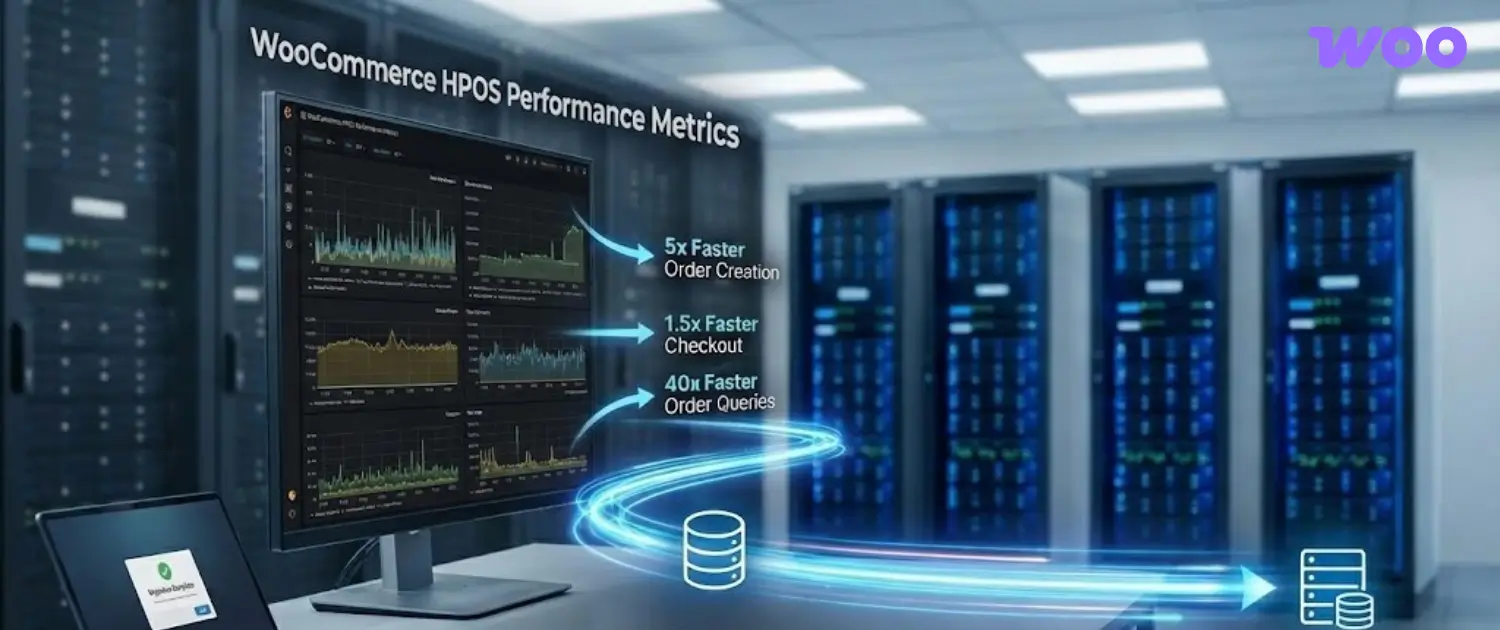
High-Performance Order Storage (HPOS): Previously, WooCommerce stored orders in the same database table as blog posts (wp_posts). As stores grew, this slowed down the site. In 2026, HPOS is the standard. It utilizes dedicated custom tables for orders, increasing order processing speed by up to 5x and checkout speed by 1.5x. This enterprise-grade architecture is now available to every beginner by default.
The “Block” Paradigm: The integration of the Gutenberg Block Editor (Full Site Editing) allows users to design their headers, footers, and product pages visually, using a drag-and-drop interface similar to Wix or Elementor, but without the performance bloat of third-party page builders.
Buying the Right Hosting
For a WooCommerce store, hosting is not merely a utility; it is the engine of the business. Unlike a static brochure website, an ecommerce store is a dynamic application. Every time a customer adds an item to their cart, filters products by price, or initiates a checkout, the server must perform complex database calculations. If the hosting infrastructure is weak, these calculations queue up, leading to slow load times. Studies consistently show that a 1-second delay in page load can reduce conversions by 7%.
Understanding Hosting Architecture
To make an informed purchase, the user must understand the tiers of hosting available in 2026.
Shared Hosting (The Entry Level)
In shared hosting, hundreds of websites reside on a single server, sharing resources like CPU and RAM.
Pros: Extremely cheap ($2–$5/mo).
Cons: “Bad Neighbor Effect.” If another site on the server gets a traffic spike or is hacked, your store slows down.
Verdict: Generally unsuitable for serious ecommerce, though 2026 “Premium Shared” plans have improved isolation.
Cloud Hosting / Managed WordPress (The Sweet Spot)
This is the recommended tier for 95% of new businesses. Cloud hosting utilizes a cluster of servers. If one fails, another takes over. “Managed” means the provider handles security, updates, and server configuration.
Pros: Scalable, reliable, and optimized for WooCommerce.
Cons: Requires system administration skills (managing the Linux command line).
Verdict: Overkill for beginners unless expecting massive immediate traffic.
Installing the Digital Storefront
With the real estate (hosting) acquired, the next phase is constructing the building (installing WordPress and WooCommerce). In 2026, the era of manually uploading files via FTP clients like FileZilla is largely over for beginners. Automation has taken over.
The Auto-Installation Workflow
Modern hosting dashboards feature “One-Click Installers” that handle the database creation, file extraction, and security configuration in the background.
Initiating the Setup
Log in to the Dashboard: Access the hosting control panel. Look for a button labeled “Setup” or “Create New Website.”
Select Application: Choose “WordPress” or “WooCommerce.” In 2026, selecting “WooCommerce” simply installs WordPress and the WooCommerce plugin simultaneously.
Define Credentials:
Admin Email: Use a dedicated business email, not a personal one.
Username:Critical Security Step. Never use “admin,” “administrator,” or the site name as the username. Bots scan for these defaults. Create a unique username (e.g., ShopManager2026).
Password: Use a generated string of at least 16 characters, including symbols.
Server Location: You will be asked to select a data center.
Logic: Choose the location geographically closest to your primary customer base, not your own location. If you are in India but selling to the US, select a US data center (e.g., North Virginia). This minimizes “Latency”, the physical time it takes for data to travel through fiber optic cables.
The “Launch Your Store” Onboarding
Once the installation is complete (typically taking 2–4 minutes), you will access the WordPress Admin Dashboard via yourdomain.com/wp-admin. In 2026, WooCommerce presents a modernized “Launch Your Store” onboarding wizard that supersedes the classic setup experience.
Store Profiler: The wizard asks for the store’s physical location. This is crucial as it determines the default currency, tax rates, and measurement units (inches vs. centimeters).
Industry Selection: You select the category (Fashion, Electronics, Health, etc.). This helps the AI suggest relevant themes and extensions.
Product Types: You indicate whether you sell “Physical products,” “Downloads,” or “Subscriptions.” Note that subscriptions often require paid extensions, while physical/digital are free core features.
Theme Installation: The wizard will suggest themes. For beginners, the “Twenty Twenty-Six” theme (the default WordPress theme for the year) or “Storefront” are safe choice. However, for a more professional look, checking the box for “Astra” or using the host’s AI-generated layout is recommended.
DNS Propagation and SSL
After installation, the site might not appear immediately.
DNS Propagation: The Domain Name System (DNS) is the Internet’s phonebook. It takes time (from 1 hour to 24 hours) for the new domain to “point” to the hosting server across the globe.
SSL Certificate: The “Secure Sockets Layer” (SSL) provides the padlock icon and the https:// prefix. This encrypts data between the customer and the store, which is mandatory for processing payments. In 2026, hosts like voxforinstall this automatically via Let’s Encrypt. If the site says “Not Secure” initially, wait 30 minutes for the automated script to run.
Building the Commercial Infrastructure
A fresh WooCommerce installation is a generic shell. The configuration phase transforms it into a functioning business capable of legal and financial operations. This section details the critical settings found in the WooCommerce -> Settings menu.
Financial Infrastructure: Payment Gateways
The goal of the payment setup is to maximize conversion (ease of payment) while minimizing fees.
Stripe: The Standard for Cards
Stripe is the dominant processor for credit cards (Visa, MasterCard, Amex) and digital wallets (Apple Pay, Google Pay).
Setup: Install the “WooCommerce Stripe Gateway” plugin. Go to Settings -> Payments -> Stripe.
Connection: Use the “Stripe Connect” wizard. It redirects you to Stripe’s website to log in and automatically exchanges the API keys (Publishable Key and Secret Key) and sets up “Webhooks” (signals that tell your store a payment was successful).
2026 Nuance: Ensure the “New Checkout Experience” (UPE) is enabled. This dynamically shows relevant local payment methods (e.g., iDEAL for Dutch customers, Bancontact for Belgians) based on the shopper’s IP address, significantly boosting international conversion.
PayPal: The Trust Layer
PayPal remains a trusted option, particularly for older demographics or customers hesitant to enter card details on a new site.
Setup: Install “WooCommerce PayPal Payments.”
Strategy: While PayPal transaction fees can be higher, offering it acts as a trust signal. It serves as a backup if a customer’s credit card fails.
WooPayments
WooCommerce native solution (built on Stripe rails) allows you to manage payments directly within the WordPress dashboard.
Pros: deeply integrated, one dashboard for everything.
Cons: Check the transaction fees carefully; sometimes, direct Stripe accounts offer better volume negotiation.
Logistics Engine: Shipping Zones and Classes
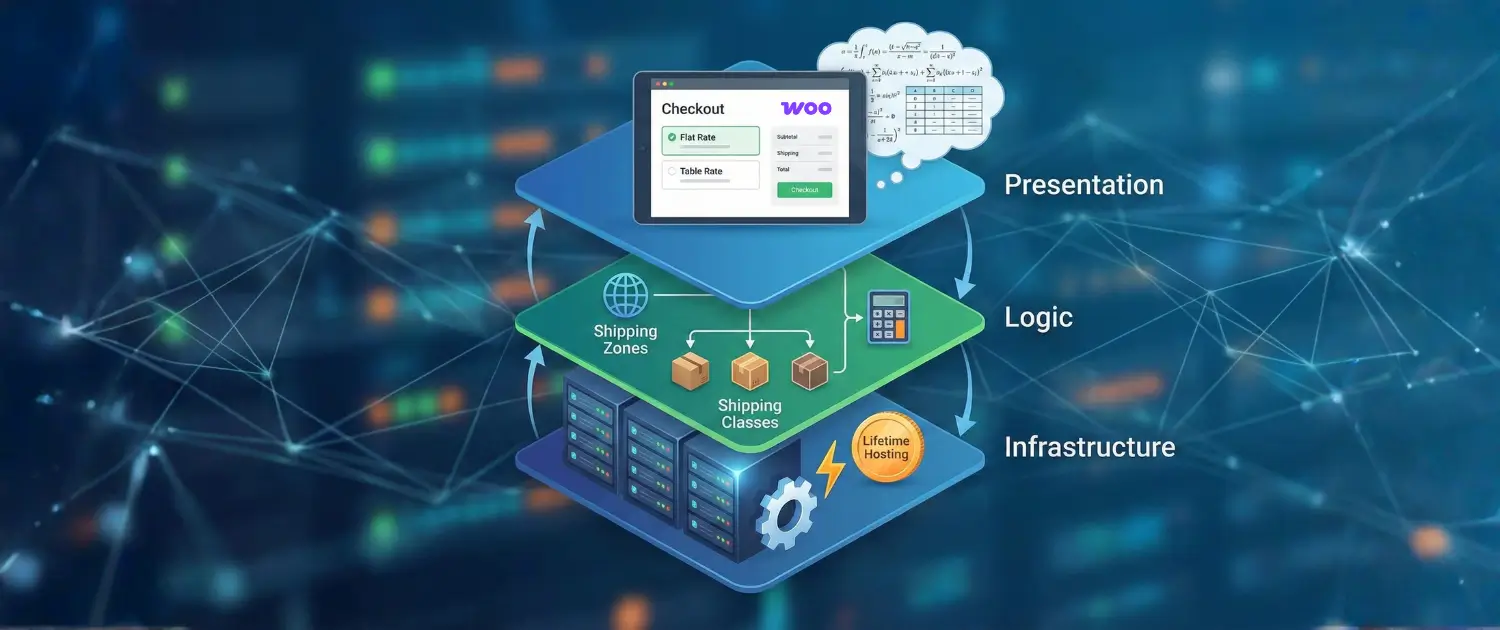
Shipping is often where beginners struggle. WooCommerce uses a hierarchical logic: Zones > Methods > Classes.
Shipping Zones (The “Where”):
Go to Settings -> Shipping.
Create a Zone (e.g., “USA“). Select the region “United States.”
Logic: WooCommerce matches the customer to the first zone in the list that fits their address. Place specific zones (e.g., “California“) above broad zones (e.g., “USA“) if you have different rates for local delivery.
Shipping Methods (The “How”):
Inside the “USA” zone, add methods: “Flat Rate,” “Free Shipping,” and “Local Pickup.”
Free Shipping Strategy: Set a rule “Free shipping requires… A minimum order amount.” Set this to roughly 15-20% higher than your expected average order value (e.g., if selling $20 shirts, set free shipping at $50) to encourage upsells.
Shipping Classes (The “What”):
Go to Settings -> Shipping -> Classes.
Create classes for “Heavy” (furniture) or “Light” (stickers).
In the “Flat Rate” method settings, you can assign different costs to these classes. For example, the base cost $5, plus $10 extra for “Heavy” class items.
Regulatory Compliance: Taxes
Sales tax (or VAT/GST) compliance is non-negotiable.
Automated Taxes: In 2026, the best practice is to enable “WooCommerce Tax” (via the Jetpack plugin). This service automatically calculates the correct tax rate based on the customer’s precise street address, handling the complex “Nexus” laws of different US states or EU VAT rules.
Configuration: Go to Settings -> General -> “Enable tax rates and calculations.” Then in the Tax tab, select “Automated taxes.”
Display: Choose whether to show prices “Including tax” (standard for UK/EU B2C) or “Excluding tax” (standard for US).
Inventory Management and the AI Revolution
With the infrastructure ready, the focus shifts to the product catalog. In 2026, the manual drudgery of product entry has been revolutionized by Generative AI.
Understanding Product Types
WooCommerce supports various product data structures:
Simple Product: A physical item with no options (e.g., a hammer).
Variable Product: An item with variations (e.g., T-Shirt in S, M, L and Red, Blue). This requires setting up “Attributes” (Size, Color) and generating “Variations” from them. Crucially, each variation must have its own price and stock level.
Virtual/Downloadable: For selling ebooks, courses, or services. These do not trigger shipping calculators.
The 2026 AI Workflow
Writing compelling descriptions for 50 products used to take days. Now, it takes minutes.
Content Generation: Modern hosting plans (like voxfor) and plugins (like AI Engine) allow you to enter a raw prompt: “Men’s leather wallet, slim profile, RFID protection, vintage brown.” The AI generates a formatted, SEO-optimized product description, a short description for the catalog page, and meta tags for Google.
Image Generation: If you lack professional photography, 2026 AI tools can take a basic photo of your product and place it in a lifestyle context (e.g., a wallet on a wooden table with a coffee cup), saving thousands in photography costs.
SEO Automation: AI tools analyze your product title and suggest keywords that are currently trending, ensuring your product pages are primed for search engine ranking from Day 1.
Section 6: Design and Customer Experience (Full Site Editing)
The visual presentation of the store determines credibility. In 2026, WordPress will have fully adopted Full Site Editing (FSE) via Block Themes.
The Block Theme Paradigm
Unlike the old days of rigid PHP templates, Block Themes allow you to edit the entire site using blocks.
Headers and Footers: You can drag and drop a “Cart Icon” block or a “Search Bar” block directly into the header area.
Product Templates: You can design the layout of the Single Product page. If you want the “Add to Cart” button to be above the price, you simply move the block. This level of customization previously required custom coding or expensive page builders.
Recommendation: Use a lightweight block theme like “Spectra One” or “Olsen” combined with the native Gutenberg editor. Avoid heavy page builders if possible to maintain maximum speed (Core Web Vitals).
Navigation and UX
Menu Structure: Organize products into logical Categories (e.g., Men, Women, Accessories). Keep the main menu simple (max 5-7 items).
Filters: Use the “Filter by Attribute” block in the sidebar of your shop page. Allow users to filter by Size, Color, or Price. In 2026, these filters work instantly without reloading the page due to AJAX technologies.
Future-Proofing, Security, and Maintenance
A digital business requires ongoing stewardship.
Security Protocols
SSL: Verify the padlock is active.
Backups: While hosts provide backups, redundancy is key. Install a plugin like UpdraftPlus to send a weekly backup of your database and files to a remote storage location like Google Drive or Dropbox.
Updates: Enable auto-updates for minor versions of WordPress. For major updates (e.g., WooCommerce 9.0 to 10.0), wait a few days and check forums for compatibility issues before updating.
Performance Optimization (Core Web Vitals)
Caching: Ensure your host “Object Cache” (Redis/Memcached) is enabled.
Image Optimization: Use a plugin like Smush or Imagify to automatically compress images and serve them in “WebP” format, which is smaller and faster than JPEG/PNG.
CDN: Activate the Content Delivery Network provided by your host (e.g., Cloudflare integration) to serve images from servers close to your customers.
The 2026 Growth Roadmap
Marketing: Utilize the “Shareable Cart” feature to create links for social media that send users directly to checkout with a pre-filled cart.
Analytics: Use the native WooCommerce Analytics tab to track “Net Sales,” “Orders,” and “Average Order Value.” Data is the compass for growth.
Conclusion
The way to succeed in ecommerce in 2026 is not by leasing a ready-made room in a walled garden but by constructing an independent asset in the open land. Using WooCommerce and combining it with fast hosting, such as Voxfor, entrepreneurs will not only have a shop, but also a digital property that will work over time.
It is a farce that the convenience of SaaS platforms has, and it disappears when the bills and transaction fees start piling up monthly. The myth around the complexity of WooCommerce has been broken by the user-friendly onboarding, AI solutions, ands controlled infrastructure in 2026.
To the user posing the question as to how to start, one must first take a series of calculated, thought-out steps, which include purchasing the domain, arranging the NVMe hosting, running the auto-installer, and then letting the AI help in the creation. By so doing, you do not only open a website; you open a business of your own in all the senses of the word, code, data and revenue.
About the writer
Hassan Tahir wrote this article, drawing on his experience to clarify WordPress concepts and enhance developer understanding. Through his work, he aims to help both beginners and professionals refine their skills and tackle WordPress projects with greater confidence.