Lifetime VPS Europe
 Lifetime VPS Asia
 Lifetime WooCommerce Hosting
 Lifetime Hosting
 Lifetime Game Dedicated Servers
 Chicago, US
 Tokyo, Japan
 Singapore
 Hong Kong
 Seoul, South Korea
 Amsterdem, Netherlands
 London, UK
 Stockholm, Sweden
 Oslo, Norway
 Vienna, Austria
 Zurich, Switzerland
 Sydney, Australia
 Wordpress Hosting
 VPS Hosting
 DDOS Protection
 Submit Ticket
 Full Management
 Guides
 Videos and Podcasts
 Discover Creative Ideas
 Voxfor Autonomous AI Workers
 Voxfor Mega Menu
 Voxfor Advanced Price Management For WooCommerce
 Voxfor Secure Live Chat and AI Support
 Voxfor Multilanguage
 Voxfor AI Content Summary
 Voxfor Autopilot
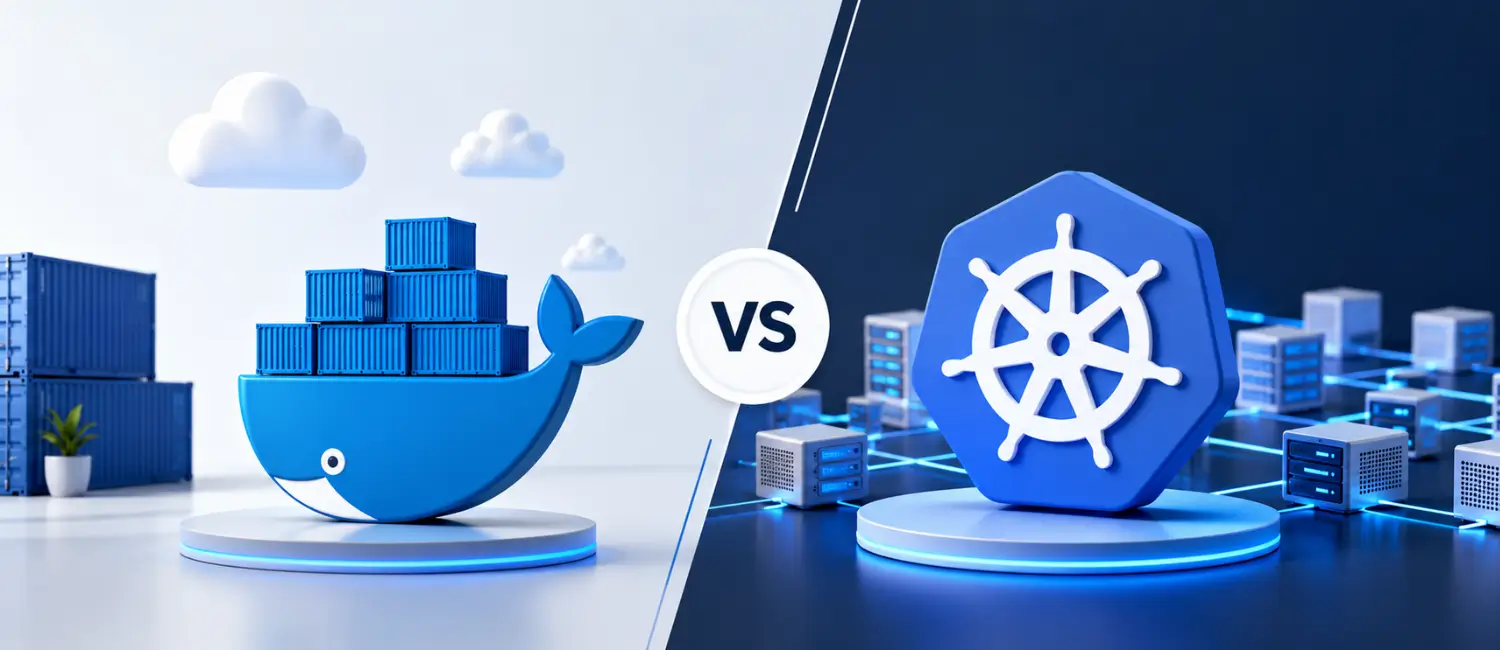
If you want a simple way to package and run an app, Docker is usually the easier place to start. If you need to keep many app copies running across several machines, recover from failures automatically, and scale traffic up or down, Kubernetes is built for that. In real projects, many teams use both Docker-style tools to build container images and Kubernetes to run those images in production.
Run container projects on VPS hosting built for growth
Docker helps you package applications and Kubernetes helps you scale them. Voxfor VPS gives technical teams the dedicated resources, root access, and network performance needed to turn container-based projects into reliable inbound marketing platforms.
What is Docker?
Docker is an open platform for developing, shipping, and running applications. In simple terms, it helps you pack your app and everything it needs into a container so it can run the same way in different places. Docker also gives you tools such as Docker Engine, Dockerfiles, images, networks, and volumes, which make it easier to build, run, share, and manage containers.
A good beginner way to think about Docker is this: it is like putting your app into a sealed travel bag. The app, its libraries, and its setup all travel together. That helps reduce the classic “it works on my machine” problem because the same container image can be used on a laptop, a test server, or a cloud VM. Docker’s official docs explicitly highlight fast, consistent delivery, portability, and the ability to run many containers on the same host.
What is Kubernetes?
Kubernetes, also called K8, is an open source platform for managing containerized workloads and services. It is designed for situations where you have more containers, more traffic, and more machines than you want to manage by hand. Kubernetes can do service discovery, load balancing, automated rollouts and rollbacks, self-healing, and horizontal scaling.
Kubernetes works with Pods, which are the smallest deployable units in Kubernetes. A Pod usually contains one container, though it can contain more when those containers need to work closely together. Kubernetes also uses objects such as Deployments to manage replicated Pods and Services to expose groups of Pods behind a stable network endpoint.
Why do people compare Docker and Kubernetes
People compare Docker and Kubernetes because both live in the container world, but they are not really the same kind of tool. Docker helps you build and run containers. Kubernetes helps you coordinate and manage containers across one or many machines. So the real question is not “Which one wins?” but “Which job are you trying to do?”
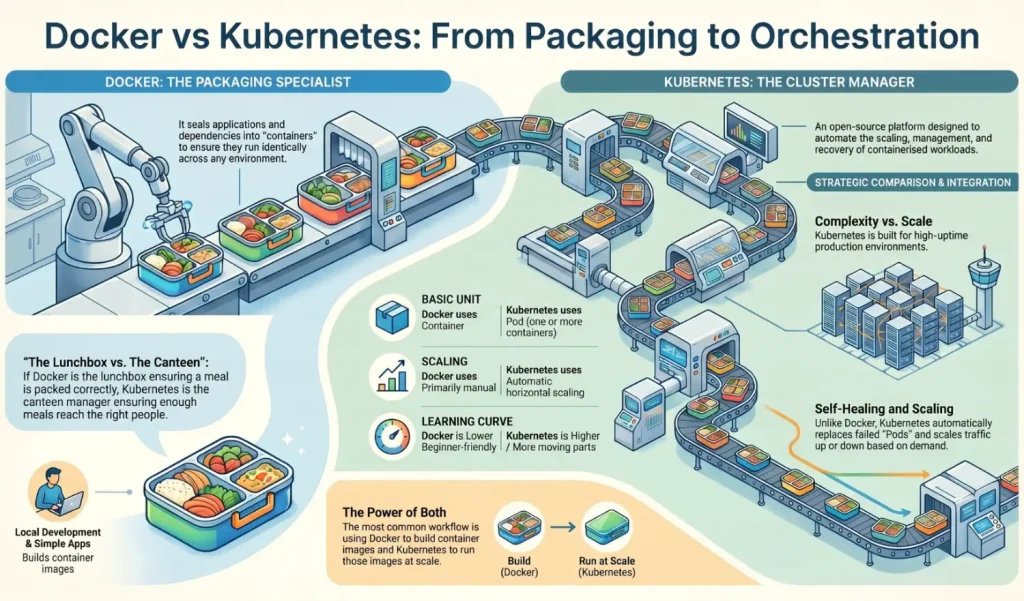
A simple analogy helps here: Docker is the packed lunchbox; Kubernetes is the canteen manager. One makes sure each meal is packed the same way. The other makes sure enough meals are ready, sent to the right place, and replaced if something goes wrong. That analogy matches the official split between Docker packaging-and-run role and Kubernetes’ orchestration-and-scale role.
| Area | Docker | Kubernetes |
|---|---|---|
| Main job | Build, ship, and run containers. | Manage containerized workloads and services. |
| Best fit | Local development, testing, simpler deployments, and CI/CD workflows. | Production environments that need scaling, failover, and automation. |
| Basic unit | A container created from an image. | A Pod, which can hold one or more containers. |
| Scaling | Mostly manual by itself; Compose helps manage multi-container apps. | Automatic horizontal scaling is built in through HPA. |
| Networking | Container networks and published ports on a host. | Services, service discovery, load balancing, and Ingress/Gateway patterns. |
| Data | Docker volumes persist data outside a container’s life. | Stateful workloads can use StatefulSets and persistent storage. |
| Learning effort | Lower for beginners. [ | Higher because there are more moving parts. |
This diagram shows the common “use both” path: build an image, push it to a registry, then tell Kubernetes to create Pods from that image and route traffic through a Service. Docker’s docs describe image build workflows, while Kubernetes docs describe creating images, referencing them in Pods, and exposing workloads with Services.
Docker vs Kubernetes: the key differences
The biggest difference is scope. Docker is mostly about packaging and running containers. Kubernetes is about running containerized apps reliably over time, often across many machines. If your app is small and easy to manage, Docker may be enough. If your app needs a cluster and a control plane to keep everything healthy, Kubernetes is the better fit.
The second big difference is scaling and recovery. Kubernetes can automatically adjust capacity with a HorizontalPodAutoscaler and can replace failed Pods through its controllers. Docker by itself does not offer that same cluster-level automation. Kubernetes rollout tools also support rolling updates and rollbacks with little or no downtime when configured correctly.
The third difference is networking. Docker gives containers networking and lets you publish ports. Kubernetes adds stable Services, service discovery, and traffic routing so that front ends do not have to track changing Pod IP addresses. That matters because Pods are replaceable and their IPs can change as workloads move around the cluster.
The fourth difference is complexity. Docker can be useful very quickly. Kubernetes brings more terms and files: Pods, Deployments, Services, autoscaling, YAML manifests, nodes, and controllers. That extra complexity is not bad by itself, but it only pays off when you actually need the automation.
Pros and cons of Docker
Docker’s biggest strengths are speed, portability, and simplicity. Containers are lightweight, Dockerfiles are text-based and easy to version, and Docker volumes and networks make it practical to run local or small production setups. Docker docs also emphasize consistent development workflows and high density on the same hardware.
The main downside is that Docker alone does not solve large-scale orchestration. Once you need scheduled rollouts, service discovery across clusters, automatic recovery, and autoscaling based on metrics, you start needing a higher-level system. That is the problem Kubernetes is built to solve.
Pros and cons of Kubernetes
Kubernetes is strong when uptime matters. It can keep the desired number of app instances running, spread work across nodes, expose stable network endpoints, and scale based on observed demand. Its rolling update model also helps teams ship changes more safely.
The trade-off is operational weight. A Kubernetes app usually means writing and maintaining YAML manifests, learning more concepts, and setting up more cluster pieces. For a small app on one machine, this can feel like too much process for too little gain.
When to use Docker, Kubernetes, or both
Use Docker when you want a repeatable local environment, a simple way to package an app, a stable CI/CD build artifact, or a small deployment that does not need cluster-level automation. If your app has a few services that need to start together, Docker Compose gives you one YAML file to manage services, networks, and volumes.
Use Kubernetes when you need many app instances, scheduled rollouts, self-healing, service discovery, or horizontal scaling across a cluster. It is especially useful when traffic changes often, uptime matters, or you run many separate services that need stable networking between them.
Use both together when you want the easiest common path: build the image locally, push it to a registry, then let Kubernetes run it in production. Kubernetes’ own guidance says Docker-built images continue to work with CRI runtimes, even though Kubernetes no longer depends on Docker Engine as its runtime layer.
Compatibility and migration notes
A common point of confusion is runtime history. Kubernetes removed dockershim in v1.24 and now requires a Container Runtime Interface compatible runtime on nodes. That change does not mean Docker images stopped working. Official Kubernetes guidance says images built with docker build still work with all CRI implementations.
A simple mental map helps when moving from Docker or Compose to Kubernetes:
| If you use this in Docker or Compose | You will usually think about this in Kubernetes |
|---|---|
| Image | Pod image pulled from a registry. |
| Single running container | Pod. |
| Multi-container app definition in Compose | Deployment plus Service objects. |
| Published ports | Service or Ingress/Gateway exposure. |
| Persistent volume for app data | Persistent storage patterns, often with StatefulSets for stateful apps. |
If you already have a Compose file, you do not always have to start from zero. Kubernetes provides an official task for translating a Docker Compose file to Kubernetes resources using Kompose. That said, the Kompose project itself warns that conversions are not always one-to-one, so you should treat the output as a starting point, not a finished production setup.
Quick start: Docker in minutes
If you want the fastest hands-on win, install Docker Desktop or Docker Engine and run a sample container:
docker run -d -p 8080:80 docker/welcome-to-dockerDocker’s getting-started docs use this example for a first local container and explain that -p publishes the container port to your machine so you can open it in the browser. If you want to move beyond running prebuilt images, the next step is writing a simple Dockerfile, which is just a text file with build instructions.
Quick start: Kubernetes in minutes
For local learning, you can use minikube or the built-in Kubernetes support in Docker Desktop. Minikube is designed to make local Kubernetes easy to learn, while Docker Desktop includes a local Kubernetes server and client for testing deployments on your machine.
A quick minikube test looks like this:
minikube start
kubectl create deployment hello-node --image=registry.k8s.io/e2e-test-images/agnhost:2.53 -- /agnhost netexec --http-port=8080
kubectl expose deployment hello-node --type=LoadBalancer --port=8080
minikube service hello-node
These are the official tutorial steps for creating a sample Deployment, exposing it as a Service, and opening it locally through minikube. They are enough to show the key jump from a single container runtime to a managed workload plus traffic routing.
FAQ
Conclusion
Docker vs Kubernetes is not really about choosing one winner. Both tools are useful, but they solve different problems. Docker helps developers build, package, and run applications inside containers. It is simple, fast, and a good starting point for local development, testing, and small projects.
Kubernetes is better when your application grows and needs more control. It helps manage many containers across different servers, keeps apps running if something fails, and makes scaling easier when traffic increases. This makes Kubernetes a strong choice for large applications, cloud platforms, and production systems that need high uptime.
For most teams, the best option is to use Docker and Kubernetes together. You can use Docker to create container images and then use Kubernetes to run and manage those containers at scale. If you are just starting, learn Docker first. Once your application becomes larger or needs automatic scaling and better reliability, Kubernetes can be the next step.
In simple words, Docker makes containers easy to build and run, while Kubernetes makes containers easier to manage in bigger environments. Understanding the difference between Docker and Kubernetes helps you choose the right tool for your project, save time, and build applications that are easier to move, manage, and grow.
About the writer

Hassan Tahir wrote this article, drawing on his experience to clarify WordPress concepts and enhance developer understanding. Through his work, he aims to help both beginners and professionals refine their skills and tackle WordPress projects with greater confidence.