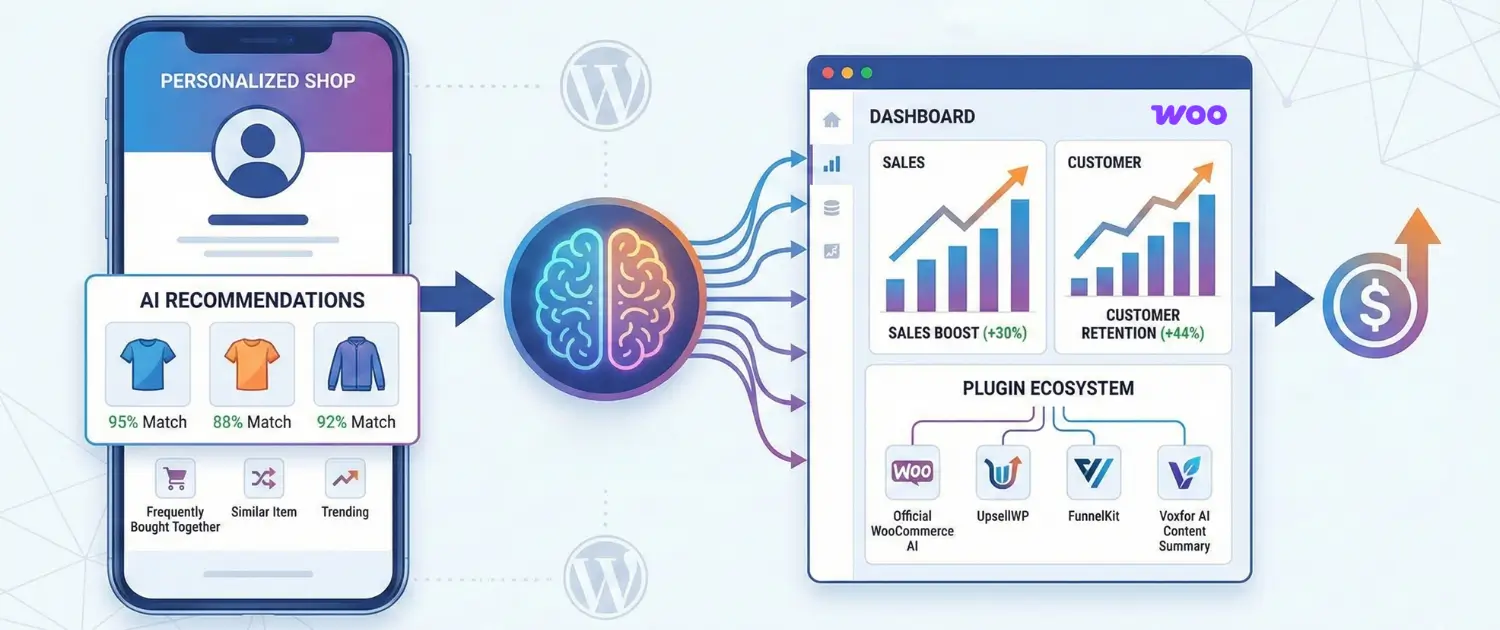
The contemporary e-commerce landscape is defined by an era of algorithmic assistance, where the traditional, static digital storefront is being superseded by dynamic, personalized shopping environments. For store owners operating within the WooCommerce ecosystem, the integration of artificial intelligence for product recommendations is no longer a luxury reserved for enterprise-level retailers but a foundational requirement for sustainable growth.
Moving from picking products by hand to using smart, automatic tools helps smaller shops solve a big problem: choice overload. When customers see too many options, they get tired, frustrated, and often leave without buying anything. By using tech that “watches” what people click on and buy, your store can show the perfect item right when a customer is ready to pay. It’s like having a friendly shop assistant who knows exactly what your customer is looking.
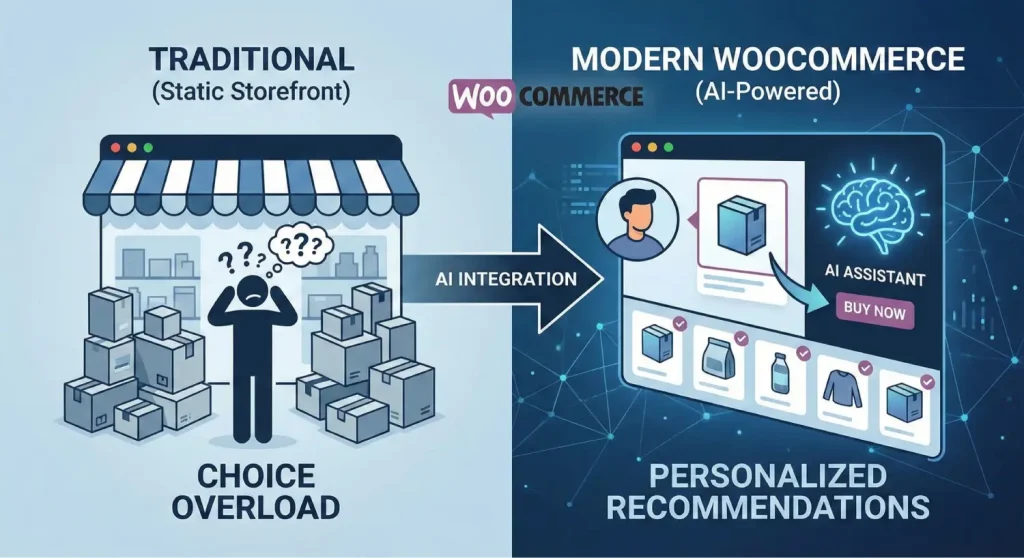
To get the most out of these tools, it helps to understand how they decide what to show your customers. Most systems use three simple methods: first, they look at what other people bought to find common pairings (like “people who bought this also bought that”). Second, they look at the specific details of what one person is viewing, like the color or material, to find similar items in your shop. Finally, the smartest systems mix both methods to give a personal recommendation that balances what is popular across your store with what that specific shopper seems to like best.
The real value for a beginner is that these tools handle massive amounts of information that would be impossible to manage by hand. The system watches what words people search for, what they click on, and what they put in their carts to change its suggestions instantly. This ensures your shop stays relevant to the customer even if they change their mind while browsing.
Studies show that these personal touches can boost sales by 30% and keep 44% more customers coming back, which makes a huge difference in how much money your store actually makes.
The selection of an appropriate plugin is the most critical step for a WooCommerce beginner. The ecosystem offers various tools, ranging from native extensions to all-in-one marketing platforms. The following table provides a comparative overview of the leading solutions based on their core strengths and primary use cases.
| Plugin Name | Primary Strength | Key AI Feature | Target Audience |
| Official WooCommerce AI Recommendations | Native stability and integration | AI Shopping Assistant (Chat widget) | Beginners seeking official support |
| UpsellWP | High-conversion offer flexibility | Frequently Bought Together bundles | Stores focused on AOV growth |
| FunnelKit | End-to-end sales funnel optimization | One-click post-purchase upsells | Growth-oriented stores |
| Tidio + Lyro | Conversational support and sales | Natural language customer query resolution | Support-heavy businesses |
| Rebuy Engine | Enterprise-level personalization | Predictive merchandising widgets | Scaling brands with high volume |
The official AI Product Recommendations for WooCommerce is built to fit perfectly into your store without any extra fuss. It is best known for its AI Shopping Assistant, a chat box that talks to customers in over 35 languages to help them find what they need.
This tool makes things easy for beginners by automatically placing suggestions on your product, cart, and checkout pages. It uses a connection to OpenAI (the creators of ChatGPT) to stay smart and up-to-date. This means your store gets the latest high-tech features without you needing to be an expert.
UpsellWP stands out as a comprehensive solution for those looking to maximize the value of every transaction. It specializes in “one-click” offers, which allow customers to add recommended products to their order without navigating away from their current page or re-entering payment information. This reduces “transactional friction,” a major cause of cart abandonment. The plugin supports a variety of campaign types, including “order bumps” at checkout and “thank you page” recommendations, which target customers at their peak moment of purchasing momentum.
FunnelKit makes suggesting products easier by following the customer’s journey from start to finish. Instead of using basic shop settings, it shows special offers based on what a shopper actually does, like putting a specific type of item in their cart. Its “slide-in” cart is great for beginners because it looks modern and replaces the old, clunky checkout page. It shows helpful add-ons right then and there, making it much more likely that customers will buy a little something extra while they shop.
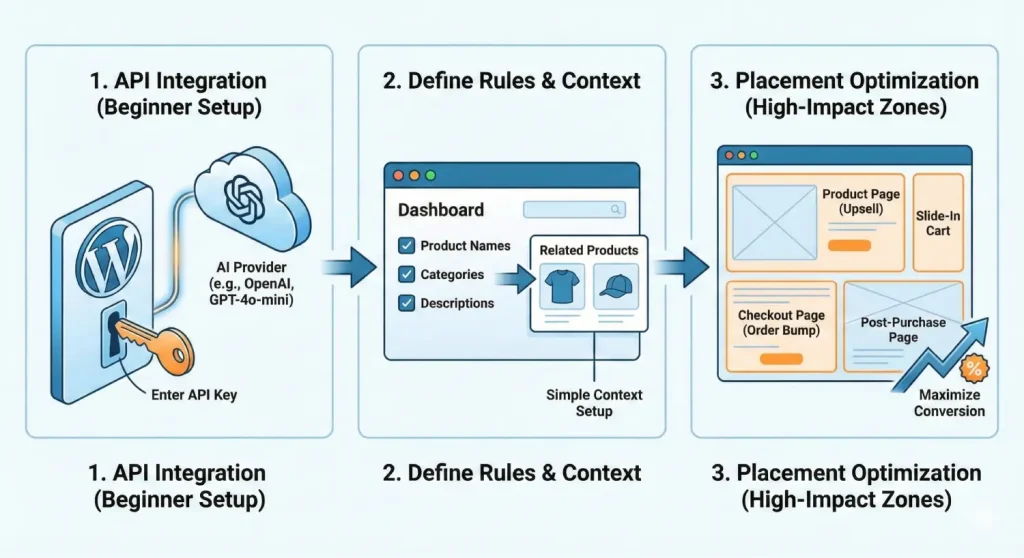
The implementation process for AI-powered recommendations has been significantly streamlined, requiring no deep technical expertise. The process generally follows a standardized sequence of steps involving plugin activation, API integration, and rule configuration.
Most AI-driven plugins require a connection to an external intelligence provider, such as OpenAI. The store administrator must first obtain an API key from the provider’s platform. Within the WordPress dashboard, under the plugin general settings, this key is entered and validated to establish the link. Beginners should select a modern model, such as GPT-4o-mini, which offers a balance between high-quality reasoning and low operational costs.
After you connect the system, you need to tell it what information to look at. This usually means picking things like product names, categories, and descriptions for the AI to read. If you’re just starting, it’s best to keep things simple by showing “Related Products” from the same category. As the system learns more about how people shop in your store, you can make the rules more specific. Some tools even update these suggestions once a week automatically, making sure they stay fresh as you add new stock or as trends change.
The physical location of recommendations on the website drastically influences their conversion potential. The research highlights several high-impact zones:
Besides showing the right products, you need to make sure your pages are easy to read and full of useful info. This is where the Voxfor AI Content Summary tool comes in handy. It’s built to turn long descriptions and articles into short, accurate summaries so customers can see the best features of an item without reading a wall of text. Since most people today, especially those on phones, just skim through pages, a quick summary helps them find what they need faster and makes them much more likely to buy.
The Voxfor AI Content Summary tool works by picking out the important parts of your product page and sending them to a “smart” system like ChatGPT to create a reliable summary. It is designed to stick strictly to what you’ve written, so it won’t make things up or add fake claims. Setting it up is easy for beginners: once you enter your secret key, you just check a box to turn it on for your products. You can then choose to show the summary at the top or bottom of the page. This makes your store much easier to read for real people and helps search engines understand your products better.
| Feature | Technical Benefit | Cost Implication |
| Smart Caching | Summaries are stored in the WordPress database | Pay for AI generation only once per product |
| Automatic Hash Detection | Detects when product descriptions change | Prevents outdated summaries from being displayed |
| Dual Provider Support | Toggle between Claude and ChatGPT | Optimize for cost (e.g., $0.001 per summary with Claude Haiku) |
| Security Protocols | Rate limiting and nonce verification | Prevents API abuse and runaway costs |
By integrating this summarization layer, store owners address a critical bottleneck in the conversion funnel. While the recommendation engine brings the customer to the page, the summary provides the immediate clarity needed to move the customer from “browsing” to “buying”.
Using AI isn’t a “set it and forget it” task; it’s something you’ll want to keep improving over time. If you’re just starting, you should focus on a few simple numbers to see if the tools are paying for themselves. You’ll want to track how many people are actually clicking on the suggestions, whether the total amount people spend in one visit is going up, and exactly how much of your total sales are coming directly from an AI recommendation.
Most AI tools come with a simple dashboard that shows you how everything is performing. If you notice that one area, like your checkout page, is not getting many clicks, you can try changing the layout or the “triggers” (the specific actions that cause a suggestion to pop up). A great way to do this is through a “split test,” where you show one group of customers “Trending Items” and another group “Recently Viewed.” This helps you see exactly what your customers like best so you can stick with the winning strategy.
Good suggestions should feel like a natural part of the shopping trip, not like annoying ads. To do this, you show different items depending on what the customer is doing. For example, on your main shop page, showing “Bestsellers” or “What’s Trending” helps new visitors find their way. Once they click on a specific item, you change your approach to show “Frequently Bought Together” bundles or a slightly better version of what they are already looking at.
In the cart, the strategy transitions to cross-selling complementary accessories that enhance the utility of the primary item. Finally, at the checkout stage, “order bumps” provide a final, low-friction opportunity to increase the total transaction value. This narrative approach ensures that the AI is always providing value to the customer, which in turn builds trust and encourages long-term loyalty.
Beginners often face a “cold start” problem, where the lack of historical data prevents the AI from making accurate personalized suggestions. To mitigate this, store owners can initially rely on rule-based recommendations or “content-based” filtering, which looks at product similarities rather than user history. As the store processes more transactions, the machine learning models will naturally become more accurate.
Another concern for many beginners is site performance. Excessive plugin use can slow down page load times, which negatively impacts SEO and user experience. It is essential to select lightweight plugins that utilize efficient caching and asynchronous loading to ensure that AI features do not compromise the speed of the site.

Hassan Tahir wrote this article, drawing on his experience to clarify WordPress concepts and enhance developer understanding. Through his work, he aims to help both beginners and professionals refine their skills and tackle WordPress projects with greater confidence.





 Lifetime VPS Europe
 Lifetime VPS Asia
 Lifetime WooCommerce Hosting
 Lifetime Hosting
 France Lifetime Dedicated Servers
 Germany Lifetime dedicated servers
 Lifetime Game Dedicated Servers
 Chicago, US
 Tokyo, Japan
 Singapore
 Hong Kong
 Seoul, South Korea
 Amsterdem, Netherlands
 London, UK
 Stockholm, Sweden
 Oslo, Norway
 Vienna, Austria
 Zurich, Switzerland
 Sydney, Australia
 Wordpress Hosting
 VPS Hosting
 DDOS Protection
 Submit Ticket
 Full Management
 Guides
 Videos and Podcasts
 Discover Creative Ideas
 MetaAgentOS High-Ticket Support System
 Voxfor Mega Menu
 Voxfor Advanced Price Management For WooCommerce
 Voxfor Secure Live Chat and AI Support
 Voxfor Multilanguage
 Voxfor AI Content Summary


