
WordPress has grown from a simple blog tool into a powerful platform for big businesses. But as sites get more complex, like busy online stores or community forums, they often slow down because the database can’t keep up. While basic speed tools work for casual visitors, they don’t help with “logged-in” features like shopping carts or profiles. That’s where Object Cache Pro comes in. It’s a professional-grade tool designed to make even the most complex websites feel lightning-fast.
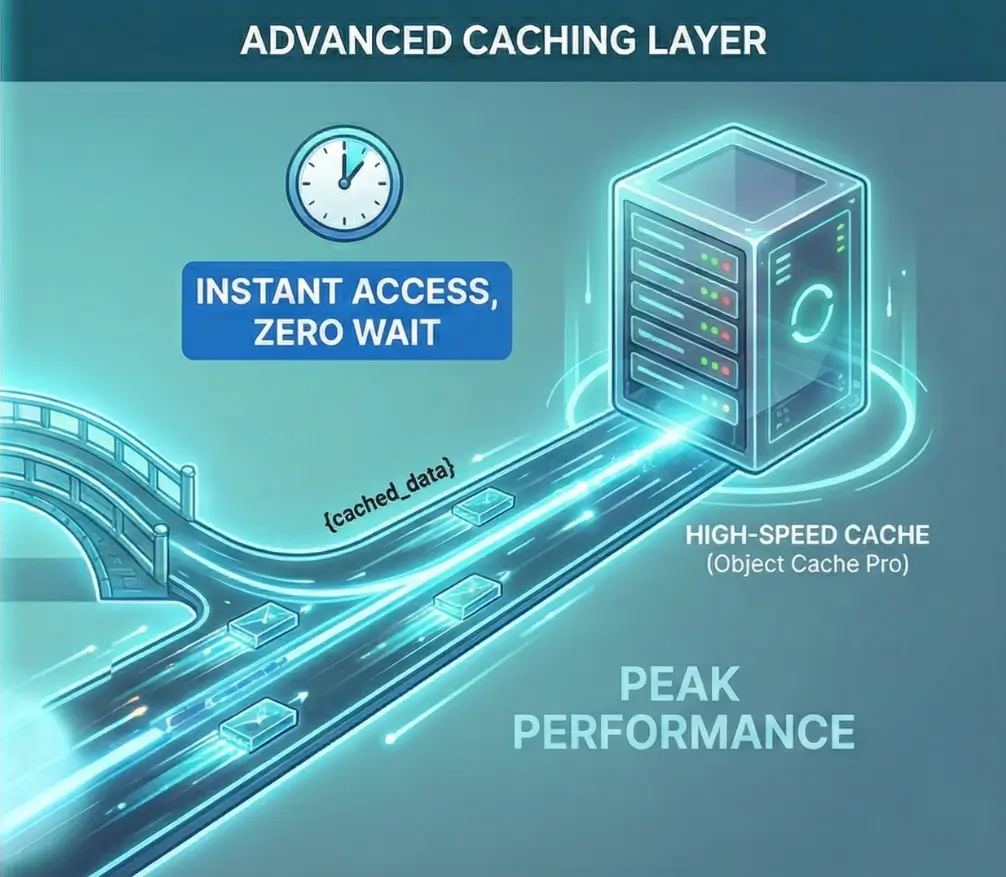
To comprehend the necessity of an advanced caching layer, one must first analyze the standard data retrieval lifecycle within a WordPress environment. WordPress is fundamentally a database-dependent application; it does not exist as a collection of ready-made files but rather as a set of instructions written in the PHP programming language. When a user requests a page, the server must consult a MySQL or MariaDB database to retrieve the site title, post content, theme settings, plugin configurations, and user permissions.
Think of this process as a “round trip.” Every time your site needs a piece of information, it’s like sending a messenger to a library to find a specific book. On a normal page, your site might send that messenger out hundreds of times just to load one screen. When lots of visitors arrive at once, the library gets crowded, the messengers have to wait in line, and your site starts to lag. If it gets too busy, the whole system can simply give up and crash.
Caching serves as a temporary, high-speed storage layer designed to minimize these expensive operations. To provide a clear overview for professional administrators, the following table delineates the various caching layers and their respective roles in the performance stack.
| Caching Layer | Storage Location | Target Data | Primary Performance Impact |
| Browser Caching | Client-side device (RAM/Disk) | Static assets (Images, CSS, JS) | Reduces repeat-visit bandwidth and latency. |
| CDN Caching | Global Edge Servers | Static assets and sometimes HTML | Reduces physical distance between the user and the data. |
| Page Caching | Server-side Disk or RAM | Fully rendered HTML pages | Bypasses PHP and Database for static content. |
| Opcode Caching | Server-side RAM | Compiled PHP bytecode | Eliminates the need to parse PHP files on every request. |
| Object Caching | Server-side RAM | Individual database query results | Speeds up PHP execution for dynamic and logged-in users. |
The critical distinction lies between page caching and object caching. While page caching saves the “final product” (the finished HTML page), object caching saves the “ingredients” (the data objects used to build the page). This makes object caching the only viable solution for dynamic areas of a site where a “one-size-fits-all” HTML page cannot be served, such as a user’s shopping cart, a personalized dashboard, or the WordPress administrative backend.
WordPress includes a built-in object caching mechanism, defined by the WP_Object_Cache class, which has been part of the core software since 2005. However, this native system is “non-persistent” by default. It stores data in the server’s memory only for the duration of a single page request. The moment the server finishes sending the page to the user’s browser, the memory is cleared, and all cached data is discarded.
This creates a significant inefficiency: if the same user clicks to a second page, or if a different user visits the site, the “refrigerator” is empty, and the server must return to the “Warehouse” (the database) for every single piece of data again. Persistent object caching solutions, such as those powered by Redis or Memcached, solve this by keeping the data in memory across multiple requests, sessions, and even server restarts.
Redis (Remote Dictionary Server) is an open-source, in-memory data structure store that is widely regarded as the industry standard for persistent object caching in 2025. Unlike traditional databases that store data on slower physical disks (SSD or HDD), Redis keeps everything in the server’s ultra-fast Random Access Memory (RAM). This allows for data retrieval speeds measured in microseconds. Furthermore, Redis offers advanced features such as data persistence to disk (to prevent data loss during power failures) and built-in replication for high-availability environments.
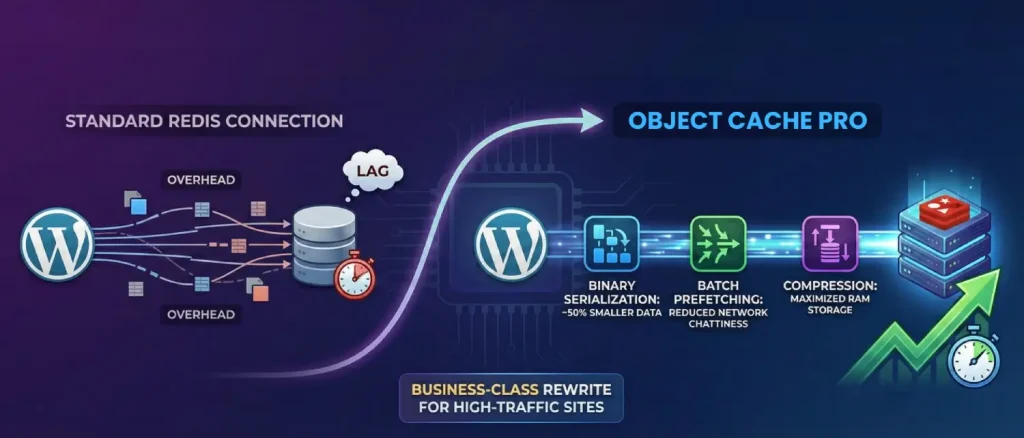
While several free plugins exist to connect WordPress to a Redis server, Object Cache Pro distinguishes itself as a “business-class” rewrite of the standard Redis integration. It was engineered from the ground up to address the specific performance bottlenecks, race conditions, and memory overhead issues that plague high-traffic WordPress sites.
The primary value proposition of Object Cache Pro lies in its “raw performance” philosophy. Traditional Redis connectors often introduce their own overhead by making unnecessary read and write calls to the Redis server. Object Cache Pro minimizes these interactions through a series of advanced technological features.
| Feature | Technical Mechanism | Benefit to the User |
| Binary Serialization | Uses igbinary or similar high-performance serializers | Reduces data size by ~50%, speeding up transfers and saving RAM. |
| Batch Prefetching | Group multiple Redis commands into a single request | Drastically reduces network “chattiness” and improves page load speed. |
| Asynchronous Flushing | Moves cache deletion tasks to a background process | Prevents server “hiccups” or stalls during large cache clears. |
| Cache Priming/Warming | Pre-loads frequent data into memory before users arrive | Prevents database spikes during sudden traffic surges. |
| Compression | Supports LZ4, Zstandard (ZSTD), and LZF | Maximizes the amount of data stored in a limited server RAM. |
The integration of these features ensures that the caching layer remains a benefit rather than a burden. For instance, on a WooCommerce site with thousands of products, the “All Options” query, a notorious WordPress bottleneck, can be split and managed more efficiently, preventing the site from slowing down as the database grows.
FFor environments where even microsecond latency is unacceptable, Object Cache Pro supports Relay, a specialized PHP extension. Traditional object caching involves a communication step between the PHP application and the Redis service, which usually lives in separate memory spaces or even different servers. Relay stores the most frequently accessed cache data directly within PHP’s shared memory.
This allows the application to retrieve data without even initiating a connection to Redis, essentially bringing the “refrigerator” into the “Chef’s pocket.” Relay also includes “adaptive caching” mechanisms, which monitor the read-write ratio of specific data keys to ensure that only the most beneficial items occupy the precious shared memory space.
The decision to implement Object Cache Pro often involves a comparison with other market-leading solutions. Each tool serves a different tier of the WordPress ecosystem, and understanding these distinctions is vital for professional site management.
The free “Redis Object Cache” plugin, developed by the same author as the Pro version, is the world’s most popular open-source connector for Redis. While it is highly reliable and “dead simple” to use, it lacks the advanced performance optimizations required for enterprise scale.
| Comparison Metric | Redis Object Cache (Free) | Object Cache Pro |
| Target Audience | Small blogs, low-traffic sites | eCommerce, Enterprise, High-Traffic. |
| Analytics | Basic response time metrics | Comprehensive dashboard with hit/miss ratios. |
| Code Architecture | Standard PHP wrapper | Highly optimized, object-oriented rewrite. |
| Customization | Minimal wp-config.php options | Hundreds of granular configuration constants. |
| Technical Support | Community forums | Dedicated engineer with 30-minute response times. |
As noted by industry experts, the free version is an excellent starting point for most users. Still, the Pro version is the necessary choice when “every millisecond counts” or when managing a horizontally scaled infrastructure where network efficiency is paramount.
W3 Total Cache (W3TC) is a venerable “all-in-one” performance suite that has been a staple of the WordPress community for over a decade. While it supports Redis and Memcached, its settings panel is often described as a “minefield” for beginners, where a single misconfiguration can easily “break” the site. W3TC lacks the deep, WordPress-specific optimizations found in a dedicated object cache like Object Cache Pro.
LiteSpeed Cache (LSCache) offers incredible performance but is strictly limited to servers running the LiteSpeed web server software. For administrators on Nginx or Apache, functionality. Object Cache Pro remains server-agnostic, providing high-level performance regardless of the underlying web server architecture.
In certain niche environments, other technologies like SQLite or Memcached may be considered. SQLite object caching has been benchmarked as being extremely fast for simple key-value lookups on single-server setups, sometimes exceeding Redis speed by avoiding the network stack entirely. However, SQLite lacks the scalability and advanced data structures that make Redis the preferred choice for growing businesses
Memcached is a simpler, ultra-fast memory store that is excellent for brochure sites or basic blogs. However, unlike Redis, Memcached does not offer data persistence; if the server restarts, the entire cache is lost, forcing a complete and potentially stressful rebuild from the database.
The implementation of Object Cache Pro is rarely just a technical decision; it is a strategic business move aimed at improving the bottom line. Speed is directly correlated with user experience, search engine optimization (SEO), and conversion rates.
In eCommerce, every second counts, literally. A single second of lag can cause a massive drop in your sales. Real-world data shows that switching to a tool like Redis can take a site from a sluggish 4-second load time to under 1 second. For one business, this speed boost slashed cart abandonment from 32% down to 19%. By making the shopping experience smooth, you stop losing customers to frustration and start capturing revenue that was previously slipping through the cracks.
As a website grows, the cost of hosting can skyrocket if the application is inefficient. By serving the vast majority of repetitive queries from memory, Object Cache Pro acts as a “shield” for the database. This reduction in CPU and database I/O load allows a site to handle significantly more traffic on the same hardware.
Professional analysis indicates that this optimization is often the difference between a site that crashes at 10 simultaneous visitors and one that remains stable with 1,000 concurrent users. For many businesses, the cost of the Object Cache Pro license is far lower than the cost of upgrading to a massive, multi-CPU server environment.
Before initiating the setup of Object Cache Pro, the hosting environment must be thoroughly audited to ensure compatibility and prevent technical conflicts.
The following table summarizes the minimum and recommended technical specifications.
| Component | Minimum Requirement | Recommended Specification |
| PHP Version | 7.2 | 8.2 or 8.3 |
| PhpRedis Extension | 4.0.0 | 6.0.0+ |
| Redis Server | 4.0 | 7.2 or 7.4 |
| Relay Extension | (Optional) 0.4.0 | 0.6.0+ |
It is essential to verify that the PhpRedis extension is installed on the server, as Object Cache Pro depends on this low-level driver to communicate with Redis. Most managed WordPress hosts.
A common mistake among beginners is attempting to run multiple object cache plugins simultaneously. This almost invariably leads to errors. Before installing Object Cache Pro, one must:
Object Cache Pro can be installed using several methods, ranging from a standard dashboard upload to advanced developer workflows using Composer.
/* That's all, stop editing! Happy publishing. */define('WP_REDIS_CONFIG',);For professional teams using version control (Git) and dependency management, Composer is the preferred installation method.
composer config --auth http-basic.objectcache.pro token <LICENSE-TOKEN>JSON
"repositories": [
{ "type": "composer", "url": "https://objectcache.pro/repo/" }
]composer require rhubarbgroup/object-cache-prowp plugin activate object-cache-pro
wp redis enableBeyond basic setup, Object Cache Pro offers an extensive array of configuration options that allow for precise performance tuning.
| Constant Key | Data Type | Functional Impact |
| ‘prefix‘ | String | Ensures cache keys don’t clash on shared Redis servers. |
| ‘serializer‘ | String | Set to ‘igbinary’ for maximum speed and lowest RAM usage. |
| ‘compression‘ | String | Set to ‘zstd’ or ‘lz4’ to reduce memory footprint. |
| ‘async_flush‘ | Boolean | Enables background cache clearing (requires Redis 4.0+). |
| ‘prefetch‘ | Boolean | Enables batch key prefetching for faster page loads. |
| ‘strict‘ | Boolean | Forces the plugin to throw errors if connections fail. |
One of the best features in the Pro version is called split_alloptions. Think of your WordPress settings like a giant suitcase. Normally, every time a page loads, WordPress has to lift that entire, heavy suitcase, even if it only needs one pair of socks from inside.
As you add more plugins, that suitcase gets heavier and slower to move. This feature breaks that giant bag into small, light packages, so the server only grabs exactly what it needs for that specific page. This makes your site feel much snappier.
Maintaining peak performance requires ongoing monitoring. Object Cache Pro provides several tools to help administrators understand how their cache is performing.
The main dashboard is where you’ll keep an eye on things, and the one number you really care about is the Hit Rate. Think of this as your site’s “Success Rate.” A “Hit” means your site found the data it needed instantly in the fast cache. A “Miss” means the cache was empty, and your site had to take a slow trip back to the database. You want a score of 90% or higher. If it’s lower than that, your “storage container” might be too small, or a specific plugin might be making things difficult.
For advanced debugging, Object Cache Pro integrates tightly with the free “Query Monitor” plugin. When both are active, administrators can see a detailed breakdown of every Redis command executed during a page load, including the time taken for each call and the specific plugin that triggered it. This is invaluable for identifying “chatty” plugins that may be overloading the cache with unnecessary requests.
The plugin also feeds data into the WordPress Tools > Site Health interface. It will provide warnings if the Redis version is outdated, if the PhpRedis extension is missing, or if there are potential security risks, such as an unencrypted connection to a remote Redis server.
Even the most robust systems can encounter issues. Understanding how to diagnose and resolve these problems is a core skill for any professional site administrator.
If the Redis server crashes or if the configuration in wp-config.php is incorrect, the site may fail to load entirely. The quickest way to restore service is to “kill” the object cache. This can be done by:
define('WP_REDIS_DISABLED', true); to the wp-config.php file.Occasionally, a site may show “old” content even after it has been updated. This often happens if the “cache invalidation” logic fails. In such cases, a manual “Flush” is required.
Administrators can use the Flush Cache button in the dashboard widget or the WP-CLI command wp cache flush. It is important to remember that flushing the cache will cause a temporary performance drop as the server rebuilds its If a Redis server runs out of RAM, it will start deleting data to make room for new items based on its “Eviction Policy”.
For optimal WordPress performance, the Redis server should be configured with maxmemory-policy allkeys-lru (Least Recently Used) or allkeys-lfu (Least Frequently Used).
If an administrator cannot change the server settings, they can use the maxttl (Maximum Time To Live) setting in Object Cache Pro to ensure that old data expires and is removed automatically after a set period, such as 24 hours.
As we move toward 2026, the performance landscape continues to shift. Several emerging technologies and trends are set to redefine how we scale WordPress applications.
In 2026, website maintenance is moving to “auto-pilot.” New hosting platforms, like Elementor’s cloud infrastructure, now feature AI assistants like Angie.
Think of Angie as a dedicated site manager who never sleeps. She constantly monitors your site’s speed and, if she notices things slowing down, she can automatically adjust your settings or clear out old data without you ever having to lift a finger.
The transition to HTTP/3 (built on the QUIC protocol) is reducing network latency for mobile users globally.
When combined with “Edge Caching” (where object caches are mirrored across global data centers), the result is a WordPress experience that feels instantaneous regardless of where the user or the server is located.
Object Cache Pro’s support for secure TLS connections and efficient binary serialization makes it perfectly suited for these distributed, global architectures.
We are seeing a trend where hosting infrastructure is no longer just “compatible” with WordPress but is “engineered” for it.
High-performance machines like Google Cloud C2 instances, combined with containerization (Kubernetes), allow for the independent scaling of the web server and the caching layer.
Object Cache Pro sits at the heart of this revolution, providing the specialized software layer that allows these powerful hardware resources to be utilized effectively by the WordPress core.
In short, Object Cache Pro is the gold standard for making WordPress fast. You don’t need to be an expert in the technical “under the hood” details, like compression or data syncing, to understand the benefit.
The value is simple: it allows your website to “think” faster, handle more visitors at once, and give your customers a reliable, lightning-fast experience every time they visit.
For beginners and business owners, the following strategic roadmap is recommended:
By following these professional standards and leveraging the enterprise-grade power of Object Cache Pro, administrators can ensure their WordPress installations are prepared for the demands of the modern web and the competitive landscape of the years to come.

Hassan Tahir wrote this article, drawing on his experience to clarify WordPress concepts and enhance developer understanding. Through his work, he aims to help both beginners and professionals refine their skills and tackle WordPress projects with greater confidence.





 Lifetime VPS Europe
 Lifetime VPS Asia
 Lifetime WooCommerce Hosting
 Lifetime Hosting
 France Lifetime Dedicated Servers
 Germany Lifetime dedicated servers
 Lifetime Game Dedicated Servers
 Chicago, US
 Tokyo, Japan
 Singapore
 Hong Kong
 Seoul, South Korea
 Amsterdem, Netherlands
 London, UK
 Stockholm, Sweden
 Oslo, Norway
 Vienna, Austria
 Zurich, Switzerland
 Sydney, Australia
 Wordpress Hosting
 VPS Hosting
 DDOS Protection
 Submit Ticket
 Full Management
 Guides
 Videos and Podcasts
 Discover Creative Ideas
 MetaAgentOS High-Ticket Support System
 Voxfor Mega Menu
 Voxfor Advanced Price Management For WooCommerce
 Voxfor Secure Live Chat and AI Support
 Voxfor Multilanguage
 Voxfor AI Content Summary


