Lifetime VPS Europe
 Lifetime VPS Asia
 Lifetime WooCommerce Hosting
 Lifetime Hosting
 Lifetime Game Dedicated Servers
 Chicago, US
 Tokyo, Japan
 Singapore
 Hong Kong
 Seoul, South Korea
 Amsterdem, Netherlands
 London, UK
 Stockholm, Sweden
 Oslo, Norway
 Vienna, Austria
 Zurich, Switzerland
 Sydney, Australia
 Wordpress Hosting
 VPS Hosting
 DDOS Protection
 Submit Ticket
 Full Management
 Guides
 Videos and Podcasts
 Discover Creative Ideas
 Voxfor Autonomous AI Workers
 Voxfor Mega Menu
 Voxfor Advanced Price Management For WooCommerce
 Voxfor Secure Live Chat and AI Support
 Voxfor Multilanguage
 Voxfor AI Content Summary
 Voxfor Autopilot

Proxmox Backup Server verification and a VM restore drill answer different recovery questions. Verification reads backup data and checks its integrity. A drill proves that operators can still authenticate, find the right snapshot, recover its disks and configuration, prevent identity collisions, boot the guest, validate the workload, and finish inside an agreed recovery window.
Treating a green verify task as full disaster-recovery proof leaves several failures undiscovered: encryption keys stored only on the lost host, an untrusted repository fingerprint, insufficient target storage, duplicate IP addresses, stale application data, missing external credentials, or a restore that simply takes longer than the business can tolerate. A useful exercise therefore has two passes—prove the backup data, then prove the recovered service—with evidence captured from both.
This guide assumes Proxmox VE already sends VM backups to Proxmox Backup Server (PBS). It does not install PBS or ask you to overwrite production. Choose one representative guest, allocate isolated recovery capacity, and run the exercise during an approved window with a named owner and stop authority.
Verification and restoration answer different questions
PBS verification checks whether a snapshot’s referenced data can be read and validated. Current Proxmox maintenance documentation supports scheduled verify jobs, manual verification and periodic re-verification because previously healthy media can degrade. That is essential evidence, but it does not exercise the PVE restore path or the guest workload.
A VM restore adds the conditions that integrity checking cannot see. PVE must reach the repository, the operator must possess the required credentials and encryption material, target storage must have enough capacity, the restored hardware definition must make sense on the recovery node, and the guest must start without impersonating production. Only application-level acceptance closes the chain.
Use this simple distinction during planning:
- Verification proof: PBS could read and validate the selected backup data at the recorded time.
- Recovery proof: the team turned that snapshot into an isolated VM whose data and application behavior met the recorded contract.
Neither result is permanent. New snapshots, storage wear, credential rotation, network changes, application upgrades and team turnover can all invalidate old evidence. Schedule both activities according to workload risk rather than treating one successful exercise as lifetime certification.
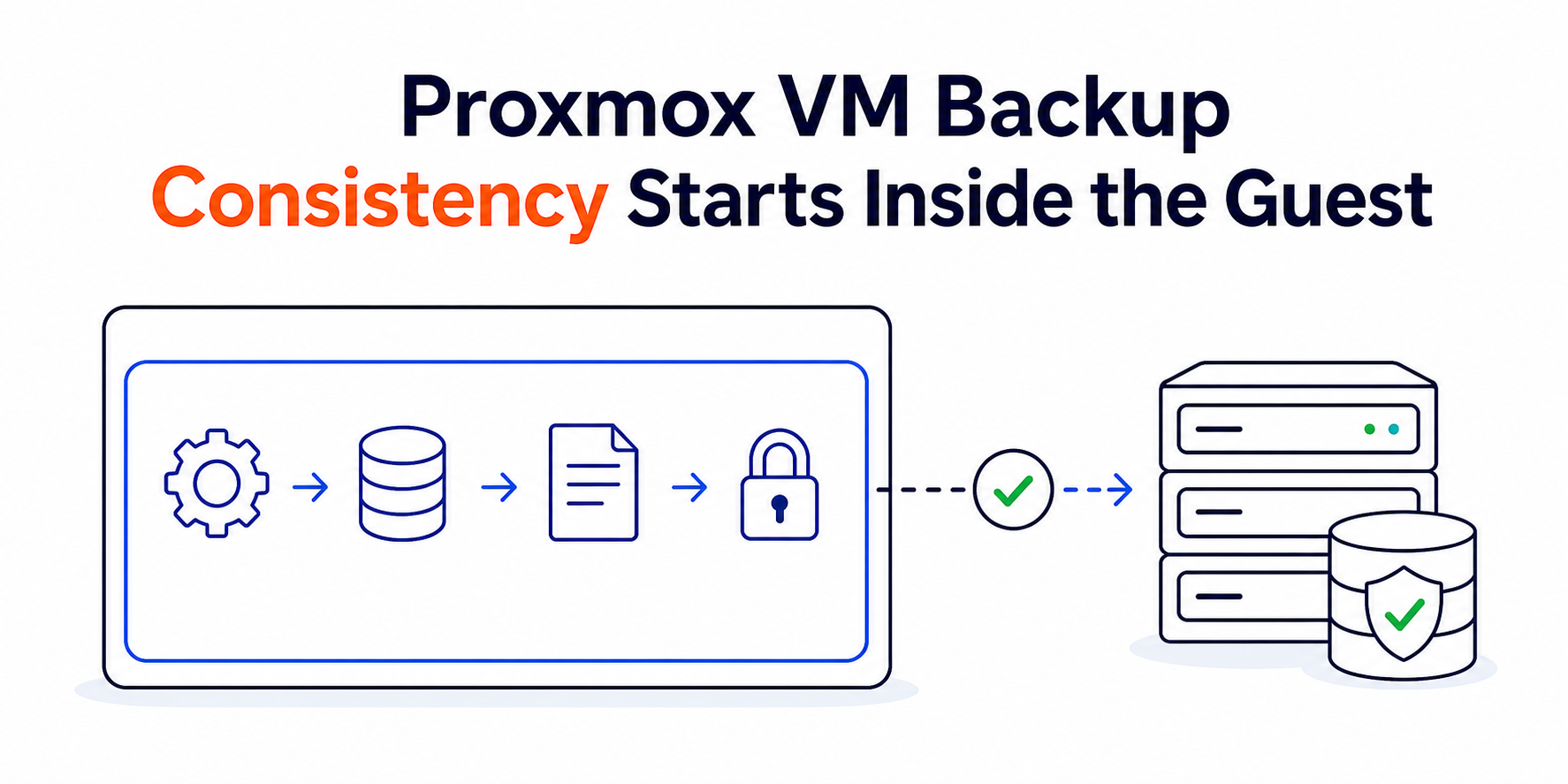
The visual below shows why the evidence travels through two lanes before it can support a recovery claim.
Write the acceptance contract before selecting a snapshot
A restore button is not a test plan. Start by choosing the service outcome and defining what “recovered” means while production is still healthy enough to answer questions.
Pick a guest that represents real risk
Select a VM with meaningful state, dependencies and business checks—not the smallest disposable guest merely because it restores quickly. A representative candidate might contain a database-backed web application, an internal identity service or a queue worker whose success can be observed safely.
Avoid beginning with the most dangerous workload. Domain controllers, quorum members, clustered databases and systems that can send real email, charge customers or mutate shared storage require application-specific isolation and recovery procedures. First prove the general PBS/PVE chain with a stateful but containable VM, then plan the higher-risk exercise separately.
Record the source VMID, guest name, backup namespace/group, selected snapshot timestamp, PBS datastore, source PVE node and intended restore node. This avoids selecting a convenient snapshot after the exercise starts and calling the result representative.
Define RPO and RTO as measurable boundaries
Recovery point objective (RPO) answers how much recent data the workload may lose. Recovery time objective (RTO) answers how long the service may remain unavailable. The drill should measure both rather than repeat values from a policy document.
| Contract item | Evidence to define before the drill | Pass condition |
|---|---|---|
| Snapshot freshness | UTC timestamp of the chosen successful backup and latest committed business record expected inside it | Restored data is no older than the approved RPO |
| Recovery clock | Start event, usually incident declaration or restore authorization | Workload acceptance finishes before the approved RTO |
| Data integrity | Known records, counts, checksums or application-native consistency checks | Tested records are present and internally consistent |
| Identity safety | New VMID, temporary hostname, disconnected bridge or blocked NIC, and integration hold list | Restored guest cannot collide with or mutate production |
| Service acceptance | Named read, safe write, authentication and dependency checks | Results match the workload owner’s expected behavior |
| Cleanup | Owner, deadline, evidence location and restored-VM disposition | Drill resources are removed or retained under explicit control |
Choose the clock boundaries explicitly. Starting the RTO timer only after credentials have been found, storage has been cleared and the correct snapshot has been identified produces a flattering number that excludes the hardest work. A second “restore execution” duration can still be useful, but label it separately from end-to-end recovery time.
Reserve an isolation zone and stop authority
Before anyone clicks Restore, allocate a new VMID, target storage and recovery network. The safest default is a bridge with no route to production or a VM created with its virtual NIC disconnected. If the workload requires selected dependencies, add only the specific paths needed for testing.
Name one person who can stop the exercise if the recovered guest obtains production connectivity, starts sending messages, discovers shared storage or consumes capacity needed by live workloads. A recovery drill is a controlled change, not permission to improvise around safeguards.
Readers who need to clarify which failure belongs to the guest, hypervisor, storage or physical host can map the hypervisor and storage boundary before designing the test.
Pass one: prove the repository can be read
Complete the integrity and access checks before reserving a long restore window. This pass should establish that the selected snapshot exists, its task history is understood, and the team can access every protected dependency without relying on the production VM.
Inspect task history instead of one green icon
PBS exposes task results in its web interface. Review the backup task, the relevant verify job and any failed maintenance or synchronization tasks near the selected snapshot. Notifications matter here: a scheduled job that never ran is different from one that ran successfully.
On the PBS host, a task listing can support the evidence record without modifying data:
sudo proxmox-backup-manager task listFilter and preserve only the relevant time window in your change record; do not publish repository names, client identities or error messages that contain infrastructure details. When command options differ on the installed PBS release, use proxmox-backup-manager task list --help and the local manual rather than copying unsupported flags.
Current PBS documentation provides a manual verification form for an entire datastore:
datastore=backup-store
sudo proxmox-backup-manager verify "$datastore" --read-threads 1 --verify-threads 4 --ignore-verified false
Running a full-datastore verify can be I/O intensive. For a drill, select the appropriate datastore, backup group or snapshot through the PBS Content view when narrower scope is justified, and schedule broader verification separately. The published defaults are not a performance recommendation for every backup host; size thread counts from storage latency, active backup load and the maintenance window.
Prove credentials and encryption recovery outside production
Repository access may depend on a PBS user or API token, TLS trust, namespace permissions and client-side encryption material. A password manager entry that has never been used by the recovery operator is not proof. Test access from the designated recovery workstation or node, not from a shell that inherits production secrets.
For client-side encrypted backups, retain the encryption key and its password or recovery mechanism in protected storage outside the source host. The PBS backup-client documentation describes client-side encryption and a master-key path for recovering the symmetric key. Losing that material can make intact backup chunks unusable.
Keep a small, secret-free access record:
Repository: <pbs-host>:<datastore>
Authentication owner: <team-or-role>
TLS trust source: <public-CA-or-recorded-fingerprint>
Encryption recovery source: <protected-location-reference>
Last access test (UTC): <timestamp>
Result: PASS | FAIL
Do not paste token secrets, passwords or private keys into the drill report. Record the controlled location and the person or role that demonstrated access.
Capacity is part of recoverability
Check free capacity on the target PVE storage, memory and CPU headroom on the recovery node, and network throughput between PVE and PBS. A compressed or deduplicated datastore size is not the same as the target VM’s restored allocation. Thin-provisioned storage also needs monitoring during the drill; an apparently large logical pool can have little physical headroom.
For recurring exercises or a standby recovery host, size CPU, memory, storage and network capacity from measured restore and workload behavior. Shared capacity must not let a drill endanger production.
Pass two: restore the VM into isolation
Use the PVE web interface or the current PVE documentation for the actual restore. Select the PBS storage and snapshot, choose a new VMID, choose the approved target storage, and keep the virtual NIC disconnected or attached only to the isolated bridge. Do not restore over the source guest for a rehearsal.
Capture the restore task and immutable inputs
At the start of the end-to-end timer, record the selected snapshot timestamp, backup owner, archive/guest type, target node, new VMID, target storage and network hold. Once the restore begins, preserve the PVE task log and PBS task reference.
Read-only PVE checks can confirm storage availability and the restored VM configuration:
pvesm status
new_vmid=9001
qm status "$new_vmid"
qm config "$new_vmid"
For containers, use the corresponding pct commands instead of qm; do not treat a container and VM restore as interchangeable. If the installed PVE release offers live restore for the selected VM backup, understand its boundary before using it. Proxmox VE backup-and-restore documentation notes that a live-restored VM can start while data continues loading, with limited disk read performance for blocks not yet restored. That can improve time to first service, but it does not eliminate transfer, capacity or application testing.
Do not optimize away the first baseline
The first exercise should use the documented, supportable path your on-call team could follow during an incident. Custom scripts can reduce future time, but automation built before the manual dependencies are understood may only hide missing credentials or unsafe identity assumptions.
Record restore throughput and duration, but avoid comparing a single result as a universal PBS benchmark. Incremental backup, deduplication ratio, storage media, network path, guest disk layout, concurrent jobs and cache state all influence the measurement.
Boot the guest without duplicating production identity
A restored VM carries more than files. It may retain the source hostname, static IP, machine identity, SSH host keys, domain membership, monitoring agent identity, backup client identity, licenses, scheduled jobs and application credentials. Booting it on a routable production bridge can create a second machine claiming the same role.
Hold networking before the first boot
Inspect the restored virtual hardware and confirm the NIC is disconnected or mapped only to the drill bridge. If an online dependency test is required later, open one path at a time through a temporary firewall rule or dedicated test segment, then record why it is safe.
| Collision risk | Default drill control | Evidence before wider access |
|---|---|---|
| Duplicate IP or MAC | New VMID plus disconnected NIC or isolated bridge | Guest addressing inspected; no production ARP/ND conflict |
| Duplicate hostname or domain identity | Rename in isolation or keep the guest offline | Identity owner approves the test method |
| Email, webhooks or payment calls | Block egress and disable scheduled integrations | Safe test endpoint or explicit suppression confirmed |
| Shared writable storage | Do not attach production shares by default | Read-only or cloned dependency selected |
| Monitoring and backup agents | Prevent duplicate registration and backup chains | Temporary identity or agent hold documented |
| Cluster/quorum membership | Use an application-specific recovery plan | Membership and fencing design approved separately |
Do not regenerate every identity automatically. Some recovery scenarios need to prove the original identity can be restored; others require a temporary clone. The workload owner must decide which identity is part of the recovery contract and which would create a collision.
Inspect data before enabling integrations
Boot the guest with the network hold intact. Confirm the OS reaches a stable state, storage mounts as expected, and system time is reasonable. Review failed services and application logs from the restored environment, remembering that errors about unavailable production dependencies may be expected while isolation is active.
A generic first pass can remain read-only:
date -u
systemctl --failed --no-pager
lsblk -f
ss -lntup
Adapt the checks to the guest OS and application. A Windows VM needs Windows-native event, disk and service checks; an appliance may expose only its supported console. The goal is to validate the restored system without weakening it to fit a Linux checklist.
Prove the workload and the recovery clock
Boot success proves the hypervisor created and started a guest. It does not prove that the application can authenticate users, read current records, perform a safe write or reach required dependencies.
Compare restored data with the declared RPO
Use the business marker selected before the drill: an order number, database transaction timestamp, document revision, queue offset or another known record. Compare its UTC time with the chosen snapshot and the approved RPO. If the newest expected committed record is absent, determine whether the backup was application-consistent and whether the marker should have existed before blaming PBS.
Database-backed workloads may require application-aware freeze, guest-agent coordination or database-native consistency practices at backup time. A crash-consistent VM backup can be recoverable without guaranteeing zero application-level recovery work. Record recovery actions honestly instead of hiding them behind a successful boot.
Run read, authentication and safe-write checks
Test from the same side of the isolated boundary that a recovered user or dependent service would use. A useful acceptance sequence often includes:
- Authenticate with a designated test identity.
- Read a known pre-backup record.
- Perform one reversible or disposable write.
- Read the new value through the application, not directly from storage.
- Confirm logs, queues and background workers do not show unexplained failure.
- Remove or reverse the test mutation when appropriate.
Avoid pointing real DNS, public traffic or production integrations at the drill VM simply to make the test realistic. Synthetic hostnames, a temporary hosts-file entry, isolated test clients and stubbed outbound services can exercise the application path without creating a second production instance.
Stop the clock at the agreed event
If the RTO contract ends when the application passes acceptance, stop the timer only after those checks succeed. Record separate milestones—snapshot located, access recovered, restore started, guest booted, application read passed, safe write passed—so the next exercise can improve the actual bottleneck.
When the measured time misses RTO, preserve the result. The remedy may be better runbook access, faster target storage, reserved capacity, a nearer PBS replica, tested automation or a different application recovery design. Changing the clock definition after the drill is not an improvement.
Keep verification, retention and cleanup from working against each other
PBS maintenance has separate mechanisms with separate consequences. Pruning removes selected snapshot metadata according to retention. Garbage collection later identifies and reclaims unreferenced chunks after its safety window. Verification reads referenced data and checks integrity. One does not substitute for the others.
Current PBS maintenance guidance explains that pruning does not immediately remove underlying chunks and that garbage collection completes space reclamation. It also recommends regularly re-verifying backups, including older snapshots, because storage can degrade over time.
Schedule a drill so a prune or cleanup change cannot remove the selected evidence mid-exercise. A protected or held snapshot may be appropriate when the platform and policy allow it, but do not keep every test snapshot indefinitely. After acceptance, return the environment to its declared retention and capacity plan.
Cleanup requires the same ownership as creation. Power off the restored VM, remove temporary firewall exceptions, revoke short-lived credentials, detach test storage, and delete the drill VM only after evidence has been reviewed and the owner approves disposal. If the VM is retained for follow-up, label its purpose, isolation, owner and expiry visibly.
FAQ
How often should Proxmox Backup Server verify backups?
Proxmox recommends regularly verifying new and expired backups and re-verifying all retained backups at least monthly. Increase frequency when media risk, recovery importance or change rate justifies it, while scheduling I/O so verification does not disrupt active backup and restore work.
Must a Proxmox restore drill overwrite the production VM?
No. A safe rehearsal normally restores the selected snapshot under a new VMID, onto approved target storage, with its NIC disconnected or attached to an isolated bridge. Overwriting production belongs to an actual recovery decision, not a routine proof exercise.
What must be preserved for an encrypted PBS backup?
Client-side encrypted PBS backups require the encryption key plus its password or a tested master-key recovery path. Repository credentials and TLS trust information must also remain accessible outside the failed source host; intact encrypted chunks are not recoverable without the required key material.
Does Proxmox live restore always meet a shorter RTO?
No. Live restore can start a VM before all blocks finish loading, but uncopied blocks have limited read performance and the remaining data still needs to transfer. Measure the real workload under the feature and retain a normal restore path when live-restore compatibility or performance is uncertain.
Are PBS prune and garbage collection the same operation?
No. PBS pruning removes snapshot metadata according to retention rules. Garbage collection later reclaims chunks that no remaining snapshot references, subject to the datastore’s safety window. Verification is a third operation that checks referenced backup data.
Does restoring one VM prove full Proxmox disaster recovery?
No. One isolated VM restore proves the tested repository, snapshot, keys, capacity, identity controls and workload path. Full node, cluster, shared-storage or site recovery has additional quorum, network, fencing, placement and dependency requirements that need separate exercises.
What counts as a passed Proxmox VM restore drill?
A passed drill restores the declared snapshot without production collision, proves data freshness within RPO, passes the workload’s read/authentication/safe-write checks, completes inside RTO, preserves task evidence and finishes controlled cleanup. Guest boot alone is not a sufficient pass condition.
Close with a recovery scorecard the next operator can use
A useful drill report should let another qualified operator repeat the exercise without guessing. Record the source guest and snapshot, verify result, access and encryption-key proof, target node/storage, isolation controls, restore task ID, milestone times, application checks, measured RPO/RTO, deviations, cleanup result and named owners.
Score the chain by evidence rather than confidence:
- Data readable: selected snapshot verified at the recorded time.
- Access independent: repository and encryption recovery worked without the source VM.
- Capacity available: target compute, storage and network completed the restore safely.
- Identity contained: no production IP, hostname, integration or shared-state collision occurred.
- Workload accepted: the declared read, authentication and safe-write tests passed.
- Clock met: end-to-end recovery completed inside the agreed RTO and data met RPO.
- Environment closed: temporary VM, access and network changes were removed or assigned an owner and expiry.
Any failed line becomes a concrete recovery backlog item. Repeat only the affected stage after repair, then schedule the complete drill again at the risk-based interval. Verified chunks are necessary; a controlled, measured and usable VM is the recovery outcome.