Lifetime VPS Europe
 Lifetime VPS Asia
 Lifetime WooCommerce Hosting
 Lifetime Hosting
 Lifetime Game Dedicated Servers
 Chicago, US
 Tokyo, Japan
 Singapore
 Hong Kong
 Seoul, South Korea
 Amsterdem, Netherlands
 London, UK
 Stockholm, Sweden
 Oslo, Norway
 Vienna, Austria
 Zurich, Switzerland
 Sydney, Australia
 Wordpress Hosting
 VPS Hosting
 DDOS Protection
 Submit Ticket
 Full Management
 Guides
 Videos and Podcasts
 Discover Creative Ideas
 Voxfor Autonomous AI Workers
 Voxfor Mega Menu
 Voxfor Advanced Price Management For WooCommerce
 Voxfor Secure Live Chat and AI Support
 Voxfor Multilanguage
 Voxfor AI Content Summary
 Voxfor Autopilot
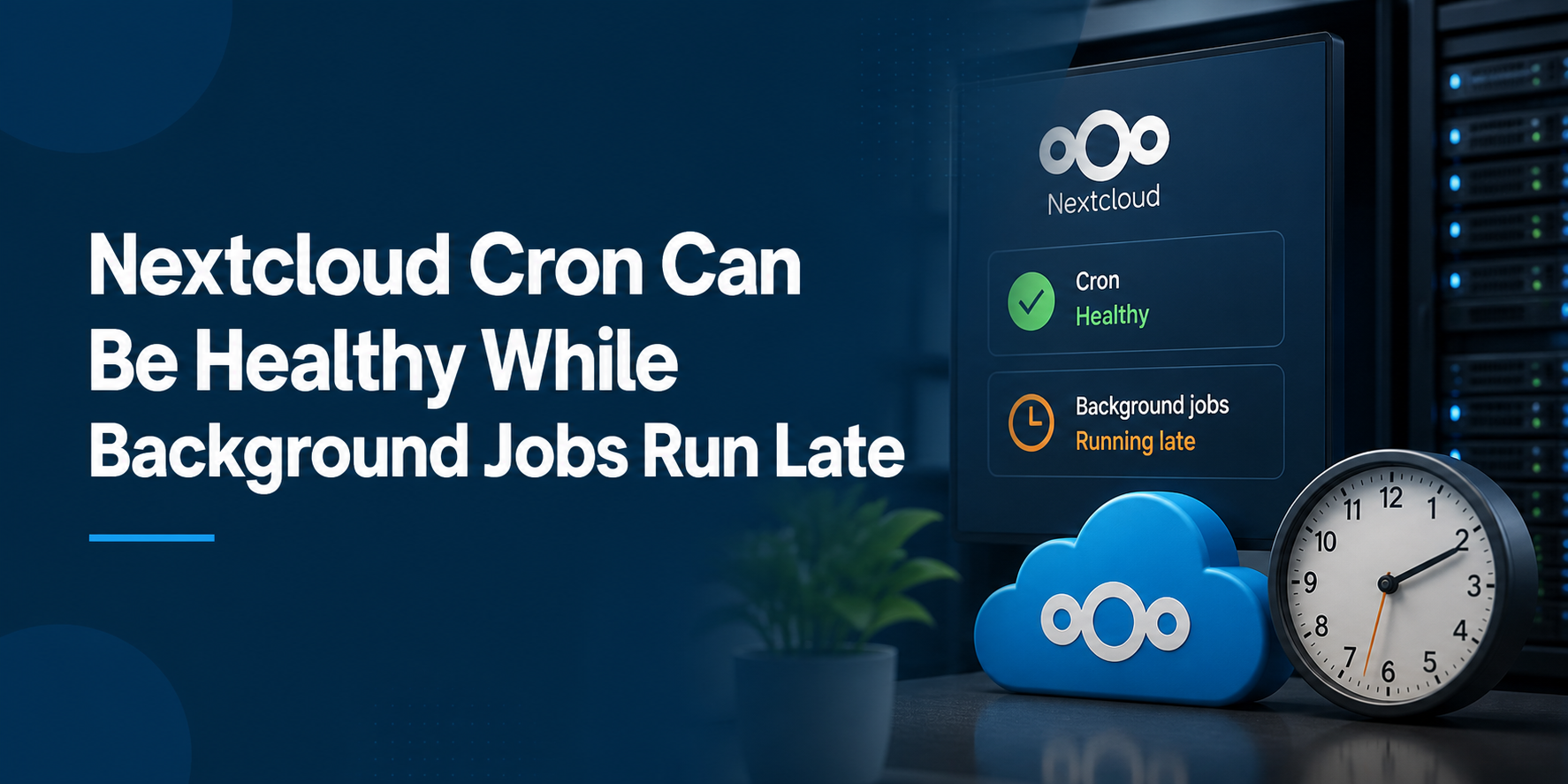
A green cron indicator proves that Nextcloud recently received a trigger; it does not prove that every due background job finished on time. Four clocks can diverge: the host scheduler activation, the start and exit of cron.php, the dispatcher’s progress through eligible work, and the schedule of an individual app job. Repair begins by identifying which clock is late.
Current Nextcloud 34 background-job documentation recommends operating-system cron for regular work. Its developer manual adds an important boundary: even system cron cannot guarantee immediate pickup when the background-job queue is full. A job scheduled for a time is guaranteed not to run early, not guaranteed to start exactly then.
Separate four clocks before touching the interval
Treat “cron is running” as one observation, not a verdict. Each clock answers a different question, and increasing frequency changes only the first one.
| Clock | Evidence to preserve | What a healthy value proves | What it cannot prove |
|---|---|---|---|
| Scheduler | crontab entry or systemd timer activation | The operating system attempted the command | Correct PHP, path, user, or successful exit |
cron.php process |
start, duration, exit status, stderr | Nextcloud’s dispatcher was invoked and returned | Every eligible job completed |
| Queue progress | repeated admin status and Nextcloud logs | Work continues to be selected without a fatal path | One specific timed job met its intended time |
| App job | app-specific effect, last-run evidence, or documented schedule | The workload outcome occurred | General scheduler health |
This separation prevents the common false repair: changing */5 to */1 while the command still uses the wrong PHP binary, cannot read the mounted configuration, or spends longer than the trigger interval processing existing work. More triggers do not repair an execution failure.
Nextcloud’s developer documentation distinguishes one-time QueuedJob work from interval-based TimedJob work. It also lets app developers mark heavy work as time-insensitive, which means an operator may see deliberate delay inside the configured maintenance window rather than scheduler failure.
Freeze the runtime identity before reproducing the warning
Run diagnostics from the actual Nextcloud installation directory and as the HTTP user. Nextcloud’s official occ guidance warns that the CLI PHP version may differ from the web runtime and that occ must use the HTTP user’s ownership context.
On a conventional Debian or Ubuntu installation, capture the identity without exposing private configuration:
cd /var/www/nextcloud
sudo -u www-data /usr/bin/php ./occ status
sudo -u www-data /usr/bin/php ./occ -V
sudo -u www-data /usr/bin/php --ini
sudo -u www-data /usr/bin/php ./occ config:system:get maintenance
Adjust the path, user, and PHP binary to the deployed stack. Fedora-family installations commonly use apache; openSUSE often uses wwwrun; control panels may install versioned PHP binaries outside /usr/bin. A successful php -v under root is not equivalent evidence.
Keep CLI and web-path performance separate. PHP-FPM worker-pool diagnosis concerns web requests waiting for FPM capacity; cron.php normally runs through CLI PHP. They may compete for CPU, database connections, or disk, but one runtime’s status does not prove the other’s health.
Cron mode and scheduler ownership are two different settings
The command occ background:cron selects Nextcloud’s scheduler mode. It does not create an operating-system schedule. Conversely, invoking cron.php from the command line can set the application mode to Cron, but the host still needs a durable recurring trigger.
Confirm both layers:
cd /var/www/nextcloud
sudo -u www-data /usr/bin/php ./occ background:cron
sudo crontab -u www-data -l
sudo -u www-data /usr/bin/php -f /var/www/nextcloud/cron.php
The direct run is a diagnostic reproduction, not the final scheduler. Record its start time, wall duration, exit status, and any stderr. If it fails, fix that exact failure before changing the interval: missing PHP modules, wrong binary, permissions, maintenance mode, database connectivity, or an invalid path.
Avoid curl https://cloud.example/cron.php for a normal multi-user instance. Nextcloud documents Webcron as resource-limited and says one job is executed per call; at five-minute intervals that caps the method at 288 jobs per day. AJAX is even less reliable because page visits trigger it. System cron or a systemd timer is the production baseline.
Make host execution observable with a systemd timer
Traditional cron often hides output in local mail or discards it with redirection. A systemd service and timer provide an explicit result, start/finish timestamps, duration, and journal. Nextcloud documents this unit pattern:
# /etc/systemd/system/nextcloudcron.service
[Unit]
Description=Nextcloud cron.php job

[Service]
User=www-data
ExecCondition=/usr/bin/php -f /var/www/nextcloud/occ status -e
ExecStart=/usr/bin/php -f /var/www/nextcloud/cron.php
KillMode=process
Pair it with the documented five-minute timer:
# /etc/systemd/system/nextcloudcron.timer
[Unit]
Description=Run Nextcloud cron.php every 5 minutes

[Timer]
OnBootSec=5min
OnUnitActiveSec=5min
Unit=nextcloudcron.service

[Install]
WantedBy=timers.target
After reviewing paths and ownership, load and observe the units:
sudo systemctl daemon-reload
sudo systemctl enable --now nextcloudcron.timer
systemctl list-timers nextcloudcron.timer --all
systemctl show nextcloudcron.service -p Result -p ExecMainStartTimestamp -p ExecMainExitTimestamp
journalctl -u nextcloudcron.service --since '-30 minutes' --no-pager
Do not run a second crontab entry alongside the timer during the acceptance window. One scheduler owner makes overlap, duration, and error attribution understandable. If the unit itself enters a restart-limit incident, address that unit lifecycle separately rather than hiding it with another trigger.
Container cron is a peer service, not a host shortcut
Containerized Nextcloud changes the ownership boundary. Running host PHP against files inside a container can use the wrong code, configuration, extensions, UID, and network. The official Nextcloud Docker repository publishes a Compose example with a separate cron service using the same image and Nextcloud volume as the application.
services:
  app:
    image: nextcloud:apache
    restart: always
    volumes:
      - nextcloud:/var/www/html

  cron:
    image: nextcloud:apache
    restart: always
    volumes:
      - nextcloud:/var/www/html
    entrypoint: /cron.sh
    depends_on:
      - db
      - redis
The official Compose example explicitly says the app and cron volume configuration must match. Treat environment, secrets, networks, and database/cache reachability with the same care even when configuration is persisted inside the shared volume.
Capture both services instead of checking only the web container:
docker compose ps app cron
docker compose logs --since=30m cron
docker compose exec --user www-data app php occ status
docker compose exec --user www-data app php occ background:cron
Use Docker lifecycle evidence when a running or restarted container is mistaken for application recovery. Plan bounded Docker log retention as well; unbounded cron-sidecar logs can create a second storage incident while diagnosing the first.
A healthy trigger can still feed a delayed queue
Once repeated invocations exit successfully, stop editing the scheduler and inspect workload behavior. Nextcloud’s background-job developer contract says a full queue can delay pickup. Long work, repeated app failures, database contention, slow external storage, thumbnail generation, activity processing, or another app-specific task may consume the available dispatch opportunities.
Look for a stable pattern rather than one alarming timestamp:
- Does each five-minute trigger start and finish, or does duration grow toward the interval?
- Does
nextcloud.logshow the same app or exception repeatedly around cron runs? - Did the delay begin after enabling or upgrading one app?
- Does database latency or storage latency rise during the same window?
- Is the affected job time-insensitive and therefore eligible only inside the UTC maintenance window?
Nextcloud’s current logging manual places file logging in the data directory by default and advises using DEBUG only temporarily because it can affect performance. Search the normal log first; narrow any verbosity increase to a bounded reproduction, then restore the previous level. Never publish raw logs without removing usernames, paths, request details, and other private data.
The maintenance window changes eligibility, not trigger health
maintenance_window_start is used only in cron mode. Time-insensitive daily work can be delayed to the four hours after the configured UTC hour. A value of 1, for example, gives those jobs a 01:00-05:00 UTC window. That policy can explain why heavy cleanup appears late while ordinary recurring work continues.
Read the current value before changing it:
cd /var/www/nextcloud
sudo -u www-data /usr/bin/php ./occ config:system:get maintenance_window_start
Do not set 100 merely to clear an administrative warning. Nextcloud documents that value as disabling the time preference and warns that resource-intensive work may then run during busy periods. Choose a real low-load UTC start, verify user-facing latency through the four-hour window, and retain the prior value for rollback.
FAQ: Questions after the timer turns green
Why does Nextcloud still report late background jobs when cron runs every five minutes?
Because scheduler frequency is only the first clock. cron.php may fail, use the wrong runtime, spend too long, or successfully dispatch work while an individual job remains behind other eligible jobs or waits for its own schedule.
Does occ background:cron install a crontab entry?
No. occ background:cron selects Nextcloud’s background-job mode. The operating system, systemd, or a container cron service must still invoke cron.php repeatedly.
Should I reduce the interval below five minutes to drain the queue faster?
Not before measuring run duration and failure ownership. Nextcloud’s documented baseline is five minutes; a shorter interval can add overlap or contention without fixing a failing command or slow job.
Is Webcron equivalent to operating-system cron?
No. Nextcloud says Webcron runs through the web server’s resource limits and executes one job per call, making it suitable only for very small instances. Operating-system cron is the preferred method.
Can AJAX background jobs be reliable on a quiet private instance?
AJAX depends on user page visits and executes a job when a page is loaded. A quiet instance can therefore stop making reliable progress; Nextcloud calls AJAX the least reliable method.
Why can a scheduled Nextcloud job run later than its target time?
The current developer contract guarantees that scheduled work is not selected before its target. It does not guarantee immediate selection afterward, especially when the background-job queue is full.
Should the Docker host run PHP directly against the Nextcloud volume?
Usually no. Use the image’s cron sidecar or another deployment-native mechanism so code, PHP extensions, configuration, UID, networks, and persistent volumes match the application container.
When does moving Nextcloud to another server help?
Migration helps when the current platform cannot provide a reliable scheduler, matching CLI runtime, logs, or enough measured headroom. It does not repair an app job that fails for the same configuration or data reason on the new host.
Change one owner, then watch a complete window
Make the smallest change that matches the failed clock: correct the binary or user, fix the systemd unit, restore the container cron service, resolve the repeated app exception, or choose an appropriate maintenance window. Preserve the old crontab, unit file, Compose file, or configuration value before editing.
Run an acceptance window long enough to contain at least six normal triggers and one representative application effect. Record scheduler activations, cron.php exit results and durations, new Nextcloud errors, database/storage latency, and the affected job’s observable result. Watch several normal triggers and confirm that progress continues without manual invocation. One successful command proves reproduction, not recovery.
Deployment ownership may also be the real constraint. Use self-hosted application ownership guidance to decide whether your team accepts patching, backup, monitoring, and recovery duties. Read cloud VPS decision guidance before moving the workload simply to obtain OS control.
Platforms that expose neither a durable scheduler nor a persistent cron sidecar may require migration; root-level VPS scheduler control is relevant only when the team is prepared to own the operating system and Nextcloud stack. Shared lifetime hosting was evaluated but not selected for this workflow because its public offer centers on cPanel web hosting and caching, not container or systemd ownership.
Keep a four-clock receipt for the next incident
Close the incident with one compact record: scheduler type and cadence, exact user/PHP/path, recent start/exit timestamps, longest observed duration, application mode, maintenance-window value, repeated log result, and the job-level effect that returned. That receipt makes a future delay comparable instead of restarting the investigation from a green status badge.
Browse DevOps operations guidance when the next task moves from Nextcloud job timing into container lifecycle, host monitoring, deployment, or recovery. For this incident, the decisive proof remains narrower: the trigger runs, the dispatcher returns, the intended work becomes eligible, and the user-visible or administrative effect occurs repeatedly inside its documented boundary.