Lifetime VPS Europe
 Lifetime VPS Asia
 Lifetime WooCommerce Hosting
 Lifetime Hosting
 Lifetime Game Dedicated Servers
 Chicago, US
 Tokyo, Japan
 Singapore
 Hong Kong
 Seoul, South Korea
 Amsterdem, Netherlands
 London, UK
 Stockholm, Sweden
 Oslo, Norway
 Vienna, Austria
 Zurich, Switzerland
 Sydney, Australia
 Wordpress Hosting
 VPS Hosting
 DDOS Protection
 Submit Ticket
 Full Management
 Guides
 Videos and Podcasts
 Discover Creative Ideas
 Voxfor Autonomous AI Workers
 Voxfor Mega Menu
 Voxfor Advanced Price Management For WooCommerce
 Voxfor Secure Live Chat and AI Support
 Voxfor Multilanguage
 Voxfor AI Content Summary
 Voxfor Autopilot
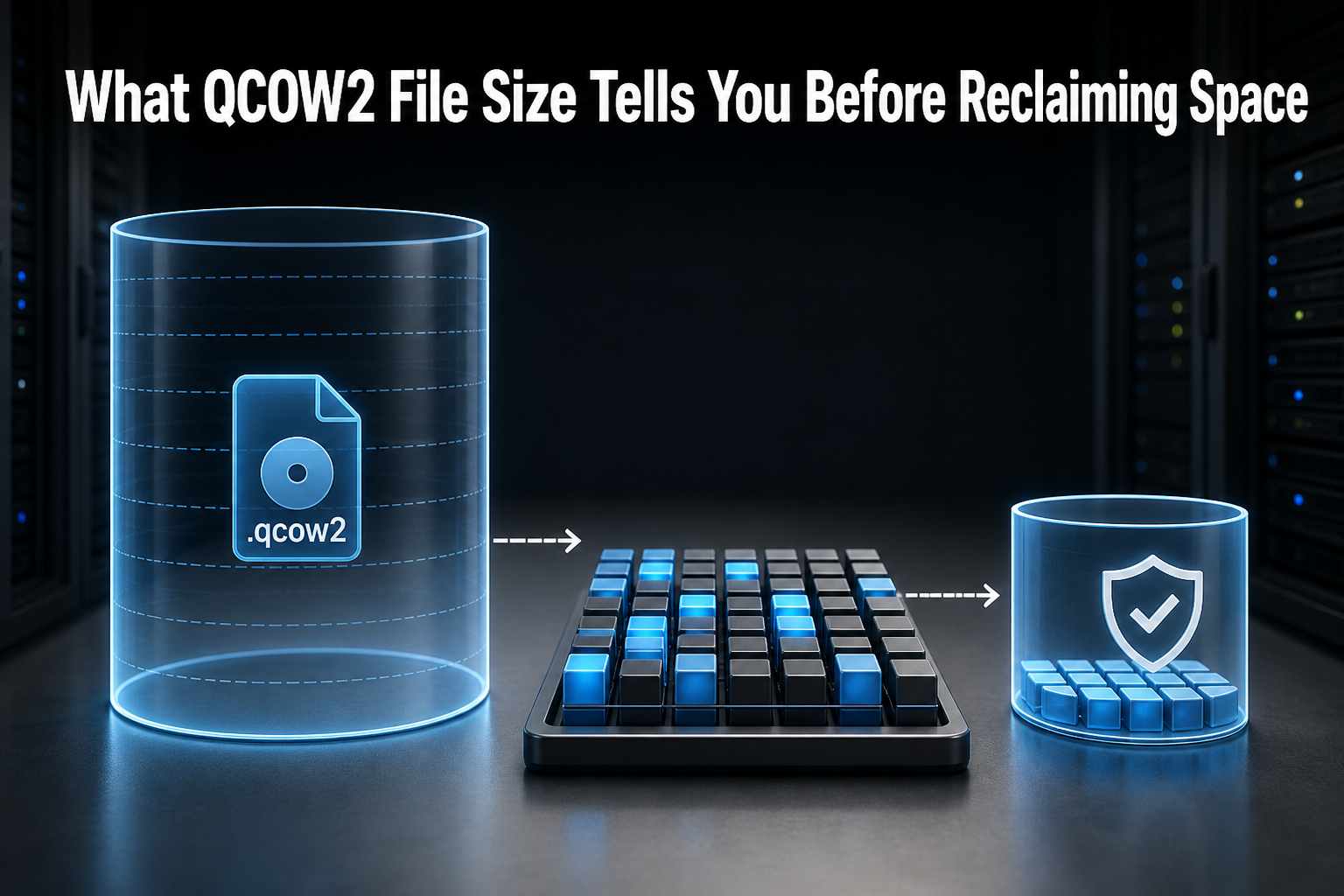
A QCOW2 image has more than one meaningful size. Virtual size is the capacity visible to the guest, apparent file size is the file’s logical length, and host allocation is the physical space consumed by the image. Deleting a guest file changes free space inside the filesystem, but it does not prove that the host has reclaimed QCOW2 clusters. Measure all three views, then choose either propagated discard or a separate sparse copy.
That distinction prevents a common mistake: treating a successful rm or a smaller df used value as proof that storage is available to the host again. It also keeps this task separate from reducing the guest’s virtual disk capacity, which is a riskier filesystem-and-partition operation. Readers planning a wider recovery design should define host-and-guest recovery boundaries before changing a production image.
Reproduction uses a disposable 1 GiB QCOW2 image with ext4, QEMU 10.0.11 and Linux 6.12.96. It does not attach a production image, modify a running VM, or replace a backup. The source image remains available while the offline-copy route is verified.
Start With Four Different Size Claims
Run measurements while the VM is stopped, or from a storage layer that provides a documented consistent snapshot. A file that is changing underneath qemu-img check, map, compare or convert can make the result meaningless.
Use these four claims:
- Virtual capacity: what the guest disk can address; read
virtual-sizefromqemu-img info. - Apparent host length: what
stat --format=%sreports for the QCOW2 file. - Allocated host bytes: what
du --block-size=1and QEMU’sactual-sizereport. - Guest filesystem use: what
df -B1reports while the filesystem is mounted.
The official qemu-img reference explains that info reports virtual and disk sizes, while map exposes which ranges contain data, zeros or backing-file content. Neither number should be replaced with a file-manager display that does not state whether it reports logical or allocated bytes.
Setup below refuses an existing lab directory, chooses an unused NBD device, creates a marker, and installs a cleanup trap. Run it only as root on a disposable Linux lab host with qemu-utils, e2fsprogs, jq and enough temporary storage. Keep every following block in the same shell session.
set -euo pipefail
LAB_DIR=$(mktemp -d /tmp/voxfor-qcow2-lab-125.XXXXXX)
MOUNT_DIR="$LAB_DIR/mnt"
SOURCE="$LAB_DIR/source.qcow2"
PRETRIM="$LAB_DIR/pretrim-copy.qcow2"
DESTINATION="$LAB_DIR/reclaimed-copy.qcow2"
MARKER="$LAB_DIR/.voxfor-qcow2-lab-125"
mkdir -p "$MOUNT_DIR"
printf '%s\n' 'voxfor-qcow2-lab-125' > "$MARKER"

modprobe nbd max_part=8
NBD_DEVICE=''
for candidate in /dev/nbd{0..7}; do
  [[ -b "$candidate" ]] || continue
  sys_name=${candidate##*/}
  [[ -s "/sys/block/$sys_name/pid" ]] || { NBD_DEVICE=$candidate; break; }
done
[[ -n "$NBD_DEVICE" ]] || { echo 'No unused NBD device' >&2; exit 2; }

connect_image() {
  image=$1 discard_mode=$2 detect_mode=off
  [[ "$discard_mode" = unmap ]] && detect_mode=unmap
  qemu-nbd --format=qcow2 --cache=none --discard="$discard_mode" \
    --detect-zeroes="$detect_mode" --connect="$NBD_DEVICE" "$image"
  sys_name=${NBD_DEVICE##*/}
  for _ in {1..100}; do
    [[ -s "/sys/block/$sys_name/pid" ]] && \
      [[ $(blockdev --getsize64 "$NBD_DEVICE" 2>/dev/null || printf 0) -gt 0 ]] && \
      { udevadm settle; return 0; }
    sleep 0.05
  done
  return 1
}

disconnect_image() {
  qemu-nbd --disconnect "$NBD_DEVICE"
  sys_name=${NBD_DEVICE##*/}
  for _ in {1..100}; do
    [[ ! -s "/sys/block/$sys_name/pid" ]] && { udevadm settle; return 0; }
    sleep 0.05
  done
  return 1
}

cleanup() {
  set +e
  mountpoint -q "$MOUNT_DIR" && umount "$MOUNT_DIR"
  [[ -b "$NBD_DEVICE" ]] && qemu-nbd --disconnect "$NBD_DEVICE" >/dev/null 2>&1
  if [[ -f "$MARKER" ]] && grep -qx 'voxfor-qcow2-lab-125' "$MARKER"; then
    find "$LAB_DIR" -mindepth 1 -delete
    rmdir "$LAB_DIR"
  fi
}
trap cleanup EXIT
Create one image and record virtual, apparent and allocated bytes together. The record_size function makes later stage comparisons use the same units and tools.
record_size() {
  stage=$1 image=$2
  printf '%s\t%s\t%s\t%s\t%s\n' \
    "$stage" \
    "$(qemu-img info --output=json "$image" | jq -r '."virtual-size"')" \
    "$(stat --format='%s' "$image")" \
    "$(du --block-size=1 "$image" | awk '{print $1}')" \
    "$(qemu-img info --output=json "$image" | jq -r '."actual-size"')"
}

qemu-img create -f qcow2 -o cluster_size=64k "$SOURCE" 1G
record_size created "$SOURCE"
At creation, virtual capacity was 1,073,741,824 bytes while host allocation was only 200,704 bytes. That is normal sparse behavior, not missing capacity.
The 1 GiB Lab Exposes the Missing Signal
Next, the lab wrote one 64 MiB file to retain and one 256 MiB file to reclaim. After hashing the retained file, it deleted only reclaim.bin. The exact image was attached first with discard ignored so guest deletion could not silently release host clusters.
connect_image "$SOURCE" ignore
mkfs.ext4 -F -q -L VOXFOR125 "$NBD_DEVICE"
mount "$NBD_DEVICE" "$MOUNT_DIR"
dd if=/dev/zero bs=1M count=64 status=none | tr '\000' 'R' > "$MOUNT_DIR/retain.bin"
dd if=/dev/zero bs=1M count=256 status=none | tr '\000' 'X' > "$MOUNT_DIR/reclaim.bin"
sync
sha256sum "$MOUNT_DIR/retain.bin" | awk '{print $1}' > "$LAB_DIR/retained.sha256"
df -B1 "$MOUNT_DIR"
umount "$MOUNT_DIR"
disconnect_image
record_size after_write "$SOURCE"

connect_image "$SOURCE" ignore
mount "$NBD_DEVICE" "$MOUNT_DIR"
unlink "$MOUNT_DIR/reclaim.bin"
sync
df -B1 "$MOUNT_DIR"
umount "$MOUNT_DIR"
disconnect_image
record_size after_delete "$SOURCE"
cp --sparse=always "$SOURCE" "$PRETRIM"
Host allocation was 337,252,352 bytes after the write and remained 337,252,352 bytes after deletion. The important result is that roughly 256 MiB did not return to the host.
Deletion Stops at the Guest Filesystem
unlink removes a directory entry and eventually makes filesystem blocks reusable. It does not inherently tell every lower layer that those logical blocks can be unmapped. The notification has to travel from ext4 through the guest block device, the hypervisor and the QCOW2 driver to the host filesystem or storage backend.
Do not confuse that path with a deleted file held open by a process. If host df and du disagree on a normal Linux filesystem, use deleted-open-file diagnosis first. In this lab, no process held reclaim.bin; the missing signal was discard propagation below the guest filesystem.
Underlying thin pools add another accounting layer. QCOW2 allocation can fall while a storage backend still delays or handles discards differently, so pair this receipt with LVM thin-pool recovery when the image lives on thin-provisioned LVM.
Discard Must Cross Every Layer
fstrim reports eligible filesystem ranges; it does not prove backend release. The lab ran the same trim twice. First, QEMU accepted the request while discard=ignore prevented unmapping. Then the image was reattached with discard=unmap and detect-zeroes=unmap.
# Negative control: fstrim succeeds, but QEMU ignores discard.
connect_image "$SOURCE" ignore
mount "$NBD_DEVICE" "$MOUNT_DIR"
fstrim -v "$MOUNT_DIR"
umount "$MOUNT_DIR"
disconnect_image
record_size after_trim_ignored "$SOURCE"

# Propagated path: the same guest trim can unmap QCOW2 clusters.
connect_image "$SOURCE" unmap
mount "$NBD_DEVICE" "$MOUNT_DIR"
fstrim -v "$MOUNT_DIR"
sync
umount "$MOUNT_DIR"
disconnect_image
record_size after_trim_unmapped "$SOURCE"
qemu-img check "$SOURCE"
qemu-img map --output=json "$SOURCE" | \
  jq '[.[] | {start,length,data,zero,present,depth}]'
Both fstrim calls reported 909.1 MiB trimmed. With discard ignored, host allocation remained 337,252,352 bytes. With discard unmapped, it fell to 68,816,896 bytes. That negative control is why a successful trim message cannot be the only acceptance test.
For libvirt-managed VMs, inspect the active disk definition and confirm the storage driver, image format and policy before enabling discard. Libvirt documents the disk-driver settings for discard='unmap' and detect_zeroes='unmap', but the correct XML and guest device exposure depend on the hypervisor and storage stack. Schedule this as a storage change, not as an unreviewed paste into a running domain.
An Offline Copy Needs Headroom and a Preserved Rollback Image
Offline conversion is useful when continuous discard is unavailable, intentionally disabled, or unsuitable for the backend. It also creates a separate artifact that can be checked before any cutover. Stop the VM cleanly and collect guest-consistency evidence before copying a disk that contains application state.
The combined lab exercises discard on SOURCE and conversion on PRETRIM, so it preserves a rollback-capable image but does not claim every allocation-metadata byte stayed untouched. In production, choose the approved route and keep a separately named rollback image that conversion never overwrites.
First estimate destination headroom. QEMU’s measure command can estimate the required size for a conversion, but the destination filesystem still needs room for output, metadata and operational margin. Never overwrite the only source image.
The lab also exercised a traditional zero-fill route on PRETRIM, a copy made before online trim. Filling free guest space with zeros ended at the expected ENOSPC; the temporary filler was then deleted. This touched only the disposable copy, not SOURCE.
connect_image "$PRETRIM" ignore
mount "$NBD_DEVICE" "$MOUNT_DIR"
set +e
dd if=/dev/zero of="$MOUNT_DIR/zero.fill" bs=4M status=none
ZERO_FILL_EXIT=$?
set -e
sync
unlink "$MOUNT_DIR/zero.fill"
sync
sha256sum "$MOUNT_DIR/retain.bin"
umount "$MOUNT_DIR"
disconnect_image
record_size after_zero_fill_delete "$PRETRIM"
printf 'expected nonzero zero-fill exit: %s\n' "$ZERO_FILL_EXIT"
Zero filling temporarily drove host allocation to 1,005,240,320 bytes. That spike is a temporary capacity risk: this method can consume most remaining space before conversion. Prefer guest trim when the complete path is supported, and use zero fill only on a controlled copy with enough headroom.
Convert to a new filename. -S 4k tells qemu-img convert to create sparse runs for sufficiently long zero sequences; explicit input and output formats avoid format probing mistakes.
df -B1 "$(dirname "$DESTINATION")"
qemu-img measure --output=json -f qcow2 -O qcow2 "$PRETRIM"
[[ ! -e "$DESTINATION" ]]
qemu-img convert -f qcow2 -O qcow2 -S 4k \
  "$PRETRIM" "$DESTINATION"
record_size separate_sparse_copy "$DESTINATION"
The separate image used 69,079,040 allocated bytes. virt-sparsify provides another offline copy workflow and explicitly warns that in-place sparsification is riskier; choose tooling based on filesystem support and your recovery plan, not on the smallest one-line command.
Verify Content Before Changing the VM Disk
A smaller du value is a storage result, not an application result. The lab combined structural checks, whole-image content comparison and a read-only retained-file hash.
qemu-img check "$PRETRIM"
qemu-img check "$DESTINATION"
qemu-img compare -f qcow2 -F qcow2 "$PRETRIM" "$DESTINATION"
qemu-img map --output=json "$DESTINATION" | \
  jq '[.[] | {start,length,data,zero,present,depth}]'

connect_image "$DESTINATION" ignore
mount -o ro "$NBD_DEVICE" "$MOUNT_DIR"
sha256sum "$MOUNT_DIR/retain.bin"
umount "$MOUNT_DIR"
disconnect_image
stage virtual_bytes du_allocated_bytes qemu_actual_bytes
created 1073741824 200704 200704
after_write 1073741824 337252352 337252352
after_delete 1073741824 337252352 337252352
after_trim_ignored 1073741824 337252352 337252352
after_trim_unmapped 1073741824 68816896 68816896
after_zero_fill_delete 1073741824 1005240320 1005240320
separate_sparse_copy 1073741824 69079040 69079040
qemu-img compare: Images are identical.
conversion-source check: No errors were found on the image.
destination check: No errors were found on the image.
retained SHA-256: ed5aa7a7b7535853319216993db13b8fb13a43c6154660fde124c42877362e45Accept the reclaim only when the VM is stopped or the snapshot is demonstrably consistent, qemu-img check reports no errors on both artifacts, qemu-img compare reports that images are identical, retained-file or application checks match, qemu-img map contains the expected sparse ranges, and allocated host bytes fall without changing virtual capacity. For a real VM, boot the candidate on an isolated network, verify filesystems and application reads, and keep its original production identifiers disabled.
Do not repoint a domain merely because the image check passes. Preserve the domain XML, backing-chain information, permissions, ownership, security labels and source filename. A separate isolated VM restore drill provides stronger rollback evidence than renaming the original disk before the candidate has booted.
If any structural, content or application check fails, stop the candidate, restore the saved VM definition, and reattach the preserved rollback image that conversion did not overwrite; do not run a repair tool against the sole copy. After acceptance, retain the original for the documented rollback window. In the disposable lab only, the EXIT trap disconnects the selected NBD device, unmounts its exact mountpoint, requires the marker value to match, and removes only the generated lab directory.
Keep Allocation Reclaim Separate From Virtual Shrink
Discard and sparse conversion reduce host allocation while keeping the guest-visible disk at 1 GiB. They do not reduce partition boundaries or filesystem capacity. That is normally the safer objective: return unused physical blocks without changing the virtual geometry presented to the VM.
Reducing virtual size is a different migration. Filesystem support, partition order, boot metadata, snapshots, backing files and alignment all matter. The Proxmox QCOW2 shrink procedure demonstrates why filesystem and partition reduction must happen before image truncation and why backup is mandatory. Do not add qemu-img resize --shrink to a reclaim runbook merely because df shows free guest space.
Backing chains also change interpretation. A child image can read data from a backing file while its own allocation remains small; qemu-img info --backing-chain and qemu-img map are required context. Snapshots can retain clusters that a guest no longer references. Likewise, a fall in QCOW2 allocation may not immediately equal released billable capacity on replicated, deduplicated or thin-provisioned storage.
FAQ: Questions That Decide the Reclaim Method
Why is the QCOW2 file still large after deleting files?
The guest filesystem made blocks reusable internally, but discard may not have crossed the virtual block device and QEMU layers. Measure host allocation with du and qemu-img info, then test propagation rather than repeating deletion.
Does a successful fstrim prove host space was reclaimed?
A successful return code is insufficient. In the reproduced negative control, fstrim reported 909.1 MiB both times, but host allocation changed only when QEMU used discard=unmap. The final backend measurement is the proof.
Should discard always be enabled for a QCOW2 VM?
Only after checking the entire stack. No universal setting fits every storage backend, performance policy and confidentiality model. Confirm guest support, hypervisor policy and backend behavior, then canary the change with before-and-after allocation measurements.
Is apparent file size the same as disk usage?
They are different. A sparse QCOW2 file can have a large logical length while consuming far fewer physical blocks. Use stat for apparent length and du --block-size=1 or QEMU actual-size for allocation.
Is qemu-img convert safe on a running VM?
Not as a general copy procedure. Use a stopped VM or a documented consistent snapshot. A changing source can produce an internally inconsistent destination even if the conversion command exits successfully.
Does qemu-img check prove the application is healthy?
Image structure is only one gate. Add read-only content hashes, filesystem checks where appropriate, and an isolated application boot or restore test before cutover.
Can reclaiming space also reduce the virtual disk capacity?
Not with the workflow shown here. Discard and sparse copy preserve virtual size. Filesystem and partition shrinking is a separate, higher-risk operation with its own backup and boot verification plan.
Record the Number That Actually Returned
Keep one receipt with UTC time, QEMU version, source identity, consistency method, virtual capacity, apparent bytes, allocated bytes before and after, trim policy, qemu-img check and compare results, retained-content hashes, destination path and rollback deadline. That record distinguishes a reclaimed allocation from a visually smaller filename or a guest-only deletion.
In the reproduced 1 GiB image, deletion alone left 337,252,352 bytes allocated. Propagated discard reduced that to 68,816,896; a separately verified sparse copy used 69,079,040. Those values are not universal targets. The reusable result is the measurement method: follow the signal to the final storage layer, preserve the source, and require both storage and content acceptance before cutover.