Lifetime VPS Europe
 Lifetime VPS Asia
 Lifetime WooCommerce Hosting
 Lifetime Hosting
 Lifetime Game Dedicated Servers
 Chicago, US
 Tokyo, Japan
 Singapore
 Hong Kong
 Seoul, South Korea
 Amsterdem, Netherlands
 London, UK
 Stockholm, Sweden
 Oslo, Norway
 Vienna, Austria
 Zurich, Switzerland
 Sydney, Australia
 Wordpress Hosting
 VPS Hosting
 DDOS Protection
 Submit Ticket
 Full Management
 Guides
 Videos and Podcasts
 Discover Creative Ideas
 Voxfor Autonomous AI Workers
 Voxfor Mega Menu
 Voxfor Advanced Price Management For WooCommerce
 Voxfor Secure Live Chat and AI Support
 Voxfor Multilanguage
 Voxfor AI Content Summary
 Voxfor Autopilot
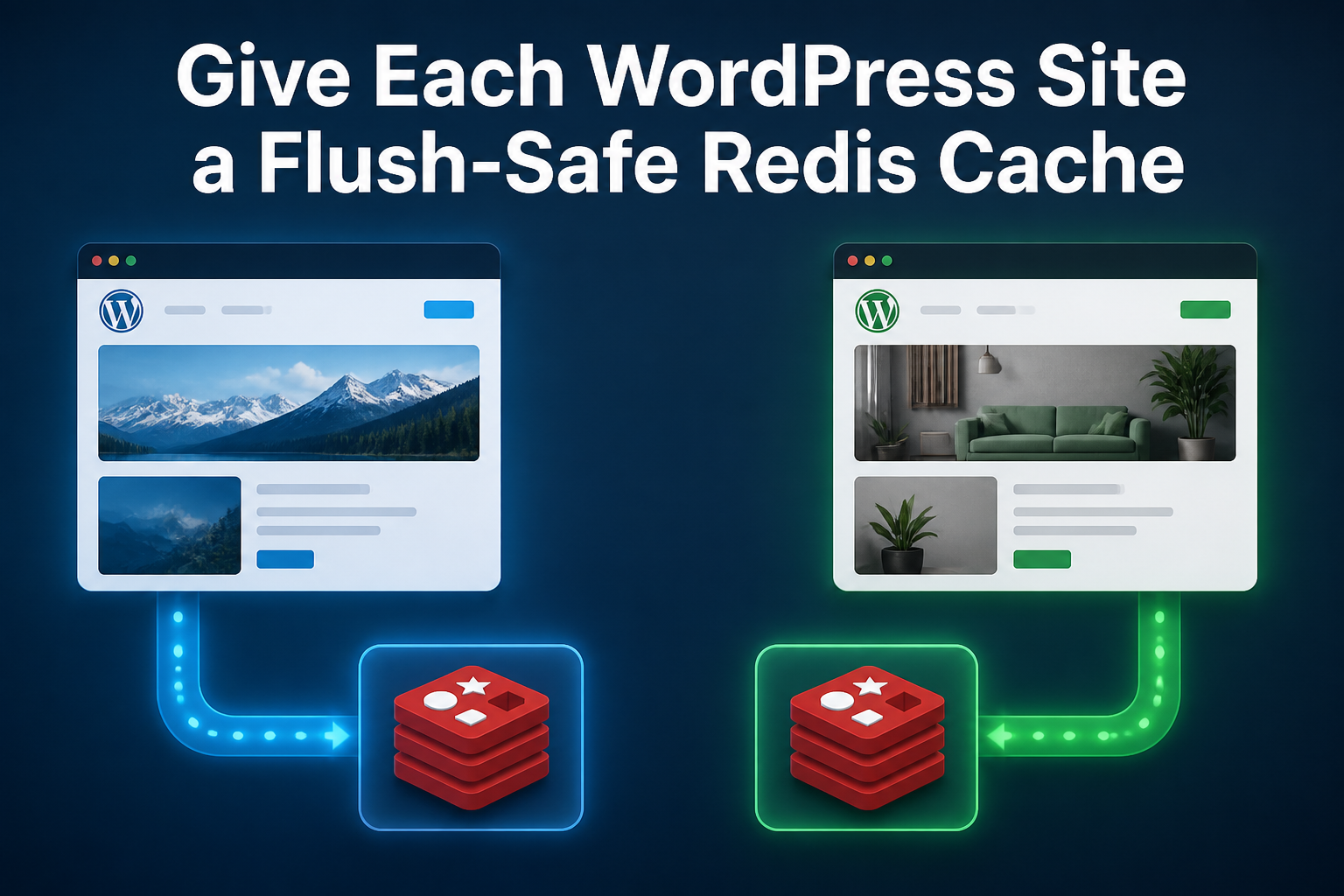
Two WordPress sites need two different Redis controls when they share infrastructure. A unique WP_REDIS_PREFIX prevents one installation from reading another installation’s cache key. It does not, by itself, limit a normal whole-database flush. Flush containment needs the current plugin’s selective-flush mode, a separate logical database where the Redis platform supports it, or a separate Redis service when the sites also need failure and resource isolation.
The reproduced lab made that difference visible. With two WordPress 7.0.3 installations, separate MariaDB databases, Redis Object Cache 2.8.0 and one Redis 8.0.2 database, Site B read Site A’s value when both used the explicit prefix voxfor_shared_. Unique prefixes stopped the cross-read. A default wp cache flush still removed both sites’ probe keys, while WP_REDIS_SELECTIVE_FLUSH=true preserved Site B. Moving the installations to logical databases 1 and 2 also contained FLUSHDB to Site A’s database on this standalone Redis instance.
Intended reader: an agency maintainer, hosting operator or developer who manages more than one WordPress installation and can use WP-CLI on a disposable host. The reader should already understand wp-config.php and MariaDB database names; Redis key prefixes, logical databases and flush scope are explained where they affect the decision. The lab uses no public listener, customer content or real credential and removes only marker-owned state.
Match the Control to the Failure
WordPress normally keeps its object cache only for one request. A persistent drop-in, such as the current Redis Object Cache plugin, lets later requests reuse those values. WordPress’ object-cache reference also warns callers to test feature support before assuming a narrow group flush, because a fallback may clear more than the caller intended.
Once several installations use one Redis service, “isolated” can mean four different things:
| Control | Prevents cross-site key reads | Contains a normal cache flush | Separates memory/process failure | Important limit |
|---|---|---|---|---|
Unique WP_REDIS_PREFIX only |
Yes | No, with default Redis Object Cache 2.8.0 flush behavior | No | Both sites still share one database and process |
Unique prefix plus WP_REDIS_SELECTIVE_FLUSH=true |
Yes | Yes, for the tested plugin path | No | Confirm plugin/version support and Lua permissions |
Separate logical WP_REDIS_DATABASE values |
Yes | Yes, for FLUSHDB on standalone Redis |
No | Redis Cluster exposes only database 0 |
| Separate Redis service or cluster | Yes | Yes | Yes, to the designed service boundary | Costs more memory and operational work |
A namespace is therefore not a security boundary. Both sites still depend on the same Redis process, memory ceiling, persistence files, network policy and administrative access. The official Redis SELECT documentation calls logical databases a namespacing mechanism, says not to use them for unrelated applications, and notes that Redis Cluster supports only database 0. Treat a separate database as a useful standalone flush boundary, not as independent infrastructure.
The public Redis FLUSHDB contract is equally explicit: it removes every key in the currently selected database. That scope explains why two prefixes can prevent collisions while remaining exposed to one default database flush.
Build Two Disposable WordPress Installations
Reserve the Exact Lab Scope
Run this only on a disposable Linux host with WP-CLI, PHP, MariaDB, Redis and outbound access to official WordPress downloads. Open one root shell with local MariaDB administrative access, then run all eight tested blocks below in order without exiting or opening a new shell; blocks 2–8 intentionally reuse the variables and functions defined by block 1. The --allow-root flags are limited to this throwaway fixture and are not guidance for a production web user. The first block refuses an existing path, either database name or an occupied Redis port. Its cleanup function acts only after the marker matches.
set -euo pipefail
LAB=/tmp/voxfor-wp-redis-isolation-162
MARKER="$LAB/.voxfor-wp-redis-isolation"
SITE_A="$LAB/site-a"
SITE_B="$LAB/site-b"
DB_A=voxfor_wp_redis_162_a
DB_B=voxfor_wp_redis_162_b
REDIS_PORT=16382
LAB_ADMIN_PASS="$(openssl rand -hex 18)"
LAB_ADMIN_EMAIL="lab$(printf '@')example.invalid"

wpa() { wp --allow-root --path="$SITE_A" "$@"; }
wpb() { wp --allow-root --path="$SITE_B" "$@"; }
cache_read() {
  wp --allow-root --path="$1" eval '$found=false; $value=wp_cache_get("tenant_probe","voxfor_lab",false,$found); printf("%s|%s\n",$found?"hit":"miss",$found?(string)$value:"-");'
}
cleanup() {
  set +e
  if [[ -f "$MARKER" ]] && grep -qx 'voxfor-wp-redis-isolation-v1' "$MARKER"; then
    [[ -f "$SITE_A/wp-content/object-cache.php" ]] && wpa redis disable >/dev/null 2>&1
    [[ -f "$SITE_B/wp-content/object-cache.php" ]] && wpb redis disable >/dev/null 2>&1
    if [[ -f "$LAB/redis.pid" ]]; then
      pid=$(<"$LAB/redis.pid")
      if [[ "$pid" =~ ^[0-9]+$ ]] && [[ -r "/proc/$pid/cmdline" ]] && \
         tr '\0' ' ' < "/proc/$pid/cmdline" | grep -q "redis-server.*:$REDIS_PORT"; then
        kill "$pid"
        for _ in $(seq 1 40); do kill -0 "$pid" 2>/dev/null || break; sleep 0.1; done
      fi
    fi
    mariadb -NBe "DROP DATABASE IF EXISTS \`$DB_A\`; DROP DATABASE IF EXISTS \`$DB_B\`;"
    find "$LAB" -depth -delete
  fi
}
trap cleanup ERR INT TERM

[[ ! -e "$LAB" ]]
for db in "$DB_A" "$DB_B"; do
  [[ -z "$(mariadb -NBe "SELECT SCHEMA_NAME FROM information_schema.SCHEMATA WHERE SCHEMA_NAME='$db'")" ]]
done
! redis-cli -h 127.0.0.1 -p "$REDIS_PORT" PING >/dev/null 2>&1
install -d -m 0700 "$LAB/redis"
printf '%s\n' voxfor-wp-redis-isolation-v1 > "$MARKER"
redis-server --bind 127.0.0.1 --port "$REDIS_PORT" --protected-mode yes \
  --save '' --appendonly no --dir "$LAB/redis" --pidfile "$LAB/redis.pid" \
  --logfile "$LAB/redis.log" --daemonize yes
[[ "$(redis-cli -h 127.0.0.1 -p "$REDIS_PORT" PING)" == PONG ]]
mariadb -NBe "CREATE DATABASE \`$DB_A\` CHARACTER SET utf8mb4 COLLATE utf8mb4_unicode_ci; CREATE DATABASE \`$DB_B\` CHARACTER SET utf8mb4 COLLATE utf8mb4_unicode_ci;"
The Redis listener binds only to loopback, disables persistence for the temporary fixture and records its PID under the marked path. Production Redis requires authentication, least-privilege networking, monitoring, resource limits and a recovery policy; those concerns are deliberately outside this collision experiment.
Install Separate Sites With the Same Table Prefix
Both installations use wp_ in different MariaDB databases. The synthetic administrator password is generated in memory and never printed. No HTTP server is started.
grep -qx 'voxfor-wp-redis-isolation-v1' "$MARKER"
wp core download --allow-root --version=7.0.3 --path="$SITE_A" --quiet
cp -a "$SITE_A" "$SITE_B"
for site in "$SITE_A" "$SITE_B"; do
  if [[ "$site" == "$SITE_A" ]]; then
    db=$DB_A; url=http://site-a.invalid; title='Site A'
  else
    db=$DB_B; url=http://site-b.invalid; title='Site B'
  fi
  wp --allow-root --path="$site" config create --dbname="$db" --dbuser=root \
    --dbpass='' --dbhost=localhost --dbprefix=wp_ --skip-check --quiet
  wp --allow-root --path="$site" core install --url="$url" --title="$title" \
    --admin_user=voxforlab --admin_password="$LAB_ADMIN_PASS" \
    --admin_email="$LAB_ADMIN_EMAIL" --skip-email --quiet
done
[[ "$(wpa core version)" == 7.0.3 && "$(wpb core version)" == 7.0.3 ]]
Install the same plugin version on both sites, point both at Redis database 0 and deliberately assign the same prefix. The current plugin bundles a Predis client, so the fixture does not depend on a host PHP Redis extension.
grep -qx 'voxfor-wp-redis-isolation-v1' "$MARKER"
wpa plugin install redis-cache --version=2.8.0 --activate --quiet
cp -a "$SITE_A/wp-content/plugins/redis-cache" "$SITE_B/wp-content/plugins/"
wpb plugin activate redis-cache --quiet
for site in "$SITE_A" "$SITE_B"; do
  wp --allow-root --path="$site" config set WP_REDIS_HOST 127.0.0.1 --quiet
  wp --allow-root --path="$site" config set WP_REDIS_PORT "$REDIS_PORT" --raw --quiet
  wp --allow-root --path="$site" config set WP_REDIS_DATABASE 0 --raw --quiet
  wp --allow-root --path="$site" config set WP_REDIS_CLIENT predis --quiet
  wp --allow-root --path="$site" config set WP_REDIS_PREFIX voxfor_shared_ --quiet
  wp --allow-root --path="$site" redis enable --quiet
done
[[ "$(wpa plugin get redis-cache --field=version)" == 2.8.0 ]]
[[ "$(wpb plugin get redis-cache --field=version)" == 2.8.0 ]]
The shared prefix is an intentional negative control, not a recommended configuration. The plugin’s current troubleshooting FAQ describes redirects between domains when installations reuse Redis database and prefix scope; the next block proves the underlying cross-read without serving either site.
Reproduce the Collision Before Fixing It
Site A writes one key in the custom voxfor_lab group. Site B asks for the identical group and key, then overwrites it. Reading again through Site A exposes the collision in both directions.
redis-cli -h 127.0.0.1 -p "$REDIS_PORT" -n 0 FLUSHDB >/dev/null
wpa eval 'wp_cache_set("tenant_probe","alpha-from-a","voxfor_lab",600);'
shared_read_b=$(cache_read "$SITE_B")
wpb eval 'wp_cache_set("tenant_probe","beta-from-b","voxfor_lab",600);'
shared_read_a=$(cache_read "$SITE_A")
[[ "$shared_read_b" == 'hit|alpha-from-a' ]]
[[ "$shared_read_a" == 'hit|beta-from-b' ]]
printf 'shared_namespace=site_b_%s,site_a_%s\n' "$shared_read_b" "$shared_read_a"
Real collisions can be subtler than a visible redirect. Options, query results, user-related objects and plugin state may share common group/key names. Do not inspect production values to diagnose this; compare configuration, anonymized key prefixes, database selection and cache behavior without exporting customer data. A large all-options payload is a separate database/bootstrap problem; follow Voxfor’s autoload ownership workflow instead of treating Redis as a substitute for cleanup.
Compare Prefix, Selective Flush, and Database Boundaries
Give Each Site a Unique Namespace
Changing only WP_REDIS_PREFIX makes the key names distinct. Clear the disposable database once, write two different values and confirm each site retrieves its own probe.
wpa config set WP_REDIS_PREFIX voxfor_a_ --quiet
wpb config set WP_REDIS_PREFIX voxfor_b_ --quiet
redis-cli -h 127.0.0.1 -p "$REDIS_PORT" -n 0 FLUSHDB >/dev/null
wpa eval 'wp_cache_set("tenant_probe","alpha-isolated","voxfor_lab",600);'
wpb eval 'wp_cache_set("tenant_probe","beta-isolated","voxfor_lab",600);'
isolated_a=$(cache_read "$SITE_A")
isolated_b=$(cache_read "$SITE_B")
[[ "$isolated_a" == 'hit|alpha-isolated' ]]
[[ "$isolated_b" == 'hit|beta-isolated' ]]
printf 'unique_prefixes=site_a_%s,site_b_%s\n' "$isolated_a" "$isolated_b"
At this point the values are isolated, but the database is still shared. The paired test below first uses the plugin’s default flush behavior. Both probes disappear. It then enables WP_REDIS_SELECTIVE_FLUSH on both installations, repeats the writes and proves that Site A’s flush no longer removes Site B’s prefixed probe.
keys_before=$(redis-cli -h 127.0.0.1 -p "$REDIS_PORT" -n 0 DBSIZE)
wpa cache flush >/dev/null
keys_after_flush=$(redis-cli -h 127.0.0.1 -p "$REDIS_PORT" -n 0 DBSIZE)
flushed_a=$(cache_read "$SITE_A")
flushed_b=$(cache_read "$SITE_B")
[[ "$keys_after_flush" -lt "$keys_before" ]]
[[ "$flushed_a" == 'miss|-' && "$flushed_b" == 'miss|-' ]]

wpa config set WP_REDIS_SELECTIVE_FLUSH true --raw --quiet
wpb config set WP_REDIS_SELECTIVE_FLUSH true --raw --quiet
redis-cli -h 127.0.0.1 -p "$REDIS_PORT" -n 0 FLUSHDB >/dev/null
wpa eval 'wp_cache_set("tenant_probe","alpha-selective","voxfor_lab",600);'
wpb eval 'wp_cache_set("tenant_probe","beta-selective","voxfor_lab",600);'
wpa cache flush >/dev/null
selective_a=$(cache_read "$SITE_A")
selective_b=$(cache_read "$SITE_B")
[[ "$selective_a" == 'miss|-' ]]
[[ "$selective_b" == 'hit|beta-selective' ]]
printf 'default_flush=site_a_%s,site_b_%s selective_flush=site_a_%s,site_b_%s\n' \
  "$flushed_a" "$flushed_b" "$selective_a" "$selective_b"
Selective flushing is a plugin capability, not a universal WordPress or Redis promise. Pin and test the deployed drop-in, check that the Redis account may run the required script, and repeat the negative control after upgrades. Let WP-CLI checksum procedure identify changed plugin files, but keep this two-site behavior test as the functional cache acceptance gate.
On standalone Redis, separate logical databases provide another flush boundary. Disable selective mode to make the test stricter, assign Site A to database 1 and Site B to database 2, then flush through Site A. Database 2 and Site B’s probe must remain unchanged.
wpa config set WP_REDIS_DATABASE 1 --raw --quiet
wpb config set WP_REDIS_DATABASE 2 --raw --quiet
wpa config set WP_REDIS_SELECTIVE_FLUSH false --raw --quiet
wpb config set WP_REDIS_SELECTIVE_FLUSH false --raw --quiet
redis-cli -h 127.0.0.1 -p "$REDIS_PORT" -n 1 FLUSHDB >/dev/null
redis-cli -h 127.0.0.1 -p "$REDIS_PORT" -n 2 FLUSHDB >/dev/null
wpa eval 'wp_cache_set("tenant_probe","alpha-db1","voxfor_lab",600);'
wpb eval 'wp_cache_set("tenant_probe","beta-db2","voxfor_lab",600);'
before_db1=$(redis-cli -h 127.0.0.1 -p "$REDIS_PORT" -n 1 DBSIZE)
before_db2=$(redis-cli -h 127.0.0.1 -p "$REDIS_PORT" -n 2 DBSIZE)
wpa cache flush >/dev/null
after_flush_db1=$(redis-cli -h 127.0.0.1 -p "$REDIS_PORT" -n 1 DBSIZE)
after_flush_db2=$(redis-cli -h 127.0.0.1 -p "$REDIS_PORT" -n 2 DBSIZE)
separate_a=$(cache_read "$SITE_A")
separate_b=$(cache_read "$SITE_B")
[[ "$after_flush_db1" -lt "$before_db1" ]]
[[ "$after_flush_db2" -eq "$before_db2" ]]
[[ "$separate_a" == 'miss|-' ]]
[[ "$separate_b" == 'hit|beta-db2' ]]
printf 'separate_databases=db1_%s_to_%s,db2_%s_to_%s site_a_%s,site_b_%s\n' \
  "$before_db1" "$after_flush_db1" "$before_db2" "$after_flush_db2" "$separate_a" "$separate_b"
The complete representative receipt from the tested host was:
versions=WordPress 7.0.3; Redis Object Cache 2.8.0; Redis 8.0.2; MariaDB 11.8.6; WP-CLI 2.12.0
shared_namespace=site_b_hit|alpha-from-a,site_a_hit|beta-from-b
unique_prefixes=site_a_hit|alpha-isolated,site_b_hit|beta-isolated
shared_db_flush=keys_26_to_3,site_a_miss|-,site_b_miss|-
selective_prefix_flush=site_a_miss|-,site_b_hit|beta-selective
separate_db_flush=db1_13_to_3,db2_13_to_13,site_a_miss|-,site_b_hit|beta-db2
verification=collision_reproduced,prefix_values_isolated,shared_flush_crossed_prefixes,selective_prefix_flush_contained,separate_database_flush_contained
cleanup=paths_absent,databases_absent,redis_listener_absent
Migrate Live Sites Without Carrying the Collision Forward
Back up every affected wp-config.php and record the active drop-in checksum, plugin version, Redis endpoint, database index and current prefix before changing anything. Schedule the work as cache invalidation: a cold cache can increase database work and PHP concurrency even when no persistent data is lost. Cold-start queue and memory checks are documented in PHP-FPM worker saturation guide.
A safe rollout follows one site at a time:
- Identify every tenant. Search configuration management and deployed
wp-config.phpfiles without printing passwords. Build a table of site, Redis endpoint, database, prefix, plugin/drop-in version and intended owner. - Choose the real boundary. Use unique prefixes everywhere. Add tested selective flush where supported, or separate databases on a standalone instance. Choose separate services when one site’s memory pressure, outage or administrator must not affect another.
- Stop broad invalidation first. Pause automation or plugins that call a whole-cache flush until the new boundary passes. Never run
FLUSHALLon a shared production service as a discovery step. - Change one installation. Update the prefix and flush policy/database together, then enable the drop-in and verify connection status. Old keys may remain until expiry or an authorized, reviewed cleanup.
- Prove both directions. Write a harmless unique probe through each site, confirm no cross-read, flush Site A and prove Site B’s probe survives. Add application checks for login state, public pages, admin, search and one business-critical plugin flow.
- Watch the cold cache. Record Redis memory, hit ratio, errors, database latency, PHP-FPM queue depth and customer-path latency until the new namespace warms.
Do not confuse cache health with background-work health. A WooCommerce store can have perfectly isolated Redis keys while payments, webhooks or inventory jobs remain overdue. Voxfor documents that separate queue decision in Scheduled Actions backlog workflow.
If the hosting provider is expected to own Redis availability and multi-site layout, compare WordPress plans that explicitly include Redis and ask whether each installation receives a unique prefix, selective-flush support, a separate logical database or a separate service. The link describes the live hosting offer; the acceptance questions determine whether its cache boundary matches this workload.
Finish the lab only after every assertion has passed. The cleanup disables both drop-ins, stops only the recorded Redis process, drops only the two exact databases and deletes only the marker-owned path.
[[ "$shared_read_b" == 'hit|alpha-from-a' && "$shared_read_a" == 'hit|beta-from-b' ]]
[[ "$isolated_a" == 'hit|alpha-isolated' && "$isolated_b" == 'hit|beta-isolated' ]]
[[ "$flushed_a" == 'miss|-' && "$flushed_b" == 'miss|-' ]]
[[ "$selective_a" == 'miss|-' && "$selective_b" == 'hit|beta-selective' ]]
[[ "$separate_a" == 'miss|-' && "$separate_b" == 'hit|beta-db2' ]]
trap - ERR INT TERM
cleanup
[[ ! -e "$LAB" ]]
[[ "$(mariadb -NBe "SELECT COUNT(*) FROM information_schema.SCHEMATA WHERE SCHEMA_NAME IN ('$DB_A','$DB_B')")" -eq 0 ]]
! redis-cli -h 127.0.0.1 -p "$REDIS_PORT" PING >/dev/null 2>&1
printf 'cleanup=paths_absent,databases_absent,redis_listener_absent\n'
The cache boundary is accepted when the shared-prefix negative control produces both cross-site reads, unique prefixes return each site’s own value, a default Site A flush removes both shared-database probes, selective flushing removes Site A’s probe while Site B remains, a non-selective database-1 flush leaves database 2 and Site B unchanged, and the exact lab path, databases and Redis listener are absent after cleanup.
Lab rollback runs only after /tmp/voxfor-wp-redis-isolation-162/.voxfor-wp-redis-isolation contains voxfor-wp-redis-isolation-v1; it disables only the two lab drop-ins, stops the PID whose command line owns port 16382, drops only voxfor_wp_redis_162_a and voxfor_wp_redis_162_b, and removes only that path. In production, restore the backed-up per-site constants and drop-in, reconnect one site to its former namespace, verify customer paths, and retain old Redis keys until the rollback window closes instead of issuing a broad destructive flush.
WordPress Redis Isolation Questions
Does WP_REDIS_PREFIX make wp cache flush site-specific?
No. A unique prefix prevents key-name collisions. In Redis Object Cache 2.8.0, the reproduced default flush crossed both prefixes because both sites used database 0. Site-specific behavior required the tested selective-flush setting or another flush boundary.
Is a separate Redis logical database enough isolation?
It contains FLUSHDB to the selected database on standalone Redis, but it does not separate the process, memory limit, persistence, outage, administrator or network path. Redis itself advises against using logical databases for unrelated applications. Use a separate service when those failure or ownership boundaries matter.
What changes when WordPress uses Redis Cluster?
Redis Cluster supports only database 0, so per-site WP_REDIS_DATABASE values cannot provide the tested standalone boundary. Use unique prefixes plus a plugin-specific selective-flush path that has been tested on the cluster, or place sites on separate Redis services/clusters.
Can an older site keep WP_CACHE_KEY_SALT?
Redis Object Cache 2.8.0 maps the older constant to WP_REDIS_PREFIX only when the current constant is absent. New work should use the current name and record the deployed plugin version. Do not define both with conflicting values; inspect the effective diagnostics and Redis keys before migration.
Should I run FLUSHALL after discovering mixed caches?
Not on an unreviewed shared production service. First identify every consumer, pause unsafe writers and flush automation, back up configuration, move each site to an intentional namespace and decide who owns stale-key cleanup. A broad flush can create a database and PHP load spike or remove unrelated application caches.
What proves the migration worked?
Use two harmless site-specific probes, negative cross-read checks, a one-site flush that leaves the other probe intact, plugin diagnostics, Redis memory/error observations and real WordPress acceptance paths. Connection status or a successful PING proves reachability, not tenant isolation.