Lifetime VPS Europe
 Lifetime VPS Asia
 Lifetime WooCommerce Hosting
 Lifetime Hosting
 Lifetime Game Dedicated Servers
 Chicago, US
 Tokyo, Japan
 Singapore
 Hong Kong
 Seoul, South Korea
 Amsterdem, Netherlands
 London, UK
 Stockholm, Sweden
 Oslo, Norway
 Vienna, Austria
 Zurich, Switzerland
 Sydney, Australia
 Wordpress Hosting
 VPS Hosting
 DDOS Protection
 Submit Ticket
 Full Management
 Guides
 Videos and Podcasts
 Discover Creative Ideas
 Voxfor Autonomous AI Workers
 Voxfor Mega Menu
 Voxfor Advanced Price Management For WooCommerce
 Voxfor Secure Live Chat and AI Support
 Voxfor Multilanguage
 Voxfor AI Content Summary
 Voxfor Autopilot
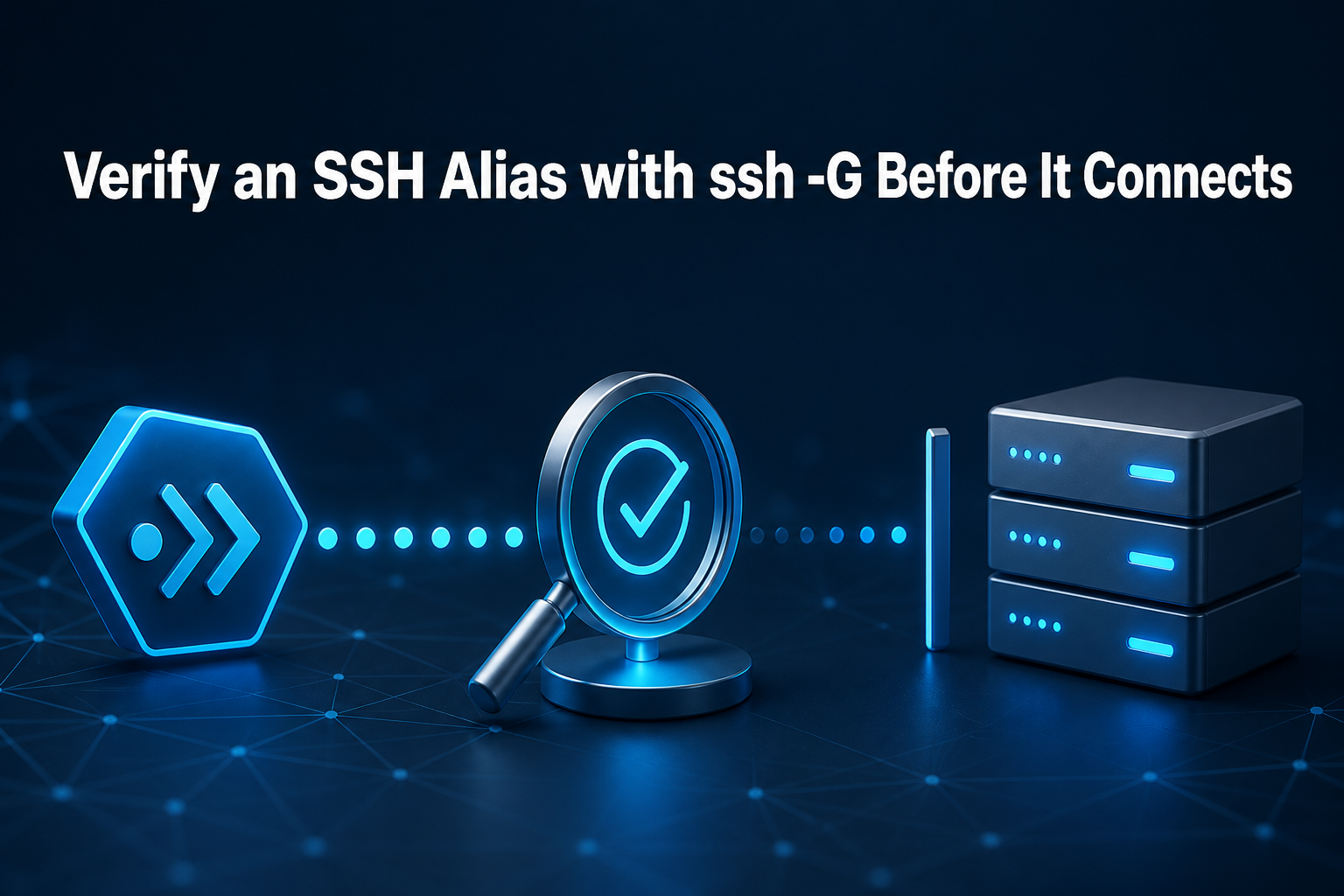
Which server will ssh app-prod actually contact? The answer is not necessarily the last Host block you remember editing. OpenSSH may combine command-line options, a per-user file, lexically ordered Include files, wildcard rules, a system file, and built-in defaults before it selects a hostname, user, port, identity, and jump path.
ssh -G app-prod prints that effective client configuration after evaluating Host and Match blocks, then exits. Used as a preflight, it lets you compare the resolved values with a reviewed change ticket before a remote SSH session starts. It does not prove the server is reachable or trustworthy; it proves what the client intends to use.
This guide is for a technical operator who can run Bash and edit an OpenSSH client file. The reproduced lab uses OpenSSH 10.0, reserved documentation addresses, empty key placeholders, and an alternative config selected with -F. No production file, listener, credential, or remote server is touched.
Which Server Will This Alias Actually Reach?
Five fields carry most wrong-destination incidents:
hostnameidentifies the endpoint that the client intends to contact.userselects the remote account.portchanges the TCP destination.identityfileidentifies a credential path the client may offer.proxyjumpinserts one or more SSH hops before the target.
Forwarding deserves equal attention. forwardagent yes can expose use of a local agent to a remote host, while local, remote, or dynamic forwards can open paths that are absent from a simple hostname review. This lab deliberately requires forwardagent no and identitiesonly yes.
OpenSSH’s current client configuration manual lists its source order as command-line options, the user’s configuration, and the system-wide file. For most scalar directives, the first obtained value wins. More-specific Host declarations therefore belong before broad wildcard defaults. Some options, including IdentityFile, may accumulate multiple values, so audit every emitted occurrence when your policy permits more than one key.
For a newly provisioned machine, finish Linux VPS first-login checks before preserving a long-lived shortcut. Record the intended hostname or address, login account, port, host-key verification method, recovery path, and owner. Without that baseline, a perfectly parsed alias can still encode the wrong plan.
Input one creates a private workspace, captures the installed OpenSSH version, and establishes an ownership marker. Run all seven tested inputs in one Bash session.
set -euo pipefail
umask 077
SSH_G_LAB="$(mktemp -d /tmp/voxfor-ssh-g-180.XXXXXX)"
SSH_G_RECEIPT="${TMPDIR:-/tmp}/ssh-effective-config-receipt-180.txt"
SSH_G_MARKER="$SSH_G_LAB/.voxfor-owned"
printf '%s\n' 'voxfor-ssh-g-180' > "$SSH_G_MARKER"
mkdir -p "$SSH_G_LAB/conf.d" "$SSH_G_LAB/keys"
ssh -V 2> "$SSH_G_LAB/version.txt"
test -s "$SSH_G_LAB/version.txt"
test "$(cat "$SSH_G_MARKER")" = 'voxfor-ssh-g-180'
The receipt is written outside the disposable directory so cleanup can remove the fixture without destroying the evidence. If that receipt path already belongs to another run, choose a unique filename before continuing.
Build a Config That Can Lie by Order
A useful test needs a conflict. The exact app-prod stanza appears first; a later app-* wildcard tries to replace its hostname, user, and port. Because those scalar fields were already obtained, the late values must lose.
Include globs are processed in lexical order according to the OpenSSH configuration reference. Absolute paths keep this fixture independent of the operator’s home directory. Passing -F makes ssh use the alternative per-user file and ignore the system-wide configuration, as documented by ssh(1).
: > "$SSH_G_LAB/keys/app_prod_ed25519"
: > "$SSH_G_LAB/keys/bastion_ed25519"
printf '%s\n' \
  "Include $SSH_G_LAB/conf.d/*.conf" \
  'Host *' \
  '    User fallback-user' \
  '    Port 22' \
  '    IdentitiesOnly yes' \
  '    ForwardAgent no' \
  '    CanonicalizeHostname no' \
  > "$SSH_G_LAB/config"
printf '%s\n' \
  'Host app-prod' \
  '    HostName 192.0.2.44' \
  '    User deploy' \
  '    Port 2222' \
  "    IdentityFile $SSH_G_LAB/keys/app_prod_ed25519" \
  '    ProxyJump bastion' \
  '    RequestTTY no' \
  > "$SSH_G_LAB/conf.d/10-app.conf"
printf '%s\n' \
  'Host bastion' \
  '    HostName 198.51.100.10' \
  '    User jump' \
  '    Port 22' \
  "    IdentityFile $SSH_G_LAB/keys/bastion_ed25519" \
  '    IdentitiesOnly yes' \
  '    ForwardAgent no' \
  > "$SSH_G_LAB/conf.d/20-bastion.conf"
printf '%s\n' \
  'Host app-*' \
  '    HostName 203.0.113.99' \
  '    User late-user' \
  '    Port 2200' \
  > "$SSH_G_LAB/conf.d/90-late-conflict.conf"
chmod 600 "$SSH_G_LAB/config" "$SSH_G_LAB/conf.d/"*.conf "$SSH_G_LAB/keys/"*
Empty files stand in for private keys because this stage tests selection, not cryptographic validity. Never replace them with production keys merely to make the lab feel realistic. On a real workstation, use existing approved paths and avoid copying private material into tickets or shared output.
Print Target and Bastion as Two Decisions
The ssh -G definition is narrow: print configuration after Host and Match evaluation, then exit. -vG adds parsing provenance on standard error, which is useful when a surprising value came from an included file or wildcard.
Input three resolves the target and bastion independently. Its small field helper reads the first emitted occurrence for the scalar checks used here.
ssh -F "$SSH_G_LAB/config" -G app-prod > "$SSH_G_LAB/app.effective"
ssh -F "$SSH_G_LAB/config" -G bastion > "$SSH_G_LAB/bastion.effective"
ssh -F "$SSH_G_LAB/config" -vG app-prod \
  > "$SSH_G_LAB/app.verbose.effective" \
  2> "$SSH_G_LAB/app.parse-trace"
field() {
  awk -v key="$1" '$1 == key {$1=""; sub(/^ /, ""); print; exit}' "$2"
}
printf 'app\thostname=%s\tuser=%s\tport=%s\tproxyjump=%s\tidentity=%s\n' \
  "$(field hostname "$SSH_G_LAB/app.effective")" \
  "$(field user "$SSH_G_LAB/app.effective")" \
  "$(field port "$SSH_G_LAB/app.effective")" \
  "$(field proxyjump "$SSH_G_LAB/app.effective")" \
  "$(field identityfile "$SSH_G_LAB/app.effective")"
One target dump shows proxyjump bastion, but it does not expand the bastion’s own hostname, user, port, or identity into a nested receipt. The -J documentation notes that options supplied for the destination generally do not configure jump hosts. Resolve every saved hop separately, including each alias in a multi-hop chain.
Teams using private Tailscale SSH architecture should still resolve each saved alias because a private path does not correct the wrong user, key, or destination.
Input four turns expected fields and parsing order into executable assertions. It also proves that 90-late-conflict.conf matched without replacing the exact host values.
test "$(field hostname "$SSH_G_LAB/app.effective")" = '192.0.2.44'
test "$(field user "$SSH_G_LAB/app.effective")" = 'deploy'
test "$(field port "$SSH_G_LAB/app.effective")" = '2222'
test "$(field proxyjump "$SSH_G_LAB/app.effective")" = 'bastion'
test "$(field identitiesonly "$SSH_G_LAB/app.effective")" = 'yes'
test "$(field forwardagent "$SSH_G_LAB/app.effective")" = 'no'
test "$(field hostname "$SSH_G_LAB/bastion.effective")" = '198.51.100.10'
test "$(field user "$SSH_G_LAB/bastion.effective")" = 'jump'
grep -Fq "Applying options for app-prod" "$SSH_G_LAB/app.parse-trace"
grep -Fq "Applying options for app-*" "$SSH_G_LAB/app.parse-trace"
test "$(field hostname "$SSH_G_LAB/app.effective")" != '203.0.113.99'
A clean assertion set means the fixture agrees with its reviewed contract. It does not mean a real server accepted a key or that DNS, routing, firewalls, and host identity are correct.
Reject Mismatches Before a Connection Starts
Command-line options are evaluated first. A release script that runs ssh -p 2022 -l release app-prod therefore asks a different user and port from a plain ssh app-prod, even though both use the same saved alias.
Input five proves that boundary without changing the configured hostname, jump host, or identity path.
ssh -F "$SSH_G_LAB/config" -G -l release -p 2022 app-prod \
  > "$SSH_G_LAB/app.override.effective"
test "$(field user "$SSH_G_LAB/app.override.effective")" = 'release'
test "$(field port "$SSH_G_LAB/app.override.effective")" = '2022'
test "$(field hostname "$SSH_G_LAB/app.override.effective")" = '192.0.2.44'
test "$(field proxyjump "$SSH_G_LAB/app.override.effective")" = 'bastion'
test "$(field identityfile "$SSH_G_LAB/app.override.effective")" = "$SSH_G_LAB/keys/app_prod_ed25519"
Admission should compare reviewed expectations with resolved values, not grep for a stanza that merely looks familiar. Input six deliberately expects 192.0.2.45 while the client resolves 192.0.2.44. That disagreement is recorded as admitted=no.
SSH_G_EXPECTED_HOST='192.0.2.45'
SSH_G_ACTUAL_HOST="$(field hostname "$SSH_G_LAB/app.effective")"
if test "$SSH_G_ACTUAL_HOST" = "$SSH_G_EXPECTED_HOST"; then
  printf '%s\n' 'negative control unexpectedly admitted' >&2
  exit 1
fi
{
  printf 'runtime\t%s\n' "$(cat "$SSH_G_LAB/version.txt")"
  printf 'config_order\texact_host_before_wildcard=yes\tlate_override_ignored=yes\n'
  printf 'target\thostname=%s\tuser=%s\tport=%s\tproxyjump=%s\n' \
    "$(field hostname "$SSH_G_LAB/app.effective")" \
    "$(field user "$SSH_G_LAB/app.effective")" \
    "$(field port "$SSH_G_LAB/app.effective")" \
    "$(field proxyjump "$SSH_G_LAB/app.effective")"
  printf 'identity\tpath=%s\tidentities_only=%s\tforward_agent=%s\n' \
    "$(field identityfile "$SSH_G_LAB/app.effective")" \
    "$(field identitiesonly "$SSH_G_LAB/app.effective")" \
    "$(field forwardagent "$SSH_G_LAB/app.effective")"
  printf 'bastion\thostname=%s\tuser=%s\tport=%s\n' \
    "$(field hostname "$SSH_G_LAB/bastion.effective")" \
    "$(field user "$SSH_G_LAB/bastion.effective")" \
    "$(field port "$SSH_G_LAB/bastion.effective")"
  printf 'command_line_override\tuser=%s\tport=%s\ttarget_preserved=yes\n' \
    "$(field user "$SSH_G_LAB/app.override.effective")" \
    "$(field port "$SSH_G_LAB/app.override.effective")"
  printf 'negative_control\texpected_hostname=%s\tactual_hostname=%s\tadmitted=no\n' \
    "$SSH_G_EXPECTED_HOST" "$SSH_G_ACTUAL_HOST"
  printf 'network_activity\tconnections_attempted=0\tmode=ssh-G\n'
} > "$SSH_G_RECEIPT"
grep -Fq $'negative_control\texpected_hostname=192.0.2.45\tactual_hostname=192.0.2.44\tadmitted=no' "$SSH_G_RECEIPT"
grep -Fq $'network_activity\tconnections_attempted=0\tmode=ssh-G' "$SSH_G_RECEIPT"
The reproduced receipt was:
runtime	OpenSSH_10.0p2 Debian-7+deb13u4, OpenSSL 3.5.6 7 Apr 2026
config_order	exact_host_before_wildcard=yes	late_override_ignored=yes
target	hostname=192.0.2.44	user=deploy	port=2222	proxyjump=bastion
identity	path=/tmp/voxfor-ssh-g-180.4yg8Su/keys/app_prod_ed25519	identities_only=yes	forward_agent=no
bastion	hostname=198.51.100.10	user=jump	port=22
command_line_override	user=release	port=2022	target_preserved=yes
negative_control	expected_hostname=192.0.2.45	actual_hostname=192.0.2.44	admitted=no
network_activity	connections_attempted=0	mode=ssh-G
The alias is ready for the next test when every reviewed scalar field matches, every accumulated identity or forwarding entry is intentional, the target and each jump host have separate approved receipts, the deliberately wrong expectation remains rejected, and -vG shows only expected configuration sources.
Keep the comparison narrow in automation. Full ssh -G output changes as OpenSSH adds defaults, while the release decision usually depends on a smaller reviewed set: hostname, user, port, jump path, identity list, forwarding state, host-key policy, and any command-line options used by the real job.
Resolved output can expose internal names, local usernames, key paths, proxy commands, and forwarded ports. The focused Simplified Guide example makes the same privacy point. Redact a support copy, but preserve an access-controlled original when provenance matters.
One caution prevents an unsafe slogan: -G starts no remote SSH session, yet evaluating an untrusted configuration is not necessarily side-effect free. CanonicalizeHostname can trigger local name resolution, and Match exec runs a local shell command when evaluated. This fixture disables canonicalization and contains no Match exec. Do not run ssh -G against a configuration supplied by an untrusted party.
SSH Alias Approval Questions
What does ssh -G show?
ssh -G destination prints OpenSSH’s effective client configuration after it evaluates matching Host and Match rules. The output includes explicit settings, inherited values, and defaults, so it is more authoritative for the selected destination than reading one saved stanza.
Does ssh -G connect to the server?
No remote SSH session starts: ssh -G prints the evaluated configuration and exits. Local configuration evaluation may still resolve names or execute a trusted Match exec command when those features are configured, so “no remote session” should not be interpreted as permission to parse untrusted files.
Why does a later Host block not override an earlier one?
For most scalar OpenSSH client options, the first obtained value wins. Put exact host declarations before broader patterns and defaults; inspect all occurrences for list-valued options such as IdentityFile rather than assuming one universal last-wins rule.
Does ssh -G validate the private key or server?
No. ssh -G can show which IdentityFile path was selected even when the file is an empty placeholder. Key parsing, agent contents, host-key identity, server authorization, network reachability, and successful authentication require separate tests.
How should a ProxyJump host be checked?
Run ssh -G for the target alias and again for every jump-host alias. Target options generally do not configure jump hosts, and one target dump does not expand each hop’s effective hostname, user, port, identity, or forwarding policy.
Keep the Receipt, Then Test the Real Connection
Input seven removes only the marker-owned fixture and leaves the receipt available for review.
test "$(cat "$SSH_G_MARKER")" = 'voxfor-ssh-g-180'
rm -f "$SSH_G_LAB/config" "$SSH_G_LAB/conf.d/"*.conf \
  "$SSH_G_LAB/keys/"* "$SSH_G_LAB/"*.effective \
  "$SSH_G_LAB/app.parse-trace" "$SSH_G_LAB/version.txt" "$SSH_G_MARKER"
rmdir "$SSH_G_LAB/conf.d" "$SSH_G_LAB/keys" "$SSH_G_LAB"
test ! -e "$SSH_G_LAB"
cat "$SSH_G_RECEIPT"
If any real alias field differs from the approved record, do not open the session: keep the current trusted configuration, correct or withdraw the candidate file through its owner, rerun the same -F ... -G comparison, and remove only the marker-owned lab after preserving the mismatch receipt.
Route selection is only the first gate. Once routing is correct, SSH host-key cutover evidence verifies which server answered rather than which destination the client intended to reach. When the intended key path is selected but login still fails, authorized_keys trust-path diagnosis moves the investigation to server ownership and modes. If fresh sessions disappear before authentication with the correct route, OpenSSH pre-authentication admission pressure becomes a separate server-side hypothesis.
Keep the compact receipt with the alias change, including OpenSSH version, config sources, target fields, jump-host fields, command-line overrides, reviewer, timestamp, and the later real-connection result. That separation lets the next operator answer three different questions without guessing: what the client intended, which server answered, and whether authentication succeeded.