Lifetime VPS Europe
 Lifetime VPS Asia
 Lifetime WooCommerce Hosting
 Lifetime Hosting
 Lifetime Game Dedicated Servers
 Chicago, US
 Tokyo, Japan
 Singapore
 Hong Kong
 Seoul, South Korea
 Amsterdem, Netherlands
 London, UK
 Stockholm, Sweden
 Oslo, Norway
 Vienna, Austria
 Zurich, Switzerland
 Sydney, Australia
 Wordpress Hosting
 VPS Hosting
 DDOS Protection
 Submit Ticket
 Full Management
 Guides
 Videos and Podcasts
 Discover Creative Ideas
 Voxfor Autonomous AI Workers
 Voxfor Mega Menu
 Voxfor Advanced Price Management For WooCommerce
 Voxfor Secure Live Chat and AI Support
 Voxfor Multilanguage
 Voxfor AI Content Summary
 Voxfor Autopilot
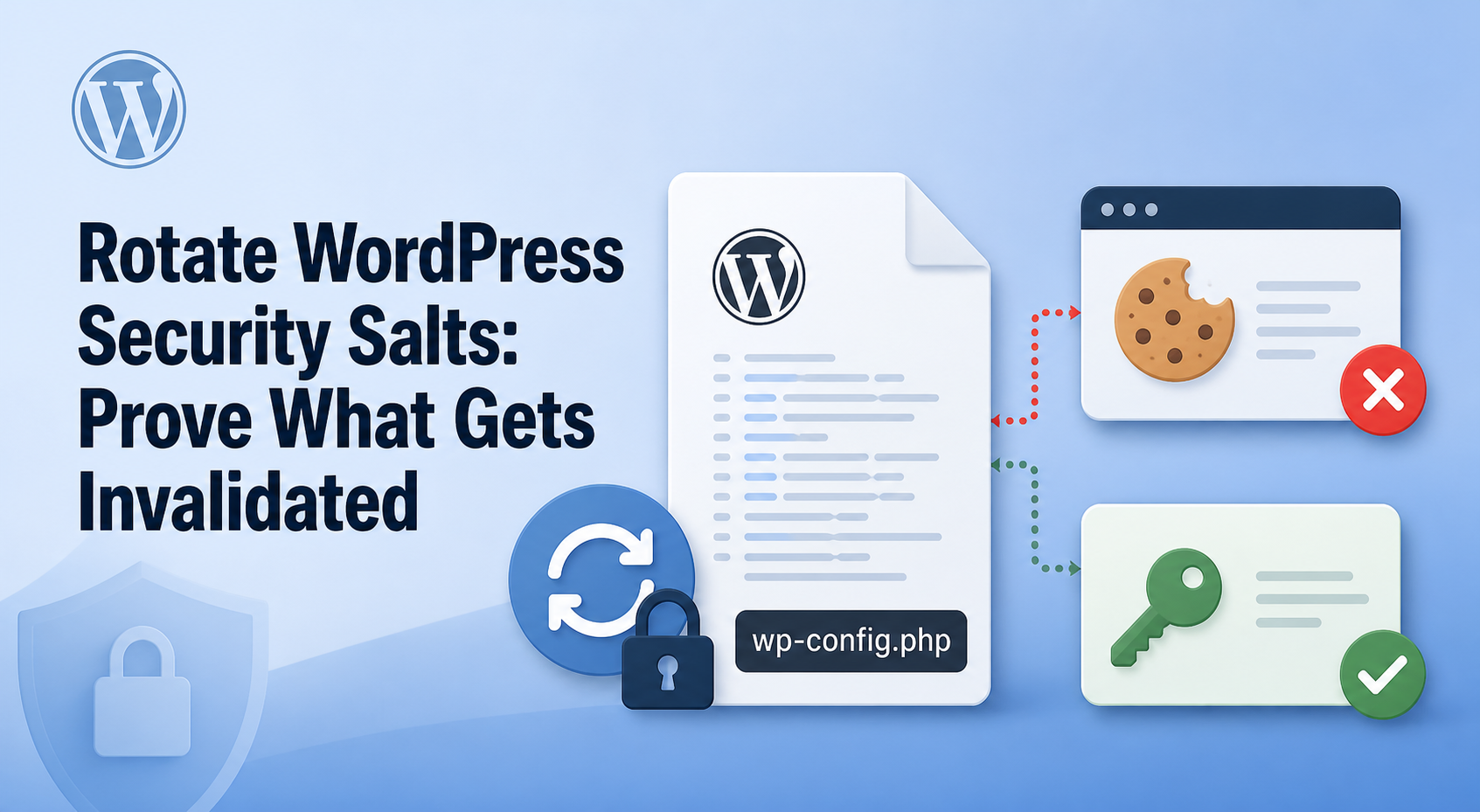
Rotating WordPress security salts has one precise security effect: cookies and nonces created with the old secrets stop validating. That can end stolen or untrusted browser sessions after incident cleanup, a leaked wp-config.php, or an ownership handoff. It does not remove malware, reset account passwords, or automatically revoke Application Passwords.
A safe change therefore needs more than wp config shuffle-salts. Back up the active configuration privately, prove all eight definitions changed without printing them, test an old browser cookie, create a fresh login, and inventory every credential path that survives. The current lab for this guide did exactly that on WordPress 7.0.3 and exposed a critical rollback fact: restoring the old config made the old cookie valid again.
Rotate for Broken Trust, Not by Calendar
Rotate when the current values are no longer trustworthy or when ending every cookie-based session is an explicit objective. Do not schedule routine rotation merely because the command is easy. Forced logouts disrupt editors, customers, members, and cached forms while doing nothing to close a vulnerable plugin or stolen password.
| Situation | Salt decision | Separate action still required |
|---|---|---|
wp-config.php, repository, or backup was exposed |
Rotate after controlling the exposure | remove leaked history where possible and rotate other disclosed credentials |
| Malware or an unknown administrator was found | Clean and investigate first, then rotate | remove persistence, patch the entry path, reset affected accounts, and review remote access |
| An agency inherited an untrusted site | Rotate during a coordinated handoff | inventory owners, deployment secrets, Application Passwords, API tokens, and recovery access |
| Placeholder values remain in the config | Replace the complete eight-value block | verify the active config source and prevent another deployment from restoring placeholders |
| A healthy site reached a calendar date | Usually wait | spend the window on updates, backups, 2FA, monitoring, and restore tests |
| Only one user session must end | Prefer targeted session revocation | rotate broadly only when all cookie sessions must become invalid |
MalCare’s current WordPress salt guidance reaches the same incident-first conclusion: new secrets are not useful while an attacker can still read the file. Use Voxfor’s WordPress malware cleanup and backdoor checks before installing new values on a compromised host.
Know What Actually Gets Invalidated
WordPress normally defines four keys and four salts: AUTH, SECURE_AUTH, LOGGED_IN, and NONCE pairs. Core combines the relevant pair when it signs or validates authentication material. Snicco’s source-led WordPress salt analysis is especially useful here because it corrects a common error: these eight wp-config.php values are not the salts used to hash account passwords.
Observed and expected outcomes form this boundary:
| Authentication or state path | Expected result after rotation | Operator decision |
|---|---|---|
| Existing dashboard/login cookie | rejected | users sign in again |
| Existing cookie-authenticated REST nonce | rejected with its old cookie context | refresh the page or client state |
| Account password | unchanged | reset separately if it may be known |
| Application Password used over REST | may remain valid; it did in this lab | audit and revoke separately when containment requires it |
| Unknown administrator or malware | unchanged | remove the account or persistence separately |
| Plugin data encrypted from core salts | may become unreadable | test critical plugins and keep a controlled recovery path |
Separating those paths prevents an incomplete incident closure. “Everyone was logged out” is not the same as “every credential was revoked.” It also prevents the opposite mistake: rotating salts does not force every user to choose a new account password.
Preflight Config Ownership and Recovery
First identify which file or system actually supplies the values. A standard install keeps them in wp-config.php; a deployment may inject environment variables, load an earlier config file, or regenerate the file during release. wp config path and the deployment manifest must agree before any edit. On a multisite or multi-node fleet, every request-serving node must converge on one new set during the same maintenance event.
Confirm three owners before proceeding:
- Change owner: the person authorized to modify the active configuration and coordinate the logout window.
- Recovery owner: someone with SSH, SFTP, console, or provider access that does not depend on the WordPress cookie being invalidated.
- Acceptance owner: someone who can test admin saves, forms, checkout or membership flows, jobs, and integrations.
For an inherited site, Voxfor’s website handoff ownership checklist helps identify missing access before the window starts. Review critical plugins for uses of wp_salt() or salt-derived encryption, especially 2FA seeds, mail credentials, payment keys, and integration tokens. Salt rotation is a poor first experiment when nobody can restore those settings.
Keep the config backup outside the web root when possible, mode 0600, and out of tickets, chat, screenshots, and source control. The receipt should record only definition counts, uniqueness, a whole-block hash, syntax status, time, and authentication outcomes. Never publish the values themselves.
Build a Reproducible, Secret-Free Proof
A disposable lab used one synthetic WordPress administrator, one synthetic Application Password, a dedicated MariaDB database, and a loopback PHP server. It did not load production data. Run the blocks in one authorized shell so the synthetic credentials remain only in memory. Production operators can apply the same evidence order on staging or a maintenance window; do not create test credentials on a live site unless the change plan explicitly authorizes them.
Create the bounded current-version fixture
Guarded path and database checks refuse to reuse existing state. The administrator password remains only in a shell variable and is never printed.
set -euo pipefail
LAB=/var/tmp/voxfor-wp-salts-lab-115
SITE="$LAB/site"
PRIVATE="$LAB/private"
DB=voxfor_wp_salts_lab_115
BASE=http://127.0.0.1:38115

[[ ! -e "$LAB" ]]
! mariadb --protocol=socket -NBe \
  "SELECT SCHEMA_NAME FROM INFORMATION_SCHEMA.SCHEMATA WHERE SCHEMA_NAME='$DB'" | grep -qx "$DB"

install -d -m 0750 "$LAB" "$SITE"
install -d -m 0700 "$PRIVATE"
wp core download --allow-root --path="$SITE" --locale=en_US
mariadb --protocol=socket -e \
  "CREATE DATABASE $DB CHARACTER SET utf8mb4 COLLATE utf8mb4_unicode_ci"

ADMIN_PASS="$(openssl rand -base64 30 | tr -d '\n')"
ADMIN_EMAIL="operator"@"example.test"
wp config create --allow-root --path="$SITE" \
  --dbname="$DB" --dbuser=root --dbhost=localhost --skip-check
wp config set WP_ENVIRONMENT_TYPE local --allow-root --path="$SITE"
wp core install --allow-root --path="$SITE" --url="$BASE" \
  --title='Voxfor Salt Lab' --admin_user=operator \
  --admin_password="$ADMIN_PASS" --admin_email="$ADMIN_EMAIL" --skip-email

php -v | head -1
mariadb --version
wp --info | sed -n '/WP-CLI version/p'
wp core version --allow-root --path="$SITE"
Reproduction ran on Debian 13.6, PHP 8.4.24, MariaDB 11.8.6, WP-CLI 2.12.0, and WordPress 7.0.3. Version identity matters because config-command behavior and authentication surfaces can change over time.
Back up and fingerprint without disclosing secrets
A secret-free receipt requires exactly the standard eight names, counts unique values, and hashes only the complete matching lines. It never prints a secret. A block hash is useful for before/after comparison, but the private backup remains the actual recovery artifact.
set -euo pipefail
: "${SITE:=/var/tmp/voxfor-wp-salts-lab-115/site}"
: "${PRIVATE:=/var/tmp/voxfor-wp-salts-lab-115/private}"

install -p -m 0600 "$SITE/wp-config.php" "$PRIVATE/wp-config.before.php"
stat -c '%u %g %a' "$SITE/wp-config.php" >"$PRIVATE/wp-config.meta"
php -l "$PRIVATE/wp-config.before.php"

secret_receipt() {
  php -r '
    $text = file_get_contents($argv[1]);
    $expected = ["AUTH_KEY","SECURE_AUTH_KEY","LOGGED_IN_KEY","NONCE_KEY",
      "AUTH_SALT","SECURE_AUTH_SALT","LOGGED_IN_SALT","NONCE_SALT"];
    $tokens = token_get_all($text);
    $sig = [];
    foreach ($tokens as $token) {
      if (is_array($token) && in_array($token[0],
        [T_OPEN_TAG, T_WHITESPACE, T_COMMENT, T_DOC_COMMENT], true)) continue;
      $sig[] = $token;
    }
    $names = $values = $lines = [];
    for ($i = 0; $i + 6 < count($sig); $i++) {
      if (!is_array($sig[$i]) || $sig[$i][0] !== T_STRING ||
          strcasecmp($sig[$i][1], "define") !== 0 || $sig[$i + 1] !== "(" ||
          !is_array($sig[$i + 2]) || $sig[$i + 2][0] !== T_CONSTANT_ENCAPSED_STRING ||
          $sig[$i + 3] !== "," || !is_array($sig[$i + 4]) ||
          $sig[$i + 4][0] !== T_CONSTANT_ENCAPSED_STRING || $sig[$i + 5] !== ")" ||
          $sig[$i + 6] !== ";") continue;
      $name = substr($sig[$i + 2][1], 1, -1);
      if (!in_array($name, $expected, true)) continue;
      $names[] = $name;
      $values[] = $sig[$i + 4][1];
      $lines[] = $name . "=" . $sig[$i + 4][1];
    }
    if (count($lines) !== 8 || count(array_unique($names)) !== 8 ||
        count(array_unique($values)) !== 8) exit(4);
    printf("definitions=%d unique_values=%d block_sha256=%s%s",
      count($lines), count(array_unique($values)),
      hash("sha256", implode("\\n", $lines)), PHP_EOL);
  ' "$1"
}

secret_receipt "$SITE/wp-config.php"
Baseline checks passed with definitions=8 unique_values=8. If the count or uniqueness is wrong, stop. Do not shuffle a malformed, duplicated, or externally generated configuration until its owner is understood.
Capture two working authentication paths
Start the loopback server, create a synthetic Application Password, and save it only in a private curl config. The browser path uses a cookie jar; the API path uses Basic Authentication. Both must work before the change or the post-change comparison proves nothing.
set -euo pipefail
: "${SITE:=/var/tmp/voxfor-wp-salts-lab-115/site}"
: "${PRIVATE:=/var/tmp/voxfor-wp-salts-lab-115/private}"
: "${BASE:=http://127.0.0.1:38115}"
: "${LAB:=/var/tmp/voxfor-wp-salts-lab-115}"

APP_PASS="$(wp user application-password create operator voxfor-lab-115 \
  --porcelain --allow-root --path="$SITE")"
printf 'user = "operator:%s"\n' "$APP_PASS" >"$PRIVATE/app-auth.curl"
chmod 0600 "$PRIVATE/app-auth.curl"
unset APP_PASS

php -S 127.0.0.1:38115 -t "$SITE" >"$LAB/php-server.log" 2>&1 &
PHP_PID=$!
curl -fsS --retry 30 --retry-connrefused "$BASE/wp-login.php" -o /dev/null

COOKIE_OLD="$PRIVATE/old-cookie.jar"
curl -fsS -c "$COOKIE_OLD" "$BASE/wp-login.php" -o /dev/null
curl -fsS -L -b "$COOKIE_OLD" -c "$COOKIE_OLD" \
  --data-urlencode 'log=operator' --data-urlencode "pwd=$ADMIN_PASS" \
  --data-urlencode 'wp-submit=Log In' \
  --data-urlencode "redirect_to=$BASE/wp-admin/profile.php" \
  --data-urlencode 'testcookie=1' "$BASE/wp-login.php" -o /dev/null

test "$(curl -sS -b "$COOKIE_OLD" -o /dev/null -w '%{http_code}' \
  "$BASE/wp-admin/profile.php")" = 200
test "$(curl -sS --config "$PRIVATE/app-auth.curl" -o /dev/null -w '%{http_code}' \
  "$BASE/?rest_route=/wp/v2/users/me&context=edit")" = 200
WordPress REST authentication guidance documents cookie authentication and Application Password Basic Authentication as separate methods. The lab now has a known-good receipt for each.
Rotate All Eight Values and Prove the Boundary
Official WP-CLI documentation for config shuffle-salts says it refreshes the standard values before WordPress loads. Do not add --insecure to bypass TLS validation. If the secret service cannot be reached safely, stop and diagnose connectivity rather than accepting a man-in-the-middle path.
Rotate, lint, and compare the complete block
set -euo pipefail
: "${SITE:=/var/tmp/voxfor-wp-salts-lab-115/site}"
: "${PRIVATE:=/var/tmp/voxfor-wp-salts-lab-115/private}"
: "${LAB:=/var/tmp/voxfor-wp-salts-lab-115}"

secret_receipt "$SITE/wp-config.php" >"$LAB/secret-before.txt"
wp config shuffle-salts --allow-root --path="$SITE"
read -r CONFIG_UID CONFIG_GID CONFIG_MODE <"$PRIVATE/wp-config.meta"
chown "$CONFIG_UID:$CONFIG_GID" "$SITE/wp-config.php"
chmod "$CONFIG_MODE" "$SITE/wp-config.php"
php -l "$SITE/wp-config.php"
secret_receipt "$SITE/wp-config.php" >"$LAB/secret-after.txt"

grep -q 'definitions=8 unique_values=8' "$LAB/secret-before.txt"
grep -q 'definitions=8 unique_values=8' "$LAB/secret-after.txt"
test "$(sed -n 's/.*block_sha256=//p' "$LAB/secret-before.txt")" != \
     "$(sed -n 's/.*block_sha256=//p' "$LAB/secret-after.txt")"
install -m 0600 "$SITE/wp-config.php" "$PRIVATE/wp-config.rotated.php"
Success means the PHP file parses, both blocks contain eight unique values, and the whole-block hashes differ. It does not yet mean a real old session failed or that remote credentials were revoked.
Test the old cookie, API credential, and fresh login
Restart the disposable PHP process after a config swap so in-process constants or opcode caches cannot preserve the prior values. The same principle applies to long-running workers in unusual production architectures: verify which processes reload configuration.
set -euo pipefail
kill "$PHP_PID"; wait "$PHP_PID" 2>/dev/null || true
php -S 127.0.0.1:38115 -t "$SITE" >>"$LAB/php-server.log" 2>&1 &
PHP_PID=$!
curl -fsS --retry 30 --retry-connrefused "$BASE/wp-login.php" -o /dev/null

OLD_CODE="$(curl -sS -b "$COOKIE_OLD" -D "$LAB/old-after.headers" \
  -o /dev/null -w '%{http_code}' "$BASE/wp-admin/profile.php")"
APP_CODE="$(curl -sS --config "$PRIVATE/app-auth.curl" \
  -o "$LAB/app-after.json" -w '%{http_code}' \
  "$BASE/?rest_route=/wp/v2/users/me&context=edit")"
test "$OLD_CODE" = 302
grep -qi '^location: .*wp-login.php' "$LAB/old-after.headers"
test "$APP_CODE" = 200
jq -e '.slug == "operator" and (.roles | index("administrator")) != null' \
  "$LAB/app-after.json" >/dev/null

COOKIE_NEW="$PRIVATE/new-cookie.jar"
curl -fsS -c "$COOKIE_NEW" "$BASE/wp-login.php" -o /dev/null
curl -fsS -L -b "$COOKIE_NEW" -c "$COOKIE_NEW" \
  --data-urlencode 'log=operator' --data-urlencode "pwd=$ADMIN_PASS" \
  --data-urlencode 'wp-submit=Log In' \
  --data-urlencode "redirect_to=$BASE/wp-admin/profile.php" \
  --data-urlencode 'testcookie=1' "$BASE/wp-login.php" -o /dev/null
test "$(curl -sS -b "$COOKIE_NEW" -o /dev/null -w '%{http_code}' \
  "$BASE/wp-admin/profile.php")" = 200
Representative output from the reproduced run:
pre_rotation_cookie_http=200 authenticated=yes
pre_rotation_application_password_http=200 user_id=1 role=administrator
post_rotation_old_cookie_http=302 login_redirect=yes
post_rotation_application_password_http=200 user_id=1 role=administrator
post_rotation_new_cookie_http=200 authenticated=yes
secret_definition_count=8 unique_values=8 changed_block_hash=yes
These six lines capture the article’s central result. The old cookie failed. The same account password created a fresh cookie. The Application Password still authorized the REST request.
Audit What Salt Rotation Leaves Authorized
If the goal is full incident containment, list Application Passwords for every privileged user and map each name, creation time, last use, and IP to an owner. Revoke unknown or exposed entries; do not assume salt rotation handled them.
wp user list --role=administrator --fields=ID,user_login,user_email --format=table
wp user application-password list USER_ID \
  --fields=uuid,name,created,last_used,last_ip --format=table
wp user application-password delete USER_ID UUID
Application Passwords belong over HTTPS. Use Voxfor’s WordPress HTTPS integration guide when a remote client is still using HTTP or has certificate problems. Audit XML-RPC, OAuth/JWT plugins, hosting-panel users, database credentials, SSH keys, CI/CD secrets, and vendor API tokens as independent surfaces. Voxfor’s XML-RPC security decision guide helps decide whether that remote endpoint should remain available.
Reset account passwords when they may be known, and require 2FA or rate limits according to risk. Salt rotation does not resist online guessing; brute-force controls for WordPress cover that separate layer. Likewise, fix the vulnerable form, plugin, or output-escaping path through WordPress XSS prevention workflow rather than treating forced logout as remediation.
Treat Rollback as Reauthorization
A config backup protects availability, but an old secret block also restores the trust material that validates old cookies. The disposable lab proved this by temporarily restoring the baseline, testing the same cookie, then reapplying the rotated config.
set -euo pipefail
cp -p "$PRIVATE/wp-config.before.php" "$SITE/wp-config.php"
read -r CONFIG_UID CONFIG_GID CONFIG_MODE <"$PRIVATE/wp-config.meta"
chown "$CONFIG_UID:$CONFIG_GID" "$SITE/wp-config.php"
chmod "$CONFIG_MODE" "$SITE/wp-config.php"
kill "$PHP_PID"; wait "$PHP_PID" 2>/dev/null || true
php -S 127.0.0.1:38115 -t "$SITE" >>"$LAB/php-server.log" 2>&1 & PHP_PID=$!
curl -fsS --retry 30 --retry-connrefused "$BASE/wp-login.php" -o /dev/null
test "$(curl -sS -b "$COOKIE_OLD" -o /dev/null -w '%{http_code}' \
  "$BASE/wp-admin/profile.php")" = 200

cp -p "$PRIVATE/wp-config.rotated.php" "$SITE/wp-config.php"
chown "$CONFIG_UID:$CONFIG_GID" "$SITE/wp-config.php"
chmod "$CONFIG_MODE" "$SITE/wp-config.php"
kill "$PHP_PID"; wait "$PHP_PID" 2>/dev/null || true
php -S 127.0.0.1:38115 -t "$SITE" >>"$LAB/php-server.log" 2>&1 & PHP_PID=$!
curl -fsS --retry 30 --retry-connrefused "$BASE/wp-login.php" -o /dev/null
test "$(curl -sS -b "$COOKIE_OLD" -o /dev/null -w '%{http_code}' \
  "$BASE/wp-admin/profile.php")" = 302
Observed result: restoring the old config returned HTTP 200 for the old cookie; reapplying the rotated config returned HTTP 302 to the login page. Do not perform this rehearsal on production. If a syntax mistake or inaccessible plugin setting forces a live rollback, restore only long enough to recover, assume old sessions may work again, and rotate to another fresh set immediately.
Verify User Journeys and Remove the Lab
Production acceptance extends past wp-login.php. Refresh and submit an admin settings page to exercise a new nonce. Test the highest-value anonymous and authenticated forms, checkout or membership flows, scheduled jobs, webhook consumers, mail delivery, 2FA, and another user role. On a cluster, send requests to every node or verify the deployment checksum rather than accepting one load-balanced response.
Machine acceptance requires every central outcome, then removes only the known test database and literal fixture path:
set -euo pipefail
grep -q 'definitions=8 unique_values=8' "$LAB/secret-before.txt"
grep -q 'definitions=8 unique_values=8' "$LAB/secret-after.txt"
test "$OLD_CODE" = 302
test "$APP_CODE" = 200
test "$(curl -sS -b "$COOKIE_NEW" -o /dev/null -w '%{http_code}' \
  "$BASE/wp-admin/profile.php")" = 200
cp -p "$PRIVATE/wp-config.rotated.php" "$SITE/wp-config.php"
read -r CONFIG_UID CONFIG_GID CONFIG_MODE <"$PRIVATE/wp-config.meta"
chown "$CONFIG_UID:$CONFIG_GID" "$SITE/wp-config.php"
chmod "$CONFIG_MODE" "$SITE/wp-config.php"
php -l "$SITE/wp-config.php"
test "$(stat -c '%u %g %a' "$SITE/wp-config.php")" = \
     "$(cat "$PRIVATE/wp-config.meta")"
printf 'verification=PASS salts=8 old_cookie=rejected app_password=authorized fresh_cookie=authorized\n'
set -euo pipefail
: "${LAB:=/var/tmp/voxfor-wp-salts-lab-115}"
: "${DB:=voxfor_wp_salts_lab_115}"
[[ "$LAB" == /var/tmp/voxfor-wp-salts-lab-115 ]]
[[ "$DB" == voxfor_wp_salts_lab_115 ]]
kill "$PHP_PID" 2>/dev/null || true
wait "$PHP_PID" 2>/dev/null || true
mariadb --protocol=socket -e "DROP DATABASE $DB"
rm -rf -- "$LAB"
test ! -e "$LAB"
! mariadb --protocol=socket -NBe \
"SELECT SCHEMA_NAME FROM INFORMATION_SCHEMA.SCHEMATA WHERE SCHEMA_NAME='$DB'" | grep -qx "$DB"
printf 'cleanup=PASS path_absent=yes database_absent=yes\n'Successful cleanup left no test directory, database, cookie jar, Application Password file, or synthetic account. Production cleanup should also remove temporary backups according to the incident-retention policy, but never before a fresh-login and integration acceptance pass.
FAQ: WordPress Salt Rotation
Does changing WordPress salts log everyone out?
It invalidates existing WordPress authentication cookies generated from the old values, so browser users must sign in again. Credentials using separate mechanisms can remain valid and require their own audit.
Does salt rotation change WordPress account passwords?
No. WordPress account-password hashing is separate from the eight authentication keys and salts in wp-config.php. The lab used the same account password to create a new valid cookie after rotation.
Do Application Passwords stop working after salt rotation?
Not in the reproduced WordPress 7.0.3 test: the same Application Password returned HTTP 200 before and after rotation. Review or revoke Application Passwords separately whenever the incident objective is full credential containment.
When should WordPress security salts be rotated?
Rotate after config or backup exposure, incident cleanup, untrusted ownership transfer, placeholder discovery, or a deliberate broad cookie reset. Routine calendar rotation creates logout and plugin risk without closing unrelated security gaps.
Can plugins break when salts change?
Yes. Plugins can derive encryption keys from wp_salt() for stored 2FA seeds, API keys, or other settings. Inventory critical integrations, keep a private recovery copy, and test decryption-dependent features during the maintenance window.
Is restoring an old wp-config.php a safe rollback?
It can restore availability, but it can also reauthorize cookies signed with the old values. Treat it as a short emergency recovery step, not the final state, and rotate again immediately after access is restored.
Should salt values appear in logs or tickets?
No. Record the eight-definition count, unique-value count, complete-block hash, syntax result, timestamp, and authentication outcomes. Keep both old and new values out of screenshots, shell transcripts, chat, source control, and support tickets.
Does rotating salts clean a hacked WordPress site?
No. Malware or an attacker with file access can read the new values, and unknown accounts remain. Remove persistence, close the entry path, patch vulnerable components, reset exposed credentials, and rotate only after the environment is under control.
Record What Was Invalidated
Close the change with a compact receipt: reason for rotation, active config source, eight-definition count, before/after block hashes, old-cookie result, fresh-login result, Application Password disposition, user-journey acceptance, and final config checksum. Record no secret values.
A correct outcome is not merely “WP-CLI said success.” It is a proved trust boundary: old browser sessions fail, intended new sessions work, surviving credential paths are named and handled, rollback risk is understood, and the final deployed configuration remains the rotated one.