Lifetime VPS Europe
 Lifetime VPS Asia
 Lifetime WooCommerce Hosting
 Lifetime Hosting
 Lifetime Game Dedicated Servers
 Chicago, US
 Tokyo, Japan
 Singapore
 Hong Kong
 Seoul, South Korea
 Amsterdem, Netherlands
 London, UK
 Stockholm, Sweden
 Oslo, Norway
 Vienna, Austria
 Zurich, Switzerland
 Sydney, Australia
 Wordpress Hosting
 VPS Hosting
 DDOS Protection
 Submit Ticket
 Full Management
 Guides
 Videos and Podcasts
 Discover Creative Ideas
 Voxfor Autonomous AI Workers
 Voxfor Mega Menu
 Voxfor Advanced Price Management For WooCommerce
 Voxfor Secure Live Chat and AI Support
 Voxfor Multilanguage
 Voxfor AI Content Summary
 Voxfor Autopilot
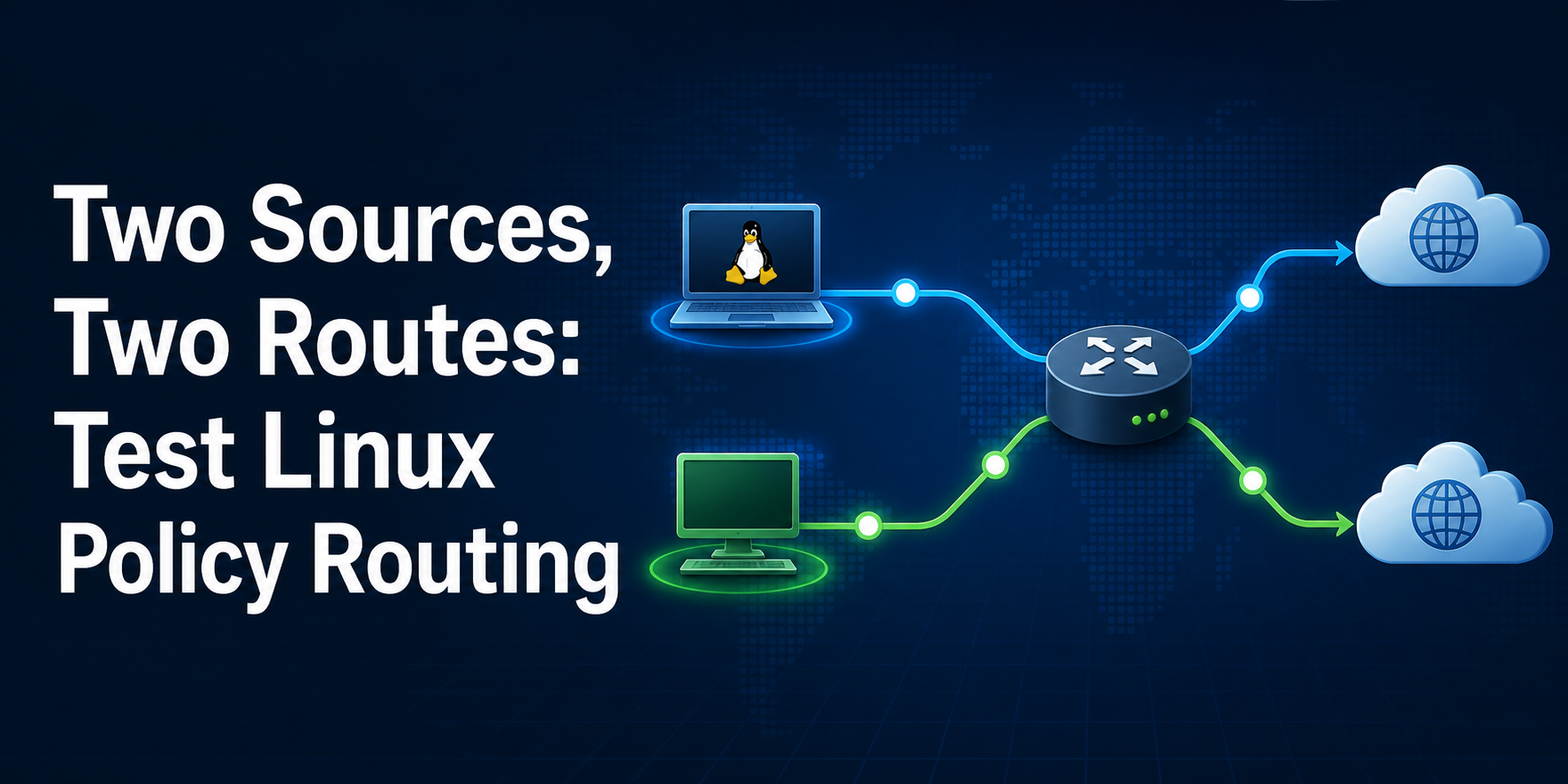
Linux normally chooses a route from the destination address. Policy routing adds an earlier decision: the routing policy database, or RPDB, scans ordered rules and chooses which table should answer the lookup. That means a table can contain the right default route while a lower-numbered rule silently sends the packet somewhere else.
A safe review must not experiment on the host route that carries your SSH session. This guide builds two synthetic uplinks inside one disposable network namespace, proves the ordinary main-table result, adds one table per source, introduces a higher-priority shadow rule as a negative control, and removes the entire lab afterward. Nothing in the workflow changes the host namespace, public interfaces, DNS, firewall, or default gateway.
Linux operators preparing a multi-address, multi-uplink, VPN, or tenant-egress change are the target readers. Basic shell and IPv4 knowledge are assumed. You do not need a second provider: ip route get asks the running kernel to resolve a route for a supplied destination and source without sending a packet.
The Same Destination Is Not the Same Lookup
An ordinary routing table answers a destination question: which prefix best matches 203.0.113.9? Policy routing first asks which rule matches the packet attributes. A rule may select on source, destination, incoming interface, firewall mark, user ID, protocol, or ports. Its action can consult another table.
Upstream ip-rule(8) documentation defines the key ordering detail: smaller numeric priority means the rule is evaluated earlier. Linux begins with rules for local at priority 0, main at 32766, and default at 32767. Custom source rules normally sit between the protected local lookup and the main-table fallback.
One command must include the source address when source policy matters. The ip-route(8) manual describes ip route get as a single route lookup that prints the result as the kernel sees it. Leaving out from ADDRESS tests a different question and can hide the exact defect under review.
| Evidence layer | Command or object | What it proves | What it cannot prove |
|---|---|---|---|
| RPDB order | ip rule show |
Which rule is evaluated first | Whether the selected table has a usable route |
| Table contents | ip route show table ID |
Routes available after selection | Which source will select that table |
| Resolved lookup | ip route get DEST from SOURCE |
Kernel-selected table, device, gateway and preferred source | Persistence, remote reachability or return traffic |
| Packet acceptance | Real workload probe | End-to-end delivery and application result | Whether configuration survives reboot |
This distinction is the article’s central model. A production change needs all four layers that apply to its risk. This lab deliberately owns only the first three; later sections name the remaining acceptance work instead of pretending a FIB lookup is a complete network test.
Rehearse the Decision Without Touching Host Routes
Use a root shell or prefix the commands with sudo. The examples require iproute2 and Linux network-namespace support. The addresses come from RFC 5737 documentation ranges, so the fixture does not claim ownership of real provider space.
Start by recording the tool, kernel, existing namespaces, and absence of the exact marker. Do not reuse a namespace you did not create.
set -euo pipefail
LAB_NS=voxfor-pbr-152
ip -V
uname -r
ip netns list
if test -e "/var/run/netns/$LAB_NS" || ip netns list | awk '{print $1}' | grep -Fxq "$LAB_NS"; then
  printf 'preflight namespace_already_exists=%s\n' "$LAB_NS" >&2
  exit 1
fi
Our reproduced environment used iproute2 6.15.0 on Linux 6.12.96. Your output may differ, but the command grammar used here is supported by current iproute2. If the marker already exists, choose another unique name and update every cleanup check before proceeding.
Create two dummy interfaces only inside the namespace. A dummy link is sufficient because the experiment asks the kernel for a route; it does not claim that either synthetic uplink can reach the Internet.
ip netns add "$LAB_NS"
ip -n "$LAB_NS" link set lo up
ip -n "$LAB_NS" link add wan-a type dummy
ip -n "$LAB_NS" link add wan-b type dummy
ip -n "$LAB_NS" address add 192.0.2.10/32 dev wan-a
ip -n "$LAB_NS" address add 198.51.100.10/32 dev wan-b
ip -n "$LAB_NS" link set wan-a up
ip -n "$LAB_NS" link set wan-b up
ip -n "$LAB_NS" route add default dev wan-a src 192.0.2.10
Everything after ip -n "$LAB_NS" executes against the namespace network stack. A typo that omits -n changes the risk, so read the target on each mutating line before pressing Enter.
Watch Main Send Both Sources the Same Way
Before adding policy, ask the kernel to resolve the same destination from both local addresses. This is the negative baseline: the main table has one default through wan-a, so both lookups should choose it.
DESTINATION=203.0.113.9
BASE_A="$(ip netns exec "$LAB_NS" ip -o route get "$DESTINATION" from 192.0.2.10)"
BASE_B="$(ip netns exec "$LAB_NS" ip -o route get "$DESTINATION" from 198.51.100.10)"
printf '%s\n%s\n' "$BASE_A" "$BASE_B"
if ! grep -Eq 'dev wan-a( |$)' <<<"$BASE_A"; then
  printf 'baseline source_a_expected=wan-a\n' >&2
  exit 1
fi
if ! grep -Eq 'dev wan-a( |$)' <<<"$BASE_B"; then
  printf 'baseline source_b_expected=wan-a\n' >&2
  exit 1
fi
That result is not a Linux error. It is the expected destination-only fallback. The second address exists on wan-b, but an address assignment does not create a policy saying that its traffic must leave through wan-b.
This distinction also prevents a common false diagnosis. Run VPS network speed tests across route and direction after path selection; a poor throughput number alone does not explain why the wrong uplink was selected. Establish the path first, then measure it.
Give Each Source Its Own Table
Add one default route to each private table, then install source rules at explicit, unique priorities. Numeric table IDs avoid editing /etc/iproute2/rt_tables during the lab. Names are valuable in persistent production configuration, but they are not required for kernel lookups.
ip -n "$LAB_NS" route add default dev wan-a src 192.0.2.10 table 10152
ip -n "$LAB_NS" route add default dev wan-b src 198.51.100.10 table 20152
ip -n "$LAB_NS" rule add priority 1152 from 192.0.2.10/32 table 10152
ip -n "$LAB_NS" rule add priority 1252 from 198.51.100.10/32 table 20152
ip netns exec "$LAB_NS" ip rule show
ip netns exec "$LAB_NS" ip route show table 10152
ip netns exec "$LAB_NS" ip route show table 20152
Why include priorities explicitly? Automatic priorities can change the apparent order as rules are inserted or recreated. The manual recommends a unique priority for each rule, and review evidence is clearer when the intended order is visible in both configuration and output.
For real dual-provider routing, each custom table also needs a route that can reach its gateway. The older but still useful LARTC multi-uplink procedure shows a connected provider-network route plus that provider’s default. Do not copy the dummy-link shortcut onto a physical server with an off-link gateway.
Now resolve both source paths and assert the table and interface rather than accepting any zero exit code.
PATH_A="$(ip netns exec "$LAB_NS" ip -o route get "$DESTINATION" from 192.0.2.10)"
PATH_B="$(ip netns exec "$LAB_NS" ip -o route get "$DESTINATION" from 198.51.100.10)"
printf '%s\n%s\n' "$PATH_A" "$PATH_B"
if ! grep -Eq 'dev wan-a table 10152' <<<"$PATH_A"; then
  printf 'acceptance source_a_expected=wan-a/table10152\n' >&2
  exit 1
fi
if ! grep -Eq 'dev wan-b table 20152' <<<"$PATH_B"; then
  printf 'acceptance source_b_expected=wan-b/table20152\n' >&2
  exit 1
fi
Ask the Kernel, Then Try to Shadow It
A positive result proves the current rule set works. A negative control proves the acceptance check can detect the defect you care about. Insert a broad rule at priority 100, earlier than both source rules. It sends every non-local lookup to table 10152, so the 198.51.100.10 source should be misrouted through wan-a.
ip -n "$LAB_NS" rule add priority 100 from all table 10152
SHADOWED="$(ip netns exec "$LAB_NS" ip -o route get "$DESTINATION" from 198.51.100.10)"
printf '%s\n' "$SHADOWED"
if ! grep -Eq 'dev wan-a table 10152' <<<"$SHADOWED"; then
  ip -n "$LAB_NS" rule del priority 100
  printf 'negative_control expected_shadow=wan-a/table10152\n' >&2
  exit 1
fi
ip -n "$LAB_NS" rule del priority 100
if ip netns exec "$LAB_NS" ip rule show | awk '$1 == "100:" { found=1 } END { exit found ? 0 : 1 }'; then
  printf 'negative_control shadow_rule_still_present=yes\n' >&2
  exit 1
fi
Table 20152 is not the failure. It remains correct but unreachable for this lookup because the earlier rule already returned a route. Editing the right table would not repair a wrong rule order.
Repeat both assertions after removing the exact shadow priority. The representative receipt below came from the full executed lab, including the negative control and repair.
REPAIRED_A="$(ip netns exec "$LAB_NS" ip -o route get "$DESTINATION" from 192.0.2.10)"
REPAIRED_B="$(ip netns exec "$LAB_NS" ip -o route get "$DESTINATION" from 198.51.100.10)"
printf '%s\n%s\n' "$REPAIRED_A" "$REPAIRED_B"
if ! grep -Eq 'dev wan-a table 10152' <<<"$REPAIRED_A"; then
  printf 'repair source_a_expected=wan-a/table10152\n' >&2
  exit 1
fi
if ! grep -Eq 'dev wan-b table 20152' <<<"$REPAIRED_B"; then
  printf 'repair source_b_expected=wan-b/table20152\n' >&2
  exit 1
fi
BASELINE_NO_POLICY
203.0.113.9 from 192.0.2.10 dev wan-a
203.0.113.9 from 198.51.100.10 dev wan-a
ACCEPTED_SOURCE_PATHS
203.0.113.9 from 192.0.2.10 dev wan-a table 10152
203.0.113.9 from 198.51.100.10 dev wan-b table 20152
NEGATIVE_PRIORITY_SHADOW
203.0.113.9 from 198.51.100.10 dev wan-a table 10152
VERIFICATION source_a=wan-a/table10152 source_b=wan-b/table20152 shadow_removed=yesThe routing decision is accepted when the baseline sends both sources through wan-a, the installed source rules resolve 192.0.2.10 through table 10152 and 198.51.100.10 through table 20152, the higher-priority broad rule visibly redirects the second source to table 10152, and removing only that rule restores both expected lookups. A missing table label, unexpected device, duplicate priority, or untested source leaves the change unapproved.
What the Receipt Does Not Prove
ip route get is strong evidence for the local kernel decision, but its scope is precise. It does not send an application transaction. Before a production cutover, add a probe through each real source and verify a response at the remote peer. Capture the source observed by that peer, not only the local socket choice.
Persistence is separate. Ad-hoc ip rule add and ip route add commands disappear after reboot or interface recreation. Use the network manager that owns the host—such as NetworkManager, systemd-networkd, or Netplan—and review its version-specific schema. Current Netplan routing-policy documentation defines source, destination, routing-table and priority fields for manager-owned policy rules. After applying a persistent change, repeat the same source-qualified lookups and then reboot an authorized test node.
If the persistent route is correct but boot readiness stalls, investigate what systemd-networkd-wait-online is waiting for as an interface-state problem. Do not rewrite the RPDB merely to shorten a readiness wait whose real owner is an optional or unmanaged link.
Forwarded traffic has extra owners. A rule using iif does not describe the same traffic as a locally originated socket, while NAT may replace the source that leaves the host. Firewall marks need a deliberate lifecycle, and connection tracking may need to preserve a flow decision in both directions. The Gentoo policy-routing reference usefully highlights packet marks and reverse-path filtering, but do not disable rp_filter globally as a reflex. First prove which interface and policy should validate the source; then choose the narrowest documented mode for that topology.
Policy routing also does not repair MTU. If a WireGuard endpoint or tunneled destination selects the intended table but large transfers stall, use this WireGuard MTU black-hole workflow rather than moving rules until the symptom disappears.
Finally, one host’s RPDB is not a global failover system. Choosing between Anycast and GeoDNS failure modes is a different decision about how remote clients reach healthy locations. Keep local source-path acceptance and external traffic steering as separate evidence planes.
Move the Rule Into Production Safely
Remote network changes need a recovery channel. Keep console or out-of-band access, export the current manager-owned configuration, and record ip -details rule show, every referenced table, interface addresses, link state, and the source-qualified lookups before changing anything. Do not combine a routing change with firewall, NAT, DNS, and package upgrades in one unreviewable step.
Build the persistent candidate in the network manager’s staging or validation mode when available. Apply one owner at a time, then test:
- every approved source against at least one representative destination;
- the expected interface, gateway, table, and preferred source in the kernel lookup;
- a real outbound transaction whose peer records the expected public source;
- inbound reply symmetry for services bound to each address;
- VPN or tenant traffic whose mark or incoming-interface selector changes the rule;
- restart and reboot persistence on an authorized node;
- restoration of the previous configuration and the same acceptance receipt.
Operational ownership matters as much as syntax. A self-managed server leaves console planning, network-manager persistence, firewall interaction, provider routing, and rollback with the operator. Compare managed versus unmanaged VPS responsibilities before the change window; that decision does not substitute for route evidence.
Change-Window Questions
What is Linux policy routing?
Linux policy routing uses the ordered RPDB to select a routing table from packet attributes such as source address, destination, interface, mark, protocol, or ports. Ordinary destination routing still happens inside the selected table.
Does a lower ip rule number have higher priority?
Yes. Rules are processed in increasing numeric priority, so priority 100 is evaluated before 1152. Give custom rules explicit, unique priorities and inspect the complete rule list instead of assuming insertion order.
Why must ip route get include from ADDRESS?
Source address is part of a source-policy selector. Without from ADDRESS, the kernel may choose a source after the initial lookup, so the command does not model the same packet identity as the intended workload.
Can a correct routing table still be ignored?
Yes. An earlier matching rule can return a route from another table before the kernel reaches the rule that references the correct table. Inspect RPDB order and table contents as two separate layers.
Does ip route get send traffic?
No. It resolves and prints the kernel route decision. Add a real application or transport probe through each source to prove gateway reachability, return traffic, firewall, NAT, MTU, and the peer-observed source.
How should policy routing survive reboot?
Express the routes and rules through the network manager that owns the interface, using its current documented schema. Validate, apply from a recovery-capable session, repeat the source-qualified receipt, and reboot an authorized test node before claiming persistence.
Should I flush all ip rules during rollback?
No. A global flush can remove provider, VPN, container, orchestration, or distribution-owned rules. Delete the exact marker-owned priority and table entries, or restore the previous manager-owned configuration, then verify the complete rule order again.
Delete the Namespace, Not Your Host Network
Rollback ends at the lab namespace. Delete that one object and prove its marker disappeared. Do not flush the host RPDB, the main table, or all namespaces.
ip netns del "$LAB_NS"
test ! -e "/var/run/netns/$LAB_NS"
if ip netns list | awk '{print $1}' | grep -Fxq "$LAB_NS"; then
  printf 'cleanup namespace_present=yes\n' >&2
  exit 1
fi
printf 'cleanup namespace_present=no\n'
If the rehearsal stops early, delete only voxfor-pbr-152 after confirming it is the marker-owned namespace, then require both /var/run/netns/voxfor-pbr-152 and its ip netns list entry to be absent. In production, restore only the previous network-manager configuration or exact owned rules while keeping console access; never run ip rule flush, replace the host default route, or delete unrelated namespaces as a generic rollback.
Retain tool and kernel versions, pre-change rules, every referenced table, both source-qualified kernel decisions, the priority-shadow negative control, real peer receipts, persistence evidence, rollback output, and the person who owns the next network change. A route table is not approved because it looks correct; it is approved because the intended rule reaches it and the workload still returns.