Lifetime VPS Europe
 Lifetime VPS Asia
 Lifetime WooCommerce Hosting
 Lifetime Hosting
 Lifetime Game Dedicated Servers
 Chicago, US
 Tokyo, Japan
 Singapore
 Hong Kong
 Seoul, South Korea
 Amsterdem, Netherlands
 London, UK
 Stockholm, Sweden
 Oslo, Norway
 Vienna, Austria
 Zurich, Switzerland
 Sydney, Australia
 Wordpress Hosting
 VPS Hosting
 DDOS Protection
 Submit Ticket
 Full Management
 Guides
 Videos and Podcasts
 Discover Creative Ideas
 Voxfor Autonomous AI Workers
 Voxfor Mega Menu
 Voxfor Advanced Price Management For WooCommerce
 Voxfor Secure Live Chat and AI Support
 Voxfor Multilanguage
 Voxfor AI Content Summary
 Voxfor Autopilot
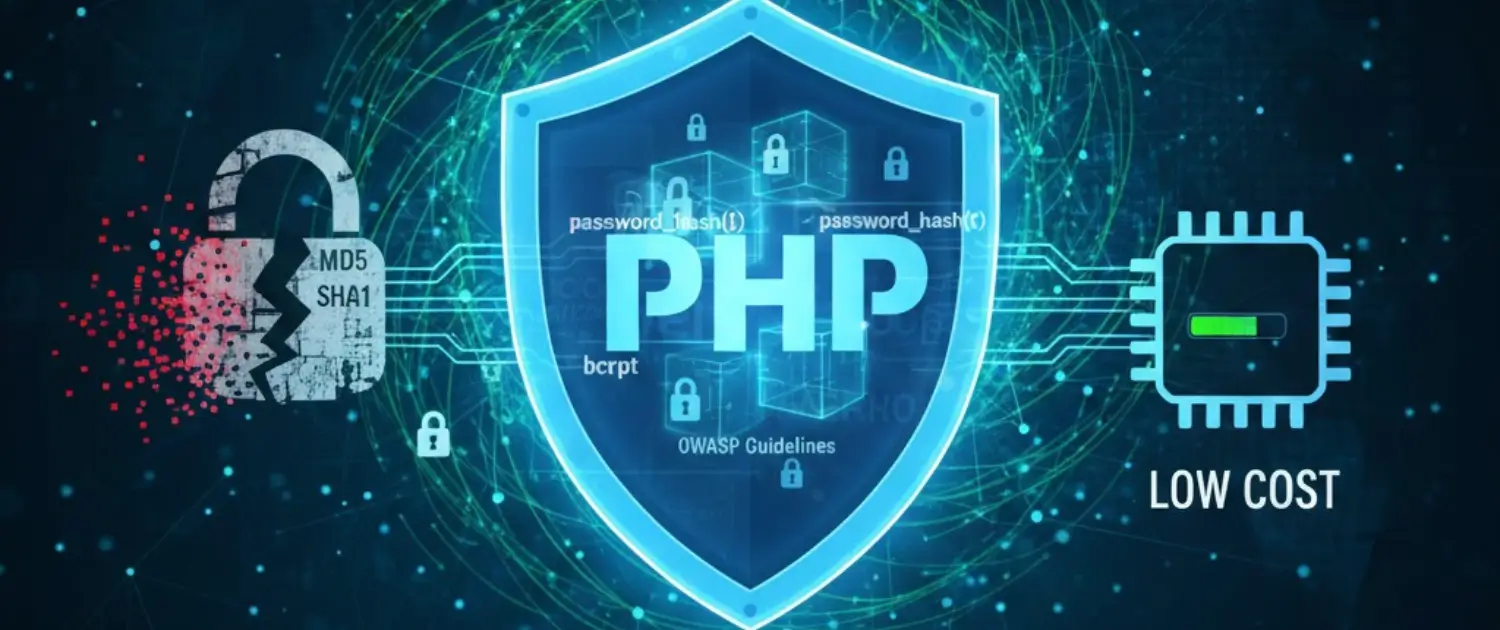
This is one of the basic security measures that enable the encryption of user-sensitive data in order to avoid unauthorized access and malicious methods. At a time when data breaches have a catastrophic impact, including both legal fees and financial fines, and per the reputation of the organization, which is hard to fix, the use of strong password encryption is not a luxury anymore; it is a necessity for any app that requires users to enter their data.
Inbound Marketing Strategy
Turn technical readers into inbound marketing growth
Helpful tutorials attract qualified visitors, but reliable hosting keeps those readers engaged. Voxfor VPS gives growing websites the speed, uptime, and control needed to support stronger inbound marketing campaigns.
You can be creating a simple WordPress mobile and can be working on an enterprise application. Still, you can use the knowledge of the PHP password encryption techniques to use the industry best practices of ensuring user privacy and adhering to data protection laws. This is a detailed tutorial covering the basics of encryption, the encryption options offered by the PHP language, how to use them most efficiently, and an example of a working code that will assist you in the process of password protection.
What is PHP Password Encryption?

PHP password encryption is a security methodology, that involves the encryption of plaintext passwords that are readable to unreadable encrypted texts (ciphertext) by applying mathematical algorithms and only after the application of certain decryption keys or verification procedures.
How encryption works
Encryption operates through a series of fundamental steps:
- Plain text input — User enters their password in a readable format
- Algorithm application — A mathematical encryption algorithm processes the plain text using a unique key
- Ciphertext output — The plain text transforms into gibberish ciphertext
- Secure storage — Encrypted passwords are stores in the database or a secure location
- Verification process — When a user logs in, the password they are entering is compared to the encrypted version.
This process ensures that even if a hacker gains database access, they cannot read user passwords directly. Common real-world examples include HTTPS encryption protecting client-server communication and SSL certificates securing sensitive transactions.
Why Is PHP Password Encryption Critical?
Password encryption forms the cornerstone of modern application security for several compelling reasons:
Protection against data breaches
Unless it is appropriately encrypted, any breached database can be left in plaintext with all user passwords disclosed. Attackers can then use them to:
- Access user accounts directly
- Attempt credential stuffing on other websites (since users often reuse passwords)
- Impersonate legitimate users and perform unauthorized actions
- Access sensitive personal information stored in user profiles
Legal and compliance requirements
Laws such as GDPR, CCPA, HIPAA and PCI DSS specifically require the encryption of passwords and secure data management. Non-compliance results in:
- Substantial fines (GDPR fines reach €20 million or 4% of annual revenue)
- Legal liability for customer damages
- Mandatory breach notifications and public disclosure
- Loss of customer trust and business reputation
Business impact
Data breaches involving unencrypted passwords cause:
- Financial losses — From incident response costs to regulatory fines
- Reputational damage — Customers lose trust in your organization
- Operational disruption — Resources diverted to breach investigation and remediation
- Competitive disadvantage — Competitors gain market advantage while you recover
- Potential dissolution — Severe breaches can threaten business viability
User expectations
Strong security is a mandatory service that modern users expect. Such applications that do not have proper password encryption are considered careless and incompetent, which directly affects user acquisition and retention.
The Password Encryption Process
Secure password encryption follows a standardized process designed to maximize security and prevent unauthorized decryption:
Generate a unique encryption key
Create a Data Encryption Key (DEK), a unique cryptographic key used specifically for encrypting the password. This key should be generated using cryptographically secure random number generators.
Encrypt the password with the key
Use the DEK to encrypt the plaintext password through the selected encryption algorithm, producing the encrypted ciphertext.
Secure the encryption key
Send the DEK to a Key Management Service (KMS) like Google Cloud KMS, which encrypts it using its own Key Encryption Key (KEK). This two-tier approach ensures that even if someone accesses encrypted passwords, they cannot decrypt them without the KEK.
Store encrypted data and key together
Store the encrypted password and the KEK in the database in such a way that they are related to each other, and neither can be used without the other.
Destroy the original key
Delete the original DEK from memory to prevent it from being recovered through memory forensics or other attack techniques.
This multi-layered approach creates security depth, multiple barriers an attacker must overcome to compromise a single password.
MySQL Password Encryption Considerations
MySQL handles password encryption internally through specific functions, but developers should understand its limitations and superior alternatives.
MySQL Password() function
MySQL provides the Password() function for encrypting passwords, which automatically executes when you create new user accounts using the CREATE USER command. However, this function has significant limitations:
- Deprecated for user accounts — MySQL documentation explicitly states Password() should only be used for MySQL internal accounts, not application user data
- Weak hashing — The algorithm is outdated compared to modern standards
- Rainbow table vulnerability — Uses common salt values, making rainbow table attacks feasible
Recommended alternatives to Password()
Instead of relying on the MySQL Password() function, implement stronger encryption methods at the application level:
- PHP password_hash() — Superior to Password() with modern bcrypt algorithm
- SHA1 with random salt — Better than Password() but less secure than bcrypt
- Hash() with random salt — Acceptable for some use cases but less robust than bcrypt
The most important concept is to add a random salt to each password, which will not allow the attackers to crack several passwords at once with some pre-computed rainbow tables.
PHP Encryption Methods: Comprehensive Overview
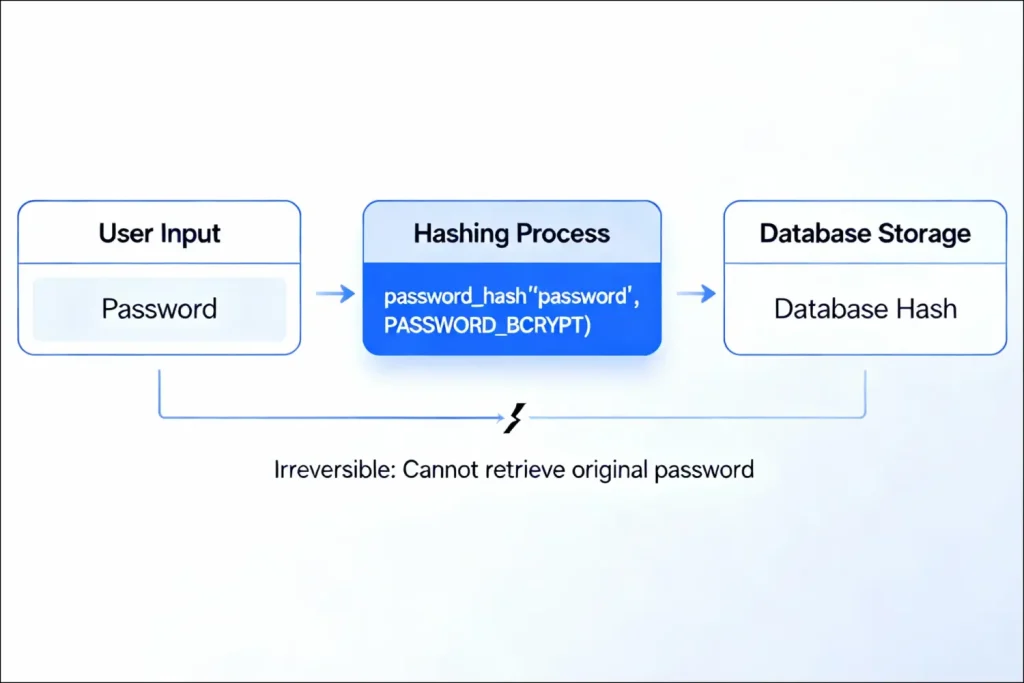
There are a few encryption methods presented in modern PHP development, and each has its own application, advantages, and security features.
1. Hashing: One-Way Password Encryption
What is hashing?
Hashing is a one-way encryption technique that transforms plaintext into a predetermined length of characters (hash), which cannot be inverted to obtain the original password. In contrast with symmetric encryption, a hash is irreversible in nature, and it has no key.
How hashing protects passwords:
In case the hacker has access to the database, they see a hash value that cannot be read. Even when the hash is used, it takes tremendous computing resources to brute force the original password, and when hashing is implemented correctly, attacks of this nature are infeasible.
The password_hash() function
PHP password_hash() function represents the gold standard for password hashing, utilizing bcrypt, a deliberately slow hashing algorithm specifically designed for password security.
Key advantages of password_hash():
- Bcrypt algorithm — Uses a slow, computationally expensive algorithm that adapts as computing power increases
- Automatic salting — Generates and includes a unique random salt within the hash, preventing rainbow table attacks
- Future-proof — The PASSWORD_DEFAULT option automatically uses the strongest available algorithm, ensuring compatibility as PHP updates
- Cost parameter — Allows increasing hashing difficulty to maintain security as hardware becomes faster
Example: Hashing a password with password_hash()
<?php
// Define the plaintext password
$unencrypted_password = "Cloudways@123";

// Hash the password using bcrypt (PASSWORD_DEFAULT)
$hash = password_hash($unencrypted_password, PASSWORD_DEFAULT);

// The hash can be safely stored in the database
echo "Generated hash code: " . $hash;
// Output: $2y$10$LZExuh/rXamd/X5yuDatn.L8ROlKBry3xidvWc.O19nx85.CrSrO.
?>
The output demonstrates hash complexity, even the same password hashed multiple times produces different results due to the included salt.
Why you cannot read hashed passwords
Stored passwords should never be read, even by the owner of the website. Such a designed principle is necessary to make sure that in case a person gets access to your accounting account/they cannot crack the user passwords. The account recovery exercise should be employed by the user at all times to obtain entry into the account, and this can be done in a way that is secure way.
2. Secret Key Encryption: Symmetric Encryption
What is symmetric encryption?
Secret Key Encryption (also called Symmetric Encryption) uses a single shared key for both encrypting and decrypting data. The sender encrypts data with the key, and the recipient decrypts it using the identical key.
How symmetric encryption works:
- Sender encrypts plaintext using a shared secret key → produces ciphertext
- Ciphertext is transmitted across the network
- Recipient receives ciphertext and decrypts it using the identical key → recovers plaintext
Advantages of symmetric encryption:
- Simplicity — Straightforward conceptually and easy to implement
- Performance — Computationally fast compared to asymmetric encryption
- Suitable for large data — Efficiently encrypts large files or databases
Critical vulnerability: Key distribution problem
Symmetric encryption has a great risk: how to share the key securely with the sender and recipient. In case the key is relayed on a non-secure network, an attacker can capture the key and then decrypt all the data that is encrypted. Symmetric encryption is inappropriate for:
- Initial key exchange over public networks
- Scenarios where the sender and recipient cannot meet in person
- Large-scale applications with many users requiring different keys
Best practices for symmetric encryption:
- Use symmetric encryption only after securely establishing the shared key through other means
- Implement Key Management Services (KMS) to centrally manage and distribute keys
- Rotate keys regularly to limit exposure if a key is compromised
- Never transmit keys over unencrypted channels
3. Envelope Encryption: Hybrid Approach for Maximum Security
What is envelope encryption?
Envelope encryption combines symmetric and asymmetric encryption techniques to achieve the performance benefits of symmetric encryption with the security advantages of asymmetric encryption.
How envelope encryption works:
- Data encryption — Encrypt sensitive password data using a symmetric key (Data Encryption Key or DEK)
- Key encryption — Encrypt the DEK itself using an asymmetric algorithm (RSA) with a public key
- Metadata — Store the algorithm type, key identifier, and receiver address alongside the encrypted data
- Secure transmission — Send the encrypted data and encrypted DEK together as a sealed “envelope”
Envelope encryption process visualization:
- Plaintext password → Symmetric encryption (DEK) → Encrypted password
- DEK → Asymmetric encryption (RSA) → Encrypted DEK
- Both stored and transmitted together securely
Advantages of envelope encryption:
- Performance — Maintains symmetric encryption’s speed for large data
- Scalability — Supports multiple recipients through different encrypted DEKs
- Key management — Centralizes key encryption through KMS services
- Flexibility — Adapts to complex security requirements
Implementing with Cloud KMS
Google Cloud Key Management Service (KMS) and similar services automate envelope encryption:
- Cloud KMS handles key encryption/decryption automatically
- Developers work with plaintext keys locally, which KMS encrypts automatically
- Keys never transmitted insecurely
- Centralized audit logging of all encryption operations
- Automatic key rotation policies
This approach provides enterprise-grade security while remaining accessible to developers.
How to Encrypt and Decrypt Passwords Using PHP
Practical implementation of password encryption requires understanding PHP native functions and best practices.
Encrypting passwords with password_hash()
The password_hash() function provides the most secure and straightforward password encryption method for PHP applications.
Syntax:
string password_hash(string $password, int|string|null $algo, array $options = []): stringParameters:
- $password — The plaintext password to hash
- $algo — Hashing algorithm (PASSWORD_DEFAULT recommended)
- $options — Optional array with algorithm-specific settings
Complete password hashing example:
<?php
// 1. Get the plaintext password from user input (sanitized)
$unencrypted_password = $_POST['password'];

// 2. Hash the password using bcrypt with default options
$hash = password_hash($unencrypted_password, PASSWORD_DEFAULT);

// 3. Store the hash in the database (NOT the plaintext password)
// Example: $mysqli->query("INSERT INTO users (email, password) VALUES ('$email', '$hash')");

// Output example
echo "Generated hash code: " . $hash;
// Output: $2y$10$LZExuh/rXamd/X5yuDatn.L8ROlKBry3xidvWc.O19nx85.CrSrO.
?>
Important considerations:
- Always use PASSWORD_DEFAULT to ensure you’re using the strongest available algorithm
- Never store or display plaintext passwords
- Hash passwords on the server-side, never client-side
- Combine with HTTPS to prevent password interception during transmission
Verifying passwords with password_verify()
When users log in, verify their entered password against the stored hash using the password_verify() function rather than comparing hashes directly.
Syntax:
bool password_verify(string $password, string $hash): boolParameters:
- $password — The plaintext password entered by the user
- $hash — The hashed password stored in the database
Returns:
- true — If the password and hash match
- false — If they don’t match
Complete password verification example:
<?php
// 1. Get the plaintext password from user login form
$entered_password = $_POST['password'];

// 2. Retrieve the hashed password from database
// Example: $result = $mysqli->query("SELECT password FROM users WHERE email='$email'");
// Example: $user = $result->fetch_assoc();
$stored_hash = "$2y$10$LZExuh/rXamd/X5yuDatn.L8ROlKBry3xidvWc.O19nx85.CrSrO.";

// 3. Verify the entered password against the stored hash
$verify = password_verify($entered_password, $stored_hash);

// 4. Check verification result and handle login accordingly
if ($verify) {
    echo 'Correct Password!';
    // Start user session, set cookies, redirect to dashboard
} else {
    echo 'Password is Incorrect';
    // Log failed attempt, show error message
}
?>
Security best practices for password verification:
- Use password_verify() instead of comparing hashes directly
- Never reveal whether an email exists in your system (prevents account enumeration)
- Implement rate limiting to prevent brute force attacks
- Log failed login attempts for security monitoring
- Consider requiring additional authentication factors (two-factor authentication)
Password hashing with custom cost parameters
To achieve better security or tighter demands, set the parameter of the cost of bcrypt to a higher value to slow down the hashing process (be less susceptible to brute force):
<?php
// Increase cost parameter for slower hashing (higher security)
$options = [
    'cost' => 12  // Default is 10, increasing to 12 doubles hashing time
];

$hash = password_hash($unencrypted_password, PASSWORD_BCRYPT, $options);
?>
Cost parameter guidelines:
- Default (10) — Suitable for most applications, ~0.1 seconds per hash
- Cost 11-12 — For sensitive applications, ~0.2-0.4 seconds per hash
- Cost 13+ — For high-security applications, but may impact login experience
The cost parameter should increase as hardware becomes faster, ensuring hashing remains computationally expensive enough to prevent practical brute force attacks.
Comparison of PHP Encryption Methods
| Method | Speed | Reversibility | Use Case | Security Level |
| password_hash() (bcrypt) | Medium | No (one-way) | User passwords | Excellent |
| Secret Key (symmetric) | Very fast | Yes (reversible) | Data encryption | Good (if key is secure) |
| Envelope encryption | Medium | Yes (reversible) | Sensitive data at scale | Excellent |
| MD5 | Very fast | Yes (crackable) | Legacy only (NOT recommended) | Poor |
| SHA1 | Very fast | Yes (crackable) | Legacy only (NOT recommended) | Poor |
| SHA256 + salt | Fast | Yes (reversible) | General hashing | Good |
Best Practices for PHP Password Security
Use password_hash() exclusively
Always use the PHP password_hash() function for password encryption. Avoid deprecated methods like md5(), sha1(), or crypt(), which are cryptographically broken.
Store hashes, never plaintext passwords
Never store plaintext passwords under any circumstances. Hashes are the only appropriate password storage method.
Implement HTTPS/SSL encryption
Hash passwords on the server-side after HTTPS transmission. This prevents attackers from intercepting passwords during transmission.
Use unique salts automatically
Rely on password_hash() automatic salting rather than manual salt generation, which often contains security flaws.
Never display stored passwords
Even administrators should not be able to read stored passwords. Implement password reset functionality instead.
Implement rate limiting
Prevent brute force attacks by limiting login attempts:
- Maximum 5 failed attempts within 15 minutes
- Increasing delays between attempts
- Account lockout after threshold exceeded
Add two-factor authentication (2FA)
Require additional verification beyond passwords for sensitive operations:
- Time-based one-time passwords (TOTP)
- Email or SMS verification codes
- Hardware security keys
Regular security audits
Conduct periodic security assessments:
- Code review for password handling
- Penetration testing
- Vulnerability scanning
- Compliance checking (GDPR, CCPA, etc.)
Frequently Asked Questions
Conclusion
PHP password encryption is not optional in modern application development, it’s a fundamental security requirement that protects user privacy, ensures regulatory compliance, and maintains customer trust. The landscape of password encryption has evolved significantly, with modern best practices favoring one-way hashing using algorithms like bcrypt over outdated methods like MD5 or SHA1.
By implementing the practices outlined in this guide, particularly using password_hash() for all new development, you ensure your PHP applications provide the security users expect and regulations require. The fact that proper password hashing is only slightly more costly than the cheap hash mechanism is nothing in comparison to the importance of security, and it is therefore a mandatory component of professional PHP programming.
About the writer

Hassan Tahir wrote this article, drawing on his experience to clarify WordPress concepts and enhance developer understanding. Through his work, he aims to help both beginners and professionals refine their skills and tackle WordPress projects with greater confidence.