
Image Optimization is a cornerstone of modern web development, especially in WordPress, where media-rich websites demand efficient handling of visuals. WordPress requires efficient management of visuals by content creators because the platform focuses on media-rich websites. Learning image optimization techniques combined with resizing methods and cropping functions ...

Creating a WordPress plugin requires the integration of the powerful WordPress Media Library function. The plugin functionality gets increased by this feature which enables users to dynamically upload and select images. This guide demonstrates the integration process through which the Media Library becomes part of your customization ...
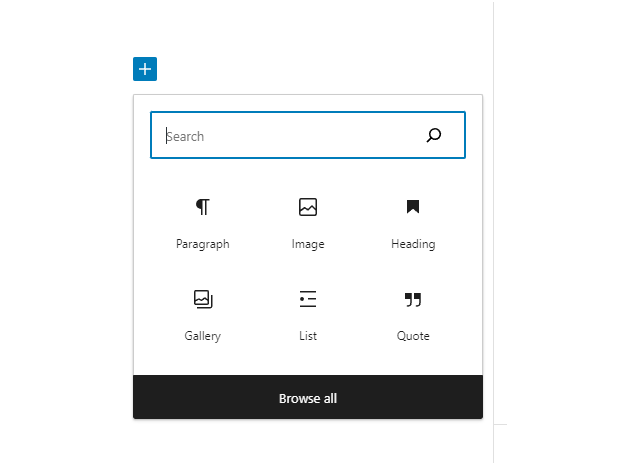
How to Fix the WordPress Add Media Button Not Working. The Add Media button stops working when the JavaScript that runs it conflicts with another script.
A missing temporary folder often causes this issue. A similar error occurs during content upload.
Troubleshooting the "Add Media" Button Issue
It's the Insert ...





 Lifetime VPS Europe
 Lifetime VPS Asia
 Lifetime WooCommerce Hosting
 Lifetime Hosting
 France Lifetime Dedicated Servers
 Germany Lifetime dedicated servers
 Lifetime Game Dedicated Servers
 Chicago, US
 Tokyo, Japan
 Singapore
 Hong Kong
 Seoul, South Korea
 Amsterdem, Netherlands
 London, UK
 Stockholm, Sweden
 Oslo, Norway
 Vienna, Austria
 Zurich, Switzerland
 Sydney, Australia
 Wordpress Hosting
 VPS Hosting
 DDOS Protection
 Submit Ticket
 Full Management
 Guides
 Videos and Podcasts
 Discover Creative Ideas
 MetaAgentOS High-Ticket Support System
 Voxfor Mega Menu
 Voxfor Advanced Price Management For WooCommerce
 Voxfor Secure Live Chat and AI Support
 Voxfor Multilanguage
 Voxfor AI Content Summary


