Lifetime VPS Europe
 Lifetime VPS Asia
 Lifetime WooCommerce Hosting
 Lifetime Hosting
 Lifetime Game Dedicated Servers
 Chicago, US
 Tokyo, Japan
 Singapore
 Hong Kong
 Seoul, South Korea
 Amsterdem, Netherlands
 London, UK
 Stockholm, Sweden
 Oslo, Norway
 Vienna, Austria
 Zurich, Switzerland
 Sydney, Australia
 Wordpress Hosting
 VPS Hosting
 DDOS Protection
 Submit Ticket
 Full Management
 Guides
 Videos and Podcasts
 Discover Creative Ideas
 Voxfor Autonomous AI Workers
 Voxfor Mega Menu
 Voxfor Advanced Price Management For WooCommerce
 Voxfor Secure Live Chat and AI Support
 Voxfor Multilanguage
 Voxfor AI Content Summary
 Voxfor Autopilot
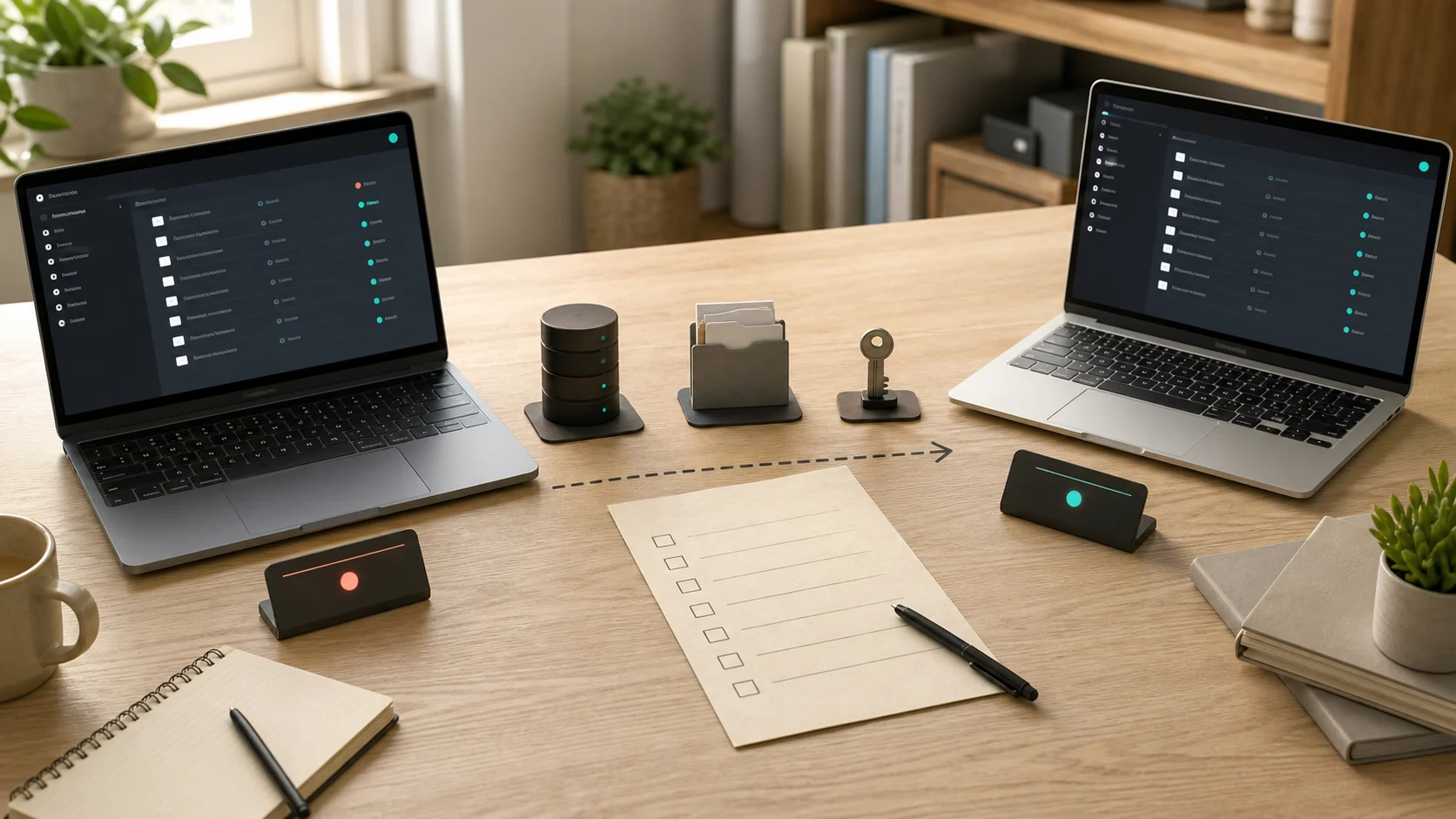
A recoverable Vaultwarden backup needs more than db.sqlite3. Capture a consistent database, file attachments, any Sends you intend to preserve, the RSA signing keys and the configuration that cannot be recreated safely from memory. Move an encrypted copy away from the VPS, then restore it into an isolated environment before trusting it.
Copying only the database may recover logins but leave attached documents missing. Copying only the Docker volume while SQLite is writing can produce an uncertain database state. A VM snapshot helps with rollback, but it is not the same as a portable, tested application backup.
Define the Recovery Set Before Choosing a Tool
Vaultwarden normally keeps its persistent state under /data inside the container. The host path depends on the Compose volume mapping, so confirm the real source before scheduling a job. The official Vaultwarden backup guidance separates required, recommended and optional components.
| Component | Why it matters | Recovery decision |
|---|---|---|
| SQLite database or external SQL dump | Vault items, users, organizations, devices and most state | Required |
attachments/ |
File attachments are not stored in database tables | Required when attachments exist |
sends/ |
File-based Sends live outside the database | Preserve when active Sends must survive |
rsa_key.* |
Signs user sessions and invitation tokens | Recommended; replacing it logs users out and invalidates open invitations |
config.json |
May contain admin-page settings and sensitive values | Preserve if used, and encrypt the backup |
icon_cache/ |
Rebuildable website icons | Usually unnecessary |
This manifest is the first quality gate. A successful exit code from one backup command does not prove that every component in the table was included.
Set Recovery Objectives You Can Verify
Two numbers keep the design honest. RPO, or recovery point objective, is the maximum amount of recent change you can lose. RTO, or recovery time objective, is how long the vault may remain unavailable while you recover it.
| Question | Example decision | What it changes |
|---|---|---|
| How much recent change can be lost? | At most 24 hours | Daily is the minimum backup frequency |
| How long may recovery take? | Four hours | Keep current deployment files and documented credentials available |
| Must attachments and Sends return? | Attachments yes, expired Sends no | Include attachments/; set a deliberate sends/ policy |
| Can one VPS failure remove every copy? | No | Send encrypted copies to another failure domain |
| Who can unlock recovery data? | Two named operators | Store repository credentials outside the failed host |
A solo test instance and a team password vault should not inherit the same retention policy automatically. More users, attachments and business dependencies usually justify shorter intervals and a second recovery operator.
Find the Real Persistent Path
Start with read-only inspection from the Compose project directory:
docker compose config
docker compose ps
docker inspect vaultwarden --format '{{json .Mounts}}'
Rendered Compose output can expose resolved environment values. Review it in a protected terminal and do not paste it into a ticket or public log. The mount whose destination is /data identifies the host directory or named volume that must be protected.
Also record the running image reference, Compose files, reverse-proxy configuration and required environment-variable names. Do not put plaintext secrets into the recovery document. Store them in the approved password or secrets system, separately from the backup repository password.
Create a SQLite-Safe Database Snapshot
SQLite commonly runs in write-ahead logging mode, which can leave db.sqlite3-wal beside the main file. Copying only db.sqlite3 while Vaultwarden is active is therefore not a safe default. SQLite’s Online Backup API exists to create a consistent snapshot of a live database.
Current Vaultwarden releases include a database backup command. Run it under the same reviewed container identity and then confirm that a new backup file appeared in the persistent data path:
cd /opt/vaultwarden
docker compose exec -T vaultwarden /vaultwarden backup
find ./vw-data -maxdepth 1 -type f -name '*.sqlite3' -printf '%TY-%Tm-%TdT%TH:%TM:%TS %pn' | sort
Replace /opt/vaultwarden, vaultwarden and ./vw-data with the real project, service and bind-mount paths. Do not guess them. If the installed release does not expose the command, use the SQLite CLI .backup operation documented by Vaultwarden instead of copying one active file:
install -d -m 0700 /srv/vaultwarden-backup-staging
backup_file="/srv/vaultwarden-backup-staging/db-$(date -u +%Y%m%dT%H%M%SZ).sqlite3"
sqlite3 ./vw-data/db.sqlite3 ".backup '$backup_file'"
sqlite3 "$backup_file" 'PRAGMA quick_check;'
The final command should return ok. That checks SQLite structure; it does not prove that attachments, keys or configuration were captured.
Choose Between Live Copy and a Short Maintenance Window
A live database snapshot plus a later filesystem copy minimizes interruption, but an attachment uploaded between those two actions may fall outside the database snapshot. For a strict, matching application-level recovery point, schedule a short maintenance window: stop Vaultwarden cleanly, copy the complete data directory, then start it again.
cd /opt/vaultwarden
install -d -m 0700 /srv/vaultwarden-backup-staging/data
docker compose stop vaultwarden
rsync -a --numeric-ids ./vw-data/ /srv/vaultwarden-backup-staging/data/
docker compose start vaultwarden
docker compose ps
Run the start command even if the copy reports an error, then investigate the failed recovery point separately. Keep the window bounded. If rsync is slow because attachments are large, make an initial live transfer earlier, then use the stopped interval only for the final delta. Verify the application health endpoint and a controlled client sync after restart.
Never leave the staging directory as the only copy. It shares the same host, account and storage failure domain as production.
Encrypt and Move the Copy Off the VPS
Vault data is client-side encrypted, but the recovery set can still contain sensitive configuration, email addresses, organization metadata, attachment files and a signing key. Encrypt the backup before it leaves the protected host.
Restic is one option because repository encryption is built in and its key management supports more than one repository key. An equivalent reviewed tool is acceptable. Keep its repository password or key outside the VPS and test that the recovery operator can retrieve it during an outage.
| Repository location | Survives | Does not automatically survive |
|---|---|---|
| Another directory on the same VPS | Accidental deletion in the app path | Host loss, root compromise, account suspension |
| Provider snapshot only | Some failed updates or disk changes | Credential compromise, snapshot deletion, portable app restore |
| Encrypted repository on another provider/account | VPS loss and many local compromises | Loss of the repository key or untested retention |
| Offline copy plus remote repository | Wider credential and provider failures | An undocumented restore process |
Run repository checks on a schedule and alert on the absence of a fresh snapshot. A green backup job that has stopped transferring new data is still a failed recovery system.
Build a Restore Manifest
Each recovery point should have a small machine-readable or plain-text manifest stored beside it:
- UTC creation time and source host identifier,
- Vaultwarden image tag or immutable digest,
- database backend and snapshot method,
- paths included and intentionally excluded,
- attachment and Send policy,
- file counts and backup-tool snapshot ID,
- integrity-check result,
- encryption repository and retention class,
- restore procedure version.
Do not include plaintext passwords, admin tokens or repository secrets. The manifest tells an operator what exists; the secrets system provides authority to use it.
Restore Into a Clean Environment First
The first restore target should be a disposable, isolated host or staging project—not the live /data directory. Keep it off the public internet. If access is needed, use an SSH tunnel or the private-administration approach in the Tailscale SSH access guide.
- Provision the documented Vaultwarden version and deployment files.
- Restore the data into a new empty path owned by the expected service account.
- Keep the test reverse proxy and public DNS disabled.
- If the backup was created with SQLite
.backup,VACUUM INTOor Vaultwarden’s built-in snapshot, make sure a staledb.sqlite3-walfrom another database is not introduced. The official guidance warns that a mismatched WAL can corrupt recovery. - Start only the isolated stack and inspect its logs.
- Connect through a protected path and verify controlled test records rather than browsing unrelated user secrets.
For a copied cold data directory, restore the matching database and WAL files as one set. The db.sqlite3-shm file does not need to be restored. Never combine files from different recovery points.
Prove More Than a Login Page
An HTTP 200 response shows that a web process answered. It does not prove the vault is complete.
| Proof | What it validates |
|---|---|
SQLite quick_check returns ok |
Basic database structure |
| Expected user and organization counts | Core metadata presence |
| Controlled test item decrypts in an official client | Database, keys and client flow |
| Known test attachment downloads and opens | Filesystem attachment recovery |
| Selected Send behavior matches policy | Deliberate inclusion or exclusion |
| New client syncs and an old session behaves as expected | URL, keys and session behavior |
| Restart produces no migration or storage error | Deployment compatibility |
Use synthetic recovery records created for testing. Avoid exposing real passwords merely to satisfy a checklist. Record the date, backup snapshot ID, duration, operator and result of the drill.
Prevent Backup Work from Harming the Vault
Recovery jobs need CPU, memory, disk I/O and free space. Watch the staging directory and repository cache so they cannot fill the same filesystem that runs Vaultwarden. The Docker log rotation guide covers one other common source of container-host disk pressure.
Run backup tools with the least privilege they need. A database snapshot job may need read access to the application data, but it should not automatically hold the authority to delete every remote recovery point. Separate repository retention or deletion privileges when the tool and backend support it.
Patch and test the self-hosted service too. The broader self-hosted application guide explains why owning the server also means owning updates, monitoring and recovery. For a password manager, that operational responsibility is a security boundary, not optional housekeeping.
When This Fits and When It Does Not
| This workflow fits | Choose another path when |
|---|---|
| You operate Vaultwarden with persistent Docker or native data | A managed Bitwarden service owns server-side recovery |
| You can access the data path and schedule protected backup jobs | A platform hides storage and requires its export/restore mechanism |
| You need application-level recovery beyond a VM rollback | Your only goal is a temporary pre-upgrade rollback, and a snapshot is an additional layer |
| You can maintain encrypted off-host storage and run drills | No one can hold recovery credentials or test restores responsibly |
Vaultwarden is an unofficial Bitwarden-compatible server. Teams with formal vendor support, compliance or enterprise administration requirements should compare the official Bitwarden deployment and support model rather than choosing solely on resource usage.
Make the Hosting Layer Support Recovery
Budget host capacity for the application, reverse proxy, logs, temporary backup data and a restore rehearsal—not only average RAM usage. The hosting layer must also provide a protected recovery path and a failure boundary the documented restore process can use.
The hosting layer cannot make an incomplete backup complete. Its job is to provide stable resources, console access and a failure boundary that the documented recovery process can use.
Recommended Next Step
Inspect the live /data mount and write down which of the five recovery components exist today. Then create one encrypted off-host recovery point and restore it into a non-public environment. Until a known test attachment opens from that restored instance, treat the backup as unproven.
FAQ
Is copying the Vaultwarden Docker volume enough?
It can be when the container is stopped cleanly and the complete data directory is copied as one set. While the service is active, use a SQLite-aware backup method rather than copying only db.sqlite3.
Do Vaultwarden attachments live in the database?
No. File attachments live under the data directory, so a database-only backup can restore vault records while leaving attached files missing.
Should I back up the Vaultwarden RSA keys?
Yes, when you want existing sessions and invitation behavior to survive. Replacing the keys logs users out and invalidates open invitations, although vault contents remain encrypted by user and organization keys.
Can a VPS snapshot replace an application backup?
No. A snapshot can be a useful rollback layer, but Vaultwarden’s own guidance prefers regular portable backups and warns that snapshot recovery may be difficult or incomplete for typical operators.
How often should I test a Vaultwarden restore?
Test after building the process, after material deployment or database changes, and on a recurring schedule matched to the vault’s importance. A backup should not remain untested until the first real outage.