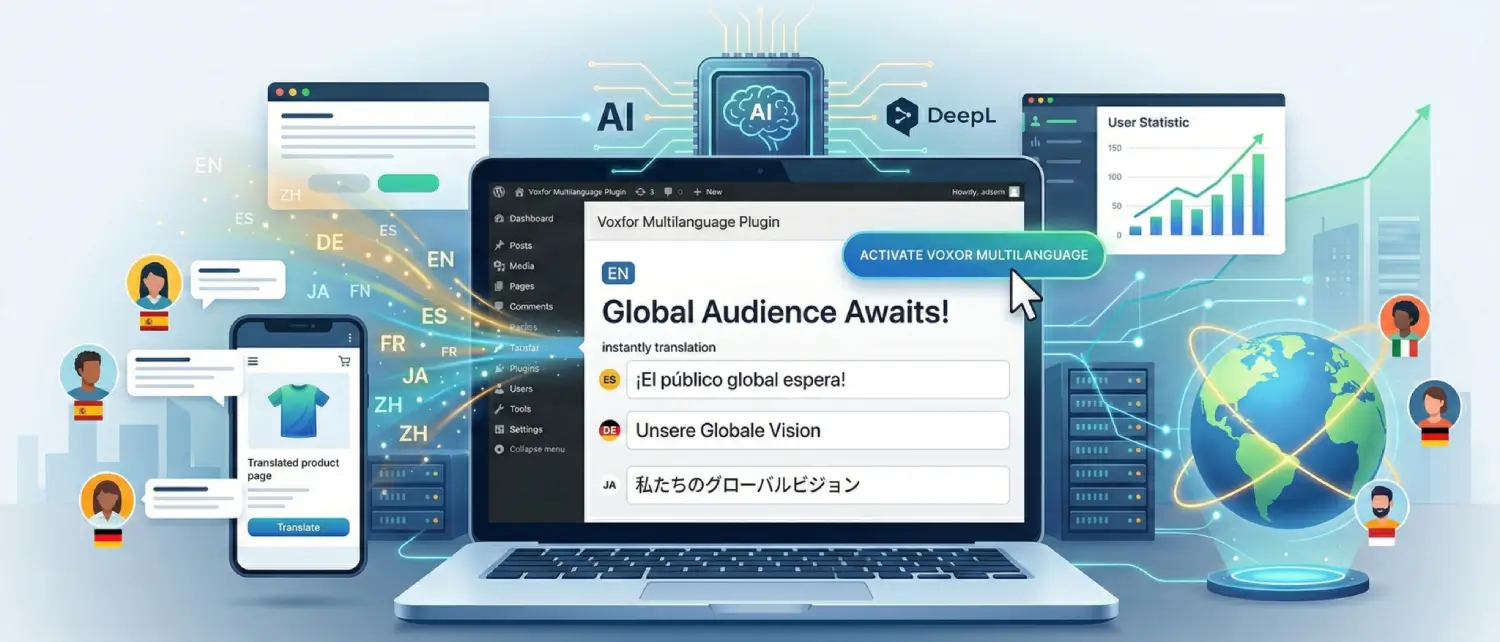
Voxfor Multilanguage Plugin: Transform Your WordPress Site Into a Global Powerhouse
Last edited on March 3, 2026

The internet has no boundaries, though the majority of websites have. Although three-fourths of internet users do not use English as their language of expression, most of the websites do not change to other languages, and they are missing billions of traffic, prospective customers, and opportunities. The solution? A powerful multilingual wordpress that does not ruin your wallet and does not slow your site.

Enter Voxfor Multilanguage Plugin, the newly launched, completely free WordPress translation plugin that’s changing the game for website owners worldwide. Powered by DeepL industry-leading AI translation technology and engineered for maximum performance, Voxfor Multilanguage makes going global as simple as clicking a button.

Why Your Website Needs to Be Multilingual

Why Your Website Needs to Be Multilingual

A multilingual web has more advantages than just mere translation. Studies indicate that multilingual websites enjoy a major benefit in a variety of measures:

Expand Your Global Reach: Adding just Spanish to your English website not only reaches Spain, it opens doors to Mexico, Argentina, Colombia, and over 20 Spanish-speaking countries. Each language you add multiplies your potential audience exponentially.

Build Customer Trust: When visitors land on your site and see content in their native language, they immediately feel more comfortable and confident. This emotional connection translates directly into higher engagement, more subscriptions, and increased sales.​

Gain Competitive Advantage: Most websites remain monolingual. By offering multiple languages, you instantly differentiate yourself from competitors and capture market share they’re leaving on the table.

Boost Search Engine Visibility: Search engines like Google prioritize content that matches the user’s search language. A French visitor searching in French will see your French pages rank higher than English-only competitors. This means more organic traffic without additional advertising spend.​

Increase Revenue: The research has continually indicated that customers tend to buy more when the product description, prices, and checkout procedures are displayed in their own language. The result? A greater number of conversions and sales.

Introducing Voxfor Multilanguage: The Free, Powerful Alternative

Voxfor Multilanguage represents a breakthrough in WordPress translation technology. Unlike premium plugins that charge hundreds of dollars annually or free alternatives that compromise on quality, Voxfor delivers enterprise-grade features at zero cost.

What Makes Voxfor Multilanguage Different

100% Free & Open Source: Voxfor Multilanguage is completely free with no premium tiers, hidden costs, or feature limitations. Licensed under GPLv3, you can use it on unlimited websites without licensing fees. You only need your own DeepL API key, and DeepL offers a generous free tier with 500,000 characters per month.​

DeepL AI Translation Quality: While competitors rely on basic Google Translate integration, Voxfor leverages DeepL’s next-generation language model, which outperforms ChatGPT-4, Google Translate, and Microsoft Translator in blind tests. Language experts prefer DeepL translations 1.3x more often than Google and 2.3x more often than Microsoft. DeepL translations also require 2-3x fewer edits to achieve the same quality as competitors.​

Performance-First Architecture: Unlike traditional translation plugins that slow down your website, Voxfor uses an advanced translation memory system with UUID-based indexing, batch processing, and comprehensive caching. All translations are stored locally in your WordPress database, meaning zero API calls on page load and lightning-fast delivery to visitors.

Enterprise SEO Features: Voxfor automatically generates hreflang tags, translates image ALT text for international SEO, creates language-specific canonical URLs, and generates multilingual sitemaps, features typically reserved for expensive premium plugins.​

Key Features:

AI-Powered Translation with DeepL

AI-Powered Translation with DeepL

Voxfor is also directly integrated with DeepL professional translation API, and it produces context-specific, nuanced, and incredibly human-sounding translations. The DeepL translator has a machine translation accuracy of 89 percent and is very effective with European languages.​

The “Bring Your Own API Key” model gives you complete control over translation costs and scalability. With DeepL’s free tier offering 500,000 characters monthly, enough for most small to medium websites, you can start translating immediately at zero cost. For larger sites, DeepL Pro typically costs under $10 monthly.​

Translation Memory System

Translation Memory System

All the translations are kept in the database of your WordPress and indexed highly, allowing retrieval in real time. The system based on UUID does not create conflicts and allows several translations of the same text in various situations. Translation batching capabilities minimize database load by up to 80 percent, and automatic caching guarantees translations are loaded less than 2-5 milliseconds.

Once content is translated, it never needs to be sent to the API again. Translations are served directly from your database, ensuring fast page loads and minimal server overhead.

SEO-Optimized for Global Rankings

SEO-Optimized for Global Rankings

Voxfor implements every multilingual SEO best practice recommended by Google:​

Hreflang Tags: Automatically generated in your site’s head section, hreflang annotations tell search engines which language version to show each visitor. Voxfor creates proper bidirectional linking between all language versions, including the x-default tag for users whose language preferences don’t match available translations.

Image ALT Text Translation: Unlike most plugins that ignore images, Voxfor translates all image ALT attributes, boosting your international image search visibility and improving accessibility.

Language-Specific Canonical URLs: The different versions of the language are allotted their own canonical URLs in order to avoid the punishment of duplicate content as well as maintain the value of SEO.

Clean URL Structure: Voxfor uses SEO-friendly language prefixes (/fr/, /de/, /es/) that both search engines and users can easily identify. This subdirectory structure is Google’s recommended approach for multilingual sites.​

Translated Slugs (Optional): For fully localized URLs, enable slug translation to convert /services/web-design/ to /fr/services/conception-web/ or /de/dienstleistungen/webdesign/.

SEO Plugin Integration: Seamless compatibility with Yoast SEO, Rank Math, All in One SEO Pack, and SEOPress ensures your meta titles, descriptions, and schema markup translate correctly.

Voxfor Multilanguage Compatible Features:

Visual In-Context Editor

The revolutionary visual editor allows you to translate the information as the visitors will perceive it. Highlight any text anywhere on your live page, headline, paragraph, hit the button, menu and translate immediately. No longer alternate with the admin panels and guessing on how translations will be displayed. Get changes in real-time prior to publication.

Flexible Language Switcher

Multiple widget styles accommodate any design preference:

  • Floating dropdown button (position customizable)
  • Inline language menu
  • Flag icons with language names
  • Compact toggle

🛒 WooCommerce Compatible

Full e-commerce integration translates product titles, descriptions, short descriptions, categories, tags, and attributes. Smart exclusions automatically protect checkout and cart pages, ensuring payment processing remains secure and functional. Currency switcher compatibility lets you display prices in local currencies alongside language options.

33+ Languages Supported

Voxfor supports all major languages including English, French, German, Spanish, Italian, Portuguese, Russian, Japanese, Chinese, Korean, Arabic, Hebrew, Swedish, Norwegian, Danish, Finnish, Dutch, Polish, Turkish, Czech, Slovak, Slovenian, Hungarian, Romanian, Bulgarian, Greek, Estonian, Latvian, Lithuanian, Thai, Vietnamese, Indonesian, and Ukrainian.

Full RTL (Right-to-Left) support for Arabic, Hebrew, Persian, and Urdu ensures proper text direction and formatting.

Complete Step-by-Step Setup Guide

System Requirements

Before installation, verify your hosting environment meets these requirements:

  • WordPress 6.5 or higher (latest version recommended)
  • PHP 8.1 or higher (PHP 8.2+ recommended for best performance)
  • MySQL 5.7+ or MariaDB 10.2+
  • 128MB memory limit minimum (256MB+ recommended)
  • Outbound HTTPS connections enabled (for DeepL API calls)

Installation Steps

Method 1: Automatic Installation (Recommended)

  1. Log in to your WordPress admin dashboard
  2. Navigate to Plugins → Add New
  3. Search for “Voxfor Multilanguage”
  4. Click Install Now next to the Voxfor Multilanguage plugin
  5. Click Activate after installation completes

Method 2: Manual Installation

  1. Download the plugin zip file from WordPress.org
  2. Go to Plugins → Add New → Upload Plugin
  3. Choose the downloaded file and click Install Now
  4. Click Activate Plugin

Getting Your DeepL API Key

  1. Visit https://www.deepl.com/pro-api
  2. Create a free DeepL API account (no credit card required for free tier)
  3. Verify your email address
  4. Log in to your DeepL account dashboard
  5. Navigate to Account → API Keys
  6. Copy your authentication key

Plugin Configuration

After activation, configure Voxfor:

  1. Navigate to Multilanguage → Settings in WordPress admin
  2. Paste your DeepL API key in the API Settings section
  3. Click Test Connection to verify the key works
  4. Select your default source language (usually English)
  5. Choose the target languages you want to translate to
  6. Enable automatic translation for new content (optional)
  7. Enable hreflang tags for SEO
  8. Enable image ALT text translation
  9. Enable the floating language switcher for visitor access
  10. Click Save Changes

First Translation

Start translating content immediately:

Option 1: Bulk Translation

  • Go to Multilanguage → Translate
  • Select content type (Posts, Pages, Products, etc.)
  • Choose target languages
  • Click Start Translation
  • Monitor progress in real-time

Option 2: Individual Content

  • Edit any post or page
  • Look for the Voxfor translation meta box
  • Click the language flag to translate that content
  • Review and publish

Option 3: Visual Editor

  • Visit any page on your frontend
  • Use the visual editor toolbar (admin users only)
  • Click elements to edit translations in context
  • Save changes when complete

Performance & Caching: Lightning-Fast Translations

Translation Memory Caching

Voxfor multi-layer caching architecture ensures optimal performance:

Database Optimization: Each translation has optimized indexes on postid, languagecode, context and source hash. Single queries are used to retrieve batch translations. Ready-made statements are secure.

WordPress Object Cache Integration: The support of Redis, Memcached, APCu, and WP Object Cache Pro is automatic. TTL of caches (3600 seconds default). Negative result caching eliminates duplicates.

Cache Plugin Compatibility

Voxfor automatically detects and configures compatibility with major caching plugins:​

  • WP Rocket: Language-aware cache keys, automatic purging
  • W3 Total Cache: Custom cache key modification
  • WP Super Cache: Language cookie awareness
  • LiteSpeed Cache: Vary cache by language cookie
  • WP Fastest Cache: Language cookie exclusion

CDN & Server Cache Support

Full compatibility with enterprise caching solutions:

  • Varnish: Automatic PURGE requests with language awareness
  • Nginx FastCGI Cache: Custom purge hooks
  • Cloudflare: Proper Vary headers for language-based caching
  • CDN77, KeyCDN, BunnyCDN: Full compatibility with edge caching

Performance Benchmarks

Real-world performance data:

MetricWithout CachingWith Translation Memory

Page Load Time ~5s (API calls) ~200ms (cached)

Database Queries N/A +2-5 per page

API Calls Multiple per page 0 (after initial)

Memory Usage ~50MB ~55MB

After initial translation, pages load with virtually no performance penalty. Translation retrieval adds only 2-5 milliseconds to page load time.

Who Should Use Voxfor Multilanguage?

Bloggers & Content Creators

Connect with international markets without translation service companies and subscriptions. Its free plan serves the majority of individual blogs and small content providers at Voxfor. The visual editor simplifies and streamlines the process of reviewing and editing translations.

E-commerce Store Owners

WooCommerce makes internationalization a smooth process. Localize products and categories as well as attributes, but not the checkout. It has been concluded that 55 percent of the customers would like to shop in their own language, which has a direct effect on conversion rates and income.

Agencies & Developers

Build multilingual sites for clients without recurring licensing fees per domain. Full API access, extensive hooks and filters, and REST API support enable deep customization. Multisite compatibility allows network-wide language management.

Corporate Websites

Enterprise features are competing with hundreds of dollars per year. Glossary management makes the brand terminology consistent across languages. Translation memory avoids unnecessary API calls. Bulk translation is used to work with large amounts of content.

Getting Started Today

Download & Resources

📥 Download Pluginhttps://wordpress.org/plugins/voxfor-multilanguage/

📄 Complete Documentationhttps://www.voxfor.com/multilinguage-translate.php#documentation

🔗 Plugin Overview & Featureshttps://www.voxfor.com/multilinguage-translate.php

Quick Start Checklist

✅ Install Voxfor Multilanguage from WordPress.org

✅ Create a free DeepL API account and get an API key

✅ Configure plugin settings and add API key

✅ Select source and target languages

✅ Enable language switcher widget

✅ Translate your first 5-10 most important pages

✅ Review translations using the visual editor

✅ Enable SEO features (hreflang, ALT text, canonical URLs)

✅ Test language switcher on frontend

✅ Monitor DeepL API usage in the dashboard

The Competitive Advantage

When compared to alternatives, Voxfor Multilanguage stands out:

vs. WPML ($39-$199/year): Voxfor is completely free with comparable features. WPML increases database queries by 40-60% and causes performance issues, while Voxfor’s optimized architecture adds minimal overhead.​

vs. Weglot ($17+/month): While Weglot offers excellent cloud-based translation, recurring costs add up quickly. Voxfor’s self-hosted approach gives you complete control without monthly fees.

vs. TranslatePress (€99/year): TranslatePress offers a solid visual editor, but Voxfor combines that interface with superior DeepL translation quality and more advanced caching, all for free.

vs. Polylang (free/€99 pro): Polylang requires manual translation management. Voxfor automates the process with AI while offering the same manual editing capabilities.

Why DeepL Makes the Difference

Enterprise features are competing with hundreds of dollars per year. Glossary management makes the brand terminology consistent across languages. Translation memory avoids unnecessary API calls. Bulk translation is used to work with large amounts of content.

Blind tests by themselves reveal that DeepL is better. DeepL translations are 1.3 to 1.7 times more commonly preferred by professional translators over Google Translate and ChatGPT-4, respectively, on critical language pairs, such as Japanese-English, Chinese-English and German-English. The next-generation model of DeepL is 1.4-1.7x higher quality than other models.

This difference in quality is directly converted into business outcomes: the reduced number of required edits, more sounding and more natural content, improved user experience, and increased conversion rates.

Real-World Use Cases

Travel Blog Expansion: A travel blogger using Voxfor added French, German, and Spanish translations to their existing English content. Within three months, international traffic increased 340%, with French readers becoming the second-largest audience segment.

E-commerce Global Launch: An online jewelry store translated its WooCommerce catalog into five languages using Voxfor’s bulk translation feature. International sales grew from 8% to 47% of total revenue within six months.

Corporate Site Localization: A B2B software company deployed Voxfor across their WordPress multisite network, translating marketing pages into 12 languages. Lead generation from non-English countries increased 280% year-over-year.

Agency Client Work: A WordPress development agency now includes Voxfor Multilanguage in their standard client packages, offering multilingual capability without adding recurring costs to client budgets.

Advanced Features for Power Users

Glossary Management

Defined terms: These should be words that need to be translated in a similar manner throughout your site. Brand names, product names, technical terms, and industry-oriented jargon may be pinned down to certain translations so that they become consistent.

Exclusion Rules

Exclude specific HTML elements (by class or ID), particular text strings, or entire pages from translation. Perfect for preserving embedded code, shortcodes, or legally sensitive content.

Translation Queue Management

Background processing through WP-Cron will avoid API timeouts. Rate limiting (the setting is configurable, and the default is 1 page/minute) makes operations smooth. Track queue position and discontinue or suspend operations on demand.

REST API Access

Developers can access translation data programmatically via Voxfor REST API endpoints. Automate translation workflows, integrate with external systems, or build custom translation dashboards.

Debug Mode & Diagnostics

Enable detailed logging for troubleshooting. System diagnostics check database tables, verify API connectivity, monitor memory usage, and provide detailed environment information for support requests.

Multilingual SEO Best Practices

Implementing Voxfor is just the beginning. Maximize your multilingual SEO with these proven strategies:​

Localized Keyword Research: Don’t just translate keywords—research what terms native speakers actually use. Search behavior varies significantly across languages and regions.

Cultural Localization: Adapt content other than translation. Provide examples, images and references that are relevant to each target market and are culturally acceptable.

Local Backlinks: Build links from reputable domains in each target country. Local backlinks significantly boost regional search rankings.

Mobile Optimization: Ensure translated versions load quickly on mobile devices. Mobile usage dominates in many international markets.

Structured Data: Use language-specific structured data in the rich snippets and better search visibility.

Analytics Tracking: Monitor performance by language and region. Identify which translations drive the best engagement and conversion rates.

Troubleshooting Common Issues

Translations Not Appearing: Verify your DeepL API key is correct and active. Check that target languages are enabled. Clear translation cache via Tools → Clear Cache.

404 Errors on Language URLs: Go to Settings → Permalinks and click Save Changes to flush rewrite rules. This regenerates the .htaccess file with proper language URL structures.

Language Switcher Not Displaying: Confirm multiple languages are enabled in settings. Check that the widget configuration is correct. Clear browser and site cache.

API Errors: Test the validity of API keys in your DeepL dashboard. Confirm that you have not exceeded limits of use. Make sure that your server is capable of making outgoing HTTPS requests to the DeepL API endpoints.

The Future of Multilingual WordPress

As global internet connectivity expands and machine translation improves, multilingual websites will become standard rather than optional. Early adopters gain significant competitive advantages in search rankings, market share, and brand recognition.

Voxfor Multilanguage puts your WordPress site in this multilingual future with the barriers of cost and complexity of the traditional ways. You can be a blogger and attract your first international audience, an online store that expands to new markets, or a business that has to deal with content on a global scale, Voxfor is the tool you are looking to help.

Conclusion: Your Global Growth Starts Today

The internet connects 5.3 billion people worldwide, speaking thousands of languages. Yet the vast majority of websites serve content in just one or two languages, leaving enormous audiences underserved. This represents both a massive opportunity and a competitive blind spot.

Voxfor Multilanguage removes every barrier to going global:

✅ Zero Cost: Completely free, unlimited sites, no premium tiers

✅ Superior Quality: DeepL AI translations that outperform competitors

✅ Enterprise Features: SEO optimization, caching, visual editor, WooCommerce support

✅ Maximum Performance: Optimized architecture that doesn’t slow your site

✅ Full Control: Self-hosted, open source, complete customization

✅ Easy Setup: Install and start translating in under 5 minutes

Every day you operate a monolingual website, you’re leaving traffic, customers, and revenue on the table. International visitors arrive at your site, struggle to understand your language, and leave, taking their potential business to competitors who speak their language.

Transform your WordPress site into a global platform today. Download Voxfor Multilanguage, add your free DeepL API key, and watch your international audience grow.

About Voxfor Multilanguage: Voxfor Multilanguage is a free, open-source WordPress plugin (GPLv3) that provides professional multilingual website functionality powered by DeepL AI translation. Developed with performance, SEO, and user experience as core priorities, Voxfor Multilanguage makes global reach accessible to websites of all sizes. Join thousands of WordPress site owners already reaching international audiences with Voxfor.

About the writer

Hassan Tahir Author

Hassan Tahir wrote this article, drawing on his experience to clarify WordPress concepts and enhance developer understanding. Through his work, he aims to help both beginners and professionals refine their skills and tackle WordPress projects with greater confidence.

Leave a Reply

Your email address will not be published. Required fields are marked *

Lifetime Solutions:

VPS SSD

Lifetime Hosting

Lifetime Dedicated Servers