Lifetime VPS Europe
 Lifetime VPS Asia
 Lifetime WooCommerce Hosting
 Lifetime Hosting
 Lifetime Game Dedicated Servers
 Chicago, US
 Tokyo, Japan
 Singapore
 Hong Kong
 Seoul, South Korea
 Amsterdem, Netherlands
 London, UK
 Stockholm, Sweden
 Oslo, Norway
 Vienna, Austria
 Zurich, Switzerland
 Sydney, Australia
 Wordpress Hosting
 VPS Hosting
 DDOS Protection
 Submit Ticket
 Full Management
 Guides
 Videos and Podcasts
 Discover Creative Ideas
 Cybersecurity Services
 Voxfor Mega Menu
 Voxfor Advanced Price Management For WooCommerce
 Voxfor Secure Live Chat and AI Support
 Voxfor Multilanguage
 Voxfor AI Content Summary
 Voxfor Autopilot
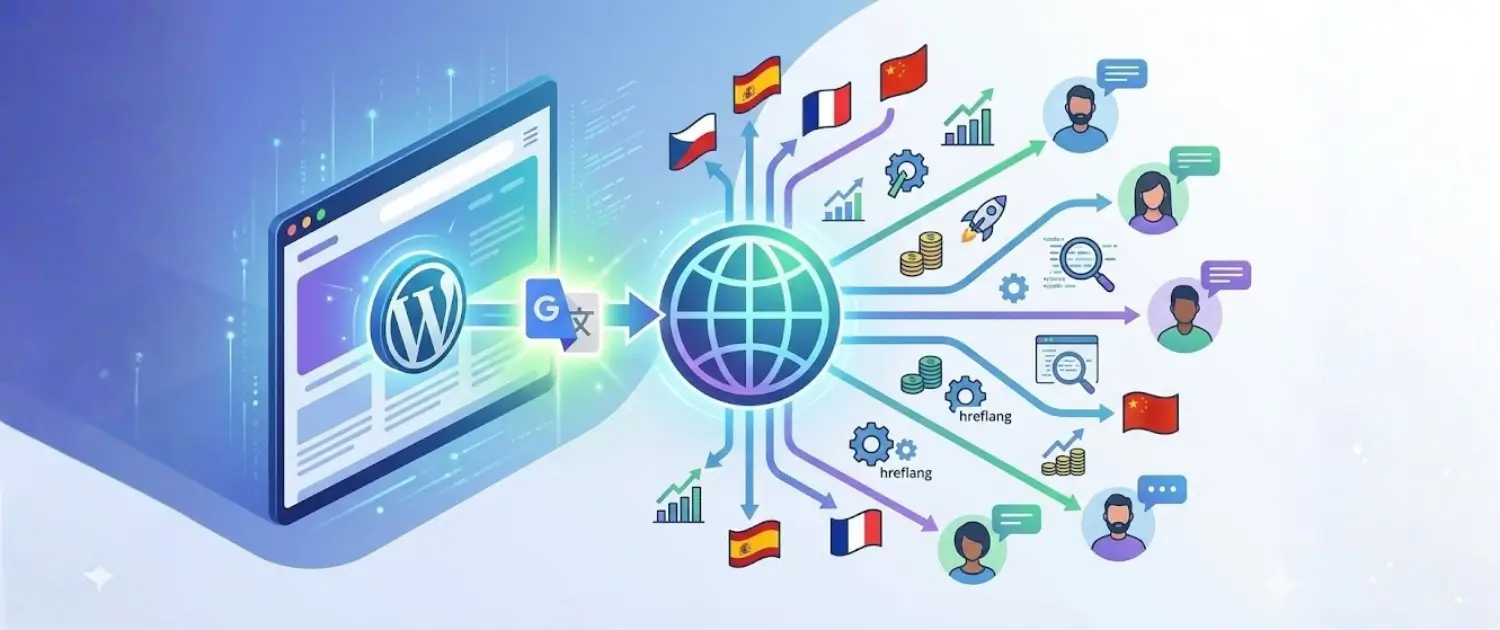
If you want a multilingual WordPress site, the first question is not simply “Google Translate or DeepL?” The better question is what you need the translation to do. A visitor-side Google Translate widget can help someone read a page quickly. A DeepL-assisted workflow can help create editable translations. A proper multilingual WordPress setup can create indexable language URLs, translated metadata, hreflang annotations, localized internal links and a review process that protects brand trust.
Voxfor develops Voxfor Multilanguage on WordPress.org, so this article is transparent about where our plugin fits and where a simpler widget, GTranslate, Weglot, WPML or TranslatePress may be enough. The goal is to help you choose the right translation workflow before you create hundreds of weak language pages.

Quick Decision: Google Translate DeepL or a WordPress Multilingual Plugin?
Use Google Translate when you mainly want a fast reader convenience feature. It is useful for support articles, internal documentation, small blogs and low-risk pages where translated content does not need to rank independently in Google.
Use DeepL-assisted stored translations when translated pages should be edited, approved, indexed and measured. DeepL can produce natural machine translation in many language pairs, but it still needs human review for commercial, legal, medical, technical and checkout copy.
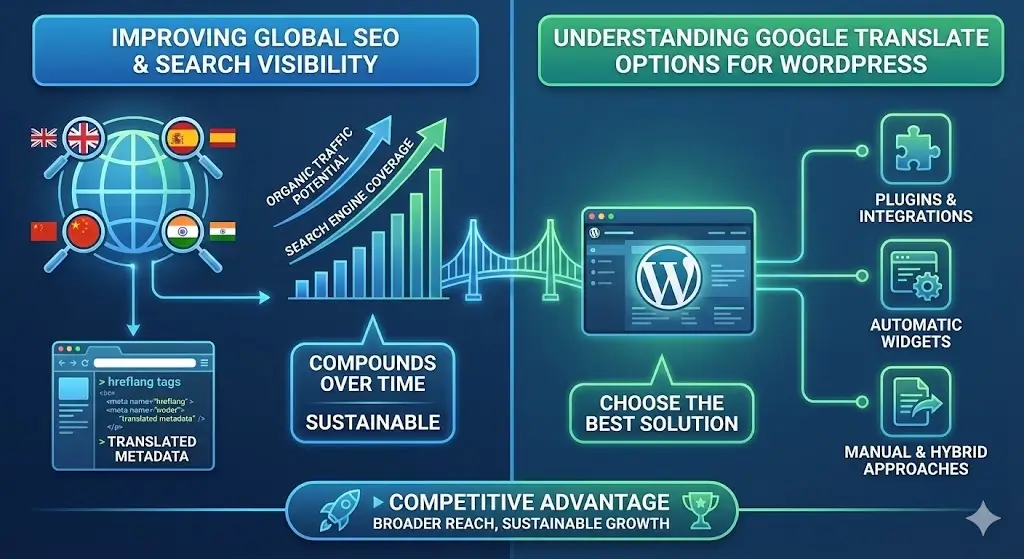
Use a WordPress multilingual plugin when SEO matters. Search engines need stable translated URLs, translated title tags and meta descriptions, canonical handling, hreflang annotations and crawlable pages. A browser widget alone usually does not give you that complete SEO layer.
Comparison Matrix for WordPress Translation Choices
| Option | Good fit | SEO value | Main risk |
|---|---|---|---|
| Google Translate widget | Fast visitor-side reading aid | Low, because it does not usually create controlled indexable translated pages | No control over wording, metadata or translation review |
| Google-powered plugin such as GTranslate | Sites that want a quick language switcher and optional paid SEO features | Depends on plan and configuration | Free setups can be convenience-only rather than SEO-ready |
| DeepL API plus stored translations | Businesses that need higher-quality editable translations | High when combined with URLs, metadata, hreflang and review | API cost, language-pair quality differences and review workload |
| Voxfor Multilanguage | WordPress owners who want DeepL-assisted translations managed inside WordPress | Strong fit when pages are stored, reviewed and connected to multilingual SEO settings | Feature availability, API limits and support terms should be checked on the current plugin page |
| Weglot, WPML or TranslatePress | Teams that prefer mature commercial translation workflows | Can be strong when configured correctly | Subscription cost, lock-in, setup complexity or server load depending on the product |
Why a Widget Is Not the Same as Multilingual SEO
A translation widget changes what a visitor sees in the browser. Multilingual SEO changes what search engines can crawl, understand and rank. That difference matters. If your French, German, Spanish or Hebrew content exists only as a temporary browser translation, it is not the same as having real translated URLs such as /fr/services/, /de/wordpress-hosting/ or /es/contact/.
Google’s international SEO documentation explains that localized versions should be connected with alternate language signals, usually hreflang annotations. A serious multilingual WordPress setup should also keep each language page self-canonical, avoid pointing every language back to English, and give each version its own title, description and body copy. You can review the official guidance in Google Search Central’s localized versions documentation.
This is why a site can have a visible language dropdown and still be weak for international SEO. The dropdown helps users. It does not automatically create a complete multilingual content architecture.
When Google Translate Is Enough
Google Translate is often enough when translation is a courtesy, not a search strategy. A small documentation site, community project, hobby blog or internal knowledge base may only need visitors to understand the basic meaning of a page. In that case, adding a widget or a Google-powered plugin can be a practical first step.
The limitation is control. You cannot reliably rewrite local idioms, adjust legal wording, translate calls to action, localize examples, test search snippets or approve product descriptions before they appear. If a translation mistake could damage trust, confuse a buyer or create support tickets, the content should not rely only on an uncontrolled machine translation layer.
When DeepL Is the Better Starting Point
DeepL is usually a better starting point when you need editable machine translation that a human can refine. Many teams prefer DeepL for natural phrasing in important language pairs, especially for business copy, product explanations and long-form content. That should be treated as a quality tendency, not a universal rule. Translation quality varies by language, industry, source text quality and review process.
For WordPress SEO, DeepL becomes most useful when its output is stored in your site rather than shown only as a temporary browser layer. Stored translations can be edited, linked, included in XML sitemaps, checked in Search Console, connected with hreflang and improved over time. If you use the DeepL API, check the current DeepL developer documentation and pricing before building a large translation workflow.
Where Voxfor Multilanguage Fits
Voxfor Multilanguage is relevant when a WordPress site needs a DeepL-assisted workflow inside WordPress instead of a simple visitor widget. The practical use case is not “translate everything and hope for rankings.” The stronger use case is controlled translation of important pages, review by someone who understands the target market, and publication through a multilingual SEO structure.
Before choosing any plugin, verify the current feature set, version, support channel, license terms, DeepL API requirements, supported languages and compatibility with your theme, SEO plugin, cache plugin and WooCommerce setup. Plugin pages and API limits change over time, so avoid building a business case on old language counts or pricing numbers copied from a blog post.
For implementation detail, use the Voxfor Multilanguage Plugin Guide. For the broader SEO workflow, use the Multilingual SEO for WordPress guide. This page should remain the comparison and decision guide, not the full setup manual.
How to Choose the Right Translation Workflow
1. Decide whether translated pages need to rank
If the answer is no, a widget may be enough. If the answer is yes, you need real translated pages with search-friendly URLs, metadata, internal links and hreflang. Do this before translating large volumes of content.
2. Pick target languages based on demand not vanity
Do not enable every language just because a tool supports many languages. Start with markets that already show traffic, sales inquiries, support demand or paid campaign potential. A smaller number of reviewed language versions is usually stronger than dozens of thin, unreviewed versions.
3. Review money pages manually
Machine translation can be useful for drafts, but service pages, pricing pages, product descriptions, checkout text, legal pages and support promises need a human review step. The reviewer should check accuracy, tone, local terminology and whether the call to action makes sense in that market.
4. Localize keywords instead of translating them literally
A keyword that works in English may not be the phrase people search in Spanish, German or Arabic. Translate the intent, then research local search phrasing. This is especially important for hosting, SaaS, ecommerce, legal, finance, health and technical documentation.
5. Test technical SEO before scaling
Publish a small language set first. Check source code for hreflang. Confirm each translated page has its own canonical. Submit sitemaps. Inspect URLs in Google Search Console. Crawl the translated section and look for redirect loops, missing metadata, untranslated navigation and mixed-language pages.
Migration Path: From Google Translate Widget to SEO-Ready Translations
If your site already uses Google Translate, you do not need to remove it immediately. Treat it as a temporary reader aid while you build a stronger multilingual content system.
- Export your top organic landing pages and top conversion pages.
- Choose one or two target languages with clear business value.
- Create stored translated versions for those pages.
- Use DeepL or another machine translation tool to create drafts, then review them manually.
- Translate title tags, meta descriptions, headings, image alt text, CTAs and internal link anchors.
- Add hreflang and language-specific sitemaps through your plugin or SEO setup.
- Keep the old widget only where it still helps users and does not confuse the SEO experience.
Plugin Notes: GTranslate Weglot WPML and TranslatePress
GTranslate can be useful for quick Google-powered translation workflows, but SEO behavior depends on the exact plan and configuration. Check whether your setup creates indexable translated URLs, not just browser-side text changes.
Weglot is often chosen by teams that want a hosted translation management layer with a polished workflow. It can be a strong option when the subscription model and external dashboard fit the business.
WPML is a mature WordPress multilingual system for sites that need detailed control over posts, pages, taxonomies, strings, menus and WooCommerce. It can be powerful, but setup discipline matters.
TranslatePress is worth evaluating when visual front-end editing is a priority. As with every multilingual plugin, verify performance, SEO metadata handling and cache behavior on staging.
Multilingual SEO Checklist Before Publishing
- Each translated page has a stable URL that can be crawled.
- Each language version has its own title tag and meta description.
- Hreflang links are reciprocal and include the correct language codes.
- Canonical tags do not accidentally point all translations back to English.
- Navigation, buttons, forms, checkout labels and error messages are not left in the wrong language.
- Important pages have been reviewed by someone who understands the target language and topic.
- Internal links point to the correct language version where possible.
- Search Console and analytics are ready to monitor each language section.
Final Recommendation
For a basic reader aid, Google Translate or a Google-powered plugin can be enough. For multilingual SEO, use stored translations, translated metadata, hreflang, language-specific URLs and a review workflow. For WordPress teams that want DeepL-assisted translation inside WordPress, Voxfor Multilanguage is a relevant option to evaluate alongside GTranslate, Weglot, WPML and TranslatePress.
The safest strategy is to start small: translate the pages that already matter, review them properly, measure search and conversion behavior, then expand language by language. Multilingual SEO works well when it is treated as a content system, not as a one-click decoration.
Frequently Asked Questions
Is Google Translate good for WordPress SEO?
Google Translate can help visitors understand a page, but it is not enough by itself for strong multilingual SEO. SEO needs crawlable translated URLs, metadata, hreflang, internal links and reviewed content.
Is DeepL better than Google Translate for WordPress?
DeepL is often preferred for natural editable drafts in many business contexts, but it is not automatically better for every language or page type. The strongest results come from machine translation plus human review.
Do translated WordPress pages need hreflang?
Yes, if you publish equivalent pages in multiple languages or regions. Hreflang helps search engines understand which version should be shown to which user.
Should I translate every page on my site?
No. Start with pages that already drive traffic, leads, sales or support value. Thin translated pages can create maintenance problems and weak user experiences.
Can Voxfor Multilanguage replace a Google Translate widget?
It can be considered when you want a WordPress-managed translation workflow rather than a temporary reader widget. Check the current plugin page, DeepL API requirements and compatibility with your theme and SEO setup before rollout.