Lifetime VPS Europe
 Lifetime VPS Asia
 Lifetime WooCommerce Hosting
 Lifetime Hosting
 Lifetime Game Dedicated Servers
 Chicago, US
 Tokyo, Japan
 Singapore
 Hong Kong
 Seoul, South Korea
 Amsterdem, Netherlands
 London, UK
 Stockholm, Sweden
 Oslo, Norway
 Vienna, Austria
 Zurich, Switzerland
 Sydney, Australia
 Wordpress Hosting
 VPS Hosting
 DDOS Protection
 Submit Ticket
 Full Management
 Guides
 Videos and Podcasts
 Discover Creative Ideas
 Voxfor Autonomous AI Workers
 Voxfor Mega Menu
 Voxfor Advanced Price Management For WooCommerce
 Voxfor Secure Live Chat and AI Support
 Voxfor Multilanguage
 Voxfor AI Content Summary
 Voxfor Autopilot
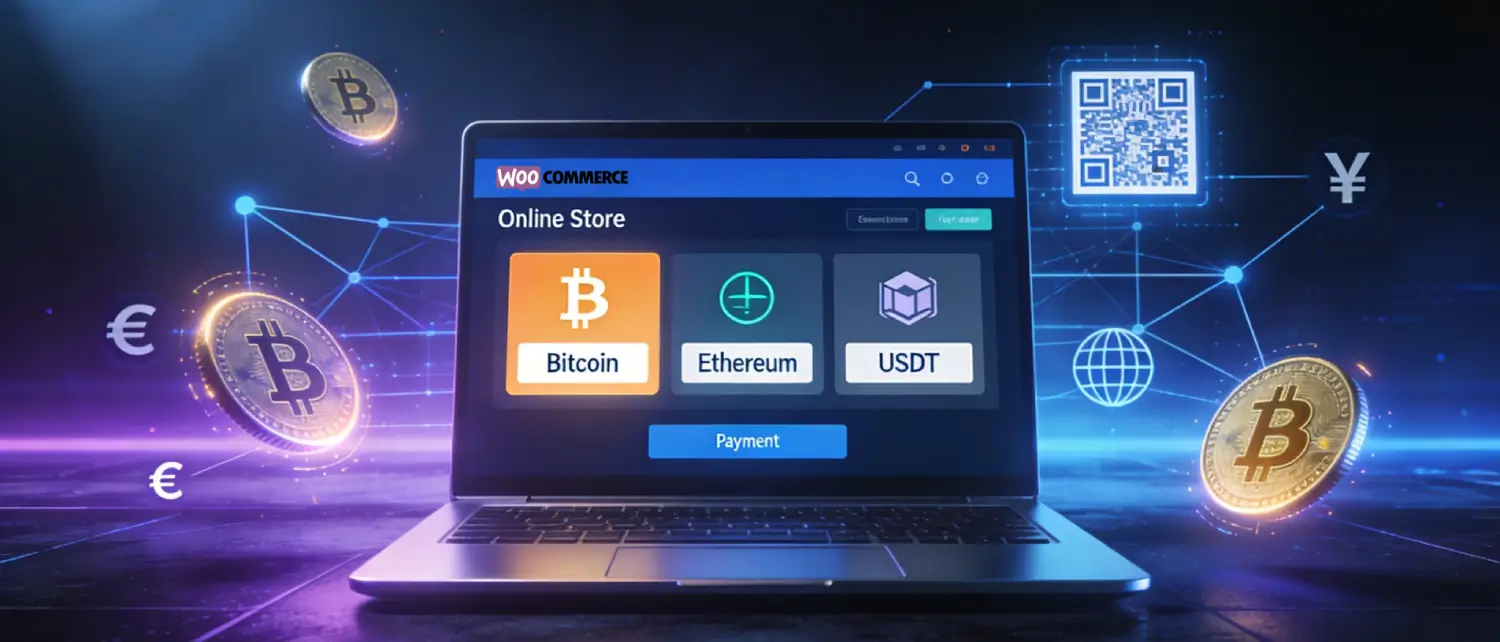
The way customers pay online is evolving rapidly, and cryptocurrency is no longer a niche preference. With an estimated 300 million people worldwide holding cryptocurrency, WooCommerce store owners who ignore digital currencies risk leaving a massive, underserved customer segment on the table. Whether you run a boutique e-commerce shop or a large-scale WordPress store, accepting crypto payments is now a strategic move that can unlock global markets, reduce transaction fees, and eliminate costly chargebacks.
WooCommerce checkout hosting
Support crypto payments with stable WooCommerce VPS hosting
Crypto payment workflows need secure checkout pages, reliable callbacks, and strong store performance. Voxfor VPS gives WooCommerce stores dedicated resources for payment integrations and revenue-critical traffic.
This comprehensive guide explains everything you need to know about WooCommerce crypto payments, from the compelling business case to choosing the right plugin, setting it up, and navigating potential challenges.
Why Accept Cryptocurrency on Your WooCommerce Store?
The global crypto spending market is expected to grow to $39 billion by 2026, making it a powerful opportunity for merchants to tap into. Here is why leading WooCommerce stores are already making the switch:
Reach a Wider, Global Audience
Traditional payment methods come with geographic barriers, local currency restrictions, banking limitations, and high foreign exchange fees. Cryptocurrency eliminates all of that. With crypto, a customer in Pakistan, Europe, or Southeast Asia can pay just as easily as someone around the corner, without any currency conversion friction. For merchants targeting international customers, this is one of the most compelling advantages of accepting crypto.
Lower Transaction Fees
Credit card processing typically costs merchants between 2–3% per transaction, plus additional flat fees. Crypto payment gateways often charge significantly less, some as low as 0.5% to 1% per transaction. The only unavoidable cost is the blockchain network’s “gas” fee, which the sender pays. Over time, these savings compound considerably for high-volume stores.
Eliminate Chargebacks Completely
Chargebacks are a persistent headache for e-commerce merchants; they result in lost revenue, administrative overhead, and potential account restrictions from payment processors. Blockchain-based crypto transactions are irreversible by design, meaning once a customer pays, the transaction is final. There is no chargeback mechanism in crypto, which provides merchants with strong fraud protection.
Attract Crypto-Native Customers
Millions of crypto holders actively look for stores that accept digital currencies. Some customers prefer crypto for privacy, some because they hold significant crypto wealth and want to spend it directly, and others because they face daily banking limits on large purchases. By adding a crypto checkout option, WooCommerce stores immediately become accessible to this growing segment.
Faster Settlements
Traditional bank transfers can take days to clear. Cryptocurrency transactions, especially those using Lightning Network, settle within minutes, and funds reach the merchant’s wallet directly without waiting for intermediaries. Stablecoin payments in USDT or USDC settle near-instantly with no price volatility.
Choose How You Get Paid
One of the most flexible features of modern crypto payment gateways is the settlement option. Merchants can choose to receive payments directly in cryptocurrency (keeping BTC, ETH, or stablecoins) or automatically convert to fiat currency (USD, EUR, GBP) via their gateway’s exchange partner. This gives store owners full control over their exposure to crypto volatility.
Does WooCommerce Natively Support Crypto Payments?
By default, WooCommerce does not include built-in cryptocurrency payment support. The WooCommerce core is designed around traditional payment processors like Stripe and PayPal. To accept crypto, store owners need to install a dedicated cryptocurrency payment gateway plugin, of which there are hundreds available in the WordPress plugin directory.
The good news is that setup is fast, often taking just a few minutes, and does not require any coding knowledge. WooCommerce’s extensible architecture means most crypto payment plugins install and activate exactly like any other WooCommerce extension.
Top WooCommerce Crypto Payment Plugins in 2025–2026
Choosing the right plugin is the most critical decision. The market offers a wide range of options, from self-hosted, non-custodial solutions to fully managed gateways with fiat settlement. Below is a detailed comparison of the leading plugins:
NOWPayments for WooCommerce
NOWPayments is one of the most feature-rich options, supporting 300+ cryptocurrencies, including Bitcoin, Ethereum, USDT, USDC, Solana, Cardano, and many altcoins. The plugin provides automatic conversion to a preferred settlement currency, instant payouts to wallets or bank accounts, and includes a sandbox mode for testing before going live. The setup process involves installing the plugin, entering an API key from the NOWPayments dashboard, and enabling the payment method in WooCommerce settings. It also supports WooCommerce subscriptions in the Pro version.
CoinGate for WooCommerce
CoinGate is a custodial gateway supporting 70+ cryptocurrencies and offering both Lightning Network payments and fiat settlement (EUR/USD/GBP via SEPA and bank transfer). It features automatic refunds for failed or overpaid transactions, instant order confirmations, and a dedicated merchant dashboard for order tracking and accounting. CoinGate charges approximately 1% per transaction and requires KYB (Know Your Business) verification for merchants. Its WooCommerce plugin is free and available directly from the official WordPress directory.
BTCPay Server (Self-Hosted)
For privacy-focused merchants and technically advanced users, BTCPay Server is the gold standard. It is a fully open-source, non-custodial solution where the merchant hosts their own server and receives payments directly to their own Bitcoin or Lightning wallet, with zero platform fees. This means no third party holds your funds at any point. BTCPay Server supports Bitcoin natively and additional cryptocurrencies via plugins. The tradeoff is a steeper setup process, though WooCommerce integration is available and well-documented.
Coinbase Commerce
Coinbase Commerce allows merchants to accept major cryptocurrencies (Bitcoin, Ethereum, USD Coin, and others) through Coinbase’s infrastructure. It offers custom checkout options, business reporting tools for accounting, flexible invoicing, and a turnkey API for custom workflows. However, it requires detailed KYB verification and is on-chain only, meaning it is not ideal for small, frequent purchases due to network confirmation times and fees. Both merchants and buyers interact through Coinbase’s ecosystem.
CryptoPay (BeycanPress)
CryptoPay by BeycanPress is a versatile plugin supporting EVM-based networks (Ethereum, BNB Chain, Polygon), Bitcoin, Solana, and Tron. Its key differentiator is a zero commission model; the plugin charges no percentage fees on transactions; only blockchain gas fees apply. Merchants receive payments directly to their own wallet as a P2P transaction. It offers currency-mode and network-mode listing views at checkout, and supports MetaMask, Trust Wallet, Binance Wallet, and Phantom wallets.
Coinsnap for WooCommerce
Coinsnap is a Lightning-first, non-custodial WooCommerce plugin. Payments are made by scanning a QR code, and funds settle instantly to the merchant’s own Lightning wallet. It also supports on-chain Bitcoin for larger transactions. Coinsnap charges approximately 1% in fees and offers minimal KYC requirements since the processor never holds custody of merchant funds. It even includes a wizard to optionally connect to the merchant’s own BTCPay Server for full self-hosting.
Plugin Comparison at a Glance
| Plugin | Supported Coins | Fees | Custody | KYC | Lightning | Fiat Settlement |
| NOWPayments | 300+ | 0.5% | Custodial | Volume-dependent | No | Limited |
| CoinGate | 70+ | ~1% | Custodial | Yes (KYB) | Yes | Yes |
| BTCPay Server | BTC + plugins | 0% | Non-custodial | No | Yes | No |
| Coinbase Commerce | ~10 | 1% | Semi-custodial | Yes (KYB) | No | Yes |
| CryptoPay | EVM + BTC, SOL, TRX | 0% commission | Non-custodial | No | No | No |
| Coinsnap | BTC + Lightning | ~1% | Non-custodial | Minimal | Yes | Via partners |
How to Set Up Crypto Payments on WooCommerce: Step-by-Step
The following steps use NOWPayments as an example, but the process is nearly identical for most WooCommerce crypto plugins:
Step 1: Create a Gateway Account
Visit the chosen payment gateway’s website (e.g., NOWPayments, CoinGate, or Coinbase Commerce) and register a merchant account. Complete any required KYC or KYB verification steps if applicable. Navigate to the dashboard’s API Keys or Integration section and generate an API key.
Step 2: Install the Plugin on WordPress
Log in to your WordPress admin dashboard. Go to Plugins → Add New and search for the gateway’s plugin name (e.g., “NOWPayments for WooCommerce” or “CoinGate for WooCommerce”). Click Install Now, then Activate.
Step 3: Configure the Plugin Settings
Navigate to WooCommerce → Settings → Payments. Find the newly installed crypto payment method and click Manage. Enter your API key from Step 1 into the appropriate field. If the gateway supports webhooks (for real-time order status updates), copy the Webhook URL shown in the plugin settings and paste it into the gateway’s dashboard under the Webhooks or Notifications tab.
Step 4: Configure Your Payout Wallet
In the gateway dashboard, navigate to the Payout Wallet section. Enter the wallet address where you want to receive your funds. This can be a Bitcoin wallet, an Ethereum wallet, or a bank account for fiat settlements. Specify your preferred settlement currency (crypto or fiat).
Step 5: Select Supported Cryptocurrencies
Most gateways allow merchants to choose which cryptocurrencies to accept. Enable or disable individual coins based on your customer base and preferences. For most WooCommerce stores, enabling at least Bitcoin (BTC), Ethereum (ETH), USDT, and USDC covers the vast majority of crypto-paying customers.
Step 6: Test the Integration
Use the plugin’s sandbox or test mode to simulate a payment without real funds. Place a test order on your store, select the crypto payment option, and verify that order statuses update correctly. Once confirmed, switch to live mode, and the integration is complete.
The Customer Payment Experience
Understanding how customers experience crypto checkout helps merchants optimize their conversion rates.
When a shopper selects the crypto payment option at checkout, the gateway generates a unique payment address and a QR code specific to that transaction. Mobile users scan the QR code with their crypto wallet app (MetaMask, Trust Wallet, Coinbase Wallet, Phantom, etc.) and confirm the exact payment amount. Desktop users can copy the wallet address and paste it into their browser-based or desktop wallet.
Once the payment is broadcast to the blockchain, the gateway’s system monitors the transaction and automatically updates the WooCommerce order status upon confirmation. The number of confirmations required before an order is marked as paid varies by cryptocurrency and gateway settings, typically 1–6 confirmations for most chains.
Customers can pay from any compatible wallet without needing an account with the merchant’s chosen gateway. This frictionless experience is a significant advantage over payment methods that require app downloads or account registrations.
Potential Challenges and How to Manage Them
While the benefits are compelling, merchants should be aware of several considerations before enabling crypto payments:
Price Volatility
Cryptocurrency prices can fluctuate dramatically. If a merchant accepts Bitcoin and holds it, a 20% price drop in 24 hours directly reduces the value of that sale. Mitigation: Choose a gateway with automatic fiat conversion (like CoinGate or Coinbase Commerce) or accept stablecoins (USDT, USDC) to eliminate volatility exposure.
Regulatory and Tax Compliance
Cryptocurrency transactions may have tax implications depending on the jurisdiction. In many countries, accepting crypto is treated as receiving income at the fair market value at the time of the transaction. Merchants are responsible for record-keeping and reporting. Some gateways offer transaction reporting tools that simplify accounting.
Irreversible Transactions
While crypto’s irreversibility eliminates chargebacks, it also means refunds must be issued manually by the merchant. Merchants need a clear refund policy for crypto purchases and must proactively send refunds to the customer’s wallet if needed. Some gateways, like CoinGate, offer automatic refunds for failed payments or overpayments.
Limited Mainstream Adoption
Despite 300 million crypto holders globally, most consumers still default to cards or digital wallets for everyday purchases. Crypto payments work best as an additional option alongside traditional payment methods, not a replacement. Displaying crypto payment badges prominently can signal to crypto-savvy shoppers that the store is crypto-friendly.
Transaction Fees on Busy Networks
On-chain Bitcoin and Ethereum transactions can become expensive during periods of network congestion. For stores selling lower-ticket items, Lightning Network payments (near-instant, near-zero fees) or Layer 2 solutions are better suited. Stablecoin payments on networks like Tron (TRC-20 USDT) are also popular for their consistently low fees.
Choosing the Right Crypto Payment Strategy for Your Store
Every WooCommerce store has different needs. Use the following framework to select the best approach:
- Want simplicity and fiat settlement? Choose CoinGate or Coinbase Commerce — both handle currency conversion automatically and deposit fiat to your bank account.
- Want zero fees and direct wallet control? Choose BTCPay Server (self-hosted) or CryptoPay — no platform fees, no third-party custody.
- Want maximum cryptocurrency support? Choose NOWPayments with 300+ supported coins.
- Want Lightning-fast Bitcoin payments? Choose Coinsnap or BTCPay Server, both are Lightning-first solutions.
- Want MetaMask and Ethereum DeFi compatibility? Choose CryptoPay or WooNinjas Crypto Payments for seamless MetaMask wallet integration.
Best Practices for WooCommerce Crypto Merchants
- Display crypto payment badges on product pages, cart pages, and the checkout page to signal acceptance to crypto users.
- Set prices in fiat (USD, EUR, PKR) and let the gateway handle real-time conversion to crypto at checkout — this prevents pricing confusion from volatility.
- Enable stablecoins (USDT/USDC) as primary options if you want to avoid volatility without needing fiat conversion.
- Keep a clear refund policy for crypto payments and be prepared to issue manual wallet refunds when necessary.
- Test regularly — blockchain networks, gateway APIs, and plugin updates can occasionally cause integration issues; periodic test orders catch problems early.
- Use sandbox mode during development before switching any live traffic to the crypto checkout.
Conclusion
Adding cryptocurrency payment support to a WooCommerce store is no longer a complex technical undertaking — it is a straightforward plugin installation that can be completed in under 30 minutes. The business case is strong: lower fees, zero chargebacks, global accessibility, and access to a growing base of crypto-native customers who actively seek out crypto-friendly merchants.
The ideal approach is not to replace existing payment methods but to add crypto as an additional option — giving customers the freedom to pay how they prefer. With the right plugin choice, a clear settlement strategy, and basic awareness of the regulatory landscape, WooCommerce store owners can future-proof their checkout experience and position their business at the forefront of the evolving digital payments ecosystem.
About the writer

Hassan Tahir wrote this article, drawing on his experience to clarify WordPress concepts and enhance developer understanding. Through his work, he aims to help both beginners and professionals refine their skills and tackle WordPress projects with greater confidence.