Lifetime VPS Europe
 Lifetime VPS Asia
 Lifetime WooCommerce Hosting
 Lifetime Hosting
 Lifetime Game Dedicated Servers
 Chicago, US
 Tokyo, Japan
 Singapore
 Hong Kong
 Seoul, South Korea
 Amsterdem, Netherlands
 London, UK
 Stockholm, Sweden
 Oslo, Norway
 Vienna, Austria
 Zurich, Switzerland
 Sydney, Australia
 Wordpress Hosting
 VPS Hosting
 DDOS Protection
 Submit Ticket
 Full Management
 Guides
 Videos and Podcasts
 Discover Creative Ideas
 Voxfor Autonomous AI Workers
 Voxfor Mega Menu
 Voxfor Advanced Price Management For WooCommerce
 Voxfor Secure Live Chat and AI Support
 Voxfor Multilanguage
 Voxfor AI Content Summary
 Voxfor Autopilot
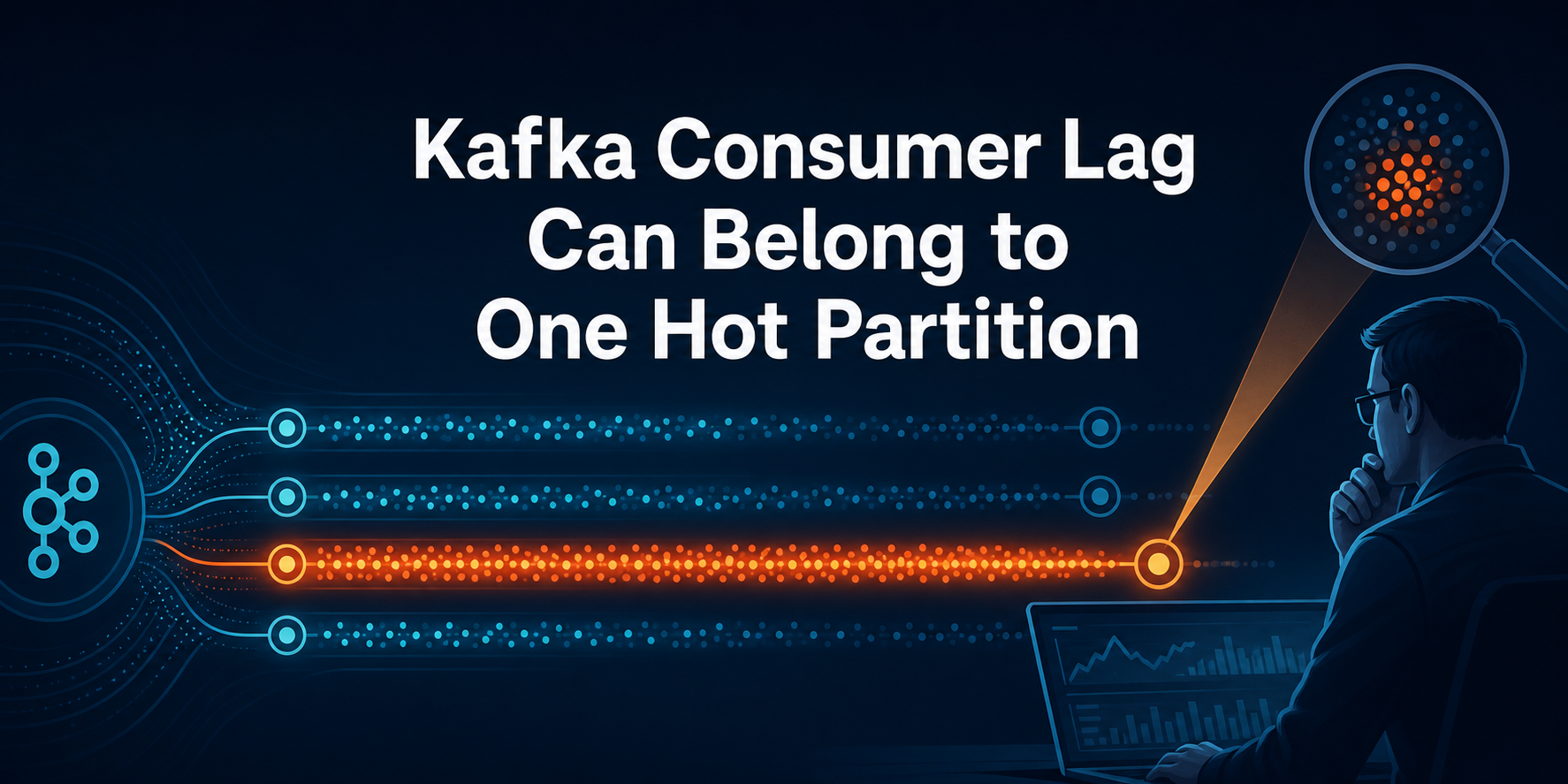
Kafka consumer lag is not one queue waiting behind one worker. Lag belongs to a consumer group, topic and partition, so a modest group total can hide a single partition that is hours behind while every neighboring partition is current. Start by capturing committed offsets, log-end offsets and member assignment per partition. Their pattern tells you whether the likely owner is producer skew, slow record handling, group churn or a broker/host path.
This workflow covers Kafka consumer groups managed with kafka-consumer-groups.sh, not Kafka share groups; share groups use kafka-share-groups.sh and may assign one partition to multiple members.
That distinction matters before scaling. Within a Kafka consumer group managed with kafka-consumer-groups.sh, one active member owns each assigned partition; adding another member cannot divide a hot partition between two consumers. Raising timeouts may reduce rebalances but cannot make business logic process records faster. Resetting offsets can make a graph green by abandoning data. A safe recovery changes only the boundary supported by evidence and then proves both offset convergence and event freshness.
Start with a partition snapshot, not total lag
Use the Kafka distribution’s administration tools from a trusted management path. Replace the placeholders, preserve the output with a UTC timestamp, and avoid exposing credentials in shell history or reports.
BOOTSTRAP='broker1.example.net:9092,broker2.example.net:9092'
GROUP='orders-indexer'
bin/kafka-consumer-groups.sh --bootstrap-server "$BOOTSTRAP" --describe --group "$GROUP"
bin/kafka-consumer-groups.sh --bootstrap-server "$BOOTSTRAP" --describe --group "$GROUP" --members --verbose
bin/kafka-consumer-groups.sh --bootstrap-server "$BOOTSTRAP" --describe --group "$GROUP" --state
Apache Kafka’s current consumer-group operations expose CURRENT-OFFSET, LOG-END-OFFSET, LAG, member identity and assignment. Capture all three views close together. A group can rebalance between commands, so record the group state and repeat the snapshot if ownership moves while you collect it.
Interpret CURRENT-OFFSET carefully. The KafkaConsumer API distinguishes the consumer’s in-memory position from the committed position stored for restart. The group command normally describes committed progress. If application processing is asynchronous or commits happen before work completes, a low reported lag can coexist with unfinished business events. Committed does not automatically mean processed successfully.
Absolute lag is a count, not elapsed time. Add the production timestamp or business event time of the oldest unprocessed record when the application exposes it. Ten thousand tiny telemetry events may clear quickly; 300 expensive media jobs may represent a much longer recovery. Keep record age beside offset lag throughout the incident.
Capacity becomes relevant only after this baseline. Plan VPS hosting capacity for sustained stream processing from measured production rate, processing cost, storage and recovery headroom rather than selecting more CPU from the group total alone.
Four lag shapes point to different owners
One snapshot narrows the search; a short time series establishes direction. Capture several samples at a consistent interval long enough to include ordinary production bursts. Do not restart consumers between samples unless the current failure itself requires recovery, because a restart destroys assignment and poll evidence.
| Observed shape | First owner to test | Evidence that separates it |
|---|---|---|
| One partition rises while peers stay near zero | producer key distribution or expensive records on that partition | per-partition input rate, key/cardinality sample, handler duration and assigned member |
| Most partitions rise at similar slopes | group-wide consumer throughput or shared dependency | records-consumed rate, handler latency, database/API latency, CPU and throttling |
| Lag pauses while ownership repeatedly changes | crashes, deployment churn or poll/rebalance boundary | group state, member IDs, rebalance count, process logs and rollout events |
| Offset lag falls but oldest event age stays high | uneven event cost, retries or commit semantics | completion timestamps, retry/dead-letter path and committed-versus-processed ledger |
One partition grows steadily
A single rising partition can come from a hot key, but concentration alone does not prove producer skew. The assigned consumer may have encountered a poison record, slow external request, local GC pause or partition-specific retry loop. Compare that partition’s log-end growth with its committed progress, then inspect the owning member’s processing duration and error path over the same window.
Producer-key analysis needs privacy and volume controls. Prefer aggregate counts or a bounded sample in an approved analytics path; do not dump sensitive keys from production logs. When a few keys dominate, confirm whether ordering by that key is a business requirement before proposing salting, a composite key or another partitioning strategy.
Every partition rises together
Broad lag usually points to shared throughput: too little useful consumer capacity, slower downstream storage, broker fetch latency, network throttling or a production surge. Compare records arriving per second with records completed per second. If completion capacity stays below arrival rate, lag must grow even while every component remains technically healthy.
Avoid changing five settings at once. Capture consumer CPU, heap/GC, handler time, fetch latency, downstream latency, broker request time and throttling. One shared dependency often explains the shape more directly than Kafka itself.
Ownership moves while progress pauses
Changing member IDs and assignments indicate group churn. A rollout, crash loop, missed poll deadline, failing health check or node maintenance can repeatedly stop useful work. Rebalances are a consequence here, not proof that the assignment strategy is wrong.
Repeated process exits belong in systemd restart-limit diagnosis before another Kafka timeout is raised. Correlate unexplained kills with Linux OOM ownership evidence so a cgroup limit, global kernel OOM or systemd-oomd decision is not mislabeled as a broker failure.
Before node maintenance, use Kubernetes workload-mobility checks to prove consumers can move without creating avoidable assignment churn. Static membership or cooperative assignment may reduce disruption in appropriate deployments, but neither repairs a consumer that cannot make progress.
Lag falls while events remain old
Offsets are monotonically ordered positions, not a latency histogram. A consumer can advance quickly through cheap recent records after spending a long time retrying older expensive work. Transactional and compacted topics also make “one offset equals one available record” an unsafe assumption. Pair offset progress with oldest event age, completion age and representative business output.
Follow the worst partition across three boundaries
Once the shape is stable, follow the highest-impact partition from production through completion. The goal is not to collect every Kafka metric. It is to identify the first boundary where input exceeds useful output or ownership disappears.
Producer distribution: is work arriving unevenly?
Record log-end offset growth for every partition over the same interval. A partition whose end offset advances much faster than its peers is receiving more records. If byte rate is available, compare bytes too; a similar record count with larger batches can still create an I/O hotspot.
Adding partitions is not an instant redistribution. Kafka’s topic operations documentation warns that existing records stay in their current partitions and a hash(key) % partition_count mapping can change for future records. Treat any partition-count or key change as a data-model migration with ordering, compatibility and rollback decisions.
Consumer processing: does the owner poll and finish work?
Inspect application metrics and logs for the member assigned to the lagging partition. Useful signals include poll cadence, records returned, records completed, processing duration, retry count, commit latency, GC pauses, downstream errors and rebalance callbacks. Preserve a correlation ID or offset range that connects Kafka progress to the actual side effect.
The current consumer configuration reference sets max.poll.interval.ms as a liveness boundary and max.poll.records as the maximum records returned from one poll() call. Reducing the batch may help a synchronous handler return to poll() within its contract. Raising the interval may be valid for legitimately long work, but a larger timeout only grants more time; it does not increase processing rate.
Asynchronous processing needs a stricter proof. Continue polling only if completed offsets remain partition-ordered and commits never move ahead of finished work. The KafkaConsumer API recommends disabling automatic commits and committing processed offsets carefully when work moves to another thread. Pause/resume may bound intake, but application delivery semantics decide the safe implementation.
Broker and host path: can the owner fetch predictably?
Consumer-side lag can rise because fetches arrive slowly. Compare broker FetchConsumer request queue/local/response time, failed fetches, throttling, network path and the assigned member’s fetch rate. Apache Kafka’s monitoring reference documents records-lag-max, request timing and quota metrics; it also warns that remote JMX is unauthenticated by default unless production security is configured. Keep JMX private and authenticated rather than opening a diagnostic port publicly.
Host evidence matters when application processing stalls despite moderate guest CPU. Compare run queue and processing pauses with VPS CPU steal-time evidence before tuning a consumer for contention imposed outside the guest. Also verify disk latency, network retransmissions, memory pressure and downstream service time in the same interval.
Fix capacity without changing delivery semantics
Choose one correction from the proven owner and record its rollback value. Do not reset offsets, change keys, add partitions and alter poll settings in one release. That combination can hide which action helped and can silently change ordering or delivery behavior.
If every partition is busy and consumers have stable assignments, more group members can increase parallelism until the number of active members reaches the number of partitions. Members beyond that limit sit idle for the topic. Scale only after confirming downstream services, broker fetch capacity and host resources can absorb the extra concurrency.
When one partition is hot, first reduce unnecessary per-record work, batch a safe downstream operation, remove a retry storm or correct producer distribution. A key-strategy change should run through compatibility testing because records for one logical entity may begin landing on a different partition. If ordering is required, document exactly where it remains guaranteed.
For poll overruns, measure the slowest legitimate batch and handler time. Reduce max.poll.records, isolate unpredictable work or redesign the processing handoff before increasing max.poll.interval.ms. Roll back if completion latency, duplicate work, rebalance duration or memory use worsens even when the lag graph improves.
Offset reset is a recovery policy, not a performance tuning command. Kafka’s group tool provides a preview by default and requires inactive consumers for execution. Export the proposed offsets, obtain business approval for any records that would be replayed or skipped, preserve the current committed positions, and execute only when loss/replay semantics are explicit. Never use --to-latest merely to make lag zero.
Prove catch-up with two clocks
Recovery passes when useful completion capacity stays above arrival rate long enough to close the backlog, member assignment remains stable, and the oldest event age falls inside the service objective. A falling total alone can hide a partition that is still diverging.
Capture the same commands used at baseline and compare partition by partition:
date -u +'%Y-%m-%dT%H:%M:%SZ'
bin/kafka-consumer-groups.sh --bootstrap-server "$BOOTSTRAP" --describe --group "$GROUP"
bin/kafka-consumer-groups.sh --bootstrap-server "$BOOTSTRAP" --describe --group "$GROUP" --members --verbose
bin/kafka-consumer-groups.sh --bootstrap-server "$BOOTSTRAP" --describe --group "$GROUP" --state
Keep the observation window open through a representative production burst. Record per-partition lag slope, oldest event age, input/completion rates, member count, assignment changes, errors, retries, duplicate handling and one business-level completion check. If a payment, index update or notification is the real workload, prove that outcome rather than stopping at a healthy consumer process.
Rollback restores the previous consumer count, batch/poll value, deployment or producer routing rule. A schema or key-distribution migration may need a separate forward-fix plan because already written records do not move. State that boundary before release.
FAQ: Kafka lag decisions
How is Kafka consumer lag calculated?
Kafka consumer lag is usually the partition log-end offset minus the committed offset stored for the consumer group. Calculate and interpret it per partition, then add event age because offsets count positions rather than elapsed time and committed progress may not equal completed application work.
Will adding consumers always reduce Kafka lag?
No. Within a Kafka consumer group managed with kafka-consumer-groups.sh, one active member owns each assigned partition. Extra consumers help only when unassigned partition parallelism and downstream capacity exist; they cannot split one hot partition between two members. Kafka share groups use different assignment semantics.
Can raising max.poll.interval.ms fix consumer lag?
Raising max.poll.interval.ms can prevent eviction when legitimate processing needs more time, but it does not increase throughput. Measure batch processing, consider a smaller max.poll.records, and preserve correct commits before changing the liveness boundary.
Does adding partitions repair an existing hot partition?
No. Existing records remain in their current partitions, while future key-to-partition mapping may change. Adding partitions is a migration decision that requires ordering, producer compatibility, consumer assignment and rollback review.
Should Kafka offsets be reset to latest during a lag incident?
Not as routine recovery. Resetting to latest skips backlog. Use the inactive-group preview/export workflow only after the business explicitly accepts which records will be abandoned and the previous committed positions are preserved.
What proves Kafka consumer lag is resolved?
Resolution requires the lag slope for every important partition to converge, oldest event age to meet the service objective, group assignment to remain stable, completion rate to exceed arrival rate during a representative burst, and the real downstream business action to succeed.
Keep the incident record partition-shaped
A reusable incident record names the group, topic, worst partition, assigned member, committed/log-end offsets, lag slope, oldest event age, producer rate, completion rate, rebalance evidence, first constrained boundary, exact change, rollback value and business acceptance result. That evidence makes recurrence comparable even when the next total lag number looks different.