Lifetime VPS Europe
 Lifetime VPS Asia
 Lifetime WooCommerce Hosting
 Lifetime Hosting
 Lifetime Game Dedicated Servers
 Chicago, US
 Tokyo, Japan
 Singapore
 Hong Kong
 Seoul, South Korea
 Amsterdem, Netherlands
 London, UK
 Stockholm, Sweden
 Oslo, Norway
 Vienna, Austria
 Zurich, Switzerland
 Sydney, Australia
 Wordpress Hosting
 VPS Hosting
 DDOS Protection
 Submit Ticket
 Full Management
 Guides
 Videos and Podcasts
 Discover Creative Ideas
 Voxfor Autonomous AI Workers
 Voxfor Mega Menu
 Voxfor Advanced Price Management For WooCommerce
 Voxfor Secure Live Chat and AI Support
 Voxfor Multilanguage
 Voxfor AI Content Summary
 Voxfor Autopilot
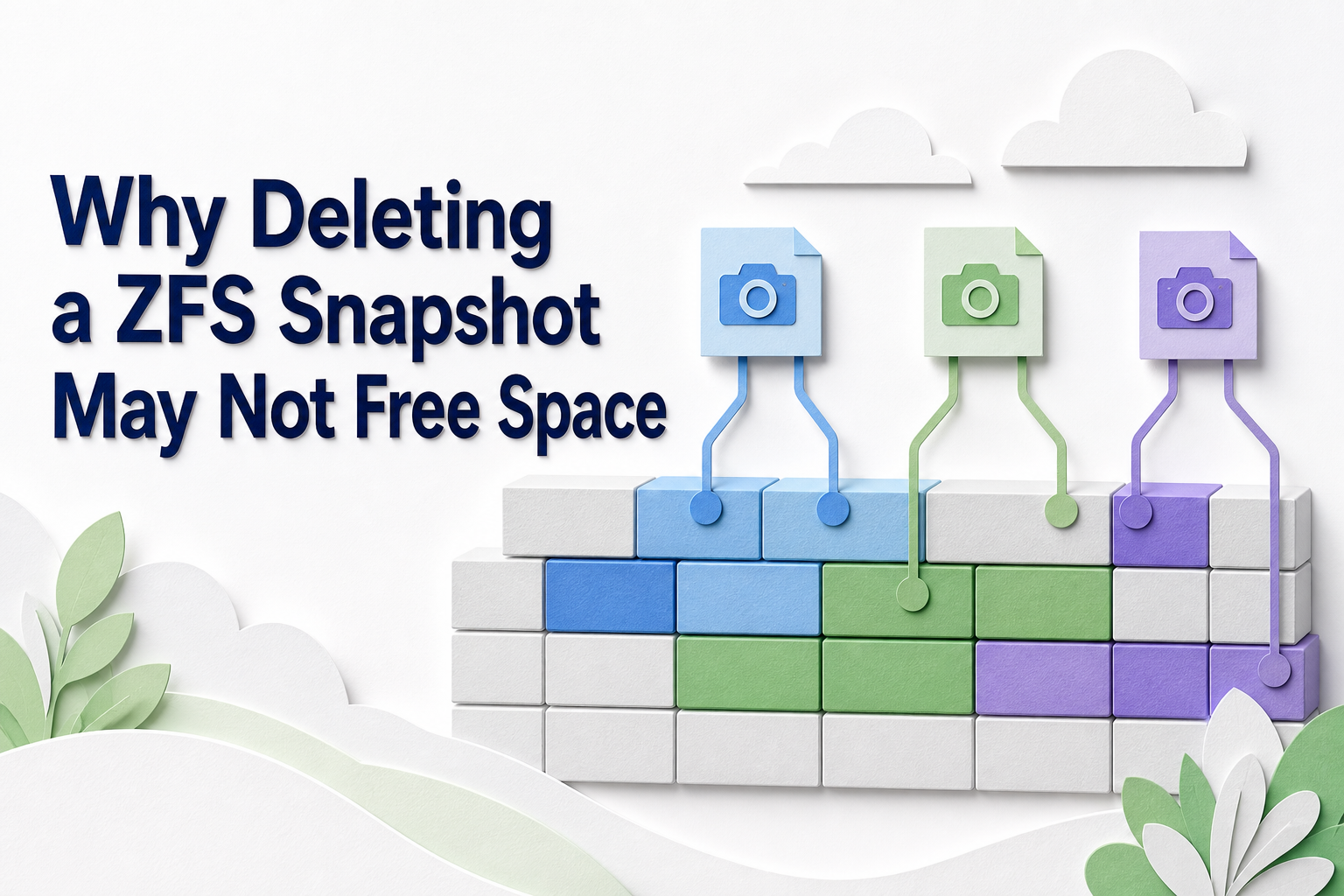
Deleting one ZFS snapshot does not mean every block visible through that snapshot becomes free. OpenZFS releases only blocks whose last remaining reference disappears with the destroy. When the live dataset, another snapshot, or a clone still references the same blocks, pool allocation may barely move even though the snapshot name is gone.
That accounting rule turns a familiar capacity incident into five different cases: the snapshot uniquely owns little space, destruction was refused by a hold or clone, destruction was accepted but deferred, immediate destruction succeeded while asynchronous freeing work continues, or space returned at the pool while a quota, reservation, or child dataset still limits the filesystem. Start by separating those states. A missing snapshot name is not enough evidence that usable headroom returned.
USED is the reclaim estimate, not REFER
OpenZFS defines a snapshot’s used property as space referenced exclusively by that snapshot. At the moment you inspect it, that is the space its destruction can free. The referenced value answers a different question: how much data is accessible through the snapshot, including blocks shared with the live dataset or other snapshots.
Suppose tank/app@hourly-10 shows REFER=600G and USED=12M. Destroying it does not promise 600 GB. It promises roughly the unique 12 MB, subject to pending accounting changes. Shared blocks can become unique to an adjacent snapshot after deletion, so individual USED values are not additive across a range.
Dataset-level accounting is broader. OpenZFS states that usedbysnapshots is the space freed if all snapshots of that dataset are destroyed; it is not simply the sum of each snapshot’s used. Meanwhile, usedbydataset, usedbychildren, and usedbyrefreservation explain live data, descendants, and reserved space. Capture all four before deciding snapshots own the shortage.
sudo zfs list -o name,used,available,referenced,usedbysnapshots,usedbydataset,usedbychildren,usedbyrefreservation -r tank/app

sudo zfs list -t snapshot -o name,used,referenced,creation,clones,defer_destroy,userrefs -s creation -r tank/app
Record the output with a UTC timestamp and the exact OpenZFS version. Space properties can lag pending transaction-group changes by a few seconds, so repeat the read after a short observation interval rather than treating one sample as immutable truth.
Find the object that still owns the blocks
Snapshot deletion is safe only after the owner graph is understood. Inspect holds, clone origins, deferred status, child datasets, reservations, and the pool itself from the same evidence window.
Another snapshot or the live dataset still references them
Copy-on-write means older block versions remain allocated while any snapshot needs them. Deleting a small-USED snapshot can merely move exclusivity to its neighbor. For an exact range, let ZFS calculate the transaction instead of adding the displayed values yourself:
sudo zfs destroy -nv tank/app@hourly-10%hourly-18The current OpenZFS destroy manual defines -n as the non-destructive preview and -v as the detailed report. Verify the range syntax, dataset, first snapshot, and last snapshot character by character. Never remove -n during discovery. Recursive forms can include descendants, while clone-recursive options can destroy writable datasets.
Workload churn also matters. If the dataset stores container build state, clearing live cache and deleting old snapshots answer separate questions: reclaiming Docker BuildKit cache safely removes disposable live objects, while snapshot retention can keep their older blocks allocated afterward.
A user hold prevents destruction
Backup, replication, or retention automation can place named holds on a snapshot. The OpenZFS hold reference states that a hold raises userrefs and causes an ordinary destroy attempt to return busy. Inspect the actual tags:
sudo zfs holds -r tank/app@hourly-10Do not release an unfamiliar tag simply because the pool is full. Identify the job, destination, and recovery point that owns it. If the retention owner approves release, use the exact tag and snapshot with zfs release; then rerun the dry-run estimate. A separate immutable copy, such as an object-lock backup with independent credentials and retention, can reduce reliance on one local snapshot, but it does not authorize deleting that snapshot without a restore test.
A clone depends on the origin snapshot
OpenZFS clones are writable datasets created from snapshots. The OpenZFS concepts reference makes the dependency explicit: the origin snapshot cannot be destroyed while a clone exists. Read both sides rather than guessing from dataset names:
sudo zfs get -H -o name,property,value clones tank/app@hourly-10
sudo zfs get -H -o name,property,value origin -r tank
Deleting the clone may destroy current writable data. Promoting it reverses the parent-child dependency and changes which dataset owns shared history; promotion can therefore move accounting instead of producing the capacity result you expected. Treat clone deletion or promotion as a data-layout change, with application owner, backup, maintenance window, and rollback plan.
The snapshot is marked for deferred destroy
zfs destroy -d does not force immediate reclamation. When holds or clones make the snapshot ineligible, OpenZFS marks defer_destroy=on and destroys it automatically only after those dependencies disappear. The snapshot remains visible and can still receive new holds or clones while deferred.
Confirm defer_destroy, userrefs, and clones together. If the command returned success but allocation stayed flat, deferred state is evidence—not a reason to issue broader recursive destruction.
Pool free and dataset available answer different questions
After a successful immediate destroy, check the pool and the affected dataset separately:
sudo zpool list -o name,size,allocated,free,freeing,fragmentation,capacity,health tank
sudo zpool status -xv tank
sudo zfs list -o name,used,available,usedbysnapshots,usedbydataset,usedbychildren,usedbyrefreservation -r tank/app
The OpenZFS pool-list reference defines pool allocated and free as the physical allocation surface. Destruction is not necessarily synchronous: current zpoolprops(7) documentation defines freeing as space still waiting to be reclaimed after a filesystem or snapshot is destroyed. While that value falls, free should rise. A temporarily flat free value with nonzero, decreasing freeing is therefore a fifth state—successful immediate destruction with asynchronous reclamation still in progress.
Dataset available can additionally be constrained by quotas, reservations, refreservations, or other datasets competing for the same pool. A large usedbyrefreservation value can keep space committed even after snapshot blocks return; a large usedbychildren value points below the parent dataset.
Do not apply the wrong storage repair. An LVM thin pool with full data or metadata has different allocation and recovery rules. A Ceph cluster whose fullest OSD blocks backfill has a distributed placement problem, not a ZFS snapshot-reference problem. Confirm the storage owner before copying any command from one incident into another.
Low free space may also make mass destruction expensive at the worst moment. Watch application latency, pool health, device errors, and destroy progress through controlled batches. If zpool status reports a degraded or faulted device, capacity cleanup does not replace lower-layer repair or a current backup.
Reclaim the minimum set that meets the target
Define the required headroom and recovery points before destroying anything. Then choose the smallest approved range whose dry-run estimate satisfies the target, leaving margin for normal writes and copy-on-write churn. Recheck the estimate immediately before execution because new writes can change which blocks are unique.
A safe change ticket contains the exact dataset and snapshots, dry-run output, hold owners, clone dependencies, pool health, expected reclaim, protected recovery points, application latency budget, and stop conditions. Destroy one approved snapshot or bounded range, wait for accounting to settle, and measure again before continuing.
Snapshots are not automatically application-consistent backups. A crash-consistent storage image can preserve an in-flight database state, and keeping it on the same pool does not protect against pool loss. The same boundary appears in Proxmox VM backup consistency: storage capture and guest application consistency are different contracts. Preserve the off-pool, restore-tested copy before trading recovery history for capacity.
Rollback for deletion is not “undo destroy.” Once unique blocks are freed, the original snapshot cannot be reconstructed from local metadata. The rollback plan is therefore preventive: stop before executing when the dry run, dependency inventory, backup validation, or maintenance budget is incomplete.
FAQ: Questions to settle before the destroy becomes real
Why did deleting a ZFS snapshot free almost no space?
The snapshot probably referenced mostly shared blocks. OpenZFS frees only the snapshot’s current used space—the blocks exclusive to that snapshot—not its much larger referenced data set.
What is the difference between ZFS snapshot USED and REFER?
USED is space uniquely owned by the snapshot and expected to become free if it is destroyed immediately. REFER is all data accessible through the snapshot, including blocks also referenced elsewhere.
Can a ZFS hold prevent snapshot deletion?
Yes. A user hold makes the snapshot busy. Inspect tags with zfs holds, identify the retention or replication owner, and release only an approved tag before estimating destruction again.
What does defer_destroy=on mean?
The snapshot was marked for automatic destruction but still has a hold or clone dependency. Its blocks remain allocated until the snapshot becomes eligible; deferred destroy is not immediate reclamation.
Is zfs promote a safe way to free snapshot space?
Not as a generic cleanup shortcut. Promotion reverses clone ancestry and changes dependency plus space accounting. Use it only when the desired dataset lineage, recovery plan, and application ownership justify that structural change.
How can I estimate space from deleting several ZFS snapshots?
Run zfs destroy -nv against the exact snapshot range. ZFS can account for blocks shared inside the range, while adding individual USED values can understate or misrepresent the aggregate result.
What proves ZFS snapshot cleanup is complete?
The intended snapshots are absent or no longer deferred, pool freeing returned toward zero, allocated fell and free rose near the approved estimate, dataset accounting explains any remaining limit, pool health is unchanged, and every required recovery point still has a verified restore path.
Close on measured headroom, not a shorter snapshot list
Keep the before/after pool values, dataset decomposition, dry-run estimate, hold and clone evidence, exact destroy command, operator, timestamps, OpenZFS version, application latency, and protected backup IDs with the incident. Retention automation should alert on both capacity headroom and unexpected holds rather than deleting by age alone.
The reliable rule is simple: space returns only when the last reference disappears. Read the reference owner first, reclaim the minimum approved history, and finish only when pool headroom and recovery coverage are both proven.