Lifetime VPS Europe
 Lifetime VPS Asia
 Lifetime WooCommerce Hosting
 Lifetime Hosting
 Lifetime Game Dedicated Servers
 Chicago, US
 Tokyo, Japan
 Singapore
 Hong Kong
 Seoul, South Korea
 Amsterdem, Netherlands
 London, UK
 Stockholm, Sweden
 Oslo, Norway
 Vienna, Austria
 Zurich, Switzerland
 Sydney, Australia
 Wordpress Hosting
 VPS Hosting
 DDOS Protection
 Submit Ticket
 Full Management
 Guides
 Videos and Podcasts
 Discover Creative Ideas
 Voxfor Autonomous AI Workers
 Voxfor Mega Menu
 Voxfor Advanced Price Management For WooCommerce
 Voxfor Secure Live Chat and AI Support
 Voxfor Multilanguage
 Voxfor AI Content Summary
 Voxfor Autopilot
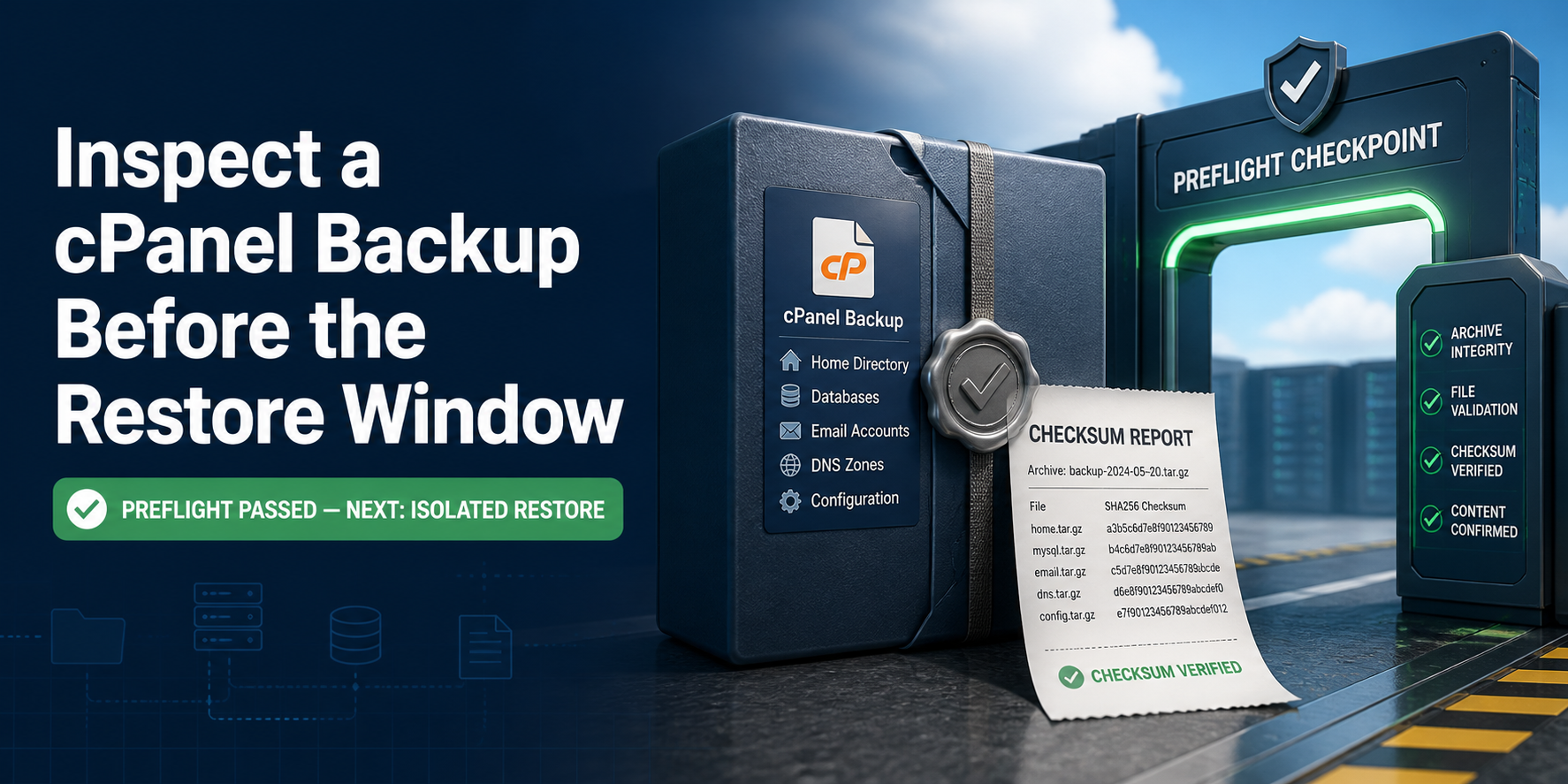
A full cPanel backup can have a plausible filename and still be the wrong artifact for a restore window. Transfer damage, an incomplete component set, or a database dump that no longer imports can stay hidden until the destination account is already being changed. Preflight should reject those known failures before WHM touches an account.
This practical guide is for agencies and hosting operators who can use Bash on an authorized Linux staging host. The lab uses a synthetic, secret-free cpmove-shaped archive and a private socket-only MariaDB instance. It does not require a production cPanel server, modify DNS, or restore an account. Apply the checks to a real archive only in isolated, access-controlled staging; backup archives can contain passwords, mail, keys, databases, and customer data.
cPanel’s current Transfer or Restore a cPanel Account documentation defines accepted archive names, approved server directories, restore choices, and the need for free disk space equal to at least twice the archive size. Those are admission conditions, not proof that the website, mailboxes, jobs, certificates, and integrations will work after restore.
Decide What Archive Preflight Can Prove
Preflight has a narrow proof boundary. It can prove that the received bytes match a trusted source hash, gzip and tar can read the complete container, paths are not obviously unsafe, declared components exist, extracted files match a manifest, and a selected SQL dump imports into a disposable database. It cannot reproduce cPanel’s account creation, ownership mapping, service configuration, IP replacement, linked nodes, or application behavior.
Treat the checks as an early rejection gate:
| Evidence | What it proves | What it does not prove | Decision |
|---|---|---|---|
| Source and destination SHA-256 match | The copied bytes match the trusted source receipt | The source archive was complete | Recopy when hashes differ |
gzip -t and tar -tzf succeed |
Compression and tar framing are readable to the end | Required account components exist | Continue to the declared manifest |
| Required paths appear | This archive contains the components declared for this migration | Those components restore correctly | Reject an unexplained omission |
| SQL imports into a scratch database | The tested dump is executable by the tested MariaDB version | The application is consistent or version-compatible everywhere | Continue to an isolated cPanel restore |
| Disposable cPanel restore passes | cPanel can recreate the account on that target build | DNS cutover and user journeys are correct | Run workload acceptance before cutover |
Start with a collision-safe workspace. The fixture contains a website marker, one MariaDB dump, and one Maildir message so later checks have meaningful components. The archive root and names are illustrative; derive the real manifest from the source account and migration scope, not from this sample.
set -euo pipefail
LAB=/tmp/voxfor-cpanel-157
ROOT="$LAB/source/cpmove-demoacct"
ARCHIVE="$LAB/outgoing/cpmove-demoacct.tar.gz"
if [[ -e "$LAB" ]]; then
  printf 'Refusing pre-existing lab path: %s\n' "$LAB" >&2
  exit 9
fi
install -d -m 0700 "$ROOT/homedir/public_html" "$ROOT/homedir/mail/example.test/demo/Maildir/cur" "$ROOT/mysql" "$LAB/outgoing" "$LAB/incoming"
printf 'scope=voxfor-cpanel-157\naccount=demoacct\n' > "$LAB/owner"
printf '<?php echo "restore-marker-157";\n' > "$ROOT/homedir/public_html/index.php"
printf 'From: restore-marker-157 at example.test\nSubject: restore marker\n\nmessage-157\n' > "$ROOT/homedir/mail/example.test/demo/Maildir/cur/157.M0001:2,S"
cat > "$ROOT/mysql/demoacct_app.sql" <<'SQL'
CREATE TABLE restore_probe (id INT PRIMARY KEY, marker VARCHAR(64) NOT NULL);
INSERT INTO restore_probe VALUES (1,'database-marker-157'),(2,'second-row');
SQL
tar -C "$LAB/source" -czf "$ARCHIVE" cpmove-demoacct
sha256sum "$ARCHIVE" | awk '{print $1}' > "$LAB/source.sha256"
printf 'fixture_archive=%s bytes=%s\n' "$ARCHIVE" "$(stat -c %s "$ARCHIVE")"
That refusal check matters because an unattended command must not erase a prior operator’s evidence. For a real job, create the trusted source hash on the server that produced the backup, store it separately from the transferred file, and record source hostname, account, backup time, cPanel version, archive size, and the migration ticket.
Freeze the Byte Identity Before Opening the File
Copy the fixture into a distinct incoming path, then compare a destination hash with the separately saved source value. The filename check models cPanel’s documented cpmove-{USER}.tar.gz form; it is not a substitute for content checks.
set -euo pipefail
LAB=/tmp/voxfor-cpanel-157
grep -qx 'scope=voxfor-cpanel-157' "$LAB/owner"
SOURCE="$LAB/outgoing/cpmove-demoacct.tar.gz"
INCOMING="$LAB/incoming/cpmove-demoacct.tar.gz"
cp --reflink=never "$SOURCE" "$INCOMING"
SOURCE_HASH=$(<"$LAB/source.sha256")
DEST_HASH=$(sha256sum "$INCOMING" | awk '{print $1}')
[[ "$SOURCE_HASH" == "$DEST_HASH" ]]
[[ "$(basename "$INCOMING")" =~ ^cpmove-[a-z0-9]+\.tar\.gz$ ]]
printf 'transfer_hash_match=yes sha256=%s\n' "$DEST_HASH" | tee "$LAB/transfer.receipt"
One checksum calculated only after transfer proves nothing about the copy. The comparison needs two independently obtained values. When SFTP, object storage, or a support portal sits between servers, preserve the source receipt before upload and compare again after every hop. Sensitive archive hashes are not passwords, but keep the receipt with the protected migration record rather than publishing it casually.
Read the Complete Container Without Restoring It
Compression success and tar readability answer different questions. gzip -t checks the compressed stream; tar -tzf reads the archive member sequence. Save that listing once, reject absolute or parent-traversal names, then require the components that matter to this declared account.
set -euo pipefail
LAB=/tmp/voxfor-cpanel-157
INCOMING="$LAB/incoming/cpmove-demoacct.tar.gz"
grep -qx 'scope=voxfor-cpanel-157' "$LAB/owner"
gzip -t "$INCOMING"
tar -tzf "$INCOMING" > "$LAB/archive.list"
! awk 'BEGIN{bad=0} /(^|\/)\.\.(\/|$)|^\//{bad=1} END{exit !bad}' "$LAB/archive.list"
for required in \
  cpmove-demoacct/homedir/public_html/index.php \
  cpmove-demoacct/mysql/demoacct_app.sql \
  cpmove-demoacct/homedir/mail/example.test/demo/Maildir/cur/157.M0001:2,S
do
  grep -Fxq "$required" "$LAB/archive.list"
done
printf 'gzip_complete=yes tar_complete=yes unsafe_paths=0 required_components=3\n' | tee "$LAB/container.receipt"
Path screening is a minimum control, not a sandbox. Archives can contain links, special files, unusual ownership, huge expansions, or confidential material. Do not extract an untrusted customer archive as root on a production host. cPanel’s current restorepkg documentation describes Restricted Restore as experimental and explicitly says it is not an effective security control; source trust and isolation still matter.
Component expectations must follow the account. A static site may legitimately have no database. An externally hosted mail domain may have no local mailbox messages. Conversely, a store migration that omits its database is not acceptable merely because the tar stream is valid. DCHost’s full cPanel backup guide usefully separates files, databases, mail, DNS and account settings; turn only the components applicable to the source account into explicit expectations. Write the expected domains, databases, mailbox scope, cron jobs, SSL material, and application paths before evaluating the archive.
Extract Only Inside Disposable Staging
Use an empty directory, disable restoration of archived owner and mode data for this inspection copy, then hash every extracted regular file. The resulting manifest gives the reviewer a stable component receipt without opening customer content in the report.
set -euo pipefail
LAB=/tmp/voxfor-cpanel-157
INCOMING="$LAB/incoming/cpmove-demoacct.tar.gz"
STAGE="$LAB/stage"
grep -qx 'scope=voxfor-cpanel-157' "$LAB/owner"
[[ ! -e "$STAGE" ]]
install -d -m 0700 "$STAGE"
tar --no-same-owner --no-same-permissions -xzf "$INCOMING" -C "$STAGE"
find "$STAGE/cpmove-demoacct" -xdev -type f -print0 | sort -z | xargs -0 sha256sum > "$LAB/extracted.sha256"
grep -Fq 'homedir/public_html/index.php' "$LAB/extracted.sha256"
grep -Fq 'mysql/demoacct_app.sql' "$LAB/extracted.sha256"
grep -Fq 'Maildir/cur/157.M0001:2,S' "$LAB/extracted.sha256"
printf 'regular_files=%s manifest_sha256=%s\n' \
  "$(wc -l < "$LAB/extracted.sha256")" \
  "$(sha256sum "$LAB/extracted.sha256" | awk '{print $1}')" | tee "$LAB/extraction.receipt"
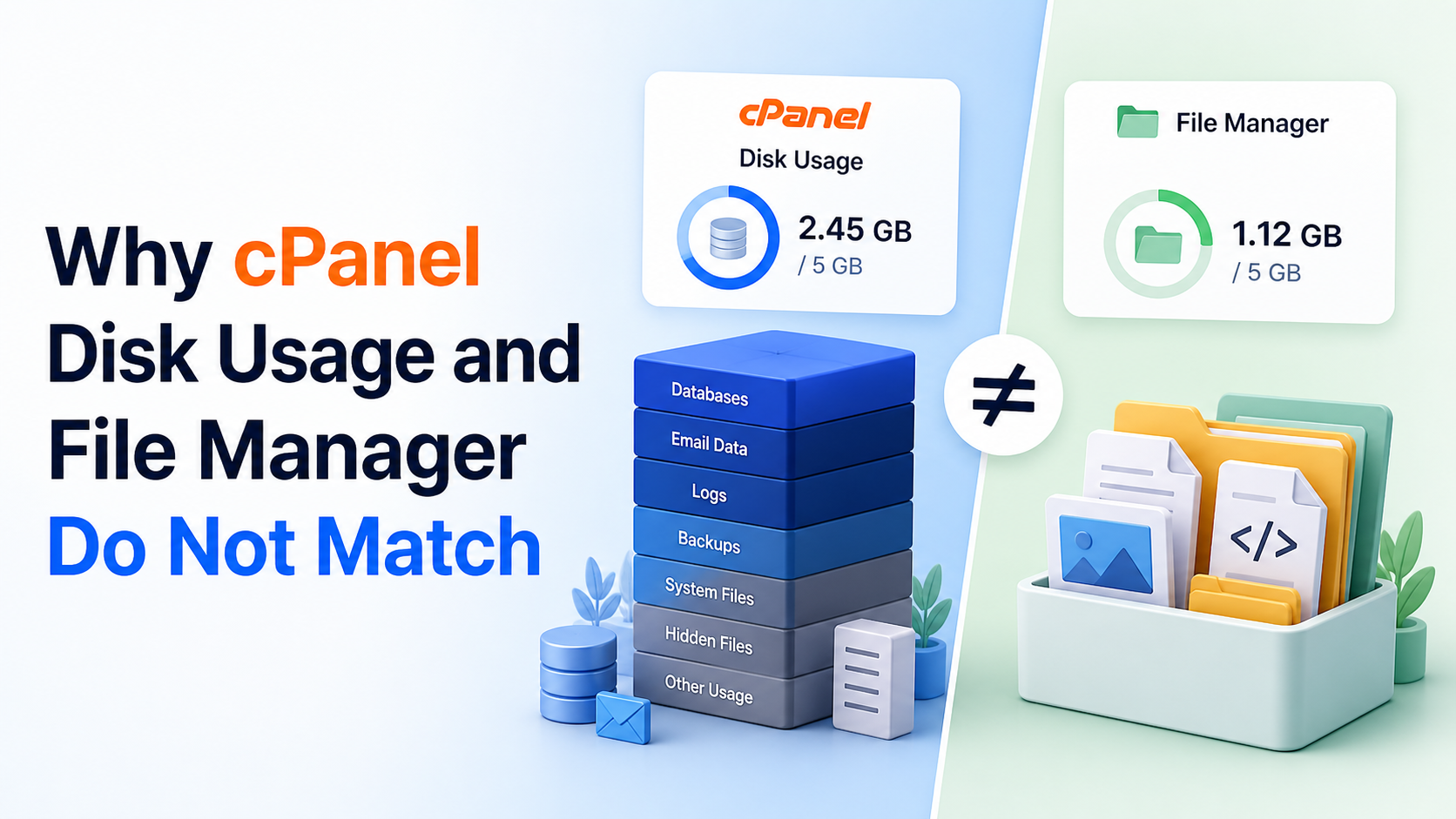
For a real archive, also compare expanded size with available staging capacity before extraction. cPanel’s restore interface currently asks for at least twice the archive size free on the server. Highly compressible mail or database data can expand far beyond a simple two-times estimate, so du from a trusted source inventory is better than guessing from compressed bytes. Voxfor’s cPanel disk-usage reconciliation guide explains why account totals can include more than the visible website tree, while website storage planning separates persistent data from temporary restore space.
Import One Database Dump Into a Private Scratch Server
Text presence is not execution evidence. Start a MariaDB server that has no TCP listener, import the selected dump through its Unix socket, and assert a table-level marker. This fixture uses the host’s MariaDB 11.8.6 binaries. A real migration should test the destination’s intended database family, version, character sets, SQL modes, routines, events, triggers, grants, and application queries.
set -euo pipefail
LAB=/tmp/voxfor-cpanel-157
DBROOT="$LAB/mariadb"
SOCKET="$DBROOT/mariadb.sock"
PIDFILE="$DBROOT/mariadb.pid"
SQL="$LAB/stage/cpmove-demoacct/mysql/demoacct_app.sql"
grep -qx 'scope=voxfor-cpanel-157' "$LAB/owner"
[[ -s "$SQL" && ! -e "$DBROOT" ]]
install -d -m 0700 "$DBROOT"
mariadb-install-db --no-defaults --datadir="$DBROOT/data" --auth-root-authentication-method=normal --skip-test-db > "$DBROOT/install.log"
mariadbd --no-defaults --user=root --datadir="$DBROOT/data" --socket="$SOCKET" \
  --pid-file="$PIDFILE" --skip-networking --log-error="$DBROOT/error.log" &
server_pid=$!
printf '%s\n' "$server_pid" > "$DBROOT/launcher.pid"
for attempt in $(seq 1 100); do
  mariadb-admin --no-defaults --socket="$SOCKET" --user=root ping >/dev/null 2>&1 && break
  sleep 0.05
done
mariadb-admin --no-defaults --socket="$SOCKET" --user=root ping >/dev/null
mariadb --no-defaults --socket="$SOCKET" --user=root -e 'CREATE DATABASE restore_stage'
mariadb --no-defaults --socket="$SOCKET" --user=root restore_stage < "$SQL"
ROW_COUNT=$(mariadb --no-defaults --batch --skip-column-names --socket="$SOCKET" --user=root \
  -e 'SELECT COUNT(*) FROM restore_stage.restore_probe')
MARKER=$(mariadb --no-defaults --batch --skip-column-names --socket="$SOCKET" --user=root \
  -e 'SELECT marker FROM restore_stage.restore_probe WHERE id=1')
[[ "$ROW_COUNT" == 2 && "$MARKER" == database-marker-157 ]]
printf 'database_import=yes rows=%s marker=%s network_listener=none\n' "$ROW_COUNT" "$MARKER" | tee "$LAB/database.receipt"
Successful import narrows risk; it does not establish application consistency. A live backup taken during concurrent writes can contain files and database state from different moments. Plugin-managed tables, external object storage, payment webhooks, and remote mail may sit outside the archive. Where consistency matters, coordinate application quiescence or use the panel and database mechanisms supported by the source environment.
Make Two Bad Archives Fail for Different Reasons
A strong gate must reject more than one convenient happy path. The first control truncates the compressed stream. The second creates a perfectly readable tarball that omits the database component. That distinction proves why tar -tzf alone is insufficient.
set -euo pipefail
LAB=/tmp/voxfor-cpanel-157
GOOD="$LAB/incoming/cpmove-demoacct.tar.gz"
grep -qx 'scope=voxfor-cpanel-157' "$LAB/owner"
GOOD_SIZE=$(stat -c %s "$GOOD")
head -c "$((GOOD_SIZE - 32))" "$GOOD" > "$LAB/incoming/truncated.tar.gz"
set +e
gzip -t "$LAB/incoming/truncated.tar.gz" >/dev/null 2>&1
TRUNCATED_STATUS=$?
set -e
[[ "$TRUNCATED_STATUS" -ne 0 ]]

tar -C "$LAB/source/cpmove-demoacct" -czf "$LAB/incoming/incomplete.tar.gz" homedir
tar -tzf "$LAB/incoming/incomplete.tar.gz" > "$LAB/incomplete.list"
set +e
grep -Eq '(^|/)mysql/demoacct_app\.sql$' "$LAB/incomplete.list"
MANIFEST_STATUS=$?
set -e
[[ "$MANIFEST_STATUS" -ne 0 ]]
printf 'truncated_stream=REJECTED gzip_status=%s incomplete_archive=REJECTED manifest_status=%s\n' \
  "$TRUNCATED_STATUS" "$MANIFEST_STATUS" | tee "$LAB/negative.receipt"
When an archive fails, preserve it and the receipts long enough to diagnose the producing or transfer layer. Do not repair the only copy in place. Recreate the backup from a healthy source when possible, or recopy from the trusted original when only transfer parity failed. A changed hash and an Unexpected EOF point to different owners than a readable archive missing the one database listed in the migration plan.
Turn the Receipts Into a Restore-Window Decision
Join the central results before removing the fixture. The receipt deliberately says preflight_ready, not restorable. That wording keeps the next gate visible.
set -euo pipefail
LAB=/tmp/voxfor-cpanel-157
DBROOT="$LAB/mariadb"
SOCKET="$DBROOT/mariadb.sock"
grep -qx 'scope=voxfor-cpanel-157' "$LAB/owner"
grep -q '^transfer_hash_match=yes ' "$LAB/transfer.receipt"
grep -qx 'gzip_complete=yes tar_complete=yes unsafe_paths=0 required_components=3' "$LAB/container.receipt"
grep -q '^regular_files=3 ' "$LAB/extraction.receipt"
grep -qx 'database_import=yes rows=2 marker=database-marker-157 network_listener=none' "$LAB/database.receipt"
grep -q '^truncated_stream=REJECTED ' "$LAB/negative.receipt"
cat "$LAB"/*.receipt > "$LAB/preflight.receipt"
printf 'preflight_ready=yes next_gate=disposable_cpanel_restore receipt_sha256=%s\n' \
  "$(sha256sum "$LAB/preflight.receipt" | awk '{print $1}')" | tee -a "$LAB/preflight.receipt"

saved_pid=$(<"$DBROOT/launcher.pid")
[[ "$saved_pid" =~ ^[0-9]+$ ]]
kill -0 "$saved_pid"
ps -p "$saved_pid" -o args= | grep -F 'mariadbd --no-defaults'
mariadb-admin --no-defaults --socket="$SOCKET" --user=root shutdown
for attempt in $(seq 1 100); do
  kill -0 "$saved_pid" 2>/dev/null || break
  sleep 0.05
done
! kill -0 "$saved_pid" 2>/dev/null
rm -rf --one-file-system "$LAB"
[[ ! -e "$LAB" ]]
printf 'cleanup_scope=/tmp/voxfor-cpanel-157 absent=yes\n'
Our reproduced run emitted this representative receipt. Hashes identify this synthetic execution only; a real migration will produce different values.
fixture_archive=/tmp/voxfor-cpanel-157/outgoing/cpmove-demoacct.tar.gz bytes=560
transfer_hash_match=yes sha256=080a934ab3864830bbaaafbb33f709054116b6542c59e7e8088c048eef0866c3
gzip_complete=yes tar_complete=yes unsafe_paths=0 required_components=3
regular_files=3 manifest_sha256=10784e2af6a8afcf7b7bc43ec3ae3df6446e495e3d7eba67b28e23521cc390c9
database_import=yes rows=2 marker=database-marker-157 network_listener=none
truncated_stream=REJECTED gzip_status=1 incomplete_archive=REJECTED manifest_status=1
preflight_ready=yes next_gate=disposable_cpanel_restore receipt_sha256=87536cdee4beb26365270a3be80474797bdace326fc728b66552f5a74fa91b1b
cleanup_scope=/tmp/voxfor-cpanel-157 absent=yes
The archive is ready for the next gate when the destination hash equals the separately captured source hash, gzip and tar read to completion, no absolute or parent-traversal path appears, every component declared for the account is present, extracted-file evidence is retained, the chosen database dump imports and returns its expected marker, and both damaged controls are rejected. The reproduced Debian 13 run met every condition with GNU tar 1.35, gzip 1.13, and MariaDB 11.8.6.
For the lab, shutdown only the MariaDB PID whose command and socket remain inside the marker-owned directory, then remove exactly /tmp/voxfor-cpanel-157. During a real restore window, preserve a protected snapshot of the destination account before overwrite; if isolated acceptance fails, remove only the disposable restored account, retain logs, and leave production DNS pointed at the unchanged source.
Only after this preflight should an operator schedule a disposable cPanel restore. Current cPanel Backup documentation says a full backup cannot be automatically restored from the user’s cPanel interface; WHM or server administration is required. Namecheap’s cPanel backup guide makes the same root-access distinction for VPS and dedicated environments.
Before scheduling, record destination cPanel and database versions, free space, existing username collision, dedicated/shared IP choice, A-record replacement choice, DNS ownership, 2FA re-enrollment, mail routing, and rollback authority. If the destination uses another control panel, stop treating cpmove as a portable application bundle and make the translation scope explicit; Voxfor’s cPanel and DirectAdmin agency workflow comparison helps identify the operational differences. If the host owns those layers, agree on the evidence handoff before the maintenance window. A generic purchase page cannot replace that responsibility map, so this guide intentionally adds no service link.
After the isolated restore, test the application rather than only the account status. Check representative public and authenticated pages, database writes, scheduled jobs, mail send and receive, certificates, redirects, file ownership, and external integrations. Voxfor’s WordPress post-migration checklist provides a broader workload QA path when the restored account hosts WordPress. For restore philosophy beyond cPanel, Restic restore verification shows why matching recovered data is stronger than trusting a successful restore command.
cPanel Restore Approval Questions
Does tar -tzf prove a cPanel backup is restorable?
No. It proves that gzip and tar can read the member sequence. A structurally readable archive can still omit a required database, mailbox, domain, or application path, and only an isolated cPanel restore plus workload tests can prove target behavior.
Why compare two SHA-256 values?
A trusted source hash identifies the original bytes, while the destination hash identifies the received bytes. One checksum calculated only after transfer has nothing independent to compare with and therefore cannot detect a changed copy.
Must every full backup contain a MySQL directory?
No. Expected components depend on the account. A database-free static site can be valid without MySQL, while a WordPress or ecommerce account normally requires one or more database dumps. Declare expectations from source inventory before checking.
Can preflight safely run on the production cPanel server?
Prefer isolated, access-controlled staging. Backup archives contain sensitive material and can be hostile or unexpectedly large. If production is the only available host, use cPanel-supported procedures, least privilege, protected paths, capacity checks, and an explicit maintenance plan.
Is cPanel Restricted Restore a complete security sandbox?
No. cPanel’s current documentation labels it experimental and says not to treat it as an effective security control. It may skip risky components, but source trust, isolation, review, and post-restore verification remain necessary.
What free space should be available before restore?
cPanel currently states that the destination server should have at least twice the archive size available for extraction. Treat that as a minimum. Compare against trusted expanded-size evidence and leave room for database import, logs, temporary files, and a rollback snapshot.
What should remain after a successful preflight?
Keep a protected receipt containing source and destination identity, hashes, archive size, tool versions, component manifest result, database test, negative-control results, operator, timestamp, and the next disposable-restore gate. Delete extracted sensitive data according to the migration retention plan.