Lifetime VPS Europe
 Lifetime VPS Asia
 Lifetime WooCommerce Hosting
 Lifetime Hosting
 Lifetime Game Dedicated Servers
 Chicago, US
 Tokyo, Japan
 Singapore
 Hong Kong
 Seoul, South Korea
 Amsterdem, Netherlands
 London, UK
 Stockholm, Sweden
 Oslo, Norway
 Vienna, Austria
 Zurich, Switzerland
 Sydney, Australia
 Wordpress Hosting
 VPS Hosting
 DDOS Protection
 Submit Ticket
 Full Management
 Guides
 Videos and Podcasts
 Discover Creative Ideas
 Voxfor Autonomous AI Workers
 Voxfor Mega Menu
 Voxfor Advanced Price Management For WooCommerce
 Voxfor Secure Live Chat and AI Support
 Voxfor Multilanguage
 Voxfor AI Content Summary
 Voxfor Autopilot
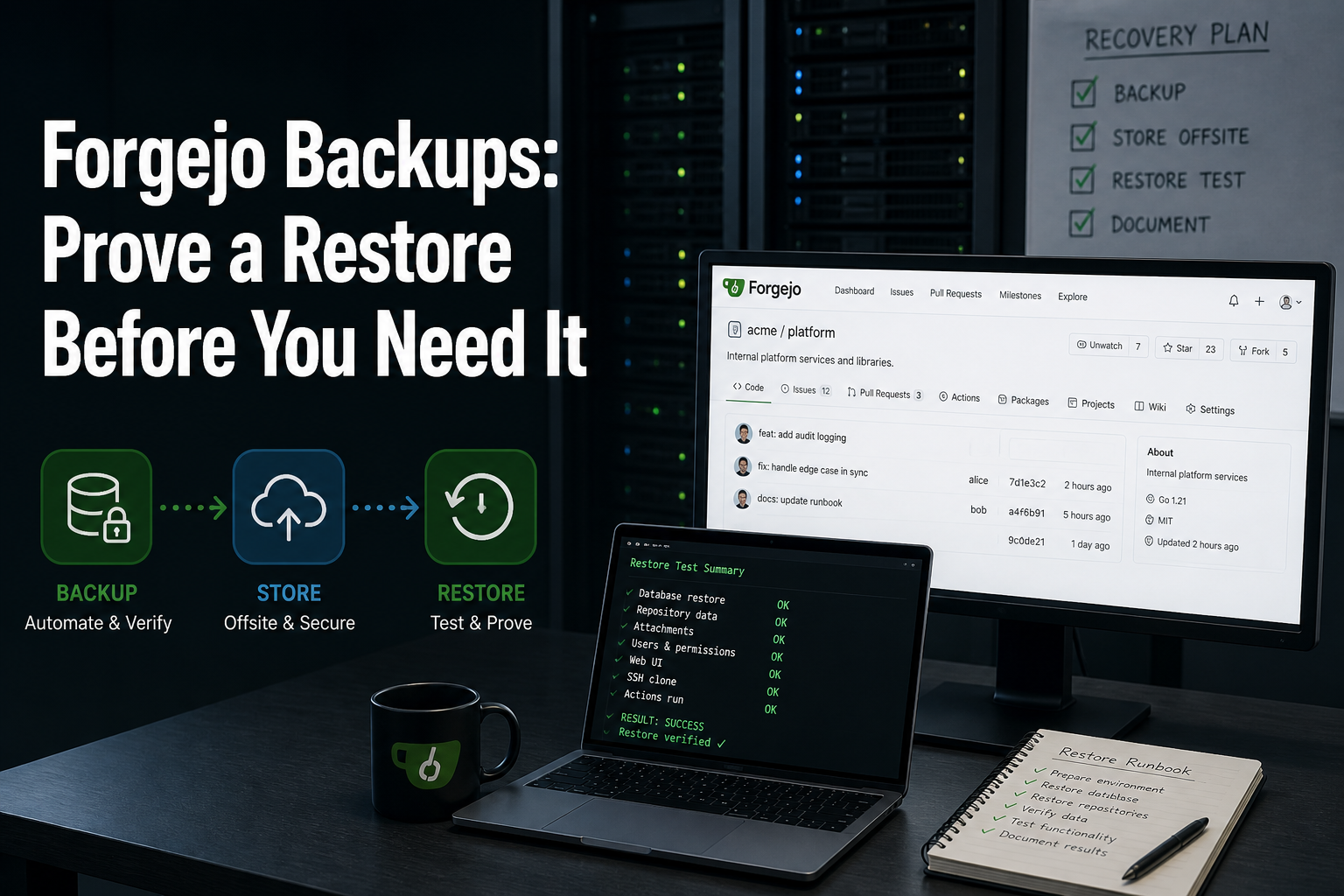
A Forgejo backup can contain every Git object and still fail the team if issues, users, permissions, configuration or application secrets are missing. The opposite failure is just as real: the database returns, but a repository path or large-file object does not. Archive creation is not the recovery test. A clean isolated restore is.
This guide is for a small-team Forgejo operator comfortable with Linux, Git and a shell. It reproduces Forgejo 16.0.2 with SQLite in a disposable loopback-only lab, creates one Git commit and one database-backed issue, stops writes, takes a dump, restores a second instance and proves both state planes survived. PostgreSQL and MySQL operators should retain the same acceptance contract while using their database engine’s supported dump and restore tools.
Name Every State Plane Before Scheduling a Backup
Forgejo is more than bare repositories. Git holds commits, branches and tags, while the application database holds accounts, issues, pull requests, permissions and other forge metadata. Configuration, generated signing material, attachments, LFS objects, packages and Actions artifacts may live in additional paths or storage backends.
That boundary matters even for a compact self-hosted application stack. A volume snapshot, forgejo dump archive or database export is useful only if it covers the storage modes actually enabled on the instance.
| State plane | Example recovery evidence | Failure hidden by a Git-only test |
|---|---|---|
| Git repositories | Clone succeeds and expected commit ID matches | None for ordinary Git objects, but application context may still be gone |
| Forgejo database | Known issue, user and repository record return through the API | Repositories exist but issues, teams or permissions disappear |
| Configuration and secrets | Restored process starts with the intended URL, database and token material | Sessions, OAuth, LFS or internal signing behavior changes unexpectedly |
| Attachments, LFS, packages and Actions data | A sampled object from every enabled store downloads successfully | The forge looks healthy while binary assets or CI evidence are missing |
Consistency joins those planes. Forgejo’s upgrade guidance recommends a backup and careful verification before a version change. When the database and repository tree cannot be snapshotted atomically, a short write freeze or stopped service is the conservative small-team route. The same principle appears in database-and-media restore testing: two individually valid copies can describe different moments and therefore fail together.
Build a Two-Plane Recovery Fixture
The following lab was run on Debian 13.6 on August 9, 2026 UTC with Git 2.47.3 and Forgejo 16.0.2+gitea-1.22.0. It binds only to loopback ports 33010 and 33011, uses no DNS or cloud account and stores everything below /tmp/voxfor-forgejo-restore-lab. The binary checksum is verified against Forgejo’s release file.
Run the lab as a disposable unprivileged account or use the setpriv boundary shown below. Fixed token material is lab-only; production secrets must be generated, protected and backed up according to the deployment’s real configuration.
set -euo pipefail
LAB=/tmp/voxfor-forgejo-restore-lab
BIN=/tmp/forgejo-16.0.2-linux-amd64
SOURCE="$LAB/source"
install -d -m 0700 "$SOURCE/custom/conf" "$SOURCE/data" "$SOURCE/log"

curl -fsSLo "$BIN"
  https://codeberg.org/forgejo/forgejo/releases/download/v16.0.2/forgejo-16.0.2-linux-amd64
curl -fsSLo /tmp/forgejo-16.0.2-linux-amd64.sha256
  https://codeberg.org/forgejo/forgejo/releases/download/v16.0.2/forgejo-16.0.2-linux-amd64.sha256
chmod 0755 "$BIN"
(cd /tmp && sha256sum -c forgejo-16.0.2-linux-amd64.sha256)

cat > "$SOURCE/custom/conf/app.ini" <<EOF
APP_NAME = Forgejo Restore Lab
RUN_MODE = prod
RUN_USER = nobody
[database]
DB_TYPE = sqlite3
PATH = $SOURCE/data/forgejo.db
[repository]
ROOT = $SOURCE/data/repositories
[server]
HTTP_ADDR = 127.0.0.1
HTTP_PORT = 33010
ROOT_URL = http://127.0.0.1:33010/
DISABLE_SSH = true
[service]
DISABLE_REGISTRATION = true
REQUIRE_SIGNIN_VIEW = true
[security]
INSTALL_LOCK = true
SECRET_KEY = disposable-forgejo-restore-lab-only
INTERNAL_TOKEN = 4b4f24fc236220282e42a7a421f769706be41610480629ef63f9640784531714
[log]
MODE = file
LEVEL = warn
ROOT_PATH = $SOURCE/log
EOF

chown -R nobody:nogroup "$LAB"
(cd /tmp && setpriv --reuid=65534 --regid=65534 --init-groups
  "$BIN" web --work-path "$SOURCE" --config "$SOURCE/custom/conf/app.ini")
  >"$LAB/source-web.log" 2>&1 &
SOURCE_PID=$!
until curl -fsS -o /dev/null http://127.0.0.1:33010/; do sleep 0.25; done
Now manufacture evidence that exercises both storage planes. The generated password belongs only to this temporary lab. One commit proves repository recovery; one issue proves database recovery.
LAB_PASSWORD=$(openssl rand -hex 16)
AT=$(printf '100')
LAB_ADMIN_EMAIL="labadmin${AT}example.invalid"
LAB_GIT_EMAIL="lab${AT}example.invalid"
BASIC_AUTH=$(printf 'labadmin:%s' "$LAB_PASSWORD" | base64 -w0)
FJ="$BIN --work-path $SOURCE --config $SOURCE/custom/conf/app.ini"
(cd /tmp && setpriv --reuid=65534 --regid=65534 --init-groups
  $FJ admin user create --username labadmin --password "$LAB_PASSWORD"
  --email "$LAB_ADMIN_EMAIL" --admin --must-change-password=false)

curl -fsS -u "labadmin:$LAB_PASSWORD" -H 'Content-Type: application/json'
  -d '{"name":"recovery-receipt","private":true}'
  http://127.0.0.1:33010/api/v1/user/repos | jq -e '.name == "recovery-receipt"'

install -d -m 0700 "$LAB/client"
git -C "$LAB/client" init -q
git -C "$LAB/client" config user.name 'Forgejo Restore Lab'
git -C "$LAB/client" config user.email "$LAB_GIT_EMAIL"
printf '%sn' 'forgejo restore receipt 2026-08-09' > "$LAB/client/RECOVERY.txt"
git -C "$LAB/client" add RECOVERY.txt
git -C "$LAB/client" commit -q -m 'Add recovery receipt'
git -C "$LAB/client" remote add origin
  "http://127.0.0.1:33010/labadmin/recovery-receipt.git"
git -C "$LAB/client" -c http.extraHeader="Authorization: Basic $BASIC_AUTH"
  push -q -u origin HEAD:main
SOURCE_COMMIT=$(git -C "$LAB/client" rev-parse HEAD)

curl -fsS -u "labadmin:$LAB_PASSWORD" -H 'Content-Type: application/json'
  -d '{"title":"Restore must preserve this issue","body":"Database-plane receipt."}'
  http://127.0.0.1:33010/api/v1/repos/labadmin/recovery-receipt/issues
  | jq -e '.number == 1'
Using only a repository clone as the success check would miss the issue. Using only the web dashboard would miss a broken Git object path. A complete application backup follows the same discipline as Vaultwarden restore coverage: identify configuration, database and file-backed state separately, then test them together.
Quiesce Writes, Dump and Inspect the Archive
Forgejo’s current CLI reference documents forgejo dump, database selection and optional exclusions. Exclusions are operational decisions, not harmless size optimizations. Skipping repositories, LFS, attachments, packages or Actions material is valid only when another tested recovery source owns that data.
Stop the source process before the SQLite dump. A busier PostgreSQL or MySQL deployment may use a controlled maintenance mode plus engine-native consistent export, but the application write boundary still has to be explicit.
ARCHIVE="$LAB/forgejo-dump.zip"
kill "$SOURCE_PID"
wait "$SOURCE_PID" || true
SOURCE_PID=

install -d -o nobody -g nogroup -m 0700 "$LAB/dump-tmp"
(cd /tmp && setpriv --reuid=65534 --regid=65534 --init-groups
  "$BIN" dump --work-path "$SOURCE" --config "$SOURCE/custom/conf/app.ini"
  --file "$ARCHIVE" --tempdir "$LAB/dump-tmp"
  --skip-log --skip-index --verbose)

test -s "$ARCHIVE"
sha256sum "$ARCHIVE" | tee "$LAB/archive.sha256"
unzip -l "$ARCHIVE" | sed -n '1,24p'
Inspect for app.ini, repos/, data/ and forgejo-db.sql; also confirm every enabled external storage backend has a separately testable copy. The archive in this stopped SQLite lab contained the main database and committed pages in its WAL inside data/, plus a SQL export. A raw SQLite copy is not ready to start until the database and WAL are kept together, the transient SHM file is discarded, the WAL is checkpointed and integrity returns ok. External PostgreSQL or MySQL deployments must restore the SQL export or an engine-native dump into a fresh database rather than copying a live database directory.
Arjen Wiersma’s Forgejo restore walkthrough correctly restores PostgreSQL and the filesystem as separate steps, while the Synology backup and restore procedure stops both application and database containers before snapshotting. The reusable rule is the shared recovery point, not a particular container or NAS interface.
Restore to a Second Endpoint, Not Over the Source
An in-place restore destroys the evidence needed to compare old and new states. Extract into a new guarded directory, rebase every path and URL, and keep the source stopped. VSHN’s platform-specific Forgejo restore makes the same downtime boundary explicit and notes that Forgejo has no one-command restore counterpart to dump.
The reproduced SQLite lab copied the stopped archive’s application data and repositories, then merged committed WAL pages into the main database before Forgejo started. Do not reuse this binary-file step for PostgreSQL or MySQL; provision a blank database and import its supported dump instead.
RESTORE="$LAB/restore"
install -d -m 0700 "$RESTORE/unpacked" "$RESTORE/custom/conf"
  "$RESTORE/data" "$RESTORE/log"
unzip -q "$ARCHIVE" -d "$RESTORE/unpacked"
cp -a "$RESTORE/unpacked/custom/." "$RESTORE/custom/"
cp -a "$RESTORE/unpacked/data/." "$RESTORE/data/"
cp -a "$RESTORE/unpacked/repos/." "$RESTORE/data/repositories/"

sed -i
  -e "s#$SOURCE#$RESTORE#g"
  -e 's#HTTP_PORT = 33010#HTTP_PORT = 33011#'
  -e 's#127.0.0.1:33010#127.0.0.1:33011#g'
  "$RESTORE/custom/conf/app.ini"

rm -f "$RESTORE/data/forgejo.db-shm"
SQLITE_CHECKPOINT=$(sqlite3 "$RESTORE/data/forgejo.db"
  'PRAGMA wal_checkpoint(TRUNCATE);')
SQLITE_INTEGRITY=$(sqlite3 "$RESTORE/data/forgejo.db"
  'PRAGMA integrity_check;')
test "$SQLITE_CHECKPOINT" = '0|0|0'
test "$SQLITE_INTEGRITY" = 'ok'
SQLITE_WAL_BYTES=0
if [[ -e "$RESTORE/data/forgejo.db-wal" ]]; then
  SQLITE_WAL_BYTES=$(stat -c '%s' "$RESTORE/data/forgejo.db-wal")
fi
test "$SQLITE_WAL_BYTES" -eq 0
printf 'sqlite_checkpoint=%s sqlite_integrity=%s sqlite_wal_bytes=%sn'
  "$SQLITE_CHECKPOINT" "$SQLITE_INTEGRITY" "$SQLITE_WAL_BYTES"
chown -R nobody:nogroup "$RESTORE"

(cd /tmp && setpriv --reuid=65534 --regid=65534 --init-groups
  "$BIN" web --work-path "$RESTORE" --config "$RESTORE/custom/conf/app.ini")
  >"$LAB/restore-web.log" 2>&1 &
RESTORE_PID=$!
until curl -fsS -o /dev/null http://127.0.0.1:33011/; do sleep 0.25; done
Recovery and migration are related but not identical. A version-compatible application dump may be a migration artifact; a storage snapshot may be a rapid recovery artifact. The Meilisearch dump-versus-snapshot decision is a useful parallel: preserve the format that matches the actual failure and version boundary.
Require API, Git and Doctor Receipts
Startup is necessary but weak. Query the issue, clone from the restored endpoint, compare the commit ID and file content, then run Forgejo’s diagnostic check against the restored work path.
curl -fsS -u "labadmin:$LAB_PASSWORD"
  http://127.0.0.1:33011/api/v1/version > "$LAB/restore-version.json"
RESTORED_ISSUE=$(curl -fsS -u "labadmin:$LAB_PASSWORD"
  http://127.0.0.1:33011/api/v1/repos/labadmin/recovery-receipt/issues/1)
jq -e '.title == "Restore must preserve this issue"' <<<"$RESTORED_ISSUE"

git clone -q
  -c http.extraHeader="Authorization: Basic $BASIC_AUTH"
  "http://127.0.0.1:33011/labadmin/recovery-receipt.git"
  "$LAB/clone"
RESTORED_COMMIT=$(git -C "$LAB/clone" rev-parse HEAD)
test "$RESTORED_COMMIT" = "$SOURCE_COMMIT"
grep -qx 'forgejo restore receipt 2026-08-09' "$LAB/clone/RECOVERY.txt"

(cd /tmp && setpriv --reuid=65534 --regid=65534 --init-groups
  "$BIN" doctor check
  --run paths
  --run check-db-version
  --run check-db-consistency
  --run storages
  --log-file -
  --work-path "$RESTORE"
  --config "$RESTORE/custom/conf/app.ini") >"$LAB/doctor.log" 2>&1
if grep -Eq '(^|[[:space:]])(ERROR|FATAL)([[:space:]]|$)'
  "$LAB/doctor.log"; then
  cat "$LAB/doctor.log" >&2
  exit 1
fi
printf 'doctor_checks=paths,check-db-version,check-db-consistency,storages doctor_errors=0n'
printf 'version=%s issue=%s commit_match=%s acceptance=passn'
  "$(jq -r .version "$LAB/restore-version.json")"
  "$(jq -r .number <<<"$RESTORED_ISSUE")"
  "$([[ "$RESTORED_COMMIT" = "$SOURCE_COMMIT" ]] && echo yes || echo no)"
The observed receipt below is representative. Archive hashes and commit IDs change on every run.
forgejo-16.0.2-linux-amd64: OK
forgejo version 16.0.2+gitea-1.22.0
source_commit=42697e76012c7e89f8eb168ba2e0e83810c30b69 source_issue=1
archive_sha256=22fad04b091e2a40f37ca60da73ccde6b3f57ac061147e4d31eab983df3a14f2
archive_entries=app.ini custom/conf/app.ini repos/labadmin/recovery-receipt.git data/forgejo.db forgejo-db.sql
sqlite_checkpoint=0|0|0 sqlite_integrity=ok sqlite_wal_bytes=0
doctor_checks=paths,check-db-version,check-db-consistency,storages doctor_errors=0
version=16.0.2+gitea-1.22.0 issue=1 commit_match=yes acceptance=pass
The restore receipt should bring every required check together: a matching release checksum; a quiesced source before capture; configuration plus every enabled state plane in the archive; SQLite checkpoint output of 0|0|0; integrity output of ok; and no uncheckpointed WAL before startup. The restored instance must start on a separate path and endpoint, return issue 1 with its exact title, and let a fresh clone resolve to the original commit and file content. Path, database-version, database-consistency, and storage doctor checks should contain no ERROR or FATAL. A missing object, unexplained database migration, changed repository ID, authentication failure, external-storage omission, or startup that works only after modifying the source means the restore is not trustworthy.
Turn One Rehearsal Into a Recovery Schedule
A successful lab answers “can this artifact restore?” It does not set retention, recovery point objective or ownership. Record the archive hash, Forgejo version, database engine, enabled storage backends, source cutoff time, restored endpoint, tested repository and issue IDs, elapsed restore time and reviewer. Repeat after changing the database engine, object storage, LFS, package registry, Actions storage, authentication provider or major Forgejo version.
For higher-impact forges, test from a host and credential set that do not share the source failure domain. A Proxmox restore drill uses the same discipline: recovery is complete only after the restored workload passes application acceptance. Teams without spare capacity can stage the rehearsal on separate infrastructure; current VPS hosting specifications expose CPU, RAM, disk and operating-system choices that can be matched to measured repository and archive size.
After recoverability is proved, move backup generations off the Forgejo host and separate deletion credentials from application administration. Object-lock retention boundaries are useful when ransomware, operator error or compromised credentials could delete both source and ordinary backup copies. Immutability cannot repair an incomplete archive, so restore evidence comes first.
Remove Only the Disposable Lab
Cleanup must refuse an empty or unexpected path. Stop both loopback processes before removing the generated credential, Git remotes, archive and restored data. Production cleanup is different: preserve the approved backup, report and credential-recovery instructions until the retention policy expires them.
case ${LAB:-} in
  /tmp/voxfor-forgejo-restore-lab)
    for pid in "${SOURCE_PID:-}" "${RESTORE_PID:-}"; do
      if [[ -n "$pid" ]] && kill -0 "$pid" 2>/dev/null; then
        kill "$pid"
        wait "$pid" 2>/dev/null || true
      fi
    done
    test -s "$LAB/archive.sha256"
    cd /
    rm -rf --one-file-system "$LAB"
    test ! -e "$LAB"
    ;;
  *) printf 'Refusing cleanup: unexpected LAB pathn' >&2; exit 1 ;;
esac
unset LAB BIN SOURCE RESTORE SOURCE_PID RESTORE_PID LAB_PASSWORD BASIC_AUTH AT LAB_ADMIN_EMAIL LAB_GIT_EMAIL SOURCE_COMMIT RESTORED_COMMIT
FAQ: Forgejo Backup and Restore
Does forgejo dump create a complete backup?
It creates a broad application archive containing configuration, a database export and included data classes, but completeness depends on the instance’s real storage configuration and any --skip-* options. Inventory external LFS, attachments, packages, Actions artifacts and database storage, then prove each enabled plane during an isolated restore.
Must Forgejo be stopped during backup?
The conservative small-team approach is to stop writes when application files and database state cannot be captured at one consistent point. Storage snapshots or database-native techniques can reduce downtime, but they need a documented consistency guarantee and the same restore acceptance test.
What should a Forgejo restore test verify?
Verify the exact application version, configuration and secrets, a database-backed object such as an issue, a fresh Git clone with a known commit, every enabled binary-object store, authentication behavior and explicit non-mutating forgejo doctor results. For SQLite, also checkpoint the archived WAL and require PRAGMA integrity_check to return ok before startup. HTTP 200 alone does not prove recoverability.
Can repositories alone rebuild a Forgejo instance?
Repositories preserve Git history, branches and tags, but not the full forge experience. Users, teams, issues, pull requests, permissions, webhooks and application settings depend on the database and configuration. A Git-only recovery is partial unless that loss is explicitly accepted.
Should a restore test use the production hostname?
No. Start with an isolated hostname, port, network and storage path so the rehearsal cannot receive production traffic, send real notifications or overwrite the source. Promote only after acceptance and a controlled cutover decision.
How often should Forgejo recovery be rehearsed?
Set a cadence from change rate and business impact, then trigger an extra rehearsal after material storage, authentication, database, LFS/package/Actions or major-version changes. A quarterly test may fit a small stable forge; a fast-changing team may need monthly or release-linked receipts.
Keep a Restore Receipt, Not Just a Green Backup Job
The decisive evidence is deliberately split: a known Git commit proves repository recovery, a known issue proves database recovery, configuration and diagnostics prove application continuity, and an isolated endpoint protects the source while those claims are tested. One missing receipt rejects the backup even when the archive command exited zero.
Store the successful version, hash, state inventory, restore duration and acceptance output with the backup policy. During an incident, that record turns “we have a zip file” into a tested route with known prerequisites, boundaries and failure signals.