Lifetime VPS Europe
 Lifetime VPS Asia
 Lifetime WooCommerce Hosting
 Lifetime Hosting
 Lifetime Game Dedicated Servers
 Chicago, US
 Tokyo, Japan
 Singapore
 Hong Kong
 Seoul, South Korea
 Amsterdem, Netherlands
 London, UK
 Stockholm, Sweden
 Oslo, Norway
 Vienna, Austria
 Zurich, Switzerland
 Sydney, Australia
 Wordpress Hosting
 VPS Hosting
 DDOS Protection
 Submit Ticket
 Full Management
 Guides
 Videos and Podcasts
 Discover Creative Ideas
 Voxfor Autonomous AI Workers
 Voxfor Mega Menu
 Voxfor Advanced Price Management For WooCommerce
 Voxfor Secure Live Chat and AI Support
 Voxfor Multilanguage
 Voxfor AI Content Summary
 Voxfor Autopilot
nvidia-smi can show a healthy GPU while an Ollama request still runs partly—or entirely—on CPU. That contradiction does not have one universal cause. The loaded model’s PROCESSOR field is the starting evidence: it separates full GPU placement, full CPU placement and a mixed split before you touch drivers, packages or model files.
Several inputs decide the result. The host must expose a supported accelerator, the Ollama server process must be allowed to discover it, the request must not force a conflicting runner placement, and enough usable VRAM must remain for the model plus its allocated context. A container adds another visibility boundary because a GPU visible on the host is not automatically visible inside it.
Begin with the live request, not a remembered configuration. An Ollama sizing guide can help you compare model weight, RAM and VRAM before buying capacity; VPS specs for Ollama and local LLMs covers that planning intent. Here, the task is narrower: identify why the current loaded model chose CPU, GPU or both.
Read the placement Ollama actually chose
Ollama’s current FAQ defines ollama ps as the authoritative quick check for loaded-model placement. Run a real request first, then inspect the process list while the model remains loaded:
ollama list
ollama run REPLACE_WITH_INSTALLED_MODEL "Reply with the word ready"
ollama ps
The PROCESSOR column describes where the model was loaded. A result such as 100% GPU means the loaded model is entirely on GPU memory. 100% CPU means system memory and CPU execution. A mixed value such as 48%/52% CPU/GPU means Ollama split placement between system and GPU memory.
PROCESSOR result |
What it proves | What to investigate next |
|---|---|---|
100% GPU |
Ollama loaded the model entirely into GPU memory | Measure application latency and utilization; CPU activity alone does not disprove GPU inference |
100% CPU |
The loaded model is entirely in system memory | Check GPU discovery, service identity, support and container access |
| Mixed CPU/GPU | Ollama is using the accelerator but not holding the full model in VRAM | Compare model size, allocated context, parallelism and competing VRAM use |
Do not diagnose from Task Manager, top or one utilization percentage alone. Tokenization, request handling and other work can use CPU even when model layers are on the GPU. Conversely, a visible GPU process does not prove the whole model fits. Placement and utilization answer different questions.
Freeze one request across every evidence source
A useful snapshot must describe the same request window. Record the model name, quantization or tag, allocated context, Ollama version, service log, device inventory and GPU memory state before restarting anything.
ollama --version
ollama ps
systemctl status ollama --no-pager
journalctl -u ollama --no-pager -n 200
On NVIDIA hosts, capture both the inventory and the live process view:
nvidia-smi -L
nvidia-smi
For AMD on Linux, the equivalent boundary includes ROCm device discovery and permissions. Current Ollama documentation recommends checking rocminfo, /dev/kfd, /dev/dri and server logs when acceleration is missing:
rocminfo | sed -n '1,120p'
ls -lnd /dev/kfd /dev/dri /dev/dri/*
journalctl -u ollama --no-pager -n 200
Capture first because a restart can erase the most useful discovery message. The official Ollama troubleshooting guide lists Linux logs, GPU-discovery errors and platform-specific recovery paths. Treat those messages as evidence about a boundary, not as permission to try every workaround at once.
A healthy host GPU is only the first boundary
When nvidia-smi fails on the host, Ollama cannot repair the host driver or missing hardware assignment. Resolve that layer first. Current Ollama hardware support documents supported NVIDIA compute capabilities and driver floors, plus the AMD ROCm and Vulkan paths that apply to current releases.
Virtualization changes what available means. A provider dashboard can name a GPU while the guest still lacks a usable device, virtual function, driver or passthrough path. No Ollama setting can create accelerator access that the virtualization boundary does not expose.
Physical topology still matters: device assignment, VRAM, PCIe layout and driver ownership determine what the guest can use. Confirm those boundaries before treating the model or Ollama settings as the cause.
Supported is not the same as visible
A card may appear in PCI inventory yet remain unusable by the selected backend. For NVIDIA, Ollama documents compute-capability and driver requirements. For AMD, current Linux guidance requires a compatible ROCm v7 driver for the documented ROCm path, while Vulkan expands support with its own permissions and VRAM-reporting considerations.
Avoid copying an override meant for another GPU family. Variables such as CUDA_VISIBLE_DEVICES, ROCR_VISIBLE_DEVICES and GGML_VK_VISIBLE_DEVICES can deliberately hide or select devices. An inherited value of -1, an invalid index or an unstable integrated-GPU selection can explain why the server behaves differently from an interactive shell.
The daemon may not inherit your working shell
nvidia-smi succeeding as your SSH user proves that user’s host view. Ollama installed as a systemd service normally runs under another identity with its own groups, environment and startup timing. Read the effective unit before adding an override:
systemctl show ollama -p User -p Group -p SupplementaryGroups -p Environment -p ExecStart
systemctl cat ollama
Look for device-selection variables, a forced OLLAMA_LLM_LIBRARY, custom paths and service hardening that blocks device access. Redact tokens, private endpoints and other sensitive environment values before sharing the output. A manual ollama serve test launched from the shell can differ because it inherits your login environment. That difference is useful evidence, but it is not a production fix.
Correct the service boundary, not the login profile
When evidence proves the service needs one environment change, place it in a systemd drop-in rather than .bashrc. Use systemctl edit ollama.service, add only the required setting under [Service], then reload and restart during a controlled window. The exact value must come from the detected device and current Ollama documentation; do not paste another host’s GPU index.
[Service]
Environment="CUDA_VISIBLE_DEVICES=GPU-REPLACE_WITH_DISCOVERED_UUID"
sudo systemctl daemon-reload
sudo systemctl restart ollama
ollama run REPLACE_WITH_INSTALLED_MODEL "Reply with the word ready"
ollama psKeep the previous unit output with the incident. If placement or service health worsens, remove the new drop-in line, reload systemd and restart the service. One override, one restart and one acceptance request creates a reviewable change; a driver reinstall plus new model plus several environment variables does not.
Mixed placement often points to memory demand
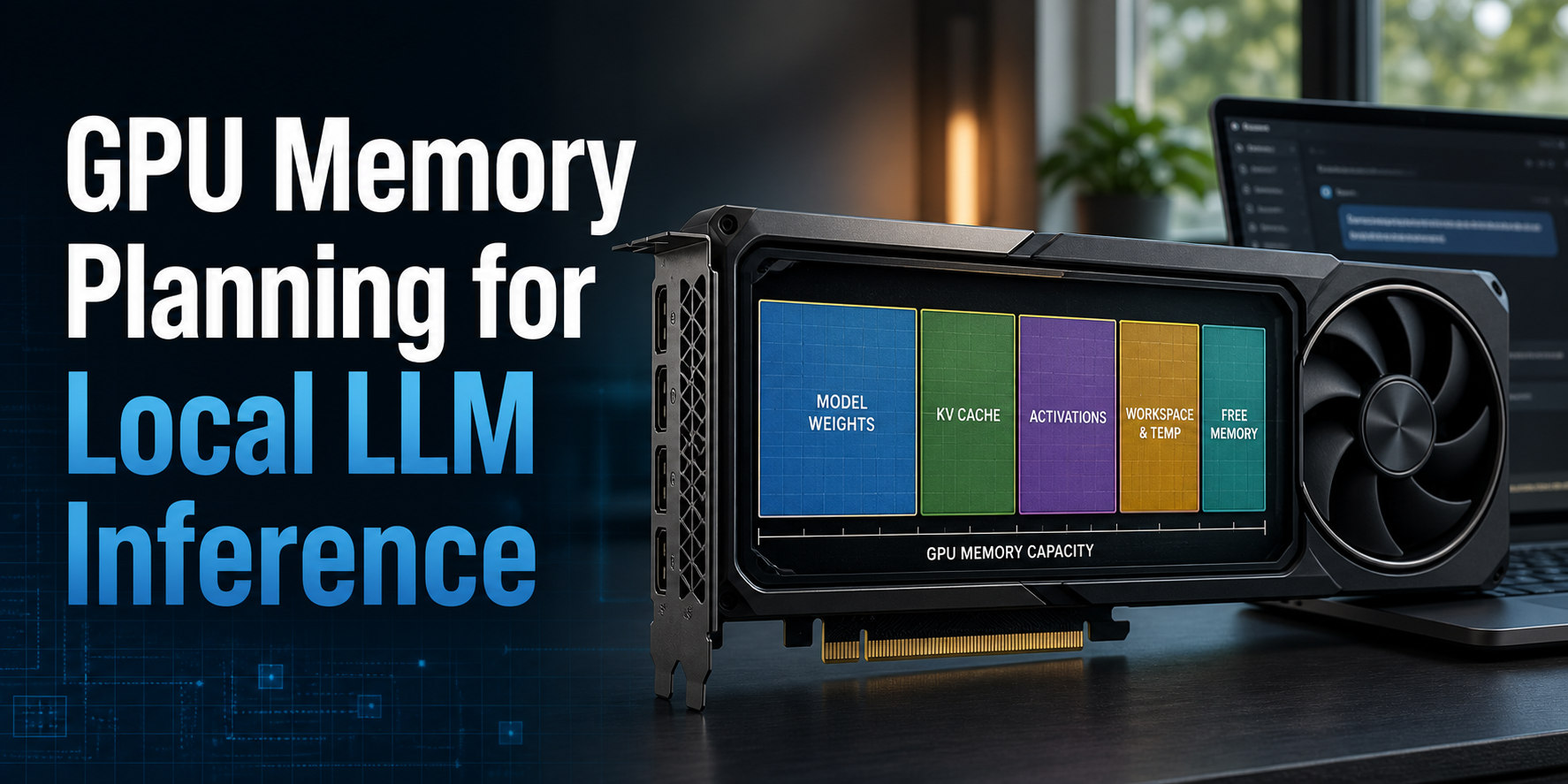
A split PROCESSOR value proves that Ollama is using both CPU and GPU memory. Before treating that as failed discovery, compare the model’s loaded size and context with free VRAM during the same window.
Ollama’s context-length documentation states that larger context increases memory requirements and directs operators to verify both CONTEXT and PROCESSOR through ollama ps. Current defaults can vary by release and available VRAM, so the live CONTEXT column is safer evidence than a remembered default.
Parallel requests multiply the context allocation for a loaded model. The current Ollama FAQ explains that required memory scales with parallel request count and context length. Other loaded models, display workloads and unrelated GPU processes can reduce the remaining VRAM even when the model fitted during an earlier test.
Change demand before changing drivers
Run a controlled single-request comparison with the same prompt and model. Stop idle Ollama models you intentionally no longer need, confirm competing GPU processes, and test an approved smaller context or model variant. Do not kill unknown GPU processes on a shared host.
ollama ps
nvidia-smi
ollama stop REPLACE_WITH_IDLE_MODEL
Flash Attention and K/V-cache quantization can change memory demand on supported backends, but they also change compatibility or precision tradeoffs. Apply those settings only after the processor split and context evidence prove a capacity problem. A smaller context may be unacceptable for coding, agent or retrieval workloads; fitting entirely in VRAM is not success if the application loses required context.
Docker creates another device boundary
Host GPU success does not cross a container boundary automatically. An Ollama container needs the correct runtime/device exposure, and the process inside the container must be able to query the device. Current Ollama Docker guidance uses NVIDIA Container Toolkit for NVIDIA acceleration and explicit device mappings for AMD.
First prove the runtime independently of Ollama. Ollama’s troubleshooting documentation recommends a disposable NVIDIA check such as:
docker run --rm --gpus all ubuntu nvidia-smi
docker exec REPLACE_WITH_OLLAMA_CONTAINER ollama ps
docker logs --tail 200 REPLACE_WITH_OLLAMA_CONTAINER
Replace the container placeholder with the name returned by docker ps; the common name ollama is not guaranteed. If the disposable check fails, repair the container runtime boundary before recreating the Ollama application. NVIDIA’s Container Toolkit installation guide is the current source for configuring Docker or another supported runtime.
Compose users should inspect the effective declaration rather than assuming a YAML file was applied. The Docker and Compose responsibility guide explains that boundary; the Ollama service still needs explicit accelerator access in the rendered configuration.
Compare the client request with the direct backend path
Open WebUI, an agent or a custom API client can change more than the route and timeout. Ollama’s current API types expose load-time runner options including num_gpu, main_gpu and num_ctx; an advanced client setting can therefore force CPU placement, limit GPU layers or increase memory demand. Inspect the client’s model options or outbound request before dismissing the UI as presentation-only. The Ollama API type definitions are the current primary reference for those load-time fields.
Compare like with like. Stop the model intentionally, load it once through the client, record ollama ps, then repeat with the same model and context through the direct local CLI. A placement difference under the same service and device state points to request options or client-selected model configuration; an identical result sends the investigation back to service, memory or container evidence.
If Open WebUI is part of the stack, validate the same model and endpoint through the Open WebUI and Ollama workflow after the lower-layer test passes.
Close the incident with placement and workload proof
Successful repair needs more than a changed percentage. Repeat the same prompt, context and concurrency used in the baseline; record ollama ps, service logs, device memory, latency and the application’s real response. Watch the host for system-memory pressure because partial offload can shift load rather than remove it.
If the guest cannot receive a supported accelerator or deterministic driver and device control, the deployment boundary must change. Make that decision only after the software boundaries are proven.
Store the before/after evidence with four outcomes: GPU visible to the host, GPU visible to the Ollama service or container, expected PROCESSOR placement, and representative workload acceptance. That record makes rollback possible and stops the next operator from repeating a blind reinstall.
FAQ: Ollama processor placement
How can I tell whether Ollama is using my GPU?
Run a real model request, then use ollama ps while the model is loaded. 100% GPU, 100% CPU or a mixed CPU/GPU value in the PROCESSOR column reports the live placement chosen by Ollama.
Does mixed CPU/GPU placement mean the GPU is broken?
Mixed placement does not by itself mean the GPU is broken. It proves Ollama is using the accelerator for part of the loaded model while keeping another part in system memory; compare model size, allocated context, parallel requests and free VRAM.
Why can nvidia-smi work while Ollama still uses CPU?
nvidia-smi in an SSH shell proves the device view available to that login account. The Ollama daemon may run with another identity, device permissions, environment variables or container boundary, so inspect the service logs and effective unit configuration.
Can Ollama context length cause CPU offload?
Larger allocated context increases model memory requirements and can contribute to partial CPU offload when VRAM is insufficient. Read the live CONTEXT and PROCESSOR columns together, and include parallel-request demand in the comparison.
Why does Ollama in Docker fail to see a host GPU?
A container does not inherit GPU access merely because the host detects the device. Configure the supported GPU runtime or device mappings, prove device access inside a disposable container, and then inspect the Ollama container logs and processor split.
Should I reinstall Ollama or GPU drivers first?
Do not reinstall Ollama or GPU drivers first. Preserve the current logs and prove whether hardware support, daemon identity, request options, memory fit or container exposure failed; then change only the owning boundary and repeat the same acceptance request.
Continue from the evidence, not the symptom
Close the incident only when device visibility, model placement, measured offload and application latency all support the same explanation.