Lifetime VPS Europe
 Lifetime VPS Asia
 Lifetime WooCommerce Hosting
 Lifetime Hosting
 Lifetime Game Dedicated Servers
 Chicago, US
 Tokyo, Japan
 Singapore
 Hong Kong
 Seoul, South Korea
 Amsterdem, Netherlands
 London, UK
 Stockholm, Sweden
 Oslo, Norway
 Vienna, Austria
 Zurich, Switzerland
 Sydney, Australia
 Wordpress Hosting
 VPS Hosting
 DDOS Protection
 Submit Ticket
 Full Management
 Guides
 Videos and Podcasts
 Discover Creative Ideas
 Voxfor Autonomous AI Workers
 Voxfor Mega Menu
 Voxfor Advanced Price Management For WooCommerce
 Voxfor Secure Live Chat and AI Support
 Voxfor Multilanguage
 Voxfor AI Content Summary
 Voxfor Autopilot
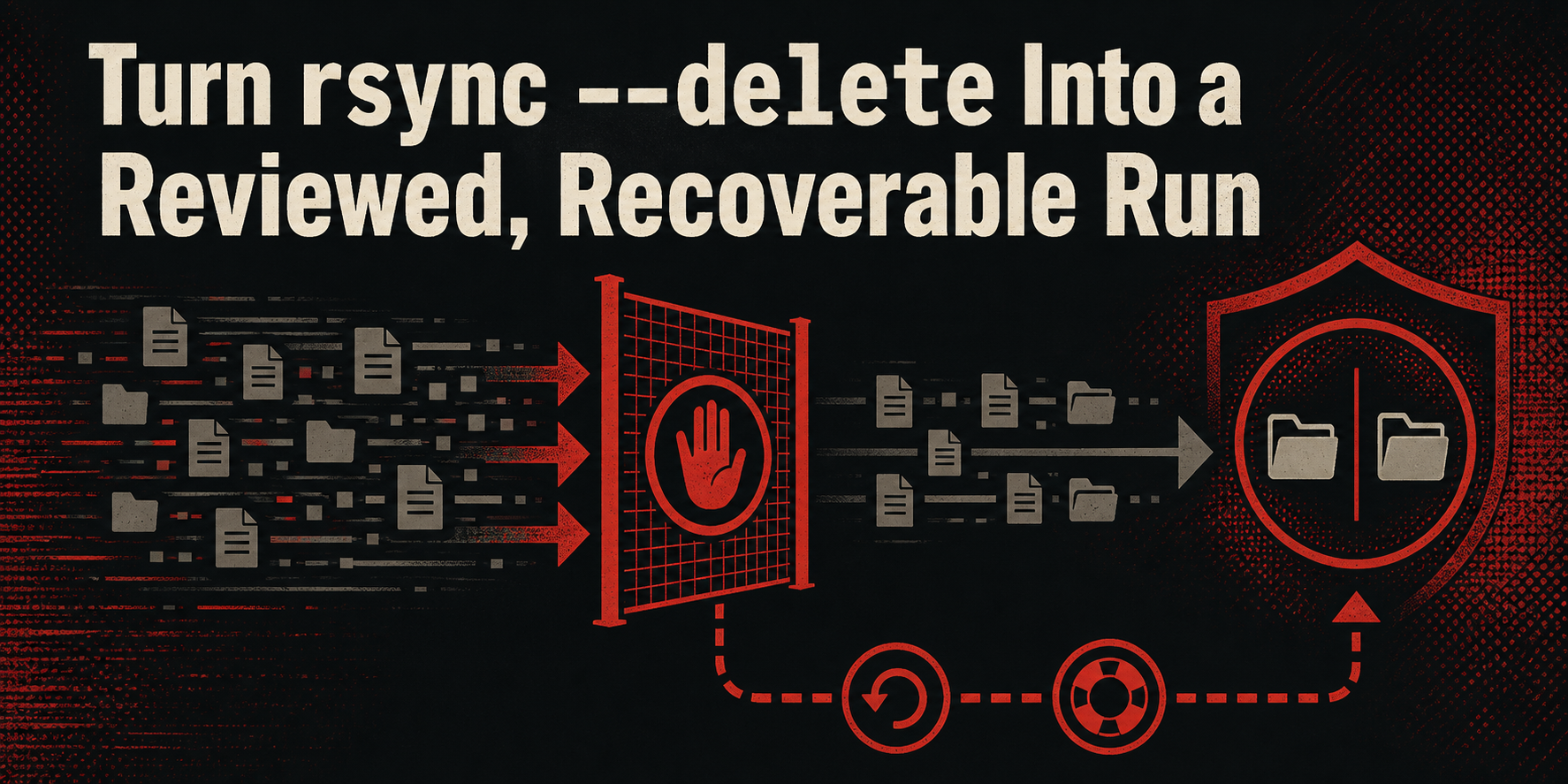
When a file disappears from an rsync --delete source, its absence becomes an instruction: remove the corresponding destination file. That is correct behavior for a mirror, but it can faithfully propagate a mistaken mount, a failed export, an overbroad exclude rule or a human deletion.
A safe run proves the source first, previews the exact deletion set, stops when that set exceeds policy, retains displaced destination files and restores at least one item before automation. A dry run is evidence about one proposed transfer; it is not history, an independent backup or protection against the source changing five seconds later.
This guide is for an agency, developer or Linux operator maintaining a current-state copy. It assumes basic shell use and access to both paths. The reproduced lab ran on Debian 13 with rsync 3.4.1, uses only /tmp/voxfor-rsync-delete-lab, includes filenames with spaces and dotfiles, and cleans up through an exact marker. Replace its paths only after preserving the same guards.
A Mirror Answers “What Exists Now,” Not “What Existed Yesterday”
By default, rsync updates and creates destination content but leaves destination-only files alone. --delete changes that contract: extraneous names in the receiving directories are removed so the destination represents the source now. The current rsync manual calls the option potentially dangerous when used incorrectly and recommends a dry run first.
Three storage outcomes are easy to confuse:
| Outcome | Destination after the run | Can it recover yesterday’s source deletion? |
|---|---|---|
Copy without --delete |
New and changed source files arrive; old destination-only files accumulate | Sometimes by accident, with no reliable retention contract |
Mirror with --delete |
Destination converges toward the current source | No, unless displaced files are preserved elsewhere |
| Versioned backup or snapshot | Multiple recovery states follow a declared retention policy | Yes, after restore verification and within retention |
For durable recovery, use a system that owns snapshot identity and restore acceptance. Restic recovery testing shows why selecting one immutable recovery point and comparing the restored data is a different job from maintaining a mirror.
--backup-dir can add a narrow return path to one rsync run. It stores destination files that the run overwrites or deletes. That makes the operation more recoverable, but the directory is not a complete snapshot: it does not contain unchanged destination files, and it does not automatically remove files newly introduced by the run. Give it retention, capacity monitoring and an independent failure domain before calling it backup history.
Lock the Source and Destination Pair Before Previewing
The strongest dry run is worthless if the real command changes paths, filters, remote endpoint or source state. Keep one reviewed argument set and change only --dry-run between preview and apply. In particular, the source trailing slash determines scope:
source/ destination/synchronizes the contents ofsourceintodestination.source destination/creates or updatesdestination/source.
DigitalOcean’s current rsync tutorial demonstrates both shapes. With deletion enabled, a misplaced slash can make you inspect one tree and mutate another. Print canonical paths, confirm the expected mount or remote host, and refuse empty variables before either run.
Source readiness also needs an application boundary. A readable directory is not necessarily a complete database, mail store or active application export. For WooCommerce, backup retention and database consistency belong ahead of file transfer; for a self-hosted Git service, Forgejo recovery rehearsal identifies repositories, database, configuration and enabled stores as one recovery set.
Build and Inventory One Disposable Mirror
The first block refuses any existing lab path, creates an exact marker and prepares two different states. The source has current configuration and page content. The mirror has older versions plus legacy-report.csv and orphan note.txt, which no longer exist in the source.
set -euo pipefail
lab_root='/tmp/voxfor-rsync-delete-lab'
marker="$lab_root/.voxfor-rsync-delete-lab"
source_dir="$lab_root/source"
mirror_dir="$lab_root/mirror"
receipt_dir="$lab_root/receipts"

[[ ! -e "$lab_root" ]] || { printf 'Refusing existing path: %s\n' "$lab_root" >&2; exit 1; }
install -d -m 700 "$source_dir/config" "$source_dir/public" \
  "$mirror_dir/config" "$mirror_dir/public" "$receipt_dir"
: > "$marker"
printf 'mode=production\nversion=2\n' > "$source_dir/config/app.conf"
printf 'new home\n' > "$source_dir/public/index.html"
printf 'hidden state\n' > "$source_dir/.deployment-state"
printf 'mode=production\nversion=1\n' > "$mirror_dir/config/app.conf"
printf 'old home\n' > "$mirror_dir/public/index.html"
printf 'hidden state\n' > "$mirror_dir/.deployment-state"
printf 'old report\n' > "$mirror_dir/legacy-report.csv"
printf 'keep only if recovered\n' > "$mirror_dir/orphan note.txt"
printf 'setup=ok rsync=%s\n' "$(rsync --version | sed -n '1s/^rsync  version //p')"
Inventory the source before asking what will disappear from the mirror. This manifest includes dotfiles, sorts by a NUL delimiter so spaces remain safe, and stores hashes without the disposable absolute prefix.
set -euo pipefail
lab_root='/tmp/voxfor-rsync-delete-lab'
marker="$lab_root/.voxfor-rsync-delete-lab"
source_dir="$lab_root/source"
receipt_dir="$lab_root/receipts"
[[ -f "$marker" && -d "$source_dir" && -d "$receipt_dir" ]] || {
  printf 'Lab identity failed\n' >&2; exit 1;
}
find "$source_dir" -type f -printf '%P\0' | sort -z |
  xargs -0 -r -I{} sha256sum "$source_dir/{}" |
  sed "s#  $source_dir/#  #" > "$receipt_dir/source.sha256"
cat "$receipt_dir/source.sha256"
In production, a manifest is useful only when the source is known complete. Check the export’s completion marker, mount identity, expected root directories, minimum object count and latest application-consistent timestamp. A suddenly empty but successfully mounted path must fail readiness rather than become authorization to empty the mirror.
Turn the Dry Run Into a Deletion Decision
Use --itemize-changes and a stable output format so additions, content changes and deletions can be reviewed separately. -c adds checksums to file-change detection in this small lab; that avoids a same-size, same-second quick-check collision. It costs a full read of file contents, so production operators should choose it deliberately rather than adding it blindly to multi-terabyte jobs.
set -euo pipefail
lab_root='/tmp/voxfor-rsync-delete-lab'
marker="$lab_root/.voxfor-rsync-delete-lab"
source_dir="$lab_root/source"
mirror_dir="$lab_root/mirror"
receipt_dir="$lab_root/receipts"
[[ -f "$marker" && -d "$source_dir" && -d "$mirror_dir" ]] || {
  printf 'Lab identity failed\n' >&2; exit 1;
}
rsync -anic --delete-delay --itemize-changes \
  --out-format='%i|%n%L' "$source_dir/" "$mirror_dir/" \
  > "$receipt_dir/preview.txt"
cat "$receipt_dir/preview.txt"
>fc........ means a regular file will be transferred because its checksum differs. *deleting identifies a destination name absent from the transfer’s source file list. Directory timestamp noise can appear even when content scope is correct; review it, but do not count it as a deletion.
The preview is accepted only when:
- canonical source and destination are the approved pair;
- the source manifest meets application readiness;
- every filter and trailing slash matches the scheduled command;
- each deletion has an owner or an approved reason;
- the deletion count and byte estimate stay within policy;
- the recovery directory is outside the mirrored tree and has enough free space.
An interactive glance does not protect unattended work. The next negative control adds three unexpected mirror-only files, previews five total deletions and refuses to run rsync because policy allows two.
set -euo pipefail
lab_root='/tmp/voxfor-rsync-delete-lab'
marker="$lab_root/.voxfor-rsync-delete-lab"
source_dir="$lab_root/source"
mirror_dir="$lab_root/mirror"
receipt_dir="$lab_root/receipts"
[[ -f "$marker" && -d "$source_dir" && -d "$mirror_dir" ]] || {
  printf 'Lab identity failed\n' >&2; exit 1;
}
touch "$mirror_dir/unexpected-1.tmp" "$mirror_dir/unexpected-2.tmp" \
  "$mirror_dir/unexpected-3.tmp"
rsync -anic --delete-delay --itemize-changes \
  --out-format='%i|%n%L' "$source_dir/" "$mirror_dir/" \
  > "$receipt_dir/rejected-preview.txt"
delete_count="$(grep -c '^\*deleting  ' "$receipt_dir/rejected-preview.txt" || true)"
if (( delete_count > 2 )); then
  printf 'blocked delete_count=%d policy_max=2 mirror_unchanged=yes\n' "$delete_count"
else
  printf 'Unexpectedly passed deletion policy\n' >&2; exit 1
fi
test -f "$mirror_dir/unexpected-1.tmp"
test -f "$mirror_dir/unexpected-2.tmp"
test -f "$mirror_dir/unexpected-3.tmp"
rm -f -- "$mirror_dir/unexpected-1.tmp" "$mirror_dir/unexpected-2.tmp" \
  "$mirror_dir/unexpected-3.tmp"
Count thresholds are workload-specific. Two can be reasonable for this five-file fixture and absurd for a package repository. Use both a count and a byte boundary when one large destination-only file matters. Most importantly, do not automatically raise the threshold after a block. Revalidate the source, filters and path first.
Retain What the Approved Mirror Run Displaces
After the negative control is removed, regenerate the preview and require exactly two deletions. The approved preview already includes --max-delete=2, --backup and the absolute --backup-dir outside the mirror. Preview/apply argument parity is exact: the real command changes only -anic to -aic, removing the dry-run flag while preserving every reviewed path and safeguard.
set -euo pipefail
lab_root='/tmp/voxfor-rsync-delete-lab'
marker="$lab_root/.voxfor-rsync-delete-lab"
source_dir="$lab_root/source"
mirror_dir="$lab_root/mirror"
receipt_dir="$lab_root/receipts"
recovery_dir="$lab_root/recovery/run-20260811T2215Z"
[[ -f "$marker" && -d "$source_dir" && -d "$mirror_dir" &&
   "$recovery_dir" == "$lab_root"/recovery/* ]] || {
  printf 'Lab identity failed\n' >&2; exit 1;
}
rsync -anic --delete-delay --max-delete=2 --backup \
  --backup-dir="$recovery_dir" --itemize-changes \
  --out-format='%i|%n%L' "$source_dir/" "$mirror_dir/" \
  > "$receipt_dir/approved-preview.txt"
delete_count="$(grep -c '^\*deleting  ' "$receipt_dir/approved-preview.txt" || true)"
[[ "$delete_count" -eq 2 ]] || {
  printf 'Expected 2 deletions, got %s\n' "$delete_count" >&2; exit 1;
}
rsync -aic --delete-delay --max-delete=2 --backup \
  --backup-dir="$recovery_dir" --itemize-changes \
  --out-format='%i|%n%L' "$source_dir/" "$mirror_dir/" \
  > "$receipt_dir/applied.txt"
diff -u "$receipt_dir/approved-preview.txt" "$receipt_dir/applied.txt"
cat "$receipt_dir/applied.txt"
--delete-delay computes deletions while the transfer proceeds and removes them after transfer work, rather than deleting before content arrives. It narrows one failure window; it does not create atomic application cutover. --max-delete is a second stop: if rsync would exceed it, current rsync reports the maximum-deletion limit and exits with code 25. Treat that as a failed job needing investigation, not a successful partial mirror.
This representative observed receipt joins the decision-relevant setup, manifest, preview, rejection, apply, verification, restore and cleanup lines; routine directory metadata lines and the duplicate apply itemization are omitted:
setup=ok rsync=3.4.1  protocol version 32
e1649ef89d6822c965b46e47729e97bbc5ed1d20b92c0f1d3c9c6916de47a751  .deployment-state
fc12a9b02bc83c6c57d2b054c578f2b0b52ca5ed6a446a8900bc91c264edd5eb  config/app.conf
e87ec7b6d48bf69d478f132fb12097a6e93b0df2f902d7e40528f939375ed7f8  public/index.html
>fc........|config/app.conf
>fc........|public/index.html
*deleting  |orphan note.txt
*deleting  |legacy-report.csv
blocked delete_count=5 policy_max=2 mirror_unchanged=yes
mirror_hashes=match retained_paths=4 source_files=3
restore=verified file=orphan\ note.txt sha256=cdca7f891b6018eb6ea491db1ec3fd2e1352804b19c41093516362538b3e7fbc
cleanup=verified path_absent=/tmp/voxfor-rsync-delete-lab
The recovery directory should contain four files, not two. Rsync retains the old config/app.conf and public/index.html before overwriting them, then retains the two destination-only files before deletion. Capacity planning for backup-dir must therefore cover changed plus deleted destination data, not deletion count alone. The broader website storage planning workflow can help model current files, databases, local backups and growth without treating one run as a fixed percentage.
Prove the Current Mirror and One Real Restore
After the transfer, compare source and mirror manifests. Do not accept a zero exit code while skipping application checks, permission requirements or content integrity. This fixture also confirms all four expected recovery objects and distinguishes source-file count from recovery-file count.
set -euo pipefail
lab_root='/tmp/voxfor-rsync-delete-lab'
marker="$lab_root/.voxfor-rsync-delete-lab"
source_dir="$lab_root/source"
mirror_dir="$lab_root/mirror"
recovery_dir="$lab_root/recovery/run-20260811T2215Z"
receipt_dir="$lab_root/receipts"
[[ -f "$marker" && -d "$source_dir" && -d "$mirror_dir" &&
   -d "$recovery_dir" ]] || { printf 'Lab identity failed\n' >&2; exit 1; }
find "$mirror_dir" -type f -printf '%P\0' | sort -z |
  xargs -0 -r -I{} sha256sum "$mirror_dir/{}" |
  sed "s#  $mirror_dir/#  #" > "$receipt_dir/mirror.sha256"
diff -u "$receipt_dir/source.sha256" "$receipt_dir/mirror.sha256"
test "$(cat "$recovery_dir/config/app.conf")" = $'mode=production\nversion=1'
test "$(cat "$recovery_dir/legacy-report.csv")" = 'old report'
test "$(cat "$recovery_dir/orphan note.txt")" = 'keep only if recovered'
printf 'mirror_hashes=match retained_paths=%d source_files=%d\n' \
  "$(find "$recovery_dir" -type f | wc -l)" \
  "$(find "$source_dir" -type f | wc -l)"
The run is accepted when the approved preview and applied itemized output match, exactly two destination-only paths are displaced, all source and mirror file hashes agree, the recovery directory contains the two overwritten versions plus both deletions, the negative control leaves its files untouched, and a separate restore reproduces the retained file hash.
Test that restore rather than assuming a retained filename is usable:
set -euo pipefail
lab_root='/tmp/voxfor-rsync-delete-lab'
marker="$lab_root/.voxfor-rsync-delete-lab"
recovery_dir="$lab_root/recovery/run-20260811T2215Z"
restore_dir="$lab_root/restore-test"
[[ -f "$marker" && -d "$recovery_dir" &&
   "$restore_dir" == "$lab_root"/restore-test ]] || {
  printf 'Lab identity failed\n' >&2; exit 1;
}
install -d -m 700 "$restore_dir"
rsync -a "$recovery_dir/orphan note.txt" "$restore_dir/"
test "$(sha256sum "$restore_dir/orphan note.txt" | cut -d' ' -f1)" = \
     "$(sha256sum "$recovery_dir/orphan note.txt" | cut -d' ' -f1)"
printf 'restore=verified file=%q sha256=%s\n' 'orphan note.txt' \
  "$(sha256sum "$restore_dir/orphan note.txt" | cut -d' ' -f1)"
For production rollback, stop the next scheduled mirror, identify the exact run directory and restore only reviewed displaced paths. Copying backup-dir back without --delete can restore older destination versions, but it cannot remove new paths introduced by the failed run or reconstruct unchanged files. Keep an independent versioned backup for complete point-in-time recovery. Object-lock or immutable retention can add another failure boundary; MinIO Object Lock backup guidance explains why retention settings still need a tested restore.
Move the Contract to Remote Automation, Then Clean the Lab
Remote rsync adds two identities: the local source and the remote destination reached through SSH. Pin the expected hostname and key, use absolute paths on both ends, verify free space on the destination filesystem and recovery filesystem, and record the rsync versions on both hosts. Avoid --ignore-errors; an input/output error that suppresses deletion is evidence that the mirror cannot be trusted yet.
An unattended job should keep separate artifacts for source readiness, preview, policy decision, applied output, destination manifest, recovery inventory and restore test. Alert on every nonzero exit, including code 25 from --max-delete. A successful transfer whose application cannot open the recovered state is still a failed backup process.
When responsibility is unclear, assign it before scheduling. Voxfor’s managed hosting service explicitly lists advanced backup consulting and server management; confirm the exact source scope, retention, off-host copy and restore-test ownership in writing rather than assuming “managed” makes a current-state mirror historical recovery.
The disposable lab can be removed only when the exact path and marker still agree:
set -euo pipefail
lab_root='/tmp/voxfor-rsync-delete-lab'
marker="$lab_root/.voxfor-rsync-delete-lab"
[[ "$lab_root" == /tmp/voxfor-rsync-delete-lab && -f "$marker" ]] || {
  printf 'Cleanup guard failed\n' >&2; exit 1;
}
rm -rf -- "$lab_root"
test ! -e "$lab_root"
printf 'cleanup=verified path_absent=%s\n' "$lab_root"
If a lab block stops, leave the source, mirror, receipts and recovery directory in place until you confirm the exact marker and path; then use only the guarded cleanup block. After a real mirror run, pause automation, preserve logs and the run-specific backup directory, restore reviewed displaced files without --delete, remove newly introduced paths only with separate evidence, and fall back to the independent versioned backup when a complete earlier state is required.
FAQ: Decisions Around rsync --delete
Does rsync --delete remove files from the source?
No. In the normal source-to-destination form, it removes extraneous names from receiving directories covered by the transfer. --remove-source-files is a different option with a different risk. Still print and verify both endpoints, because reversing source and destination changes which side receives deletions.
Is an rsync dry run guaranteed to match the real run?
It simulates the same argument set, and itemized output should normally match, but the world can change between runs. A source file can be created, removed or modified; a mount can change; a remote connection can fail; and real writes can encounter capacity or permission errors. Recheck source readiness immediately before apply and compare the saved preview with applied output.
Does --backup-dir turn a mirror into a complete backup?
No. It retains destination files displaced by that run, including overwritten and deleted files. It does not contain unchanged data, manage retention, prove an off-host failure domain or guarantee application consistency. Use it as a bounded rollback aid beside a versioned, restore-tested backup.
What does the source trailing slash change?
source/ destination/ copies the contents of source into destination; source destination/ creates or updates a nested destination/source tree. Because deletion applies within the receiving directories selected by the transfer, changing the slash between preview and apply changes the reviewed scope.
Should I use --delete-before, --delete-during or --delete-delay?
Choose from the workload’s failure boundary. --delete-before frees space first but removes old destination content before new transfer work. Incremental recursion normally uses deletion during transfer. --delete-delay records deletions during traversal and applies them later, which fit this lab’s preference to transfer before removing destination-only files. None is a substitute for retention or an atomic application release.
What should I do when --max-delete stops the job?
Treat the nonzero exit as a rejected mirror. Preserve the preview, verify that the source is complete, confirm the trailing slash and filters, estimate affected bytes and obtain the required approval. Raise the limit only when the larger deletion set is understood; do not hide the failure or mark a partially converged destination healthy.