
- Lifetime Solutions
VPS SSD:
Lifetime Hosting:
DEDICATED SERVERS:
- VPS Locations
- Managed Services
- Support
- WP Plugins

A 100/100 PageSpeed score is less important than real Core Web Vitals, fast server response, stable checkout or lead forms and good mobile UX. WordPress performance work should start with hosting, TTFB, caching, images, scripts, fonts and plugin load.
| Step | What to check | Common fix | Risk |
|---|---|---|---|
| Measure baseline | PSI, Lighthouse, CrUX, server TTFB and key templates | Record results before editing | Testing only the homepage can hide checkout or mobile issues. |
| LCP | Hero image, server response, render-blocking CSS and fonts | Optimize hero media, preload carefully, improve TTFB | Lazy-loading the hero image can make LCP worse. |
| INP | Heavy JavaScript, plugins, forms and theme interactions | Remove unused scripts and defer non-critical work | Breaking forms or checkout scripts can cost conversions. |
| CLS | Images without dimensions, ads, embeds, fonts and late banners | Reserve layout space and stabilize fonts | Visual fixes must be checked on mobile. |
| WooCommerce | Cart, checkout, account and payment pages | Exclude dynamic flows from page cache and test orders | A faster score is not useful if checkout breaks. |
Website speed affects search visibility, user trust and conversion quality, but a perfect PageSpeed lab score is not the real target. A useful WordPress performance audit separates field data from lab data, checks Core Web Vitals, reviews server response time, and protects important user journeys such as forms, carts and checkout.
Use Google PageSpeed Insights as a diagnostic tool. Field data, when available, shows real user experience; lab data helps reproduce issues. Prioritize LCP, INP, CLS and TTFB before chasing cosmetic score changes.
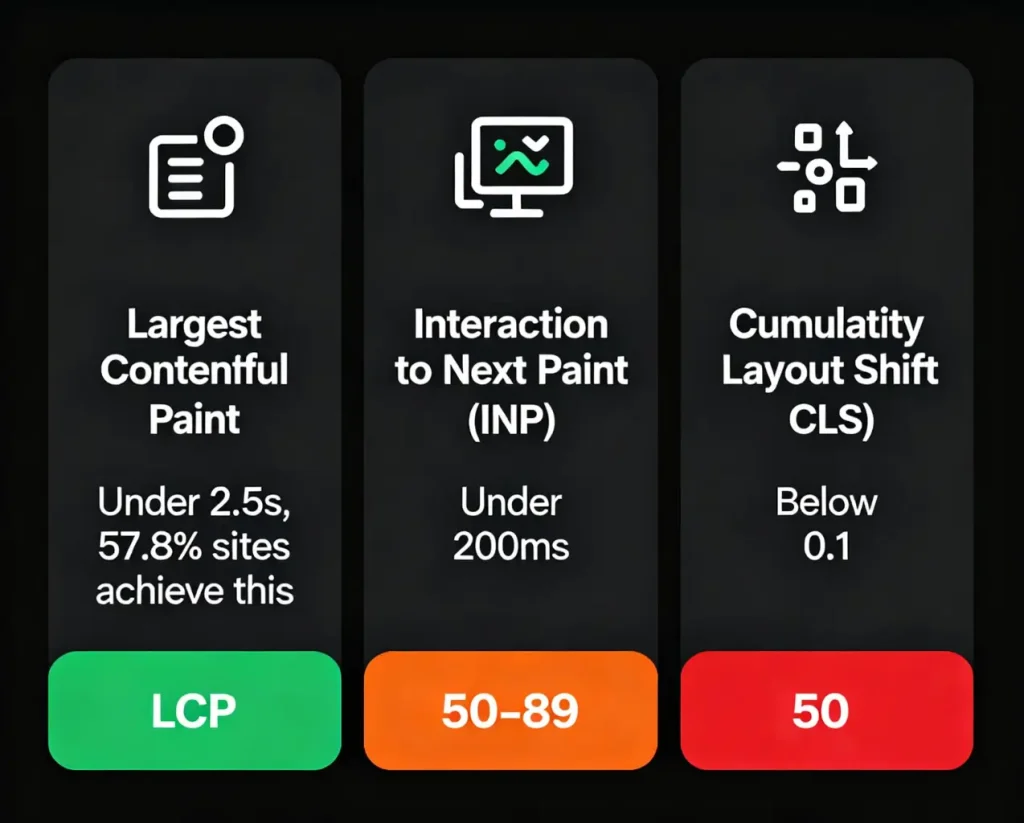
Largest Contentful Paint (LCP): Loading speed, how quickly the main content appears. Target: Under 2.5 seconds for “Good” experience. Use field data to verify whether your real users meet this threshold.
Interaction to Next Paint (INP): Responsiveness, page reaction to user input. Target: Under 200 milliseconds for interactivity excellence.
Cumulative Layout Shift (CLS): Visual stability, how much elements move during loading. Target: Below 0.1 for stable experience.
Per Google, scores above 90 are considered “Good” (green), while 50-89 require improvement (orange), and scores below 50 are poor.
The business impact depends on the page, traffic source and conversion path. Treat performance as a revenue-risk signal: slow server response, delayed LCP images, unstable layouts and heavy scripts can reduce trust, but each site should measure its own before-and-after results instead of relying on generic statistics.
Choose a Lightweight Theme: WordPress theme is the base, bloated themes with too much scripts, pictures and animations serve as a big problem to speed-up pages. Light and fast themed themes are quick in terms of speed with professional designs.
Implement Caching: The caching plug in creates static HTML copies of your pages, avoiding the heavy php scripts and database queries every time a page is loaded. Cached assets allow returning visitors to have a drastically faster load.
Optimize Images Aggressively: Images constitute the most significant webpage component, optimizing image file sizes through compression and proper formatting without quality loss reduces page payload substantially. Converting to next-gen formats like WebP provides an additional 25-35% size reduction.
Implement Lazy Loading: Lazy loading delays image loading until users scroll them into view, eliminating initial load delays for content-heavy pages. WordPress plugins like WP Rocket and a3 Lazy Load automate this effortlessly.
Minify CSS and JavaScript: Minification removes unnecessary characters, whitespace, line breaks, comments, from code files, reducing their size and load times. Combined with deferring non-critical CSS and inlining critical CSS, this dramatically improves LCP.
Use Content Delivery Networks (CDNs): CDNs distribute your site across global edge servers, delivering content from servers nearest to users and reducing latency significantly. This proves particularly effective for international audiences.
Eliminate Render-Blocking Resources: Apply fetchpriority high to priority resources such as essential images and content and minimize blockages that slow down page rendering. Load non essential JavaScript asynchronously to maintain interactivity.
Optimize Server Response Time (TTFB): Reduce Time to First Byte through quality hosting, caching implementation, and content compression (Gzip/Brotli). Faster server responses immediately improve all Core Web Vitals.
Limit Plugins: Every plugin adds scripts, stylesheets, and database queries. Audit plugins ruthlessly, removing resource-intensive ones that don’t deliver essential functionality.
Clean Database Regularly: The Database accumulates redundant data, post revisions, trashed items, spam comments, and slows queries. Plugins like WP-Optimize automate cleanup.
Preload Critical Resources: Essential images, fonts, and scripts should be used with link rel=preload to tell browsers that they are high-priority resources and so should be loaded sooner.
Case studies can be useful for ideas, but your site needs its own baseline. Record the tested URL, device type, location, cache state, PSI/Lighthouse result, CrUX field data if available, and the exact change made before calling an optimization successful.
A strong WordPress performance result comes from systematic work: faster hosting response, safe caching, optimized images, reduced render-blocking scripts, stable layout, font control, database cleanup and regular monitoring. A 100/100 score can be nice, but it should not break design, analytics, checkout or lead forms.
For WordPress site owners, the practical goal is to pass Core Web Vitals where possible and keep real user journeys fast. Start with measurement, fix the largest bottleneck, test again, and keep WooCommerce or logged-in pages safe from aggressive caching mistakes.
The lazy loading article contributed an important performance warning: lazy loading can improve image-heavy pages, but above-the-fold hero images and LCP-critical assets should be handled carefully so optimization does not delay the first visible content.
No. A useful performance goal is passing Core Web Vitals and delivering fast real-user pages, not chasing a perfect lab score at any cost.
Yes. Better hosting can improve TTFB, PHP execution, database speed and stability under load.
Cache public catalog pages carefully, but exclude cart, checkout, account, payment and logged-in flows from unsafe full-page caching. Test a real order path after every cache change.
Test the same URLs, device type, cache state and network conditions. Record PSI/Lighthouse lab data, CrUX field data when available, TTFB and the exact change made.
Start with hosting response time, caching, images, render-blocking scripts, fonts, plugin bloat and mobile layout stability.




 Lifetime VPS Europe
 Lifetime VPS Asia
 Lifetime WooCommerce Hosting
 Lifetime Hosting
 Lifetime Game Dedicated Servers
 Chicago, US
 Tokyo, Japan
 Singapore
 Hong Kong
 Seoul, South Korea
 Amsterdem, Netherlands
 London, UK
 Stockholm, Sweden
 Oslo, Norway
 Vienna, Austria
 Zurich, Switzerland
 Sydney, Australia
 Wordpress Hosting
 VPS Hosting
 DDOS Protection
 Submit Ticket
 Full Management
 Guides
 Videos and Podcasts
 Discover Creative Ideas
 Voxfor Autonomous AI Workers
 Voxfor Mega Menu
 Voxfor Advanced Price Management For WooCommerce
 Voxfor Secure Live Chat and AI Support
 Voxfor Multilanguage
 Voxfor AI Content Summary
 Voxfor Autopilot