Lifetime VPS Europe
 Lifetime VPS Asia
 Lifetime WooCommerce Hosting
 Lifetime Hosting
 Lifetime Game Dedicated Servers
 Chicago, US
 Tokyo, Japan
 Singapore
 Hong Kong
 Seoul, South Korea
 Amsterdem, Netherlands
 London, UK
 Stockholm, Sweden
 Oslo, Norway
 Vienna, Austria
 Zurich, Switzerland
 Sydney, Australia
 Wordpress Hosting
 VPS Hosting
 DDOS Protection
 Submit Ticket
 Full Management
 Guides
 Videos and Podcasts
 Discover Creative Ideas
 Cybersecurity Services
 Voxfor Mega Menu
 Voxfor Advanced Price Management For WooCommerce
 Voxfor Secure Live Chat and AI Support
 Voxfor Multilanguage
 Voxfor AI Content Summary
 Voxfor Autopilot
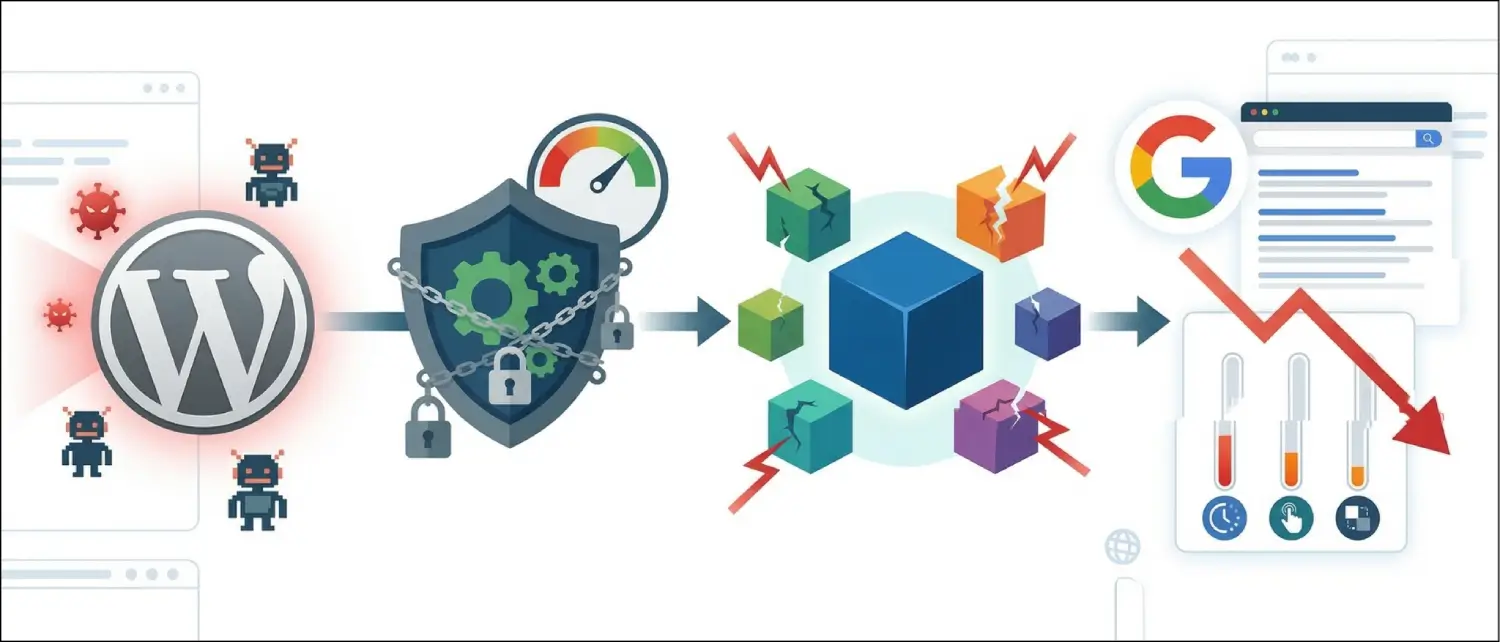
Wordfence is still a serious WordPress security plugin, but it is not the only way to protect a site. Some WordPress owners want a lighter stack because local scans, traffic logs, endpoint firewall processing or large plugin dashboards can add operational weight on busy sites. Others need cloud filtering, managed hosting controls, virtual patching, malware cleanup or stronger login protection around WooCommerce checkout and high-traffic pages.
It does not claim that every site should remove Wordfence, and it does not rank tools by hype. It explains how to choose a Wordfence alternative or layered security stack based on hosting model, risk level, performance sensitivity and support needs. Product features and prices change, so verify current vendor details before buying or removing an existing security tool.
For sites where security and speed both matter, Voxfor’s managed WordPress hosting can provide a stronger base layer: hosting controls, backups, malware response planning, server-side hardening and support that reduce the pressure on one large WordPress plugin.
When replacing Wordfence makes sense
Do not replace Wordfence just because a blog post says it is heavy. Replace or reduce it only when you have a clear reason and a safer stack ready.
| Situation | Better direction | What to avoid |
|---|---|---|
| Small blog or brochure site | Light login protection, updates, backups and basic malware scanning may be enough. | Running several overlapping security plugins that all log and scan the same traffic. |
| WooCommerce store | Use hosting controls, WAF/filtering, login protection, malware cleanup plan and checkout-safe rules. | Blocking payment callbacks, cart sessions or admin AJAX with aggressive firewall settings. |
| Agency managing many sites | Use vulnerability intelligence, virtual patching, centralized monitoring and standard hardening. | Waiting for every client to update plugins manually after a vulnerability notice. |
| High-traffic publisher | Move bot filtering and heavy logs away from WordPress where possible. | Letting local traffic logs and scans fill the database during crawls or traffic spikes. |
| Compromised site | Use cleanup, backup comparison, backdoor checks and credential rotation before choosing a new plugin. | Installing a new firewall while the infection, admin users or hidden cron jobs remain active. |
The right replacement is usually not one plugin. It is a layered stack where each part has a clear job.
Security layers that matter more than plugin count
WordPress security is easier to manage when you separate tasks by layer. A plugin can help, but it should not carry every job alone.
| Layer | What it protects | Example tools or controls |
|---|---|---|
| Hosting and server controls | PHP isolation, file permissions, backups, malware response, resource limits and server logs. | Managed hosting, server firewall, backup system, malware cleanup workflow. |
| Network or cloud WAF | Bad bots, exploit attempts, DDoS-style traffic and suspicious requests before WordPress handles them. | Sucuri, Cloudflare-style WAF setups, hosting firewall controls. |
| Application firewall | WordPress-specific request filtering, login attacks and exploit patterns. | Wordfence, NinjaFirewall or similar endpoint/pre-application firewalls. |
| Vulnerability intelligence | Known plugin and theme vulnerabilities before official fixes are deployed. | Patchstack and similar virtual patching services. |
| Malware scan and cleanup | Infected files, suspicious code, database spam and malicious redirects. | MalCare, Sucuri cleanup services, managed cleanup support. |
| Login and account protection | Credential attacks, weak passwords, reused admin accounts and brute-force attempts. | 2FA, rate limits, Solid Security, login hardening and hosting-level controls. |
Voxfor’s guides to stopping WordPress brute force attacks, disabling xmlrpc.php safely and preventing WordPress XSS can support those layers without turning every page request into a heavy local scan.
Wordfence alternatives by use case
The tools below are not identical replacements. They solve different problems. Verify current features, pricing and compatibility before changing a production site.
| Option | Good fit | Strength | Limit |
|---|---|---|---|
| Wordfence | Sites that want a familiar all-in-one endpoint security plugin. | Firewall, malware scan, login protection and broad WordPress awareness in one interface. | Local logging and scanning may need tuning on busy sites. |
| MalCare | Sites that want malware scanning and cleanup workflows with less local scanning burden. | Useful for scan/cleanup planning and compromised-site response. | Not a full replacement for every firewall, login and hosting control. |
| Sucuri | Sites that want a cloud WAF, DNS-level filtering and cleanup services. | Can move filtering away from WordPress and reduce malicious traffic reaching the origin. | DNS/proxy setup and cleanup workflow must be understood before migration. |
| Patchstack | Agencies and site owners focused on plugin/theme vulnerability intelligence and virtual patching. | Strong for known vulnerability response and third-party extension risk. | Not a standalone malware scanner, backup system or complete firewall. |
| Solid Security | Sites that need login hardening, 2FA and basic WordPress security posture improvements. | Good access-control layer for many small and medium sites. | Should be paired with backup, malware and firewall strategy. |
| NinjaFirewall | Technical users who want pre-application PHP filtering. | Can block requests before WordPress fully loads when configured correctly. | Configuration is more technical and may not suit beginners. |
If Wordfence is already working well on a small site, keeping it may be the simplest path. Voxfor’s Wordfence setup guide remains useful when the plugin fits the site’s risk and performance profile.
Fast security stack examples
A fast WordPress security stack is one that blocks common attacks without forcing WordPress PHP and the database to do every security task. These examples are starting points, not universal prescriptions.
| Site type | Suggested stack | Why it fits |
|---|---|---|
| Small content site | Managed updates, backups, 2FA, login limits and light malware scanning. | Keeps operations simple without overloading the site with overlapping plugins. |
| WooCommerce store | Managed hosting, cloud/server WAF, 2FA, backup testing, malware cleanup plan and checkout-safe firewall rules. | Protects revenue pages while reducing the risk of blocking payments or carts. |
| Agency portfolio | Centralized vulnerability monitoring, virtual patching, standard hardening and backup reporting. | Scales across many client sites and reduces manual update delay. |
| High-traffic publisher | Edge filtering, bot controls, lightweight application hardening and server-level log review. | Prevents repeated junk traffic from consuming PHP workers and database resources. |
| Recently hacked site | Malware cleanup, backdoor search, credential rotation, backup comparison, then firewall and monitoring. | Fixes the compromise before relying on a new plugin to hide symptoms. |
For infected sites, start with cleanup. The Voxfor guide to removing malware from WordPress and the guide to WordPress backdoor removal are more important than choosing a new security plugin on day one.
Is Wordfence slow?
Wordfence is not automatically slow on every site. Performance depends on hosting resources, traffic level, scan settings, live traffic logging, database size, cache rules, cron behavior and the number of other plugins running. A small site on good hosting may have no meaningful issue. A busy WooCommerce site with many dynamic requests may need a different architecture.
Before blaming one plugin, test the site. Check Time to First Byte, admin speed, PHP worker usage, database growth, scheduled actions, cache bypass rules and scan timing. Run tests before and after changes. Without a before/after baseline, performance claims are guesses.
Core Web Vitals matter, but a security article should not promise ranking gains from changing plugins. The safer claim is this: reducing unnecessary server work can help performance when the old security configuration was consuming meaningful CPU, memory, database or PHP worker capacity.
How to replace Wordfence safely
Do not deactivate Wordfence and then decide what comes next. Build the replacement stack first, especially on WooCommerce, membership and client sites.
- Record the current setup. Note firewall mode, 2FA users, blocked IPs, scan schedule, alert email, login protection settings and any custom rules.
- Take a fresh backup. Include files and database. Confirm that the backup can be restored.
- Choose replacement layers. Decide what will handle WAF, malware scan, cleanup, 2FA, brute-force protection, vulnerability alerts and backups.
- Configure the new layer before removing the old one. Avoid a gap where no firewall, login protection or alerting exists.
- Test checkout and forms. For WooCommerce, confirm cart, checkout, payment callbacks, webhooks, login and account pages still work.
- Check logs and performance. Review blocked requests, PHP errors, TTFB, admin speed and scheduled actions after the change.
- Keep rollback notes. Document what changed so you can restore the previous security state if something blocks users.
When managed hosting is the better alternative
Sometimes the real alternative to Wordfence is not another plugin. It is better hosting architecture. Managed hosting can help move security work to a cleaner layer: server configuration, backup policy, malware response, PHP isolation, log review, firewall rules and support escalation.
This matters for stores, agencies and business sites where the owner does not want to tune WAF rules, malware scans, logs and backups alone. Voxfor’s managed WordPress hosting is useful when performance, security and operational support need to work together instead of being treated as separate plugin decisions.
For repeated bad traffic or attack pressure, review Voxfor DDoS protection services alongside the WordPress plugin stack. Traffic that can be filtered before WordPress runs is usually easier to manage than traffic handled only inside PHP.
Recommended next step
If Wordfence is slowing a site or causing operational friction, audit before replacing it. Identify which features you actually use, what must stay covered, which performance metric is affected and whether the problem belongs in WordPress, hosting, WAF, malware cleanup or managed support. Then choose a layered stack instead of swapping one all-in-one plugin for another without a plan.
Frequently Asked Questions
Which Wordfence alternative should I choose?
There is no single right alternative for every site. MalCare, Sucuri, Patchstack, Solid Security, NinjaFirewall and managed hosting controls solve different parts of WordPress security. Choose by risk, traffic, budget, technical skill and support needs.
Is Wordfence bad for Core Web Vitals?
Not automatically. Wordfence can run well on many sites, but local scans, logs and firewall processing can matter on busy or resource-constrained sites. Measure before and after changes instead of assuming the plugin is the cause.
What is the fastest WordPress security setup?
Usually a layered setup: good hosting, backups, login hardening, 2FA, vulnerability monitoring, malware response and WAF/filtering at the right layer. The fastest stack is the one that blocks junk traffic without making WordPress process every security task locally.
Should WooCommerce stores remove Wordfence?
Not without a plan. WooCommerce stores need careful testing around checkout, carts, payment callbacks, webhooks and user sessions. If replacing Wordfence, configure the new WAF, login protection, malware scan and backup workflow before disabling the old setup.
Can Patchstack replace Wordfence?
Patchstack is strong for vulnerability intelligence and virtual patching, but it is not a full replacement for every firewall, malware cleanup, backup and login protection need. It works well as one layer in a stack.
Can managed hosting replace a security plugin?
Managed hosting can reduce the need for heavy plugin-only security, but WordPress still needs account protection, updates, backups, malware monitoring and safe configuration. The right answer is usually managed hosting plus a smaller, clearer plugin stack.