Lifetime VPS Europe
 Lifetime VPS Asia
 Lifetime WooCommerce Hosting
 Lifetime Hosting
 Lifetime Game Dedicated Servers
 Chicago, US
 Tokyo, Japan
 Singapore
 Hong Kong
 Seoul, South Korea
 Amsterdem, Netherlands
 London, UK
 Stockholm, Sweden
 Oslo, Norway
 Vienna, Austria
 Zurich, Switzerland
 Sydney, Australia
 Wordpress Hosting
 VPS Hosting
 DDOS Protection
 Submit Ticket
 Full Management
 Guides
 Videos and Podcasts
 Discover Creative Ideas
 Voxfor Autonomous AI Workers
 Voxfor Mega Menu
 Voxfor Advanced Price Management For WooCommerce
 Voxfor Secure Live Chat and AI Support
 Voxfor Multilanguage
 Voxfor AI Content Summary
 Voxfor Autopilot
How to Host Hermes Agent on a VPS Safely
Hermes Agent becomes more useful when it is treated as a small operating environment, not as another chat window. It can keep memory, respond through gateways, run scheduled work, use tools, create skills, and move between local or server-based deployments. That is exactly why a VPS can be the right home for it, and also why the setup should be planned before the agent touches real accounts.
This guide focuses on the Hermes-specific deployment problem: persistent memory, skill lifecycle, gateways, approvals, logs, secrets, and migration from a local or OpenClaw-style workflow into a stable server. It does not try to repeat a general AI agent VPS checklist. Voxfor already has guides for broader AI-agent hosting, OpenClaw, MCP servers, Open WebUI and local LLM sizing. Hermes needs its own article because its day-to-day risk comes from how it remembers work and how it connects to people, tools and scheduled automations.
Quick Answer
Use a VPS for Hermes Agent when the agent needs to stay online, receive messages, run scheduled automations, keep project memory, or act as a shared workspace for more than one device. Start with one trusted gateway, one dedicated Linux user, a private configuration folder, backups for memory and skills, and manual approval for destructive work. For long-running agent infrastructure, a VPS hosting plan gives Hermes a fixed Linux boundary instead of tying agent state to a personal laptop.
Why Hermes Needs A Different VPS Plan
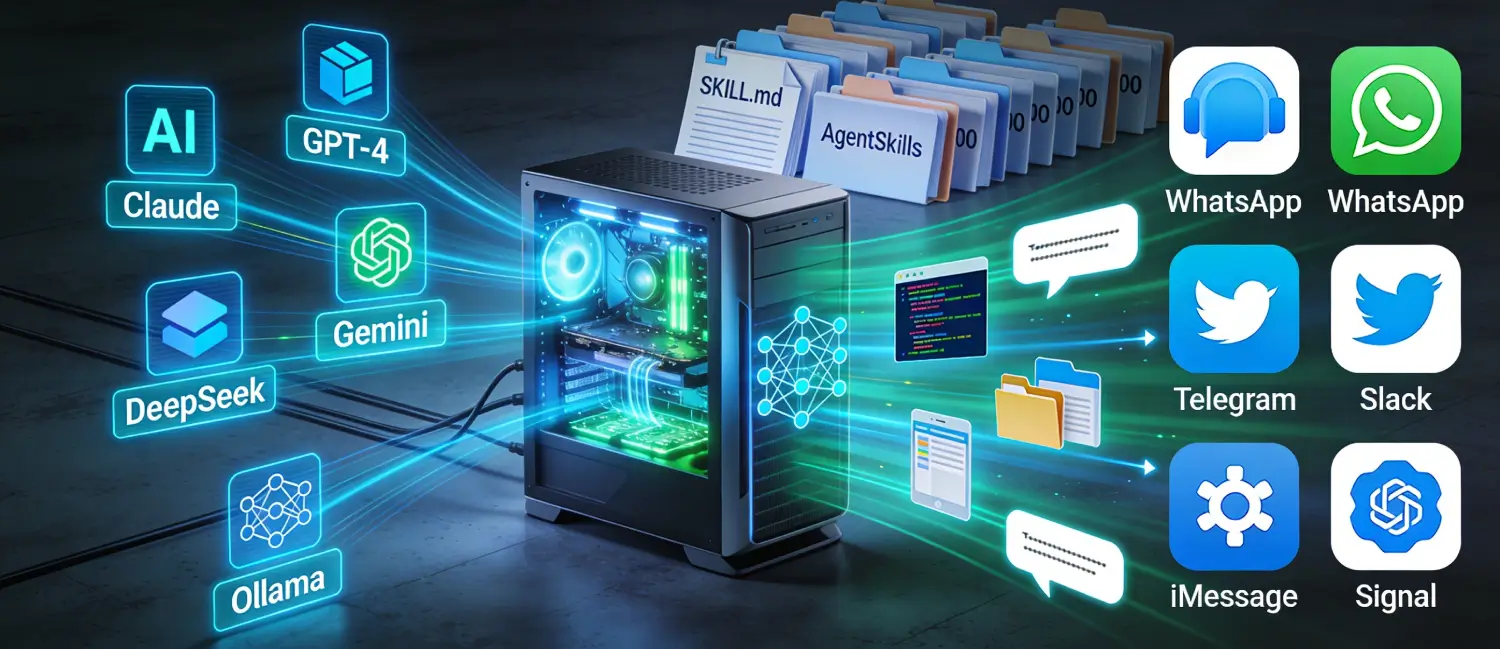
Many AI agent articles stop at the same advice: install the tool, pick a model provider, and run it on a server. Hermes needs a more careful plan because its core value is not only "agent can answer prompts." The NousResearch Hermes Agent repository describes persistent memory, scheduled automations, subagents, gateway integrations, terminal backends, skills, and migration paths from OpenClaw. Those features change the infrastructure decision.
A stateless chatbot can fail and restart without losing much. Hermes is different. Once it starts building memory, skills and recurring workflows, the server becomes part of the product. Bad file permissions, missing backups or an exposed gateway are no longer small mistakes. They affect what the agent remembers, who can instruct it, what it can execute, and how easy it is to recover after a bad deployment.
That is the reason a VPS article for Hermes should not be a generic "AI agent on Linux" post. It should answer a more practical question: what has to be stable, private and reviewable before Hermes becomes an always-on assistant?
What Already Exists On Voxfor And What Hermes Adds
Voxfor already covers several related topics. A new Hermes article should add a clear angle instead of competing with those pages.
| Existing Voxfor topic | What it likely answers | What this Hermes guide must add |
|---|---|---|
| AI agents on VPS | General reason to host agents on persistent infrastructure | Hermes memory, skills, gateways and recurring work |
| How to run an AI agent on a VPS | Generic VPS setup logic for agents | Hermes-specific folders, approvals and deployment order |
| OpenClaw VPS setup | OpenClaw gateway, workspace and operations | Migration angle and differences in Hermes behavior |
| Host MCP server on VPS | Private tool/API server hosting | How Hermes should consume tools without exposing every endpoint |
| VPS specs for Ollama/local LLMs | Model and hardware sizing | When Hermes is light because models are external, and when local inference changes the plan |
This is also how future Voxfor content should stay clean. OpenClaw, Hermes, n8n, MCP, Open WebUI and Ollama can all belong to the VPS/AI cluster, but each article needs a different job. Hermes is about persistent agent state and operational control. OpenClaw is about its own workspace and gateway behavior. n8n is about workflows and queues. Ollama is about local model resources. MCP is about tool surfaces.
When Hermes Fits A VPS
Hermes fits a VPS when the workload has to continue after your laptop is closed. That includes messaging assistants, client-report automations, scheduled audits, long-running research, private tool access, or a small team using one agent workspace.
Three examples make the decision clearer:
| Scenario | VPS fit | Why |
|---|---|---|
| Solo operator using Hermes from Telegram or CLI | Good | One stable server keeps memory, logs and credentials in one controlled place |
| Agency assistant preparing recurring client reports | Good | Scheduled work, browser runs, screenshots and logs need uptime and backup |
| Team agent with multiple people sending tasks | Possible | Works only with access rules, ownership, retention and approval boundaries |
| Weekend experiment with no real credentials | Local first | Faster to learn locally before paying operational cost |
| Heavy local LLM inference | Depends | Hermes may be light, but the model may require GPU or much larger RAM |
VPS hosting makes the most sense when Hermes is API-based and the server hosts state, tools and gateways. If the model runs locally, size the server for the model first. If the agent only needs one short experiment, local testing is cleaner.
Recommended VPS Baseline
For an API-based Hermes deployment, the first server does not need to be huge. Browser automation, logs and supporting services are usually heavier than the agent process.
| Workload | Starting point | Notes |
|---|---|---|
| CLI testing and one gateway | 2 vCPU / 4 GB RAM / 50 GB NVMe | Enough for early validation and light scheduled work |
| Browser automation and screenshots | 4 vCPU / 8 GB RAM / 80-120 GB NVMe | Headroom helps with Chromium, logs and failed-run evidence |
| Client or team workflows | 4-8 vCPU / 8-16 GB RAM / 120+ GB NVMe | Better for queues, backups, multiple tools and parallel tasks |
| Hermes with Open WebUI or vector search | 8+ GB RAM, NVMe storage | Size for the extra services, not only for Hermes |
| Hermes with local LLM inference | Model-dependent | CPU VPS can test small models; serious inference usually needs GPU |
Recommended baseline: start with 4 vCPU, 8 GB RAM and NVMe storage if the agent will use browser automation, scheduled tasks or more than one integration. Start smaller only when the deployment is clearly a lab.
A Safe Hermes VPS Architecture
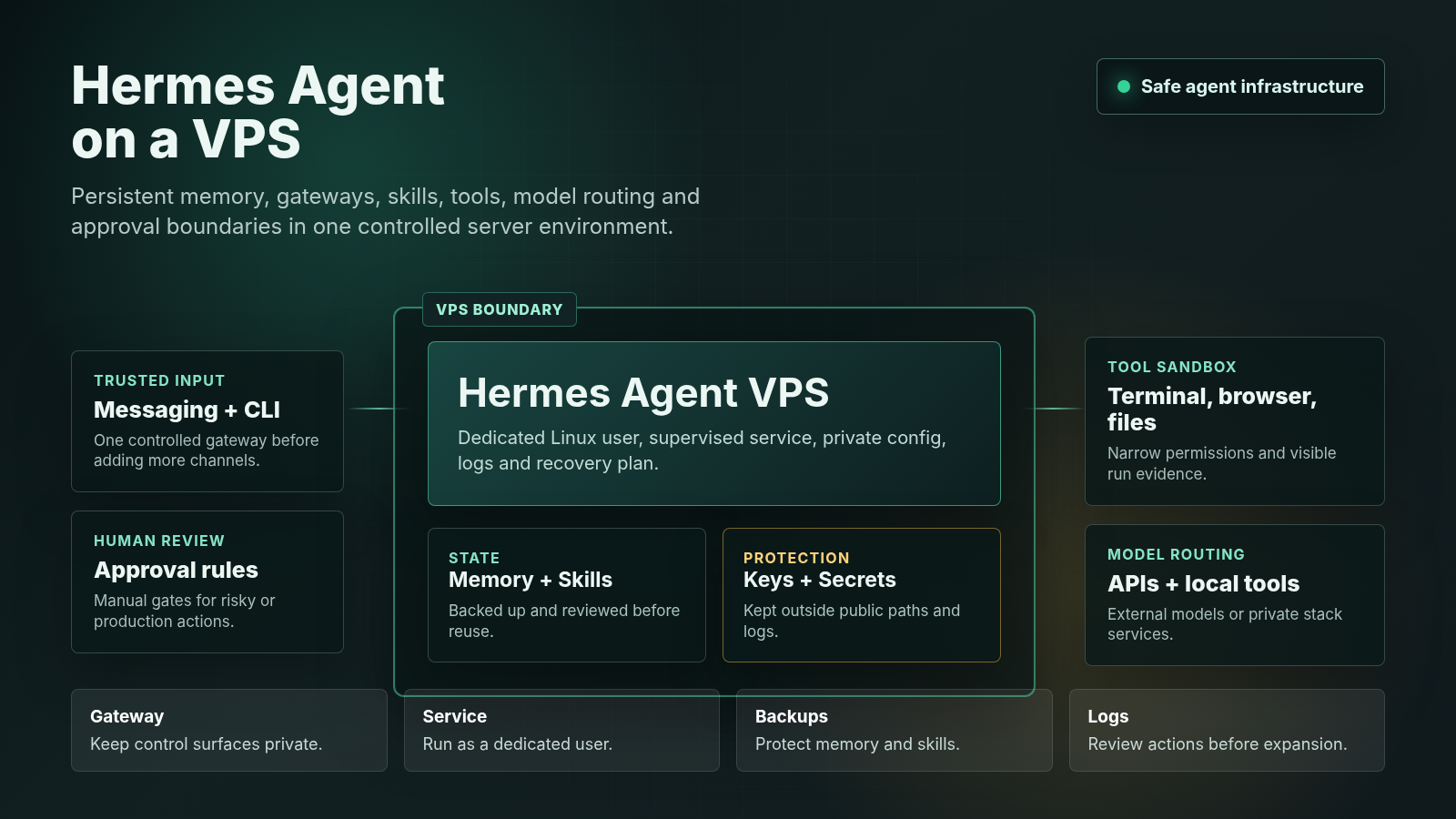
A practical Hermes setup should separate six things:
- The Linux user that runs the agent.
- Memory and workspace files.
- Skills and reusable workflows.
- Gateway access from Telegram, Discord, Slack, WhatsApp, Signal or CLI.
- Tool execution, browser profiles and terminal backends.
- Secrets for model providers, APIs and private services.
Keep that separation visible in the file structure. A simple layout can look like this:
/opt/hermes/
  app/              # application code or release checkout
  config/           # non-public config files
  memory/           # persistent memory and working context
  skills/           # reviewed reusable skills
  logs/             # service logs and task evidence
  backups/          # local backup staging before off-server copy
/etc/hermes/
  hermes.env        # model keys and gateway tokens, readable only by service user/root
Avoid putting .env files, memory exports or gateway tokens in a web-accessible directory. Do not run Hermes as root. Do not mix client data, experiments and production credentials in one folder.
Service, Firewall And Access Pattern
For a first VPS, use a dedicated Linux user and one process manager. Systemd is usually enough. Docker Compose can be fine when Hermes or its gateways ship clean containers, but do not add Docker just to look modern.
High-level service pattern:
linux user: hermes
working directory: /opt/hermes/app
environment file: /etc/hermes/hermes.env
restart policy: restart on failure
logs: journalctl plus /opt/hermes/logs
network: only required gateway or reverse proxy ports
Firewall pattern:
- Keep SSH limited to trusted IPs or VPN where possible.
- Expose only the gateway endpoint that must receive traffic.
- Put dashboards behind VPN, SSH tunnel, reverse proxy authentication or IP allowlists.
- Use HTTPS when any gateway or callback endpoint is public.
- Keep database, vector store, internal APIs and admin tools private.
Do not expose these endpoints directly: raw admin dashboards, terminal backends, memory browsers, skill editors, local databases, model-provider keys, browser-debug ports, webhook test consoles, backup directories, and anything that can run shell commands.
Example Linux Baseline
Hermes installation details can change, so always follow the current official project instructions for the application itself. The server baseline around it should still be concrete. A cautious first setup creates a dedicated user, private directories, strict permissions and a supervised service before gateways or production tools are connected.
Start with the Linux user and directory layout:
sudo adduser --system --group --home /opt/hermes hermes
sudo mkdir -p /opt/hermes/{app,config,memory,skills,logs,backups}
sudo mkdir -p /etc/hermes
sudo chown -R hermes:hermes /opt/hermes
sudo chown root:hermes /etc/hermes
sudo chmod 750 /opt/hermes /etc/hermes
sudo chmod 700 /opt/hermes/memory /opt/hermes/skills /opt/hermes/backups
Keep secrets in an environment file that is not readable by other users:
sudo install -o root -g hermes -m 640 /dev/null /etc/hermes/hermes.env
sudoedit /etc/hermes/hermes.env
Use placeholders like this in documentation, not real keys:
MODEL_PROVIDER=example-provider
MODEL_API_KEY=replace-with-secret
HERMES_GATEWAY_MODE=private
A minimal systemd unit keeps the process supervised without running it as root. Replace start-command-here with the current Hermes start command from the official documentation:
[Unit]
Description=Hermes Agent
After=network-online.target
Wants=network-online.target

[Service]
Type=simple
User=hermes
Group=hermes
WorkingDirectory=/opt/hermes/app
EnvironmentFile=/etc/hermes/hermes.env
ExecStart=/usr/bin/env bash -lc 'start-command-here'
Restart=on-failure
RestartSec=5
NoNewPrivileges=true
PrivateTmp=true
ProtectSystem=full
ProtectHome=true
ReadWritePaths=/opt/hermes /etc/hermes

[Install]
WantedBy=multi-user.target
Install and check the service:
sudo install -o root -g root -m 644 hermes.service /etc/systemd/system/hermes.service
sudo systemctl daemon-reload
sudo systemctl enable --now hermes
sudo systemctl status hermes --no-pager
sudo journalctl -u hermes -n 80 --no-pager
For firewall rules, open only what the deployment actually needs. SSH should be limited to trusted access where possible, and dashboards should stay behind a VPN, tunnel or reverse proxy authentication:
sudo ufw default deny incoming
sudo ufw default allow outgoing
sudo ufw allow OpenSSH
sudo ufw enable
sudo ufw status verbose
If a public webhook is required, expose only that specific port or reverse-proxy route. Do not open browser-debug ports, local databases, raw terminal services or private dashboards to the internet.
Deployment Path That Gives Value
Start narrow. Hermes should earn each new permission.
- Provision the VPS and update packages.
- Create a
hermesLinux user with no unnecessary sudo access. - Create
/opt/hermesand/etc/hermeswith strict ownership. - Install Hermes from the current official source and confirm CLI use first.
- Add one model provider key in
/etc/hermes/hermes.env. - Run the agent through systemd or a simple supervised process.
- Add one gateway only, such as Telegram or Discord.
- Allow one trusted user and block unknown senders.
- Create one harmless scheduled task, such as a daily status note.
- Confirm logs, restart behavior and backup coverage.
- Add browser automation, MCP tools or shell actions only after the base agent is predictable.
This order gives useful debugging signals. If CLI works but the gateway fails, the issue is not the model provider. If the gateway works but cron fails, check scheduling and environment variables. If a tool fails, inspect permissions before giving the agent broader access.
Approval Rules Before Real Work
Hermes should not receive production-level authority on day one. A good approval model is simple:
| Action type | Default rule |
|---|---|
| Read public pages | Allow |
| Read local project files | Allow only in approved directories |
| Write notes or draft files | Allow in workspace folders |
| Send messages externally | Require approval unless channel is explicitly trusted |
| Run shell commands | Require allowlist and logs |
| Change production systems | Require manual approval |
| Rotate or view secrets | Human-only |
| Publish content | Human approval or a separate publishing workflow |
This is not about slowing the agent down. It prevents one bad instruction from turning a helpful assistant into a server-side process with too much reach.
Memory, Skills And Backups
Hermes memory and skills are not temporary cache. They are part of the agent’s operating history. Back them up like application data.
Back up:
- Memory files and long-term notes.
- Skill directories or generated playbooks.
- Gateway configuration that is safe to store.
- Cron or scheduled-task definitions.
- Custom scripts and prompts.
- Review logs for actions that touched real systems.
Do not back up plaintext secrets into shared folders. Keep secrets in a protected environment file, secret manager or root-owned path. If a key appears in logs, screenshots or chat history, rotate it.
Skill review matters too. A generated skill can be useful, but it can also preserve a bad habit. Before a new skill becomes reusable, check that it does not instruct the agent to publish without review, skip competitor checks, ignore duplicate content, or expose private files.
Hermes, OpenClaw And Migration
Hermes and OpenClaw are close enough to confuse content strategy, but different enough to deserve separate pages.
OpenClaw content should focus on OpenClaw’s workspace, gateway behavior, skills, automation model and operational conventions. Hermes content should focus on Nous Research’s agent ecosystem, persistent memory, gateway channels, terminal backend, subagents and migration choices.
Migration is the useful bridge. If a team already runs OpenClaw-style workflows, Hermes should not simply inherit every old directory and permission. Treat migration as a review:
- Which memories should be imported?
- Which skills are still valid?
- Which secrets should be rotated instead of copied?
- Which cron jobs are still needed?
- Which gateways should start disabled?
- Which tool permissions were too broad?
That migration angle makes Hermes content different from OpenClaw content. It also avoids the pattern of publishing the same VPS article with a different product name.
Hermes Versus Local Install Versus Managed Cloud
| Option | Use it when | Avoid it when |
|---|---|---|
| Local install | You are learning Hermes or testing one workflow | The agent must run while your machine is offline |
| VPS | You need persistence, gateways, cron, logs and private control | You cannot maintain Linux, updates, secrets and backups |
| Managed cloud | You need a quick proof of concept or team convenience | You require full control over files, memory, gateways and audit trails |
| GPU server | You need local model inference | The agent only calls external APIs |
For many Hermes users, a VPS is the middle path: more durable than a laptop, more controllable than a black-box hosted demo, and less expensive than GPU infrastructure when the model runs through APIs. The Hermes self-hosting path should still be checked against the current official self-hosting documentation before any production deployment.
How Voxfor Can Connect The Stack
Hermes can sit beside other private AI infrastructure:
- AI agents on VPS for the broad server-side agent model.
- OpenClaw on VPS for OpenClaw-specific workspace deployment.
- MCP server hosting for private tool/API surfaces.
- VPS specs for Ollama when local model inference enters the plan.
Use those pages as supporting context, not as repeated content. Hermes should own the memory, skills, gateways and approval conversation. MCP should own tool surfaces. Ollama should own model sizing. Open WebUI should own private UI access. n8n should own workflow queues.
Strengths And Practical Gaps
This Hermes VPS approach has a clear security advantage: it warns against running agents as root, separates secrets from public folders, and treats gateways as control surfaces rather than harmless chat inputs. That matters because a self-hosted agent can receive instructions, call tools, write files and trigger scheduled work.
Segmentation is another useful part of the plan. A VPS makes sense when Hermes needs uptime, gateways, memory, logs and scheduled work. A local install is still better for early experiments, and managed cloud can be better for a fast proof of concept. That distinction keeps the article from pretending every AI tool belongs on a server immediately.
One practical gap remains: Hermes installation commands can change by release. For that reason, this guide gives stable Linux examples around the deployment: ownership, permissions, environment files, systemd supervision, firewall defaults and log checks. Before production use, match the ExecStart command and gateway setup to the current Hermes documentation.
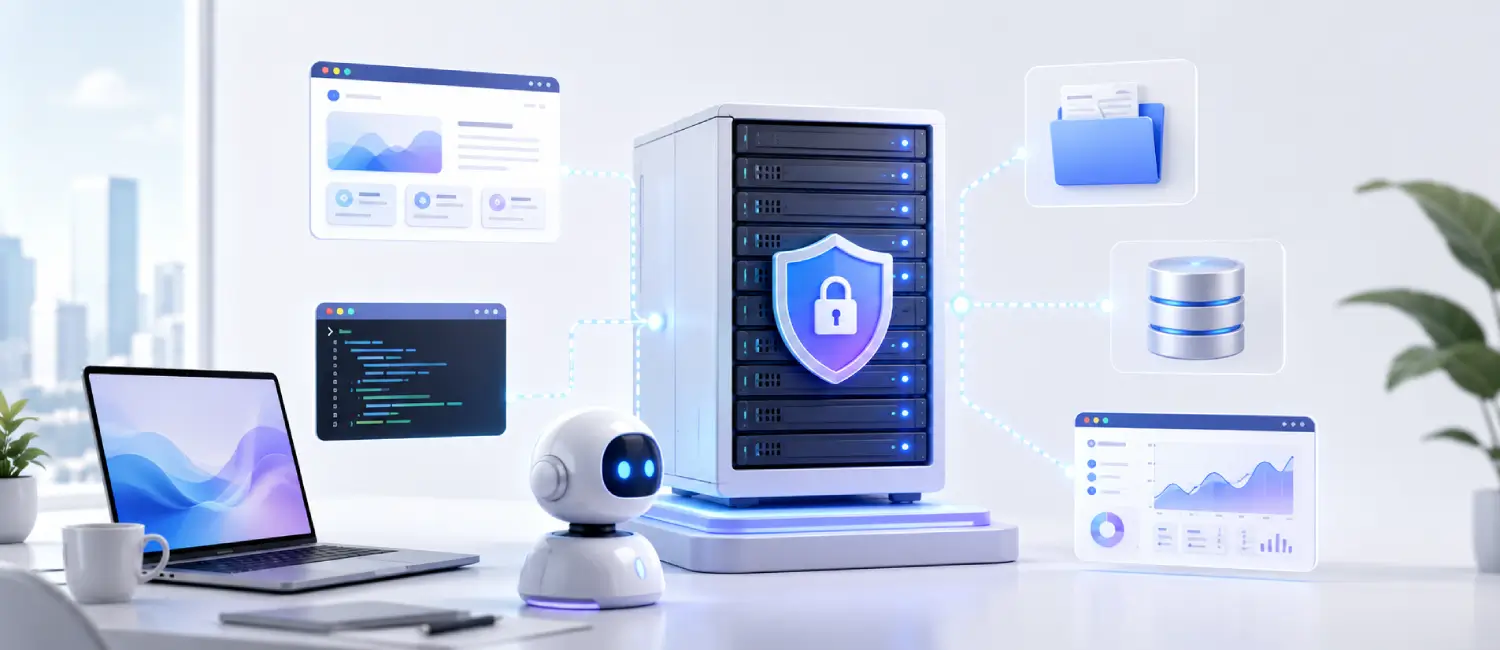
Design also matters. The architecture visual should not be decoration only; it should help the reader understand where messages enter, where memory lives, where tools execute, and where logs can be reviewed. Future versions can improve this further with small snippets that show the memory folder, service status and log flow as an operational sequence.
Recommended Next Step
If Hermes is still experimental, start locally or on a small private VPS with one gateway and one harmless scheduled task. If it will become a daily workspace, plan the server around memory, skills, logs, browser tasks, backups and approval rules before adding real credentials. The safest first production step is not a bigger server; it is a narrower permission model that can grow only after the base setup behaves predictably.
FAQ
Can Hermes Agent run on a VPS?
Yes. Hermes can run on a VPS when it needs persistent memory, gateway access, scheduled automations, skills and tool execution. Secure the server before giving the agent real credentials or production access.
How much RAM does Hermes need on a VPS?
API-based use can start around 4 GB RAM, but browser automation, screenshots, parallel tasks and extra services need more. For daily work, 8-16 GB RAM is a more practical range.
Should Hermes run as root?
No. Run Hermes under a dedicated Linux user, keep secrets outside public folders, and give the agent access only to the directories and tools it needs.
Is Hermes the same as OpenClaw?
No. Both can support self-hosted agent workflows, but Hermes has its own memory, skills, gateway channels, terminal backend and Nous Research ecosystem. Compare them only when the article is specifically about choosing between them.
Should the Hermes gateway be public?
Usually no. Keep control surfaces private or protected with HTTPS, authentication, IP allowlists, VPN or SSH tunneling. A public webhook may be needed, but dashboards and terminal access should stay private.
Can Hermes use MCP servers on the same VPS?
Yes, but keep MCP endpoints private and permissioned. Hermes should consume approved tools, not receive unrestricted access to every internal API on the server.