Lifetime VPS Europe
 Lifetime VPS Asia
 Lifetime WooCommerce Hosting
 Lifetime Hosting
 Lifetime Game Dedicated Servers
 Chicago, US
 Tokyo, Japan
 Singapore
 Hong Kong
 Seoul, South Korea
 Amsterdem, Netherlands
 London, UK
 Stockholm, Sweden
 Oslo, Norway
 Vienna, Austria
 Zurich, Switzerland
 Sydney, Australia
 Wordpress Hosting
 VPS Hosting
 DDOS Protection
 Submit Ticket
 Full Management
 Guides
 Videos and Podcasts
 Discover Creative Ideas
 Voxfor Autonomous AI Workers
 Voxfor Mega Menu
 Voxfor Advanced Price Management For WooCommerce
 Voxfor Secure Live Chat and AI Support
 Voxfor Multilanguage
 Voxfor AI Content Summary
 Voxfor Autopilot
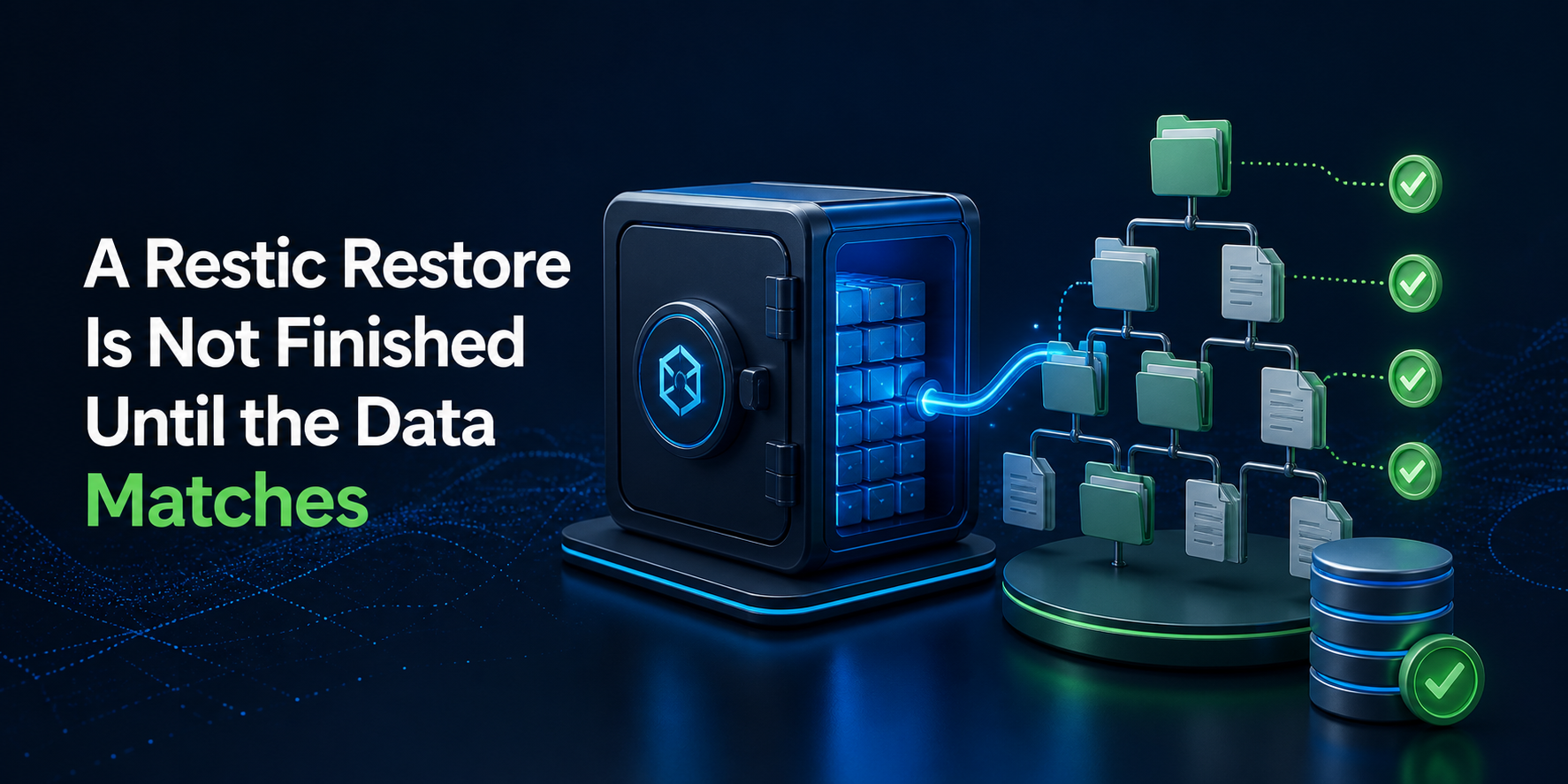
Restic can restore bytes correctly and still return the wrong recovery point. latest is a selector, not a business decision: a shared repository may contain snapshots from several hosts, paths, and jobs. Recovery starts by identifying the snapshot that represents the required state, restoring it beside live data, and proving that the result is usable before anything is replaced.
This guide is for a Linux backup operator with shell access to an existing Restic repository. The reproduced lab used checksum-verified Restic 0.19.1, two intentionally different snapshots, three files, and a closed SQLite database. It rejected the global latest snapshot, restored the declared earlier snapshot, matched all file hashes and modes, returned the expected database rows, exercised a local promotion rollback, and removed only its guarded temporary directory.
Start With the Recovery Decision, Not restore
Write down the state the incident actually requires. That may be the last snapshot before an accidental deletion, the last application-consistent database export, or a tagged release that passed acceptance. Time alone is weak evidence when several backup jobs write to one repository or when a bad change was backed up successfully.
Current Restic restore documentation lets latest be narrowed by host and path. An explicit snapshot ID is safer after the operator has already made the selection, because the ID keeps every later command attached to one immutable recovery point. Restic 0.19.1 also corrected grouping behavior for snapshots --latest <n>, according to its release record; scripts should consume JSON and declared filters rather than scrape a changing table layout.
Capture these facts before touching live data:
- repository URL and credential source, without copying the password into the incident log;
- expected host, backup path, tags, timestamp, and full snapshot ID;
- why that snapshot is acceptable and why a newer one is not;
- required files, permissions, ownership, extended attributes, and application records;
- an isolated target with enough free space for the complete restore plus verification work;
- the current live-state backup, write-freeze owner, promotion method, and shortest safe rollback.
If recovery ownership is delegated, managed backup support must still receive the repository location, credential channel, target snapshot, acceptance manifest, and rollback boundary; outsourcing the keyboard does not outsource the decision.
Recovery time and acceptable data loss are different controls. If those terms are unclear, establish testable RTO and RPO targets before an outage forces a hurried interpretation.
Freeze What Must Return
A green restic restore exit status proves that the command completed. It does not prove that you chose the right snapshot, recovered every required path, preserved application consistency, or can safely replace the current tree.
Build a small acceptance manifest before the incident whenever possible. For ordinary files, record relative path, size, mode, owner, group, and a content hash. Add ACL or extended-attribute checks when the workload depends on them. For applications, use a semantic query or startup test: a database row count, repository object check, configuration parse, HTTP marker, or another assertion that answers whether the service can use the restored files.
Hashes establish equivalence only to the selected baseline. They do not establish that the baseline was trustworthy; that broader job belongs to a reviewed file-integrity baseline. Likewise, immutable storage can protect a recovery point from deletion without proving that the contents are complete or usable. For retained objects, MinIO object-lock backup boundaries explain that distinction.
Scratch capacity is part of the recovery contract. Absolute source paths reappear below the chosen target, so a 60 GB source needs more than a nearly full 60 GB filesystem once logs, manifests, temporary database checks, and the old live tree are included. Use measured data rather than plan labels; the same method used to size files, databases, and backup growth can reserve recovery headroom.
Build a Two-Snapshot Recovery Lab
All command blocks below form one sequential disposable session. They do not access a production repository. The password is random, the SQLite rows are synthetic, no network listener is opened, and the literal path guard prevents cleanup from expanding beyond /tmp/restic-recovery-lab.
Verify the exact Restic binary
Use the current release and its published digest rather than copying a version indefinitely from an article. The reproduced run used the official 0.19.1 Linux AMD64 archive and checksum list.
set -Eeuo pipefail
umask 077

LAB_ROOT=/tmp/restic-recovery-lab
RESTIC_VERSION=0.19.1
ARCHIVE="restic_${RESTIC_VERSION}_linux_amd64.bz2"
RELEASE="https://github.com/restic/restic/releases/download/v${RESTIC_VERSION}"

[[ "$LAB_ROOT" == /tmp/restic-recovery-lab ]]
[[ ! -e "$LAB_ROOT" ]]
install -d -m 0700 "$LAB_ROOT" "$LAB_ROOT"/{bin,downloads,repo,source,receipts,restore,current}

curl -fsSL --retry 3 "$RELEASE/$ARCHIVE" -o "$LAB_ROOT/downloads/$ARCHIVE"
curl -fsSL --retry 3 "$RELEASE/SHA256SUMS" -o "$LAB_ROOT/downloads/SHA256SUMS"
(
  cd "$LAB_ROOT/downloads"
  grep "  $ARCHIVE$" SHA256SUMS > SHA256SUMS.linux-amd64
  sha256sum -c SHA256SUMS.linux-amd64
)
bzip2 -dc "$LAB_ROOT/downloads/$ARCHIVE" > "$LAB_ROOT/bin/restic"
chmod 0755 "$LAB_ROOT/bin/restic"

export RESTIC_REPOSITORY="$LAB_ROOT/repo"
export RESTIC_PASSWORD_FILE="$LAB_ROOT/password"
openssl rand -base64 32 > "$RESTIC_PASSWORD_FILE"
chmod 0600 "$RESTIC_PASSWORD_FILE"
RESTIC="$LAB_ROOT/bin/restic"
"$RESTIC" version
Production repositories may use SFTP, S3-compatible storage, another cloud backend, or Restic’s REST server. Keep those credentials in their existing protected source. The lab uses a local repository only to make snapshot choice and restored-state verification reproducible without sending data elsewhere.
Create two states that must not be confused
Snapshot release-v1 is the required recovery point. A later release-v2 exists specifically to prove that global latest would be wrong. The SQLite process is closed before each backup; copying a database that is actively writing requires its application-supported backup mechanism.
install -d -m 0750 "$LAB_ROOT/source"/{config,public,state}
"$RESTIC" init

printf '[app]nrelease=v1nmode=recovery-labn' > "$LAB_ROOT/source/config/app.ini"
printf 'release=v1n' > "$LAB_ROOT/source/public/status.txt"
sqlite3 "$LAB_ROOT/source/state/orders.db" <<'SQL'
CREATE TABLE orders(id INTEGER PRIMARY KEY, status TEXT NOT NULL);
INSERT INTO orders(id,status) VALUES (1001,'paid'),(1002,'queued');
SQL
chmod 0640 "$LAB_ROOT/source/config/app.ini" "$LAB_ROOT/source/state/orders.db"
chmod 0644 "$LAB_ROOT/source/public/status.txt"

manifest() {
  local root=$1
  (
    cd "$root"
    find . -type f -printf '%Pn' | LC_ALL=C sort | while IFS= read -r file; do
      printf '%st%st%sn'
        "$(stat -c '%a' "$file")"
        "$(sha256sum "$file" | awk '{print $1}')"
        "$file"
    done
  )
}
manifest "$LAB_ROOT/source" > "$LAB_ROOT/receipts/release-v1.manifest"

"$RESTIC" backup "$LAB_ROOT/source" --host restore-lab --tag release-v1 --json
  > "$LAB_ROOT/receipts/release-v1-backup.json"

printf '[app]nrelease=v2nmode=unaccepted-candidaten' > "$LAB_ROOT/source/config/app.ini"
printf 'release=v2-unacceptedn' > "$LAB_ROOT/source/public/status.txt"
sqlite3 "$LAB_ROOT/source/state/orders.db"
  "INSERT INTO orders(id,status) VALUES (1003,'candidate-only');"

"$RESTIC" backup "$LAB_ROOT/source" --host restore-lab --tag release-v2 --json
  > "$LAB_ROOT/receipts/release-v2-backup.json"
Because the fixture backs up an absolute path, Restic’s backup guide matters here: absolute and relative inputs produce different tree layouts. Operators should inspect the snapshot with restic ls instead of guessing where a recovered file will appear.
Choose the Snapshot From Its Identity
List the repository in JSON, narrow it to the intended host and tag, and require exactly one match. The full ID becomes the recovery variable used by every later check and restore. If the selection yields zero or multiple rows, stop; weakening the filter during an incident is not a repair.
"$RESTIC" snapshots --host restore-lab --json > "$LAB_ROOT/receipts/snapshots.json"

REQUIRED_SNAPSHOT=$(jq -er '
  map(select((.tags // []) | index("release-v1"))) |
  if length == 1 then .[0].id else error("release-v1 must match exactly once") end
' "$LAB_ROOT/receipts/snapshots.json")

GLOBAL_LATEST=$(jq -er 'sort_by(.time) | last | .id'
  "$LAB_ROOT/receipts/snapshots.json")

printf 'required=%snlatest=%sn'
  "${REQUIRED_SNAPSHOT:0:8}" "${GLOBAL_LATEST:0:8}"
[[ "$REQUIRED_SNAPSHOT" != "$GLOBAL_LATEST" ]]
"$RESTIC" ls "$REQUIRED_SNAPSHOT" | sed -n '1,20p'
Tags are evidence only if their creation is controlled. When tags are absent or unreliable, compare the snapshot timestamp, host, exact path set, file listing, incident timeline, and an external change record. Record the full ID after that review; do not let latest make the decision on your behalf.
Read the Repository Before Reading the Files
Restic separates repository consistency from stored-data verification. restic check validates snapshots, trees, indexes, and referenced data relationships. Adding --read-data reads stored pack data and verifies it cryptographically. The current repository-maintenance documentation describes the difference and offers subsets for repositories that cannot be read completely during every maintenance window.
"$RESTIC" check | tee "$LAB_ROOT/receipts/check-structure.txt"
"$RESTIC" check --read-data | tee "$LAB_ROOT/receipts/check-data.txt"
grep -qx 'no errors were found' "$LAB_ROOT/receipts/check-structure.txt"
grep -qx 'no errors were found' "$LAB_ROOT/receipts/check-data.txt"
Run a full data read for a small incident repository when time and backend cost permit. Large remote repositories need a declared cadence, bandwidth allowance, and egress estimate; deterministic subsets over successive runs can cover the repository without pretending that one subset proves everything. A structure-only success is valuable, but it is not a substitute for reading the data needed by this recovery.
Stop on corruption rather than starting retention or prune work. Repository repair is a separate, evidence-heavy task; deleting snapshots or repacking data while the recovery source is uncertain can remove options the incident still needs.
Restore Beside Live Data
Dry-run the explicit snapshot into a new target, review its path layout, and then perform the restore. A dry run predicts what Restic would write; only the real restore supplies bytes for application acceptance.
"$RESTIC" restore "$REQUIRED_SNAPSHOT"
  --target "$LAB_ROOT/restore" --dry-run --verbose=2
  | tee "$LAB_ROOT/receipts/restore-dry-run.txt"

"$RESTIC" restore "$REQUIRED_SNAPSHOT"
  --target "$LAB_ROOT/restore"
  | tee "$LAB_ROOT/receipts/restore.txt"

RESTORED_SOURCE="$LAB_ROOT/restore$LAB_ROOT/source"
[[ -d "$RESTORED_SOURCE" ]]
Avoid --target / during the proof stage. Restoring in place can overwrite useful incident evidence or leave a partially changed tree if the command is interrupted. Restic’s own documentation recommends a current backup before an in-place restore and warns that --delete removes target files not present in the selected snapshot. An isolated path makes comparison and rejection cheap.
Storage-level snapshots do not automatically create application consistency. A working Forgejo recovery, for example, needs Git repositories and application state to agree; Forgejo restore rehearsal evidence demonstrates that application-specific boundary. Hypervisor backups have the same issue when guest filesystems and databases are not quiesced, as shown by Proxmox VM backup consistency.
Make the Recovered Application Answer
Acceptance compares the restored tree with a manifest created from the required state, then asks the synthetic application database a semantic question. In production, build the expected manifest when backups are created or derive it from a protected release record; do not generate it from the damaged source after the incident.
manifest "$RESTORED_SOURCE" > "$LAB_ROOT/receipts/restored.manifest"
diff -u "$LAB_ROOT/receipts/release-v1.manifest"
  "$LAB_ROOT/receipts/restored.manifest"

SQLITE_ROWS=$(sqlite3 -separator , "$RESTORED_SOURCE/state/orders.db"
  'SELECT id,status FROM orders ORDER BY id;')
[[ "$SQLITE_ROWS" == $'1001,paidn1002,queued' ]]
grep -qx 'release=v1' "$RESTORED_SOURCE/public/status.txt"
SQLite was closed before the lab backup, so the database file has a coherent state. A live SQLite workload should use the SQLite Online Backup API, VACUUM INTO, or an application-approved quiet point before Restic captures the resulting file. Other databases need their own dump, snapshot, or replication-aware procedure. A successful file hash cannot repair an inconsistent live-database capture.
Production acceptance should also compare UID, GID, ACLs, extended attributes, symlink targets, sparse-file expectations, and security labels when they affect service behavior. Run a parser or startup check under the service account, not only as root. Finally, test the public or client-facing result from outside the recovered process; a readable database file is not the same as a working application journey.
RESTIC_VERSION=0.19.1
CHECKSUM=OK
SNAPSHOT_COUNT=2
REQUIRED_SNAPSHOT=04ddd4ff
GLOBAL_LATEST=94580399
LATEST_REJECTED_FOR_RECOVERY=yes
STRUCTURE_CHECK=no errors were found
DATA_CHECK=no errors were found
RESTORED_FILE_COUNT=3
MANIFEST_MATCH=yes
SQLITE_ROWS=1001,paid;1002,queued
ROLLBACK_RECEIPT=damaged-current-state-restored
CLEANUP=lab-absent
Promote With a Return Path
Promotion is the moment an isolated proof can become a second incident. Stop writers, preserve the current live state, switch one bounded path or mount, and repeat the same application assertions. Prefer an atomic symlink, volume, or deployment switch when the workload supports it; copying an entire restored tree over a changing live directory weakens both rollback and auditability.
Inside the guarded lab, the fixture below backs up the current target, promotes the accepted v1 tree, proves its marker, and then restores the original damaged-state fixture to demonstrate the return path. Production rollback should restore the pre-promotion state only when that state is still the intended safety point.
install -d "$LAB_ROOT/current/live"
printf 'release=damaged-current-staten' > "$LAB_ROOT/current/live/status.txt"
cp -a "$LAB_ROOT/current/live" "$LAB_ROOT/current/pre-restore-backup"

mv "$LAB_ROOT/current/live" "$LAB_ROOT/current/replaced-state"
cp -a "$RESTORED_SOURCE" "$LAB_ROOT/current/live"
grep -qx 'release=v1' "$LAB_ROOT/current/live/public/status.txt"

# Demonstrate the exact return path inside the disposable fixture.
mv "$LAB_ROOT/current/live" "$LAB_ROOT/current/accepted-v1"
mv "$LAB_ROOT/current/pre-restore-backup" "$LAB_ROOT/current/live"
grep -qx 'release=damaged-current-state' "$LAB_ROOT/current/live/status.txt"

[[ "$LAB_ROOT" == /tmp/restic-recovery-lab ]]
[[ -f "$LAB_ROOT/receipts/restored.manifest" ]]
rm -rf -- "$LAB_ROOT"
[[ ! -e "$LAB_ROOT" ]]
Use the restore receipt to make the final decision. Every command should reference one declared snapshot ID; the repository structure and required stored data should verify; and the restore target must remain isolated from live paths. Expected and restored manifests need to match, application-specific queries must return the approved state, and the evidence must explain whether the global latest snapshot was accepted or rejected. Promotion should preserve a return path to the current state, and cleanup should remove only the validated disposable directory.
FAQ: Restic Restore Verification
Does restic check prove that a snapshot can be restored?
No. restic check validates repository structure and references, while --read-data additionally reads stored pack data. A recovery still needs an actual restore plus file, metadata, and application-specific acceptance tests for the selected snapshot.
Should I restore latest after accidental deletion?
Only if filtered snapshot evidence shows that latest is the required recovery point. Compare host, paths, tags, timestamp, file listing, and the incident timeline, then freeze the full snapshot ID. A newer backup may already contain the deletion or belong to another backup group.
Why did Restic recreate the full absolute path under my target?
Snapshots made from absolute source paths preserve that path hierarchy. Restoring /srv/app to /recovery therefore places files below /recovery/srv/app. Use restic ls to inspect the tree; use documented subfolder syntax or include rules only after confirming their scope.
Does Restic restore permissions and extended attributes?
Restic restores file metadata and, by default, extended attributes supported by the platform. Production acceptance should still compare mode, owner, group, ACLs, xattrs, symlink targets, and security labels that matter to the service, because privilege and filesystem differences can prevent faithful application.
Is restoring directly into the original directory safe?
An in-place restore can overwrite useful evidence and leave partial state if interrupted. Restore into a separate target first, verify it, preserve the current live tree, stop writers, and switch through the smallest reversible boundary the workload supports.
How often should I run restic check --read-data?
Set the cadence from repository size, backend bandwidth, egress cost, storage risk, and recovery objectives. Small repositories may permit complete reads often; large ones can rotate deterministic subsets and schedule periodic full reads. Every subset receipt must say what fraction remains unverified.
Can Restic safely back up a SQLite database while it is busy?
Restic reads filesystem data; it does not replace SQLite’s consistency mechanisms. Use SQLite’s Online Backup API, VACUUM INTO, or an application-supported quiet point to create a coherent database file, then back up that artifact and verify semantic queries after restore.
Finish With Three Signed Answers
Close the incident only when the recovery owner can answer three questions from retained evidence: Which immutable snapshot was selected, and why? What proves the restored files and application match that state? Which exact path returns the service to its pre-promotion condition if acceptance fails?
Version output, repository checks, the full snapshot ID, manifest diff, application queries, promotion result, and rollback result belong in the recovery record. Repository credentials, decrypted secrets, and customer data do not. That separation leaves the next operator with a defensible decision instead of a green command and an assumption.