Lifetime VPS Europe
 Lifetime VPS Asia
 Lifetime WooCommerce Hosting
 Lifetime Hosting
 Lifetime Game Dedicated Servers
 Chicago, US
 Tokyo, Japan
 Singapore
 Hong Kong
 Seoul, South Korea
 Amsterdem, Netherlands
 London, UK
 Stockholm, Sweden
 Oslo, Norway
 Vienna, Austria
 Zurich, Switzerland
 Sydney, Australia
 Wordpress Hosting
 VPS Hosting
 DDOS Protection
 Submit Ticket
 Full Management
 Guides
 Videos and Podcasts
 Discover Creative Ideas
 Voxfor Autonomous AI Workers
 Voxfor Mega Menu
 Voxfor Advanced Price Management For WooCommerce
 Voxfor Secure Live Chat and AI Support
 Voxfor Multilanguage
 Voxfor AI Content Summary
 Voxfor Autopilot
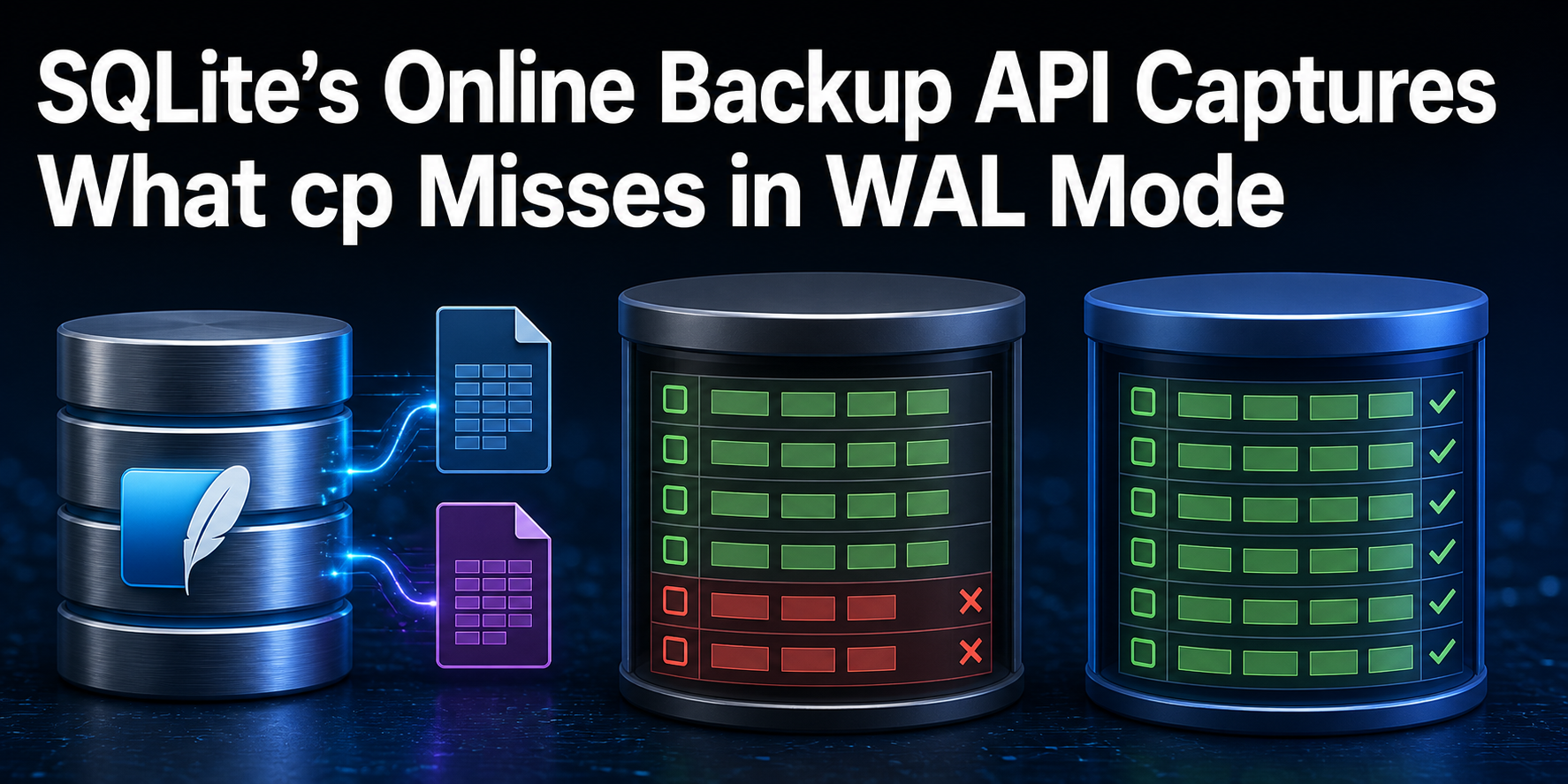
Both SQLite files in the reproduced lab returned quick_check=ok. Only one contained all four committed rows. The raw copy of live.db held IDs 1,2 and a total of 300; the file created through SQLite’s Online Backup API held IDs 1,2,3,4 and the declared total of 1000.
That is the recovery boundary: physical integrity does not prove snapshot completeness. In write-ahead logging (WAL) mode, a commit can exist in live.db-wal before a checkpoint transfers its pages into the main live.db file. Copying only the main file during that interval can produce a clean, readable, stale artifact.
This guide is for a technical operator with shell access who needs to recover a SQLite-backed application. It uses sqlite3 3.46.1 and Python 3.13.5 on Debian 13, creates no external service, touches no production database, and removes only one marker-owned path. Python keeps one connection open so the committed WAL frames remain observable; the backup itself uses SQLite’s .backup command.
SQLite’s current WAL documentation explains that a commit record is appended to the WAL and can become durable before the main database changes. The Online Backup API reads through SQLite rather than guessing which files currently contain the source state. A completed operation produces a consistent snapshot while other database users can continue between the API’s brief read intervals.
Let the Restore Contract Define “Complete”
Before creating any artifact, write down the state that recovery must return. A file name, nonzero byte count, SHA-256, and quick_check=ok can establish identity and internal structure. They cannot tell you whether the backup contains order 7421, the latest configuration revision, four expected monitors, or every migration through version 18.
Our small contract uses three semantic fields:
- row count:
4; - amount total:
1000; - ordered IDs:
1,2,3,4.
Those values are deliberately easy to audit. A real receipt should use application invariants such as tenant count, maximum immutable event ID, schema version, selected record identities, or a product-supported health query. Never print secrets, personal data, tokens, password hashes, or full customer records merely to make a backup report detailed.
Voxfor’s SQLite WAL checkpoint guide addresses a different incident: finding the reader that prevents checkpoint progress. Here, a nonempty WAL is an intentional fixture state. Do not force TRUNCATE just to make a file-copy method look safe; use a SQLite-aware snapshot or an application-approved quiet point.
Start with a new private directory, an ownership marker, and the exact tool versions. The fixed path lets every later block fail closed if it belongs to another run.
set -euo pipefail
LAB=/tmp/voxfor-sqlite-backup-159
MARKER="$LAB/.voxfor-sqlite-backup-lab"
[[ ! -e "$LAB" ]] || { printf 'Refusing existing path: %s\n' "$LAB" >&2; exit 9; }
install -d -m 0700 "$LAB" "$LAB/restore"
printf '%s\n' voxfor-sqlite-backup-lab-v1 > "$MARKER"
sqlite3 --version | awk '{print "sqlite_version=" $1 " source_id=" $2}'
python3 --version | awk '{print "python_version=" $2}'
printf 'lab_root=%s scope=marker-owned\n' "$LAB"
Hold Two Commits in the WAL on Purpose
One controlled writer first creates rows 1 and 2, checkpoints them into the main file, disables automatic checkpointing on its connection, and then commits rows 3 and 4. Keeping that connection open preserves a visible live.db-wal while a second sqlite3 process performs the backup.
PRAGMA wal_checkpoint(TRUNCATE) is safe here only because the lab owns every connection and calls it before the two test commits. Do not copy that checkpoint into a busy application runbook without first identifying its reader/writer effects and maintenance authority.
set -euo pipefail
LAB=/tmp/voxfor-sqlite-backup-159
grep -qx 'voxfor-sqlite-backup-lab-v1' "$LAB/.voxfor-sqlite-backup-lab"
cat > "$LAB/hold_writer.py" <<'PY'
import pathlib
import sqlite3
import time

root = pathlib.Path('/tmp/voxfor-sqlite-backup-159')
connection = sqlite3.connect(root / 'live.db')
mode = connection.execute('PRAGMA journal_mode=WAL').fetchone()[0]
connection.execute('PRAGMA wal_autocheckpoint=0')
connection.execute(
    'CREATE TABLE ledger(id INTEGER PRIMARY KEY, amount INTEGER NOT NULL, state TEXT NOT NULL)'
)
connection.executemany(
    'INSERT INTO ledger VALUES(?,?,?)',
    [(1, 100, 'settled'), (2, 200, 'queued')],
)
connection.commit()
checkpoint = connection.execute('PRAGMA wal_checkpoint(TRUNCATE)').fetchone()
connection.executemany(
    'INSERT INTO ledger VALUES(?,?,?)',
    [(3, 300, 'settled'), (4, 400, 'queued')],
)
connection.commit()
rows, total = connection.execute('SELECT count(*),sum(amount) FROM ledger').fetchone()
(root / 'writer.ready').write_text(
    f'journal_mode={mode}\ncheckpoint={checkpoint}\ncommitted_rows={rows}\ncommitted_total={total}\n',
    encoding='utf-8',
)
while not (root / 'stop').exists():
    time.sleep(0.05)
connection.close()
PY
python3 "$LAB/hold_writer.py" > "$LAB/writer.log" 2>&1 &
WRITER_PID=$!
printf '%s\n' "$WRITER_PID" > "$LAB/writer.pid"
awk '{print $22}' "/proc/$WRITER_PID/stat" > "$LAB/writer.start"
for attempt in $(seq 1 100); do
  [[ -s "$LAB/writer.ready" ]] && break
  sleep 0.05
done
[[ -s "$LAB/writer.ready" ]]
cat "$LAB/writer.ready"
Receipt checkpoint=(0, 0, 0) means the earlier base state was fully checkpointed before the new commits. It does not say later frames are absent. Inspect the three physical files and query the source through SQLite itself:
set -euo pipefail
LAB=/tmp/voxfor-sqlite-backup-159
grep -qx 'voxfor-sqlite-backup-lab-v1' "$LAB/.voxfor-sqlite-backup-lab"
WRITER_PID=$(<"$LAB/writer.pid")
[[ -r "/proc/$WRITER_PID/stat" ]]
printf 'main_bytes=%s wal_bytes=%s shm_bytes=%s\n' \
  "$(stat -c %s "$LAB/live.db")" \
  "$(stat -c %s "$LAB/live.db-wal")" \
  "$(stat -c %s "$LAB/live.db-shm")"
LIVE_RECEIPT=$(sqlite3 -batch -noheader -separator '|' "$LAB/live.db" \
  'SELECT count(*),sum(amount),group_concat(id,",") FROM ledger;')
[[ "$LIVE_RECEIPT" == '4|1000|1,2,3,4' ]]
printf 'live=%s\n' "$LIVE_RECEIPT" | tee "$LAB/live.receipt"
-shm is the shared-memory WAL index; it is not the durable backup payload. -wal contains page frames and commit records that SQLite merges logically with the main file. The exact state of those files can change as connections close or checkpoints run, which is why a loose sequence of separate cp commands is not a general online-backup protocol.
Compare a Main-File Copy With .backup
Create two artifacts while the writer connection remains open. The negative control copies only live.db. The accepted candidate asks sqlite3 to create online-backup.db through .backup, which uses the Online Backup API.
set -euo pipefail
LAB=/tmp/voxfor-sqlite-backup-159
grep -qx 'voxfor-sqlite-backup-lab-v1' "$LAB/.voxfor-sqlite-backup-lab"
[[ -r "/proc/$(<"$LAB/writer.pid")/stat" ]]
cp --reflink=never "$LAB/live.db" "$LAB/raw-main-only.db"
sqlite3 "$LAB/live.db" ".backup '$LAB/online-backup.db'"
RAW_CHECK=$(sqlite3 "$LAB/raw-main-only.db" 'PRAGMA quick_check;')
ONLINE_CHECK=$(sqlite3 "$LAB/online-backup.db" 'PRAGMA quick_check;')
[[ "$RAW_CHECK" == ok && "$ONLINE_CHECK" == ok ]]
printf 'raw_quick_check=%s\nonline_quick_check=%s\n' "$RAW_CHECK" "$ONLINE_CHECK"
This result is intentionally uncomfortable: both structural checks pass. quick_check verifies SQLite’s internal B-tree relationships and related low-cost invariants. It has no independent knowledge that the source application committed four rows. An integrity-only backup gate can therefore return green for a stale but well-formed database.
Application scope expands the database-aware boundary. Voxfor’s Vaultwarden backup workflow combines an SQLite-safe snapshot with attachments, Sends, keys and configuration. Voxfor’s Forgejo restore rehearsal adds repositories, application state and product checks. .backup solves one database snapshot problem; it does not discover every file an application requires.
Restore Both Artifacts and Test Business Invariants
Now query the raw and online artifacts with the declared contract. Then install the online artifact under a new isolated name and run quick_check plus the semantic query again. Nothing is copied over the source database.
set -euo pipefail
LAB=/tmp/voxfor-sqlite-backup-159
grep -qx 'voxfor-sqlite-backup-lab-v1' "$LAB/.voxfor-sqlite-backup-lab"
LIVE_RECEIPT=$(cut -d= -f2- "$LAB/live.receipt")
RAW_RECEIPT=$(sqlite3 -batch -noheader -separator '|' "$LAB/raw-main-only.db" \
  'SELECT count(*),sum(amount),group_concat(id,",") FROM ledger;')
ONLINE_RECEIPT=$(sqlite3 -batch -noheader -separator '|' "$LAB/online-backup.db" \
  'SELECT count(*),sum(amount),group_concat(id,",") FROM ledger;')
[[ "$RAW_RECEIPT" == '2|300|1,2' ]]
[[ "$ONLINE_RECEIPT" == "$LIVE_RECEIPT" ]]
printf 'raw_main_only=%s semantic_accept=no\n' "$RAW_RECEIPT" | tee "$LAB/raw.receipt"
printf 'online_backup=%s semantic_accept=yes\n' "$ONLINE_RECEIPT" | tee "$LAB/online.receipt"

install -m 0600 "$LAB/online-backup.db" "$LAB/restore/app.db"
RESTORE_CHECK=$(sqlite3 -batch -noheader -separator '|' "$LAB/restore/app.db" \
  'PRAGMA quick_check; SELECT count(*),sum(amount),group_concat(id,",") FROM ledger;')
[[ "$RESTORE_CHECK" == $'ok\n4|1000|1,2,3,4' ]]
printf 'isolated_restore=%s\n' "${RESTORE_CHECK//$'\n'/;}" | tee "$LAB/restore.receipt"
Despite its valid structure, the rejected artifact is older than the declared recovery point because its source main file never received rows 3 and 4. That distinction matters during incident triage: calling it corruption sends the operator toward repair tools, while calling it stale sends them toward the correct WAL-aware snapshot or earlier recovery point.
Voxfor’s Restic restored-data verification applies the next layer: select an immutable recovery point, read stored data, restore beside the live path and compare both filesystem and application state. A database artifact can pass every SQLite check and still be the wrong snapshot, wrong tenant, wrong environment, or wrong timestamp.
Rehearse Promotion and the Return Path
A restore test is safer when it proves both directions. The next block treats the stale raw copy as an isolated “current” target, preserves it as current.before, promotes the accepted online artifact, verifies all expected rows, then returns to the preserved state and verifies that return. This is a lab rehearsal, not permission to replace a running production file.
set -euo pipefail
LAB=/tmp/voxfor-sqlite-backup-159
grep -qx 'voxfor-sqlite-backup-lab-v1' "$LAB/.voxfor-sqlite-backup-lab"
install -m 0600 "$LAB/raw-main-only.db" "$LAB/restore/current.db"
cp --reflink=never "$LAB/restore/current.db" "$LAB/restore/current.before"
install -m 0600 "$LAB/online-backup.db" "$LAB/restore/current.db"
PROMOTED_RECEIPT=$(sqlite3 -batch -noheader -separator '|' "$LAB/restore/current.db" \
  'SELECT count(*),sum(amount),group_concat(id,",") FROM ledger;')
[[ "$PROMOTED_RECEIPT" == '4|1000|1,2,3,4' ]]
install -m 0600 "$LAB/restore/current.before" "$LAB/restore/current.db"
RETURN_RECEIPT=$(sqlite3 -batch -noheader -separator '|' "$LAB/restore/current.db" \
  'SELECT count(*),sum(amount),group_concat(id,",") FROM ledger;')
[[ "$RETURN_RECEIPT" == '2|300|1,2' ]]
printf 'promotion=%s return_path=%s\n' "$PROMOTED_RECEIPT" "$RETURN_RECEIPT" \
  | tee "$LAB/promotion.receipt"
For a real application, first stop every process that can open the target, confirm the process and mount identities, preserve the current main file plus its associated WAL/SHM set as one incident artifact, install the tested backup with the expected owner/mode, and start the application through its normal supervisor. Do not pair a restored main file with a stale WAL from another database generation. SQLite’s corruption guidance explains why file copies are safe only under stricter no-transaction or properly locked conditions.
A VM snapshot can help return the entire host, but it does not automatically make in-guest application state coherent. Voxfor’s Proxmox guest-consistency boundary shows where filesystem capture and application acceptance separate.
Keep the Receipt, Then Remove the Fixture
Join every material observation before deleting the lab: live state has four rows; the raw main-file copy has two; the Online Backup API artifact and isolated restore have four; both files are structurally healthy; promotion reaches the declared state; return restores the preserved prior target.
set -euo pipefail
LAB=/tmp/voxfor-sqlite-backup-159
MARKER="$LAB/.voxfor-sqlite-backup-lab"
grep -qx 'voxfor-sqlite-backup-lab-v1' "$MARKER"
LIVE_RECEIPT=$(cut -d= -f2- "$LAB/live.receipt")
RAW_RECEIPT=$(sed -n 's/^raw_main_only=\([^ ]*\).*/\1/p' "$LAB/raw.receipt")
ONLINE_RECEIPT=$(sed -n 's/^online_backup=\([^ ]*\).*/\1/p' "$LAB/online.receipt")
PROMOTED_RECEIPT=$(sed -n 's/^promotion=\([^ ]*\).*/\1/p' "$LAB/promotion.receipt")
RETURN_RECEIPT=$(sed -n 's/.*return_path=\([^ ]*\).*/\1/p' "$LAB/promotion.receipt")
[[ "$LIVE_RECEIPT" == '4|1000|1,2,3,4' ]]
[[ "$ONLINE_RECEIPT" == "$LIVE_RECEIPT" && "$RAW_RECEIPT" != "$LIVE_RECEIPT" ]]
[[ "$(sqlite3 "$LAB/online-backup.db" 'PRAGMA quick_check;')" == ok ]]
[[ "$PROMOTED_RECEIPT" == "$LIVE_RECEIPT" && "$RETURN_RECEIPT" == "$RAW_RECEIPT" ]]
printf 'receipt=pass raw_copy_rejected=yes online_backup_complete=yes isolated_restore_complete=yes return_path_exercised=yes\n'

WRITER_PID=$(<"$LAB/writer.pid")
[[ "$(readlink -f "/proc/$WRITER_PID/exe")" == "$(readlink -f "$(command -v python3)")" ]]
[[ "$(awk '{print $22}' "/proc/$WRITER_PID/stat")" == "$(<"$LAB/writer.start")" ]]
: > "$LAB/stop"
wait "$WRITER_PID"
! kill -0 "$WRITER_PID" 2>/dev/null
rm -rf --one-file-system "$LAB"
[[ ! -e "$LAB" ]]
printf 'cleanup=complete\n'
Debian 13 returned this exact reproduced receipt:
sqlite_version=3.46.1 source_id=2024-08-13
python_version=3.13.5
journal_mode=wal
checkpoint=(0, 0, 0)
committed_rows=4
committed_total=1000
main_bytes=8192 wal_bytes=4152 shm_bytes=32768
live=4|1000|1,2,3,4
raw_quick_check=ok
online_quick_check=ok
raw_main_only=2|300|1,2 semantic_accept=no
online_backup=4|1000|1,2,3,4 semantic_accept=yes
isolated_restore=ok;4|1000|1,2,3,4
promotion=4|1000|1,2,3,4 return_path=2|300|1,2
receipt=pass raw_copy_rejected=yes online_backup_complete=yes isolated_restore_complete=yes return_path_exercised=yes
cleanup=complete
The backup is accepted only when its own quick_check returns ok, the isolated restore contains exactly the declared IDs 1,2,3,4, row count 4 and total 1000, the raw main-file control is rejected for returning only IDs 1,2, the promotion candidate reproduces the accepted receipt, the saved target can be returned, and the marker-owned writer and path are absent after cleanup. The reproduced run met every condition.
Lab rollback stops only the Python PID whose executable and Linux start time match the saved writer identity, then removes exactly /tmp/voxfor-sqlite-backup-159 after its ownership marker matches. A production return keeps the application quiesced, moves the failed candidate aside without deleting evidence, reinstalls the protected pre-change database file set with its recorded ownership and mode, starts the normal service, and repeats the original application acceptance queries. Never delete an uncertain WAL/SHM pair before preserving the incident artifact.
Put Snapshot Consistency Inside a Recovery System
Snapshot consistency is still not retention or durability. Copy the accepted artifact to a separately protected failure domain, record its hash and recovery-point identity, enforce retention appropriate to the workload, and rehearse restoration on the target SQLite/application version. Encryption needs its own recoverable key path; off-host storage needs access and deletion controls; retention needs a declared recovery-point objective rather than an arbitrary file count.
The Online Backup API also produces a point-in-time database, not point-in-time recovery across every transaction after that snapshot. Workloads needing seconds-level recovery may require continuous WAL-aware replication such as an application-supported tool, plus restore testing of its base image and increments. Large or write-heavy databases should measure backup duration, source contention and destination space instead of assuming a small lab’s timing.
Browse Voxfor’s Database operations library when the recovery owner is replication, engine locks, schema change, or another database-specific boundary rather than SQLite file state.
SQLite WAL Backup Recovery Questions
Does the SQLite backup command include committed data still in the WAL?
Yes. SQLite’s backup command uses the Online Backup API, so it reads the logical source database through SQLite, including committed pages visible through WAL mode. The output is one consistent destination database; it is not a raw copy of only the main file.
Can PRAGMA quick_check prove a SQLite backup is complete?
No. quick_check can show that the file is internally well formed, but it does not know the application’s required recovery point. Pair structural checks with declared schema, record-identity, count, total, or business-invariant queries on an isolated restore.
Is cp database.db backup.db ever safe?
It can be safe when the application is fully quiesced, no transaction is in progress, and the operator has verified the journal/WAL state and file-set boundary. For an online database, use the Backup API, VACUUM INTO, or the application’s documented snapshot method instead of assuming the main file is current.
Should I copy database.db-wal and database.db-shm too?
Do not improvise a live three-file copy. The WAL belongs with its exact main database generation, and separate copy operations can race with writes, checkpoints, deletion, or recreation. Prefer a database-aware backup. If an application documents an offline file-set method, stop it cleanly and follow that exact version-specific procedure.
What belongs in a SQLite restore receipt?
Keep the source identity, journal mode, SQLite and application versions, backup timestamp or recovery point, artifact hash and size, structural-check result, schema version, secret-free semantic queries, isolated restore outcome, owner/mode, return-path result and off-host storage location. The receipt should let another operator accept or reject the artifact without trusting its filename.