Lifetime VPS Europe
 Lifetime VPS Asia
 Lifetime WooCommerce Hosting
 Lifetime Hosting
 Lifetime Game Dedicated Servers
 Chicago, US
 Tokyo, Japan
 Singapore
 Hong Kong
 Seoul, South Korea
 Amsterdem, Netherlands
 London, UK
 Stockholm, Sweden
 Oslo, Norway
 Vienna, Austria
 Zurich, Switzerland
 Sydney, Australia
 Wordpress Hosting
 VPS Hosting
 DDOS Protection
 Submit Ticket
 Full Management
 Guides
 Videos and Podcasts
 Discover Creative Ideas
 Cybersecurity Services
 Voxfor Mega Menu
 Voxfor Advanced Price Management For WooCommerce
 Voxfor Secure Live Chat and AI Support
 Voxfor Multilanguage
 Voxfor AI Content Summary
 Voxfor Autopilot
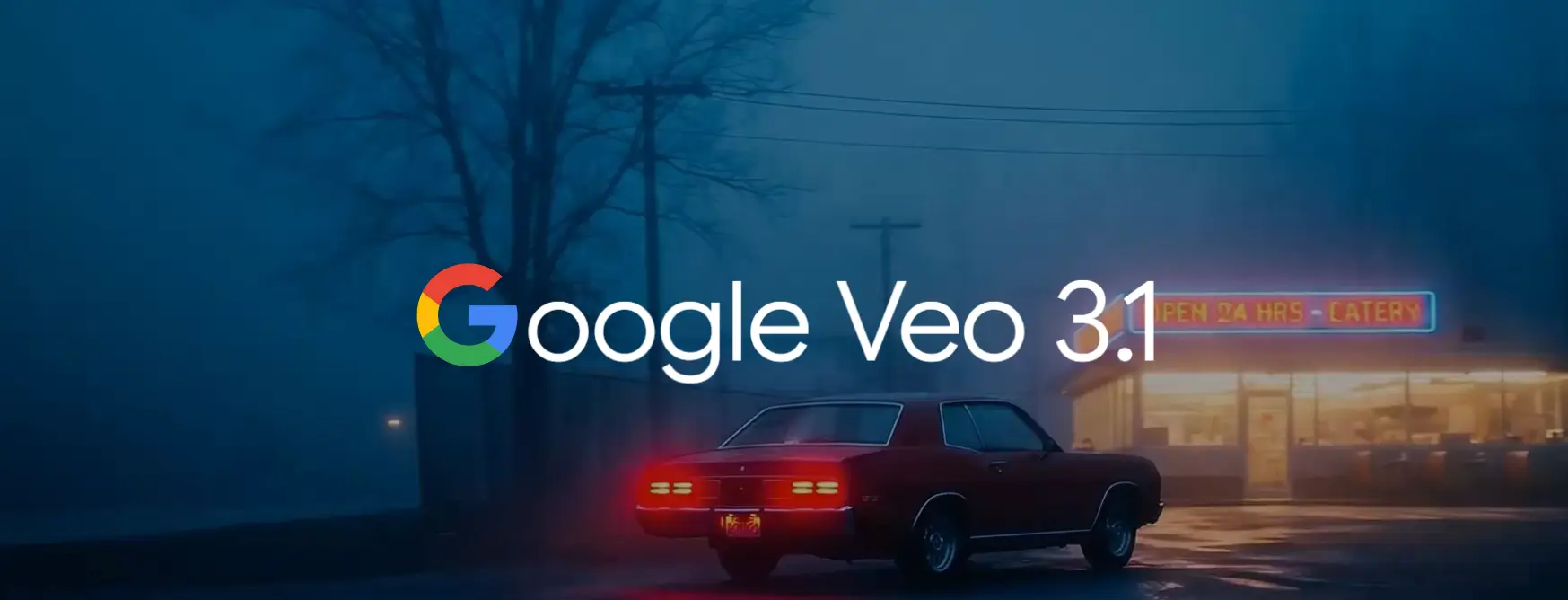
Google DeepMind has introduced Veo 3.1 which is a revolutionary step in artificial intelligence video generation and a big step to the creative technology world. This state-of-the-art model will be available in October 2025 and will change the way creators, businesses, and developers create video content because it will offer unprecedented realism, advanced narrative manipulation and audio-visual continuity. This guide explains all you have to know about Veo 3.1, including its technical features, and practical implementation plans that you can use to put yourself in the first place in the business of producing videos through AI.
Inbound Marketing Strategy
Turn technical readers into inbound marketing growth
Helpful tutorials attract qualified visitors, but reliable hosting keeps those readers engaged. Voxfor VPS gives growing websites the speed, uptime, and control needed to support stronger inbound marketing campaigns.

Understanding Veo 3.1: A Revolutionary Video Generation Platform
The Veo 3.1 is the latest version of the video generation model released by Google, which is based on the very Veo 3, but has several significant improvements in the quality of audio, timely obedience, and creative management. Fundamentally, Veo 3.1 uses an advanced 3D latent diffusion architecture that goes beyond the 2D image generation with time as a third dimension to allow the model to learn natural motion, continuity, and audio-visual synchronization.
The model produces high-fidelity video of up to 1080p with a fixed frame rate of 24 frames per second and both landscape (16:9) and portrait (9:16) aspect ratios that are optimized to fit all kinds of platforms starting with YouTube and all the way to TikTok. The difference between Veo 3.1 and its predecessors is that it is capable of producing 4-8 seconds of videos in a single generation and has further scene extension facilities that allow creators to make continuous sequence up to beyond one minute.
The Technical Architecture Behind Veo 3.1
The innovation driving Veo 3.1 lies in its use of 3D Convolutional Layers within a U-Net architecture, processing spatiotemporal data across channels, time, height, and width simultaneously. This fundamental design choice enables the model to extract patterns not just across space but also across time, facilitating many of its most powerful features, including native audio generation and temporal consistency.
Unlike traditional video generation systems that treat audio as a separate post-production element, Veo 3.1 integrates synchronized audio generation directly into the video creation process. The model generates contextually appropriate dialogue, ambient soundscapes and sound effects that precisely align with visual components, which dramatically decreases post-production needs and boosts content creation workflows.
Key Features and Capabilities of Veo 3.1
Enhanced Audio Generation
One of the most significant improvements in Veo 3.1 is its richer, more natural audio generation capability. The model now produces synchronized sound that includes multi-person conversations, precisely timed sound effects, and contextually appropriate ambient noise, all guided directly by text prompts. This represents a substantial advancement over Veo 3, where audio quality could be inconsistent and synchronization occasionally problematic.
The audio system is aware of the principles of sound design in the movie industry and it creates multiple layers of soundscapes that are based on a visual tone and narrative needs. Veo 3.1 has a better lip-sync accuracy when working with dialogue-based content, but more complicated multi-shot narratives with different angles require prompting and reference images.
Advanced Creative Control Mechanisms
Veo 3.1 introduces several powerful creative control features that provide filmmakers and content creators with unprecedented precision:
Ingredients to Video: The feature enables users to add up to three reference images of characters, objects or scenes to achieve the consistency between different shots. These references continue to be used by the model in maintaining identity, appearance, and style throughout the video to provide an absolute continuity in character driven narratives. Such ability serves one of the most demanding issues of AI video creation the visual consistency between different scenes and camera perspectives.
First and Last Frame Control: By providing starting and ending images, creators can direct Veo 3.1 to generate smooth, natural transitions between two visual states. The model generates the in-between motion along with matching audio, creating smooth narrative flow and natural scene transitions. This makes it especially useful for cinematic cuts and for keeping storylines consistent across more complex sequences.
Scene Extension: Probably the most radically new one, scene extension enables creators to create longer videos by creating new clips with the last second of the old footage. The extensions have visual and audio continuity, allowing the formation of sequences of 60 seconds or more based on several consecutive 8-second generations. Initial testing by users asserts that the extensions of Veo 3.1 are visually smooth, with few jarring transitions however sound quality can be inconsistent and can use improvement.
Insert and Remove Objects: These tools can be added to any existing scene to provide a realistic look of including new elements with the help of light and shadows and can be also selected to be used to remove unwanted objects as the background reconstructs itself automatically, provided in the Flow editing platform. These editing features make Veo 3.1 more than a generation platform to a video production hub.
Improved Prompt Adherence and Realism

Much of the improved knowledge of complex text prompts and especially those that describe camera movements, camera techniques, and film structures is shown by Veo 3.1. The model is more compliant to the detailed instructions regarding the uses of dolly shots, crane movements, the depth of field, and lighting conditions, which helps the creators to obtain more specific cinematic outcomes.
The advancements to realism in Veo 3.1 are seen in a more realistic transition of motion, an increase in the facial expression, and lighting on the environment that lessens the unnatural feel of syntheticism characteristic of previous AI-generated videos. Textures are now far more realistic, materials and surfaces are rendered in a much more realistic way, and in many instances far beyond photorealistic.
Accessing Veo 3.1: Platforms and Pricing Models
The Veo 3.1 is a product that gets released in various access channels from the Google, which are getting customized according to the various needs of the various users including individual creators and the enterprise developers:
Consumer Access Through Gemini App and Flow
The Gemini app provides the most accessible entry point for general users, offering Veo 3.1 integration through Google AI subscription plans. The Google AI Pro plan ($19.99/month) includes approximately 90 monthly video generations using Veo 3.1 Fast or 10 generations using the full Veo 3.1 model. For heavy users, the Google AI Ultra plan ($249.99/month) provides substantially higher limits with approximately 1,250 Veo 3.1 Fast or 250 Veo 3.1 standard generations per month.
Through the Google educational program, students enjoy unprecedented value by having a whole year of free access to Google AI Pro to allow young creators the opportunity to generate AI-generated videos without the need to pay money.
Flow represents Google’s dedicated AI filmmaking platform, custom-designed for DeepMind most advanced models, including Veo, Imagen, and Gemini. This tool provides a guided user interface with advanced camera controls, scene-building capabilities, and seamless integration of Veo 3.1’s creative features. Flow is included with Google AI subscriptions and offers the highest limits to Ultra subscribers, along with early access to experimental features and advanced capabilities like Ingredients to Video.
Developer and Enterprise Access
For developers and businesses requiring programmatic control, Veo 3.1 is available through two primary API channels:
Gemini API via Google AI Studio: This path provides the developers with the ability to access the code level control, transparent cost tracking, scriptable retries and budget limits. Pricing by Gemini API Pricing is per-second of trade, where Veo 3.1 Fast is charged at $0.15 per second and normal Veo 3.1 is charged at $0.40 per second. A 8-second video creation with Veo 3.1 would cost about 3.20 dollars, so it is cost-effective in commercial production processes.
Vertex AI for Enterprise: Google Cloud’s Vertex AI provides production-grade infrastructure with governance features, IAM controls, consolidated billing, and quota management essential for enterprise deployments. Vertex AI pricing matches the Gemini API rates, but adds enterprise-level reliability, regional control, and team-level access patterns.
Third-party providers, including fal.ai and Replicate, also offer Veo 3.1 access through their platforms, sometimes at competitive rates and with additional workflow integration options.
Creating Effective Prompts for Veo 3.1
Learning to act immediately as an engineer is necessary to make the most out of Veo 3.1 and deliver consistent and quality outcomes. The model is most sensitive to structured prompts which have a clear information content in multiple dimensions:
The Optimal Prompt Structure
A modular prompt framework has been identified in research and a best practice in communities as a reliable solution to the prompt:
[Shot Composition] + [Subject] + [Action] + [Setting] + [Aesthetics] + [Audio]
Shot Composition: Specify camera angle, position, movement and transitions Add such details as “wide shot”, “tracking shot behind the subject”, “slow push-ins”, or “dolly to the left or right side”.
Subject: Provide detailed descriptions of characters, objects, or focal elements. Include appearance details, clothing, distinctive features, and expressions.
Action: Detailed movements, interactions, cause effect and physics simulations. Be specific for timing and characteristics of movement or motion.
Setting: Define the environment, background, lighting conditions, time of day, weather, and atmosphere elements that set the context of the scene.
Aesthetics: Include visual style, mood, color palette, depth of field and cinematic references. Some examples of stylistic writing are cinematic, documentary style, golden hour lighting, or film noir aesthetic.
Audio: Direct the soundscape by describing dialogue (in quotation marks), sound effects (e.g., “SFX: thunder in the distance”), ambient noise, and music characteristics.
Example Prompts Demonstrating Best Practices
Basic Effective Prompt:
Medium shot of a lady in a red winter coat walking in a snowy park during the sunset. Medium tracking shot behind her. The golden light passing through barren trees. Snow, footsteps, sounds are soft, distant sound of wind, faint piano melody. 16:9, 1080p, 8 seconds.
Advanced Cinematic Prompt:
The start is done with the broad establishing shot, which transforms into a slow crane shot that goes down. Two alien objects, of which one lies in a huge crystal cave, are explored by a solitary astronaut. Shafts of blue light lighting the darkness volumetrically. Movement of camera: fluent crane down and rotation. The astronaut speaks into comms, I have never seen anything like this. Background noises: the drip drip drip, soft tone electronic noise, breathing in the helmet. Moviematic sci-fi aesthetic, based on Interstellar. 16:9, 1080p, 8s.
Critical Prompting Best Practices
Be Specific but Concise: Aim for 100-180 words which achieve the objective of communicating essential visual information without overwhelming the model with too much information. Focus on those factors that have a direct influence on the end product.
Use Camera Grammar: Apply professional filmmaking terms such as specific shot types (wide, medium, close-up), camera movements (pan, tilt, dolly, crane) and lens properties (shallow depth of field, wide angle)
Include Audio Direction: Since Veo 3.1 creates native sound, be clear about what you want to hear: what types of sounds, dialogue, ambient sounds, and music styles. Always use quotation marks for direct dialogue.
Leverage Reference Images: For character consistency and style coherence, upload 1-3 high-quality reference images showing the same subject from different angles. If you are creating multi-shot sequences, use the same descriptive terminology throughout prompts.
Avoid Negative Prompts in Description: Rather than telling your child what you don’t want (i.e. “no distortions”), explain what you want in positive and clear language.
Test and Iterate: Experiment with variations to understand how the model interprets different phrasings. Save successful prompts as templates for future projects.
Practical Workflow: From Concept to Polished Video

Planning and Pre-Production
Effective Veo 3.1 projects start with effective planning which recognizes the strengths and limitations of the model. Begin with establishing your narrative structure, splitting longer stories into beats that can be extended or sequenced (4-8 seconds). Make a shot list which will indicate the camera angles, the positioning of the subject, and the transitions between the shots.
For projects that need the consistency of characters, prepare 2-3 reference images of your subject from various different angles with similar lighting and styling. These references are visual touchstones and help the model find its way in multiple generations.
Generation and Iteration
Start with establishing shots core with well-planned prompts. Examine every generation on subject fidelity, motion quality, frame accuracy, lighting consistency and audio fidelity. The quality of output in Veo 3.1 is based on iterative refinement, where the results of analyses are analyzed, prompts refined to make the analysis clear enough, and generated as necessary.
In constructing multi-shot sequences, ensure that similar terms are used to denote similar elements. Recycle the character descriptions, setting details, and stylistic references to reduce visual drift. It is a good idea to use seed values where possible so as to keep the related generations consistent.
Extension and Assembly
The extension feature of Veo 3.1 is strategic to use with sequences more than 8 seconds. Create your original clip with an obvious point that rationally leads into the other segment. On extension, give clues which take into consideration the state that the last clip is in and explain how the action or camera movement is supposed to change.
Note that while visual extensions are typically seamless, audio continuity can be more challenging, you may hear subtle shifts when extensions occur. Plan to address audio issues through mixing in post-production if necessary.
Post-Production and Export
Export your Veo 3.1 generations as MP4 files with the resolution of your choice (720p or 1080 p) and aspect ratio. In the case of projects that involve several clips together, the editing can be done professionally by using non-linear editing software to refine effects on transitions, color grade to maintain uniformity, and the audio mix. Alexiades (2014) has rightly observed that although Veo 3.1 has a native audio version, most professional works are enriched with additional sound design, music scoring, mixing in order to achieve final outputs.
Industry Applications and Use Cases
Veo 3.1 capabilities translate into practical value across numerous industries and creative contexts:
Marketing and Advertising
Brand teams leverage Veo 3.1 for rapid prototyping of commercial concepts, enabling fast iteration on multiple creative directions before committing to traditional production budgets. Product demonstrations, lifestyle advertising, and seasonal campaigns can be visualized quickly, tested with audiences, and refined based on data, all before hiring crews or renting locations.
Ingredients to Video is a feature that allows the fashion brands to keep the same looks of their models on the campaign videos even though the background has different colors, the lighting has changed, and the styling has changed. Creating strong, on-brand, high volume content is a key competitive edge in saturated digital markets.
Film and Entertainment
Cinematographers and independent film companies use Veo 3.1 in pre-visualization and storyboarding, where directors can test complicated camera moves, lighting configurations and shot compositions prior to the start of major filming. This saves time in the creative decision-making, and minimizes the expensive experimentation on set.
The technology democratizes high-end visual effects in that creators with limited budgets can create cinematic-quality material for short films, web series, and proof-of-concept trailers that get funding and distribution.
Education and Training
Schools produce attractive visual materials that bring abstract ideas into tangible memorable experiences. History reenactments recreate the past events in cinematic depth, whereas scientific processes of a complex character can be represented in animated sequences that will help to understand them better.
Corporate training programs use Veo 3.1 to simulate realistic scenarios for employee development, from customer service interactions to emergency response drills, providing safe, repeatable learning environments.
E-Commerce and Social Media
Team videos create demonstrations and unboxing videos that present products obtained in various perspectives with professional film quality. The creators of social media generate daily content tailored to platforms such as Tik Tok, Instagram reels, and YouTube short that consistently post without the need to discontinue their schedules had they not followed the inherent stages of traditional production.
Being able to quickly test creative ideas and find what works best before you invest in full production is what is meant by data-driven content strategy.
Business Communication and Enterprise
Organizations make internal communications, presentations to investors, and proposals to clients more professional by using video content that gets the complicated information across in an easy to remember way. The engagement of executive updates, product launch messages and corporate messages is higher when they are in the form of well-developed video as opposed to the traditional text.
Comparing Veo 3.1 to Competing Technologies
Veo 3.1 vs. Veo 3: What Changed?
The upgrade from Veo 3 to Veo 3.1 is an incremental but important improvement with three main vectors: more native audio, improved scene and shot control, and quality enhancements. While both models support the same base durations (4, 6, 8 seconds) and resolutions (720p/1080p), Veo 3.1 delivers substantially improved audio quality with better synchronization, clearer dialogue, and more contextual sound effects.
The introduction of reference image support (up to 3 images) and first/last frame control in Veo 3.1 provides creative controls that were absent in Veo 3, enabling more sophisticated multi-shot storytelling with maintained character and scene consistency. Prompt adherence has been strengthened, with the model better understanding complex cinematic instructions and narrative structures.
Importantly, pricing is the same between the models, with Veo 3.1 being able to provide improved capabilities for the same cost structure, an obvious upgrade for all users.
Veo 3.1 vs. Sora 2: Strengths and Trade-offs
The rivalry between Google Veo 3.1 and OpenAI Sora 2 is the cutting-edge in AI video generation right now with each model showcasing different advantages:
Video Length: Sora 2 supports longer single-generation times to a maximum of 25 seconds in storyboard mode (with claims of 120-second base generations), and Veo 3.1 to base generation of 8 seconds plus extended to sequential prompting. Sora 2 has an advantage over creators who are interested in longer uninterrupted takes. The extension system of Veo 3.1, however, is capable of creating continuous sequences longer than 60 seconds in case it is executed correctly.
Physics and Realism: Multiple comparative tests show Sora 2 has better physics simulation, especially for dynamic motion such as water splashes, cloth motion and complex object interactions. Veo 3.1 counters with excellent temporal consistency and more stable character preservation across extended sequences.
Character Consistency: Veo 3.1 reference image system (up to 3 images) provides stronger tools for maintaining character identity across shots compared to Sora 2 more limited Cameo feature. This makes Veo 3.1 preferable for narrative projects requiring the same character across multiple scenes with varying angles and lighting.
Prompt Adherence: A test that was conducted in the industry indicates that Sora 2 has a little higher prompt adherence in general, and more reliable in meeting the user intent with a wide variety of prompts. Veo 3.1 has however bridged this gap considerably over the previous versions and has a better cinematic understanding.
Pricing: Veo 3.1 Fast ($0.15/second) offers substantial cost advantages over Sora 2 ($0.12/second for 4 seconds, effectively $0.03/second) when comparing base rates, though actual costs depend on usage patterns and quality requirements. Enterprise users should evaluate the total cost of ownership, including API fees, subscription requirements, and processing time.
Content Policy: One major distinction is the content policy, Veo 3.1 gives the option of generating real human faces under the condition of having references whereas Sora 2 generates a limitation in the generation of human likeness. This makes Veo 3.1 more flexible to projects where recognizable persons or realistic human persons are required.
Strategic Model Selection
Neither model represents a universal “best” choice—optimal selection depends on project requirements:
Choose Veo 3.1 when you need to use the same human face across multiple shots, seamlessly integrate with Google ecosystem (Gemini, Vertex AI, Flow), have more flexibility with human faces, or want to rapidly iterate at a lower cost with the Fast model.
Use Sora 2 when physics accuracy is critical, you need longer single-take generations or when you need maximum prompt adherence for complex creative concepts.
In fact, a clever combination of the two platforms is the best way to meet the needs of your professional workflow, using each model’s strengths for different project phases or types of content.
Limitations, Challenges, and Considerations
Current Technical Constraints
Despite incredible abilities, Veo 3.1 has many practical limitations of which users should be aware:
Duration Constraints: While scene extension allows for longer sequences, each generation has a maximum of 8 seconds per generation, and longer narratives will require careful planning and multiple connected prompts. Extension workflows are trial and error with varying success rates, i.e. higher tier subscriptions are advantageous for the unlimited number of iterations.
Character Consistency Challenges: Even with reference images, maintaining perfect character identity across wildly different lighting conditions, extreme camera angles, or when subjects are partially occluded remains challenging. Significant angle or lens changes can produce variations that feel like “cousins rather than identical twins”.
Audio Quality Variance: Although native audio generation is a significant breakthrough, the quality of the audio can vary across generations, and extensions can have audible cuts and the point where a new piece starts. The consistency of the voice among extensions is good but not ideal and the perfect voice is achieved after post-processing to be used in professional use.
Physics and Motion Artifacts: Even complicated physical interactions, quick motions and problematic situations such as precise hand drawings or small text copies can cause artifacts or unrealistic outcomes. These edge cases need to be refined immediately and occasionally through numerous generation attempts.
Resolution and Length Trade-offs: Longer extensions and higher resolutions need more compute and time, which slows generation and increases credit use. Iteration is common, i.e., start rendering at a low size and faster, to explore the creative direction and go to high-quality renders for the final product.
Ethical and Safety Considerations
You can see Google has taken various steps to minimize the threat of misuse related to AI-generated videos:
SynthID Watermarking: All Veo 3.1 content carries invisible SynthID watermarks that let platforms and creators trace and verify where a piece of media came from. That provenance makes it easier to curb deepfakes and misinformation while keeping the content’s authenticity intact.
Visible Watermarking: Google has introduced visible watermarks on Veo videos (with exceptions for certain Ultra plan users in Flow), providing an immediate visual indication that content is AI-generated. While these watermarks can be cropped or altered, they represent an important transparency measure.
Content Policy Enforcement: Generation requests are subject to content moderation and safety filters that block harmful, sensitive, or policy-violating prompts. Projects involving people or children may require specific approvals depending on the access method and jurisdiction.
Responsible Use Guidelines: Label AI-generated content when required by laws or platform rules, check outputs for unwanted or problematic elements, and apply ordinary editorial judgment before publishing on a large scale. Because the results are sometimes very realistic, transparent disclosure is essential for retaining public trust.
Advanced Techniques for Professional Results
Multi-Shot Storytelling Best Practices
Creating coherent narratives across multiple Veo 3.1 generations requires disciplined management of workflow:
Establish Visual and Narrative Anchors: At the beginning of a project, establish key parts of the design: character design, environment description, lighting style and style references. Use the same terms in all of the prompts and save successful prompts as reusable templates.
Use Seeds Strategically: When seed parameters are available use the same seed value across related shots to promote visual consistency while varying other parameters such as camera angle or action.
Plan Transitions: Design the shot sequences with a logical flow to them, so each end clip of one clip leads into another clip. Use first/last frame control to bridge visual intentional gaps between scenes.
Iterate with Purpose: Create several variations of key shots and pick the best takes to preserve continuity. Have a searchable library of successful outputs organised by scene, character and style, as a reference for future projects
Integrating Veo 3.1 into Professional Workflows
Industrial production environments can benefit from formal integration techniques:
Hybrid Production Models: Use Veo 3.1 for establishing shots, B-roll, VFX elements, and pre-visualization, while saving traditional production for hero shots that demand full creative control. That hybrid workflow gives you speed and flexibility for routine material, while keeping top-tier quality where it matters most.
Asset Management: Keep version control when it comes to prompts, reference images and final outputs. Treat prompt templates as a reusable intellectual property; assets which you can scale across projects and clients.
Quality Assurance: Set review checkpoints to confirm brand alignment, content-policy compliance, technical quality, and narrative coherence before finalizing deliverables. Since the material that is AI-generated can miss context or standards, it is necessary to have human editorial oversight in order to maintain a professional quality.
Cost Management: Track API usage and credit spend closely: use fast models for quick iterations and switch to full-quality models for final renders. If your usage is steady month-to-month, subscription plans tend to be cheaper; for unpredictable or bursty workloads, pay-as-you-go APIs are the better fit.
The Future of Veo and AI Video Generation
Google Veo roadmap points to steady improvements: longer native video durations, stronger physics simulation, better tools for keeping character consistency, and broader creative controls. Competition from OpenAI, Runway, and other AI-video platforms is speeding up development, major upgrades now roll out every few months rather than years.
Enterprise adoption is accelerating as businesses recognize AI video generation as a strategic capability rather than experimental technology. Integration with broad creative suites, better collaboration capabilities, and industry-specific vertical solutions for industries such as advertising, education and entertainment are likely areas of development.
Tools like Veo 3.1 are redefining the role of video production by lowering the barriers of entry into the field, and making high-quality production accessible to more people but are also raising the bar in terms of originality and polish. In order for creators to thrive in this new landscape, it is not just technical prowess that they need, but they do need to bring strategic creativity, ethical responsibility and human judgement in order to make AI-generated material a meaningful storytelling.
Conclusion: Mastering Veo 3.1 for Competitive Advantage
Google Veo 3.1 is a breakthrough in bringing great quality AI video production to the masses. With its advanced technical features, intuitive creative controls, and flexible access options, it’s fast becoming a must-have tool for content creators, marketers, filmmakers, and businesses alike.
To maximise the benefits of Veo 3.1, it is important to know what it can and cannot do, to develop your skills in prompt engineering and a structured workflow, with clear ethical standards. The ones who truly succeed with this technology won’t treat it as a substitute for human creativity, but as an amplifier, helping them iterate faster, explore more ideas, and bring to life visions that were once held back by the cost and constraints of traditional production.
It is evolving at a rapid pace, keeping up with the new features, best practices and competitive advancements is the key to keeping ahead creatively. The insights provided in this guide provide a solid basis for using Veo 3.1 at professional level, making sure it provides real value in practical, real-world projects.
Whether you’re an independent creator to create new ways of telling stories, a marketer to find more efficient content lifecycles or a developer creating AI-driven creative tools, Veo 3.1 has the potential to transform. With the right skills and strategy it can open up the possibilities that were previously inaccessible. The future of video creation is here and it’s more accessible, more powerful and more creatively empowering than ever before.
About Author

Netanel Siboni is a technology leader specializing in AI, cloud, and virtualization. As the founder of Voxfor, he has guided hundreds of projects in hosting, SaaS, and e-commerce with proven results. Connect with Netanel Siboni on LinkedIn to learn more or collaborate on future projects.