Lifetime VPS Europe
 Lifetime VPS Asia
 Lifetime WooCommerce Hosting
 Lifetime Hosting
 Lifetime Game Dedicated Servers
 Chicago, US
 Tokyo, Japan
 Singapore
 Hong Kong
 Seoul, South Korea
 Amsterdem, Netherlands
 London, UK
 Stockholm, Sweden
 Oslo, Norway
 Vienna, Austria
 Zurich, Switzerland
 Sydney, Australia
 Wordpress Hosting
 VPS Hosting
 DDOS Protection
 Submit Ticket
 Full Management
 Guides
 Videos and Podcasts
 Discover Creative Ideas
 Voxfor Autonomous AI Workers
 Voxfor Mega Menu
 Voxfor Advanced Price Management For WooCommerce
 Voxfor Secure Live Chat and AI Support
 Voxfor Multilanguage
 Voxfor AI Content Summary
 Voxfor Autopilot
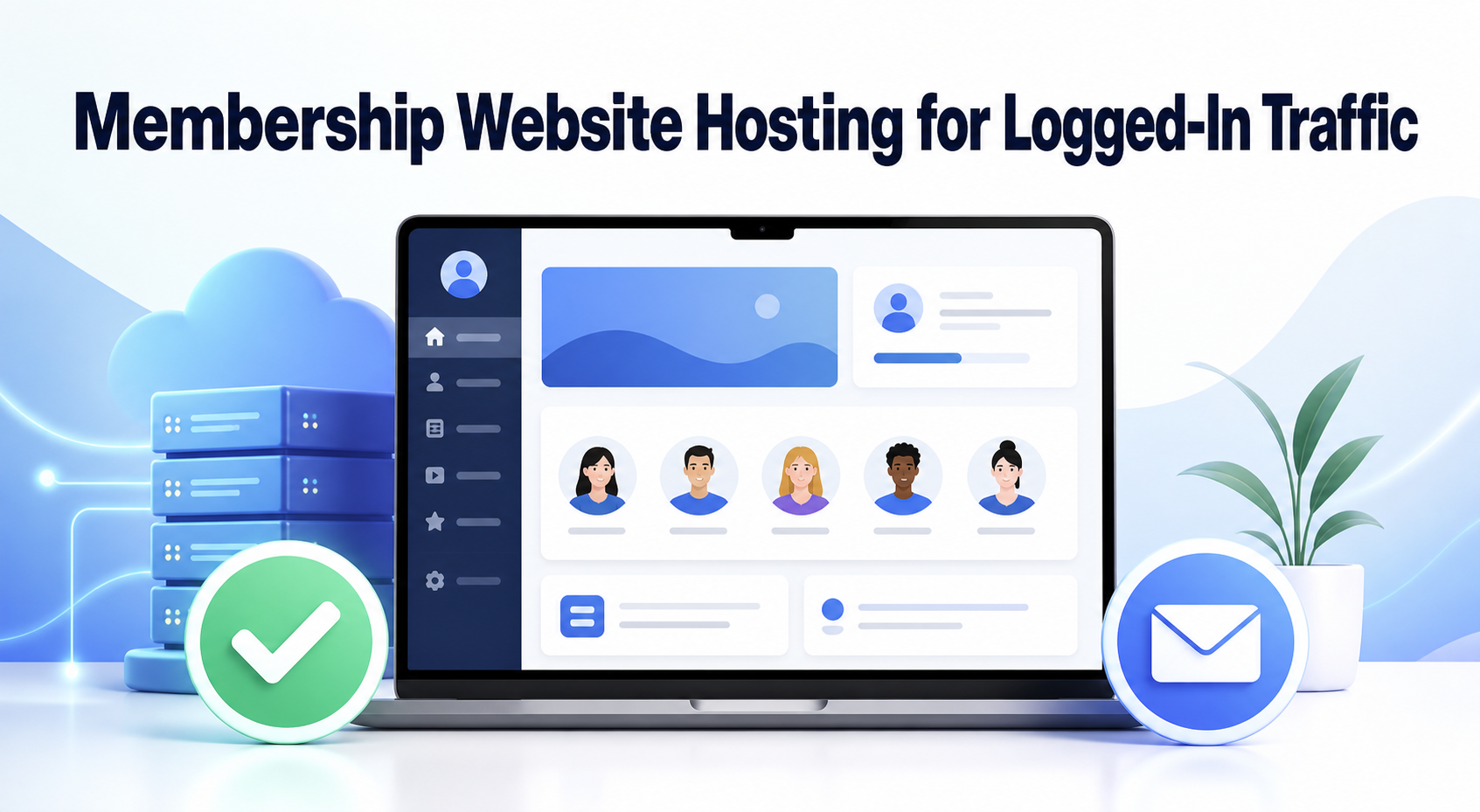
A membership website should be hosted around authenticated work, not monthly page views alone. Public articles and landing pages can often be served from a shared page cache. Member dashboards, protected lessons, profile updates, checkout, renewals and password resets usually need current user-specific data from the application, database or an external service.
That difference changes the buying question. The useful plan is not simply the one with the largest traffic allowance. It is the environment that keeps the complete member journey responsive at the busiest realistic moment, preserves access rules, receives payment events, sends account email, runs scheduled work and restores cleanly after failure.
A member session is the real unit of demand
Monthly visits hide the work that hosting must perform. Ten thousand anonymous reads spread across a month may be easier than 150 members arriving after a live class, opening personalized dashboards and downloading protected resources within five minutes.
Start by listing the paths that create or change business state. A public visitor reading a landing page is not equivalent to a member signing in, a card renewal changing access or a password-reset message leaving the site. Each path needs its own success condition.
| Member journey | What must stay current | Useful proof | Business failure if it breaks |
|---|---|---|---|
| Public browse | Published pages and assets | Fast response with expected cache headers | Acquisition pages feel slow |
| Login and recovery | Identity, session and reset token | Correct account opens; reset email arrives once | Member cannot enter |
| Protected content | Entitlement and user-specific state | Two accounts see only their allowed content | Access leaks or legitimate access fails |
| Signup or upgrade | Form, payment and membership creation | One completed test produces one correct account state | Revenue or access is lost |
| Renewal webhook | Gateway event and subscription state | Event is acknowledged and state converges | Paying member is removed or unpaid access remains |
| Scheduled lifecycle work | Expiry, reminders, reports and cleanup | Job finishes within its promised window | Access and communication drift |
Roles matter here, but role names alone do not prove membership entitlement. WordPress core roles describe platform capabilities, while a membership plugin may add levels, rules or subscriptions. Use WordPress role and capability guidance to separate administrator authority from ordinary member access before writing a load test.
Measure demand before comparing plans
Hosting specifications become useful only after they are connected to an observed or forecast workload. Avoid universal statements such as “every membership site needs 8 GB of RAM.” Plugin behavior, theme work, queries, media delivery, external APIs and peak concurrency can change the answer dramatically.
Peak signed-in concurrency beats monthly traffic
Record the busiest credible 5- or 15-minute window: a course release, community event, renewal batch, email campaign or deadline. Estimate how many people will be signed in simultaneously and which actions they perform. Distinguish readers from members uploading files, searching, completing quizzes or changing subscriptions.
When the site already exists, measure application latency, database time, PHP worker usage, CPU, memory, error rate and queue delay during that window. If requests wait even while the server appears partly idle, WordPress PHP-FPM saturation diagnosis explains why worker availability can be the limiting boundary rather than total CPU percentage.
Separate storage volume from working load
A video library may dominate storage and transfer without creating much PHP work when media is delivered from object storage or a CDN. Conversely, a modest content library can generate heavy database and application work when every page is personalized. Ask where large files are served from, whether signed URLs or access checks are involved and whether download traffic shares resources with login and checkout.
Database growth also needs a driver. Count members, orders, activity records, messages, quiz attempts or audit events at the retention period the business actually needs. Disk capacity must include the live database, indexes, logs, temporary work and recoverable backups rather than today’s upload folder alone.
Scheduled work belongs in capacity planning
Expirations, renewal reconciliation, reminder email and cleanup may execute outside visible page requests. WordPress explains that WP-Cron does not run continuously; critical timing can justify invoking it from a real system scheduler. Ask a candidate host whether scheduled jobs are available, how overlap is prevented and where failures are visible.
Capacity should cover those jobs without stealing the entire response budget from active members. A plan that feels fast during quiet browsing can still fail when renewals, reports and backups overlap.
Cache public pages without caching identity
Page cache stores a prepared response so WordPress and PHP do not rebuild it for every request. That is powerful for anonymous landing pages, documentation and public articles. It becomes a correctness risk when one member’s personalized response can be served to another user.
Membership plugins therefore document route and cookie exclusions. MemberPress, for example, lists login, account, registration, thank-you and other plugin routes in its cache configuration guidance. Treat the exact plugin’s current documentation as the source of truth rather than copying a generic exclusion list.
Object cache solves a different problem. WordPress normally keeps object-cache values only for one request; a persistent backend can reuse selected data across requests and reduce repeated database work. Review Object Cache Pro scaling evidence when comparing Redis-backed options, but test the real plugin and query workload instead of assuming that installing Redis removes every bottleneck.
Cache acceptance needs two accounts and an anonymous browser. Sign in as members with different entitlements, open the same protected routes, change one account and confirm that neither browser receives stale or cross-account content. Then verify that public pages still receive the intended cache benefit. Fast but incorrect access is a failed test.
Payments and account email are separate dependencies
Recurring access can change after the member has left the website. Stripe describes subscription status through asynchronous webhook events, and its webhook guidance warns that event order is not guaranteed. Hosting must keep the HTTPS endpoint reachable, acknowledge valid events promptly and allow the application to process duplicates safely.
Do not accept “checkout worked once” as subscription proof. Test a successful signup, failed payment, retry or recovery path, cancellation and renewal in the gateway’s supported test mode. Match gateway event IDs to membership state and confirm that one event does not create two orders or contradictory access.
Account email forms another independent chain. Password resets, verification links, receipts and renewal notices need an authenticated sending domain, a delivery provider or mail service, bounce visibility and a monitored reply path. Postmark’s deliverability guidance explains the roles of SPF, DKIM and DMARC, but DNS authentication is only one layer; the application must also queue, submit and observe each important message.
For login surfaces, individual accounts, multi-factor authentication, rate controls and monitored recovery reduce both abuse and support risk. WordPress brute-force protection steps provide a deeper control set. Hosting evaluation should name who configures those controls and who responds when legitimate members are blocked.
Choose an operating model before choosing a plan size
Shared hosting, managed WordPress and a self-managed VPS can all run some membership workloads. The difference is which limits are visible, which controls are available and who owns failures. A small community with predictable activity may fit a carefully configured shared or managed plan; a customized platform with sustained authenticated concurrency may need isolated resources and deeper operational control.
| Operating model | Good fit when | Evidence to request | Responsibility warning |
|---|---|---|---|
| General shared hosting | Load is modest, plugin stack is supported and cache/job rules are configurable | Worker or concurrency limits, scheduler access, backup/restore scope, escalation path | Neighbor limits and hidden throttles may constrain diagnosis |
| Managed WordPress | Team wants WordPress-specific cache, staging, monitoring and support boundaries | Dynamic-route exclusions, Redis/object cache, restore test, performance data, plugin policy | “Managed” may stop at infrastructure and exclude plugin code or business workflows |
| Self-managed VPS | Team needs isolation, custom services and full observability | Measured CPU/RAM/disk envelope, monitoring, patching, backup and recovery ownership | Buyer owns operating-system security and incident response unless separately managed |
Use WordPress hosting buyer criteria to compare broader support, growth and management questions. For the specific shortlist in this article, a provider should expose cache policy, staging, monitoring, backup and restore terms. Current WordPress hosting features for caching, staging, monitoring and backups show one live offer that can be tested against those requirements.
Price the whole responsibility boundary. A cheaper plan can be expensive when the team must investigate renewals, restore data or tune PHP without access to logs. A higher managed fee can still be poor value when support excludes the plugin and database work that dominates the member journey.
Rehearse the workload before launch or migration
A useful rehearsal combines anonymous traffic, signed-in sessions and business events. Use staging when it mirrors production dependencies, or schedule a controlled production window when payment, cache or email behavior cannot be reproduced safely elsewhere.
- Freeze the plugin, theme, PHP and cache configuration used for the test.
- Create representative accounts with different membership levels and no real personal data.
- Exercise public browse, login, protected content, account update and logout at expected peak concurrency.
- Run supported payment scenarios and confirm webhook-to-membership convergence.
- Trigger password reset, receipt and renewal messages; verify submission, delivery and bounce visibility.
- Observe application latency, error rate, PHP workers, database time, CPU, memory and scheduled-job delay together.
- Restore a matched files-and-database recovery point and repeat one member journey.
WordPress backup guidance treats files and database as one recoverable site. For a business acceptance target, website RTO and RPO planning helps define how much member-state loss and service restoration time are tolerable.
Set pass/fail boundaries before the run. Useful examples are completed signup, correct access, no cross-account cache leak, acknowledged webhook, delivered reset email, bounded response latency, zero application errors and a restore that reaches a useful transaction. Percentile latency and concurrency thresholds must come from the business promise and measured baseline, not a copied benchmark.
FAQ: Questions buyers ask before signing
Is shared hosting always wrong for a membership website?
No. Shared hosting can suit a small, measured membership workload when the platform supports required plugins, correct cache exclusions, scheduled jobs, backups and an escalation path. Reject it when hidden worker limits, missing observability or unsupported dynamic routes prevent the buyer from proving the member journey.
Why are logged-in users harder to cache?
Logged-in responses can contain identity, entitlement and account-specific data. Serving one shared full-page response can therefore be incorrect or unsafe. Public pages may still use page cache, while protected routes need plugin-defined exclusions and can benefit from object caching or optimized database work.
Does a CDN solve membership-site performance?
A CDN can accelerate static assets and cacheable public pages, but it does not eliminate PHP, database, authentication, webhook or scheduled-job work. Measure the authenticated origin path separately before treating CDN speed as proof of member capacity.
Which hosting metric matters most for a membership site?
No single metric is sufficient. Combine peak signed-in concurrency, end-to-end response latency, application error rate, PHP-worker waiting, database time, scheduled-job delay and completed business events such as signup or renewal.
Should payment webhooks bypass page cache?
Yes. Payment webhook endpoints must reach the application and should not receive an anonymous cached page. Follow the payment gateway and membership plugin’s current endpoint guidance, validate signatures and make duplicate delivery safe.
How should a buyer test membership hosting before launch?
Run representative anonymous and signed-in journeys at a credible peak, then test payment events, transactional email, scheduled work and a matched files-and-database restore. Approve the host only when every predeclared business and technical boundary passes.
Keep one renewable hosting decision record
The final evidence sheet should name the tested configuration, peak signed-in workload, member journeys, cache exclusions, payment and email dependencies, scheduled jobs, observed limits, recovery result, responsible owner and next review trigger.
Reopen the decision when concurrency, plugin behavior, content delivery, renewal volume, business tolerance or provider limits change. A membership site does not need the largest plan by default. It needs a measured environment whose complete member journey stays correct, observable and recoverable.