Lifetime VPS Europe
 Lifetime VPS Asia
 Lifetime WooCommerce Hosting
 Lifetime Hosting
 Lifetime Game Dedicated Servers
 Chicago, US
 Tokyo, Japan
 Singapore
 Hong Kong
 Seoul, South Korea
 Amsterdem, Netherlands
 London, UK
 Stockholm, Sweden
 Oslo, Norway
 Vienna, Austria
 Zurich, Switzerland
 Sydney, Australia
 Wordpress Hosting
 VPS Hosting
 DDOS Protection
 Submit Ticket
 Full Management
 Guides
 Videos and Podcasts
 Discover Creative Ideas
 Voxfor Autonomous AI Workers
 Voxfor Mega Menu
 Voxfor Advanced Price Management For WooCommerce
 Voxfor Secure Live Chat and AI Support
 Voxfor Multilanguage
 Voxfor AI Content Summary
 Voxfor Autopilot
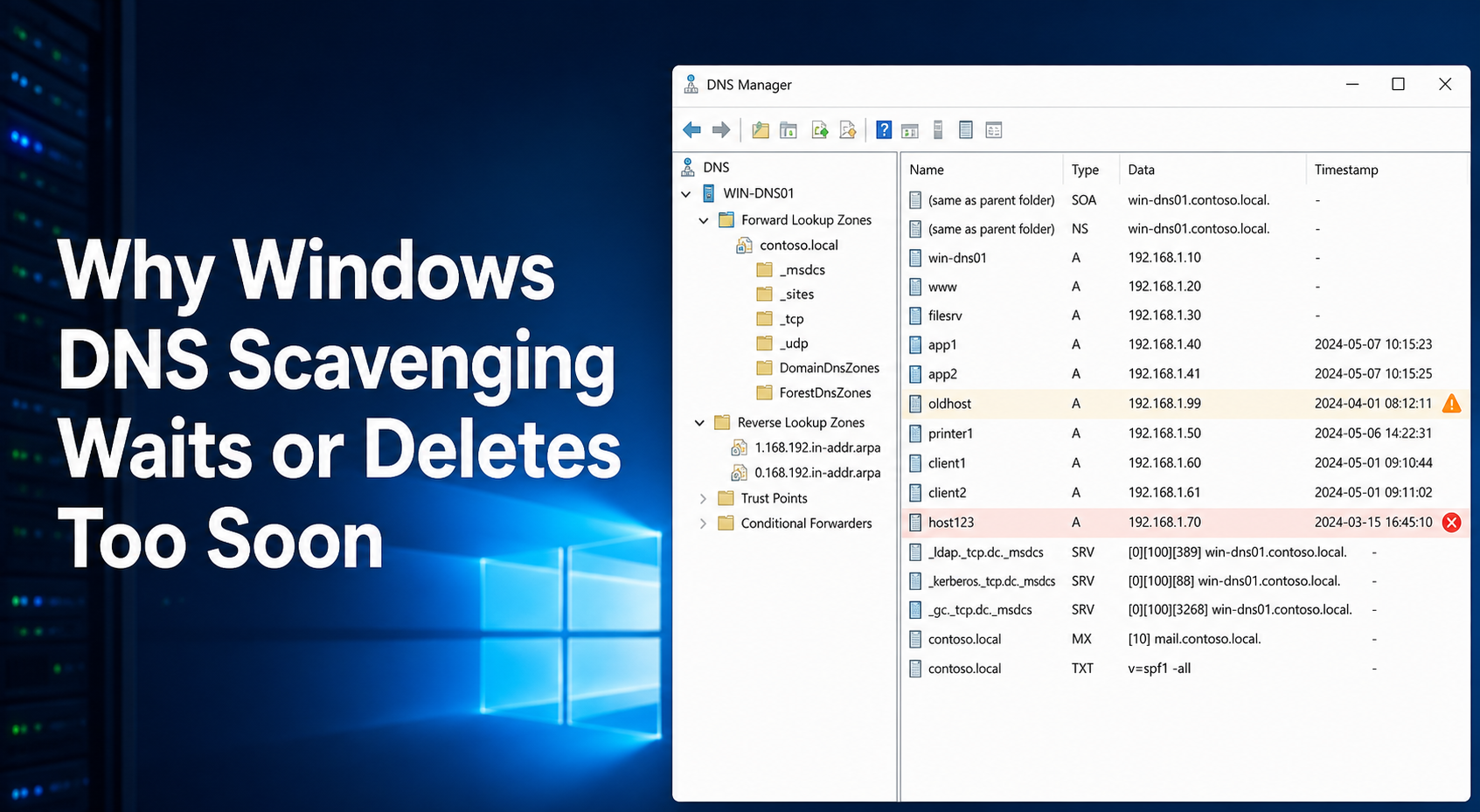
Windows DNS scavenging does not delete a record merely because it looks old in DNS Manager. A dynamic record must first become eligible under its zone’s no-refresh and refresh intervals, and then a designated DNS server must complete a scavenging cycle. When active records disappear, the usual inverse is true: the system expected a client or DHCP server to refresh the timestamp, but that owner did not act before the eligibility window closed.
That distinction explains both complaints. “It has been two weeks” is not enough evidence for delayed cleanup, and “the computer is online” is not enough evidence that its DNS record refreshed. Read the record, zone, server, and registration owner as one chain before changing a timer.
One timestamp creates two different deadlines
Microsoft’s current DNS aging and scavenging documentation defines three clocks. The no-refresh interval suppresses timestamp-only refreshes to reduce directory replication. The refresh interval then allows a valid refresh. After both intervals have elapsed, the record is eligible for scavenging. A separate server period determines when the scavenger visits eligible records.
Use this equation for a dynamic record:
eligible after = record timestamp + no-refresh interval + refresh interval
Suppose pc-042 received a timestamp at 09:00 UTC on July 1. With seven-day no-refresh and seven-day refresh intervals, it cannot become stale before 09:00 UTC on July 15. That is the eligibility boundary, not a deletion appointment. If the designated server finished its previous scan on July 14 and scans every seven days, the record may remain until the next completed cycle around July 21.
| Evidence layer | Example observation | Earliest defensible conclusion |
|---|---|---|
| Record | Timestamp: July 1, 09:00 UTC | The calculation starts here |
| Zone | No-refresh: 7 days; refresh: 7 days | Eligible after July 15, 09:00 UTC |
| Server | Last completed cycle: July 14; period: 7 days | Deletion may wait for the next cycle |
The total apparent delay can therefore approach the two zone intervals plus almost one server interval. Defaults often produce an observation near 21 days, although configuration, restart history, and replication safety can extend it. Do not convert that example into a universal SLA.
A timestamp of zero has different semantics. Microsoft says manually created records normally have timestamp zero and are not subject to aging or scavenging. Zero does not mean “ancient.” It usually means static. Converting static records to dynamic eligibility without identifying their owner can remove infrastructure records that nobody is prepared to recreate.
FAQ: Resolve the timing paradox first
Why is a stale Windows DNS record still present after 14 days?
Fourteen days may only make it eligible when the zone uses the common seven-day plus seven-day intervals. Deletion still waits for a designated server to complete a scavenging cycle, and replication safety may postpone that cycle.
Can Windows DNS scavenging delete a record for a computer that is online?
Yes. Reachability does not update a DNS timestamp by itself. If the DNS client, DHCP server, or another registration owner fails to refresh the record within the combined window, the record can become eligible while the endpoint is still active.
Does timestamp zero mean the record is overdue for deletion?
No. Timestamp zero normally identifies a static record that is ineligible for aging and scavenging. Confirm who owns it before changing that status.
Does enabling aging on the zone immediately delete old records?
No. Zone aging defines eligibility. Server scavenging must also be enabled on a designated DNS server, its safety conditions must be satisfied, and a cycle must run.
Are DNS Server events 2501 and 2502 failures?
No. Microsoft’s setup guidance uses event 2501 to show that a cycle completed and deleted at least one record. Event 2502 shows that a cycle completed but deleted none. Both are useful receipts.
Should scavenging run on every domain controller?
Not for an AD-integrated zone. Microsoft states that one server is sufficient because the resulting zone changes replicate. A small, explicit owner set makes timing and incident attribution easier.
Will a manual scavenging run fix the policy?
No. A manual run can process records already eligible under the current settings; it does not correct an absent refresh owner, an unsafe interval, replication trouble, or a static timestamp. Diagnose first.
Collect a three-layer evidence packet without changing DNS
Run the DnsServer module from an administrative PowerShell session that can query the intended DNS server. Replace the example names; keep real internal zones and hostnames out of public tickets.
$DnsServer = 'dns01.corp.example'
$Zone = 'corp.example'

Get-DnsServerScavenging -ComputerName $DnsServer |
  Format-List ScavengingState,ScavengingInterval,LastScavengeTime

Get-DnsServerZoneAging -ComputerName $DnsServer -Name $Zone |
  Format-List AgingEnabled,NoRefreshInterval,RefreshInterval,AvailForScavengeTime
The official cmdlet references describe the first object as server aging and scavenging settings; the zone-aging cmdlet applies to primary zones. Preserve the raw output and collection time rather than copying only the checkbox state.
Then inspect the affected record. The resource-record cmdlet returns hostname, type, TTL, timestamp, and record data:
Get-DnsServerResourceRecord `
  -ComputerName $DnsServer `
  -ZoneName $Zone `
  -Name 'pc-042' |
  Select-Object HostName,RecordType,Timestamp,TimeToLive,RecordData
Finally, read completed-cycle evidence from the DNS Server event log:
Get-WinEvent -ComputerName $DnsServer -FilterHashtable @{
  LogName = 'DNS Server'
  Id      = 2501,2502
} -MaxEvents 10 |
  Select-Object TimeCreated,Id,Message
Microsoft’s 2026 setup guidance calculates the next expected cycle from the most recent 2501 or 2502 event plus the server interval. A missing recent event shifts the investigation from record eligibility to server execution, service uptime, configuration ownership, and directory replication.
Avoid judging an internal AD zone with public resolvers. DNSSEC SERVFAIL diagnosis belongs to public validation chains; authoritative traffic steering and TTL behavior solve another layer. State which DNS namespace and server answered before comparing results.
Find who is supposed to refresh the record
The timestamp tells when Windows accepted a dynamic update, not which component will perform the next one. Map ownership for the affected record type and subnet.
For a workstation using client registration, confirm the endpoint’s DNS suffix, adapter registration setting, secure-channel health, and the DNS servers it actually queries. Microsoft notes that Windows clients normally attempt registration at startup and at a default 24-hour refresh cadence. A combined scavenging window shorter than the real registration cadence creates deletion risk.
For DHCP-owned records, inspect whether the DHCP server updates A records, PTR records, or both; whether credentials support secure dynamic updates; and whether failover partners share the same update identity. A lease renewal is not proof that DNS accepted a refresh. Correlate DHCP audit evidence with the record timestamp.
Static servers, load balancers, appliances, and manually managed aliases need an explicit owner. Their timestamp-zero records should normally remain static unless a tested automation path will refresh them. Reverse zones also require separate review; a healthy A record does not prove its PTR record shares the same owner or timestamp.
This is also the boundary between internal directory DNS and public-zone control. Use certificate DCV and authoritative-zone checks when the dispute concerns a public name or delegated provider, not an AD-integrated scavenging decision.
Replication adds a safety constraint. Microsoft’s scavenging troubleshooting guidance explains that a DNS server which has been offline or has not received recent directory replication may be prevented from scavenging. Do not bypass that protection to make cleanup happen faster; restore and verify AD replication first.
Change one interval only after a shadow review
Export or otherwise preserve the zone and current settings through the organization’s approved backup process before a live policy change. Follow a documented Windows maintenance and rollback window so DNS, DHCP, and Active Directory owners know who can stop the change. Confirm that usable Windows backup evidence exists rather than treating a configured job as a restore guarantee.
Build a shadow candidate list first: records that would be eligible under the proposed intervals, their timestamp, type, data, subnet or system owner, and current reachability or lease evidence. Sample active endpoints, offline endpoints, DHCP registrations, reverse records, and static timestamp-zero records. The purpose is to discover false positives before the policy can delete them.
Change only one ownership layer at a time. If refresh is broken, repair the client or DHCP update path and watch timestamps advance before shortening cleanup windows. If eligibility is correct but no cycles complete, repair the designated server’s scavenging execution and replication health without rewriting zone intervals. If the intervals are genuinely wrong, stage them on a controlled zone or approved window and retain the exact previous values.
Acceptance requires more than one missing stale record. Over at least one complete refresh-and-scan window, preserve these receipts:
- repeated 2501 or 2502 cycle events at the expected cadence;
- active dynamic records refreshing before eligibility;
- approved stale records becoming eligible and then disappearing;
- static timestamp-zero records remaining intact;
- forward and reverse behavior matching documented ownership;
- clean AD replication and no surge in name-resolution incidents.
Validate the change over several cycles and confirm that the refresh owner and scavenging owner both behave repeatedly. Roll back the changed interval if active records approach eligibility without refresh, replication becomes unhealthy, or the deletion set exceeds the reviewed candidate list. Browse broader Windows operations guidance after this incident; for this change, the decisive artifact is the record-level receipt linking timestamp, eligibility, cycle, and owner.