Lifetime VPS Europe
 Lifetime VPS Asia
 Lifetime WooCommerce Hosting
 Lifetime Hosting
 Lifetime Game Dedicated Servers
 Chicago, US
 Tokyo, Japan
 Singapore
 Hong Kong
 Seoul, South Korea
 Amsterdem, Netherlands
 London, UK
 Stockholm, Sweden
 Oslo, Norway
 Vienna, Austria
 Zurich, Switzerland
 Sydney, Australia
 Wordpress Hosting
 VPS Hosting
 DDOS Protection
 Submit Ticket
 Full Management
 Guides
 Videos and Podcasts
 Discover Creative Ideas
 Voxfor Autonomous AI Workers
 Voxfor Mega Menu
 Voxfor Advanced Price Management For WooCommerce
 Voxfor Secure Live Chat and AI Support
 Voxfor Multilanguage
 Voxfor AI Content Summary
 Voxfor Autopilot
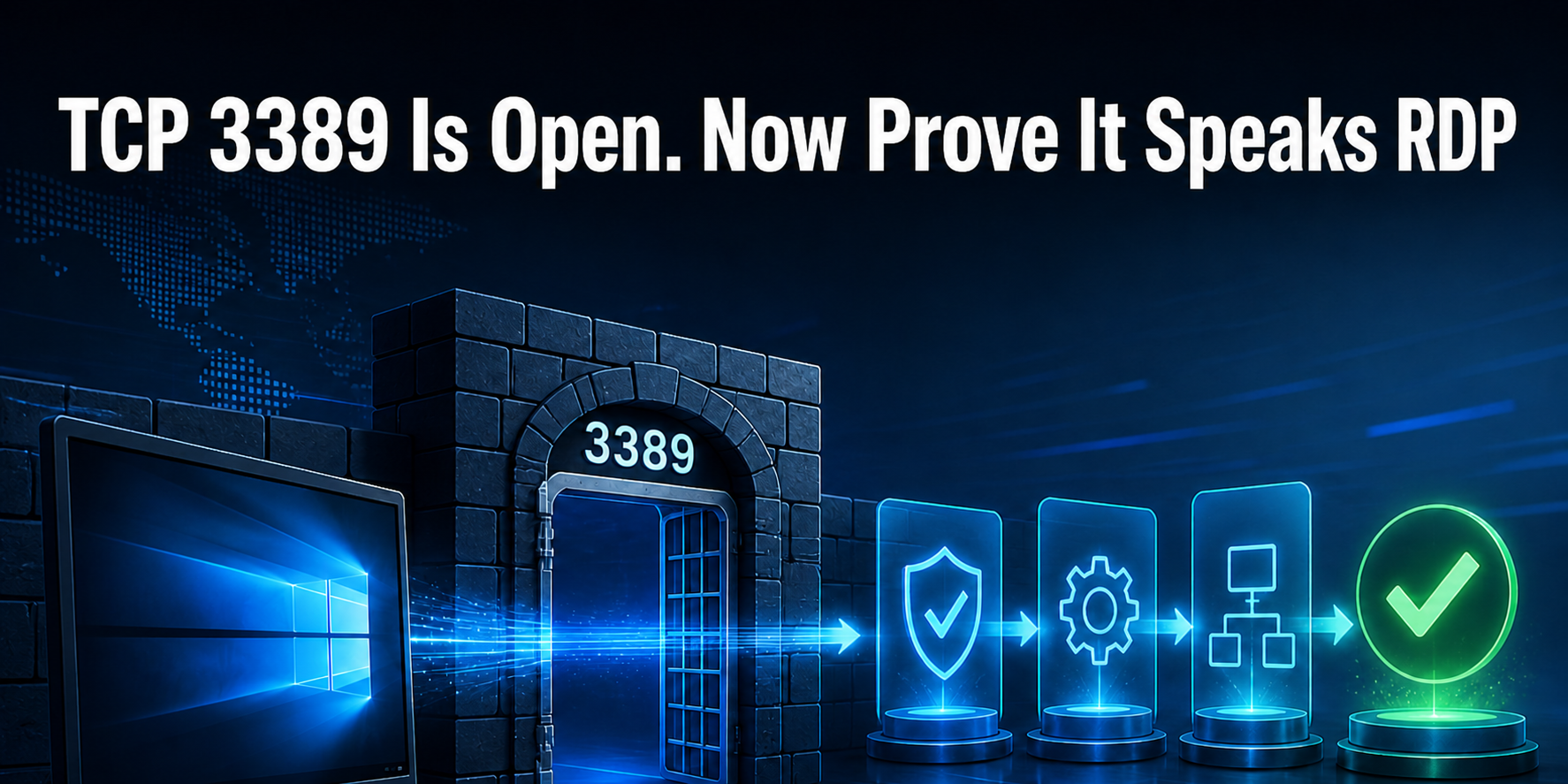
A successful connection to TCP 3389 proves one narrow fact: the tested network path completed a TCP handshake with a listener. It does not prove that the listener speaks Remote Desktop Protocol (RDP), that an acceptable security layer can be negotiated, that the certificate matches the name, or that a user can authenticate to the intended Windows session host.
The reproduced lab makes that limit visible by opening two sockets. Both pass nc -z, but only one answers as RDP. Nmap then separates service identity from supported security paths without opening a desktop, trying a password or changing the RDP service.
This is an external readiness check for an operator who already has permission to test the endpoint. It is not a public-internet scanning recipe, a password-spraying workflow or a replacement for Windows-side listener, policy and session-host checks.
Read an Open TCP Result Narrowly
An external RDP protocol check is a chain of three independent gates:
- TCP reachability: the client can complete a handshake to the chosen host and port.
- RDP service identity: the listener responds like RDP rather than an unrelated process bound to the same port.
- Security negotiation: the endpoint and client can negotiate the required TLS, RDSTLS or CredSSP/Network Level Authentication (NLA) path.
Each green gate supports only the next question. Authentication, authorization and desktop creation remain later gates outside this lab. Even Nmap’s service label is not an operating-system receipt: in this lab, -sV called an xrdp 0.10.1 Linux fixture “Microsoft Terminal Service” and emitted a Windows CPE guess. That output correctly recognized RDP-like behavior, but the product/OS label remained a heuristic.
Microsoft’s current Remote Desktop connection troubleshooting separates protocol enablement, services, listener state, certificate state and port ownership on Windows Server. The external receipt below complements that server-side sequence; it cannot replace it.
Build Two Listeners Without Touching RDP
The controlled environment used Debian 13, Nmap 7.95, Python 3.13.5 and an already-running xrdp 0.10.1 listener on loopback port 3389. The second listener is a disposable Python HTTP server on 33989. Nothing restarts, reconfigures or writes into xrdp.
Run the blocks in one Bash session on a host you own. For a remote Windows endpoint, change target_host and rdp_port, perform the probe from the same network vantage point as the affected user, and keep the decoy only in a separate owned lab. The existing Windows VPS RDP setup and console recovery guide covers the server-side enablement path this external lab deliberately leaves unchanged.
set -Eeuo pipefail
lab_root=/tmp/voxfor-rdp-readiness-169
target_host=127.0.0.1
rdp_port=3389
decoy_port=33989
test ! -e "$lab_root"
for tool in nmap nc ss python3; do
  command -v "$tool" >/dev/null
done
install -d -m 0700 "$lab_root"
printf '%s\n' voxfor-rdp-readiness-169 >"$lab_root/.owner-marker"
nmap --version | sed -n '1p'
python3 --version
Start the non-RDP control on loopback, persist its PID and confirm that the process command line belongs to this marker-owned directory.
python3 -m http.server "$decoy_port" \
  --bind "$target_host" --directory "$lab_root" \
  >"$lab_root/decoy.log" 2>&1 &
decoy_pid=$!
printf '%s\n' "$decoy_pid" >"$lab_root/decoy.pid"
sleep 1

test -r "/proc/$decoy_pid/cmdline"
tr '\0' ' ' <"/proc/$decoy_pid/cmdline" \
  | grep -F "python3 -m http.server $decoy_port"
Record who owns both listeners. On the test host, this proves the negative control is Python and the real fixture is xrdp; it does not expose either port beyond its existing bind address.
ss -ltnp "( sport = :$rdp_port or sport = :$decoy_port )" \
  | tee "$lab_root/listeners.txt"
grep -q ":$rdp_port" "$lab_root/listeners.txt"
grep -q ":$decoy_port" "$lab_root/listeners.txt"
Make Both Ports Pass the TCP Test
Netcat asks only whether a TCP connection can be established. It does not send enough RDP protocol data to identify the service.
{
  nc -zvw2 "$target_host" "$rdp_port"
  nc -zvw2 "$target_host" "$decoy_port"
} 2>&1 | tee "$lab_root/tcp.txt"
test "$(grep -c 'succeeded' "$lab_root/tcp.txt")" -eq 2
Two successful lines are the counterexample. If a monitoring rule translates either line into “Remote Desktop is ready,” the rule is claiming more than its input proves. Port reachability remains useful for locating a firewall, route, NAT or listener failure; it is simply not a complete application check.
Firewalls also answer a different question from session usability. Opening 3389 broadly is unnecessary for this test and increases exposure. Keep RDP behind an approved VPN, gateway or restricted source policy, and preserve console access before maintenance. The tested RDP return path used during Windows Server patching shows why fallback access belongs in the change plan rather than in an emergency after the port disappears.
Ask the Listener to Speak RDP
Nmap version detection sends service-specific probes. Compare both sockets in one run so the same tool, host and time window produce the positive and negative results.
nmap -Pn -p "$rdp_port,$decoy_port" -sV --version-light \
  "$target_host" | tee "$lab_root/services.txt"
grep -Eq "${rdp_port}/tcp[[:space:]]+open[[:space:]]+ms-wbt-server" \
  "$lab_root/services.txt"
! grep -Eq "${decoy_port}/tcp[[:space:]]+open[[:space:]]+ms-wbt-server" \
  "$lab_root/services.txt"
In the observed run, 3389 became ms-wbt-server while 33989 became Python SimpleHTTPServer. The probe therefore closed the service-identity gap that nc left open. Do not copy the inferred OS or CPE into an asset inventory without corroboration; xrdp intentionally implements RDP on Linux, and service detection identified protocol behavior rather than the actual host operating system.
Nmap’s older general tutorials can help operators learn discovery syntax, but the service-specific conclusion should come from the protocol response. The official rdp-enum-encryption NSE documentation classifies the next probe as safe and discovery and explains that it cycles through RDP security layers and ciphers.
Negotiate Security Without Opening a Desktop
Run the security-layer script against each port. The decoy should remain merely unknown; the RDP fixture should return an rdp-enum-encryption section.
{
  nmap -Pn -p "$rdp_port" --script rdp-enum-encryption "$target_host"
  nmap -Pn -p "$decoy_port" --script rdp-enum-encryption "$target_host"
} | tee "$lab_root/security.txt"

grep -q 'rdp-enum-encryption:' "$lab_root/security.txt"
grep -q 'CredSSP (NLA): SUCCESS' "$lab_root/security.txt"
grep -q 'RDSTLS: SUCCESS' "$lab_root/security.txt"
grep -q 'SSL: SUCCESS' "$lab_root/security.txt"
Here, SUCCESS means that the tested negotiation path is supported. It does not mean a user authenticated, a certificate name matched, or NLA is mandatory. In fact, the same fixture also accepted Native RDP during enumeration, so this output would fail a hypothetical “NLA only” policy even though CredSSP succeeded.
That distinction resembles the lesson in SMB signing negotiation tests: supported, enabled and required are different states. Define the security contract first, then interpret the advertised paths against it.
Certificate acceptance needs its own evidence. This enumeration reports supported security paths; it does not validate certificate trust or hostname. A production client should use the real DNS name and validate the certificate chain and hostname. When the certificate on disk and the certificate served on the wire disagree, follow the live TLS endpoint mismatch workflow instead of clearing warnings blindly.
Verify the Stage Receipt, Then Clean the Lab
Machine-check the central claims rather than reading colored terminal output by eye. Each assertion maps to a different operator decision.
python3 - "$lab_root" "$rdp_port" "$decoy_port" <<'PY' \
  | tee "$lab_root/verification.txt"
from pathlib import Path
import re, sys

root = Path(sys.argv[1])
rdp_port, decoy_port = sys.argv[2:4]
tcp = (root / "tcp.txt").read_text()
services = (root / "services.txt").read_text()
security = (root / "security.txt").read_text()

checks = {
    "both_tcp_ports_accept_connections": tcp.count("succeeded") == 2,
    "real_port_identified_as_rdp": bool(re.search(
        rf"{rdp_port}/tcp\s+open\s+ms-wbt-server", services)),
    "decoy_port_not_identified_as_rdp": not re.search(
        rf"{decoy_port}/tcp\s+open\s+ms-wbt-server", services),
    "rdp_security_layer_negotiated":
        "CredSSP (NLA): SUCCESS" in security and "SSL: SUCCESS" in security,
}
for name, passed in checks.items():
    print(f"{name}={'yes' if passed else 'no'}")
if not all(checks.values()):
    raise SystemExit(1)
print("result=stage_receipt_complete")
PY
The following is representative output from the complete reproduced sequence. Volatile timestamps, PIDs and host-specific certificate details are omitted; the decisions are not normalized or invented.
both_tcp_ports_accept_connections=yes
real_port_identified_as_rdp=yes
decoy_port_not_identified_as_rdp=yes
rdp_security_layer_negotiated=yes
result=stage_receipt_complete
TCP accepted: real RDP port=yes, decoy HTTP port=yes
Service identity: real port=ms-wbt-server, decoy port=http
Security paths: CredSSP/NLA=yes, RDSTLS=yes, SSL=yes
The endpoint has passed this external protocol gate when both sockets accept TCP but only the intended port is identified as RDP; the RDP port returns the required security-layer evidence; every machine assertion prints yes; and the result ends with stage_receipt_complete. Promote only the claims actually checked—this receipt does not prove certificate trust, authentication, authorization or a usable desktop session.
Stop the owned decoy by verifying its PID and command line, then remove only files under the exact marker-owned directory.
test "$(cat "$lab_root/.owner-marker")" = voxfor-rdp-readiness-169
decoy_pid=$(cat "$lab_root/decoy.pid")
test -r "/proc/$decoy_pid/cmdline"
decoy_command=$(tr '\0' ' ' <"/proc/$decoy_pid/cmdline")
[[ "$decoy_command" == *"python3 -m http.server $decoy_port"* ]]
[[ "$decoy_command" == *"$lab_root"* ]]
kill "$decoy_pid"
wait "$decoy_pid" 2>/dev/null || true
find "$lab_root" -mindepth 1 -maxdepth 1 -type f -delete
rmdir "$lab_root"
test ! -e "$lab_root"
printf 'cleanup_scope=%s absent=yes\n' "$lab_root"
If any stage fails, stop there and preserve the command, vantage point, target name/port, timestamp and first failing output. This lab changes no RDP setting, so rollback consists only of terminating the verified decoy PID and removing its marker-owned directory. For a separate production repair, keep the current Windows configuration until console or alternate access exists, back up the owning policy or certificate state, change one owner, and rerun the receipt from TCP through the repaired boundary before attempting a real session.
Route the First Failure to Its Owner
TCP fails: the likely owners are routing, firewall, NAT, security group or listener bind state. Compare internal and user-side vantage points before editing Windows authentication policy.
TCP passes but RDP identity fails: confirm that the correct process owns the configured listener port. An HTTP server, proxy health endpoint or stale forwarding rule can accept the handshake without speaking RDP.
RDP identity passes but required security negotiation fails: inspect Windows RDP security policy, the served certificate, client compatibility and any intervening gateway. Do not loosen NLA or trust rules just to turn the probe green.
Protocol checks pass but a real login fails: the external receipt has ended. Move to certificate trust, CredSSP policy, gateway behavior, domain reachability, group membership, SeRemoteInteractiveLogonRight, deny rights, licensing and session-host health without claiming the port test covered them.
A session connects but freezes under load: readiness has passed and a different network-quality intent begins. Small probes can survive while larger RDP traffic fails across a tunnel; the WireGuard MTU black-hole workflow demonstrates that boundary. Measure route, direction and time with repeatable VPS network-speed tests before blaming authentication.
RDP Readiness Questions
Does an open TCP 3389 port prove Remote Desktop is working?
No. It proves that one TCP handshake reached a listener on that path. Service detection, RDP security negotiation and an approved authentication or session check are separate gates.
What does ms-wbt-server in Nmap output prove?
It means Nmap observed behavior consistent with an RDP service. The label does not prove the host runs Windows, that the desktop stack is healthy or that a user can authenticate; the reproduced Linux xrdp fixture received the same label.
Does CredSSP (NLA): SUCCESS mean NLA is required?
Not by itself. rdp-enum-encryption cycles through supported paths, so success shows that CredSSP negotiation worked. If Native RDP also succeeds, the output does not support an NLA-only claim; compare the results with the required policy and verify server configuration.
Does successful security negotiation prove certificate trust?
No. The enumeration shows which RDP security paths the listener supports. Production acceptance still needs a real client connection by the intended DNS name that validates certificate chain, hostname and change history.
What if RDP uses a port other than 3389?
Substitute the actual listener port in every TCP, service-detection and security-layer command. Port 3389 is the default, not part of the RDP protocol identity, so changing the port does not remove the need for later gates.
Should I test multiple usernames when authentication fails?
Do not spray accounts. Use one approved synthetic or monitoring identity, understand lockout and alerting policy, and stop after the expected result. Repeated failures create risk and add little evidence about the protocol path.
Attach the First Failed Gate to the Ticket
A useful escalation contains the probe vantage point, target DNS name and port, timestamp, Nmap version, the last green stage and the first failed output. It avoids a vague “RDP is down” label when the evidence already identifies network, listener or security ownership.
Keep the conclusion narrow: an open port proves reachability, service detection proves RDP-like protocol behavior, and security negotiation proves supported paths. Certificate trust, authentication, authorization, a real desktop session and acceptable user experience remain later tests.