
Price is rarely the issue if tools for passwords, automation, monitoring, file storage and coding are purchased separately. It is the stack. Bitwarden offers paid personal and per-user business plans, n8n Cloud is per monthly workflow (usage) and Grafana Cloud Pro is a platform fee per month, with usage fees. A VPS does not do that. A VPS is a single server where you select what you want to be hosted.
Self-hosting isn’t “free,” but that doesn’t mean it isn’t an option. It means that the economics are cleaner. One infrastructure bill, a lot more control with your data, and the freedom to run apps in ways that suit your needs. The documentation of n8n is very clear about this: self-hosting gives you the full control, but hosting and maintaining it is yours.
For newbies, the up to date strategy is not to phase out all SaaS tools straight away. Use a lightweight high value app first like Vaultwarden, n8n or Grafana. Then you can add more complicated services such as Nextcloud or Gitea once you have backups, HTTPS and basic monitoring. This incremental strategy allows for self-hosting without stress.
Start with Vaultwarden for secure password management, then expand your VPS with apps like n8n, Grafana, Nextcloud, and Gitea. Voxfor VPS gives you one reliable place to run your self-hosted tools, control your data, and reduce monthly SaaS dependency.
When it comes to pricing, most SaaS tools appear reasonable when you look at them individually, but quite costly when you consider all that you can achieve. Bitwarden offers paid personal and paid per-user business plans, while n8n charges for workflow executions on Cloud plans monthly. Grafana Cloud Pro is available to begin with a monthly subscription and scales up as you use it. Before you’ve even included file storage, team seats, or top-tier support, the monthly bill might begin to seem unorganized and less than worth your while.
There another control problem embedded in the cost problem. They can rely on the roadmap of the other vendor when each tool is deployed on someone else platform; work flows, settings, retention, etc. can often rely on the roadmap of the other vendor. The fact that Nextcloud is a product itself to be hosted on one’s own server or private cloud is why many teams are interested in this.
That’s why this is a topic that’s so important to prospective VPS buyers. A VPS is not simply a “hosting” service. It’s a basic App server that can be used as a private App server. Rather than purchasing multiple services you can deploy multiple services that you run yourself on a single server, and only scale it up when you actually need to.
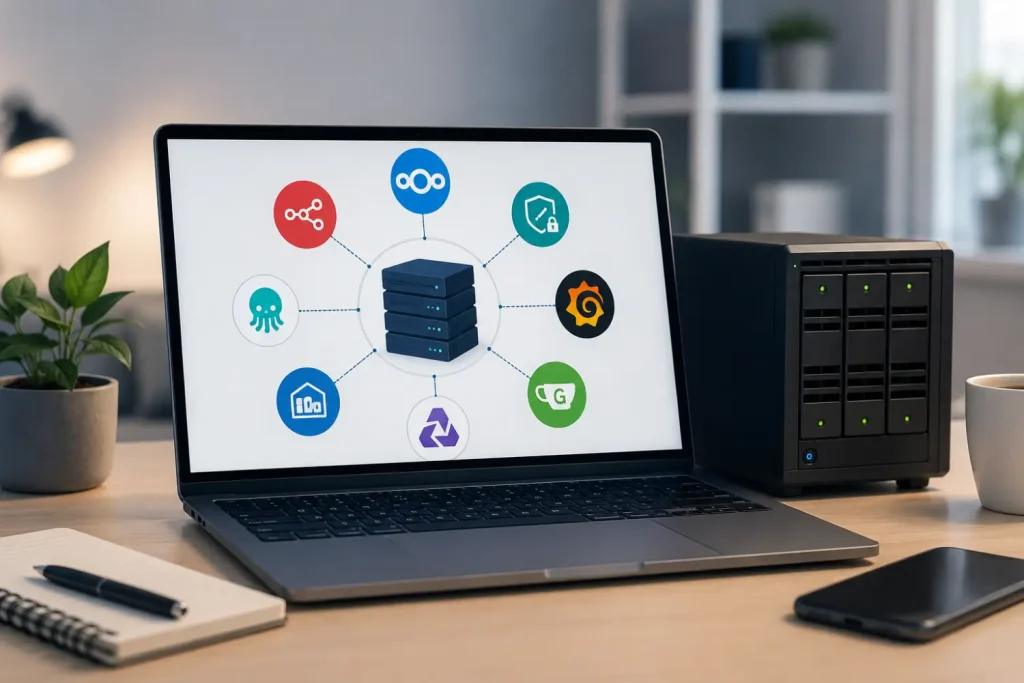
A VPS gives you the basic ingredients self-hosting needs: a server you control, enough isolation for your apps, and a single place to manage storage, networking, and updates. Docker Compose is especially helpful here because it lets you define your services, networks, and volumes in one YAML file and start the stack with a single command. Docker and n8n both recommend Docker-based deployment for clean, isolated setups.
The biggest practical benefit is economic simplicity. SaaS equivalents often bill per user, per execution, or by feature tier. A VPS consolidates those app workloads into one infrastructure plan. On the business side, Voxfor’s VPS hosting page presents that model clearly: you choose a VPS plan, deploy what you need, and scale the server when your needs grow, instead of juggling unrelated software invoices.
The second benefit is privacy and control. n8n says self-hosting gives you full control over deployment and configuration. Nextcloud explicitly frames self-hosting as a way to keep your data on infrastructure you own. Vaultwarden exists for the same reason in the password-manager world: it is a Bitwarden-compatible server designed for self-hosted deployment where the official service may be too heavy or unnecessary for small setups.
The third benefit is consolidation. One VPS can run a password vault, an automation engine, a monitoring dashboard, a private cloud, and a Git service if you size it correctly. For a freelancer, small agency, or developer, that can be a cleaner and more flexible setup than paying for separate SaaS tools that do not really know about each other.
Self-hosting is best done with a clear understanding of the trade-offs. The largest single cost is maintenance. A hosted service means that the vendor will do most of the upgrades, backups and troubleshooting. That is exactly what n8n documentation makes clear: Self-hosting is on your own, and requires technical skills for installation and configuration.
The next compromising is security. Update containers, only open ports you use, secure server with a firewall, and use HTTPS for web apps. The Ubuntu server docs use it as the default firewall, and Caddy documentation explains why it is so popular among newbies: it can automatically provision and renew TLS certificates, and can default to redirecting HTTP to HTTPS. Vaultwarden also suggests HTTPS and reverse proxy since the Web vault is implemented with the Web Crypto API in a secure context.
The third trade off is uptime. In case your website servers are down, you will see your apps are down. Hence, the importance of the basic checklist over fancy tooling. Persist your data, back it up, and monitor the machine. Volumes are recommended by Docker as preferred way to store data persistently within a container, and also are simpler to be backed up or migrated than bind mounts. Similarly, the persistent storage is recommended in Grafana Docker documentation to prevent losing data.
Backups are non-negotiable. Vaultwarden says it strongly recommends regular backups of files and databases. Nextcloud admin manual has full sections for backup and restore, and Gitea includes a built-in dump command to save an installation to a ZIP file for restoration. If you self-host without a backup routine, you are not really saving money. You are just moving risk around.
The best apps to host on VPS are usually the ones that replace a recurring subscription quickly without demanding a lot of hardware on day one. The table below mixes official doc notes with practical beginner sizing. The “practical starter size” column is an editorial estimate for small personal or small-team use, not a vendor guarantee.
| App | What it replaces | Official doc note | Practical beginner starting point |
|---|---|---|---|
| Vaultwarden | Password manager SaaS | Bitwarden-compatible, self-hosted, intended for cases where the official service may be too resource-heavy; HTTPS recommended | 1 vCPU, 512 MB to 1 GB RAM, 5–10 GB SSD |
| n8n | Automation SaaS | Docker is recommended; idle memory can be modest, but workflows determine real usage | 1 vCPU, 1 GB RAM, 10 GB SSD |
| Grafana | Hosted monitoring dashboards | Official minimum recommendation is 1 core and 512 MB RAM | 1 vCPU, 512 MB to 1 GB RAM, 10 GB SSD |
| Nextcloud | Cloud storage and private cloud tools | Memory needs vary; minimum 128 MB RAM per process, 512 MB RAM per process recommended | 2 vCPU, 2–4 GB RAM, storage based on files |
| Gitea | Git hosting SaaS | Official enterprise Docker guide suggests 2–4 GB RAM and 2–4 cores for about 10 users | 2 vCPU, 2 GB RAM for solo use, 4 GB+ for teams |
Vaultwarden is the easiest win for many people because it replaces a very personal SaaS category: passwords. Its project README describes it as an alternative Bitwarden-compatible server written in Rust and designed for self-hosted deployments where the official resource-heavy service may not be ideal. It also documents simple Docker and Compose setups with persistent storage under /data, which makes it a strong first app for a small VPS.
n8n is your automation engine. If you use SaaS automation tools for “when this happens, do that,” n8n is often the point where self-hosting starts to feel genuinely valuable. The official docs recommend Docker for most self-hosting needs, say the product does not typically need large amounts of memory at idle, and emphasize that self-hosting gives you full control over deployment and configuration.
Grafana is the app that makes the rest of your stack safer. Its job is not replacing office software. Its job is giving you visibility. Official Grafana docs recommend a minimum of 512 MB memory and 1 CPU core and show how to keep data persistent with Docker volumes. On a beginner VPS, that makes Grafana one of the cheapest ways to build the habit of watching CPU, RAM, disk, and service health.
Nextcloud is what many people imagine when they say “private cloud.” Nextcloud’s install page explicitly says you can host it on your own server or in your private cloud, and its broader positioning focuses on data control. The trade-off is that it is heavier than the other apps in this list. Official docs say memory requirements vary by users, apps, files, and activity, with a minimum of 128 MB RAM per process and 512 MB RAM per process recommended. In real life, that means you should give Nextcloud more breathing room than Vaultwarden or Grafana.
Gitea is the quiet favorite for developers and small teams who want their own Git service without the overhead of bigger platforms. Gitea describes itself as a self-hosted all-in-one development service that includes Git hosting, code review, collaboration, package registry, and CI/CD. Its Docker docs show how to use /data with named volumes, and Gitea official enterprise guidance gives a useful reality check: even a team of around ten users is sized at 2–4 GB RAM and 2–4 cores.
The simplest beginner checklist looks like this: choose a VPS, install Docker Engine and the Docker Compose plugin, deploy one app, put it behind HTTPS with a reverse proxy, use persistent volumes, set backups, and then monitor everything. That path follows Docker’s recommended installation flow, Docker volumes guidance, Ubuntu’s firewall model, and Caddy automatic HTTPS workflow.
A good beginner roadmap is short and boring on purpose. First, pick a VPS with enough RAM and SSD storage for the first one or two apps you actually need. Next, install Docker from Docker’s repository and add the Compose plugin so updates are easier to manage. Then deploy one app only. After that, add a reverse proxy such as Caddy, attach persistent volumes, schedule backups, and only then start adding more services.
This is the same flow in Mermaid if you want to reuse it in the article body or documentation page:
If you want a practical order, use this one: Vaultwarden first, Grafana second, n8n third, then move to Nextcloud or Gitea when your server has enough headroom. That order gives you quick value, better visibility, and a lower chance of getting overwhelmed.
A realistic cost comparison is less about exact numbers and more about how billing works.
| Setup style | Billing shape | Typical example | What you gain | What you take on |
|---|---|---|---|---|
| SaaS bundle | Multiple subscriptions, often per user or by usage | Password manager + automation + monitoring + storage + code hosting | Less admin work | Higher long-term fragmentation and less control |
| Small VPS | One server plan | Vaultwarden + Grafana + light n8n workflows | Lower stack complexity, better privacy, one bill | You handle updates, backups, and security |
| Mid-range VPS | One larger server plan | Add Nextcloud or Gitea to the small-VPS stack | More consolidation and room to grow | More operational responsibility |
| Managed VPS path | One server plan plus help | Same stack, with provider assistance | Easier onboarding and support | Slightly less DIY, potentially extra service costs |
Official public pricing makes the difference clear. Bitwarden has per-user business pricing and paid personal plans. n8n Cloud is priced by monthly workflow executions. Grafana Cloud Pro starts from a monthly fee plus usage. A VPS does not erase costs, but it changes the pattern from multi-vendor SaaS billing to one infrastructure plan sized around your workload.
The best audience for this article is not “everyone.” It is people who already feel the pain of too many app subscriptions and want more control. That usually means developers, freelancers, agencies, technical founders, privacy-focused users, and small businesses that need a private app server more than they need a polished enterprise SaaS contract. If that is you, self-hosting on a VPS is not just a hobby. It is often a cleaner operating model.
You do not need to replace every SaaS tool this week to make self-hosting worthwhile. For most people, the smart move is to start with one useful app, learn the basic VPS routine, and grow from there. A VPS will not remove responsibility, but it can replace a pile of scattered subscriptions with something simpler: one server, your own rules, and tools that live under your control.

Hassan Tahir wrote this article, drawing on his experience to clarify WordPress concepts and enhance developer understanding. Through his work, he aims to help both beginners and professionals refine their skills and tackle WordPress projects with greater confidence.






 Lifetime VPS Europe
 Lifetime VPS Asia
 Lifetime WooCommerce Hosting
 Lifetime Hosting
 France Lifetime Dedicated Servers
 Germany Lifetime dedicated servers
 Lifetime Game Dedicated Servers
 Chicago, US
 Tokyo, Japan
 Singapore
 Hong Kong
 Seoul, South Korea
 Amsterdem, Netherlands
 London, UK
 Stockholm, Sweden
 Oslo, Norway
 Vienna, Austria
 Zurich, Switzerland
 Sydney, Australia
 Wordpress Hosting
 VPS Hosting
 DDOS Protection
 Submit Ticket
 Full Management
 Guides
 Videos and Podcasts
 Discover Creative Ideas
 MetaAgentOS High-Ticket Support System
 Voxfor Mega Menu
 Voxfor Advanced Price Management For WooCommerce
 Voxfor Secure Live Chat and AI Support
 Voxfor Multilanguage
 Voxfor AI Content Summary


