
You're not alone if you've ever updated your WordPress site and found the WordPress changes not showing. This frustrating issue can stem from several causes, but thankfully, there are clear steps you can take to resolve it. In this guide, we'll explore common reasons why website changes ...
Fix WordPress Stuck in Maintenance Mode: Quick Solutions
How to Fix WordPress Stuck in Maintenance Mode. It's like your site is taking a little nap. Usually, it's down to an update process—in WordPress, when you update themes, plugins, or core software, the site slips into maintenance mode temporarily.
If it's ...
Troubleshoot SFTP Connection Issues. The inability to connect via SSH (Secure Shell) or SFTP (SSH File Transfer Protocol) can occur due to various reasons, most of which are related to issues with the server, network configurations, or client-side settings. Here are some common causes of this error and ...

One of the most common issues I've faced is a "WordPress Locked Out Issue" in my WordPress admin area. This can be not easy to troubleshoot, especially for beginners like me.
I'm here to guide you through fixing the "WordPress locked out" issue. I'll show you what to ...

The WordPress White Screen of Death (WSoD) is a standard yet alarming error that WordPress users encounter. As the name suggests, this issue is a blank white screen that replaces your website's content.
You might sometimes see an HTTP 500 error accompanied by a message stating, "This page ...

Encountering the DNS_PROBE_FINISHED_NXDOMAIN error can be frustrating, especially when accessing important websites or services. This error usually points to a problem with your DNS settings, but fortunately, there are several methods to troubleshoot and resolve it.
I'll walk you through this error, its common causes, and detailed steps ...
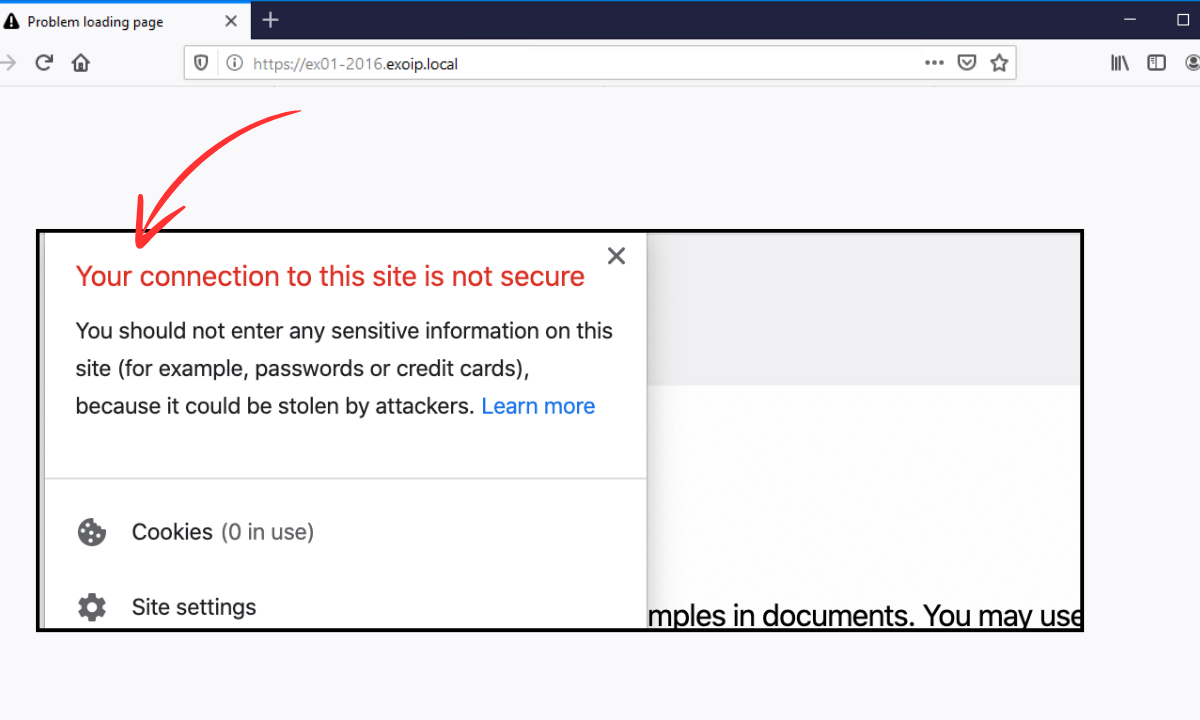
One of the common errors you may encounter is the warning "Your connection to this site is not secure." This message indicates that your browser is having issues loading the webpage securely.
This error can be hard to diagnose, including incorrect date and time settings or SSL misconfigurations. ...

In 2024, it is essential to protect your WordPress site from malware. Cyber-attacks and online threats are ever-growing, and protecting your website from malware is critical. To prevent file corruption, consider using a reliable WordPress hosting provider. This guide is for all skill levels and will help ...
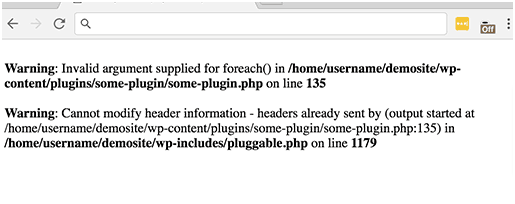
To Fix the pluggable. Php file error. You are talking about pluggable. Php file error occurs when you have added code snippets to the WP website, activated a new plugin, or there is incorrect coding in WP core files.
The pluggable. Php file error infamously is termed WordPress ...
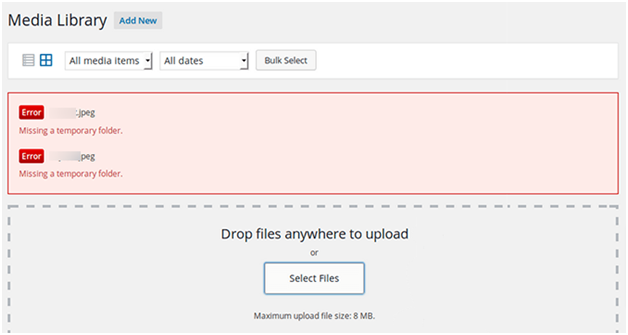
To Fix the missing temporary folder: A missing temporary folder often indicates a server issue with your website's PHP settings. WordPress uses a temporary folder for uploads. You typically run into this error when WordPress cannot locate this folder and attempts to upload an image, theme, or ...





 Lifetime VPS Europe
 Lifetime VPS Asia
 Lifetime WooCommerce Hosting
 Lifetime Hosting
 France Lifetime Dedicated Servers
 Germany Lifetime dedicated servers
 Lifetime Game Dedicated Servers
 Chicago, US
 Tokyo, Japan
 Singapore
 Hong Kong
 Seoul, South Korea
 Amsterdem, Netherlands
 London, UK
 Stockholm, Sweden
 Oslo, Norway
 Vienna, Austria
 Zurich, Switzerland
 Sydney, Australia
 Wordpress Hosting
 VPS Hosting
 DDOS Protection
 Submit Ticket
 Full Management
 Guides
 Videos and Podcasts
 Discover Creative Ideas
 MetaAgentOS High-Ticket Support System
 Voxfor Mega Menu
 Voxfor Advanced Price Management For WooCommerce
 Voxfor Secure Live Chat and AI Support
 Voxfor Multilanguage
 Voxfor AI Content Summary


