
Hosting a website on a Virtual Private Server (VPS) without a control panel can be challenging, but it's easier than it looks. In this guide, we'll show you how to host a website on a VPS using Nginx, step by step, without needing a control ...

Delete WordPress website and starting over might seem complicated, but it can be a simple task with the right approach. This guide walks you through every step needed to remove an old WordPress site and set up a new one. Whether removing outdated content or creating a ...

Jetpack is an essential plugin for WordPress websites that offers a detailed solution for improving your site's security, performance, and user experience. Instead of depending on multiple plugins, Jetpack provides everything from malware protection to image optimization and social sharing in one package. This guide will show ...

The Linux curl command is one of the most awesome web-related terminal tools out there. It provides security for transferring data across your computer and the server following protocols such as HTTP, HTTPS, and FTP. Curl has versatile options; it can be used to download ...

PIP is a tool for managing the Python packages. It helps you install and manage libraries not included in the Python standard library. It simplifies working with Python by making installing and managing external modules easier. This guide will walk you through how to install ...

Creating a mega menu in Elementor Pro can significantly improve your website navigation, making it easier for visitors to explore various sections. A mega menu allows you to display multiple categories in a single dropdown, giving users quick access to important pages. Let's build a custom mega ...

When working with Git repositories, there might be times when you need to remove a remote Origin (or remote URL). The remote Origin URL links your local Git repository to a remote platform like GitHub. Removing this connection can be necessary for several reasons, like ...
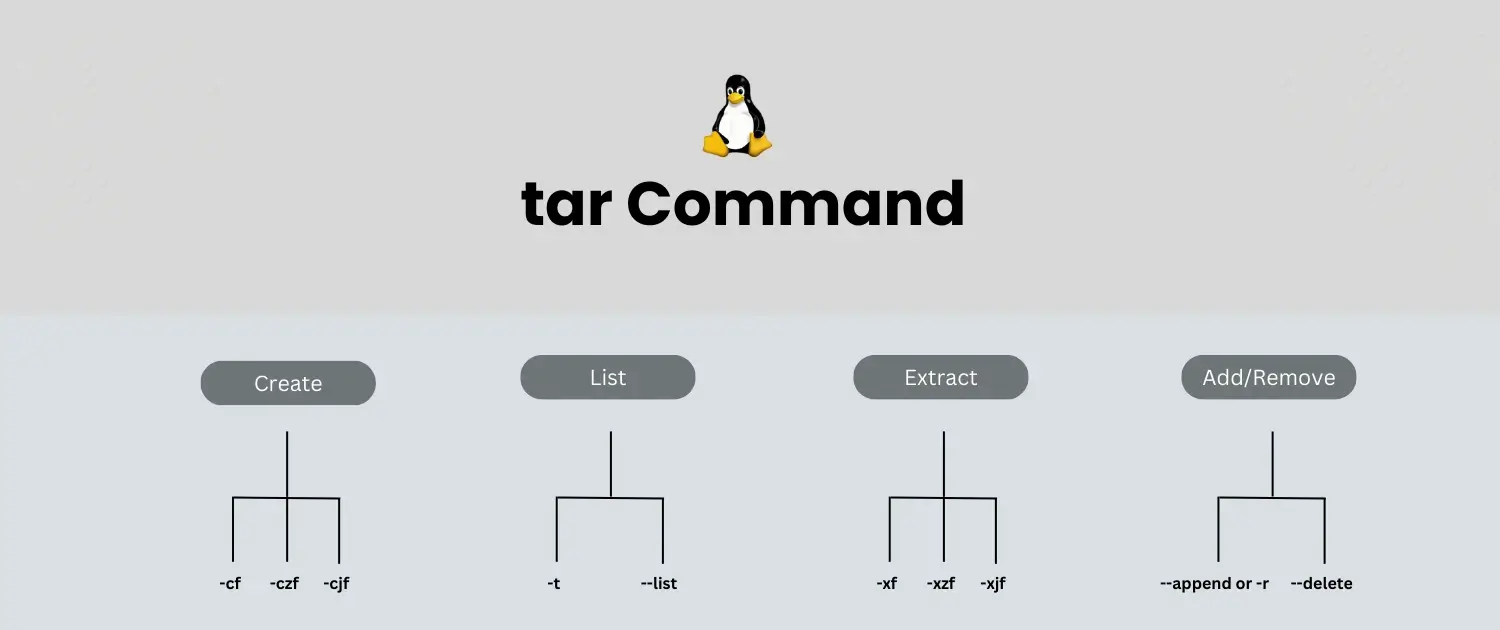
One of the most widely used Linux commands to create an archive of files stood for Tape Archive. It helps users to store, share, and, as a matter of fact, back up multiple files into one, which makes it easier for them. System administrators and ...

Want to copy your WordPress site with ease? The Duplicator plugin is an excellent way to back up or move your website. In this accessible guide, we will show you step-by-step instructions on how to use the Duplicator plugin. From installing the plugin to creating backups and ...






 Lifetime VPS Europe
 Lifetime VPS Asia
 Lifetime WooCommerce Hosting
 Lifetime Hosting
 France Lifetime Dedicated Servers
 Germany Lifetime dedicated servers
 Lifetime Game Dedicated Servers
 Chicago, US
 Tokyo, Japan
 Singapore
 Hong Kong
 Seoul, South Korea
 Amsterdem, Netherlands
 London, UK
 Stockholm, Sweden
 Oslo, Norway
 Vienna, Austria
 Zurich, Switzerland
 Sydney, Australia
 Wordpress Hosting
 VPS Hosting
 DDOS Protection
 Submit Ticket
 Full Management
 Guides
 Videos and Podcasts
 Discover Creative Ideas
 MetaAgentOS High-Ticket Support System
 Voxfor Mega Menu
 Voxfor Advanced Price Management For WooCommerce
 Voxfor Secure Live Chat and AI Support
 Voxfor Multilanguage
 Voxfor AI Content Summary


